MakeUGC AI review: what works, what to test, and when to choose another AI UGC creator
In this MakeUGC AI review, I break down the real ad-creator workflow, pricing, output quality tests, key features, and the MakeUGC alternatives worth comparing before you spend.
If I’m reviewing an AI UGC tool, I don’t start with the homepage promise. I start with the ad job.
Can this tool help me turn a product, a buyer problem, a hook, and a short script into creator-style video ads fast enough to test? Can I make several angles without managing creators, shoots, revisions, captions, and resizes? And, most importantly, does the output look believable enough for paid social, or does it only look good in a demo?
That is the lens for this MakeUGC AI review.
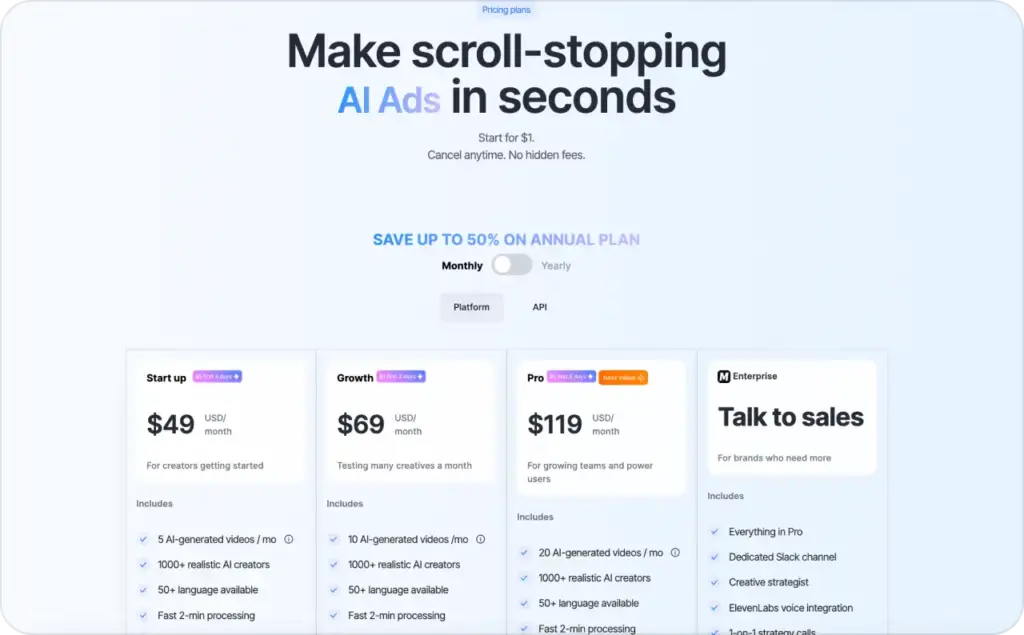
MakeUGC is an AI UGC creator built around AI actors, scripts, product-led videos, B-roll, product-in-hand scenes, captions, and fast ad generation. Its official pricing page lists a $49/month Start up plan with 5 AI-generated videos per month, a $69/month Growth plan with 10 videos per month, and a $119/month Pro plan with 20 videos per month, plus API and enterprise options. The same page also lists access to realistic AI creators, 50+ languages, fast processing, B-roll generation, image generation, batch mode, AI image ads, product-in-hand, video agent, and PDF-to-video features.
My quick verdict: MakeUGC is strongest when you already know the ad angle you want and need an avatar-led UGC-style video quickly. It is less ideal if you need a full product-link-to-campaign workflow, deep campaign guidance, or a broader system for testing and launching paid ads. For that wider buying decision, use Zeely’s best UGC AI video generators guide instead of making this page do two jobs.

How I reviewed MakeUGC AI
I reviewed MakeUGC like an ad creator, not like someone collecting AI tools.
My method was simple: look at the official product flow, map the workflow against real paid social needs, check pricing and usage limits, then score the tool against five practical criteria: speed, UGC realism, product clarity, editing control, and ad-testing readiness. That matters because most AI UGC mistakes happen after the video is technically generated. The avatar can look fine, but the ad still fails because the hook is slow, the product is unclear, the proof is weak, or the CTA feels pasted on.
The buyer I have in mind is not a giant creative department. It is a founder, media buyer, ecommerce marketer, freelancer, or small team that needs more ad variations without booking a studio. If that sounds like you, the real question is not “Can MakeUGC create a video?” It can. The real question is “Can MakeUGC help me create the right kind of video for a paid social test?”
What is MakeUGC AI?
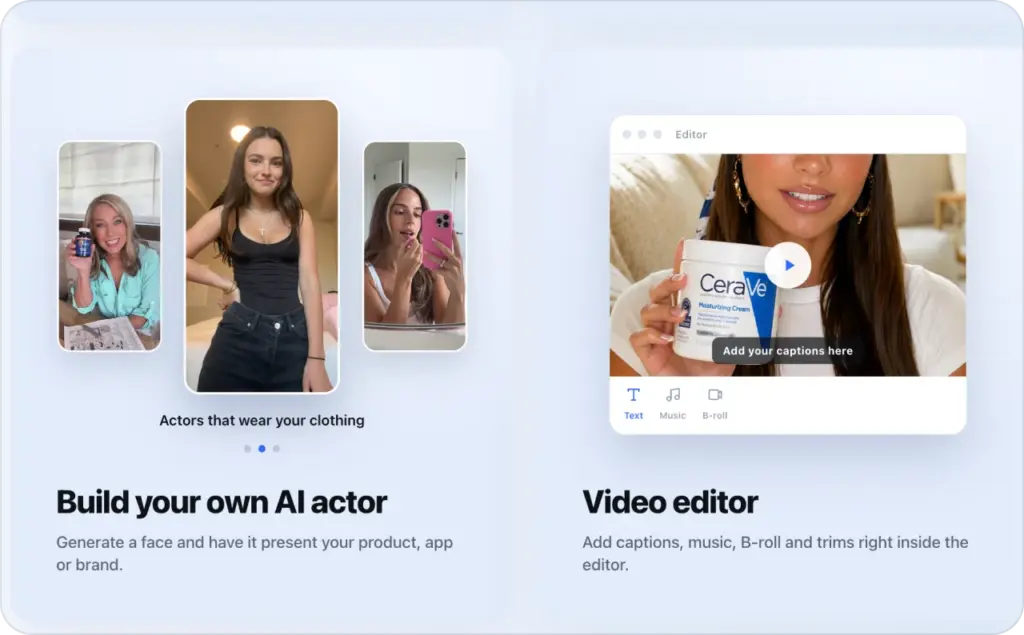
MakeUGC is a platform for generating UGC-style video ads with AI actors. The basic workflow is familiar: write or generate a script, choose an AI creator, then generate a video. MakeUGC’s official pages describe a flow where users write a script, pick an avatar, and generate the finished video, with options around product-in-hand, motion control, B-roll, captions, music, and trims inside the editor.
That makes MakeUGC different from a general AI video editor. It is not mainly trying to help you produce a corporate explainer or a training module. Its value is closer to “I need creator-style ad footage, but I do not want to hire a creator for every new test.”
This positioning is useful. Paid social creative gets tired fast. A single winning ad angle can stop working after the audience has seen it too many times.
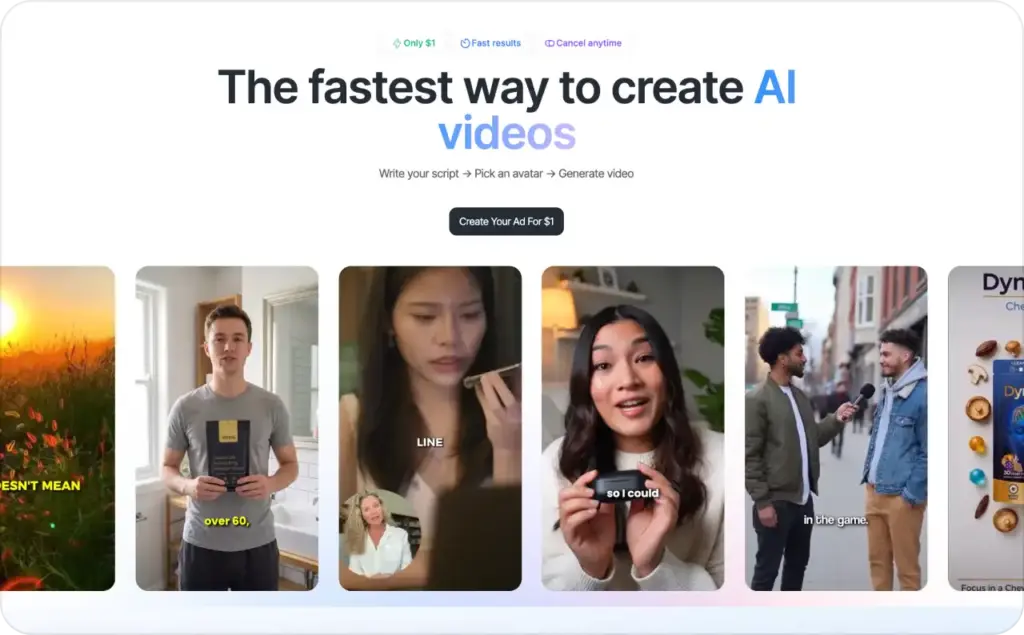
The MakeUGC AI workflow I would use for ads
Here is the workflow I would use if I were building MakeUGC ads for an ecommerce product.
First, I would not open with the script. I would open with the buyer problem. For example: “My skin gets shiny by lunch,” “My dog destroys every toy,” or “I need product photos but cannot book a shoot this week.” One problem per ad. Not five benefits. Not a brand story. One problem.
Second, I would write three hooks before touching the video tool. A strong UGC hook should feel like something a creator would actually say in-feed. For more hook patterns, I would use Zeely’s UGC hooks for video ads guide as a swipe file.
Third, I would build a 20–30 second script with this structure:
Hook → problem → product moment → proof → CTA.
Then I would choose the AI creator. This is where MakeUGC can be useful, because avatar choice changes the entire feel of the ad. A skincare product, a pet product, and a B2B SaaS demo should not use the same presenter energy. The creator should match the buyer and the platform, not just look polished.
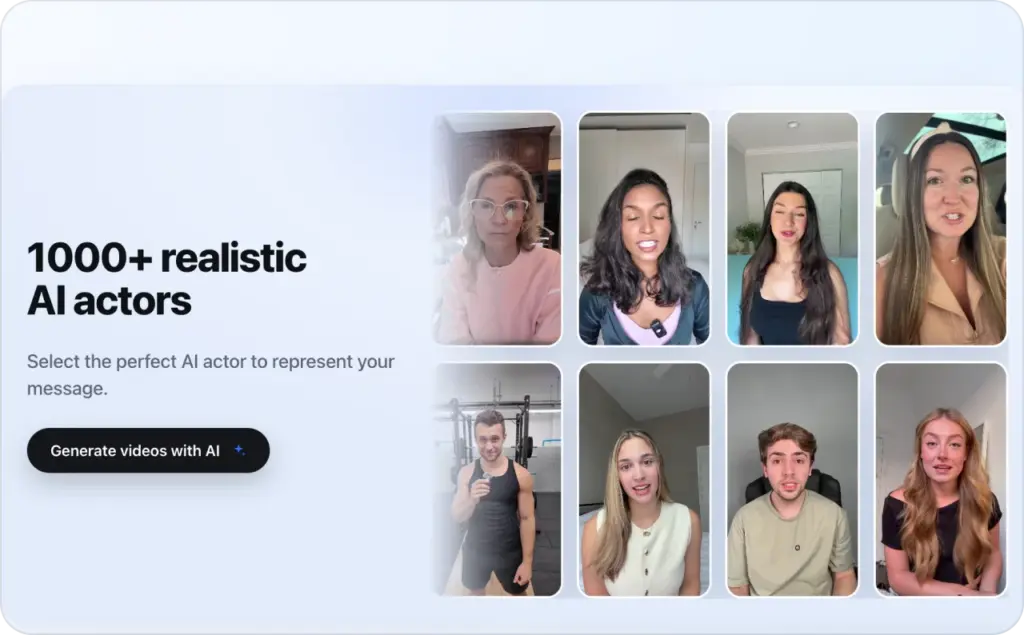
Fourth, I would add product visibility early. If the product is not visible in the first few seconds, the ad becomes a talking-head clip with no commercial anchor. MakeUGC’s product-in-hand and B-roll features are important here because they help the video feel less like a static avatar reading a script.
Fifth, I would export multiple versions. I would not judge MakeUGC on one video. I would create at least three versions: one problem-first, one result-first, and one objection-first. That is the only fair way to test an AI UGC creator.
MakeUGC AI features that matter for ad creators
The most important MakeUGC AI features are the ones that reduce production drag.
The first is AI creators. MakeUGC’s pricing page currently mentions 1000+ realistic AI creators on platform plans and 50+ languages, which is useful if you need different presenter types or localized ad versions.
The second is product-led generation. Product-in-hand scenes matter because UGC ads need product proof. A creator talking about a bottle, supplement, app, or gadget is weaker than a creator appearing to show it. MakeUGC has official product-in-hand pages and feature references, and its pricing page marks Product in Hand as a Pro feature in the credit list.
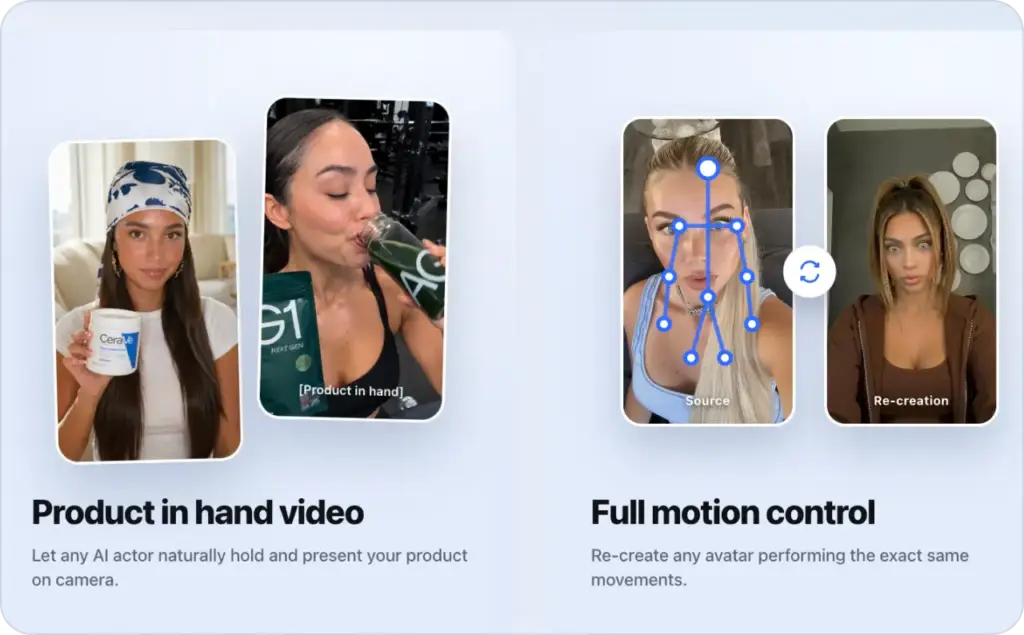
The third is B-roll. This is where many AI UGC videos improve or fail. B-roll can make a video feel like an actual ad instead of a synthetic monologue, but only if it supports the claim. If the script says “I use this every morning,” the B-roll should show a morning routine, not random lifestyle footage.
The fourth is language support. If you sell in multiple markets, 50+ languages can be valuable, but localization is not just translation. You still need the hook, proof, pacing, and CTA to fit the market.
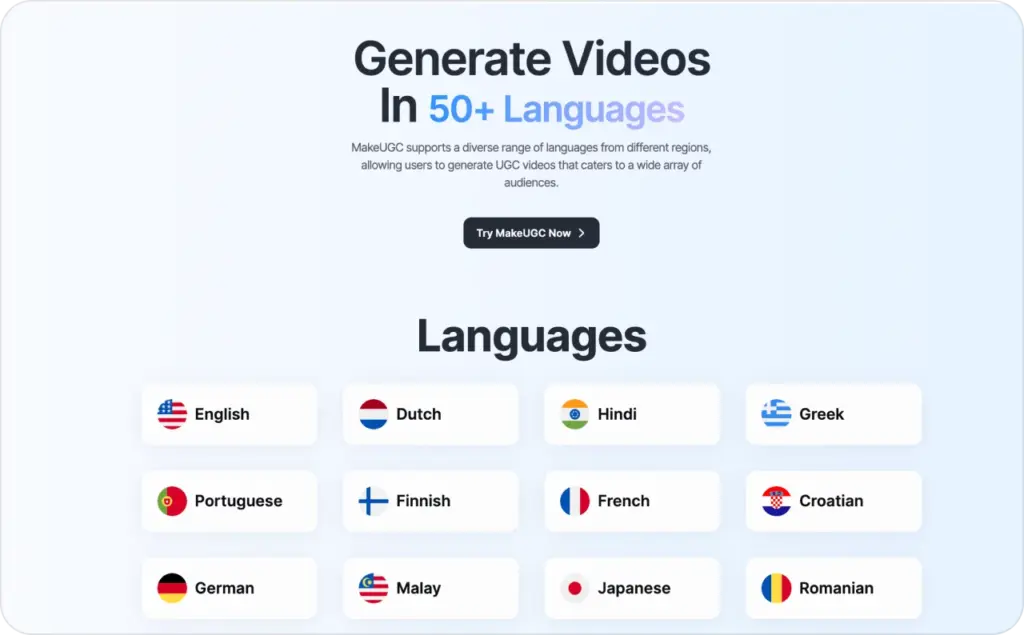
The fifth is batch and bulk creation. MakeUGC’s pricing page lists bulk content creation and batch mode on its platform plans, which matters for teams testing several ad angles every month.
MakeUGC AI pricing: what you actually need to check
MakeUGC’s monthly platform pricing currently starts at $49/month for Start up, which includes 5 AI-generated videos per month. Growth is listed at $69/month with 10 AI-generated videos per month, and Pro is listed at $119/month with 20 AI-generated videos per month. MakeUGC also lists API Starter at $99/month, API Pro at $299/month, and enterprise plans by sales contact.
The headline price is only part of the decision. The more important question is cost per usable ad.
If you pay $49 and get five generated videos, the plan may be fine for a founder testing one product. But if only one of those videos is strong enough to launch, your usable cost is different. If you need 15–30 variations a month, Growth or Pro becomes more realistic. And if your team needs product-in-hand, batch creation, B-roll, image generation, or API access, you should check which plan includes the features you actually need before buying.
My rule: never choose an AI UGC plan based only on the cheapest monthly price. Choose it based on how many ad variations you need to produce, how many you expect to reject, and how quickly your creative fatigues.
My MakeUGC output quality test
For AI UGC, I would test MakeUGC output with five checks.
1. First-three-seconds test.
Pause the video at second three. Do I know what the product is, who it is for, and why I should care? If not, the ad needs a stronger hook or earlier product visibility.
2. Avatar believability test.
The avatar does not need to be perfect. It needs to avoid the uncanny feeling that makes someone scroll. I would watch the mouth, eyes, hand movement, and rhythm. If the presenter feels too smooth, too stiff, or too salesy, I would change the script before blaming the avatar.
3. Product proof test.
A UGC ad should show or imply real use. Product-in-hand, B-roll, app screens, before-and-after framing, packaging, texture, size, or use context can all help. If the ad only says the product is great, it is not enough.
4. Native feed test.
Would this look normal between two creator videos on TikTok, Reels, or Shorts? If the answer is no, the video may be too polished, too slow, or too obviously scripted.
5. Editability test.
Can I quickly change the hook, CTA, caption, B-roll, or aspect ratio? AI generation is only useful for ads if revision is easy. One polished output is less valuable than five editable versions.
This is where I would be strict. A MakeUGC video can look impressive and still not be a strong ad.
MakeUGC pros and cons
MakeUGC’s biggest advantage is focus. It is built around AI UGC creation, not all-in-one content promise. For ad creators, that focus is helpful. You get AI presenters, scripts, B-roll, product-in-hand options, language support, and a workflow designed for video ads.
The second advantage is speed. MakeUGC’s pricing page mentions fast 2-minute processing, and its public pages emphasize creating videos in minutes. That does not mean every finished ad will be launch-ready in two minutes, but it does mean the first draft can appear much faster than a traditional creator production loop.
The third advantage is variation. If you already have a strong offer and clear buyer angles, MakeUGC can help you turn those ideas into multiple avatar-led drafts.
The downside is that MakeUGC still depends heavily on your inputs. Weak scripts will create weak ads. Generic hooks will create generic videos. AI creators can reduce production time, but they cannot invent product-market fit, customer proof, or a sharper offer for you.
Another limitation is workflow scope. If you want a tool that starts from a product link, helps create UGC-style ads, and connects more closely to campaign launch and testing, MakeUGC may feel narrower than platforms built around the full ad workflow.
Who MakeUGC is best for
MakeUGC is best for creators, founders, agencies, and performance marketers who already understand their buyer and need faster video production.
It is a good fit if you have a clear offer, a strong product page, and a backlog of hooks you want to test. It is also a good fit if you sell physical products that benefit from presenter-led or product-in-hand formats.
It is not the best fit if you expect the tool to solve the whole ad strategy for you. You still need the basics: one buyer problem, one promise, one proof point, and one CTA. Zeely’s guide on how to make UGC ads work in 2026 is a better starting point if your issue is not production speed but ad structure.
My honest take: MakeUGC can help you create more UGC-style video ads faster. But the winning part still comes from the angle, the hook, the product moment, and the test plan.
Final verdict: is MakeUGC worth it?
MakeUGC is worth testing if you need an AI UGC creator for avatar-led ad drafts and you are ready to judge the output like a media buyer, not like an AI fan.
The platform has the right ingredients for UGC-style ad creation: AI creators, script-to-video flow, B-roll, product-in-hand, multilingual options, batch creation, and pricing tiers that make sense for different content volumes. Its official pricing and feature pages show a product that is clearly focused on AI ad creation rather than generic video editing.
But I would not treat MakeUGC as a magic ad machine. Treat it as a production accelerator. Feed it sharper hooks. Give it better scripts. Test multiple angles. Reject the videos that look good but do not communicate fast enough.
That is the real answer in this MakeUGC AI review: MakeUGC can be a useful tool for ad creators, especially when speed and variation matter. Just do not confuse generated content with validated creative. The tool can help you make the ad. The market still decides whether the ad works.
For broader tool selection, read Zeely’s best UGC AI video generators guide. For a practical build process, start with how to create AI video ads with Zeely. And if you want to improve your scripts before you generate anything, use the AI video ad script templates next.

Emma blends product marketing and content to turn complex tools into simple, sales-driven playbooks for AI ad creatives and Facebook/Instagram campaigns. You’ll get checklists, bite-size guides, and real results, pulled from thousands of Zeely entrepreneurs, so you can run AI-powered ads confidently, even as a beginner.
Written by: Emma, AI Growth Adviser, Zeely
Reviewed on: June 10, 2026