How to create high-converting ads with AI: A practical guide
Most ads fail because the brief is vague, not because the tool is wrong. My guide walks through building video and image ads with AI and shows how to test your way to a winner on any budget.
Key takeaways
- The ads that convert share a pattern. They tell the right person: this is your problem, here is the fix, here is why it works, and here is your next move
- AI ad generators shrink production from days to minutes. The brief is still what separates a sale from a scroll
- I recommend starting with one product, one audience, and three hook variations. Test the opener before rebuilding the entire creative
- Track CPA and ROAS, not just clicks. A cheap click that never buys is not cheap
Production value does not make someone stop scrolling. What stops them is seeing their own problem on screen, followed by a product that fixes it. If that message lands in the first few seconds, you have a chance. If it does not, no budget will save the ad.
I use Zeely AI as the main walkthrough here because I can show every step from product link to live campaign.
What makes an ad convert?
IAB’s 2026 digital video report projects U.S. video ad spending past $80 billion this year, with digital taking more than 60% of the combined TV and video pie for the first time. That is a lot of money chasing the same few seconds of viewer attention.
An ad that converts gives the viewer four fast answers:
- Is this for me? The hook should name a problem or goal that feels familiar
- Why should I care? The body needs to connect the product to something the viewer can actually picture doing or feeling
- Why should I believe it? Proof. Real evidence. Not a pile of adjectives
- What do I do next? One CTA. One step. That is it
No voiceover, however polished, will rescue a claim nobody believes. And a great hook only buys you a few extra seconds. The body still has to earn the click.
Before you open any tool, try filling in this sentence:
This ad helps [specific person] understand that [product] can help with [specific problem] because [proof], then asks them to [one action].
Keep it beside your draft. Cut anything that does not move it forward.

How to create high-converting ads with Zeely AI: step by step
AI ad generators handle templates, copy, visuals, and formatting. Your job is the brief. Give one a clear brief and it becomes genuinely useful. Give it a vague one and you get a random sentence generator.
Everything below uses Zeely for the walkthrough.
Step 1: Add your product link
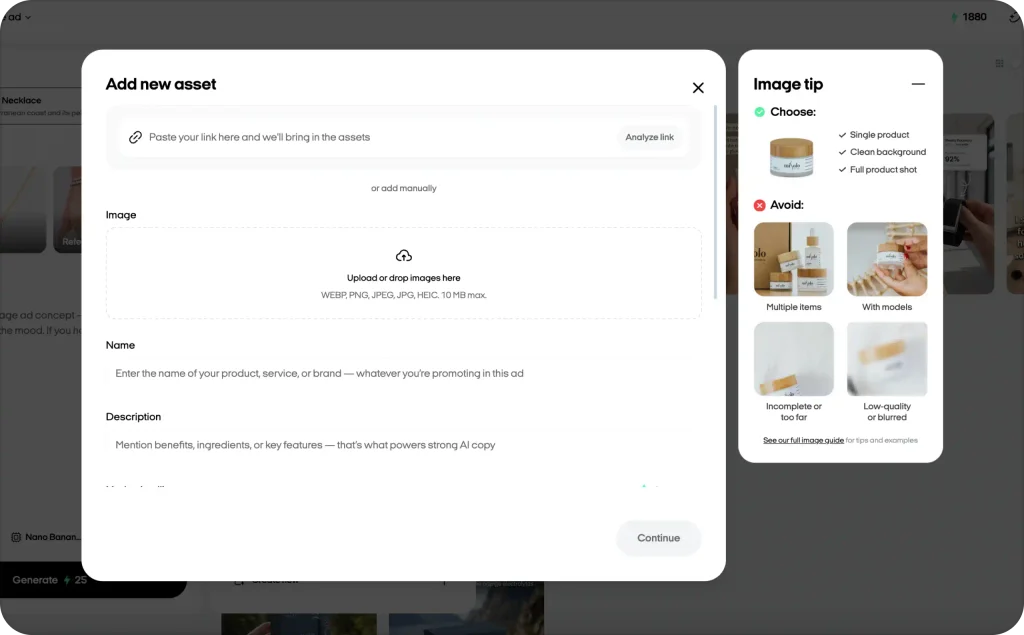
Paste your product or service URL into Zeely. It extracts available product information automatically, including images, descriptions, and other publicly accessible details. No website? Add product details manually: name, photos, price, and a CTA that suits your business.
Spend a minute checking what it imports. Accurate product data means the AI starts with facts. Skip this, and you will spend longer fixing the output.
Step 2: Create a video ad
Add your product details and choose an asset and image. Zeely fills in the product name and description automatically, but you can edit both. Then pick a reference and an AI avatar. The reference controls the scene: pose, outfit, background. You can swap the avatar at any point.
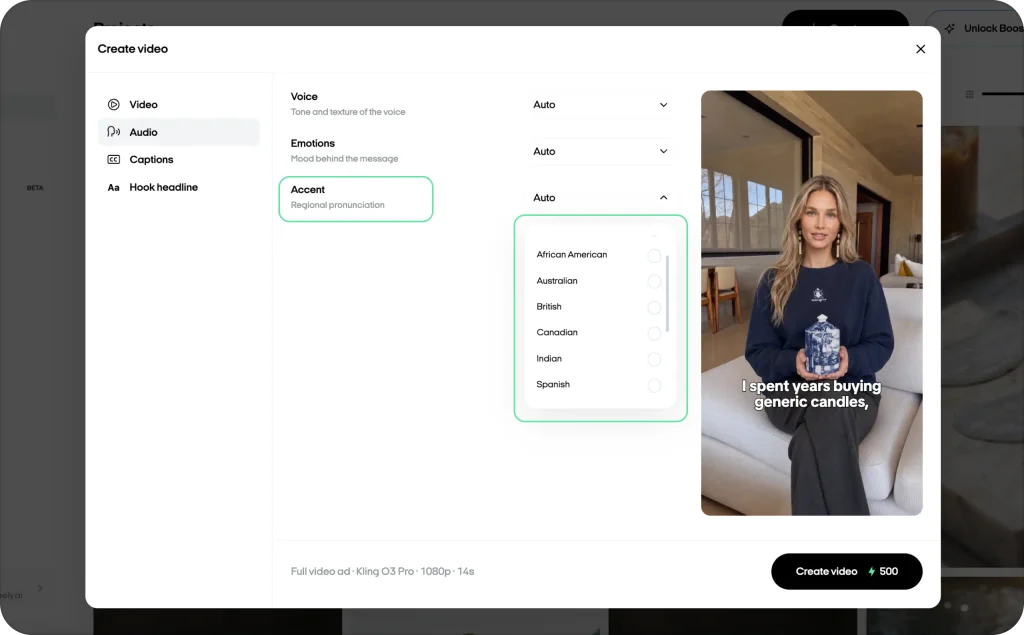
Next, choose your video type. Full video ad gives you a complete hook plus body. You can also generate just the hook or just the body on its own. Pick your AI model, either Kling O3 Pro or Seedance 2.0, and set the resolution. Write your script or click “Generate script” and let the AI draft one for you. If you want tighter control over the script, Zeely’s AI ad script generator lets you edit hooks line by line before the video gets built.
You can also tweak the voice: tone, emotion, accent. Captions are optional. If you turn them on, set a highlight color and position. Same with the hook headline. Pick a font, style it how you like, and move on. When everything looks right, hit “Create video” and wait for rendering.
Step 3: Build an image ad
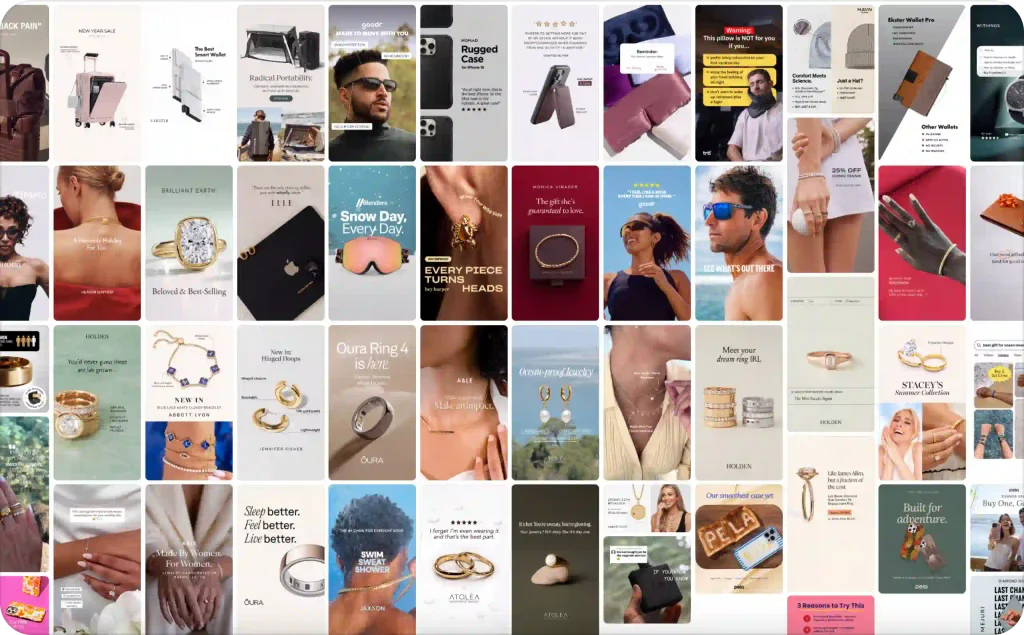
Select your product, add a photo or skip it. The “Continue without image” option lets the AI build the visual on its own. Then pick a reference from Zeely’s library or upload your own. You can select up to ten references, and each one produces a separate image ad. Describe the concept in the prompt field if you want more control, or click “Generate idea” and let Zeely handle it.
Choose your AI model. Nano Banana Pro, Nano Banana 2, and GPT Image 2 are available. Set the aspect ratio and generate up to five variations per idea. If you have Brand DNA configured, you can add your logo after generation.
I run image ads more often than most people expect. They still work for retargeting, dollar-off offers, and placements where video autoplay is unreliable. The static ad creation guide goes deeper on formats and layout.
Step 4: Launch your campaign
You have two ways to launch. Connect your own Meta Ads account, or use Zeely AI Marketplace if you do not have one. Marketplace runs your ads through one of Zeely’s managed Meta accounts, so there is nothing extra to set up.
Either way, the steps after that are the same. Add your destination URL, name the campaign, pick an objective, and select your creatives. I like mixing image and video ads in one campaign. Three to five creatives is the sweet spot because it gives Meta enough material to learn faster and optimize delivery.
Preview every ad before moving on. Swap or remove anything that feels off. Then set your audience. You can go with Zeely’s suggestion or build your own by age range, gender, and location. Zeely updates the estimated audience size as you adjust, which helps you avoid targeting too narrow or too broad.
Set your daily budget and duration with the sliders. Zeely estimates how many people will see your ads and flags if the budget is too low for Meta to optimize properly. When everything looks right, launch. Meta reviews the campaign, usually within 24 hours, and you only get charged once ads start running.
Step 5: Analyze, learn, repeat
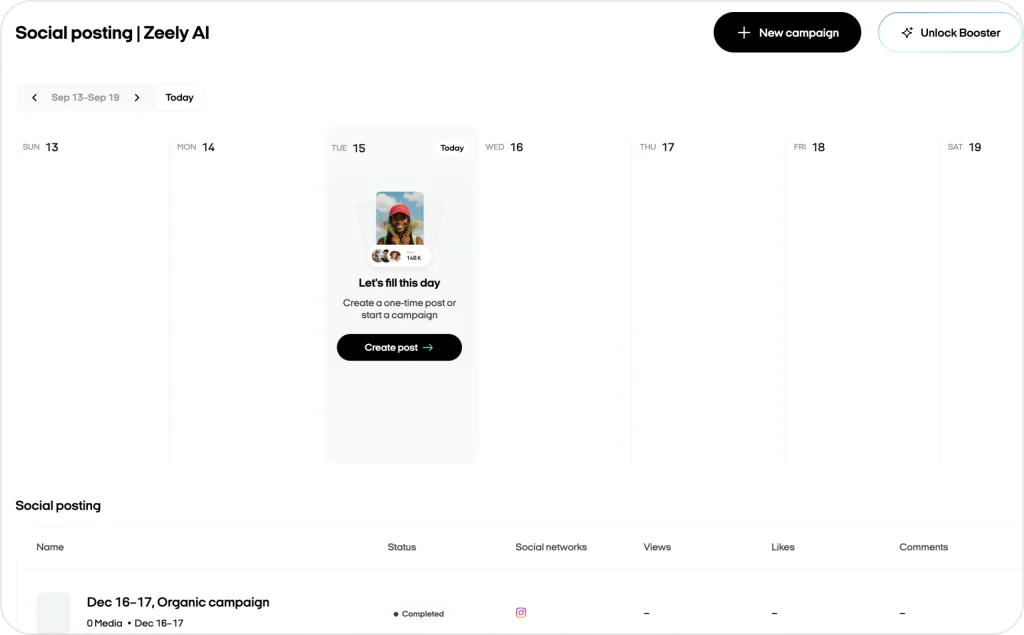
Watch your ads performance. Note which ads earn clicks and which sit there. When the campaign ends, keep your winners and reuse them.
The part most guides skip: do not tear apart your best ad. Improve it one piece at a time. I cover the method below.
Measure and test what matters
Your dashboard can show twenty metrics. Most say nothing about profit.
A click-through rate in the range of 3–5% on Google search ads usually means your copy and visuals are working. Below that, refresh the headline or image. People are scrolling past.
CPC tells part of the story, but not the important part. I have seen $2.50 clicks that turned into $40 customers and $0.80 clicks that bounced in three seconds. The cheaper click was not the better click. For Instagram and Facebook specific ranges, this guide breaks down current CPC and CPM benchmarks.
The number I care about most is break-even CPA. Calculate it before you spend anything:
Break-even CPA = average order value × contribution margin rate
An average order of $60 with a 40% margin gives you a $24 ceiling. Below that, you are making money. Above it, something needs fixing: the ad, the page, or both.
How to test without wasting budget
Motion’s 2026 Creative Benchmarks analyzed $1.29 billion in Meta spend across 578,750 creatives. About 5% qualified as winners, meaning they spent at least ten times their account median. The other 95% underperformed. Testing is how you find the ones that work.
Start with the hook. Write three openings for the same body, proof, offer, and CTA. Run them.
Keep the stronger opener, then move to the next variable: proof format, offer phrasing, or CTA wording. One change per round. Swapping the hook, the offer, the landing page, and the audience in the same test might improve the number, but it will not tell you which change did it.
| What you see | What the ad likely needs | Next test |
| Weak early viewing | A clearer hook or first frame | Try a sharper opening |
| Good viewing, weak clicks | A more specific benefit or CTA | Rework the promise or action |
| Strong clicks, weak sales | Better message-to-page alignment | Check the offer and landing page |
| A previous winner slows down | Fresh creative energy | Refresh one element |
My rule of thumb: about 10 to 20% of daily spend goes toward experiments. If something beats the baseline, I give it a little more room each week, usually 10 to 15%. What I do not do is double a budget overnight. I tried that early on and watched CPC spike because Meta’s optimization had to restart from scratch.
Collect at least 100 clicks on a variant before judging it. One slow Tuesday afternoon is not a verdict.
Watch for a CPC that climbs 30% while conversions stay flat. That gap is telling you something. And if your CTR cannot break 1%, the audience is scrolling right past, meaning the hook or the targeting needs work.
Before pulling the plug on an underperformer, try changing just one thing. A sharper headline. A different lead image. Sometimes that is enough. If the second version still flatlines, pause and move budget to the creatives that are actually selling.
My scroll-stopping hooks guide has opener ideas sorted by platform and format.
When to use AI ads and when to use human creative
Meta’s own AI-powered ad tools are driving significant performance gains. Accounts fully leveraging Advantage+ AI features see a 22% ROAS increase on average, and Advantage+ Shopping campaigns have delivered up to 32% lower CPA compared to manually configured campaigns. The speed advantage of AI creative is real: when AI handles production, you can cycle through far more variations before the budget runs dry.
But an AI avatar cannot say “I used this for three months and here is what happened.” It never used anything. Testimonials, before-and-after stories, founder narratives: those still need a real person. Buyers can tell the difference, and they care. For the full comparison, see AI UGC vs. real UGC.
My preferred setup: AI finds the winning message. A real creator makes that message believable. The two are not competing. They cover different jobs.
Write better prompts, get better ads with Zeely AI
“Make me a good ad” gets you forgettable output. A brief with a clear audience, problem, proof point, and CTA gets you something you can actually judge.
I use this prompt structure with any AI ad generator:
Create three 15-second video ad scripts for [product]. The audience is [specific buyer]. They struggle with [problem]. Focus on [benefit]. Use only this proof: [evidence]. Give each version a different hook and one CTA. Keep the language natural. Do not invent reviews, numbers, or guarantees.
Almost every weak AI ad I have seen traces back to a vague brief. Fix the input and the output follows.
Zeely’s AI ad generator keeps product import, scripting, visuals, and campaign launch in one workflow. Current plans are on the pricing page.
FAQ
They can. But no format converts on its own. The hook, the offer, the audience, and the landing page still decide the result. AI’s real advantage is speed: more variations tested, faster learning, quicker path to a winner.
Narrow everything down. One product, one audience, one offer. Then use an AI ad generator to make three hook variations and test them over at least four days on a single platform. Whichever hook wins, keep it and change one other variable next. Fifteen dollars a day with a clear test plan will teach you more than a hundred dollars a day spent guessing. I have watched that play out dozens of times.
Yes. Meta and Google both treat AI-made ads the same as any other ad. Your claims still need to be accurate, your pricing correct, your disclosures visible. The landing page has to match what the ad promises. The newer wrinkle is synthetic media labeling. Several platforms started requiring it in 2025 and 2026, so look up the current rules for each channel before you go live.
Google search ads typically convert 3 to 5% of clicks into leads. On Meta, 1 to 2% is common for cold traffic. But the rate matters less than the math behind it. A 1% conversion rate that stays below your break-even CPA is more valuable than a 5% rate that attracts people who never pay.
Usually the landing page. The ad made a promise the page did not keep. Check whether the page headline matches the ad, whether there is one clear action to take, and whether someone can complete it on a phone in under 30 seconds. If all three check out, look at the offer or the audience targeting.