How to create AI video ads with Zeely in 2026
How do you create AI video ads that actually convert, not just look cool in your feed? Zeely has generated millions of AI-powered creatives and campaigns for 650k+ businesses, and this guide distills what works best in 2026.
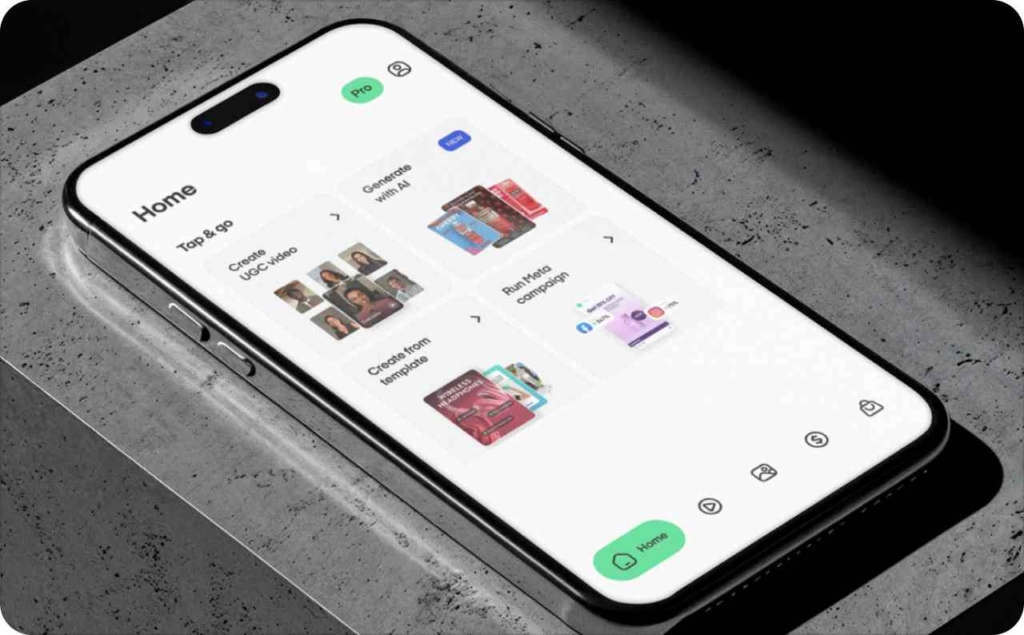
Creating AI video ads with Zeely means using AI to turn your product link, images and short scripts into ready-to-launch UGC-style ads for Instagram, Facebook, TikTok and more, without a studio or agency. I will walk you through how to create AI video ads with Zeely, test them, and scale the winners across your paid social.
AI video ads work when you mix strong hooks, UGC-style storytelling and fast testing. In Zeely, you add your product link, pick an AI avatar or image-to-video flow, generate 3–5 video ads and launch to Instagram, Facebook and TikTok. The full setup guide for marketing video ads lives in the Zeely Help Center. Watch hook rate, CTR, CPA and ROAS, then iterate every week.
Why this guide matters right now
In 2026, almost every serious advertiser is at least testing AI video ads, and IAB data shows that 86% of digital video buyers already use or plan to use generative AI for video creatives, with AI expected to power about 40% of video ads by 2026.
The 2026 AI video ads landscape
AI video ads in 2026 cover several formats: text-to-video clips from models like Sora 2 and Veo, image-to-video loops, talking-head AI avatars and mixed AI plus UGC workflows. Under the hood, these sit inside a fast-growing generative AI content creation market that Grand View Research forecasts to grow from roughly $15 billion in 2024 to more than $80 billion by 2030.
For advertisers, the key detail is not the model name, but what it unlocks. Small and mid-sized brands lean into this faster because AI cuts both production time and costs while letting them test far more creative angles per month.
Zeely sits inside this wave as an all-in-one AI ad creative platform. You can generate UGC-style video ads, static creatives and full AI-driven campaigns in one place, then connect them directly to Meta campaigns. Learn more about AI video models for ads.
Nano Banana Pro with Zeely is kind of wild.
You can move around a product almost like you’re holding it in your hands. Turn it, get closer, slow down on the details. At some point you realise you’re not just showing the product anymore, you’re showing why it’s good.
The zoom is… pic.twitter.com/whDRelmS67
— Zeely AI (@zeely_ai) January 21, 2026
What is an AI video ad in 2026
In 2026, an AI video ad can be one of several technical types:
- Talking-head AI avatar videos where a digital presenter speaks your script
- UGC-style ads where an AI avatar behaves like a creator reviewing or using the product
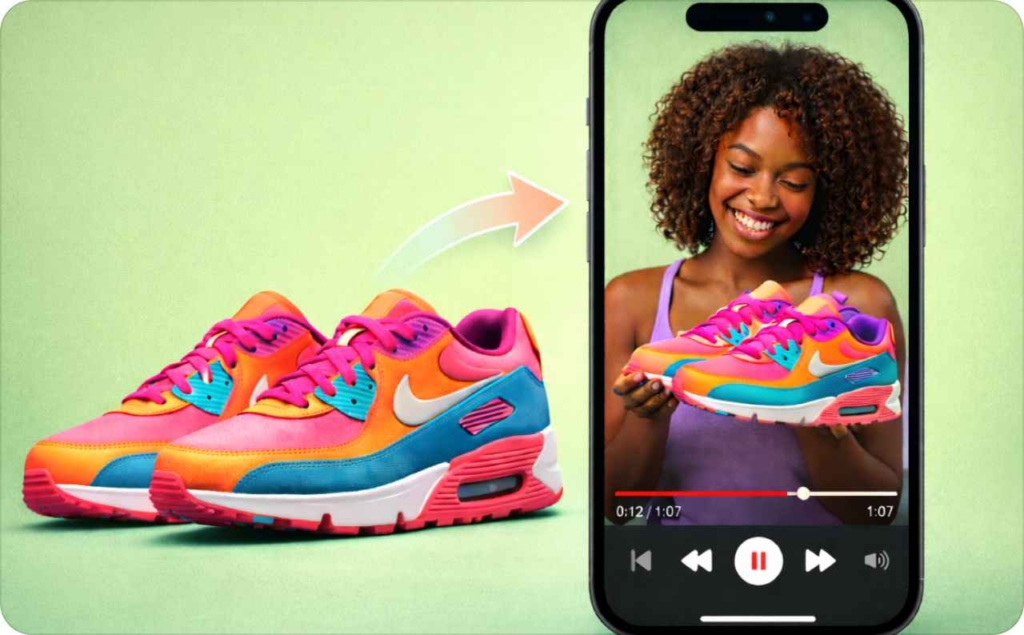
- Image-to-video clips that animate a still product image into a short sequence
- Text-to-video cinematic spots that turn a prompt into a full scene
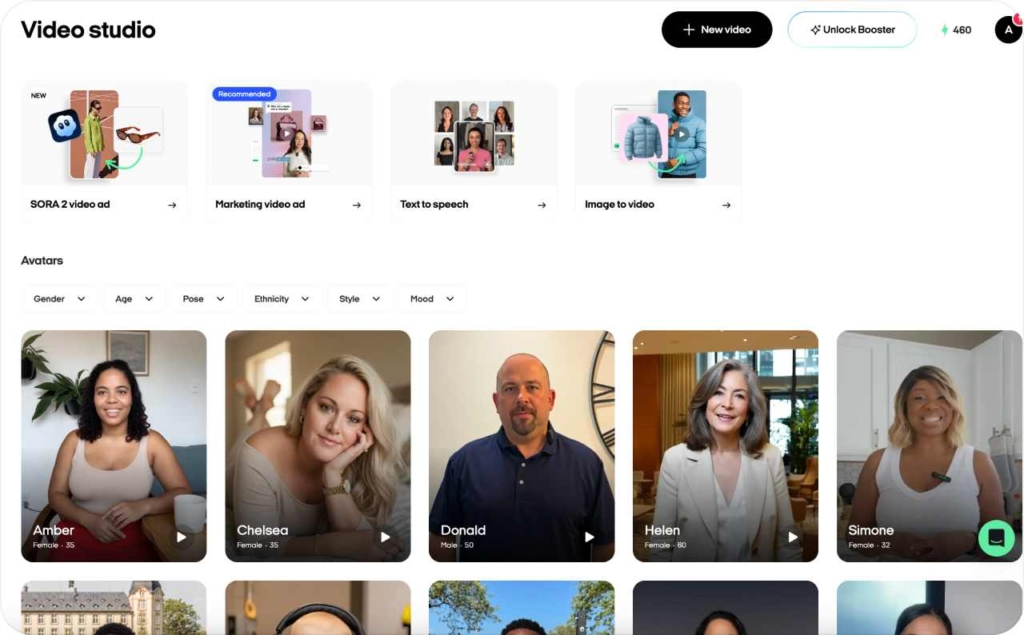
Inside Zeely, you can map each of these directly: AI avatars and marketing video ads for presenter-led clips, image to video and Sora 2 video ads for cinematic scenes, all in one video studio flow.
Why brands cannot ignore AI video anymore
Video is the default format for paid social in 2026. HubSpot data show that about 89% of businesses use video marketing, and 93% of marketers report strong ROI from video.
That demand comes with pressure. Teams need more creative variations, across more placements, refreshed more often. For small businesses and lean marketing teams, that quantity is almost impossible using only traditional shoots and UGC creators.
Generative AI solves the volume side by giving you fast variations and new hooks. The missing piece is structure: when you pair AI with a clear playbook for hooks, offers and testing, AI video ads become a reliable sales channel instead of a lottery ticket.
When AI UGC video ads work and when they don’t
If you read through the AI UGC thread on Digital Marketing, you see the same concerns repeating: AI videos can feel fake, hooks are weak, and the cost per result sometimes looks worse than with human creators.
From what I see in Zeely data, AI-generated UGC content works best when it mimics real creator patterns. That means a clear hook, a simple problem, one solution, proof and a direct call to action. It also needs consistent iteration, not one heroic video.
Zeely gives you a head start here through performance templates, sales frameworks like AIDA, PAS and FAB, and AI avatars tuned specifically for ad use rather than generic social content. Read now more about what AI UGC is.
Lessons from marketers who could not “make AI video ads work”
The Reddit thread reads like a list of avoidable mistakes. Many marketers ran generic scripts that could fit any brand, aimed at the wrong audience, tested only one or two creatives, or trusted the raw AI video without adding edits for authenticity.
Inside Zeely, you solve these patterns by using script enhancers, choosing specific templates, and letting AI suggest hooks that sell and angles based on your product page. You can spin 3–5 video ad variations from one base idea, then refine them instead of placing all your budget on a single AI clip.
If your current AI video ads do not mention a clear audience, pain, offer and next step, your script is likely too generic.
Checklist: when to choose AI over human UGC
Use AI UGC-style video ads as your main tool when:
- Your budget per test is limited, but you still need multiple hooks and offers
- You have many products or variants and want to test them quickly
- You need to run frequent split tests on hooks, visuals or CTAs
- You want always-on creative production instead of occasional shoots
Human creators still shine in deep storytelling, long-term brand ambassador roles and high-budget hero films.
A hybrid setup that I recommend in Zeely: use AI to create roughly 80% of your testing creatives, find the angles that win, then brief human UGC creators to remake only the best-performing ideas in a more personal style.
This might involve lower creative costs for testing and stronger ROAS once you back winners with higher spend. You may also be interested in reading the ultimate comparison between UGC creators, AI UGC, and Influencers.
Step-by-step: how to create AI video ads with Zeely
Here is the core walkthrough for how to create AI video ads with Zeely using Video Studio. This is the same flow our Help Center articles describe, just organized as a single playbook.
In short, you will:
- Add or import your product
- Open Video Studio and pick the video type
- Choose an AI avatar
- Generate or refine the script using AI
- Attach visuals
- Add hook, music and CTA
- Generate, review and edit
- Launch to Meta
HubSpot data shows that while 89% of businesses use video marketing, 37% of marketers who have not started yet say it is because they do not know where to begin. This is why I keep the steps concrete.
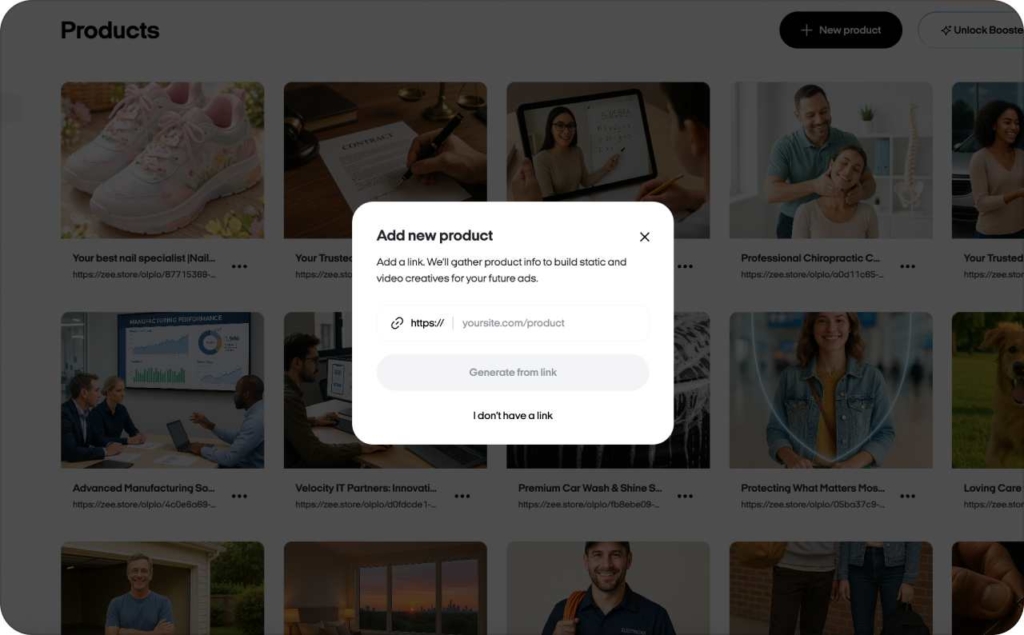
Step 1: Add or import your product
You can:
- Paste a product URL and let Zeely pull title, description and images
- Connect a Shopify store
- Add a product manually with name, price, short description and pictures
Zeely uses this product feed as the source for AI scripts, hooks and on-screen captions. This is your base for every AI ad generator flow inside the app.
Step 2: Open Video Studio and pick your video type
From your product card, tap into Video Studio. You will see four main options:
- Marketing video ad
- Text to speech video ad
- Image to video
- Sora 2 video ad
This is where you decide if you want a UGC-style presenter, a narrated slideshow, or an AI-cinematic clip that turns a product image into motion.
Step 3: Choose an AI avatar
Zeely works as an AI avatar generator with more than 500 hyper-realistic avatars tuned for ad use. You pick gender, age range and overall vibe (for example, friendly expert, energetic host, calm explainer) to match your audience.
The avatar then reads your script, gestures and behaves like a real UGC creator in your ad.
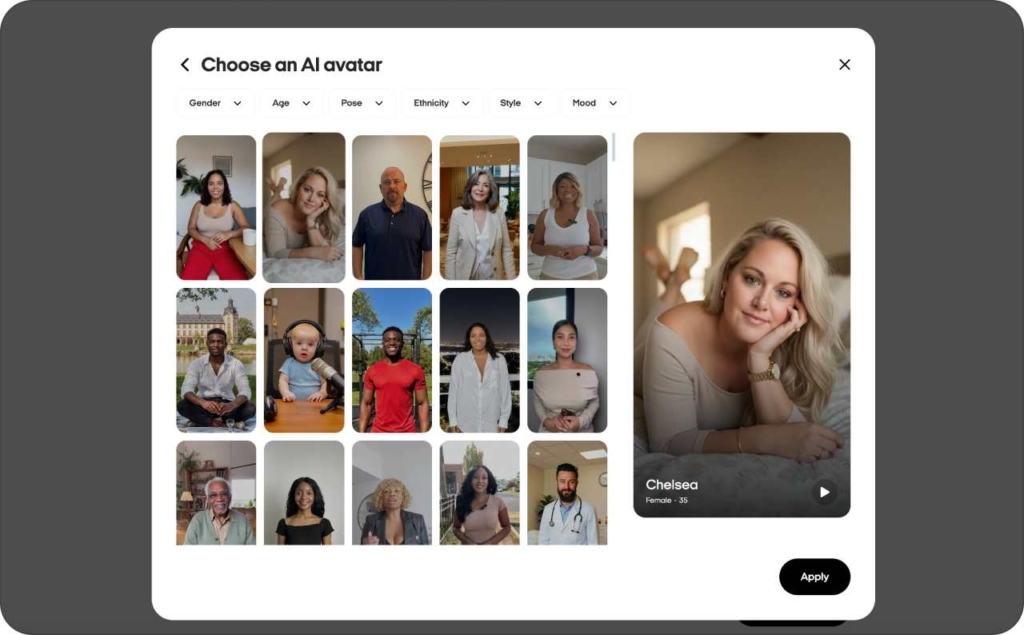
Step 4: Generate or refine your script
You can paste your own script, or let Zeely write one from your product data. I recommend using the built-in frameworks:
- AIDA: Attention, Interest, Desire, Action
- PAS: Problem, Agitation, Solution
- FAB: Features, Advantages, Benefits
- Gen Z speech
These frameworks keep the story simple and sales-focused. You can highlight your main offer, your social proof and the call to action in plain language.
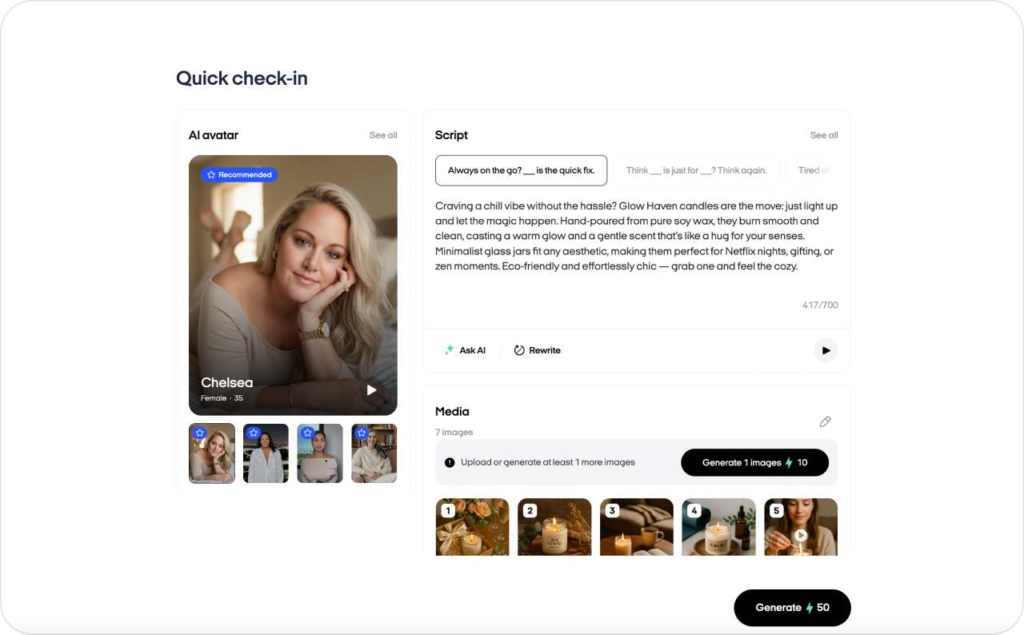
Step 5: Attach visuals
For a marketing video ad, make sure you attach at least seven product or lifestyle images so the edit feels dynamic. Mix close-ups, context shots and any real customer photo you have.
You can also let AI fill gaps in the sequence by proposing extra visuals that match your brand and text.
Step 6: Add hook, music and CTA
Before you hit generate, I want you to double-check three fields:
- Hook line (first 2–3 seconds)
- Main benefit line
- Call to action text and button
Music and captions help, but the hook decides your scroll-stop rate. Aim for something specific, like “Turn one product photo into a ready Instagram ad in 60 seconds” instead of “Grow faster with AI.”
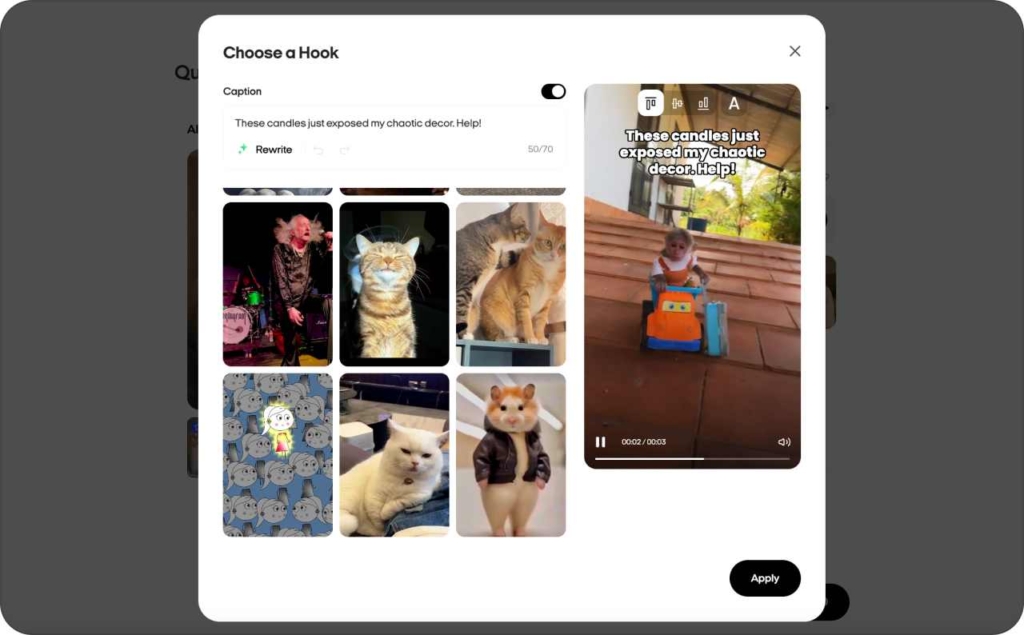
Step 7: Generate, review and edit
Click Generate video and wait for Zeely to render your ad. Watch it once through as if you were a cold viewer in your Instagram feed.
Trim anything that feels slow, clarify any line that sounds robotic, and regenerate the script or avatar take if needed. Inside Zeely you can do all of this without exporting to another editor.
Expected result: a ready-to-launch AI video ad that feels like a real UGC clip, with clear hook, proof and CTA.
If you need more detail on any of these steps, the Zeely Help Center covers each video type in depth.
Preparing your product and assets inside Zeely
Before you run any AI video generator from image or URL, make sure your product setup is clean.
- If you use URL import, Zeely reads your product title, price and description directly from the page
- If you use Shopify, Zeely syncs product details and images from your catalog
- If you add items manually, keep titles short and descriptive so AI understands the offer
For images, focus on simple framing, clear lighting and minimal clutter. Place the product in the center, avoid busy backgrounds, and upload at least a few lifestyle shots with people when possible. Later, Image to video and Sora 2 can extend those assets into full scenes.
Creating a marketing video ad with AI avatars
To build a classic UGC-style ad in Zeely:
- Open your product and go to Video Studio → Marketing video ad
- Pick your AI avatar
- Select a ready-made script scenario or paste your own copy
- Click the AI enhancer to make the script more persuasive while keeping your tone
- Attach at least seven images for the visual sequence
- Set your hook line, benefit line and CTA
Keep the structure simple: hook, pain, solution, social proof, call to action. Let the AI avatar speak like a real customer or expert, not a corporate announcer.
This is the best place to start if your main goal is to create high quality video ads with AI that look like real UGC creator content.
Using Text to speech video ads for brand-led storytelling
Text to speech video ads combine your words with an AI voice and avatar.
Flow: Video Studio → Text to speech video. Pick your avatar, link a product, then write a script in the 200–400 character range, which yields about 15–30 seconds of video. Hit generate and review.
This is perfect when founders or experts want to explain something in their own language, but you still want fast AI production and consistent video style.
Image-to-video AI in Zeely: from product photos to cinematic ads
If you only have product photos, Zeely’s image to video AI helps you turn those into motion without a full shoot. You can choose Image to video for short animation loops or Sora 2 video ad for rich scenes with motion, transitions and sound.
For Image to video:
- Open Video Studio → Image to video
- Pick a product image
- Choose a reference from the library or upload one
- Write a short prompt or let AI draft one based on your product
- Choose the AI model preset
- Click Create start image, then Generate AI clip
- Review the clip in Projects → Videos
For Sora 2 video ad:
- Open Video Studio → Sora 2 video ad
- Import your product image
- Adjust or rewrite the prompt that describes the scene you want
- Generate a start frame and confirm video settings
- Start generation for a roughly 12 second video with motion, transitions and sound design
Best use cases: product demo loops, hero product reveals in Reels, thumb-stopping backgrounds behind text overlays, and retargeting ads where people already know the brand and just need a visual reminder.

Best practices for Sora 2 product ads inside Zeely
For Sora 2, short and simple works best. Keep the story to one key benefit or scenario, aim for about 12 seconds, and avoid prompts that could generate risky or off-brand visuals.
If the motion feels too surreal, tweak the prompt toward more realistic actions and settings, then regenerate. Use Sora 2 clips at the top of the funnel to win attention, and let Marketing video ads handle the detailed explanation and sales pitch.
Conclusion
AI video ads do not replace your story, they just remove the production grind. With Zeely, you can turn a product link into testable AI video ads in minutes, then let real performance data guide your next move.
FAQ: How to create AI video ads with Zeely
To create high-converting video ads with Zeely paste your product URL into Zeely, let the app pull your title, description and images, then open Video Studio. From there, pick Marketing video ad or Image to video, generate the script with AI, choose an avatar and launch.
The best way to create high quality video ads with AI is to use UGC-style Marketing video ads with a strong hook and clear CTA, then export directly into your Instagram ads setup. Aim for 5 and more high quality images to produce the best quality videos.
Yes, Zeely can work as an AI video generator. With Image to video and Sora 2 video ads, Zeely turns a single product photo into short animated clips or cinematic scenes. You upload the image, write a quick prompt, pick the model, and generate dynamic video ready for Reels with AI Reel Maker.
Zeely includes more than 500 ultra-realistic AI avatars designed for advertising, not just generic social clips. You pick an avatar, attach a product, write or generate a script, and turn it into UGC-style content that fits Meta and TikTok placements.
I recommend creating 3–5 AI video ads per ad set, each with a different hook or angle. After 5–7 days, keep the winners, pause underperformers, and use Zeely’s tools to clone and refine the best creatives for a second testing wave.
Yes. You can generate both AI video and static creatives in one workflow, your product feed powers both. You can generate static image ads, Marketing video ads, Text to speech and Sora 2 video ads from the same product card, then run them together in your campaigns for stronger reach and better ROAS.

Emma blends product marketing and content to turn complex tools into simple, sales-driven playbooks for AI ad creatives and Facebook/Instagram campaigns. You’ll get checklists, bite-size guides, and real results, pulled from thousands of Zeely entrepreneurs, so you can run AI-powered ads confidently, even as a beginner.
Written by: Emma, AI Growth Adviser, Zeely
Reviewed on: February 6, 2026