AI video best practices for 2026: Prompts, ethics, and performance
How do you turn AI video tools like Sora, Runway, or any text-to-video model into predictable, on-brand assets instead of random clips? This guide distills patterns from thousands of AI videos and campaigns analyzed by the Zeely AI team into a neutral, tool-agnostic playbook you can apply to any stack.
AI video best practices are the rules and workflows I use to plan, prompt, produce, and measure AI-generated video so it actually drives sales, not just views. In 2026, you start with clear business goals, write structured prompts, respect ethical guardrails, and design for short-form platforms.
This article is a practical map: plan first, then workflow, prompts, Sora-specific nuances, ethical guardrails, and measurement frameworks you can plug into your existing media mix without hiring a full video crew.
Why AI video best practices matter in 2026
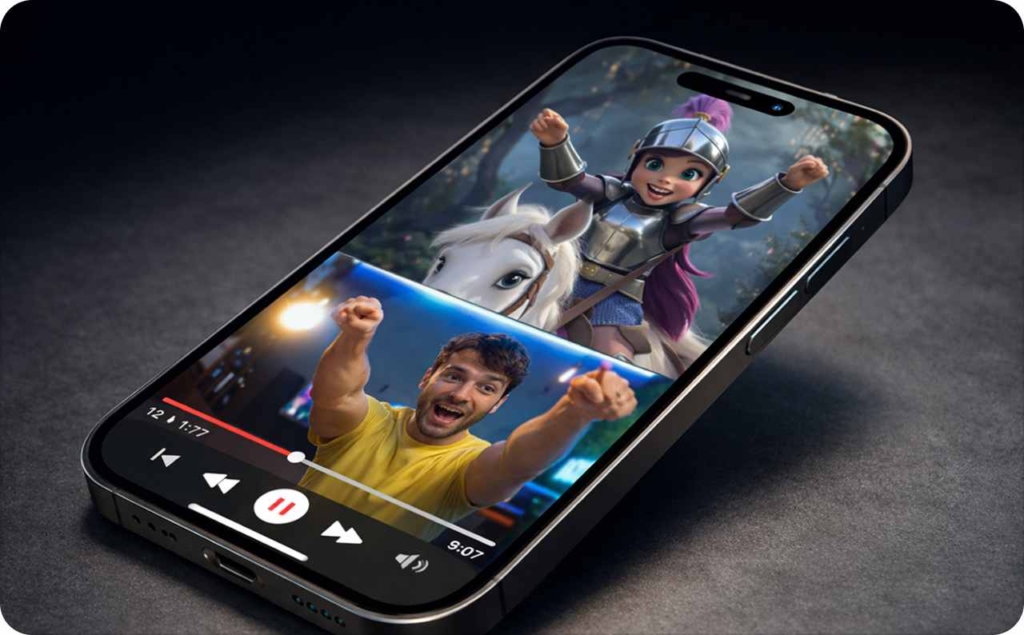
When I talk about AI video best practices today, I am talking about AI video marketing where text-to-video, AI UGC, avatars, auto-editing, and repurposing are the default way you produce a good share of content. HubSpot’s Video Marketing data on HubSpot Blog shows that short-form video has the highest ROI and is the top format for lead generation and engagement, so marketers are pushing harder into this category.
On TikTok, Instagram Reels, and YouTube Shorts that means fast vertical clips. Sora, Runway, and Pika sit beside native tools to power paid social, organic short-form, landing-page explainers, product demos, support videos, and internal training.
From crews to clicks: How AI rewrote video production
Classic video production looked like this in most teams I see: you wrote a brief, booked a crew, shot footage, edited, then versioned until everyone was tired. That shoot → edit → version loop took weeks and burned real budget, which meant you shipped only a few precious assets.
AI video production flips that into script → prompt → generate → light edit. You move from “we might get one ad this month” to “we can test five hooks by Friday” because automated video creation turns cameras and timeline edits into model calls. What used to take a full team and a few weeks now fits into hours with a small crew or even a solo marketer.
Want move your sales higher?
With Zeely, you turn any product into a moving ad story that feels real. You choose the AI actors, the mood, and the motion, whether it’s a couple in love, a rapper hanging out, a barking dog, or your product living its best life on screen.
Whatever… pic.twitter.com/zcIUQEutv6
— Zeely AI (@zeely_ai) January 31, 2026
Where AI video fits in the funnel
Here is how I map AI video best practices to the funnel.
- At the top, you use short, scroll-stopping UGC hooks for awareness on TikTok, Reels, and Shorts, with light CTAs that just ask for attention.
- In the middle, you shift toward explainers and product walkthroughs that raise information density and point viewers to a page or trial.
- At the bottom, AI video for sales funnel work looks more like retargeting social proof: testimonials, comparisons, objection handling.
After purchase, I like AI-generated onboarding and education videos that reduce confusion and churn. Hook strength, CTA placement, and detail level all change by stage, but the same tool stack can serve them all.
AI video generation best practices: End-to-end workflow
Now let’s turn AI video generation best practices into a concrete workflow you can reuse across tools. I like to keep it tool-agnostic so you can slot in Sora, Runway, Pika, or native editors without rewriting your whole playbook.
Here is the end-to-end AI video workflow I recommend:
- Insight or angle
Start with one clear angle: the main problem, outcome, or objection you want to talk about. Pull this from customer calls, reviews, or previous ad performance. - Script outline
Write a rough script or beats: hook, problem, proof, offer, CTA. It does not need to be word-perfect, but it should read like something a real person would say on camera. - Prompt + references
Turn the outline into prompts, including SHOT, SUBJECT, ACTION, STYLE, and any reference images, product shots, or brand colors. This is where AI video workflow decisions lock in: will it be UGC-style selfie, animated product hero, or a hybrid. - Light human edit
Trim awkward beats, add captions, adjust pacing, and correct any weird frames. Generative AI videos still need a human editor, even if it is just you and a simple editor like CapCut. - Compliance and brand check
Check for off-brand details, sensitive topics, and anything that clashes with your legal or ethical rules. I talk about ethics later, but you can start with a simple safety checklist. - Launch and measure
Launch with clear naming so each asset’s performance is easy to compare. Use dashboards or simple spreadsheets to track CTR, CPC, ROAS, completion rate, and cost per completed view. Kill weak variants fast and push spend into winners.
Forbes notes that AI-powered video ads and personalization are moving from novelty into standard practice across connected TV and social placements. That matters because “standard” is where waste hides. Without an AI video workflow like this, you will pay to promote lots of pretty but untested clips that do nothing for revenue.
Creative hygiene: constraints that make AI video better
Creative hygiene in AI video best practices means giving your model clear, tight constraints so it can generate usable footage. Here is a simple table I use when we design prompts with the team to create Zeely video ads:
| Hygiene rule | What it means in practice | Why it helps AI video clarity |
| One main idea per clip | Focus on one problem, feature, or story beat | Keeps the message easy to follow |
| One primary subject | One person or product centered in frame | Reduces messy compositions |
| Limited scenes (1–3 max) | Few location changes, clear transitions | Avoids chaotic jumps |
| Clear action | One strong verb (show, tap, pour, swipe, compare) | Makes motion easy to render and read |
| Simple backgrounds | Clean rooms, plain walls, simple environments | Helps subject and text stand out |
| Hook in first 2–3 seconds | Visual or line that stops the scroll quickly | Protects retention and completion rate |
| Legible text and overlays | Big fonts, high contrast, no busy sections behind text | Supports sound-off viewing |
Overstuffed prompts like “cinematic viral TikTok with three friends, five locations, drones, and lots of overlay text” confuse the model and the viewer. You end up with warped hands, unreadable captions, and scenes that feel like AI fever dreams instead of assets you can ship.
Reference assets, avatars, and brand consistency
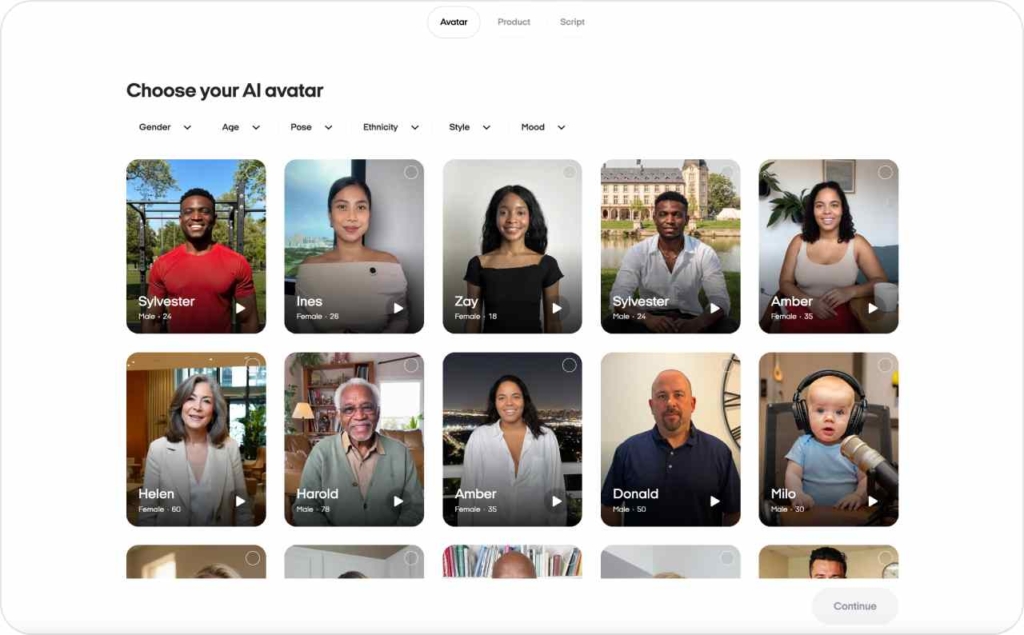
Reference assets are one of the quickest wins in AI video creative work. I always feed the model product photos, UI screengrabs, logos, and brand colors so the output extends your brand instead of reinventing it every time.
If you use AI-powered avatars or synthetic presenters, treat them like real cast members with a simple style guide. Pick clothing, tone, pacing, and on-screen habits that fit your brand, then keep those choices consistent across UGC-style videos, explainers, and ads. That’s how viewers start to recognize the avatar as “yours,” not just another AI face.
I like to save prompt snippets with colors, typography, and logo rules in one place. After a few cycles, you build a small library of AI video patterns that feel unmistakably on-brand and easy to reuse.
Best practices for AI video generation prompts
I treat video prompts as script, shot list, direction, and style in text form. The best practices for AI video generation prompts work across tools because they describe what the camera sees, what the subject does, and how the scene should feel.
Here is a modular schema you can plug into any text-to-video model:
- SHOT: wide, medium, or close; camera angle (eye-level, low angle, top-down)
- SUBJECT: who or what is in frame, plus 2–3 traits (e.g., “small business owner, mid-30s, confident”)
- ACTION: one strong verb (explain, show, compare, tap, unbox)
- CAMERA MOTION: static, slow pan, dolly in, handheld
- STYLE: UGC selfie, cinematic, 3D, animation, screen-record
- LIGHTING / MOOD: bright daytime, cozy indoor, high-contrast studio, natural sunlight
- TEXT / CTA overlays: what appears on screen, when, and where
WordStream’s 2025 video marketing trends highlight AI tools and repurposed video as core themes, especially across social platforms. That means your AI video prompt structure should be reusable too, so you can adapt the same core idea into UGC, explainers, and ads without starting from a blank box each time.
Prompt patterns you can reuse
Here are simple prompt templates you can copy, tweak, and save. I will keep them readable so non-technical teammates can use them too.
1. UGC testimonial
SHOT: Medium selfie shot, handheld, vertical 9:16
SUBJECT: Realistic small business owner, early 40s, friendly, standing in their store ACTION: Speaks to camera about how [product] helped them go from [before state] to [after state], gesturing to products behind them
CAMERA MOTION: Slight handheld movement, natural
STYLE: UGC selfie video, natural lighting, phone-quality but sharp
CTA: On-screen text at end: “Try [product] today” with simple button-style graphic near bottom center
2. Founder talking head
SHOT: Medium close-up, eye-level, horizontal 16:9
SUBJECT: Company founder, late 30s, calm and confident, seated at a simple desk
ACTION: Explains in one sentence who the product is for, then breaks down three steps to get started, using hand gestures
CAMERA MOTION: Mostly static with subtle push-in during key lines
STYLE: Studio feel with soft background blur, brand colors in decor
CTA: Text overlay in final 3 seconds: “Start your free trial” with URL under lower third
3. Tutorial / explainer
SHOT: Screen-record style with picture-in-picture of a person in the corner
SUBJECT: Product UI on laptop screen, plus guide character in a small circle frame
ACTION: Demonstrates how to complete one key task inside the app in three clear steps
CAMERA MOTION: Smooth cursor movements that highlight buttons and sections
STYLE: Clean, flat design, brand colors on buttons and highlights
CTA: On-screen text at the end: “See the full walkthrough on our site” with arrow pointing to a link area
4. Product hero shot
SHOT: Close-up of product on a table, vertical 9:16
SUBJECT: Product in center frame, brand colors in the background
ACTION: Camera slowly circles around product as labels and key features appear as floating text around it
CAMERA MOTION: Slow, smooth orbit around product
STYLE: High-end, cinematic, shallow depth of field
CTA: Final frame shows product and big text: “Get it in 2 days with free shipping”
These templates give your team an instant way to keep SHOT, SUBJECT, ACTION, STYLE, and CTA aligned across variants.
Negative prompts and quality guardrails
Negative prompts are how you tell an AI video model what to avoid. They are essential when you want to control AI video output and keep footage safe for brand use. Typical problems you want to block include warped faces, extra fingers, glitchy text, chaotic cuts, and anything close to NSFW content.
Here is a simple “positive + negative” prompt example for a UGC-style ad:
Main prompt: “Medium selfie shot of a small business owner, speaking clearly to camera in a quiet store about how they doubled sales with [product], vertical 9:16, natural lighting, sharp focus, legible captions.”
Negative prompt: “No warped hands, no extra fingers, no distorted faces, no flickering, no fast chaotic cuts, no blurry or unreadable text, no nudity, no suggestive content.”
For a product hero clip, you might write:
Main prompt: “Close-up of [product] on a clean table, slow camera orbit, brand colors in the background, high contrast, glossy finish, minimal reflections, vertical 9:16.”
Negative prompt: “No reflections of people, no brand logos other than ours, no random objects, no text glitches, no extreme motion blur, no flashing lights.”
These guardrails do not remove all artifacts, but they dramatically reduce unusable frames and help you ship more AI video assets without long rework cycles.
Sora AI video prompt best practices
Sora and Sora 2 are OpenAI’s text-to-video models and apps for generating 20–60 second clips with realistic motion, scene continuity, and, in Sora 2, synced audio. They are designed to handle complex scenes with multiple characters and plausible physics, which makes them powerful for marketing when you respect their rules.
Sora’s breakout adoption is not theoretical. TechCrunch reports that Sora climbed to the No. 1 spot on the U.S. App Store and hit around 1 million installs faster than ChatGPT on iOS, then followed with hundreds of thousands of Android downloads on day one.
When a model reaches that kind of volume, marketers need to understand how its prompting logic works, even if they remix Sora videos in other editors.
Best practices for Sora AI video prompts start with story structure. Because Sora supports multi-shot scenes and storyboards, you should think like a director: break your idea into shots, define how characters move, and describe transitions explicitly. OpenAI’s documentation and prompting guides show that Sora responds well when each shot has a clear camera path, subject motion, environment, and lighting recipe.
In practice, that means:
- Plan 2–5 shots per video with simple, well-described actions
- Keep characters consistent by reusing the same descriptors across shots
- Describe physics in plain language: gravity, object interactions, and realistic motion
- Call out how scenes connect: cuts, fades, or continuous camera moves
These best practices apply whether you ship Sora clips “as is” or treat them as source material you refine in a traditional NLE.
Structuring Sora prompts like a director
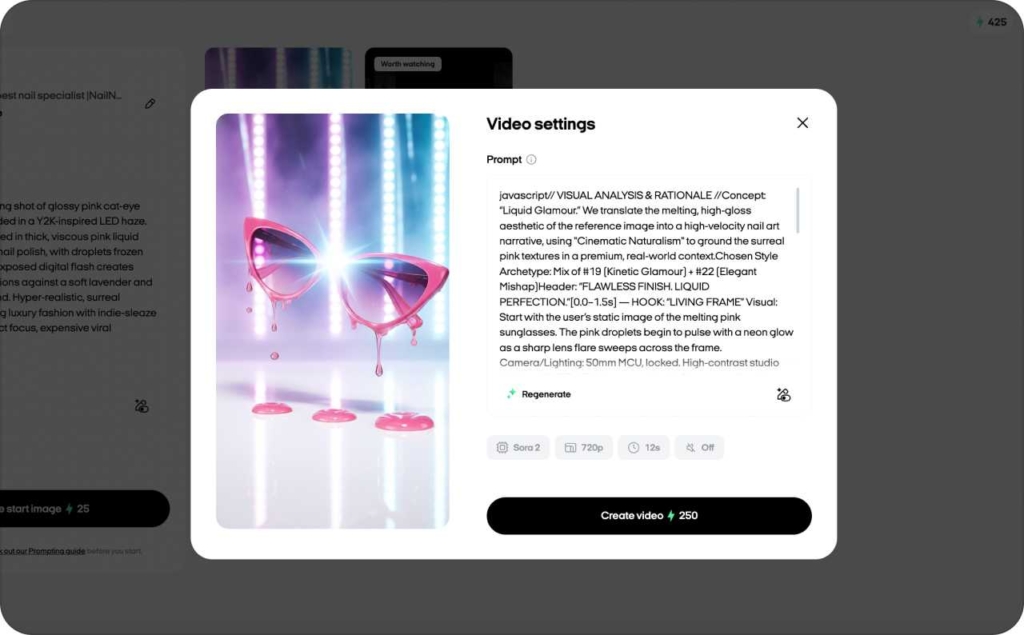
When I teach teams to use Sora well, I tell them to write prompts like mini shooting scripts. OpenAI’s Sora 2 prompting guide recommends separating shots into distinct blocks, each with one camera setup, one subject action, and one lighting setup. Here is a simple checklist for Sora prompts:
- Scene description: Where are we? Describe the environment in one or two sentences, including time of day and overall mood
- Camera path: Is the camera static, panning, or moving through the scene? Describe this clearly (“slow dolly in toward the counter”)
- Subject motion: What does the main character or product do? Keep it to one primary action per shot
- Environment details: Mention key objects that matter to the story and leave everything else out
- Lighting: Natural daylight, warm indoor lighting, or stylized studio light; add shadows if needed
- Transitions and pacing: Note where the shot should cut or blend and describe pacing (“quick 2-second shot,” “linger for 3 seconds on product”)

Do’s and don’ts for marketing content in Sora
Here is how I think about Sora for marketing content.
Do:
- Keep one main subject per shot, centered or placed using simple composition rules
- Use large, high-contrast on-screen text so captions stay legible on phones
- Choose simple backgrounds that match your brand aesthetic
- End with a clear visual CTA: button-style graphic, URL, or simple tagline
Don’t:
- Overcrowd scenes with dozens of objects, people, or moving parts
- Use microscopic text that compresses into unreadable mush in feeds
- Prompt for real public figures, deepfake-style clones, or copyrighted characters
- Ignore safety policies; Sora’s own safeguards plus app store rules will block plenty of attempts anyway
There are ongoing debates about likeness, copyright, and deepfakes, and they matter. I will unpack ethics and policy in a dedicated section, because that is where many brands will win or lose long-term trust with AI video.
Best practices for ethical AI video generation
Pew Research Center analyzed one month of browsing data from U.S. adults and found that around six-in-ten visited a search page with an AI-generated summary, while only a small share visited pages that focused deeply on AI topic. In other words, lots of people bump into AI content without realizing it, and very few go hunting for the fine print. That is why disclosure in AI videos matters.
Here is a practical ethics checklist I recommend for every AI-generated video you publish:
- Disclosure: Label AI-generated video or AI avatars in captions, descriptions, or on-screen
- Consent: Get explicit permission from anyone whose real face, voice, or likeness appears
- Sensitive topics: Avoid using AI video to discuss health, finance, politics, or kids without strict internal rules
- Deepfake risk: Stay away from any content that could be confused with real people saying or doing things they did not actually say or do
- Data retention: Be clear internally about how long you keep raw generations, prompts, and training material
- Complaint and rollback: Have a clear path to remove or update AI content if someone raises a concern
Ethical AI video generation pays off in brand safety and in long-term performance. Viewers who feel tricked by synthetic UGC or hidden AI presenters may click once, but they rarely buy twice. Clear disclosure and consent processes also reduce legal risk as regulators keep tightening AI rules.
Platform & technical AI video best practices (Length, aspect, sound)
As a rule of thumb: use 9:16 for vertical feeds, 1:1 for in-feed square placements, and 16:9 for YouTube and many landing-page explainers. Place hooks in the first 2–3 seconds, keep key visuals and text inside safe zones, and always add subtitles. AI models can output different crops and aspect ratios, but you should manually check framing before each upload. Read now about Instagram and TikTok safe zones.
Specs by format
Here is a compact, text-based cheatsheet you can share across your team:
- TikTok, Reels, YouTube Shorts
- Aspect ratio: 9:16 (vertical)
- Duration: 10–30 seconds is a strong best-practice range, even though caps are longer
- Hard cap: TikTok and Reels allow longer videos, but feed behavior favors short clips
- Notes: Design for sound-off viewing with bold captions in the center-safe area; keep hooks in the first 2–3 seconds
- In-feed square (Meta, LinkedIn)
- Aspect ratio: 1:1
- Duration: 15–45 seconds
- Hard cap: platform limits are higher, but completion rates fall fast beyond 45 seconds
- Notes: Prioritize legible text and simple compositions that still look good when cropped in some placements
- Explainers and landing-page videos
- Aspect ratio: 16:9 for desktop, 9:16 if you embed vertical video for mobile
- Duration: 60–120 seconds max for most product explainers
- Hard cap: many players support longer, but visitors rarely watch more than two minutes unless they are very committed
- Notes: Use chapter-like beats (problem, solution, proof, CTA) and keep on-screen CTAs visible near the start and end
Think of these specs as rails. Your AI video sizes can vary slightly, but staying close to these dimensions will give your videos a fair shot in 2026 feeds and on-site players.
Sound, captions, and accessibility
Many viewers watch AI video content on mute, especially in social feeds and office environments. That means captions are not optional. For AI video technical best practices, plan for burned-in captions with clear contrast that do not cover faces, UI, or product shots.
I prefer simple, high-contrast fonts, no more than two lines at a time, and timing that keeps up with speech without racing. For audio, mix so that voice is clearly louder than background music, and avoid sudden volume jumps between scenes.
Accessibility is both a UX win and a revenue lever. When your AI video is readable without sound and understandable for people with hearing or vision differences, you reach more of your audience with the same media spend.
Wrap-up: turning AI video into a repeatable growth engine
When you follow that pattern, AI video generation best practices stop being theory and start showing up in your numbers: higher CTR on hooks, better completion rates, stronger ROAS, and more efficient onboarding. That is the level where AI video stops being “cool” and starts being part of how your business grows.
You should see at least one AI-generated video variant outperform your current creative on CTR, completion rate, or ROAS within a few test cycles. As your prompt library, testing matrix, and ethics governance mature, AI video becomes a predictable part of your media mix instead of a risky side experiment. Now when you know about AI video best practices, you may also be interested in reading how to create AI video ads with Zeely AI.

Emma blends product marketing and content to turn complex tools into simple, sales-driven playbooks for AI ad creatives and Facebook/Instagram campaigns. You’ll get checklists, bite-size guides, and real results, pulled from thousands of Zeely entrepreneurs, so you can run AI-powered ads confidently, even as a beginner.
Written by: Emma, AI Growth Adviser, Zeely
Reviewed on: February 9, 2026