A step-by-step guide to AI avatar video ads in 2026
Want AI avatar video ads that sell, not just talk? See the full tutorial, examples, CTA framework, metrics, and common mistakes before you launch.
AI avatar video ads use realistic digital presenters to promote products, delivering personalized, scalable marketing videos quickly, without actors, filming, or complex production, while boosting engagement and conversions. Start with one offer, one audience, one hook, and enough product proof. Then choose the right avatar, write a spoken script, pair it with real visuals, add captions, and export for the placement you actually plan to run. The ads that work best feel native, clear, and human, not overproduced.
AI avatar ads are easier to make now. Better ads are still harder.
That’s because a good AI avatar video ad is not just a face reading lines. It’s a sales asset. It needs a hook, proof, pacing, and a clear CTA. If you skip those, even the most realistic AI avatars will still look fake.
What makes an AI avatar video ad different from a regular AI avatar video
A regular avatar clip is often just a talking head. An AI avatar video ad is a performance creative and a generative AI for your ads. Its job is to sell, explain, or move someone to act.
That difference matters. An explainer may teach. Organic content may entertain or warm people up. Ad creative has to earn attention fast, deliver product proof, and land a CTA before the viewer leaves.
So when you compare AI avatars, AI video avatars, or an AI video generator with avatars, don’t ask only, “Can this avatar speak?” Ask, “Can this creative carry a message, show proof, and close?” Meta’s January 2026 update framed AI as a stronger creative and performance layer for advertisers, noting a 24% increase in incremental conversions from its latest Q4 attribution model rollout versus its standard model.
When AI avatar ads work best
AI avatars for video work best when the message is clear and the viewer needs a fast explanation. Think product demos, service ads, app walk-throughs, local business promos, offer-led sales creative, and UGC-style paid social.
They work less well when the ad depends on subtle acting, luxury mood, or deep emotion. If the whole sell is cinematic feeling, generic AI-generated avatars can flatten it. If the sell is “here’s the problem, here’s the fix, here’s why it’s worth trying,” they can do very well.
What you need before you create AI avatar video ads
Start with one offer, one audience, and one CTA
Before you create AI avatars or open any AI avatar generator, get the ad idea down to one lane.
Use this simple formula:
- Pain point
- Product promise
- Proof point
- CTA
Example: “Booked-out salon owners wasting hours on DMs? Use this auto-reply tool to answer leads in minutes. Trusted by 1,200 local businesses. Book a demo.”
That’s enough to build from. Three offers in one ad usually means no offer lands.
Gather the assets that matter
Good inputs make better ads. Weak inputs make even strong ai avatars for video look cheap.
Pull these first:
- Product images or packaging shots
- Logo
- Offer details
- 3 to 5 headline options
- One proof source, like a testimonial, review, stat, or demo result
- One script angle
If you sell software, grab UI screens. If you sell a physical product, grab packaging, use-case shots, and before-and-after visuals. If your product images are weak, the avatar ends up carrying too much weight.
Choose the placement before you build the ad
Don’t build first and decide placement later.
TikTok, Instagram Reels, YouTube Shorts, and LinkedIn all need different pacing, crops, and text density. Decide whether this is a paid ad, an organic test, or both before generation starts. Google’s current Performance Max guidance also pushes the same prep logic: add at least 7 image assets, include a 1200 x 1200 asset, keep refreshing assets, and choose a CTA that matches the goal.
If you’re comparing a video editing app with the best AI avatars, don’t start with the avatar library. Start with whether the tool handles asset swaps, captions, scene control, and export sizes cleanly.
How to make AI avatar video ads step by step
Step 1: Lead with the hook before you choose the avatar
Write the first line before you choose the face.
Most AI avatar video ads win or lose in the opening seconds. TikTok says half of the total effect on recall and awareness happens in the first 2 and 2.5 seconds, and CTA display cards can drive 45% stronger recall.
Simple hook patterns that work:
- Problem: “Still replying to every lead by hand?”
- Surprise: “This ad took me 12 minutes to make”
- Comparison: “Agency quote: $2,000. This version: under an hour”
- Result: “We cut cost per lead in 5 days”
- Question: “Why does your ad look polished but still not sell?”
Pick one. Keep it sharp.
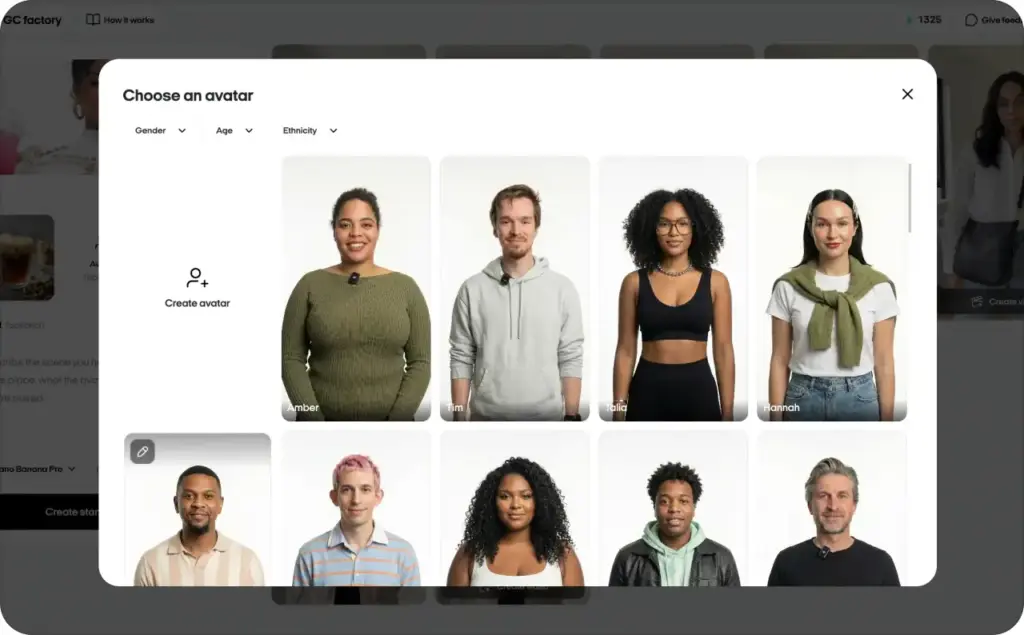
Step 2: Choose an avatar that matches the ad, not your personal taste
Don’t pick the prettiest presenter. Pick the one your buyer will trust.
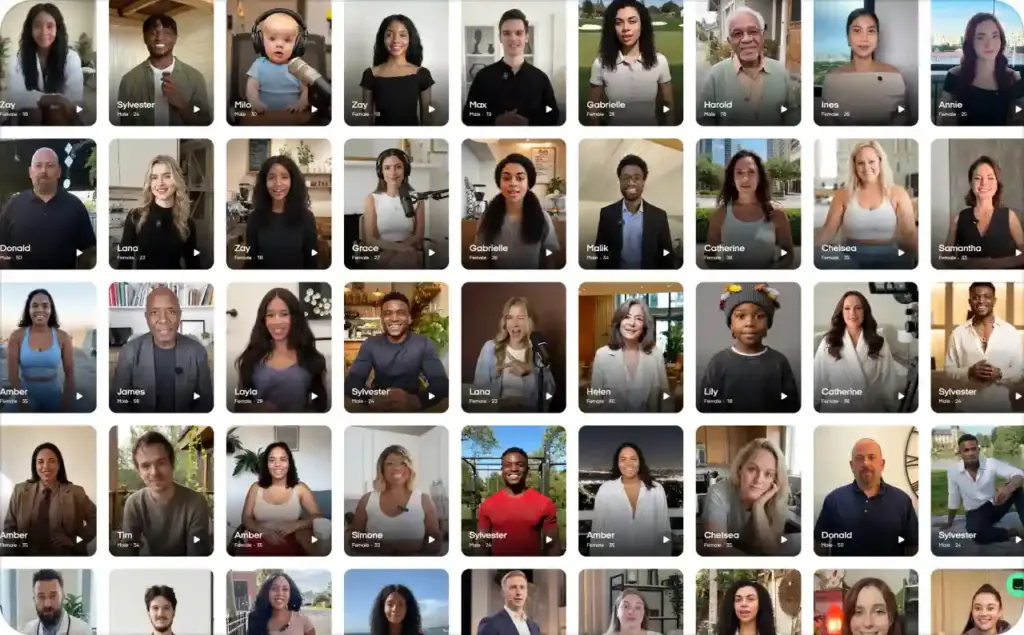
A fast beauty promo, a roofing service ad, a finance explainer, and a SaaS demo should not use the same spokesperson. Match for age, energy, confidence level, and audience fit. If you’re searching for an AI video generator with the best human avatars, look beyond the face. Check whether the tool gives you believable voice choices, decent lip sync, flexible crops, and room for product proof.
The best realistic AI avatars feel right for the message. They do not need to feel perfect.
Step 3: Write a spoken script, not a polished article paragraph
Your avatar is not reading a blog post. It is talking to one person.
Use this four-part spoken structure:
- Hook
- Problem
- Product
- CTA
Bad script:
“Our drink helps you to wake up and feel energetic throughout the day.”
Better script:
“My morning routine just got an upgrade. Cold Brew Pistachio is so smooth and nutty, I can’t imagine starting my day without it. Try it!”
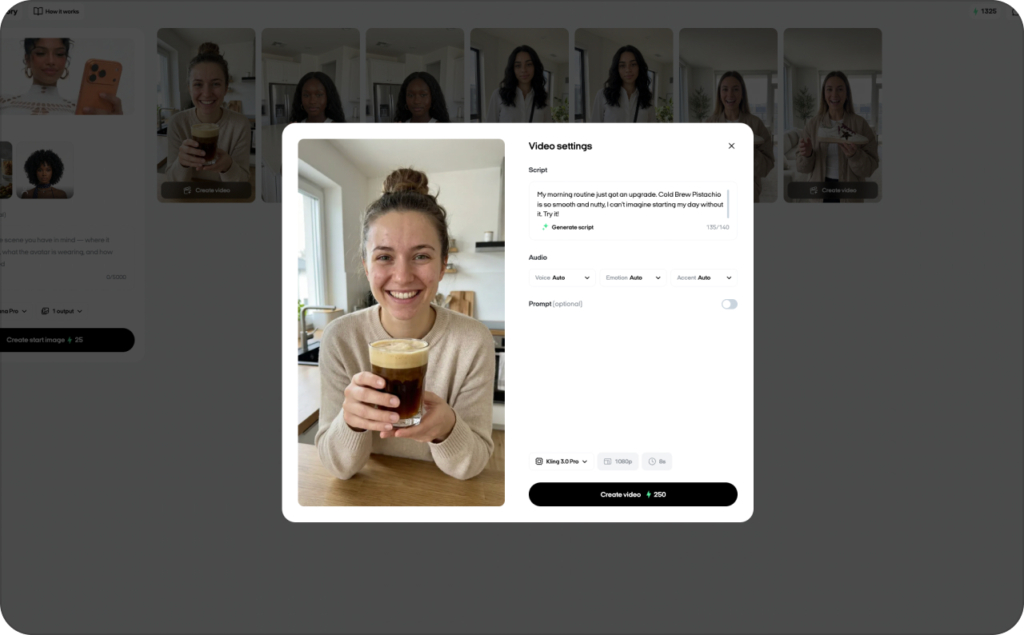
Shorter lines help video avatars sound better. Say numbers simply. Use contractions. Cut stacked clauses. TikTok’s current ad guide says strong creative grabs attention within seconds, tells a relevant story that solves a problem, and motivates action. That’s the right model for spoken avatar ads too.
Step 4: Add product proof so the ad is not just a talking face
This is where many weak ads fall apart.
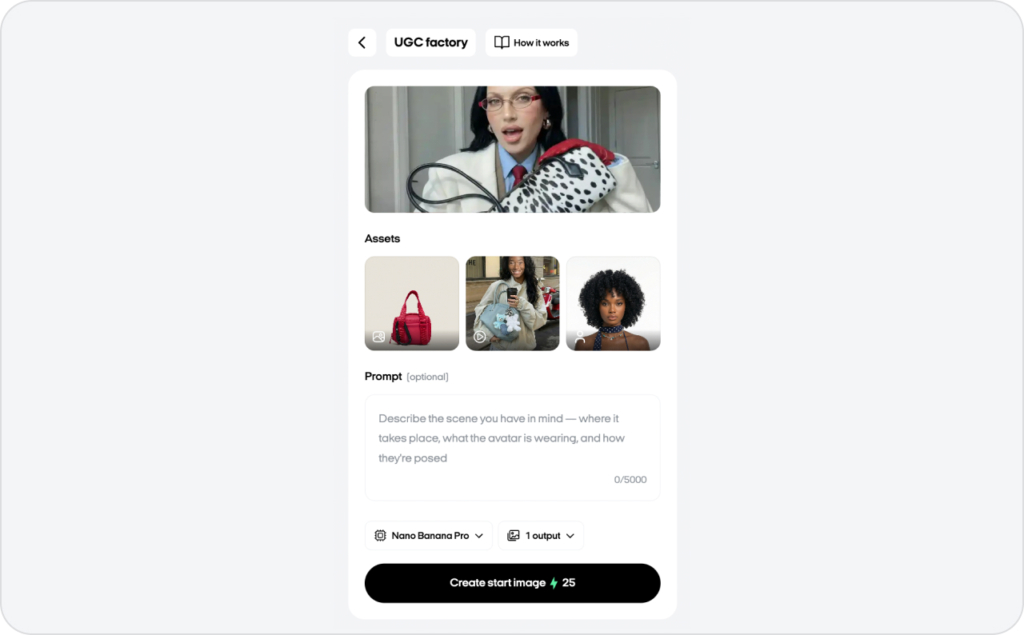
The avatar should carry the message. The visuals should carry credibility. Add screenshots, packaging, before-and-after shots, UI demos, product use clips, reviews, or quick result cards. If you only show a face speaking, the ad feels thin.
For beauty, show the result. For apps, show the flow. For services, show proof, reviews, or a real-world example. A face alone rarely closes the sale.
Step 5: Preview the voice, lip sync, and pacing
Never trust the first pass.
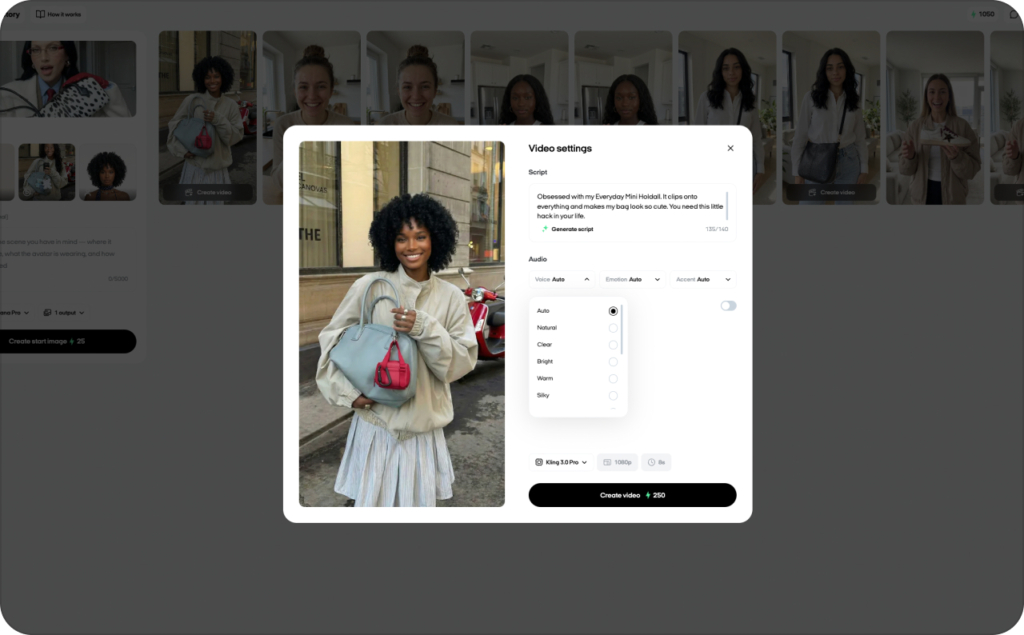
Preview for rushed lines, robotic pauses, wrong emphasis, weird pronunciation, and a mismatch between the voice age and the avatar look. If a line feels off, shorten it first. Most of the time, that fixes more than changing the whole voice.
Watch the mouth on product names, numbers, and brand words. That’s where lip-sync errors show up fastest.
Step 6: Add captions, on-screen text, and a clear CTA card
Captions are not optional for paid social.
Keep them readable and short. Use text overlays to support the spoken line, not repeat every word. Add one benefit card in the middle if needed, then end with a clear CTA frame.
People often search for ai avatars for video editing, best options. My answer is simple: the best option is the one that helps you finish the ad cleanly. You need captions, fast text edits, proof visuals, and exports that fit the placement. A pretty avatar alone won’t save the ad.
How to make AI avatar ads look more realistic and less fake
Why AI avatar ads look fake
Most fake-looking avatar ads fail for the same reasons:
- Wrong voice for the face
- Too much script
- Flat pacing
- Weak eye line or stiff delivery
- Poor crop
- No emotional variation
- Thin product visuals
The problem usually is not the tool. It’s the build.
How to fix the robotic voice problem
Start by shortening the lines.
Then remove long clauses, spell out hard words phonetically if needed, and choose a voice that fits the offer. A dramatic voice on a simple local service ad often sounds fake. A flat voice on a beauty or lifestyle ad sounds lifeless.
Don’t overdo emphasis either. One strong word per line is enough. More than that starts sounding synthetic.
How do I create UGC-style ads with AI avatars?
Make the ad feel less polished, not more sloppy.
UGC-style video ads with AI avatars work best when the script feels looser, the cuts happen faster, and the first frame creates curiosity. Use creator-style framing, tighter crops, quick product inserts, and simple spoken language. TikTok’s creative guidance favors the same basics: hook fast, tell a relevant story tied to a problem, and move the viewer to act. TikTok’s Creative Insight page also says lo-fi, unpolished ads see 33% stronger consideration than polished ones.
That line feels native. It invites curiosity. It doesn’t sound like a commercial script.
Common mistakes and disclosure checks before you publish
The five mistakes that break AI avatar video ads
I see the same five mistakes again and again:
- Too much script
- No real proof
- Wrong avatar for the audience
- Weak first frame
- No CTA
If the ad opens slowly, shows no product, and ends without direction, it usually won’t matter how polished the avatar looks. Fix the structure first. Explore now AI avatar video ads examples to avoid mistakes.
What to check if the ad uses a realistic human avatar
If you use realistic ai avatars, check consent before you publish.
Do you have the right to use that likeness? Do you have permission for that voice? If you cloned a real person’s face or voice without clear approval, that is not a tiny production detail. The FTC says voice cloning poses significant risks, including fraud, misuse of biometric data, and misuse of creative content.
Photorealistic human output needs more care than stylized output. Treat it that way.
When disclosure matters on YouTube and Meta
YouTube requires creators to disclose content that is meaningfully altered or synthetically generated when it seems realistic. That includes cloned voices, swapped faces, and realistic generated scenes. YouTube also says disclosure itself does not limit reach or monetization, but repeated failure to disclose can lead to labels or penalties.
Meta says it labels ads created or significantly edited with its generative AI creative features. When those tools include an AI-generated photorealistic human, the label appears next to the Sponsored label.
So before you launch, do a quick check:
- Is the human look photorealistic?
- Is the voice synthetic or cloned?
- Is the scene altered in a way that could mislead?
- Does the platform require disclosure here?
That two-minute check can save a lot of cleanup later.
How to create AI avatar video ads in Zeely
Use Avatar video ad when you want the avatar plus product visuals
Here is the verified Zeely workflow from your brief, kept in the exact product flow:
- Log in to Zeely via app or web
- Choose what you are creating for: a product, a service or both
- Choose an AI avatar to suit your audience and offer
- Upload images or get media from your store link
- Type some description
- Tap continue
- Review the script AI suggests you or take it in your hands via creators mode
- Then tap Generate video
That flow is useful when you want the avatar to carry the message while your product visuals do the selling.
My advice here is simple. Don’t rush from avatar choice to export. Fix the hook first. Then review the script. Then make sure the uploaded visuals actually prove what the script says. That’s usually the difference between a video that looks finished and a video that can actually run.
Checklist before you publish your AI avatar ad
- One offer only
- One audience only
- Hook written before avatar choice
- Spoken script, not blog copy
- Product proof on screen
- Voice and face feel matched
- Captions added
- CTA frame included
- Placement chosen before export
- Disclosure checked if the ad uses realistic synthetic content
Metrics to watch after launch
- Hook hold: Are people staying past the first seconds?
- Watch-through rate: Are they making it far enough to hear the promise?
- CTR: Are they clicking?
- CPA: Are those clicks turning into affordable results?
- ROAS: If it’s a direct-response ad, is revenue beating spend?
If CTR is weak, fix the first frame and hook. If CTR is decent but CPA is bad, fix the offer, landing page, or proof.
FAQ: AI Avatars for Video Ads
Start with your brand basics: audience, tone of voice, product promise, colors, and ad platform. Then choose an AI avatar that matches your buyer persona, add a sales-focused script, select branded visuals, and export the video in the right format. In Zeely, you can add a product link or enter product details manually, then use AI templates and editing tools to keep your ads on-brand.
To create UGC-style ads with AI avatars, write the ad like a real customer or creator would speak: open with a relatable problem, show the product, explain the benefit, add proof, and finish with a clear CTA. Zeely helps create UGC-style video ads with AI avatars, scripts, templates, captions, music, and ad-ready layouts.
Use AI avatars as product presenters, customer-style reviewers, explainers, or “founder voice” narrators. They work especially well for showing product benefits, answering objections, announcing offers, and explaining how a product fits into daily life.
AI avatars make video creation faster, more affordable, and easier to scale. Instead of organizing filming, actors, and editing, you can test different hooks, offers, scripts, and formats quickly. Zeely’s AI avatars are designed for ad-ready formats across platforms like TikTok, YouTube Shorts, Facebook, and Instagram Reels.
The best AI-generated avatars for e-commerce explainers look natural, speak clearly, match your brand personality, and support product-focused scripts. For fashion, beauty, wellness, gadgets, and home goods, I recommend choosing avatars that feel close to your target customer rather than overly polished or corporate.
Yes, the best AI avatar ad tools should support multi-format exports for placements like feeds, stories, reels, and short-form video. Zeely’s automated ad tools mention auto-formatted creatives for major platforms and downloadable ad, post, and story formats, which is useful when you need one product ad adapted across channels.
Look for AI avatar software that supports Meta, TikTok, Instagram, YouTube Shorts, and other paid social placements. Zeely supports campaign launching across Facebook, Instagram, Google Ads, and TikTok, and its TikTok ad creator page says it connects directly to TikTok Ads Manager for publishing, tracking, and targeting.
If you sell on Etsy, you can create product ads by using your product information, images, and descriptions. Zeely users can paste a product URL or manually enter product details when they do not have a website. I would avoid calling Etsy a guaranteed native integration unless it appears in your current Zeely account or plan.
For TikTok Shop sellers, the key is to create short, native-looking product videos that fit TikTok’s style: fast hook, human face, product proof, and CTA. Zeely’s TikTok ad creator focuses on UGC-style ads, AI avatars, natural lip-sync, and TikTok Ads Manager connection, which makes it useful for TikTok-focused product promotion.
Choose platforms that let you adjust scripts, captions, layouts, colors, product visuals, music, and scene templates. Zeely offers ready-made templates, AI-generated copy, built-in editing tools, and brand-consistent creative refinement for video and static ads.
Some AI avatar platforms support green screen or background replacement, but not all do. For e-commerce ads, scene templates are often more practical than a plain green screen because they help you place the avatar into a product-focused story, such as “problem/solution,” “before/after,” or “customer review.”
Yes, AI avatars are commonly used for commercial video ads, product explainers, and paid social creatives. In Zeely, avatars are used inside AI-generated video ads, but the avatar itself is not available for separate download or export.
A simple workflow is: add your product, choose a template, select an avatar, generate or edit the script, add music and captions, review the layout, render the video, and launch it. Zeely’s marketing video workflow follows this kind of process, including template selection, avatar/script personalization, review, and rendering.
AI avatars help brands stay consistent across many video ads. You can repeat the same tone, message style, and visual format while testing different hooks, offers, and product angles. This is especially useful for small businesses that need frequent content but do not have a full production team.
For fashion e-commerce, choose a tool that supports visual templates, fast exports, human-like avatars, product storytelling, and multiple ad sizes. Zeely is a strong fit for fashion sellers because it can turn product details into video and static creatives, use AI avatars, and prepare ads for major social platforms.

Emma blends product marketing and content to turn complex tools into simple, sales-driven playbooks for AI ad creatives and Facebook/Instagram campaigns. You’ll get checklists, bite-size guides, and real results, pulled from thousands of Zeely entrepreneurs, so you can run AI-powered ads confidently, even as a beginner.
Written by: Emma, AI Growth Adviser, Zeely
Reviewed on: May 29, 2026