Can you see who views your Instagram Reels? A 2026 guide to viewers
Can’t find a list of who watched your Reel? My team at Zeely mapped the exact places Instagram shows your real numbers, why viewer names stay hidden, and what to do instead to turn views into trackable engagement.
How to see who views your reels: Instagram does not show a list of individual Reel viewers by username, even if your Reel is public. You can see plays, accounts reached, watch time, and interactions like likes, comments, shares, saves, and follows inside Insights or your Professional dashboard. The only people you can identify are the ones who take a visible action: like, comment, follow, share, or DM.
Reels are built for discovery, so Instagram keeps passive viewers anonymous. That’s why “how to see who viewed your reel on instagram” ends the same way every time: no names, just totals and Insights. The good news is you don’t need a viewer list to grow. You need clear signals like reach, watch time, saves, and follows so you can repeat what works.

Can you see exactly who viewed your Instagram Reel?
No, Instagram does not show Reel viewers by username. The only names you can identify are people who take a visible action like liking, commenting, following, or messaging.
Instagram’s own Reel analytics view is built around counts, not identities. For example, HubSpot notes that Reel-level insights show plays, likes, comments, shares, and saves.
You’ll see aggregate metrics (totals), not a viewer list. On a Reel, “View insights” is basically a scoreboard: plays, reach, watch time, and interactions.
If someone watches and scrolls, they stay anonymous. That’s the whole point of passive viewing privacy.
Public vs private Reels
Privacy changes who can watch your Reel. It does not change whether you get a viewer list. Public expands reach. Private limits reach. Neither unlocks usernames.
After 24 hours
Reels still don’t show viewers after 24 hours. Stories are different because Stories have a time-limited viewer list window. HubSpot’s walkthrough separates how you view Story performance vs Reel performance, and the mechanics are not the same.
Repeat views
Plays or views can include replays, so one person can count multiple times. Sprout Social explains that Reel views can reflect “played or replayed” behavior.
What you can see in Ig metrics
| Metric you can see | What it tells you |
| Plays / Views | Total plays, can include replays |
| Accounts reached | Unique accounts that saw your Reel |
| Watch time | Total time watched (including replays) |
| Likes | Quick positive signal |
| Comments | Higher-intent engagement |
| Shares | “This is worth sending” signal |
| Saves | “I want this later” signal |
| Follows from Reel | Whether the Reel converted viewers into followers |
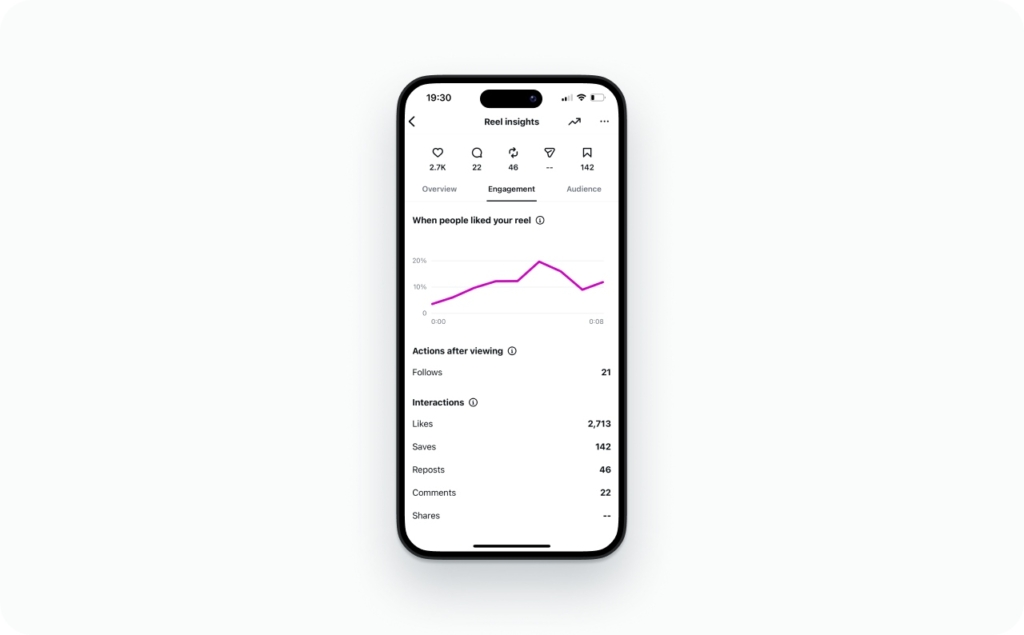
Why does Instagram hide names? Passive views are private by design. If every Reel exposed a viewer list, people would watch less, creators would misuse that data, and browsing would feel like being tracked in public. Instagram treats active engagement (likes/comments) as visible, and passive viewing as anonymous.
Where to check Reel views in the Instagram app
Most people miss this because Instagram gives you two entry points. I’ll show you both so you stop guessing and start tracking. And yes, this answers how to see who viewed your reel on Instagram: you won’t see usernames, but you will see the numbers that tell you who’s actually interested.
Step-by-step: check views/plays on a Reel
Tap path:
- Instagram app
- Profile tab
- Reels grid
- Open your Reel
- Find Plays/Views on the Reel screen
Step-by-step: open Reel Insights
Tap path:
- Open the Reel
- Tap View insights
- If you don’t see it, tap the three-dot menu and look for Insights
iPhone vs Android notes
- The three-dot menu may sit in a different corner.
- Some accounts show Professional dashboard on your profile instead of an “Insights” button. Same data, different label.
Desktop/web: what you can and can’t see
Desktop can show some basics, but the full Reel Insights experience is still best in the app. HubSpot also notes views can include repeat plays, so one person can create multiple views. That’s why your views and reach won’t match, and it’s normal.
You’re in the right place if you see…
- Plays/Views
- Accounts reached
- Follower vs non-follower
- Likes, comments, shares, saves
Reels Insights that replace a viewer list
Since you can’t get usernames, you need clean signals you can act on. Reels give you exactly that: reach vs plays, watch time, followers vs non-followers, and sometimes traffic sources. When you read these together, you stop guessing and start fixing the right thing.
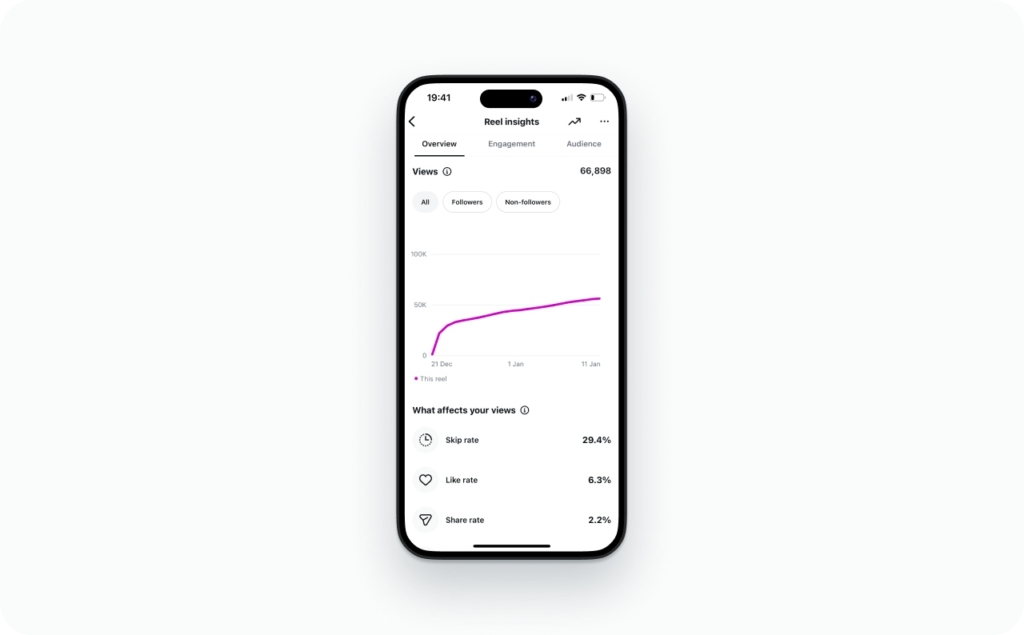
Plays/views vs accounts reached
Accounts reached is how many unique accounts saw your Reel. Plays/views is how many times it played, and that can include repeat plays from the same person. SocialPilot puts it plainly: reach is unique accounts, while views can include repeated views by an individual user.
Do this now: if views are much higher than reach, you’re getting replays. That’s usually a good sign your hook or payoff is sticky.
Watch time + average watch time
Watch time is total attention. Average watch time is your “how long did you hold them?” score. Good is not one magic number. Good is “better than your last 10 Reels of the same length.”
Check this: compare a 10–12 second Reel to other 10–12 second Reels. That keeps it fair.
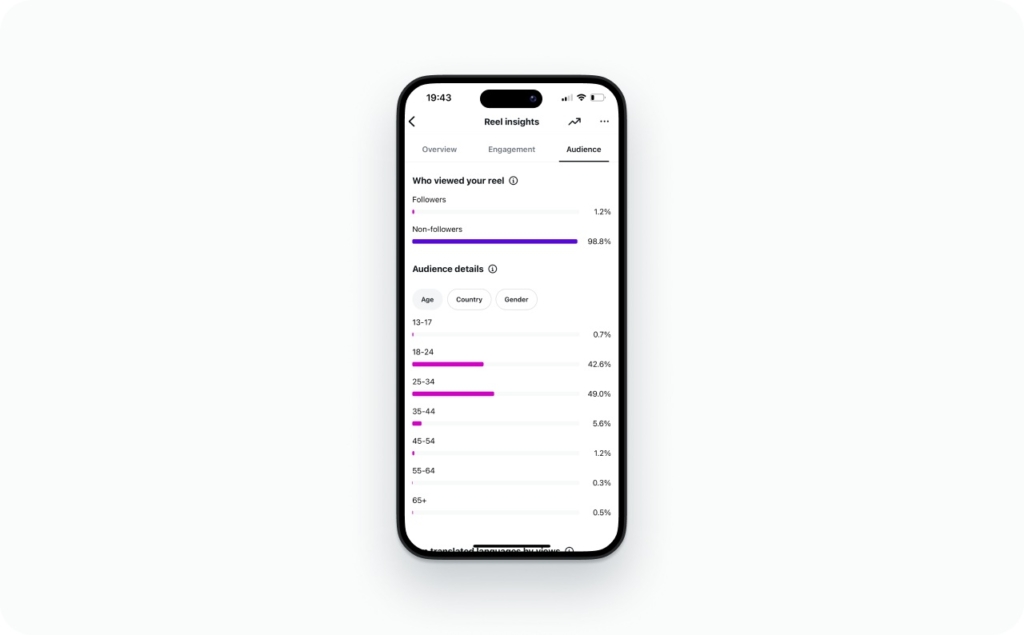
Follower vs non-follower split
Follower vs non-follower tells you if the algorithm is pushing you beyond your base. More non-follower reach usually means your topic, hook, and retention are landing with new people.
Expected result: as you improve retention and saves, non-follower reach tends to rise.
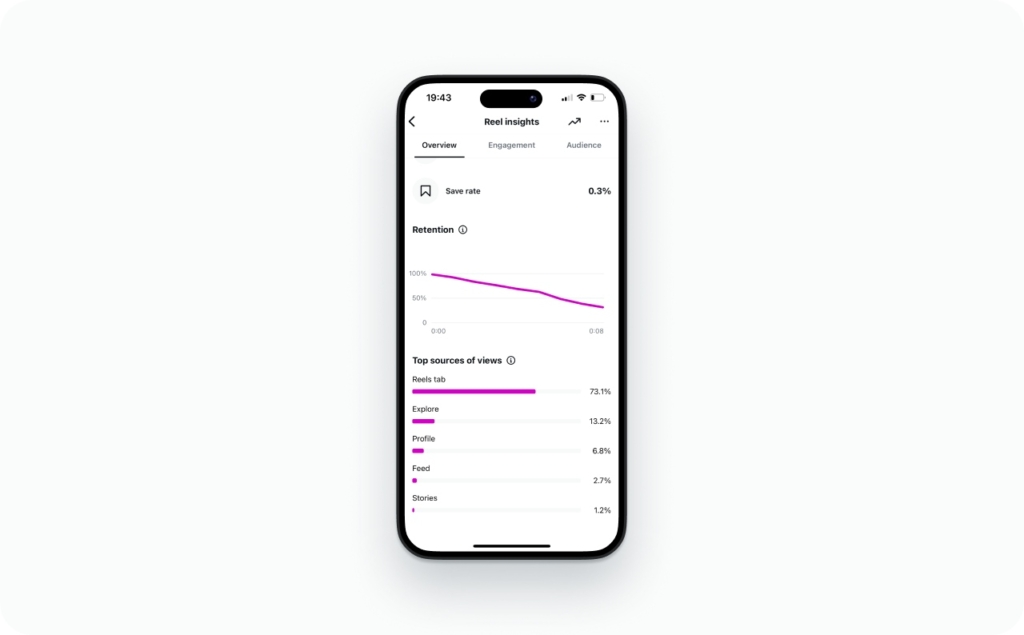
Traffic sources
If you see sources like Explore, Reels tab, hashtags, or profile, use it as a clue. More Explore/Reels tab usually means strong early retention. More profile traffic can mean your CTA is working.
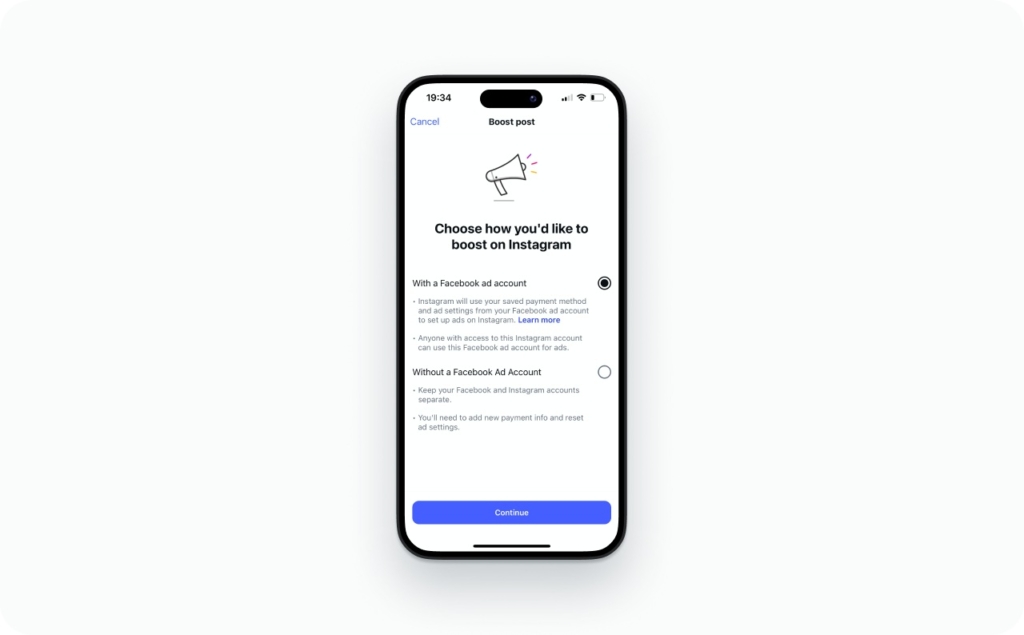
Boosting a Reel
Boosting can add more reporting in Ads Manager (aggregate demographics, placements), but it still won’t reveal viewer identities. You’ll be optimizing distribution, not “who watched.”
Metrics cheat sheet
- Reach low: your topic is too narrow or your first second is slow. Tighten the hook
- High reach, low interactions: your CTA is weak. Ask for a save, share, or comment
- Low watch time: cut the intro. Put the payoff earlier
- Low saves: add a checklist or template on-screen
Diagnose your Reel
- High plays, low reach: mostly replays or narrow distribution
- High reach, low interactions: hook or CTA problem
- High saves/shares: strong content-market fit signal
Compare every new Reel to your last 10 by length and topic, then adjust one variable at a time.
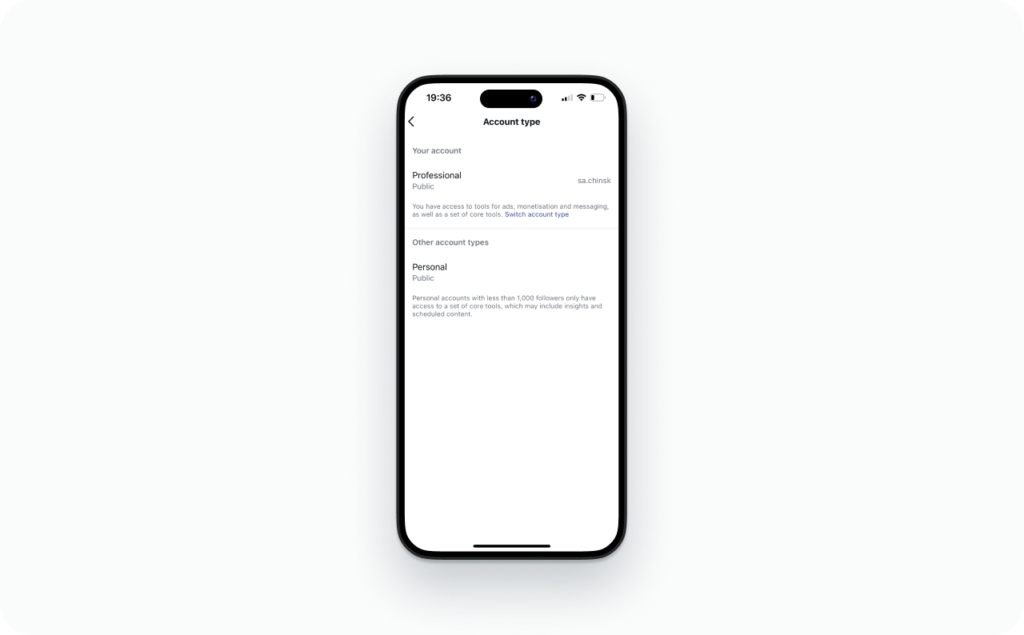
Do you need a professional account to see Reel Insights?
For full Reel Insights, yes, you usually need a Professional account. A personal account can show basic public metrics, but Creator and Business accounts unlock deeper Instagram analytics and make Insights easier to find inside your Professional dashboard.
Personal vs Creator vs Business: what unlocks what
- Personal account: basic visible counts, limited analytics surfaces
- Creator account: deeper Insights, follower vs non-follower breakdown (when available), easier access to performance panels
- Business account: similar Insights access plus business tools tied to promotions and ads
The difference isn’t “better content.” It’s access. If you’re trying to improve reach, retention, and follows, you need the data.
How to switch to a Creator account
Tap path:
- Profile tab
- Menu (three lines)
- Settings and privacy
- Account type and tools
- Switch to professional account
- Choose Creator (or Business)
You can switch back later. You’re not locking yourself into anything permanent.
Eligibility quick check
You should see Reel Insights if:
- Account type = Professional (Creator or Business)
- App updated
- Reel is published (not a draft)
Why you don’t see Insights on your Reel
This is almost always one of these:
- Wrong account type: still on a personal account, so Insights is hidden
- UI test: Instagram is running A/B layouts, so the button moved or got renamed
- App version: outdated app can hide newer panels
Three common gotchas I see all the time:
- Brand-new professional accounts: data can take time to populate
- Limited access due to policy issues: some features get restricted temporarily
- UI experiments: your friend’s screen won’t match yours, and that’s normal
Do this now: switch to Professional, update the app, and check a published Reel again. Expected result: you’ll find View insights on the Reel or inside Professional dashboard.
Privacy questions and why Stories show viewers but Reels don’t
Reels are built for mass discovery. If Instagram showed a viewer list, people would stop browsing freely, and creators would misuse “who watched” data. That’s why Reels keeps passive views private and only shows totals.
Can someone see that I viewed their Reel?
No. Reel creators don’t get a viewer list, so they can’t see your username just because you watched.
Can you watch Reels anonymously?
Creators can’t see you from a view alone. What I don’t recommend is using shady “viewer” apps or weird login pages, because that’s how people lose accounts.
If I block someone or they block me, what happens?
Blocking removes visibility between accounts. You won’t see their content, and they won’t see your profile or engagement. Your past likes and comments may disappear from their view depending on the context.
Why can you see who viewed your Story but not your Reel?
Stories are designed around a Story viewer list with a short window (about 24 hours). Reels lives in a discovery feed, so identities stay locked. Read also how to repost a story on Instagram.
TechRadar reports Meta planned an EU option for reduced data sharing starting January 2026, which matches the bigger direction: more privacy controls, not more exposure of identities.
| Format | Viewer list by username | Time window | What’s visible to creators |
| Stories | Yes | ~24 hours | Viewers + replies + taps |
| Reels | No | N/A | Totals like reach, plays, watch time, interactions |
| Live | Yes (during the session) | While live | Viewers + comments |
Passive views are private. Public actions are not. If you like, comment, follow, or DM, your name is visible because you chose to engage.
“Who viewed my Reel” apps are usually scams, do this instead
If an app claims it can show a Reel viewer list, it’s either guessing, harvesting logins, or breaking platform rules. Instagram doesn’t provide Reel viewer names, so there’s nothing legitimate for an app to “pull.”
AARP’s 2026 scam roundup is a good reminder that fraud is getting more sophisticated, and “log in to see results” is one of the oldest traps.
Can third-party apps reveal Reel viewers?
No reliable method. If they ask you to sign in, you’re taking a real risk for fake data.
Red flags
- It asks for your Instagram password
- It pushes you to “connect your account” on a sketchy login page
- It promises “see every viewer” or “hidden viewers”
- It asks you to turn off 2FA
- It has no clear company name or support
Phishing is a fake login trap. Account takeover is when someone steals your access. OAuth is the real “Continue with Instagram” permission screen.
Turn views into identities
- Hook: call out the exact person you want
- Proof: show the result or the before/after
- CTA that requires an action: comment, DM, or click
Safe alternatives that work
- “Comment a keyword” CTA to trigger visible engagement
- DM prompts (manual or tool-assisted)
- Link clicks tracked with UTMs
- “Follow for part 2” when you’re building a series
Mini KPI set to track weekly
- Reach
- Plays
- Saves
- Shares
- Follows per 1,000 reach
- DM starts
What else should you know about InstagramReels?
Now that you know how to check who views your Instagram Reels, you might be interested in mastering your Reels knowledge even further. Understanding technical requirements, posting strategies, and content optimization tips can help you create more engaging videos and improve your reach on Instagram.
- How long can Instagram Reels be: technical specifications
Learn about Reel length limits, file size, format requirements, and other important technical details. - How to pause Instagram Reels
Discover simple ways to pause and control Reel playback for a better viewing experience. - Best time to post Reels
Find out when to publish your Reels to maximize engagement and visibility. - How to post a Reel on Instagram
Follow a step-by-step guide to creating, editing, and successfully publishing your Reel. - Reels dimensions & aspect ratio
Understand the correct size, resolution, and aspect ratio to ensure your Reels display perfectly on all devices.
To sum up
You’re not missing a hidden setting. Instagram simply doesn’t offer a Reel viewer list, and that’s intentional. What you can control is what happens next.
Do this now: open your last 10 Reels, write down reach, plays, watch time, saves, shares, and follows from Reel. Then pick one clear CTA for your next post that forces a real action: comment, DM, or click. Expected result: fewer anonymous “views,” more trackable engagement you can actually grow.

Emma blends product marketing and content to turn complex tools into simple, sales-driven playbooks for AI ad creatives and Facebook/Instagram campaigns. You’ll get checklists, bite-size guides, and real results, pulled from thousands of Zeely entrepreneurs, so you can run AI-powered ads confidently, even as a beginner.
Written by: Emma, AI Growth Adviser, Zeely
Reviewed on: February 26, 2026