Does Instagram show screenshots of your Stories?
Screenshotting a Story feels like it should trigger an alert, so does Instagram actually “tell on you” in 2026? My team at Zeely reviewed current platform behavior, DM exceptions, and creator safety practices to map exactly what Instagram does and doesn’t reveal.
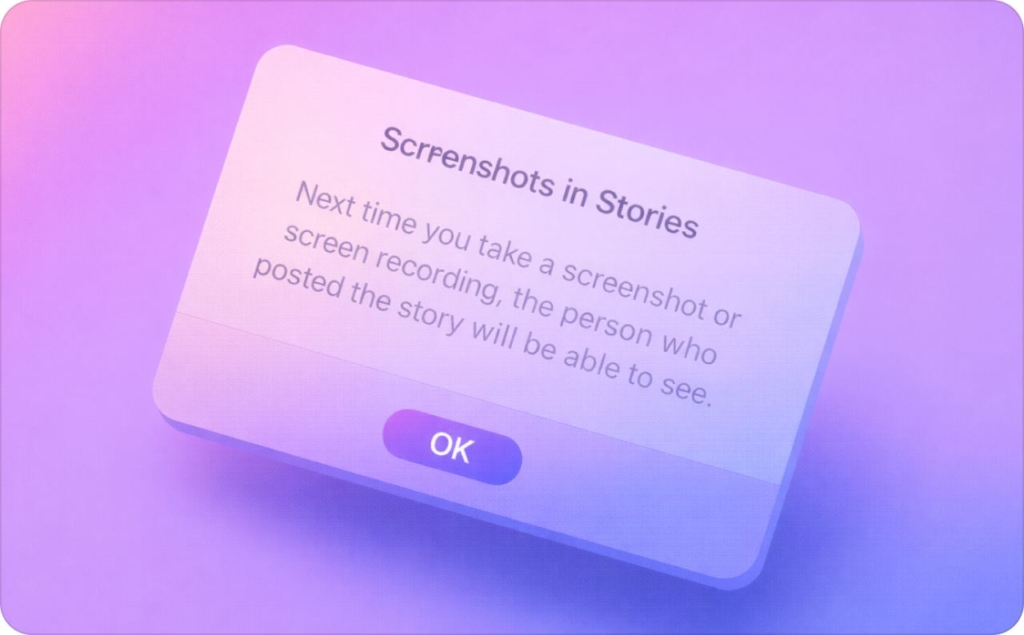
Instagram doesn’t notify someone when you screenshot or screen record their Story in 2026.
I’ll show you exactly what Instagram does and doesn’t reveal in 2026, the DM cases people confuse with Stories, and the practical controls creators use to reduce screenshot risk without killing reach.
Why screenshot anxiety is everywhere in 2026
The question isn’t whether people screenshot Stories. It’s whether Instagram detects and reports it.
In 2026, confusion around Instagram screenshot notification comes from mixed signals inside the app. Some features clearly notify users. Others don’t. Instagram never explains the difference in one place.
That gap creates anxiety for creators, brands, and everyday users.
This matters more now because Stories are part of real business workflows. They drive clicks, replies, bookings, and paid campaigns. According to We Are Social’s Digital 2026: In The U.S. report, U.S. social media ad spend reached $96.7B, up 14.3% year over year. When that much ad spend runs through social platforms, clarity around privacy protection and brand control becomes a real operational concern.
Does Instagram notify you when you screenshot a Story?
No. Instagram does not notify someone when you screenshot a Story, and Stories are not treated the same way as DMs.
This distinction matters. Instagram has features that do send alerts when content is captured, but Stories are not one of them. There is no notification, no warning, and no hidden signal sent to the creator when someone screenshots or screen records a Story.
Here’s the quick rules block I use when explaining this to creators and business owners:
- Story screenshot: no alert
- Story screen recording: no alert
- Viewer list or Insights: no “screenshot” label or count
If you’re wondering whether Instagram behaves like Snapchat here, it doesn’t. Stories and DMs follow different rules, and Instagram never clearly explains that inside the app.
The reason this question keeps coming up is confusion, not changes. People see notifications in disappearing DMs or Vanish Mode, then assume the same logic applies to Stories. Add years of rumors about old tests, and the myth sticks.
But as of 2026, the rule for Stories is simple: screenshots are invisible to the creator.
Screenshot Instagram Story: what happens
Nothing happens.
That’s the honest answer. If you screenshot a Story, the Story keeps playing as usual. The app doesn’t pause. The screen doesn’t flash. The creator’s viewer list stays exactly the same.
Does Instagram notify the person if you screenshot their story? No. There’s no alert at the time of capture and no delayed notification later. The creator cannot see who screenshot it, how many times it was captured, or whether it was saved at all.
From the creator’s side, you look like any other viewer. If Instagram tracked this behavior, it would need to surface it somewhere visible. It doesn’t.
Screen recording a Story: treated differently?
No. Screen recording is treated the same as screenshots for Stories.
Whether you record with sound on or off doesn’t matter. Instagram does not notify the Story owner, and nothing changes in the viewer list or Insights.
This is another area where people mix up features. Screen recording can trigger alerts in some DM cases. It does not for Stories.
Public vs private vs Close Friends vs tagged Stories
The rule does not change based on who can see the Story.
Public account. Private account. Close Friends. Tagged Story. All of them follow the same behavior when it comes to capture.
There is no such thing as a “Close Friends story screenshot” alert. A “private account story screenshot” does not notify the creator. Being “tagged in story screenshot” content doesn’t change anything either.
Creator note: audience controls only affect who can view your Story. They do not affect who can capture it. If someone can see your Story, they can screenshot it.
Where would Instagram show a screenshot alert if it existed?
If Instagram added Story screenshot alerts, they would need to appear somewhere obvious.
Logically, it would show up in one of three places:
- The Notifications tab
- The Story viewer list
- Story Insights
None of these surfaces show screenshot data today. There’s no badge, no icon, and no counter.
According to Android Authority’s breakdown of Instagram screenshot behavior, Instagram does not notify users when someone screenshots or screen records a Story. That confirmation applies to both screenshots and screen recordings.
So if you’re asking whether does Instagram show screenshots of stories or whether can someone tell if you screenshot their Instagram story, the answer remains no.
When Instagram DOES notify or block screenshots
Instagram uses different rules inside Instagram Direct because messages are meant to feel private. When people see screenshot alerts there, they assume the same thing happens everywhere. It doesn’t.
Once you separate the DM cases, the logic becomes clear.
Regular DMs vs disappearing messages
Screenshots of regular DM conversations do not trigger notifications.
This is the part many people get wrong. Screenshotting a normal chat, a message with replay enabled, or a standard photo sent in DMs does nothing. The other person isn’t alerted. There’s no icon. No warning.
Instagram allows this because the content is not designed to disappear. People screenshot DMs to save addresses, instructions, or product details. That behavior is expected.
Notifications only enter the picture when the message itself is meant to vanish.
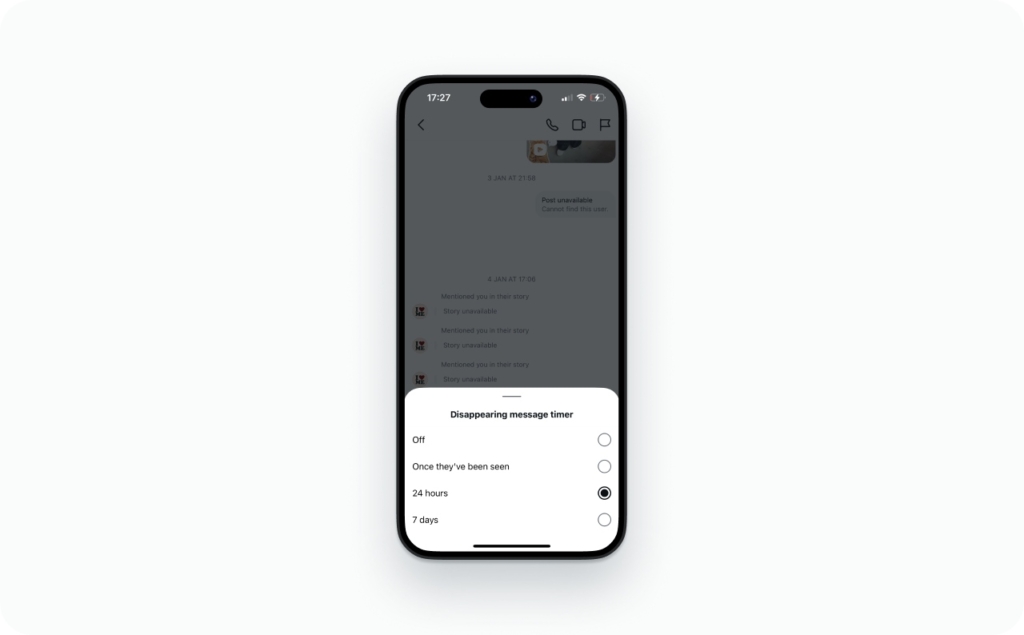
Vanish Mode screenshots and recordings
Vanish Mode changes the rules because intent changes.
When Vanish Mode is on, messages disappear after being seen. If someone screenshots or screen records that content, Instagram may notify the sender. The alert can look different depending on device or app version, but the signal is there.
This isn’t about punishment. It’s a warning. Instagram is telling the sender that content meant to disappear was captured.
Both screenshots and screen recordings are treated the same way here. Audio doesn’t matter.
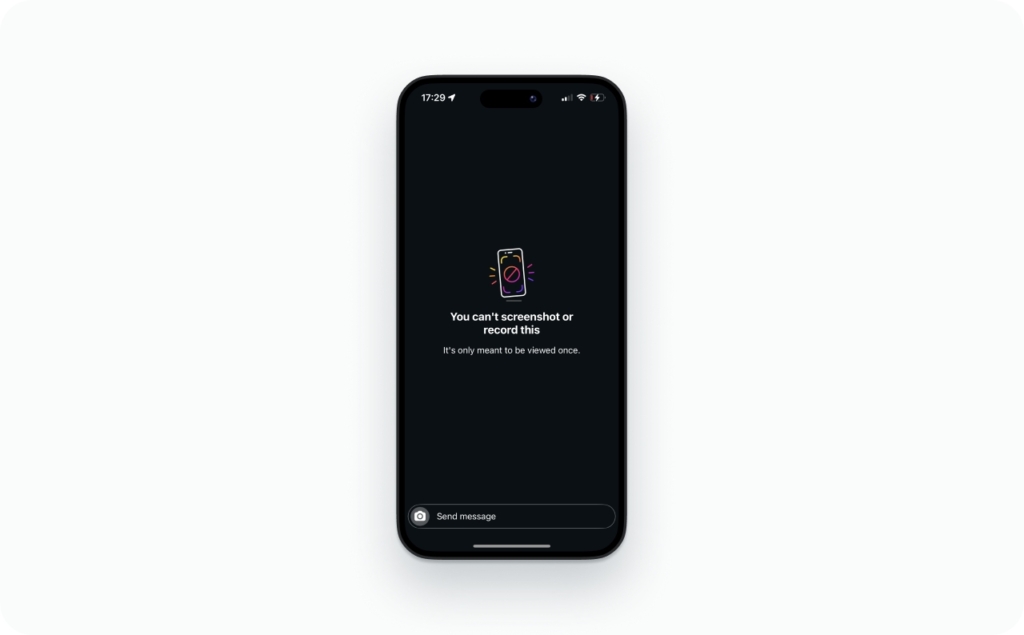
View Once media and capture blocking
View Once photos and videos use a different safeguard.
Instead of notifying, Instagram may block capture altogether. In some cases, it prevents the screenshot. In others, it allows capture but flags it. That behavior can vary by device, which is why people report different experiences.
Vanish Mode can trigger notifications, while View Once media may restrict capture entirely. That’s why the rules feel inconsistent at first glance. They aren’t inconsistent. They’re based on intent.
Does Instagram show screenshots for posts, Reels, Highlights, profiles, Lives, comments?
No. Instagram doesn’t alert creators when someone screenshots public content.
That rule holds across almost everything people worry about.
If someone screenshots a feed post, nothing happens. Same with Reels. Same with Highlights. Profiles and bios don’t trigger anything either. Comments are treated the same way. There’s no alert, no signal, no hidden counter.
Lives are the only surface that make people hesitate. Instagram can show creators when someone joins a Live, but it does not show screenshots or recordings. Anyone watching can capture it quietly, either with a screen recorder or a second phone. So the safe assumption is simple: if it’s live, it’s capturable.
Here’s the mental model I use.
Public content is designed to travel. Instagram doesn’t try to police copying on those surfaces. Once something is visible to a broad audience, the platform treats saving and capturing as normal behavior.
If the goal is just to remember something, Instagram already offers softer options. Save and Collections let people bookmark posts privately inside the app without creating a copy that leaves the platform.
According to Outfy’s January 2026 update on Instagram screenshot behavior, Instagram doesn’t notify screenshots for Stories, Highlights, profiles, or other public content. The only real exceptions live inside specific DM features we have already talked about.
If content is public, Instagram assumes it can be copied. That’s the rule to plan around.
“Who screenshot my Story” apps: do they work?
No. These apps can’t reliably do this because Instagram doesn’t expose Story screenshot data to them. If an app claims it can tell you who captured your Story, it’s guessing or trying to get access it shouldn’t have. Lifewire also warns that many “screenshot notification” tools are outdated or outright scams.
People usually ask this as: “Can third-party apps tell you who screenshot your Instagram story?” The honest answer is no. And the risk is not just wasted time. The risk is account takeover.
Here’s my safety checklist before you download any instagram screenshot notification app:
- Red flag: it asks for your password
- Red flag: it promises “secret viewer analytics”
- Red flag: it requires sideloading or “profile installs”
What’s actually happening behind the scenes is usually one of these:
- Phishing: a fake login designed to steal your credentials
- Credential theft: they capture your password and reuse it elsewhere
- OAuth abuse: OAuth is a “log in with Instagram” permission screen that can be misused if you grant the wrong app access
If you already installed one, keep it simple:
- Revoke the app’s access in your Instagram-connected apps
- Change your password
- Turn on two-factor authentication (2FA). 2FA is a second login step (code or app prompt) that blocks thieves even if they have your password
How to protect your content from being screenshotted
You can’t block screenshots on Instagram universally. I use a three-part system: reduce exposure, remove sensitive details, and make reuse obvious.
Practical controls that work:
- Hide Story From specific accounts (fastest fix when you have one problem viewer)
- Use Close Friends for anything personal, client-sensitive, or draft-level
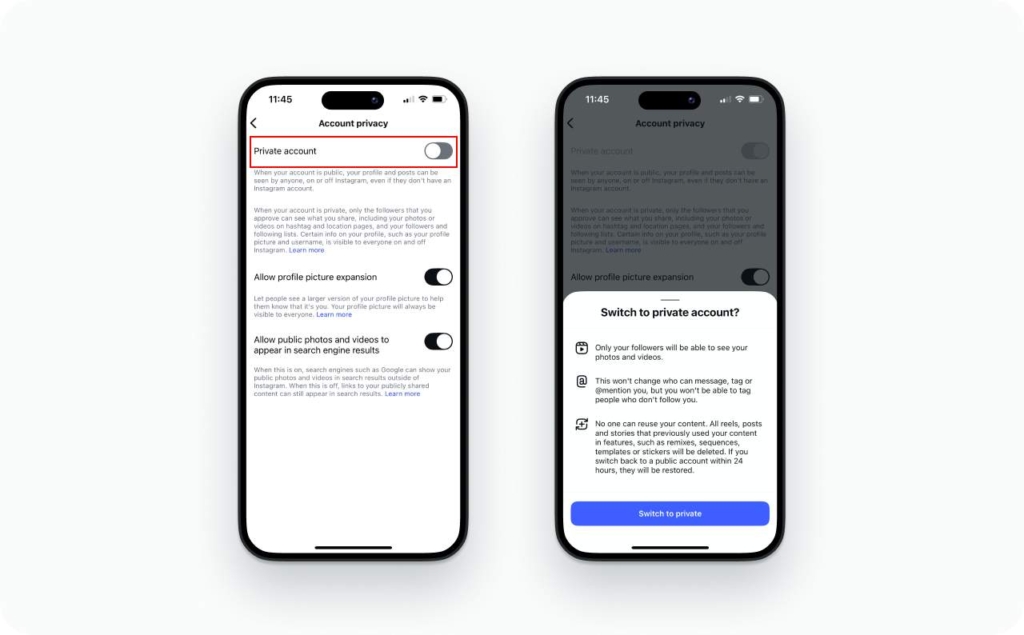
- Set your account to private if you want approval-based access for non-followers
- Avoid sensitive identifiers: home addresses, tickets with QR codes, minors, client documents, school names, travel details
- Add a light watermark (your handle or logo) on Stories that can be reposted
The “creator policy” I follow:
- Assume capture. If it would hurt leaked, don’t post it publicly
- Design for reuse. Put your handle on the frame so context travels
- Control the audience first. Close Friends and Hide Story From beat stress
If you want one quick step that actually moves the needle, start with hiding Stories from specific users. Later’s guide walks through that setting clearly.
What to do if someone reposts your Story screenshot
First, take a breath. This happens to creators and small businesses every day. Your goal is simple: document it, remove it, and reduce repeat risk.
Here’s the sequence I use.
- Document evidence
Take screenshots of the repost, the profile, and the caption. Copy the URL. Note the date and time. If it’s a Story repost, screen record it too because it disappears. - Ask for removal
If it’s a friend, a customer, or a partner, a direct message can solve it fast. Keep it short. “Hey, this was shared from my Story without permission. Can you take it down?” - Use in-app reporting
Report the post for what it is: unauthorized repost, harassment, impersonation, or unwanted sharing. Reporting works best when you have clean evidence first. - Use a formal takedown route for copyrighted work
If the screenshot includes your original photo, video, design, or copy, you can use copyright tools. That’s where the DMCA process comes in. The U.S. Copyright Office explains the Section 512 notice-and-takedown framework and how counter-notice works.
Two quick clarifiers people mix up:
- How do I request takedown for reposted story content? Use the platform’s copyright/reporting flow first, then DMCA when it’s your copyrighted work.
- The difference between screenshotting and stealing content is what happens next. A screenshot is private copying. “Stealing” starts when someone reposts, sells, claims ownership, or uses it to harass.
Instagram Stories can seem overwhelming at first, but I’m here to help you make sense of the most common questions and features. Whether you’re customizing visuals, adding audio, or trying to plan content in advance, these quick guides will walk you through everything you need to master Instagram Stories like a pro.
- How to change background color on Instagram story
Simple tips to personalize your stories with solid or gradient backgrounds. - How to add music to Instagram story: music & audio guide
Learn how to use Instagram’s built-in music library and add sound to enhance your story’s impact. - How to repost a story on Instagram
A quick guide on sharing someone else’s story to your own — whether you’re tagged or not. - How to post a story on Instagram
Step-by-step basics for posting your first story with images, videos, or text. - How to make a collage on Instagram story
Explore Instagram’s layout features and third-party tools to create eye-catching story collages. - How to see old stories on Instagram
Discover where to find your archived stories and how to use them again. - Can you schedule Instagram stories
Learn what tools allow you to plan and schedule stories ahead of time — even if Instagram doesn’t offer this natively.
FAQ
Yes. You can reduce resharing inside Instagram, but you can’t stop screenshots. Turn off options that let followers share your Story in a message or reshare it. That limits in-app spread, while screenshots and external recording still work.
No. The Story viewer list doesn’t show replays per person. Insights can show impressions versus reach, which suggests some people rewatched. But it won’t identify who rewatched or whether they screenshot, so treat it as a weak hint.
No. Instagram can’t verify a screenshot happened, so there’s no “report screenshot” option. You can report what happens next: harassment, threats, impersonation, or unauthorized reposts. Save evidence first with screenshots, URLs, and timestamps.
Yes. Screenshotting is private copying and usually treated as normal behavior. Stealing starts when someone reposts without permission, claims ownership, sells your content, or uses it to harass. That’s when reporting and copyright takedown paths matter.
No. For Stories, there’s nothing to bypass because Instagram doesn’t notify screenshots. For disappearing DM media or Vanish Mode, “no notification” tricks are unreliable and often risky. A second device can always capture your screen silently.
Yes. Instagram has experimented with limited screenshot indicators in small tests over the years, which keeps rumors alive. In 2026, Story screenshots aren’t a standard notification. Treat “I saw it once” claims as anecdotal, not a current rule.
Yes. Most “I got notified” stories come from DMs, not Stories. Disappearing photos and videos, View Once, and Vanish Mode can flag captures. People also confuse seen receipts, reactions, and viewer lists with screenshot alerts.
Yes. For disappearing DM media like View Once, Instagram may flag captures to the sender, similar to screenshots. Regular chat text and normal media don’t work the same way. DM alerts vary by feature and version, but Stories remain unflagged.

Emma blends product marketing and content to turn complex tools into simple, sales-driven playbooks for AI ad creatives and Facebook/Instagram campaigns. You’ll get checklists, bite-size guides, and real results, pulled from thousands of Zeely entrepreneurs, so you can run AI-powered ads confidently, even as a beginner.
Written by: Emma, AI Growth Adviser, Zeely
Reviewed on: February 12, 2026