How to make captions for video content fast and accurate
Need captions for video content that look clean and keep people watching on mute? I framed this guide like a creator’s checklist, so you can caption faster, fix errors once, and export formats every platform accepts.
Captions for video content show spoken words and key sounds on screen, while subtitles mainly translate speech. In 2026, the fastest workflow is simple:
- generate captions with an AI-powered tool,
- fix names and industry terms,
- then export SRT or VTT for closed captions or burn captions in for Reels.
Keep lines short, timing tight, and text readable on mobile. Do this right and you keep sound-off viewers watching longer and meet accessibility expectations without extra work.
Most people scroll video like it’s silent until something earns their sound. Captions do that work for you, but only when they’re easy to read and synced properly. If timing is off or text feels crowded, viewers leave fast. This guide shows how to caption videos in a way that feels clean, quick, and platform-ready.
Captions for video content: what counts as a real caption
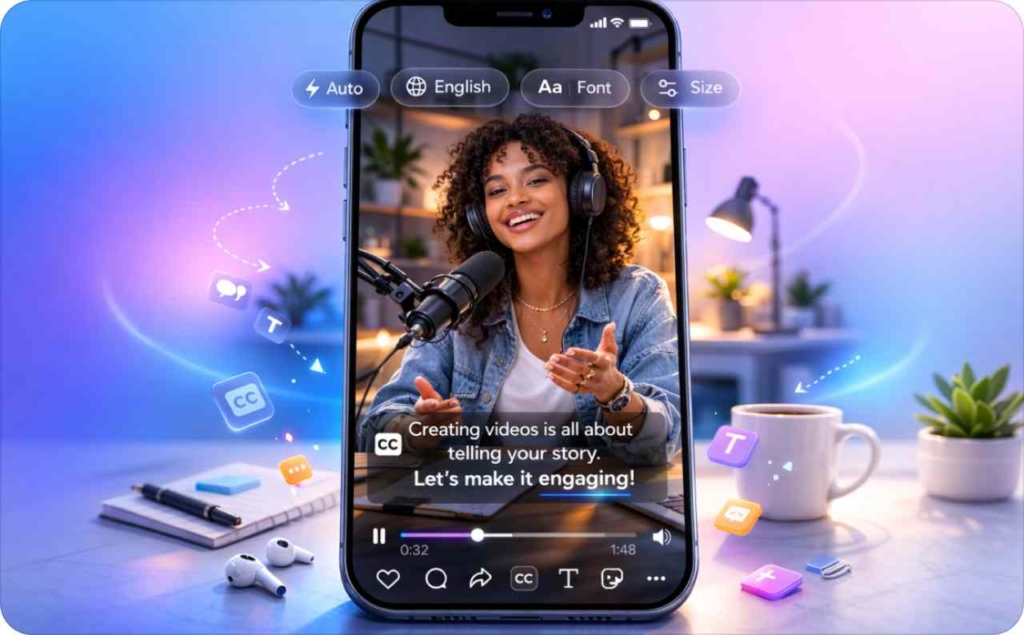
Captions for video content are not decoration. They are a usability layer. If captions are done right, people understand your video without sound and stay longer. If they are sloppy, viewers leave fast and accessibility breaks down. I want to lock in what captions actually are, how they differ from subtitles and transcripts, and the few rules you should never ignore.
What is a caption and why it’s not just dialogue
What is a caption in plain terms? A caption is on-screen text that shows spoken words plus important audio cues. A properly captioned video includes dialogue, speaker labels, and sound effects that change meaning.
Example of a real video caption:
[Emma]: We’re live in five minutes.
[Door slams]
[Music fades out]
That extra context matters for accessibility and for Deaf and Hard of Hearing viewers. Dialogue alone is not enough.
Captions vs subtitles vs transcripts
Here’s the clean way to remember it.
- Captions explain everything you hear
- Subtitles translate what is said into another language
- Transcripts are full text documents, usually outside the video
When to use which:
- A Reel or ad needs captions because most viewers watch on mute
- A webinar replay benefits from closed captions plus a transcript download
- A podcast episode usually starts with a transcript, not subtitling
Closed captions vs open captions and when you should burn them in
Closed captions can be turned on or off by the viewer. That is standard for YouTube and required for accessibility rules like Section 508. Open captions are burned into the video and always visible.
If you repost content across social platforms, open captions are often safer. For long-form video, closed captioning gives users control.
Readability rules that prevent messy captions
Good captions are easy on the eyes. Keep caption placement away from edges and UI buttons. Use a font size that stays readable on mobile. Maintain strong contrast between text and background. Limit words per line so captions breathe.
Section508.gov gets specific. Use no more than two lines, aim for under 45 characters per line, and be careful when speech exceeds 180 words per minute because readability drops fast.
Clear captions feel invisible. That’s the goal.
Captions for video content that drive watch time and sales
Captions for video content are not just for accessibility. They directly affect retention, comprehension, and conversions. In short-form video especially, captions decide whether someone stays, understands your message, and takes action. If captions are unclear or late, people scroll. If they’re clean and intentional, they quietly push ROI.
This is where captions AI and auto captions earn their keep. Done right, they support business results without adding friction to your workflow.
Watch time: captions make the first 2 seconds clearer
Most short-form video is watched without sound. Auto captions give viewers context before they decide to stay or leave. Clear video captions surface the hook instantly, even if audio never turns on.
Instead of opening with filler dialogue, captions should explain the value in plain words. When the promise is visible in the first two seconds, scroll-by drops and watch time improves.
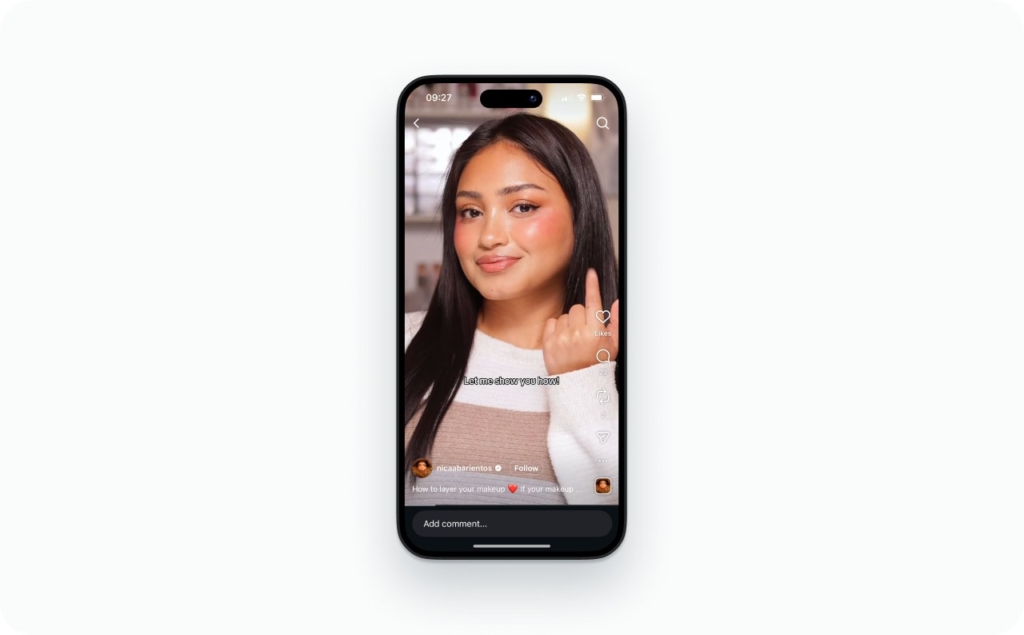
Photo source: @nicaabarientos on Instagram
Retention: captions reduce cognitive load in fast videos
Fast cuts increase energy but also mental load. Captioning offsets that by guiding the eye. Short lines, clean timing, and deliberate pauses help viewers process information without effort.
Captioned videos perform better when each line carries one idea. Strategic line breaks and well-timed keyword reveals act like pacing tools. The result feels easier to follow, which improves retention and overall engagement.
Conversions: captions let your CTA survive silent viewing
A spoken CTA disappears on mute. When you add captions to video, the action stays visible.
Two simple examples:
- Soft CTA caption: “Save this for later” or “Follow for part two”
- Direct CTA caption: “Start your free trial today” or “Sign up in 60 seconds”
HubSpot’s 2026 marketing data shows short-form video delivers the highest ROI at 49%. Long-form video follows at 29%, and live video at 25%. That gap is exactly why captioning short clips is worth the extra minute.
Closed caption files made simple: SRT, VTT, and subtitle downloads
Closed caption files sound technical, but they’re very manageable once you know what each format does. Closed captions exist so platforms can display text accurately, stay accessible, and meet standards like CEA-608. Your job is choosing the right file and exporting it cleanly, so captions stay in sync.
Here’s the simple mental model I use.
SRT vs VTT: What’s different and when it matters
SRT and VTT are the two formats you’ll use most.
SRT, also called SubRip, is the most widely accepted subtitle format. It’s plain text, easy to edit, and works well for YouTube uploads and quick subtitle downloads.
VTT, also known as WebVTT, supports more styling and web features. It’s better for web players that need positioning or light formatting.
The key differences are limited to styling support, browser compatibility, and what each platform expects. If a platform accepts both SRT/VTT, SRT is usually the safest default.
Export checklist: text, timecodes, encoding, and line breaks
Before you upload any caption file, run this quick check:
- Timecodes start at 00:00:00 and match the final video
- File is saved in UTF-8 encoding
- Punctuation is consistent and readable
- Speaker labels are included when clarity matters
- Line breaks keep captions under two lines
Most caption generators automatically generate files, but exports still need a human scan. Small errors cause big sync problems.
How to fix timing drift and out-of-sync captions fast
If captions slip out of sync, it’s usually one of three things.
- Variable frame rate video can confuse timecodes. Re-export with a constant frame rate.
- Editing cuts after captioning shifts timing. Always caption the final edit.
- Incorrect timebase settings break alignment. Match your project settings before export.
This is the fastest way to fix timing drift without redoing everything.
Subtitle edit rules for names, slang, and brand terms
Always subtitle edit before publishing. Create a short glossary for names and brand terms. Run search and replace. Then do a quick timing check to confirm nothing shifted.
YouTube supports many closed captioning formats, including .srt and WebVTT, plus broadcast standards like TTML. Exporting the right file is step one before upload.
Instagram Reels captions in 2026: Styles that stop the scroll
Instagram Reels captions are part design, part pacing tool. They help viewers understand fast and decide whether to keep watching. The goal is readability without clutter, especially on mobile. Read now about captions by audience to know how to efficiently attract your potential audience.
Karaoke captions vs line-by-line captions
Word-by-word karaoke captions work well for punchy hooks and emotional delivery. They’re effective for talking-head clips and quick reactions.
Line-by-line captions are better for tutorials, lists, and educational Reels. They reduce visual noise and improve comprehension.
One warning: karaoke captions get unreadable fast if the pace is too quick.
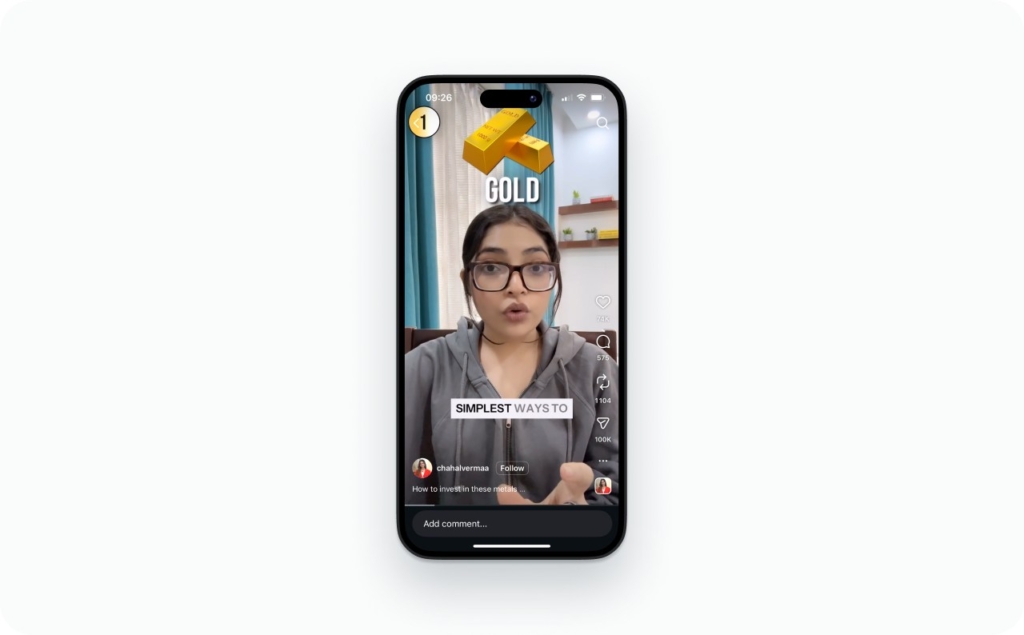
Photo source: @chahalvermaa on Instagram
Placement rules: top vs bottom
Caption placement matters more than style. Bottom captions often clash with Reels UI. Top placement works better when faces stay centered.
Use safe zones, avoid covering mouths, and keep key visuals clear. Test on your phone, not just desktop. Read now a detailed guide about Reels dimensions and aspect ratio.

Photo source: @jimmythefinancialcoach on Instagram
Keywords, highlights, and backgrounds
Use emphasis sparingly. Highlight one keyword per line. Add a subtle background plate if contrast is low. Time emphasis to match speech, not before or after.
Highlight keywords in captions to guide attention, not overwhelm it.
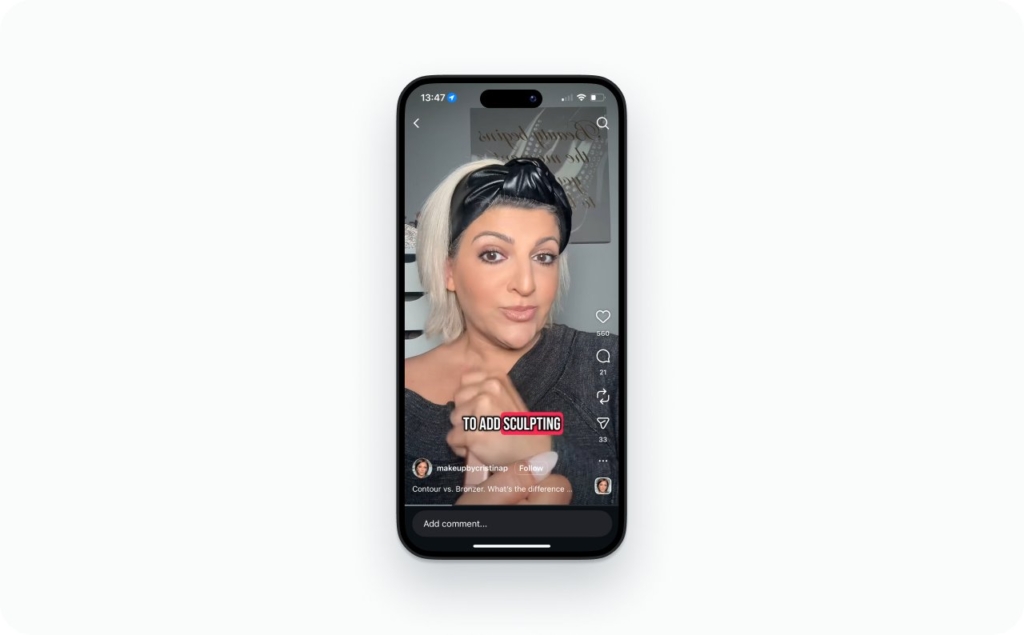
Photo source: @makeupbycristinap on Instagram
Reels workflow: Fast drafts, then burn-in for reposting
Create one clean master version. Add captions to video and burn them in. That single file can be reused across Reels, TikTok, and Shorts without rework.
Meta shared in January 2026 that Facebook is showing over 25% more same-day Reels than in Q3 2025, with Instagram recommendations favoring original content. Clean captions help that distribution work in your favor.
Caption accuracy in 2026: how accurate is “good enough”?
Caption accuracy matters more than most people think. If captions are wrong, viewers notice. Trust drops fast. In 2026, captions AI can automatically generate a strong first draft, but “done” still needs a clear quality bar.
Here’s how I define accuracy in a way that’s practical, not academic.
What to aim for before you publish
When people ask how accurate do captions need to be, I separate two things.
- A word error is a missed or incorrect word that doesn’t change meaning.
- A meaning error changes what the speaker intended.
Your acceptance bar should be simple. No meaning errors. Word errors only if they don’t affect clarity. If a viewer could misunderstand the message, the caption is not publish-ready.
For closed captioning, this matters even more. Captions must reflect what was actually said, including tone and intent, not a cleaned-up version. This is where a quick human pass still wins.
Profanity, slang, and brand names
Caption profanity based on your audience and platform rules. If the word is spoken and important to meaning, include it. If it’s filler, you can soften it, but stay consistent.
Two examples:
- Spoken: “This bug is killing our sales.” Caption it as written
- Spoken slang: “We crushed it.” Caption the phrase, not a literal rewrite
Brand names deserve extra care. Always subtitle edit brand terms manually. AI often guesses. One wrong product name can break trust instantly.
Multiple speakers and sound effects
Use speaker labels when more than one person speaks and voices could be confused. Labels are required for accessibility and realtime captioning standards, especially for Deaf and Hard of Hearing viewers.
Format simply:
[Alex]: We’re launching today.
[Sam]: Metrics look solid.
Include sound effects only when they affect understanding. Examples include [laughter], [music fades], or [door slams]. Skip background noise that adds no meaning.
The NCRA recommends realtime captioning accuracy above 98%. That’s a strong quality bar for deciding whether captions AI needs a cleanup pass or not.
Tools for adding captions to video content easily
The best tools for adding captions to video content easily are the ones that save time without creating more edits later. You don’t need every feature. You need accuracy, fast editing, and clean exports.
Here’s what actually matters when choosing a captions app or caption generator.
First, accuracy. Captions AI should get you close enough that fixes are fast. Second, editing speed. You should be able to subtitle edit names, slang, and timing in minutes. Third, exports. SRT and VTT are non-negotiable for video captions and subtitles download.
Popular options like VEED, Canva, Adobe Express, and Chrome extensions cover basic caption maker needs. They work well for short clips, light styling, and quick subtitling. Where they often fall short is consistency across platforms.
Zeely AI is built for that gap. Zeely Instagram Reel creator automatically generates platform-optimized captions and relevant hashtags. Caption tone adapts to each platform, more structured for Instagram, looser for others.
Are captions required? Accessibility rules and the 2026 deadline angle
This is the question teams keep asking, usually late in the process. Are captions required, or just a nice-to-have? In most public-facing cases, captions are no longer optional. Accessibility expectations are tightening, and 2026 puts a real date on it.
When captions are required
Captions required for accessibility apply in a few clear situations.
- If you publish pre-recorded video with audio, captions are expected
- If the video supports a public-facing service, program, or communication, captions are required
- If you work with or sell to public entities, captioning is often part of procurement checks.
Under ADA Title II and WCAG 2.1 Level AA, captions are a baseline for accessible video. The U.S. Department of Justice has made it clear that accessibility applies to digital content, not just physical spaces. If people need audio to understand your video, captions are part of access.
The Federal Register sets a hard timeline. Public entities with populations over 50,000 must comply by April 24, 2026, with smaller entities following later. That puts captions and transcripts firmly on the “do it right and document it” list. Read this article about Instagram caption ideas to get inspired during your next video creation.

Emma blends product marketing and content to turn complex tools into simple, sales-driven playbooks for AI ad creatives and Facebook/Instagram campaigns. You’ll get checklists, bite-size guides, and real results, pulled from thousands of Zeely entrepreneurs, so you can run AI-powered ads confidently, even as a beginner.
Written by: Emma, AI Growth Adviser, Zeely
Reviewed on: March 6, 2026