LinkedIn video ads: 20 examples that prove clarity beats creative noise
Most people still think LinkedIn video ads are for big companies with polished studios and big budgets. But the truth is simpler: short, focused videos stop the right people mid-scroll. Reuters notes, uploads on the platform rose over 20 % and views jumped 36 % year-over-year, according to a recent report.
Video fits how LinkedIn actually works: quick glances, busy feeds, and audiences who care more about clarity than flash. When your message moves, it feels human and that’s what makes people remember. If you’ve been treating video as an extra, it’s time to give it a bigger slice of your ad mix.
The anatomy of a high-impact LinkedIn video ad
Strong LinkedIn video ads make things instantly clear. The best ones grab attention fast, then hold it with rhythm and relevance. Every frame has a job: to show proof, not polish. Read why social media advertising works and how posting on LinkedIn can build credibility, expand reach, and drive meaningful business connections.
Hooks that hold
Start with a moment that earns a pause, like a tap, a close-up, a clear contrast. Add motion that means something: a quick reveal, a logo flash, or a real quote on screen. These simple cues pull people in faster than any fancy effect. You’ll see them across top LinkedIn video examples, all working on the same rule — clarity first, flash later.
Story flow for B2B
Keep it clean: problem → proof → product in action → CTA. Each beat moves the viewer forward. No jargon, no buildup. Just a short story that earns belief, not just views. And it works, Google found that well-structured short videos can drive over 2× stronger long-term return on ad spend than other paid formats. That’s the power of pacing and purpose.
Sound-off design
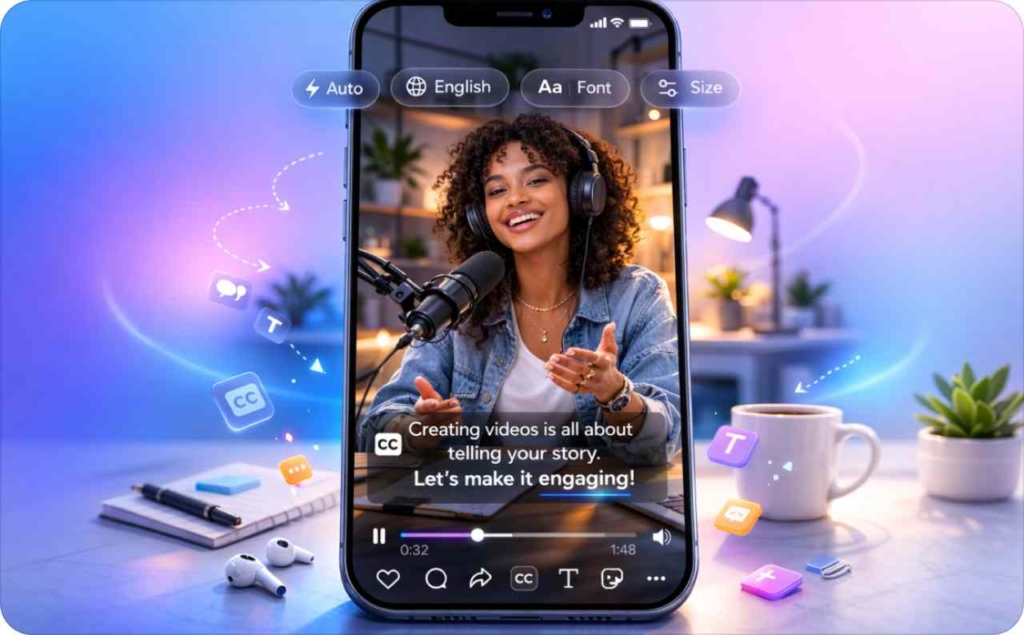
Assume silence. Use captions or overlays that tell the story without a voice. Write subtitle-first, six to eight words per line, timed to each beat. When your ad makes sense with no sound at all, you’ve already won attention.
20 useful LinkedIn video ad examples
The best LinkedIn video ads earn attention by combining clear storytelling with visual restraint. Every example here follows the same logic: a simple idea, a strong motion cue, and human clarity. In fact, creator-led platforms are set to overtake traditional media in global ad revenue this year, projected at more than $235 billion versus legacy formats. Each card breaks down what makes the creative click and how you can adapt it for your own brand.
1. Split-frame data tease: Proves ROI before you say a word
This tactic shows two outcomes side by side, “Before” and “After”, so viewers understand the result instantly. It’s visual proof that doesn’t need explanation, which makes it perfect for fast-moving feeds and LinkedIn video ads.
Why it works
- Contrast earns instant attention without relying on narration
- Viewers process visual comparisons 60% faster than text-only claims
- The proof-first format builds trust before you even mention the offer
- It satisfies both logic-driven B2B audiences and emotion-driven decision makers
How to use it in your advertising: Film or animate your metric shift, like ad performance or lead volume, as a short split-frame. Keep it under 10 seconds, square or vertical, with captions timed to each change. Let the result tell the story before your logo appears, clarity over flash wins every time.
2. Bold claim opener: Turns skepticism into curiosity
This tactic opens with a strong, unexpected statement that challenges what your audience believes — the kind of line that makes them stop and think, “Wait, really?” It’s a clarity-first way to spark curiosity without slipping into hype.
Why it works
- A bold statement breaks the polite scroll pattern that dominates LinkedIn
- It triggers cognitive dissonance, viewers stop to resolve the tension
- Best used with data-backed insights that you can prove in under 10 seconds
- Top-performing LinkedIn video examples use this tactic to turn disbelief into trust
How to use it in your advertising: Start with one clear, declarative line, like “Static ads don’t sell anymore.” Pair it with a quick visual stat or real screen recording that proves your point. Keep it short, confident, and close to the pain point your viewer already feels.
3. Skit-style scroll stopper: Makes expertise feel human
This tactic uses a short, relatable micro-scene, often a quick office moment or customer interaction, to mirror what your audience experiences daily. It trades polish for personality, turning professional pain points into light humor that feels real.
Why it works
- Human context beats static visuals, people pause when they see themselves
- Dialogue-driven scenes perform 1.7× better for recall in short-form video
- Humor lowers resistance, opening space for your message to land
- Works especially well for LinkedIn video ads targeting service or SaaS audiences
How to use it in your advertising: Script a 10-second exchange that captures a common frustration. Use natural lighting, candid tone, and quick captions. End with your product solving the moment, not with a logo fade, but with relief your viewer recognizes.
4. Data bite visual: Turns numbers into momentum
This tactic opens with a single stat or metric in motion — a counter, bar fill, or quick overlay that makes data feel alive. It’s built for fast scrollers who respond better to movement than text walls.
Why it works
- Dynamic data makes credibility visible in seconds
- Movement draws attention before context, ideal for short attention spans
- Numbers satisfy logic-driven viewers who need proof to keep watching
- Frequently seen in top LinkedIn video ads, where clarity drives trust faster than narration
How to use it in your advertising: Pick one meaningful stat, not five. Turn it into a moving visual element: a growing line, ticker, or counter tied to your core outcome. Keep it bold, center-framed, and captioned. Let motion deliver meaning before the voiceover or CTA appears.
5. Composition lock: Stops the scroll with simplicity
This tactic relies on a single strong frame — clean background, clear focal point, and minimal motion. The stillness itself becomes the hook. It creates contrast in a feed full of movement, giving the brain a second to focus.
Why it works
- Visual minimalism stands out against busy, overproduced ads
- The viewer’s eye locks onto one shape or subject, instant clarity
- It evokes confidence and control, ideal for B2B credibility moments
- Seen across high-performing LinkedIn video examples, proving less movement can mean more attention
How to use it in your advertising: Start with one object or person centered in frame, a hand gesture, a tool, a product still. Keep the background quiet and color contrast high. Let the first three seconds breathe before adding captions or data overlays; stillness is the new motion.
6. Subtitle-first opener: Speaks before the sound does
This tactic starts with on-screen text as the voice, not the audio. The first subtitle delivers the hook — short, active, and timed to the rhythm of quick cuts. It makes your message work even when the viewer’s sound is off.
Why it works
- Captions-first storytelling improves completion rates by over 20% on silent feeds
- It meets users where they are, scrolling during meetings or commutes
- Text gives you control over pacing and comprehension, even in crowded frames
- Often used in LinkedIn video ads to ensure clarity in sound-off environments
How to use it in your advertising: Write your first line like a headline: 6–8 words, clean and conversational. Time each subtitle to the beat, not the voice. Keep contrast high and design simple, your copy should lead the viewing experience, not follow it.
7. Contrast frame: Makes change visually unmissable
This tactic shows a before-and-after visual in motion, split screen, quick wipe, or toggle animation. It doesn’t explain the difference; it shows it, so the viewer feels the improvement before reading a word.
Why it works
- Instant contrast tells a full story in one glance
- The brain processes visual change faster than text or narration
- It satisfies the viewer’s curiosity loop: “How did they get there?”
- A go-to move in LinkedIn video examples where clarity and proof must hit together
How to use it in your advertising: Film both moments, problem and outcome, in the same frame setup for continuity. Use a clean divider or timed swipe to transition between them. Keep each half short and caption the benefit, not the feature. The visual sells the story; text just names it.
8. Mini explainer loop: Teaches one thing, perfectly
This tactic focuses on one clear takeaway, looping seamlessly from the final frame back to the first. It’s short, visual, and satisfying, like a micro-lesson that rewards rewatching. Perfect for simplifying a tool, feature, or process in under 15 seconds.
Why it works
- Single-message clarity improves recall and engagement on repeat views
- The loop effect creates “stickiness”, viewers often watch twice without realizing
- Great for how-to education that needs to feel quick, not formal
- Common in tutorial-style LinkedIn video ads, where efficiency is the hook
How to use it in your advertising: Pick one task your product simplifies. Record it in a single flow, no cuts, no narration. Start and end on the same frame so it loops cleanly. Use overlays to label each step, and end with a small on-screen result that shows progress, not polish.
9. Reaction cut: Turns emotion into proof
This tactic captures a genuine human reaction, surprise, laughter, relief, right after a product or result is revealed. It turns authenticity into your visual hook, letting emotion carry the message before words do.
Why it works
- Facial emotion is processed in under half a second, faster than text
- Audiences trust reactions more than scripted claims or polished demos
- Emotion anchors memory, boosting recall by up to 40%
- Common across LinkedIn video ads, especially in creator-led B2B content
How to use it in your advertising: Film real users or team members experiencing a “win” moment, finishing a task, seeing results, or reacting to data. Keep the frame tight and genuine. Use subtitles to echo their words or thoughts. Authenticity is your CTA here.
10. Side-by-side tutorial: Makes comparison instantly clear
This tactic shows two workflows in parallel — the old way and the new way with your product. It turns explanation into contrast, helping viewers feel the improvement, not just hear about it.
Why it works
- Comparative framing doubles comprehension speed for complex tools
- Makes the benefit visible without relying on narration or long text
- Taps into the viewer’s motivation to save time or reduce effort
- Used in product-led LinkedIn video ads that replace long demos with quick clarity
How to use it in your advertising: Film both sides of the process in sync: manual vs. automated, slow vs. fast. Use identical framing so the contrast stands out cleanly. Caption the key difference. Keep the pace snappy, the side-by-side story does the selling for you.
11. Motion cue opener: Hooks viewers through movement, not words
This tactic starts with a distinct, purposeful motion, a swipe, snap, pour, or reveal, to create momentum before the message appears. It captures curiosity in the first second and makes the viewer’s eyes follow instinctively.
Why it works
- Kinetic attention, the human eye tracks motion faster than it reads
- Sets a rhythm that primes viewers to stay through the first three seconds
- Gives structure to your visual story even before the script starts
- Seen in high-performing LinkedIn video examples, where simple motion beats complex animation for recall
How to use it in your advertising: Plan one clean motion tied to your message, unboxing, swipe reveal, data loading, or product shift. Keep it smooth and close to frame. Add captions synced to the action so motion and meaning arrive together — clarity in motion sells faster than talk.
12. Problem–proof demo: Shows the fix, not the feature
This tactic starts with a real-world frustration, a glitch, delay, or manual process, then transitions straight into how your product removes it. It works because it mirrors what the viewer already feels before showing them relief in motion.
Why it works
- Empathy-first framing hooks the audience faster than claims or slogans
- Problem–solution sequencing activates both logic and emotion, struggle, then ease
- Viewers remember “the fix” better than “the feature.”
- A trusted move in LinkedIn video examples designed for decision-stage education
How to use it in your advertising: Capture the pain moment first — the spreadsheet that breaks, the ad that won’t load, the manual setup. Then show your product doing the same task seamlessly. Use captions to name the feeling, not the function.
13. Social proof flash: Builds trust in a single frame
This tactic drops recognizable credibility signals, a logo, testimonial snippet, or real customer quote, within the first few seconds. It’s not about bragging; it’s about reassurance. The goal is to show legitimacy before viewers even decide whether to stay.
Why it works
- Familiar logos and names instantly lower skepticism
- Proof shown visually feels earned, not exaggerated
- It aligns with how B2B buyers decide, reputation first, detail second
- A consistent trait in top LinkedIn video ads, where trust is currency
How to use it in your advertising: Open with one strong piece of social proof — a brand name, a quick review, or metric overlay. Keep it organic: show it in context. Let credibility appear, not announce itself. Then move straight into your story.
14. Voiceover walkthrough: Teaches without losing momentum
This tactic pairs screen recording with conversational narration, guiding the viewer through a feature or process in real time. It feels like quick coaching, friendly, clear, and fast-paced, instead of a formal product demo.
Why it works
- Voice cues help viewers follow complex visuals without overloading text
- Sounds human, not scripted, ideal for mid-funnel audiences building trust
- Keeps attention high when paired with clean UI motion and captions
- Popular in LinkedIn video ads where brands want to humanize tech
How to use it in your advertising: Record your screen while narrating naturally, as if explaining it to a peer. Keep the tone relaxed and confident, focusing on outcome phrases like “and that’s it” or “you’re ready to launch.” Add light subtitles for accessibility, clarity layered with calm guidance wins replays.
15. Tap-through demo: Shows value in motion
This LinkedIn video ad example walks through a product interface like a real user would: tapping, scrolling, and showing progress instead of narrating it. Viewers learn by watching, not by being told.
Why it works
- Micro-motion replaces long feature lists, faster comprehension, higher retention
- Mimics how users naturally explore tools, creating instant relatability
- Feels like “proof,” not promotion, keeping attention longer
- Works especially well for SaaS or mobile-first products
How to use it in your advertising: Record a short screen capture showing one smooth action that delivers a clear benefit — a report export, drag-and-drop, or automation in progress. Add captions that describe the result, not the feature. Keep it crisp, real, and human-paced, clarity beats commentary.
16. Myth-Buster clip: Reframes what viewers think they know
This tactic opens with a common industry myth or misconception and flips it within seconds. It replaces the usual “explainer” tone with a short truth reveal, helping the viewer see your product as the smarter, simpler alternative.
Why it works
- Pattern-breaking framing grabs attention by challenging assumptions
- Builds authority through clarity, you’re teaching, not selling
- Encourages replays as viewers share the “aha” moment
- A proven approach in LinkedIn video ads built to educate and reframe mindset
How to use it in your advertising: Start with a statement people nod at “Long ads convert better.” Then cut fast to the counterpoint, backed by your visual proof or result. Use captions like “Actually…” or “Here’s what really works.” Keep tone steady, confident, and focused on insight over opinion.
17. UI walk-through: Turns features into familiarity
This tactic guides viewers through a live interface in real time, showing exactly how the product works without over-explaining. The movement feels natural, like someone sharing their screen on a quick call, which builds trust fast.
Why it works
- Real interface footage creates authenticity and demystifies the product
- The viewer learns through observation, not persuasion
- It converts abstract claims into visible proof
- Frequently used in LinkedIn video examples for SaaS, analytics, and workflow tools
How to use it in your advertising: Film your UI in action — hover, click, or drag. Keep transitions smooth and pace human, as if you’re guiding a colleague. Use captions to name each step in plain language. Avoid voiceovers unless they clarify, not clutter.
18. Quick stats explainer: Turns data into understanding
This tactic presents one key metric or insight that proves why your product matters, visualized through clean motion or overlay text. It’s a mini lesson disguised as a data reveal — short, smart, and easy to remember.
Why it works
- Single-focus storytelling prevents overload and keeps the viewer oriented
- Numbers provide instant authority, especially when visualized simply
- Adds credibility to educational content without breaking pace
- Used in LinkedIn video examples that turn industry stats into practical proof
How to use it in your advertising: Lead with one data point that changes perception — “Marketers waste 32% of ad spend on testing.” Then show how your tool fixes it in action. Keep visuals minimal: a moving percentage, chart fill, or dashboard shot. End with one takeaway line that connects insight to impact.
19. Objection snapshot: Answers doubt before it’s asked
This tactic opens with a common hesitation your audience already has, cost, time, setup, or fit, and resolves it in one short sequence. Instead of avoiding friction, it leans into it, turning objections into confidence.
Why it works
- Acknowledging resistance creates instant trust and empathy
- Resolution-first framing makes complex offers feel simple and safe
- Keeps viewers watching longer because it delivers value, not defense
- A proven move in LinkedIn video examples focused on conversions and demos
How to use it in your advertising: Start with the real question — “Is it too hard to set up?”, as your on-screen subtitle. Then show your product solving it in action: one-click install, automated sync, or fast result. End with the after-state, the relief moment, not just a tagline.
20. Step-by-step microdemo: Turns complexity into calm
This tactic breaks a process into three or four clean beats, each shown visually with a brief overlay or caption. It’s a miniature tutorial designed to make something that looks hard feel surprisingly easy.
Why it works
- Chunking information reduces cognitive load and boosts retention
- Feels achievable, the viewer sees progress every few seconds
- Builds authority through teaching, not selling
- Common in LinkedIn video ads for software or creative tools where quick mastery drives sign-ups
How to use it in your advertising: Map one outcome: “create,” “launch,” or “publish.” Film each step in real time with short captions like “1. Upload,” “2. Adjust,” “3. Share.” Keep pacing steady and satisfying. End with a line that reinforces ease, “That’s it, you’re live.” The story is completion, not complexity.
How to create LinkedIn video ads with AI ad generator
Creating high-performing video ads no longer takes hours or a full creative team. With Zeely’s AI ad generator, you can turn a product link into a ready-to-launch campaign in minutes. The platform blends AI ad creation, an intuitive AI script tool, and automation that removes editing friction, helping you build faster, smarter, and more conversion-focused ads. Read how to automate product video ads for social media without editing skills.
Step 1: Add your product URL or shopify store
Drop in your link, Zeely automatically imports your product data, visuals, and descriptions. The benefit? Zero manual setup and an instant creative foundation tailored to your brand.
Step 2: Choose from 500+ AI avatars
Pick a face and voice that fits your tone, from friendly creator to polished presenter. Each of branded avatars is optimized for performance and diversity, ready to front your video ad professionally.
Step 3: Let AI generate your ad copy and visuals
The AI script tool writes engaging hooks, story beats, and CTAs while matching visuals and captions. You get a complete, structured ad that’s ready to tweak, not start from scratch.
Step 4: Edit fast — text, music, or timing
Make light adjustments: shorten text, switch background music, or align pacing. It’s a fast ad generator workflow designed for marketers who need speed without losing quality.
Step 5: Launch via Meta integration
Publish directly to Facebook and Instagram with built-in campaign setup. Zeely handles formatting, aspect ratios, and tracking so you can go live in one click.
AI automation means less guesswork and more measurable growth. Zeely helps you save time, lift CTR, and increase ROI, a universal growth tool that turns creative tasks into clear, repeatable wins. Try Zeely today, create your first AI-powered video ad and launch it before your next coffee break.