Tips and tricks on how to make your Instagram private
Trying to lock down Instagram so only approved followers can see you? I mapped the current path, last verified March 4, 2026. Instagram menus can differ by version or region, so use the Settings search and type “privacy” if labels look different.
To make Instagram private, open your profile, tap the menu, go to Account privacy, and turn on Private account.
1) Open Instagram and go to your profile
2) Tap the menu (three lines), then Settings and privacy
3) Tap Account privacy
4) Turn on Private account
5) Confirm, then review followers and Story settings
Most people flip “Private account” and assume they’re done. Then they notice followers can still screenshot, old followers still see everything, and business accounts refuse to go private. This brief builds an article that solves the full intent: switch to private, control followers, reduce discovery, and tighten DMs.
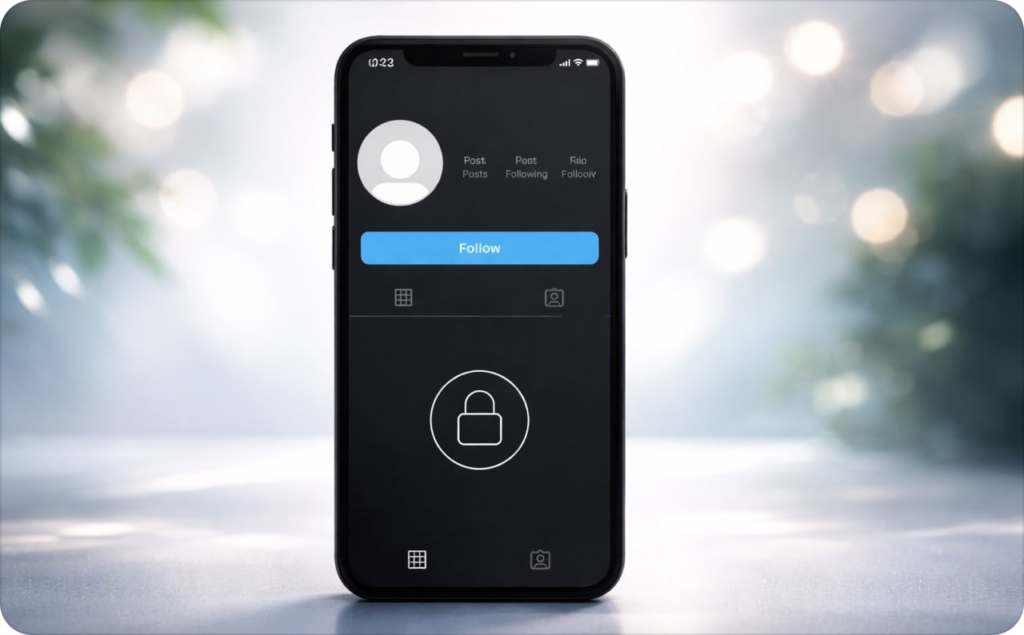
How do I make my Instagram account private?
On Instagram, private means only approved followers can see your posts, Stories, and most of your profile content. You switch it on once, then confirm it’s working with a quick check.
How to make Instagram private on iPhone and Android
- Open Instagram and go to your profile
- Tap the menu (three lines)
- Tap Settings and privacy
- Tap Account privacy
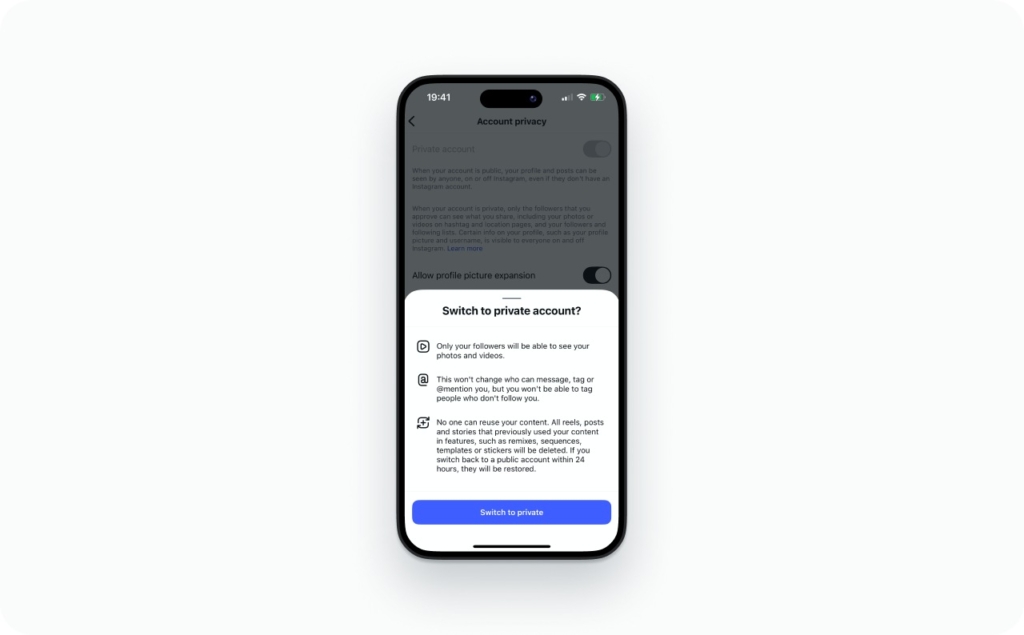
- Turn on Private account
- If you see a confirmation, tap Switch to private
A small but real detail: some versions don’t ask you to confirm when switching to private, but do ask when switching back to public.
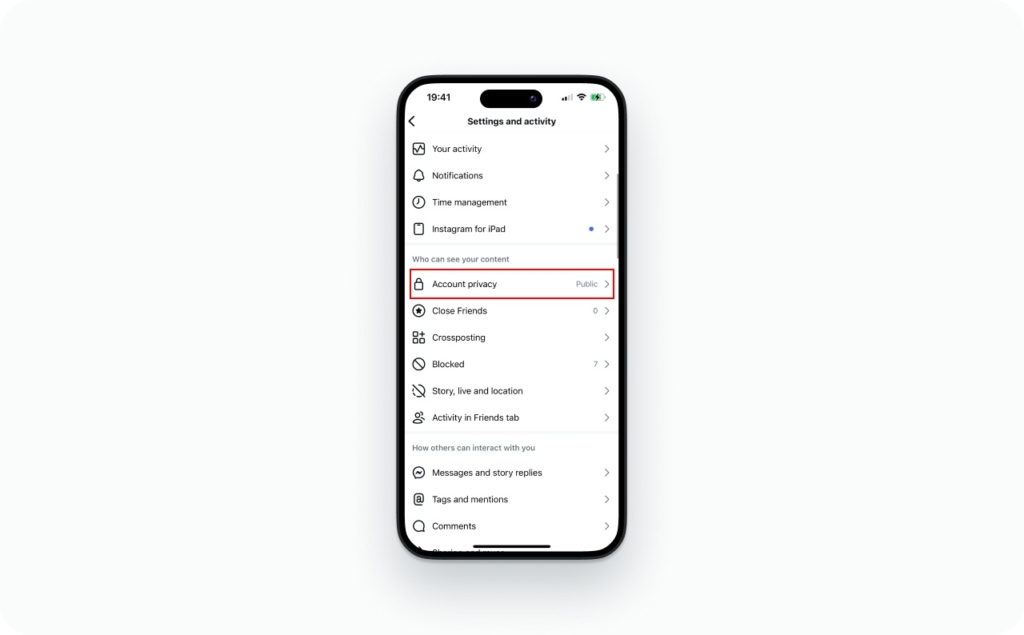
How do I switch Instagram from public to private on iPhone?
The path is the same as above. On iPhone, you’ll usually find Account privacy in the main settings list after Settings and privacy.
How do I make Instagram private on Android?
Same path. If your Android UI looks different, it’s usually because of an app version difference, not a missing feature.
How do I make my Instagram private on desktop (web)?
Instagram web settings change more often than the app. If you can’t find Account privacy on desktop, use the mobile app for the switch, then use desktop for cleanup tasks (like reviewing followers).
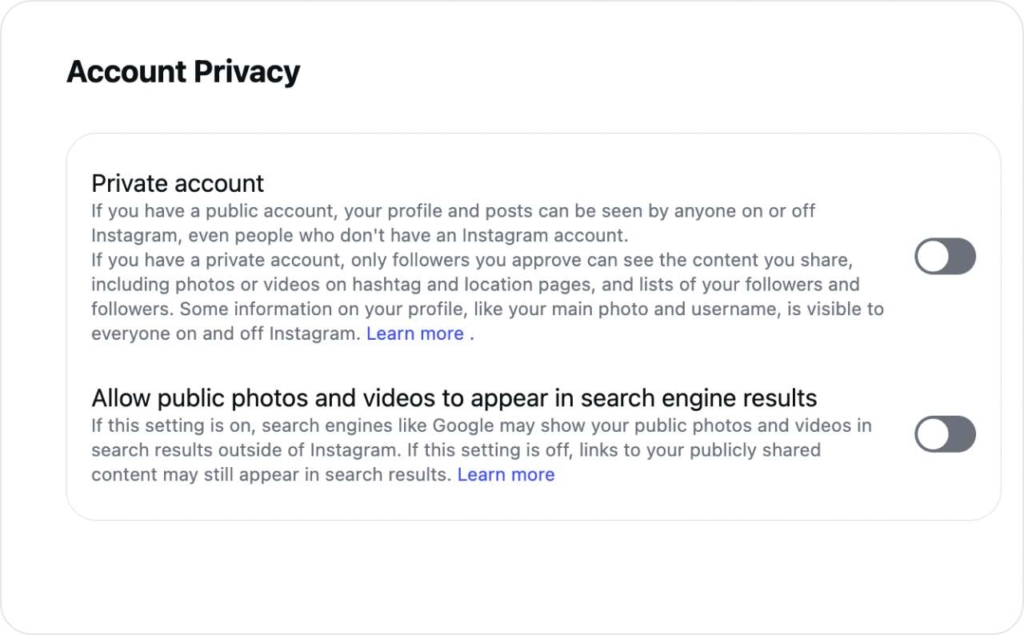
Where is Account privacy in Instagram settings?
Profile → Menu → Settings and privacy → Account privacy
How do I confirm my Instagram is private?
Do a quick “outsider check”:
- Log out (or use a friend’s phone)
- Search your username
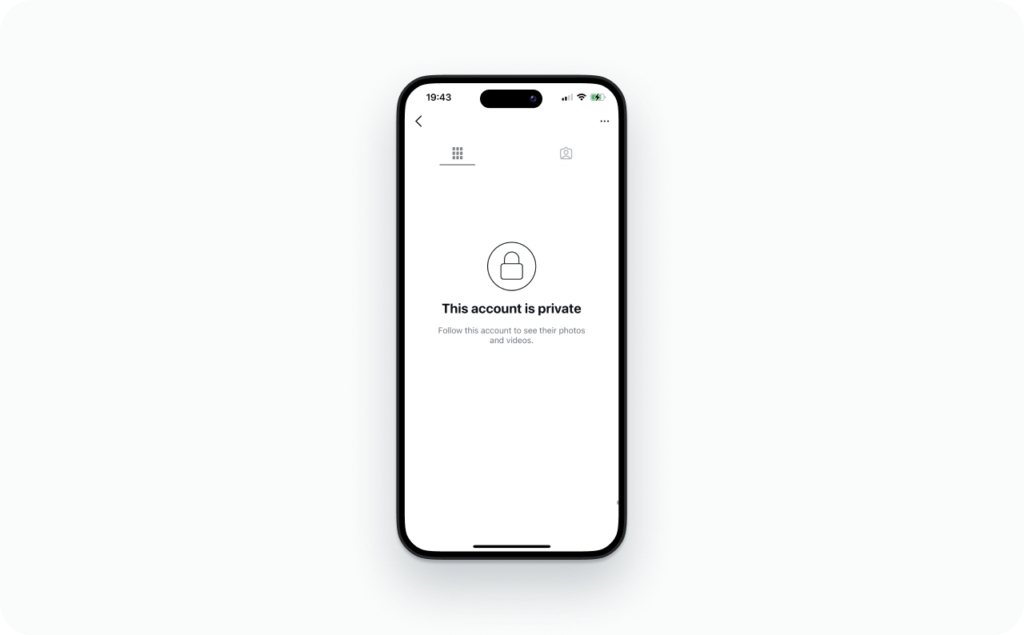
- You should see your profile shell, but your posts should be hidden behind a follow request
What does a private Instagram account mean in 2026?
Think of a private account as a front door. People can still find the house, but they can’t walk in without you letting them.
Who can see my posts when my Instagram is private?
- Approved followers can see posts, carousels, and captions
- Non-followers can’t see your grid content, even if they can see your profile header
Who can see my Stories and Highlights on a private account?
Approved followers can see them, unless you narrow the audience further with:
- Close Friends
- Hide story from
- Limits
Who can see my Reels when my account is private?
Approved followers can see them. Private accounts generally do not distribute Reels to non-followers the same way public accounts do.
Can non-followers see my profile picture when I’m private?
Usually yes. Same for your username, bio, and follower/following counts. Private is about content access, not total invisibility.
Do my old posts become private immediately after switching?
Yes. When you turn on Private account, your posts are only visible to followers you approve. What doesn’t change is your existing approved followers. They keep access until you remove or block them.
Meta has leaned hard into teen protections and privacy defaults in recent years, which is a good reminder of what “private” is designed to do: reduce unwanted contact and exposure.
How do follow requests work on a private account?
Once you go private, growth becomes permission-based. That’s the whole point.
How do I approve follow requests on a private account?
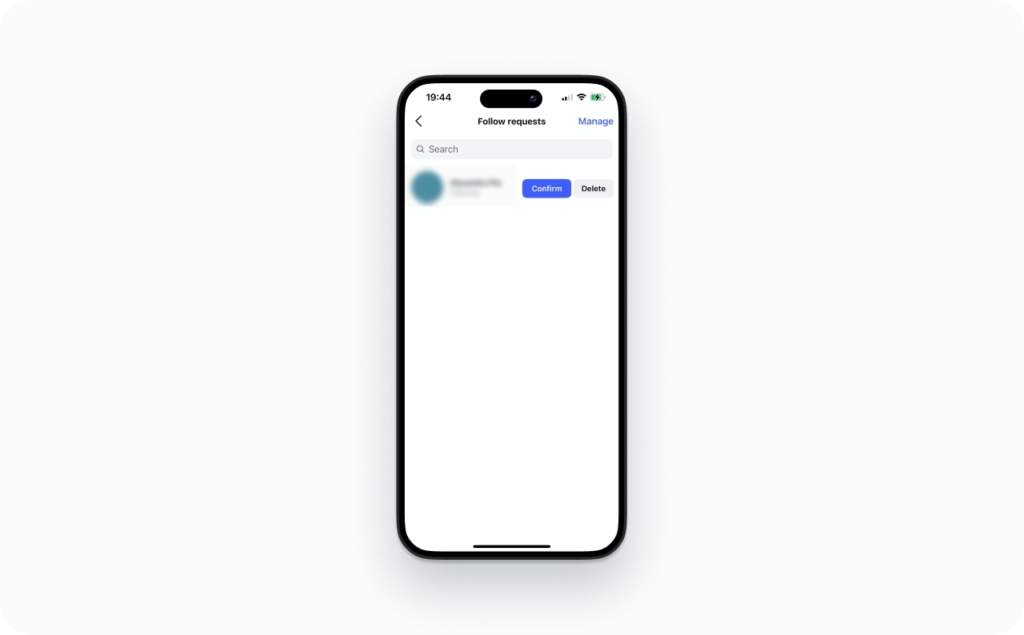
- Go to your Activity (heart icon) or your Follow requests list (Instagram moves this around)
- Tap Confirm to approve
How do I delete/decline a follow request on Instagram?
Tap Delete (or Decline) on the request. In most cases, Instagram doesn’t send a direct “you were declined” alert. People can still guess if they keep checking.
What happens to pending follow requests when I go private?
If you switch to private, you’ll start seeing requests instead of instant follows. If you already had pending requests, they stay pending until you act.
Will someone know if I decline their follow request?
Not as a clean notification. But humans notice patterns, so don’t expect invisibility.
Private accounts also change what shows up publicly. The UK Safer Internet Centre summarizes it clearly: with a private account, posts generally won’t appear on hashtag or location pages for non-followers.
How do I remove a follower on Instagram without blocking?
This is the quiet cleanup most people mean when they say how to make my followers private on Instagram.
How to remove a follower without blocking
- Go to your profile
- Tap Followers
- Find the person
- Tap Remove
On most accounts, removing a follower does not send them a notification.
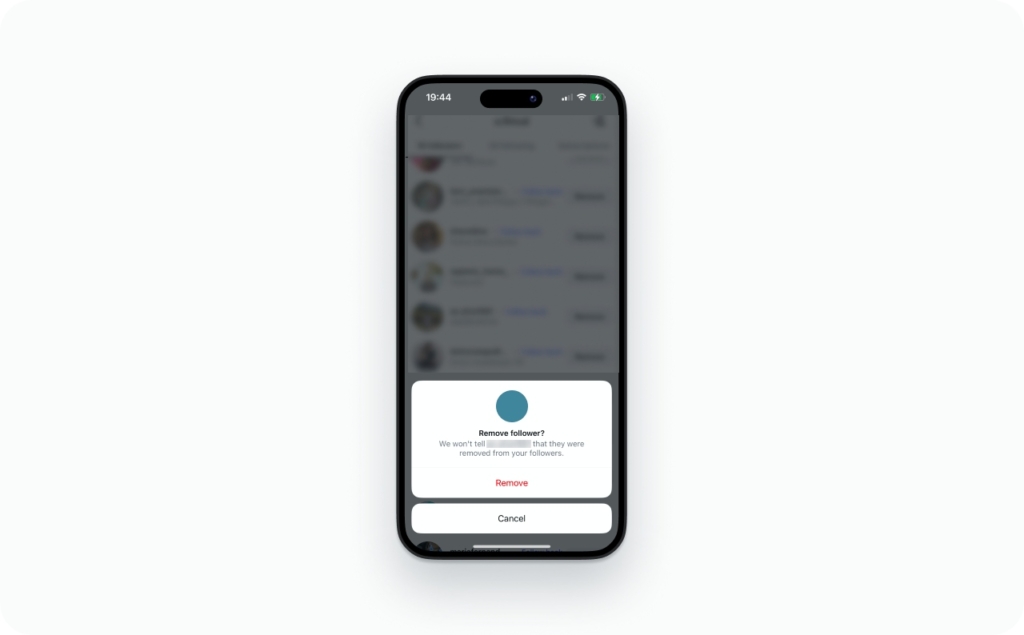
If I remove a follower, can they still see my old content?
Not if your account is private. Once removed, they’re back to being a non-follower, so your posts and Stories are hidden again.
How do I stop someone from following me again?
- Remove them first, they aren’t informed
- Stay private so any re-follow requires your approval
- If you want to prevent future follow attempts entirely, block them, and use Instagram’s option to also block other accounts they may have or create
Should I block vs remove follower vs restrict?
If you want privacy, this is your section.
| Tool | What changes | Do they get a notice? | Best for |
| Remove follower | They lose access if you’re private | Usually no | Cleaning your audience |
| Restrict | Their comments are less visible, DMs get quieter | No obvious alert | Awkward real-life ties |
| Block | They can’t find or interact with you | No “blocked” alert | Harassment, safety, stalking |
Restrict is the “soft lock.” It limits interaction without the social explosion of a block, and the person usually isn’t told directly.
How do I make Instagram private without people noticing?
You can’t control what people infer, but you can reduce the drama:
- Remove followers in small batches
- Use “I’m keeping my account for friends” if asked
- Tighten Stories first, then go private, then clean followers
Can I hide my followers or following list from everyone?
This is where Instagram gets annoyingly literal. Not completely. Instagram does not offer a “hide followers” switch like some platforms do.
So what do people mean by “how to make my following list private on instagram”?
They usually mean one of these:
- Hide it from strangers
- Hide it from one specific person
- Hide it while staying public
Here’s what’s actually possible:
- If your account is private, non-followers can’t browse your followers/following list the same way
- If someone is an approved follower, they can usually still see your lists
- If you need to hide from one person, your real tools are remove, restrict, or block
Metricool’s 2026 guide puts it bluntly: you can’t fully hide followers in the way people expect, but you can control who sees your account by going private.
Can a business or creator account be private on Instagram?
If you’re searching how to make instagram business account private, here’s the honest answer. In many cases, no. Private accounts are typically a personal-account feature, and professional accounts often lose access to the private toggle.
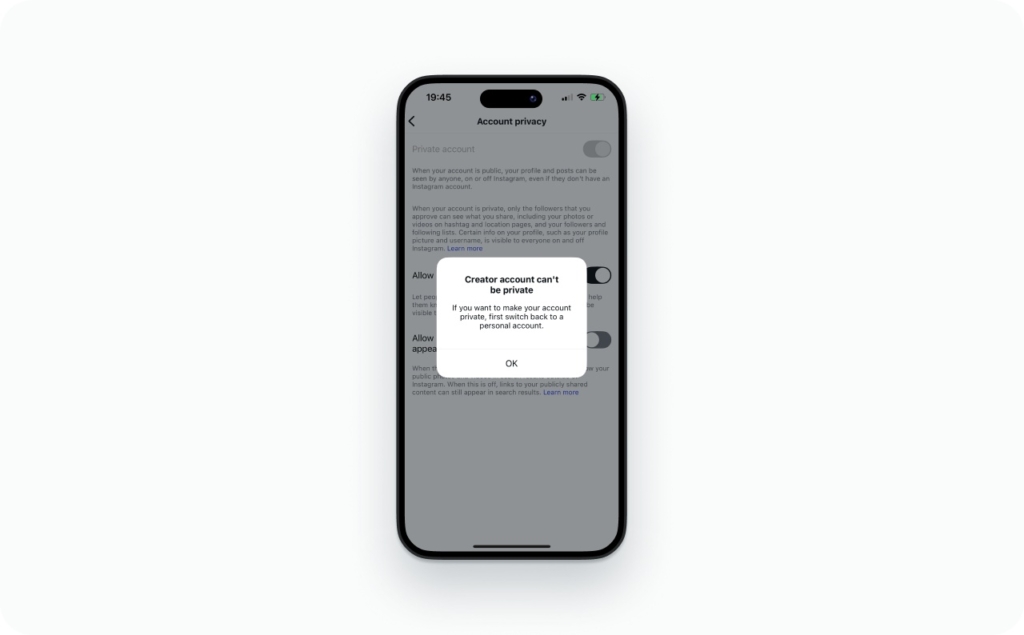
Can a creator/professional account be private?
Some people see mixed behavior depending on rollout and account history, but the most reliable fix is the same: switch back to personal.
How do I switch from business/creator to personal so I can go private?
Profile → Menu → Settings and privacy → Account type and tools → Switch account type → Switch to personal account
What changes when I switch from professional to personal?
Expect to lose or reduce access to:
- Detailed analytics history
- Some professional tools tied to business features
One common warning: switching can wipe Insights history, so screenshot what you need first.
Will my private Instagram show up on Google, Explore, or hashtags?
Private doesn’t mean invisible. It means “gated.”
Can people find my private Instagram in search?
Yes, they can often find your profile in Instagram search. They just can’t see your posts without approval.
Does my private Instagram show up on Google?
Sometimes your profile page can appear in search results, especially if it was indexed back when you were public. That doesn’t mean Google can see your posts now. It means Google can see the public parts of your profile header.
Can my private posts show up on Explore / hashtag pages / location pages?
Generally, private posts are not meant to distribute broadly to non-followers. Still, your content can escape socially:
- A follower screenshots it
- A follower records it
- A follower describes it, reposts it, or shares it elsewhere
Meta’s 2026 update on recommendations is a useful clue for why this feels confusing: Instagram recommendations are increasingly driven by original content signals and distribution systems that favor public discovery. Private accounts opt out of most of that.
Can someone view a private Instagram with a third-party site/app?
No. There is no legitimate way to see a private Instagram profile without being approved as a follower.
Instagram’s privacy system blocks non-followers from viewing posts, Stories, Reels, and most profile content. Websites that claim to unlock a “private Instagram viewer” or show private profiles without following cannot bypass this system.
Most of these tools exist for one of three reasons:
- They try to steal Instagram login details
- They push endless “human verification” surveys or ads
- They charge for access that never actually works.
The only real way to see private Instagram posts is for the account owner to accept your follow request.
Can someone see my private Instagram posts without following me?
Not legitimately. The private viewer ecosystem mostly runs on:
- Phishing pages that steal logins
- Fake paywalls
- “Verification” loops that harvest personal data
Can mutual friends show my private posts to others?
Yes, in the most boring way: screenshots and screen recordings. Privacy tools don’t stop copying.
Red flags that the private viewer is fake
- It asks you to log in with Instagram credentials outside Instagram
- It promises instant access without a follow request
- It requests payment or “human verification”
- It pushes you to download an app from outside the official app stores
Meta has been publicly talking about scam center takedowns, including millions of accounts tied to scam operations. That’s the ecosystem your “private viewer” ad came from.
How do I make Stories, tags, comments, and DMs more private?
This is where you go from “private account” to “private life.”
How do I make a private story on Instagram?
Use one of these:
- Close Friends for a smaller, curated Story audience
- Hide story from for specific people
- Keep your account private and still use Close Friends for extra control
How do I make tagged photos private on Instagram?
You’re really asking two things:
- Stop tags from appearing automatically
- Control who can tag you
Look for settings that let you:
- Approve tags manually before they show on your profile
- Limit tagging to people you follow
That solves most “how to make instagram tags private” searches without playing whack-a-mole on every tag.
How do I limit who can comment or mention me?
In Privacy settings, tighten:
- Comment audience (everyone vs followers)
- Offensive word filters
- Who can @mention you
How do I stop message requests from strangers?
Go to message controls and push unknown senders into Requests, or reduce who can message you at all. Also tighten who can add you to group chats.
How do I turn off “active status”?
Turn off Active status so people can’t see when you’re online. It’s not a safety shield, but it removes a common social pressure point.
How do I disable contact syncing and phone discovery?
Turn off contact syncing and review what’s connected in Accounts Center. This reduces “people you may know” style exposure tied to your phone number.
Troubleshooting: Why don’t I see the “Private account” toggle?
When someone tells me “the switch isn’t there,” it’s almost always one of these.
Common reasons the private toggle is missing or greyed out
- You’re on a business or creator account, switch to personal first
- Your app is outdated, update Instagram
- You’re inside a settings area that’s different in your region or rollout
- You’re dealing with an account restriction or a temporary bug
Why does my account keep switching back to public?
It’s rare, but it happens with:
- Account type changes, business tools re-enabled
- Cross-app settings conflicts, Accounts Center
- Glitchy updates
If something feels broken, use Meta’s newer in-app support hub to report the issue and check recommended fixes.
What else should you know about Instagram
Now when you know tips and tricks on how to make your Instagram private, read next articles to learn more about Instagram and get more control over your content and experience.
- How to save stories on Instagram. Learn how to keep your stories before they disappear and store them for future use.
- How to repost a video on Instagram. Discover simple ways to share other users’ videos while keeping proper credit.
- Instagram story change background color without covering video. Find out how to customize your story background without hiding your content.
- How to loop a video on Instagram. Understand how looping works and how to make your videos replay seamlessly.
- How to edit Instagram stories. Explore tools and features to enhance your stories with text, effects, and more.
- What does forward mean on Instagram stories. Get clarity on story navigation metrics and what user actions actually mean.
- How to speed up a video on Instagram. Learn how to adjust video speed to create more dynamic and engaging content.

Emma blends product marketing and content to turn complex tools into simple, sales-driven playbooks for AI ad creatives and Facebook/Instagram campaigns. You’ll get checklists, bite-size guides, and real results, pulled from thousands of Zeely entrepreneurs, so you can run AI-powered ads confidently, even as a beginner.
Written by: Emma, AI Growth Adviser, Zeely
Reviewed on: March 27, 2026