How to post a Story on Instagram: A simple SBO playbook
Trying to figure out how to post a story on Instagram without tapping through ten menus? I work with the Zeely team testing Instagram story flows on real business accounts so I can show you the exact steps that match what you see in the app.
If you run a small business, the real Instagram problem isn’t the buttons. It’s the clock, the pressure to get a real return, and the constant hunt for new ideas that don’t eat your whole day. You can’t treat Stories as a “low-pressure” space. You need a simple plan you can repeat, something that saves time and drives measurable results.
In this guide, I’ll walk you through the same planning steps and design shortcuts the Zeely team uses when we create stories. You’ll learn how to work faster, keep your Stories consistent, and use the right stickers to turn quiet viewers into real customers.
What are Instagram Stories?
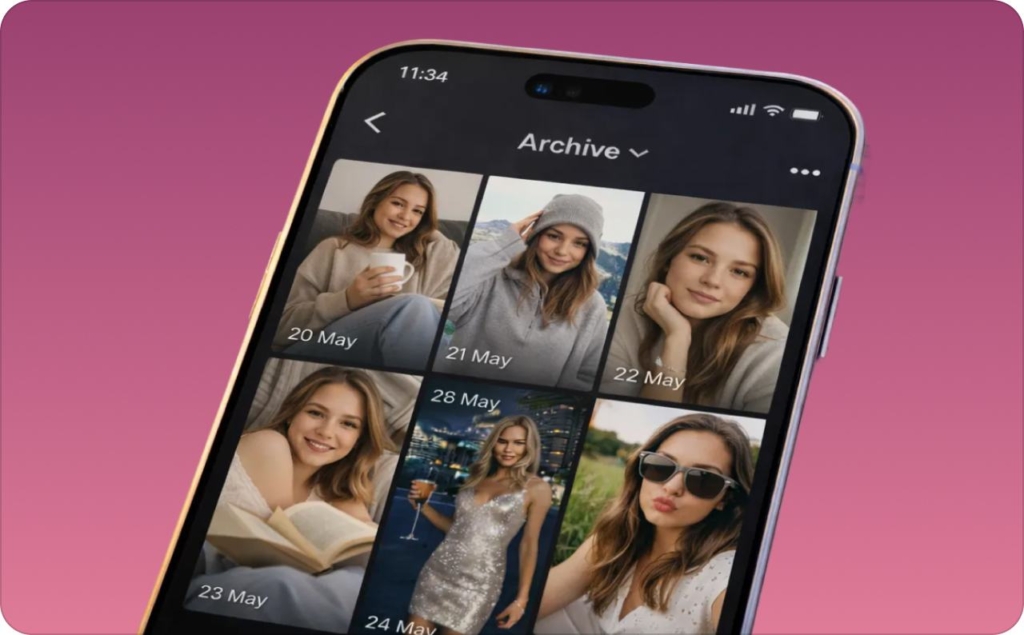
Instagram Stories are 24-hour stories that sit at the top of the Instagram app in the Stories row and disappear after a day unless you save them. You can post quick photos or short videos, add stickers, and keep everything low-pressure compared to your main feed. Every story you share moves into your private Archive, and you can turn your favorite moments into Highlights that stay on your profile permanently.
Pew Research reports that 61% of U.S. teens use Instagram and about 50% check it daily, which explains why Stories remain one of the most viewed surfaces on mobile. When you understand how Stories work, you can share updates that feel personal and easy to watch. I use the same iPhone and Android paths the Zeely team tests each week, so the steps you follow match the real interface.
Why small business owners need Instagram Stories
When you run a small business, you don’t always have time for “big” content. Stories give you a quick way to show up where your customers already are, without planning a full campaign every time. You stay visible at the top of the app, even on days when you only have a few minutes to spare.
I think of Stories as a light but powerful layer on top of your main content. They help you:
- Stay in the Stories row so people see you first
- Warm up existing followers with polls, questions, and quick chats
- Test ideas before spending money on ads or new offers
- Share proof in real time with reviews, behind the scenes, and results
- Send people straight to your product or booking page with the Link sticker
For a small business owner, that mix matters. You get awareness, trust, and real clicks from a format you can create on your phone in a few minutes, not a few hours. Read also about story templates.
Post a new Story from camera or gallery
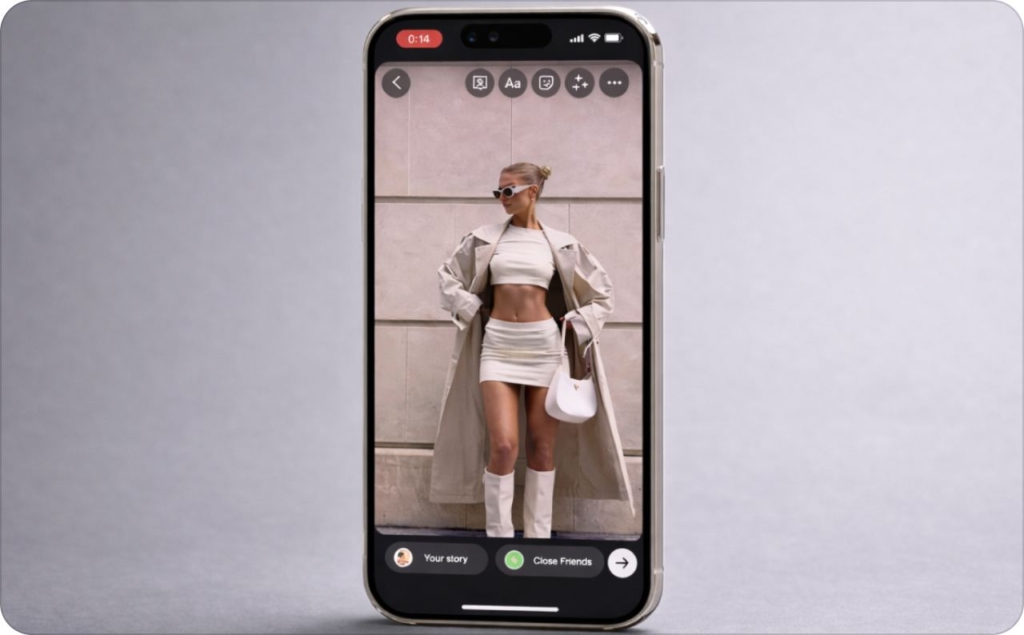
You post a story by either capturing something live or pulling a ready-made clip from your Gallery. I choose the option that saves you time. Tap the + and select Story when you’re filming in the moment. Tap once for a photo or hold for a video. Hands-Free keeps your message natural without worrying about the record button.
When you already have a photo or video prepared, open your Gallery in the bottom-left corner. This is the workflow I recommend for most small businesses because it removes daily guessing and keeps your visuals on-brand. You can drop in text, add a sticker, or shift the layout so it stays clean on a 9:16 frame.
This routine fits how marketers build strong posting habits. Instagram remains one of the highest-performing channels for reach and engagement, according to HubSpot’s 2025 Social Media Marketing Report. A steady story flow helps you show up near the top of your customers’ screens more often. Read also how to make a collage on Instagram story.
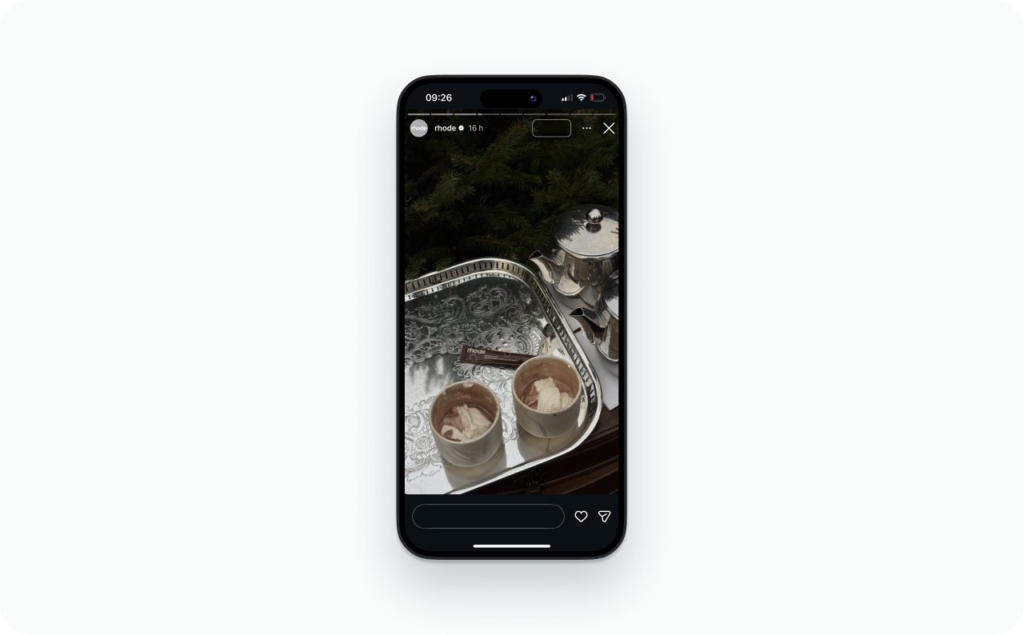
Photo source: @rhode on Instagram
Add engagement elements that drive replies
I learned early on that the stories people remember aren’t the polished ones, they’re the ones that invite a small action. A tap, a vote, a quick reply. That’s why I treat engagement stickers as the simplest way to keep people watching. When your story feels like a two-way moment, your audience stays with you longer.
I focus on the stickers that spark real interaction:
- Poll for quick choices
- Questions to collect messages you can reuse later
- Add Yours to build participation across accounts
- Location and Hashtag for extra discovery
- Mention to bring partners or customers into your story
Each one creates a tiny moment of involvement. Those moments matter. Instagram prioritizes stories from accounts people interact with, and Social Media Today’s 2025 ranking update explains how replies and sticker taps increase your placement in the Stories row by signaling stronger connections.
I use one interactive sticker in most stories because it keeps you visible and gives you quick insight into what your audience cares about. When someone taps once, they’re more likely to tap again when you share something important.
Expected result: higher replies, stronger story placement, and better watch-through on your full sequence.
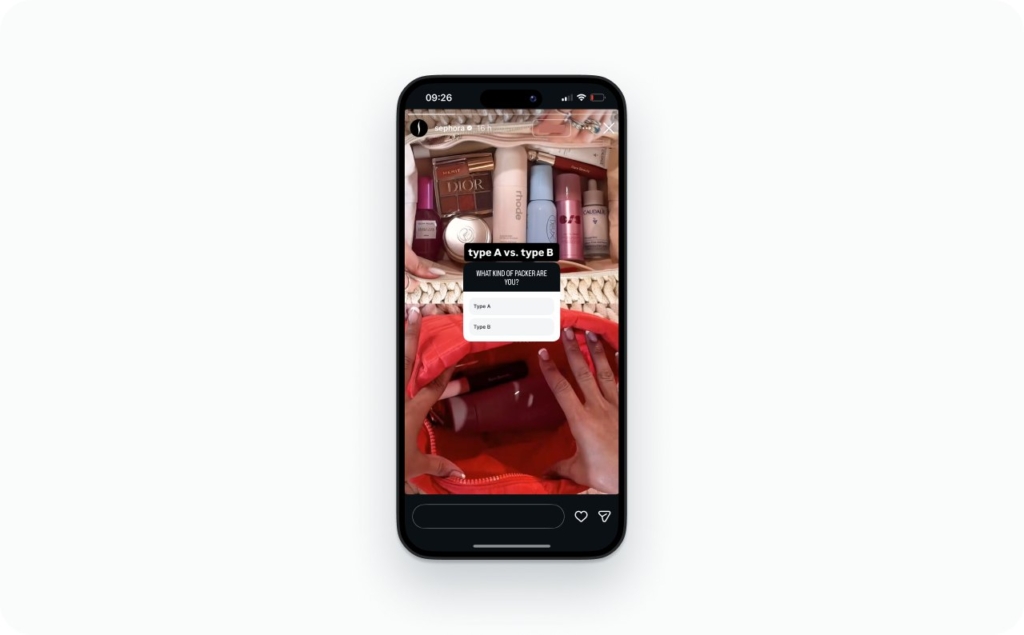
Photo source: @sephora on Instagram
Add music to a Story
I add music to most stories because it changes the mood instantly. It helps a quiet clip feel alive and gives your audience something to connect to before they even read the text. When you open the sticker tray and tap Music, you get a full library of tracks you can preview, trim, and style with on-screen lyrics. It only takes a few seconds, and it makes your story feel more intentional.
I keep the workflow simple:
- Pick a track that matches the tone of your clip
- Trim the section so the hook plays right away
- Choose a lyrics style that’s easy to read
- Place the sticker where it doesn’t block your subject
Short clips work best because people react fast. The right song helps them stay for the next story instead of swiping away. Instagram keeps improving this feature too. TechCrunch reported in 2025 that the platform added playable Spotify song previews directly inside Stories, which shows how much Instagram leans on music to keep viewers engaged.
There are moments when I skip music on purpose. If you’re talking to camera and you want people to focus on your words, silence plus clear captions usually works better. The same is true for sensitive topics, detailed tutorials, or any story where background sound might feel distracting or unprofessional. In those cases, clean audio and readable text beat a busy soundtrack.
I use music when I want a story to feel warm or energetic without adding extra editing time. It’s a quick upgrade that helps your brand feel more polished.
Expected result: stronger emotional pull, higher watch-through rate, and more consistent engagement across your sequence.
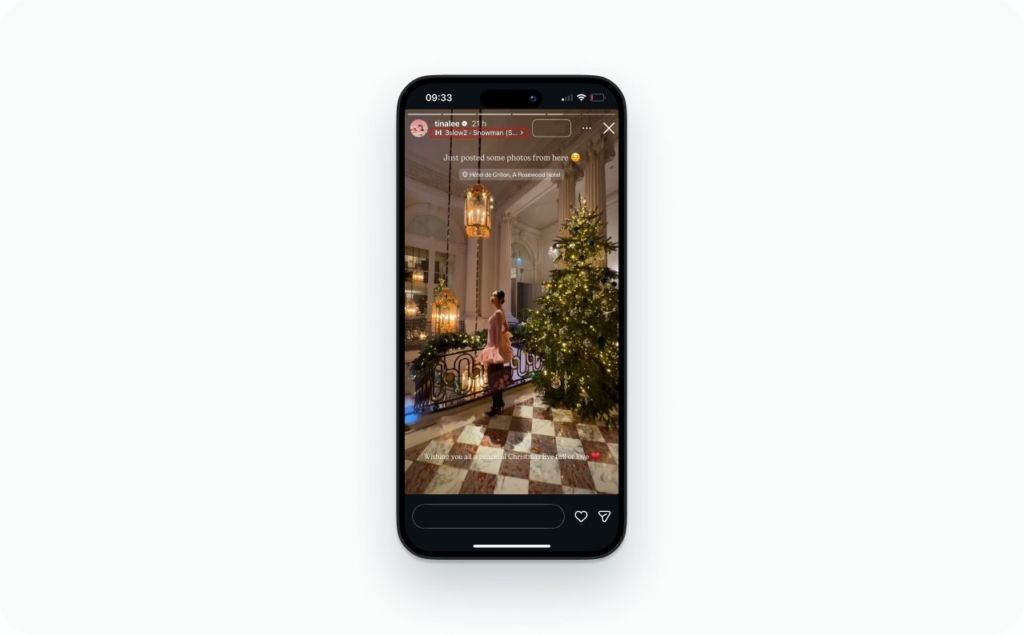
Photo source: @tinalee on Instagram
Add a link to a Story
I use the Link sticker when I want a story to drive real action. A good link turns a viewer into a visitor, and a visitor into a customer. You add it by opening the sticker tray, choosing Link, pasting your URL, and giving it a short CTA label. Simple labels work best because people decide fast.
I keep a few rules in mind:
- Place the sticker above the fold so it’s easy to tap
- Use clear labels like “View product” or “Book now”
- Keep the story clean so the link stands out
- Add UTM tags so you can measure the clicks later
Your link works better when the rest of the story supports it. A clean visual, a clear headline, and one action give your audience fewer decisions to make. That’s how small businesses get more taps without raising their ad spend. Forbes Advisor highlighted this in 2025, noting how platform-specific planning and simple analytics help turn social clicks into conversions.
I add links when I want predictable results. It’s one of the easiest ways to turn story views into real traffic you can measure.
Expected result: higher tap-through rate, cleaner attribution, and a stronger path from Instagram to your product pages.
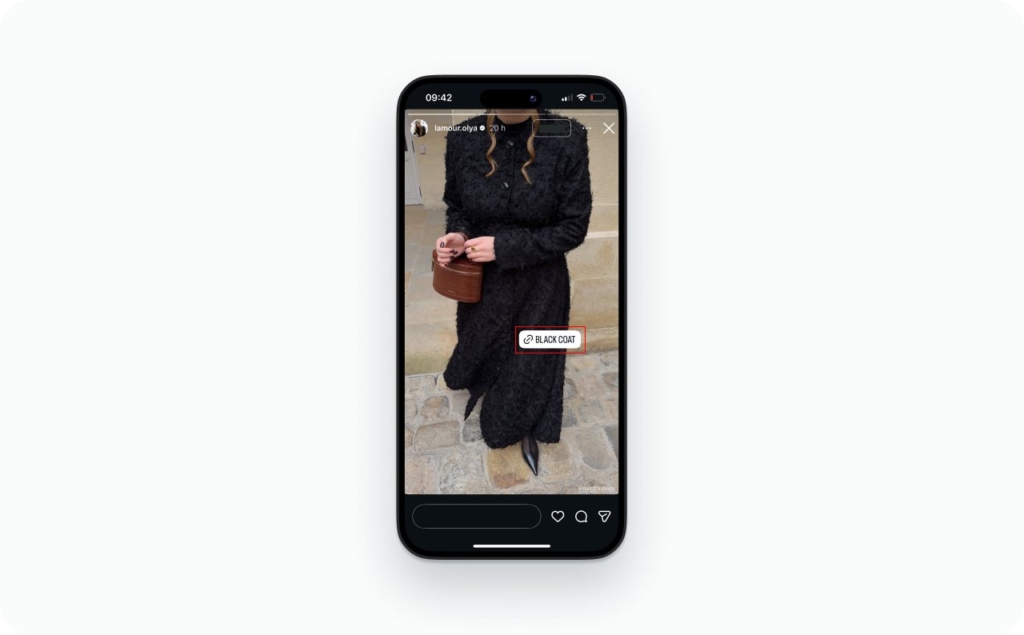
Photo source: @lamour.olya on Instagram
Share a Feed post to your Story
I use reposting when I want to spotlight something without creating a new asset. It’s one of the quickest ways to drive attention to a product, a review, or a partner’s post. Open the post, tap the paper-airplane icon, and choose Add to Story. From there, you can resize it, move it, and add a sticker to guide the tap.
I keep the repost simple:
- Share posts that already have strong engagement
- Resize the post so it sits cleanly in the center
- Add a short line of context so people know why it matters
- Use a Poll or emoji slider if you want more replies
Reposts work because they let you highlight content people are already responding to. They also help you connect different layers of Instagram. The Verge reported in 2025 that Instagram keeps increasing links between video and story surfaces, which shows how important cross-surface navigation is becoming for visibility.
When you use reposts consistently, you get a steady flow of story content that doesn’t drain your time.
Expected result: faster story production, higher tap-through to the original post, and better visibility from cross-surface engagement signals.
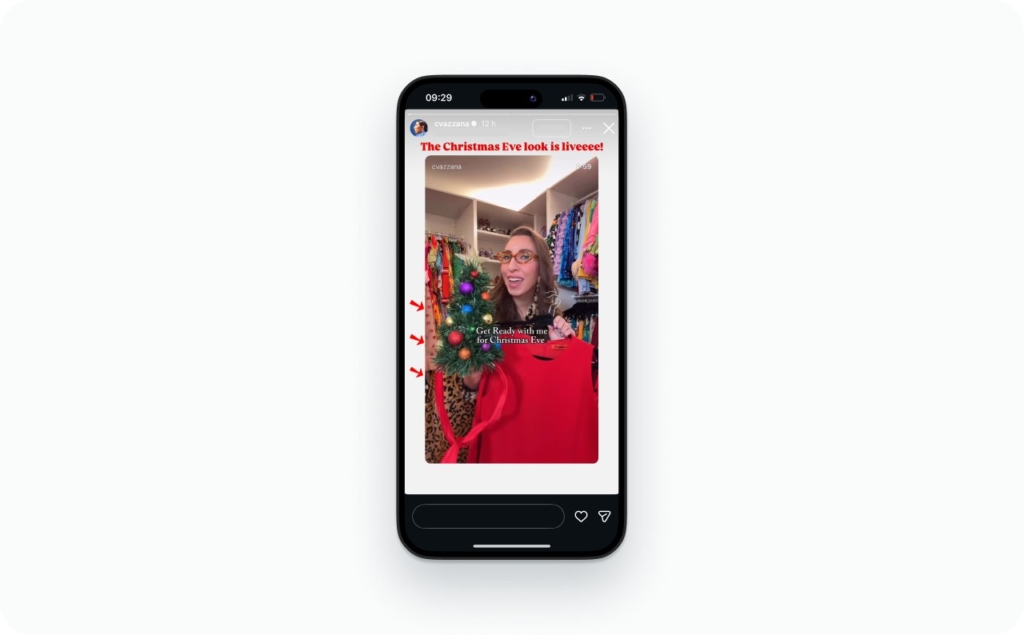
Photo source: @cvazzana on Instagram
Can’t see add to Story
This button disappears when Instagram thinks resharing isn’t allowed. It usually happens when the account is private or the owner turned off resharing. You can check this by going to Privacy → Story → Allow Resharing. If the toggle is off, other people won’t see the option.
I look at a few common triggers:
- The original account is private
- Resharing is turned off in their settings
- The post is restricted to Close Friends
- The app needs a quick update
Instagram changes these flows more often now. Business Insider reported in 2025 that the platform shipped more than twenty new DM and resharing features in a short window, which explains why the button’s behavior can shift across updates.
A quick settings check usually solves it. Once resharing is enabled, the button reappears and your workflow goes back to normal.
Expected result: restored access to the Add to Story button and a smoother repost routine.
Post to Close Friends only
I use Close Friends when I want a story to feel personal. It gives you a smaller space where your most engaged customers can see what you’re working on without sharing it with everyone. Open your profile, build your Close Friends list, then choose Close Friends when you publish. It’s simple and it keeps your updates intentional.
I lean on this for a few things:
- Behind-the-scenes clips you don’t want in the main feed
- Early product looks for loyal customers
- Quick polls where you only want thoughtful replies
- Updates that feel more like a conversation
Close Friends works because intimacy drives engagement. Adweek reported in 2025 that Gen Z responds best to content that feels direct and personal, which makes private story spaces even more valuable for small businesses. When the audience feels close to you, they reply more often.
Expected result: higher reply rates, stronger relationships, and a warmer group of customers who follow what you do next.
Save, archive, and create highlights
I treat Highlights as your brand’s front window. Everything that matters should live there so new visitors can understand you in seconds. Instagram saves your stories automatically in the Archive, and you can turn them into Highlights by opening your profile, tapping New, and choosing the stories you want to feature. Update the cover so it fits your brand.
I use Highlights to organize your essentials:
- FAQs people ask you daily
- Product features or menus
- Reviews and testimonials
- Before-and-after results
- Tutorials people revisit often
Instagram keeps making Highlights more visible across profiles. That shift makes Highlights a smart place to store anything that drives decisions.
Expected result: better first impressions, higher profile retention, and more taps into key story collections.
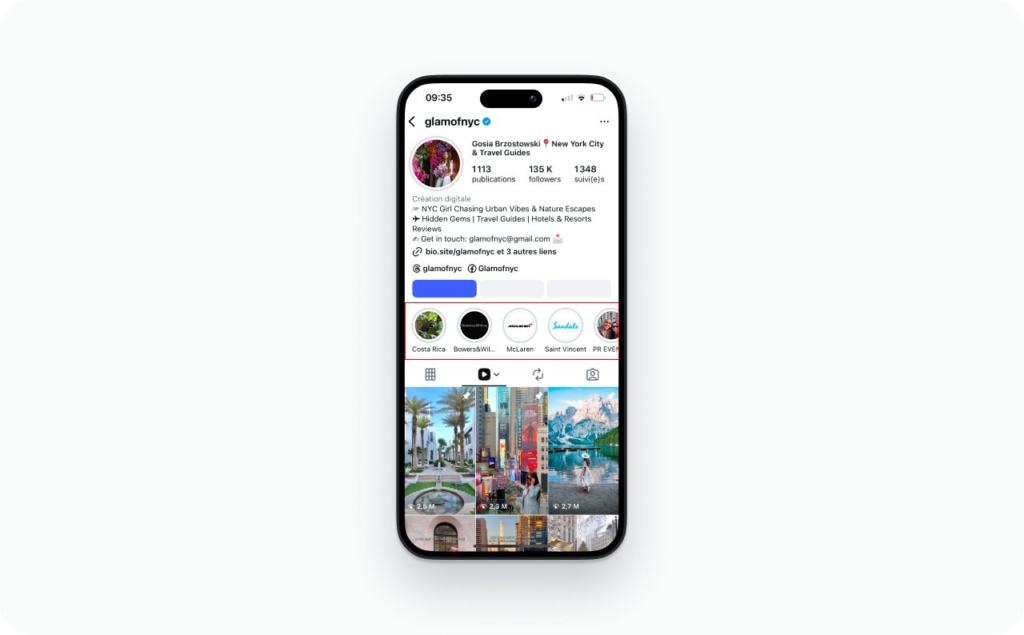
Photo source: @glamofnyc on Instagram
Story size and quality for sharp uploads
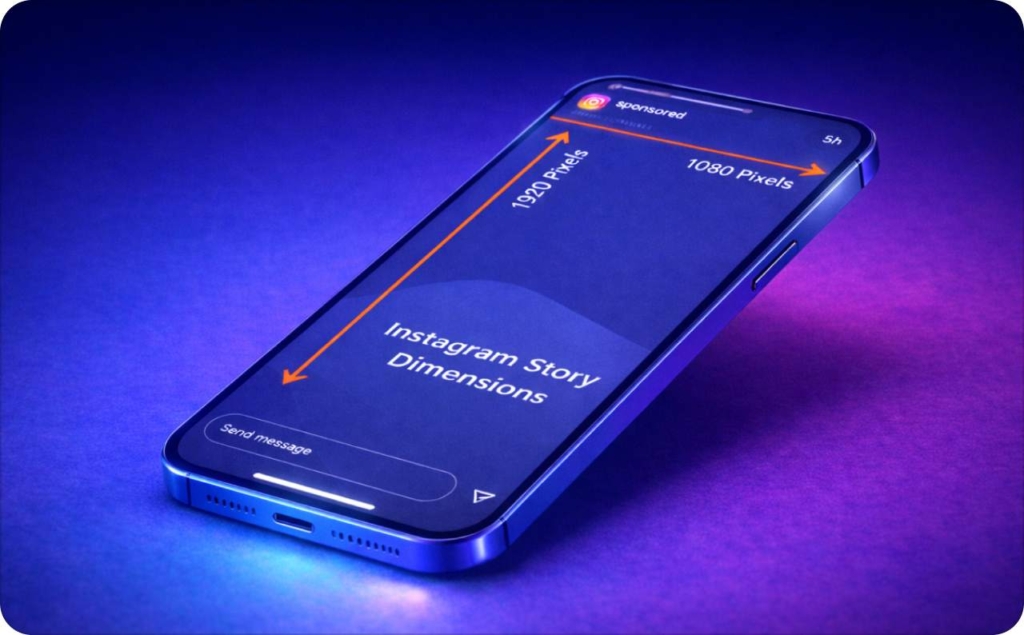
I follow a few technical rules to keep stories sharp. Instagram works best with a 1080×1920 canvas in a 9:16 ratio. When you design inside those limits, your text and images stay crisp. I also leave safe margins at the top and bottom so nothing gets hidden behind the UI. A simple layout helps your message land faster. Read more about Instagram story size and dimensions.
I watch the basics:
- Export at 1080×1920 in a 9:16 ratio
- Keep text in the center third
- Use high-resolution images to reduce compression
- Avoid thin lines and tiny fonts that blur on upload
Cadence and timing
I post stories in small batches across the day because it keeps your content near the top of the Stories row. People open Instagram at different moments, and timing shapes how often they see you. I watch when your audience is most active and adjust the cadence so each story gets a clean window of attention. It’s a simple shift that helps your story stay visible longer.
Here’s the pattern I use:
- Spread 2–4 stories across morning, midday, and evening
- Avoid uploading a long stack all at once
- Use strong Wi-Fi to keep uploads sharp
- Watch when replies spike and post around those times
I schedule stories when I want a steady presence during busy weeks. Planning ahead keeps your feed active even when you’re not on your phone. I create a rough story set, load it into a scheduler, and finish the last touches inside Instagram so I can add Music, Link, and Mention stickers. It keeps everything consistent without losing the native features.
Measure performance
I look at story analytics every week because they show you what to repeat and what to remove. Reach tells you how many people saw the story. Taps forward and back show interest. Exits point to confusion or weak pacing. Link clicks and replies tell you what actually moved people. These numbers turn guesswork into decisions.
I track a few basics:
- Reach to understand top-of-funnel visibility
- Completion rate to see how far people stay
- Exits to catch weak frames
- Replies to measure connection
- Link taps for real conversion signals
Automate video production for Stories with AI generator
When you want to automate your Instagram Story production, you can use Zeely AI Instagram ad generator as your creative partner. You paste a product link, and the system pulls in your images, price, and description for you. From there, you pick a template that already works on real ad spend, and Zeely builds your story-ready creative in a few seconds.
You also get the ad and post formats at the same time, so your whole content set stays consistent without rebuilding anything. It’s the fastest way to keep your stories active, branded, and ready to publish when you don’t have hours to design.
Here’s how I use Zeely for stories:
- Paste my product URL, pick the product, and generate up to 20 static creatives per run, including story-ready formats I can download as PNG
- Use AI video maker to produce vertical social videos in minutes, with scripts, hooks, and optional AI avatars, then export as MP4 for Stories
- Upload the story-size files to Instagram Stories, layer a Link sticker, and track performance with UTM tags
This setup matters because speed and iteration win. Zeely already cuts production time by up to 97% compared to manual methods. Combined with your story analytics, that gives you a repeatable flow: generate, upload, measure, and improve.
Expected result: a faster Instagram Story pipeline, consistent brand visuals, and more testable creatives that can lift CTR, ROAS, and sales without adding extra design hours.
Turn this playbook into your weekly story habit
You don’t need to post perfect stories. You need a simple system you can repeat. Use this guide to set your default flow: capture or upload, add one sticker, link when it matters, save to Highlights, and check your numbers once a week. The more you treat Stories as a routine, the easier it gets to stay visible without burning out.
If you want help with the creative part, let Zeely handle it. You can generate story-size images and videos in your brand style, export them, and plug them straight into this workflow. Start with one weekly story set built in Zeely AI, add your Music and Link stickers, and watch your tap-through rate and replies over the next month.
When you are ready, try Zeely AI to take the design work off your plate. That way, every story you post has a clear job, clear tracking, and a real chance to turn views into sales.

Emma blends product marketing and content to turn complex tools into simple, sales-driven playbooks for AI ad creatives and Facebook/Instagram campaigns. You’ll get checklists, bite-size guides, and real results, pulled from thousands of Zeely entrepreneurs, so you can run AI-powered ads confidently, even as a beginner.
Written by: Emma, AI Growth Adviser, Zeely
Reviewed on: December 25, 2025