Upgrade or downgrade your Zeely plan step-by-step
Need to upgrade or downgrade your Zeely plan and don’t want to hunt through settings? I’ll show you the exact in-app path Zeely uses. You’ll switch plans in minutes, know what to expect next, and stay fully in control.
Upgrading or downgrading your Zeely plan
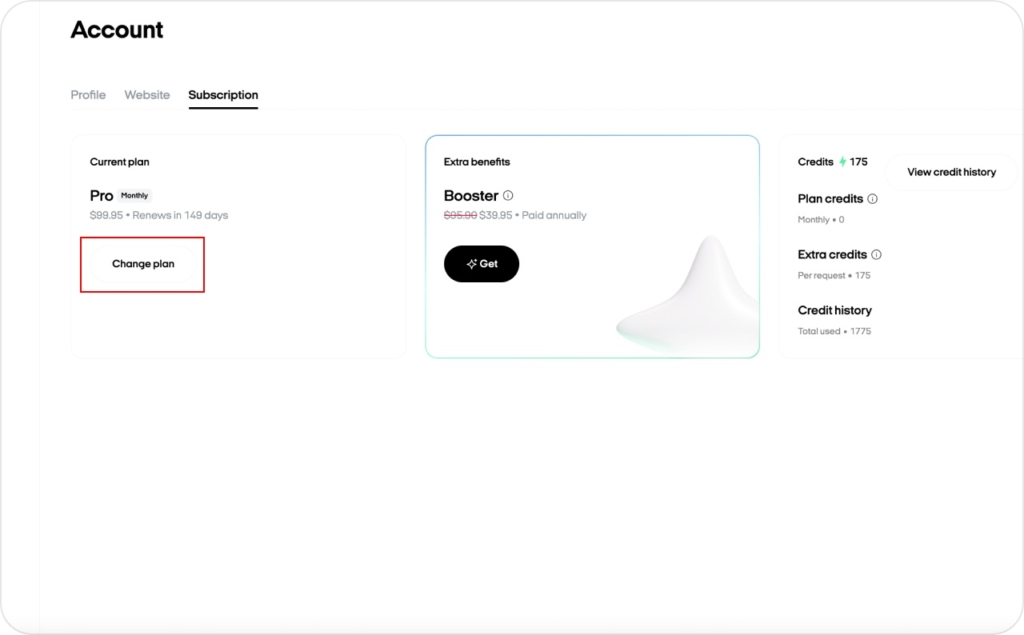
Log in to Zeely. Click your account in the upper-right corner, select your email to open Account settings, then go to Subscription > Change Plan. You’ll see your current plan and options to move up or down. Choose a plan, click Upgrade to [Plan Name] or Downgrade to [Plan Name], confirm, and you’re done. From here on, your new plan takes over.
If you’re here to upgrade or downgrade your subscription, this is the straight path. No extras, no guessing. Clear steps matter because most teams want to solve things themselves. HubSpot reports that 68% of customer support leaders are prioritizing better self-serve tools in 2025. That’s exactly what this guide is for.
How to change Zeely plan step-by-step
Here’s how to do it:
- Log in to Zeely: https://app.zeely.ai/
- Click your account in the upper-right corner
- From the dropdown, select your email to open Account settings
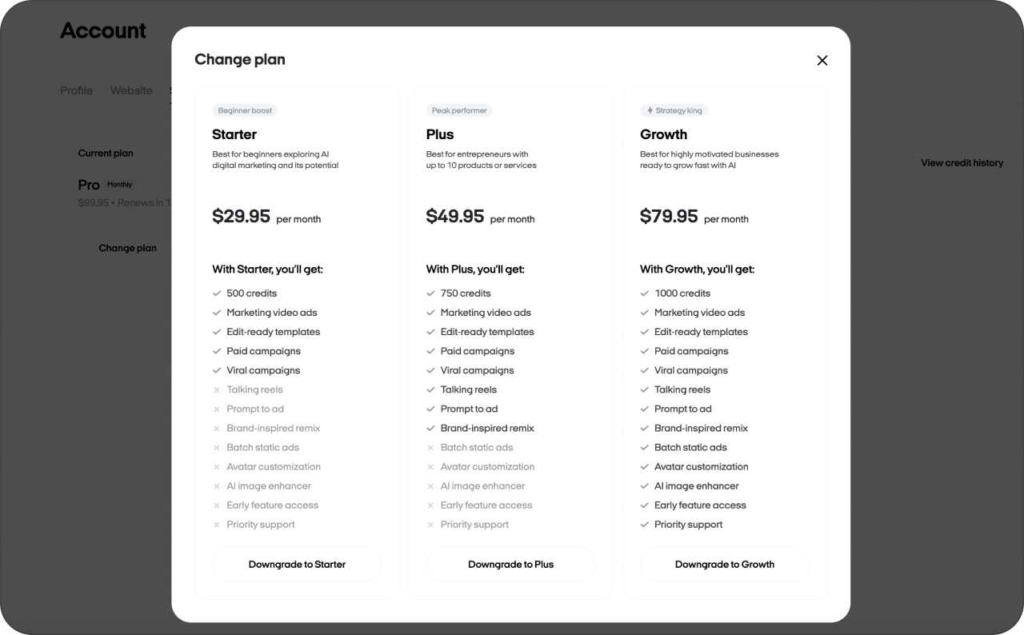
- Go to the Subscription tab and click Change Plan
- On the screen, your current plan appears together with the options to move up or down
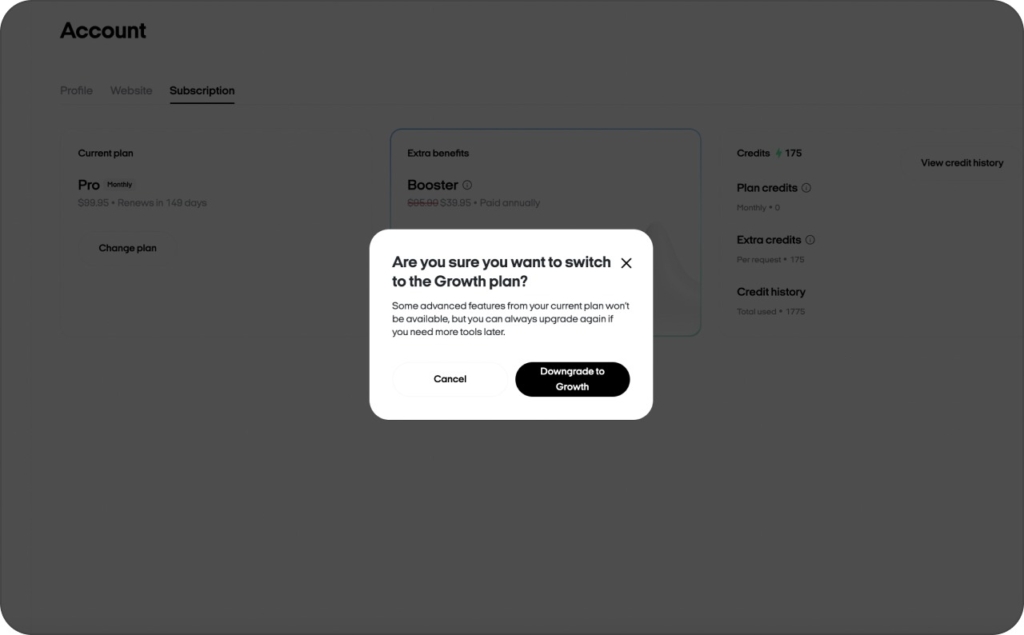
- Choose the plan that feels right for you and click Upgrade to [Plan Name] or Downgrade to [Plan Name]
- Give it a quick confirmation, and you’re all set
From here on, your new plan takes over, so you can keep growing with the tools that fit you best. Read also this article to make sure that Zeely is reliable.
What you’ll see on the Change Plan screen
On the Change Plan screen, you’ll see your current plan clearly labeled, plus the available options to move up or down. Nothing else to decode. You confirm once, and that’s it. The update is locked in, and you’re all set to continue. You may also be interested in reading the article about why Zeely is NOT a scam.
What changes after you switch
Once you change your Zeely subscription plan, your new plan takes over. The plan you choose defines your available campaigns, static creatives, AI video creatives, integrations, and support level. Read in detail now how much does Zeely cost in 2026.
Find the right plan
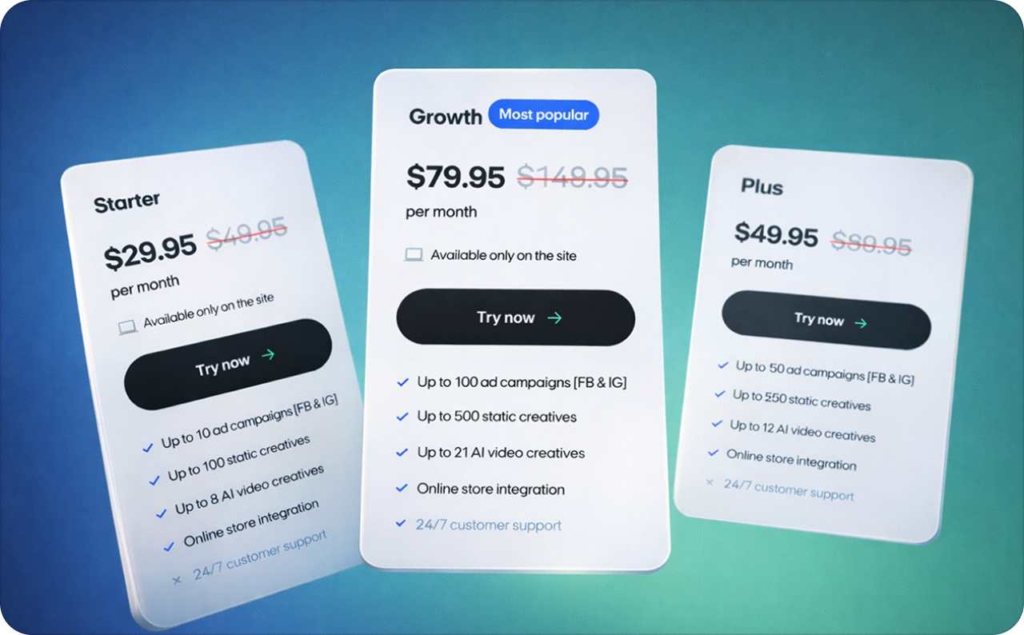
Before you change anything, make sure the plan matches how much you want to run. Picking the right size keeps spending efficient. Look at how many campaigns and creatives you plan to run each month. The table below makes it obvious.
Starter
Starter plan — $29.95 on a trial; $49.95 after trial period expires; available only on the site. Best for testing ads on FB & IG with light volume.
- Up to 10 ad campaigns (FB & IG)
- Up to 100 static creatives
- Up to 8 AI video creatives
- Online store integration
- 24/7 customer support
Plus
Plus plan — $49.95 on a trial; $89.95 after trial period expires; available only on the site. Best for growing stores that need more AI video creatives.
- Up to 50 ad campaigns (FB & IG)
- Up to 250 static creatives
- Up to 12 AI video creatives
- Online store integration
- 24/7 customer support
Growth
Growth plan — $79.95 on a trial; $149.95 after trial period expires; available only on the site. Best for scaling teams running multiple offers at once. This is our most popular option.
- Up to 100 ad campaigns (FB & IG)
- Up to 500 static creatives
- Up to 21 AI video creatives
- Online store integration
- 24/7 customer support
Read this article to discover why Zeely is worth it. Learn what makes Zeely a smart choice and how it can help you get better results faster.
FAQ
After you log in, click your account icon in the upper-right corner and select your email. That opens Account settings where you can upgrade or downgrade.
Inside Account settings. Open it, then click Change Plan to upgrade or downgrade your Zeely plan.
Match the plan to how many campaigns and creatives you plan to run. Use the comparison table above for a fast answer.
Yes. Every plan includes 24/7 customer support, so you’re never blocked when upgrading or downgrading.
No. Upgrading or downgrading your plan is separate. Payment methods, passwords, and account info each have their own guides.

Emma blends product marketing and content to turn complex tools into simple, sales-driven playbooks for AI ad creatives and Facebook/Instagram campaigns. You’ll get checklists, bite-size guides, and real results, pulled from thousands of Zeely entrepreneurs, so you can run AI-powered ads confidently, even as a beginner.
Written by: Emma, AI Growth Adviser, Zeely
Reviewed on: February 10, 2026