Zeely payment methods in 2026: Cards, PayPal, Apple ID
Not sure which Zeely payment method you used and where to cancel it? I wrote this using Zeely’s current billing rules so you can pick the right method, cancel correctly, and manage credits without guesswork.
If you’re here, you want one thing: billing clarity. I’ll show you the Zeely payment methods, where your subscription shows up, and the exact cancellation path based on how you paid. The result: you cancel the right way (no guessing), and you manage credits like a grown-up business owner.
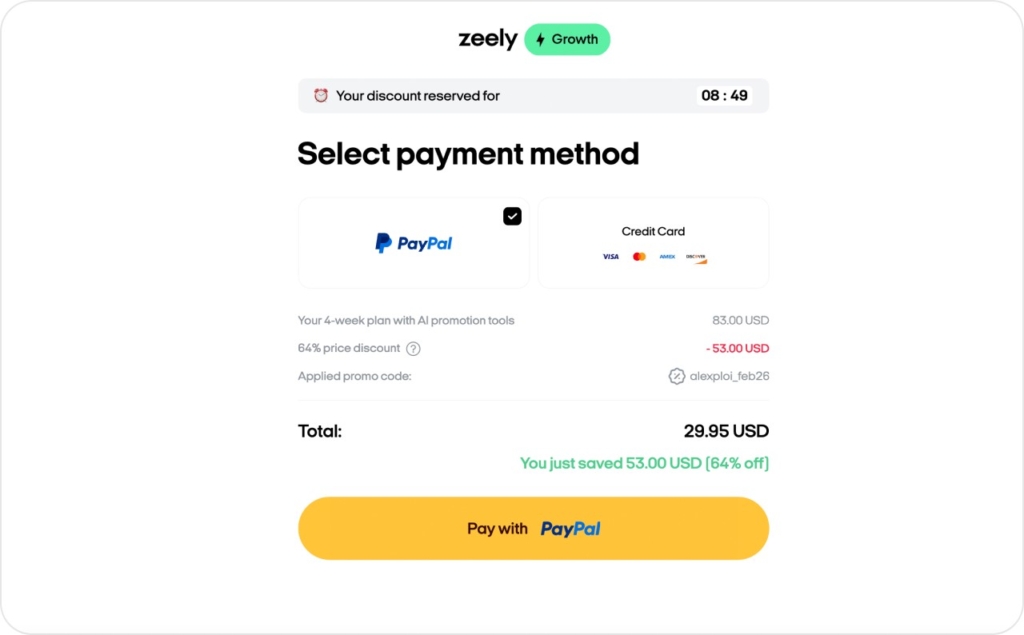
Zeely AI subscriptions can be purchased with bank cards (debit/credit), PayPal, or Apple ID (App Store). If you paid by bank card or PayPal, you can cancel in the account in the web version of Zeely or in the app. You can also read full information on our Terms of service page.
Zeely payment methods and where your subscription shows up
Here’s the quick truth: most people expect to pay with a card, and that’s normal. According to Federal Reserve Bank Services in the U.S., credit and debit cards make up the majority of consumer payments by number (credit 35% + debit 30% in 2024, vs cash at 14%). Before we start you might like to learn more about why Zeely is NOT a scam and why Zeely is absolutely reliable.
Payment methods at a glance
| Payment method | Best for | Where your subscription appears |
| Bank cards (debit/credit) | Fast checkout, most common | Zeely account + your card statement |
| PayPal | If you prefer PayPal protection + wallet checkout | Zeely account + your PayPal activity/billing settings |
| Apple ID (App Store) | If you subscribed inside the iOS app | Apple Subscriptions on your device |
Bank cards
Choose this if you want the simplest “pay and go” setup. Your subscription will show inside Zeely, and you’ll also see the charge on your bank/card statement.
PayPal
PayPal is great when you want to pay without typing your card details everywhere. You’ll see the subscription in Zeely, plus in your PayPal account.
Apple ID
If you subscribed through the App Store, Apple controls the subscription layer. That’s not scary. It just means your cancellation lives in Apple settings, not inside Zeely.
How to cancel your Zeely subscription by payment method
So let’s make it easy.
| Method used | Where to cancel | Exact path (if applicable) |
| Bank card (debit/credit) | Your Zeely account | If bank card/PayPal: can be canceled in the account: in the web version of Zeely / in the app |
| PayPal | Your Zeely account | If bank card/PayPal: can be canceled in the account: in the web version of Zeely / in the app |
| Apple ID (App Store) | Your iPhone/iPad settings | Settings → Apple ID → Subscriptions → Zeely AI → Cancel Subscription |
Key rule to remember:
Apple’s own instructions for canceling App Store subscriptions on iPhone/iPad are done through Settings → your Apple account → Subscriptions → Cancel. More details on cancelation you can read in How to cancel your Zeely subscription article. You may also like to find out how much does Zeely cost in 2026.
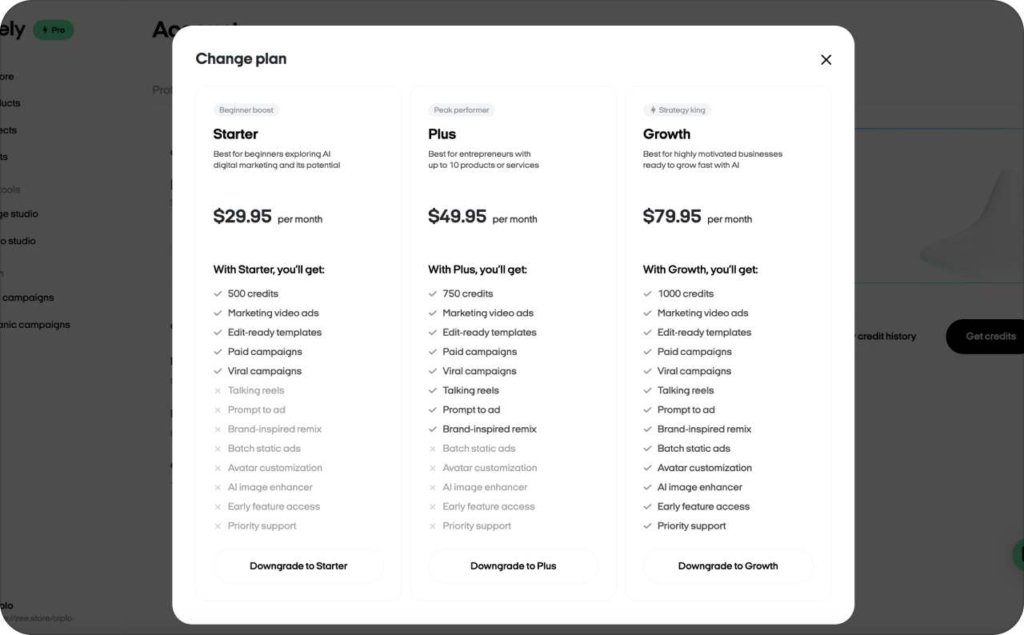
There’s no need to cancel your subscription if your credit needs have changed. Whether you need fewer credits or want to get more, you can easily adjust your plan. Read on to learn how to upgrade or downgrade your Zeely plan in just a few simple steps.
Credits in Zeely
Let’s define credits in one line:
Credits = what you spend on creative actions like AI video creatives, AI static ads, and image-to-video.
One balance for all creative actions
In Zeely, you don’t juggle separate wallets for different features. You have one shared balance for all creative actions.
That matters because it keeps your planning simple:
- Launch a few ad creatives this week
- Test a couple variations
- Keep enough credits for the next batch
Plan credits
Here are the plan credit amounts:
- Starter: 500 credits
- Plus: 750 credits
- Growth: 1000 credits
Extra credits (non-expiring with renewals)
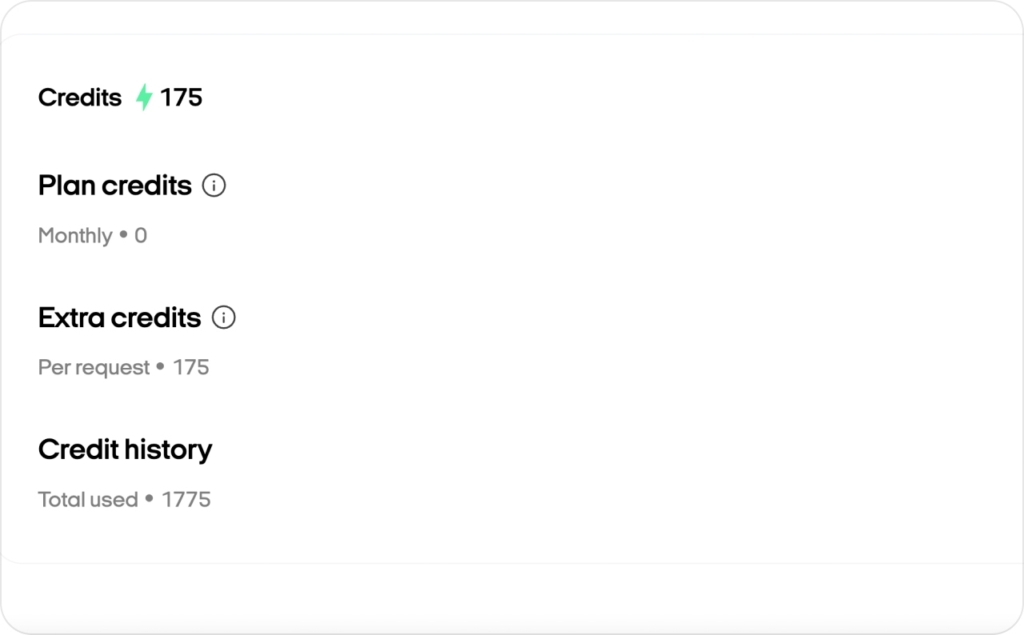
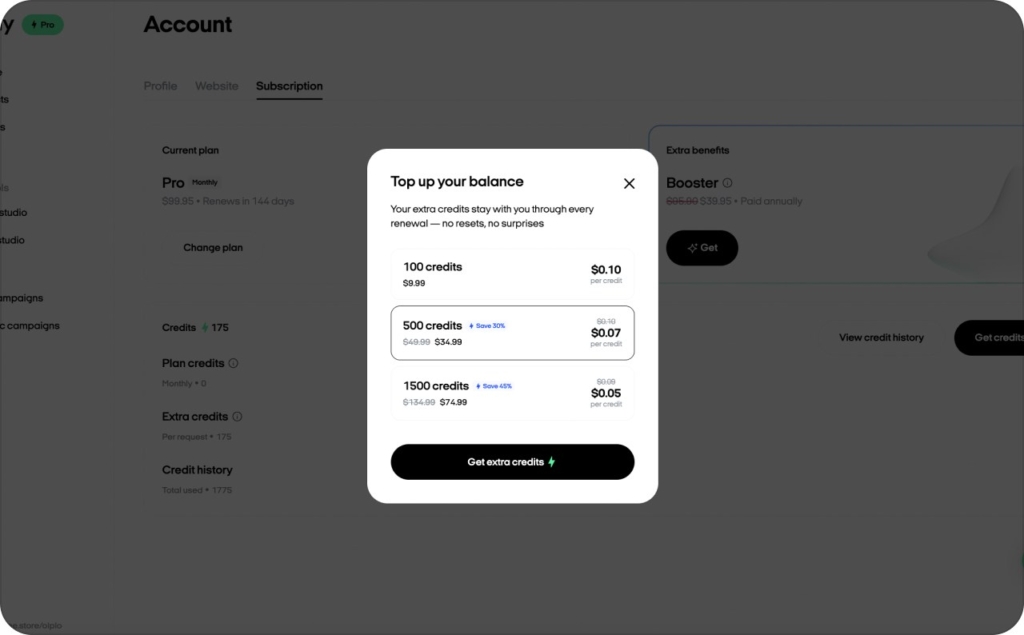
Extra credits are additional purchases on top of your plan.
Here’s the best part to remember: Extra credits never expire with renewals. So if you buy extra credits to handle a busy month, you’re not racing a countdown timer.
Two places you should know:
- Credit History: think of it like a timeline or ledger. It shows what you spent and when
- “See rates” in the AI menu: this is where you check how many credits specific actions cost before you hit generate
Quick credit types table
| Credit type | How you get it | When it refreshes/expires |
| Plan credits | Included with your subscription plan | Refreshes on your billing cycle |
| Extra credits | You buy them separately | Extra credits never expire with renewals |
Booster: What it is, what you get, how to buy and manage it
Booster is an add-on you can attach to your Zeely subscription.
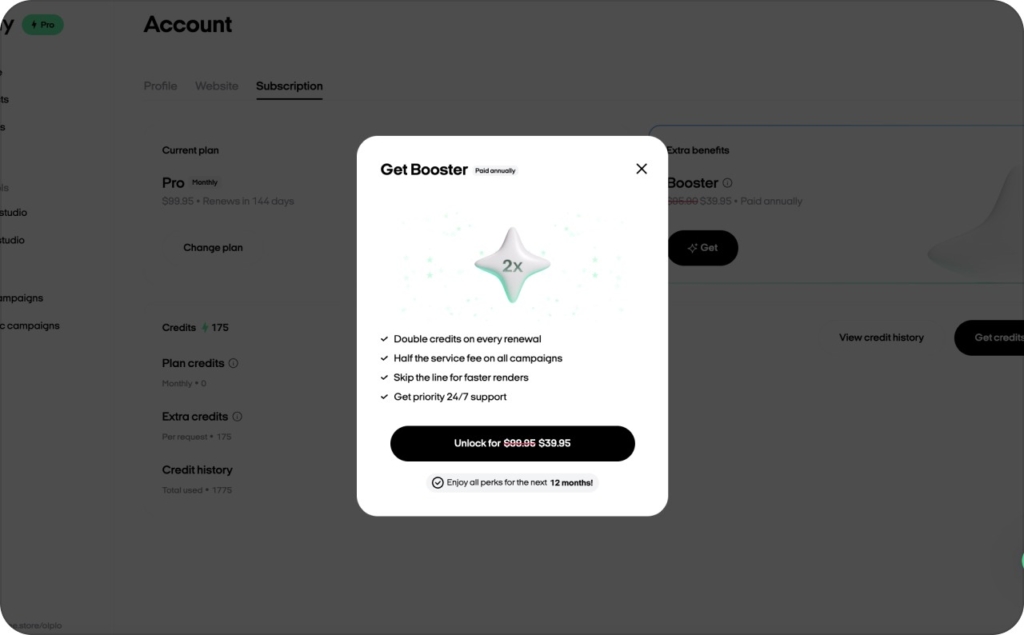
What Booster gives you
Here’s what Booster includes:
- Double your credits (35 → 70 example)
- Faster AI video generation
- Faster ad moderation
- Lower Zeely service fee (12% → 6%)
- Ad protection reducing the chance of rejection to almost zero
- Priority support 24/7
How to buy Booster
You can buy Booster right after paying for your subscription. If you missed it at checkout, Support can help activate it. Booster is shown in your Subscription tab. You can turn it off there.
FAQ: billing clarity, App Store limits, and “subscription trap” concerns
If you’ve seen chaotic threads online about billing, here’s the calm version: the system depends on who bills you. Once you know that, everything becomes simple.
Bank cards (debit/credit), PayPal, and Apple ID (App Store).
On your iPhone/iPad: Settings → Apple ID → Subscriptions.
Plan credits come with your subscription tier. Extra credits are purchased on top when you need more production volume.
Extra credits never expire with renewals.
In your account, Credit History is your spend ledger, showing what actions used credits and when.
Go to your Subscription tab. Booster is shown there, and you can turn it off in that same place.
Check one of these:
- Your Apple subscriptions (if it’s there, it’s Apple ID)
- Your PayPal activity (if you paid via PayPal)
- Your card statement (if it’s a normal merchant charge)
In two minutes, you can identify your Zeely payment method, find where the subscription lives, and cancel the right way if you need to. Then you can manage credits (and Booster) without surprises.

Emma blends product marketing and content to turn complex tools into simple, sales-driven playbooks for AI ad creatives and Facebook/Instagram campaigns. You’ll get checklists, bite-size guides, and real results, pulled from thousands of Zeely entrepreneurs, so you can run AI-powered ads confidently, even as a beginner.
Written by: Emma, AI Growth Adviser, Zeely
Reviewed on: February 16, 2026