What’s creative automation? Meaning, benefits, and ad examples
What is creative automation, and why are marketing teams using it to scale content faster? At Zeely, we analyzed how modern brands automate ad production, testing, and creative workflows across channels.
Creative automation means using software, templates, product data, and AI to generate marketing creatives at scale.
Instead of designing every asset from scratch, your team starts with a master template. That template includes your brand colors, fonts, logo placement, image rules, copy structure, and layout logic. Then the system uses product information, campaign data, audience segments, or platform requirements to create multiple creative variations automatically.
For example, one product campaign can quickly become:
- a square Instagram feed ad
- a vertical Story or Reel
- a static product banner
- a responsive display ad
- a localized version for another market
- a UGC-style video script
- several headline and CTA variations for testing
The goal is not to remove creativity from the process. The goal is to remove the repetitive production work that slows creative teams down.
Human teams still decide the strategy, message, offer, concept, audience angle, and final quality. Creative automation simply helps them produce and adapt those ideas faster.
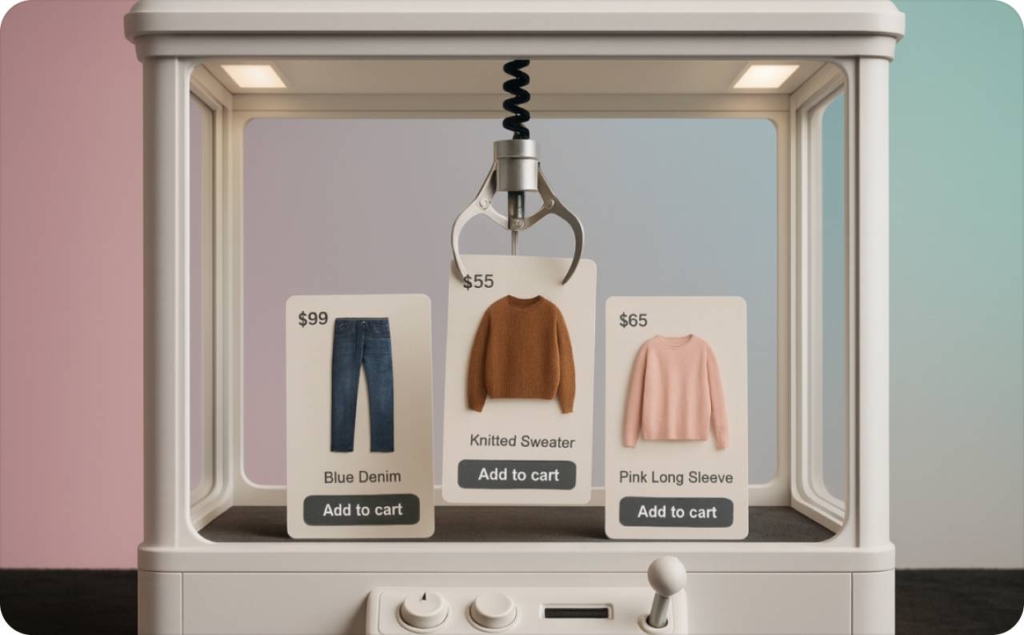
Creative automation meaning in practice
The easiest way to understand creative automation is to think about a campaign launch.
Without automation, a marketer or designer may need to manually create separate assets for Meta, Google, TikTok, email, website banners, and retargeting campaigns. Every format needs its own size, copy length, image crop, CTA, and export settings. If the price changes or a product image needs to be replaced, the team may have to update every version one by one.
With creative automation, the team creates a structured system once. Then they can generate, preview, adjust, and export many versions from the same source.
That is the real creative automation meaning: it is not just “AI design.” It is a repeatable creative production workflow.
It combines:
- performance feedback for future tests
- brand templates
- AI-generated copy or visuals
- product feeds or uploaded data
- format-specific rules
- approval workflows
- export or publishing options
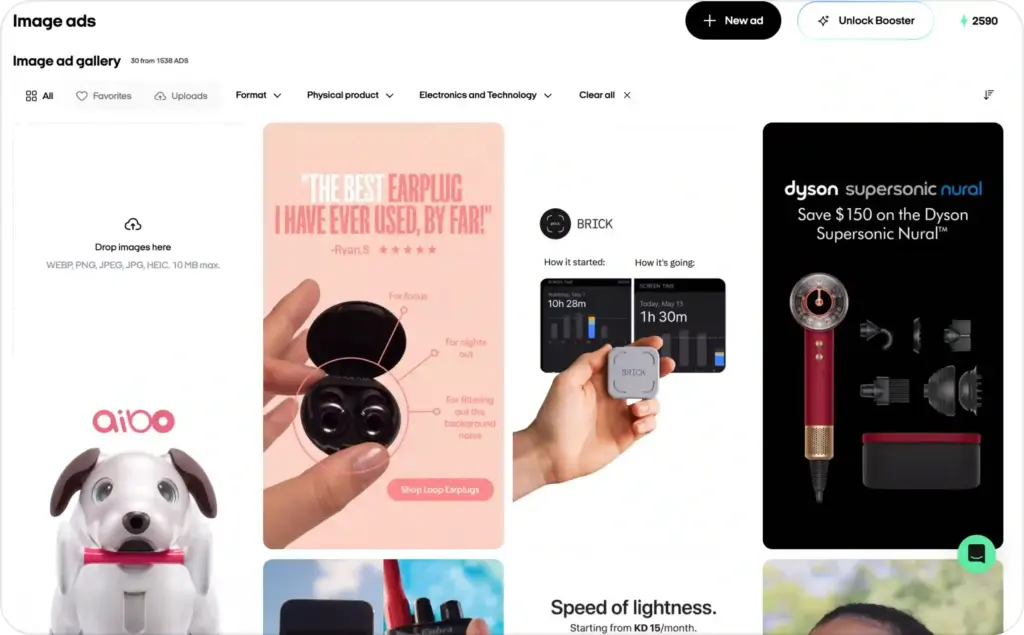
This is especially useful for small businesses, e-commerce teams, agencies, and performance marketers who need fresh ad creatives often.
Why creative automation matters for ads
Ad platforms have become more format-heavy and asset-driven. Google explains that responsive display ads use assets such as headlines, descriptions, images, logos, and videos, and Google AI can generate combinations for different placements.
That means your creative library matters. The more relevant, well-structured assets you can provide, the easier it is to test different messages and match different placements.
The IAB also points advertisers toward flexible, cross-screen ad formats that can adapt across devices and environments. This is where creative automation becomes practical. It helps you create the volume of assets modern campaigns need while keeping them consistent and campaign-ready. Read also about AI models for ad creative generation.
Creative automation vs marketing automation
Creative automation and marketing automation are related, but they are not the same thing.
Marketing automation usually focuses on campaign delivery and customer journeys. It helps with email sequences, CRM workflows, lead nurturing, segmentation, reminders, and reporting.
Creative automation focuses on the assets that go into those campaigns. It helps produce visuals, videos, banners, headlines, product creatives, and format variations.
| Area | Creative automation | Marketing automation |
| Main focus | Producing and adapting creative assets | Managing customer journeys and campaign workflows |
| Common use cases | Static ads, display ads, UGC videos, social creatives, banners | Email flows, CRM updates, lead scoring, retargeting journeys |
| Main users | Marketers, designers, creative teams, paid media teams | CRM teams, lifecycle marketers, sales teams, growth teams |
| Output | Campaign-ready creative variations | Automated messages, tasks, segments, and reports |
| Best for | Scaling creative production | Scaling campaign communication |
For example, marketing automation can send a follow-up email after someone signs up. Creative automation can generate the email header, product image, ad banner, and social creative used in that same campaign.
A strong growth workflow often uses both.
Creative automation vs automated ad creation
Creative automation is the broader system. It covers how teams create, adapt, manage, and scale creative assets across campaigns.
Automated ad creation is more specific. It focuses on turning inputs like a product URL, product photo, offer, or campaign goal into ready-to-launch ads. There are also different AI models. Read now about AI models for ads.
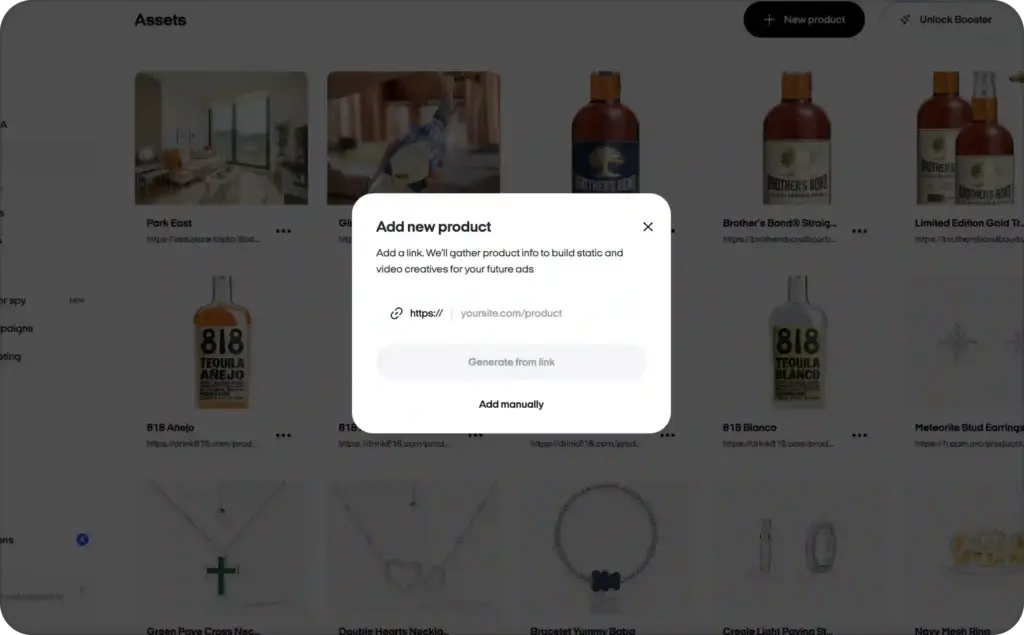
Here is the simplest difference:
- creative automation = the workflow for scaling creative production
- automated ad creation = the process of generating complete ads faster
For example, a creative automation workflow might help a team produce 50 variations of a product campaign across several channels.
An automated ad creation URL-to-video tool might help a business owner paste a product URL and quickly get video ads, copy, and campaign-ready assets.
Both are valuable. But the intent is different.
If you are asking, “How do we produce more creative variations without manual resizing and editing?” you are thinking about creative automation.
If you are asking, “How do I create ready-to-launch ads with less manual work?” you need automated ad creation.
If your main goal is to generate more ad concepts, hooks, visuals, and variations for testing, an AI ad creative generator is the more focused solution.
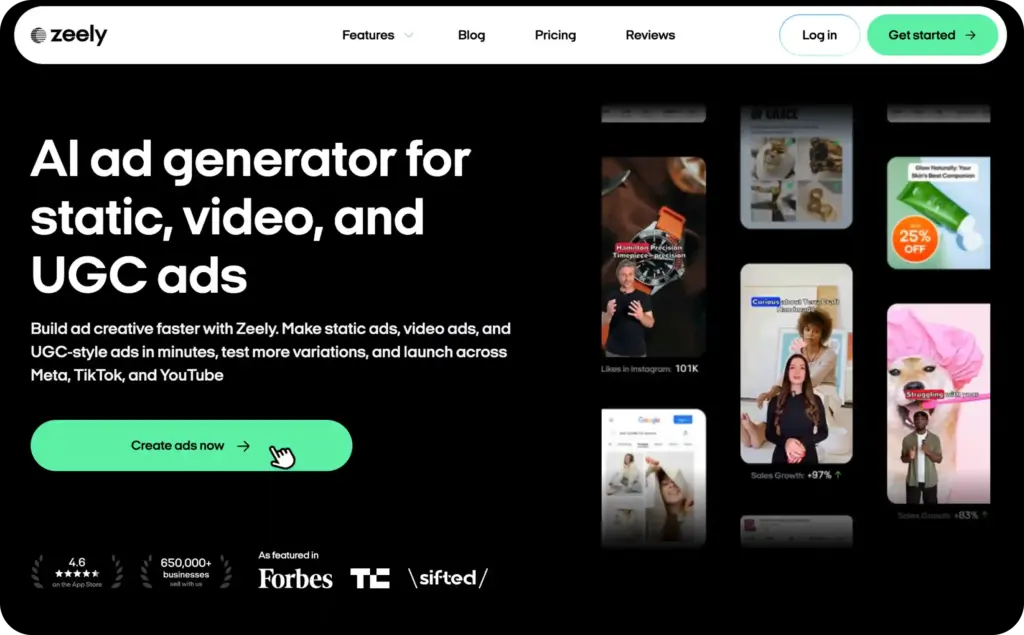
How creative automation works
Creative automation usually follows five steps.
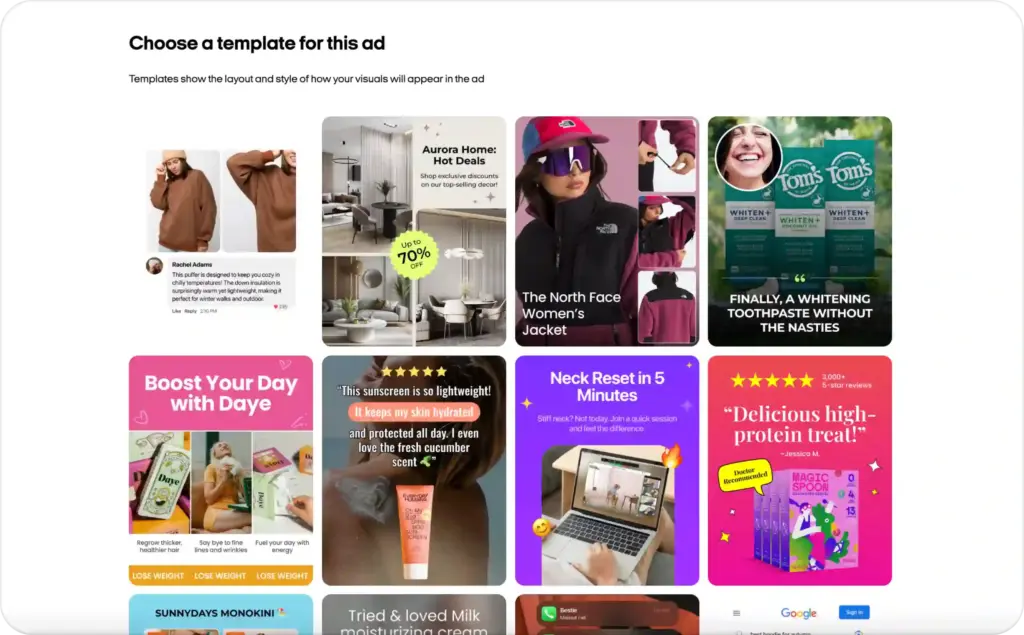
1. Start with a master template
A master template is the foundation of the workflow. It defines the structure of your creative assets, including layout, logo placement, fonts, colors, image areas, CTA buttons, and text fields.
This keeps your brand consistent even when you generate many versions.
For example, your template may include:
- a product image block
- a headline field
- a discount or offer field
- a CTA button
- a logo area
- platform-specific safe zones
- different aspect ratios for feed, story, banner, and display placements
Once the template is set, the system can adapt it without breaking your visual identity.
2. Connect your product or campaign data
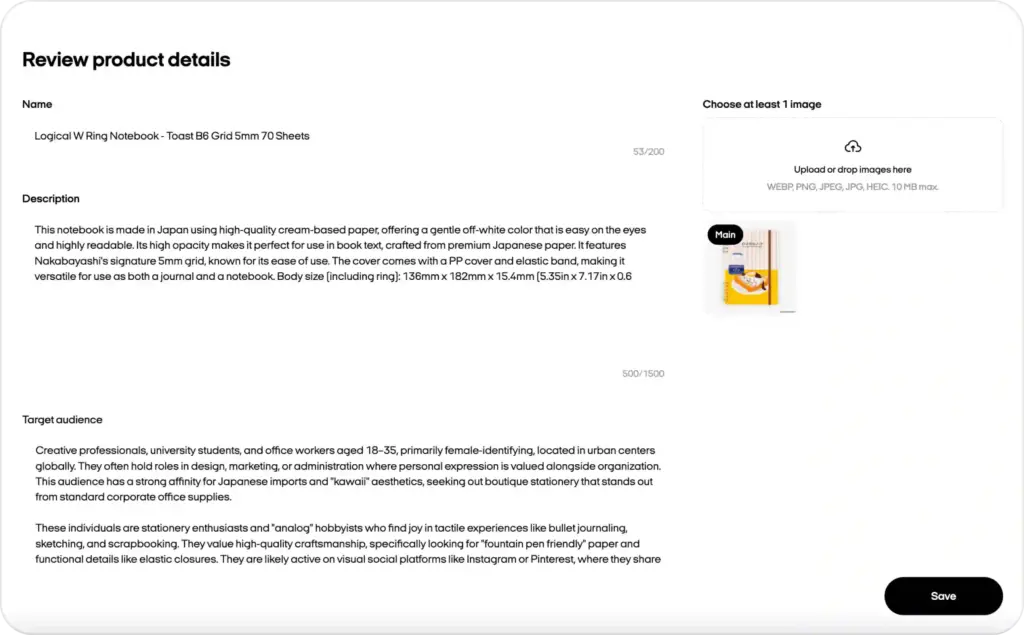
Next, you connect the information that changes from one version to another.
This could include:
- product names
- prices
- discounts
- product benefits
- customer segments
- locations
- languages
- campaign messages
- audience pain points
- CTA variations
For e-commerce brands, this data can come from a product feed, website URL, spreadsheet, or manual upload.
Instead of copying and pasting details into every design, the system pulls the right information into the right creative field.
3. Generate creative variations
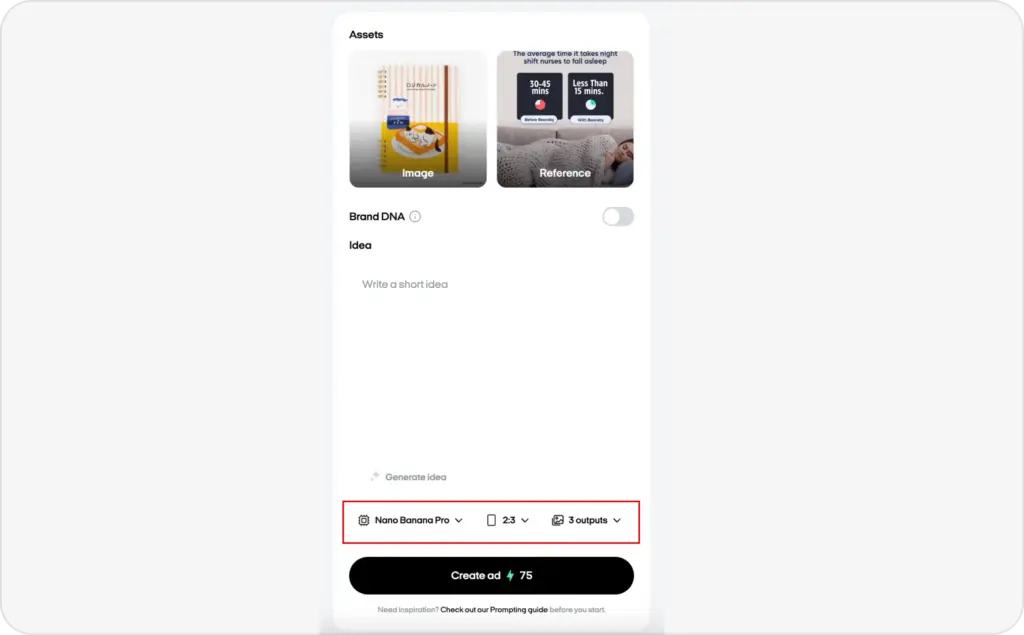
Once the template and data are connected, the platform can generate multiple versions automatically.
This is where creative automation saves the most time. A team can create different versions for different:
- channels
- audiences
- products
- languages
- promotions
- ad formats
- seasonal campaigns
- A/B tests
The output can include static visuals, banners, display ads, video scripts, short-form video ads, UGC-style concepts, and social media creatives.
4. Review and edit before launch
Automation should not mean publishing blindly.
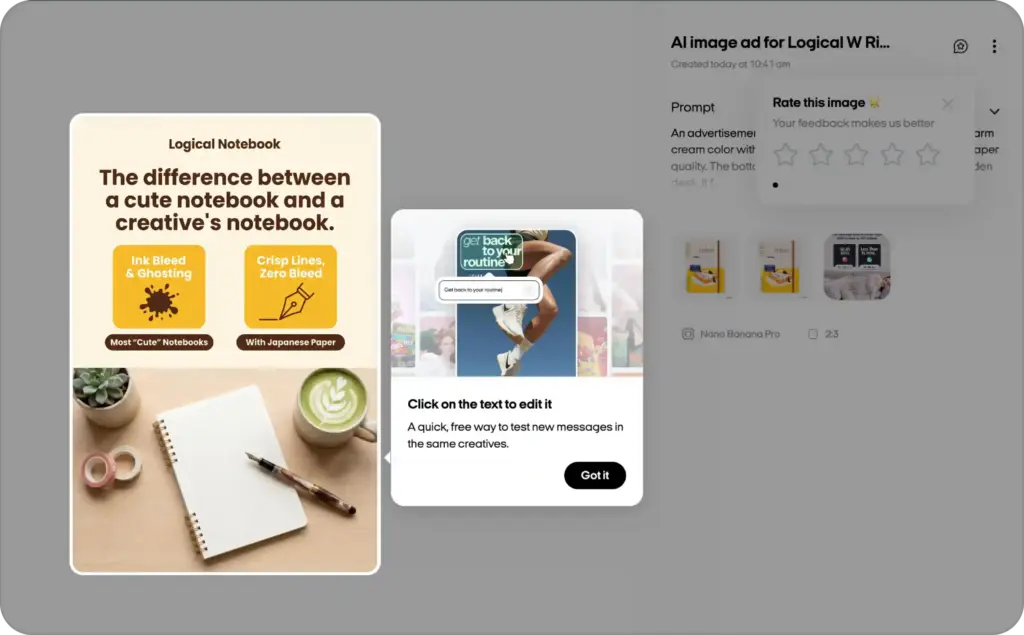
A good workflow still gives your team a review step. You can preview the assets, adjust copy, replace images, approve designs, and check whether everything looks right for each placement.
This step is important because AI can speed up production, but humans still need to protect the brand, message, and customer experience.
5. Launch, test, and improve
After the creatives are approved, you can export them or use them in ad campaigns.
Then performance data helps guide the next round of creative production. If one headline works better, you can generate more variations around that message. If one visual angle underperforms, you can replace it faster.
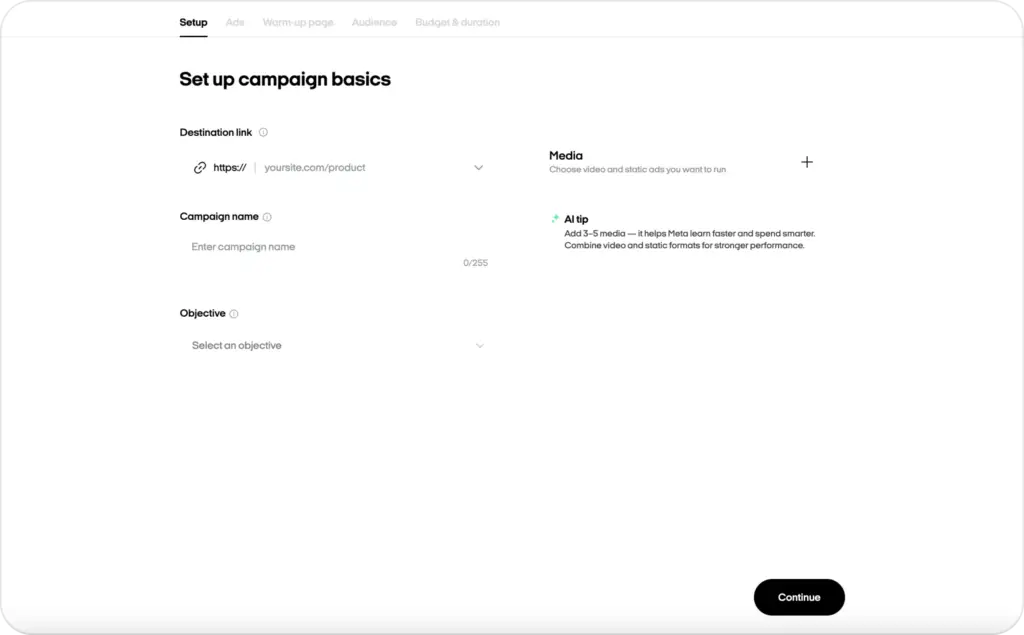
This creates a loop:
create → launch → learn → improve → scale
That loop is one of the biggest benefits of creative automation for ads.
Creative automation examples for ads
Creative automation becomes easier to understand when you see how it works across different ad formats.
Example 1: Static ads
Static ads are image-based ads used across social platforms, websites, e-commerce campaigns, and promotional placements.
A small business might need static creatives for:
- a new product launch
- a weekend sale
- a seasonal campaign
- retargeting
- Instagram feed
- Facebook feed
- product category promotions
Without automation, each design takes manual work. The team needs to resize the image, change the headline, adjust the CTA, crop the product photo, and export each version.


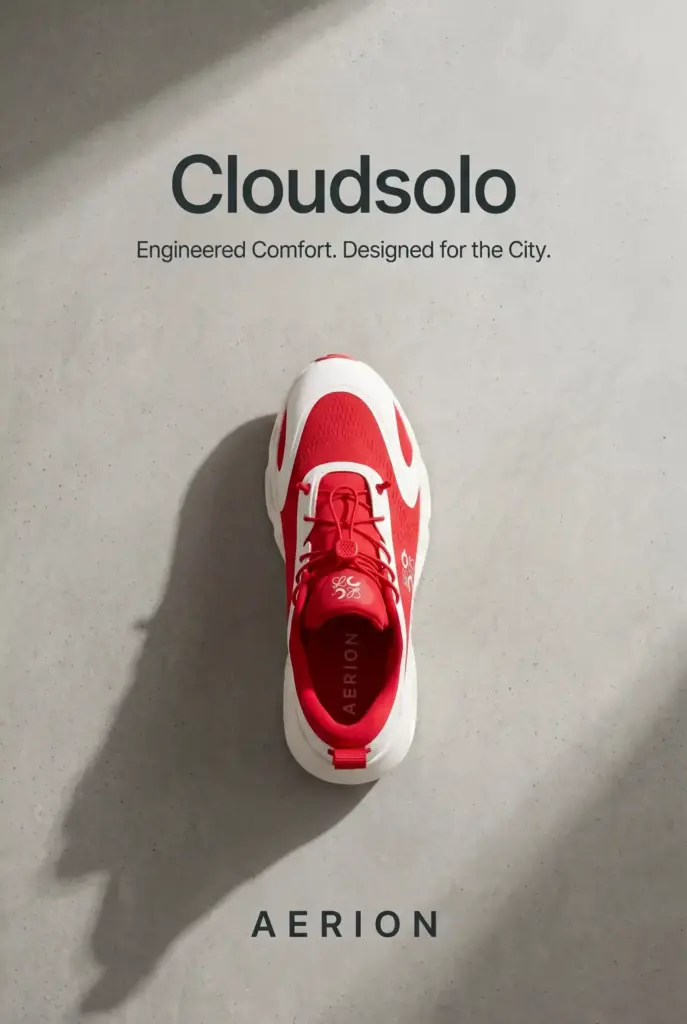
With a static ad creator, you can generate image-based ad creatives faster while keeping the structure consistent.
For example, one skincare product can become:
- “Glow in 7 days” feed ad
- “Limited-time 20% off” story ad
- “Best for dry skin” retargeting ad
- “New arrival” product banner
- “Shop now” promotional post
The product is the same. The creative angle changes.
That is the power of creative automation: you can test more ideas without starting from zero every time.
Example 2: Display ads
Display ads often need multiple sizes, formats, and placement-friendly versions. They may appear across websites, apps, Gmail, YouTube, or display networks.
Google describes responsive display ads as asset-based ads where advertisers provide elements such as images, logos, headlines, videos, and descriptions. Then Google AI can combine those assets for different placements.
Creative automation helps prepare those assets faster.
A display ad creator can help you create display-ready variations for different campaign messages, products, and audiences.
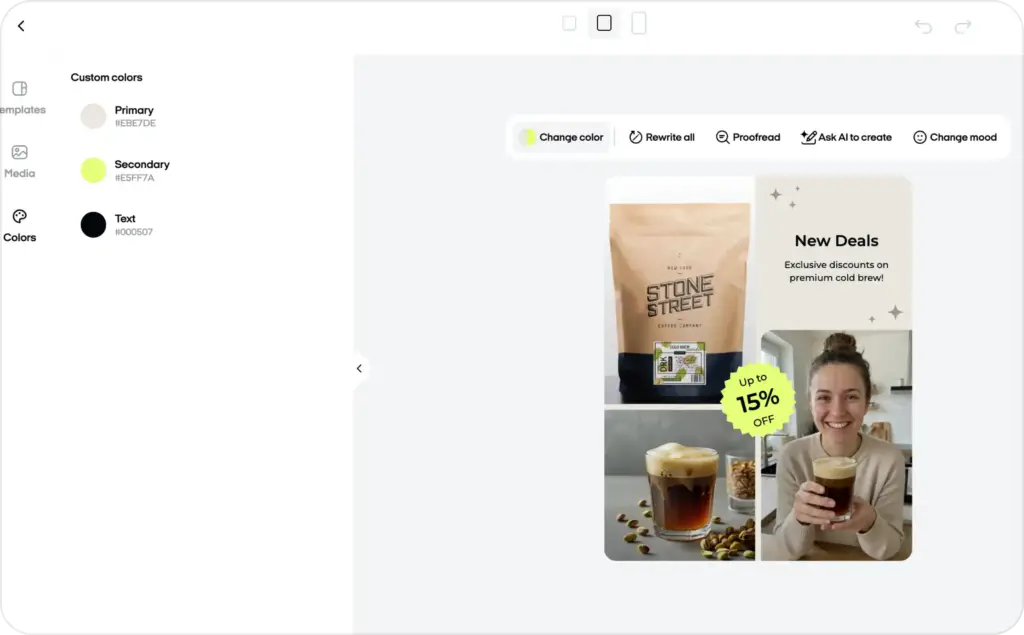
For example, an online store can generate display ad variations for:
- new visitors
- cart abandoners
- returning customers
- sale shoppers
- high-intent product viewers
- different product categories
Each version can use a different headline, image, CTA, or offer while still following the same brand system.
This makes display campaigns easier to scale and easier to test.
Example 3: UGC-style video ads
UGC-style video ads often need fresh hooks, scripts, product benefits, captions, and different opening angles.
A brand may want to test:
- “I tried this for 7 days”
- “Here’s what surprised me”
- “Three reasons I switched”
- “This solved my biggest problem with…”
- “Before you buy, watch this.”
Creative automation can help generate video concepts, scripts, caption variations, and visual structures faster.
This is especially useful because UGC-style ads often rely on constant testing. A hook that works this week may feel tired next month. Automation helps teams produce new versions without waiting for a full production cycle every time.
Meta’s ad specifications also show how different ad formats can require different creative structures, especially when using images and videos in formats such as carousel ads.
That is why creative automation for video is not just about making one asset. It is about adapting the idea to the format.
Example 4: Localized campaign creatives
Creative automation also helps when you need the same campaign in different languages or regions.
For example, a fashion brand can create one campaign template and adapt it for:
- English, Spanish, and French copy
- different currencies
- regional offers
- local product availability
- local holidays
- market-specific images
The brand stays consistent, but the message feels more relevant to each audience. Creative automation turns that idea into a practical workflow for everyday campaigns.



Creative automation benefits
Creative automation is not only about speed. It improves the way teams plan, produce, and test creative work.
1. Faster production
The most obvious benefit is time savings.
Instead of manually resizing, duplicating, editing, and exporting every asset, teams can generate multiple versions from one template. This is especially useful for campaigns that need many sizes, messages, and placements.
A designer can focus on the creative system. A marketer can focus on the offer and audience angle. The platform handles the repetitive production work.
2. Better brand consistency
Manual edits often lead to small mistakes:
- wrong font
- stretched image
- inconsistent logo placement
- outdated product price
- weak CTA
- off-brand color
- incorrect crop
Creative automation reduces these mistakes because templates lock in brand rules.
This helps small teams look more professional and helps larger teams protect brand quality across many markets, channels, and campaigns.
3. More creative testing
Performance marketing depends on testing.
You may need to test:
- different hooks
- different product benefits
- different CTAs
- different visual styles
- different offers
- different formats
- different audience angles
Creative automation makes this easier because your team can produce more variations without increasing manual workload at the same pace.
Instead of testing one or two ideas, you can test a broader range of creative directions.
4. Easier personalization
Personalized creative does not have to mean creating every asset manually.
With automation, you can adapt creative based on audience, location, product category, campaign stage, or customer behavior.
For example:
- new customers see an educational message
- returning visitors see a product benefit
- cart abandoners see a limited-time offer
- loyal customers see a bundle or upgrade
- local audiences see region-specific copy
This helps your ads feel more relevant without creating a production bottleneck.
5. Lower creative fatigue
Creative fatigue happens when your audience sees the same ad too many times. Performance can drop because the creative feels familiar, repetitive, or easy to ignore.
Creative automation helps teams refresh assets more often.
You can keep the same offer but test a new hook. You can keep the same product but change the visual. You can keep the same campaign goal but try a new format.
That gives your paid media team more creative fuel.
When should you use creative automation?
Creative automation is a good fit when your team needs more content than it can comfortably produce manually.
It is especially useful if you:
- run paid ads across several channels
- create frequent product campaigns
- manage many SKUs
- localize campaigns for different markets
- test many creative angles
- work with a small design team
- need static ads, display ads, and video ads regularly
- update offers, prices, or product details often
- want more consistent branding across campaigns
It is less useful if you only need one custom brand campaign per year. In that case, a fully manual creative process may still make sense.
But if you need fresh ad creatives every week, creative automation can become a serious advantage.
How to start with creative automation
You do not need to automate everything at once.
Start with one repetitive campaign type. Choose a workflow that is easy to measure, such as product ads, display banners, seasonal promos, or social media creatives.
Then follow this simple path.
Step 1: Audit your current creative workflow
Look at where your team spends the most time.
Ask:
- Which assets do we create repeatedly?
- Which formats take the longest?
- Where do mistakes happen?
- Which tasks are manual but predictable?
- Which campaigns need more variations than we can produce?
- Which approvals slow us down?
This helps you find the best first use case.
Step 2: Build one strong template
Do not start with ten templates. Start with one campaign format that matters.
For example:
- product discount ads
- new arrival ads
- display retargeting ads
- UGC video hook templates
- seasonal sale creatives
Make sure the template includes the right brand rules, text fields, image areas, and CTA structure.
Step 3: Connect useful data
Your automation will only be as good as the inputs.
Prepare clean data for:
- product names
- benefits
- prices
- discounts
- URLs
- images
- categories
- audience segments
- CTA options
Clean inputs make better outputs.
Step 4: Generate and review variations
Generate your first batch of creative variations, but review them carefully.
Check:
- layout
- readability
- brand consistency
- product accuracy
- CTA clarity
- image quality
- platform fit
This is where your human judgment matters.
Step 5: Test performance and improve
Once the assets are live, track what happens.
Look at:
- CTR
- conversion rate
- cost per click
- cost per acquisition
- hold rate for videos
- engagement
- creative fatigue
- winning hooks
- winning visuals
Use those learnings to improve your next creative batch.
Common creative automation mistakes
Creative automation works best when it has a clear strategy behind it. Here are the mistakes to avoid.
Automating weak ideas
Automation can scale a good idea, but it can also scale a weak one.
Before generating dozens of variations, make sure your core message is clear. The offer, audience pain point, product benefit, and CTA should make sense first.
Using too many templates too soon
It is tempting to automate every format immediately. But that can create a messy workflow.
Start with one or two high-impact templates. Improve them. Then expand.
Ignoring human review
AI and automation can move quickly, but speed should not replace quality control.
Always review important campaign assets before launch, especially when they include pricing, claims, product details, or localized copy.
Forgetting platform context
A display banner, Instagram Reel, and UGC-style video do not work the same way.
Creative automation should adapt the creative to the channel, not just resize the same message everywhere.
Measuring only output
More assets do not automatically mean better performance.
Track whether your creative automation workflow improves campaign results, not just how many files it produces.
FAQ
Creative automation is the use of templates, data, AI, and workflow tools to create and adapt marketing assets at scale. It helps teams produce static ads, display ads, social creatives, video ads, and campaign variations faster without manually designing every version from scratch.
Creative automation means turning repetitive creative production tasks into a structured, scalable workflow. Instead of manually resizing, editing, localizing, and exporting every asset, teams use templates and automation to generate multiple campaign-ready versions.
Creative automation examples include generating product ad variations, resizing social media creatives, creating display ad versions, adapting banners for different offers, localizing campaign visuals, and producing UGC-style video scripts or captions.
No. Creative automation focuses on producing and adapting creative assets. Marketing automation focuses on campaign delivery, CRM workflows, email sequences, customer journeys, and lead nurturing.
Not exactly. Creative automation is the broader workflow for scaling creative production. Automated ad creation is a more specific process that helps generate ready-to-launch ads from inputs like product URLs, images, offers, or campaign goals.
Creative automation is useful for ads because modern campaigns need many creative variations. Teams need different sizes, messages, hooks, visuals, and CTAs for different platforms and audiences. Automation helps produce those variations faster while keeping the brand consistent.
Yes. Creative automation is especially useful for small businesses that need professional ads but do not have a large design team. It helps them create more campaign assets in less time and test different creative ideas without increasing manual workload.
The best way to start is to choose one repetitive campaign type, build one strong template, connect clean product or campaign data, generate a small batch of variations, review the results, and test performance before scaling.

Emma blends product marketing and content to turn complex tools into simple, sales-driven playbooks for AI ad creatives and Facebook/Instagram campaigns. You’ll get checklists, bite-size guides, and real results, pulled from thousands of Zeely entrepreneurs, so you can run AI-powered ads confidently, even as a beginner.
Written by: Emma, AI Growth Adviser, Zeely
Reviewed on: June 3, 2026