AI Reel Maker: How to create Instagram Reels with AI in 2026
An AI reel maker helps you turn one idea into a clean Reel, fast, without needing editing skills. In this guide, I show you a production-grade workflow: how to plan, generate, polish, and publish Reels that look human-made, not template-made. You’ll also learn what to look for in tools so you don’t waste money on exports you’ll never use and with what Zeely can help you.

What is an AI reel maker and how does it work?
An AI reel maker is software that generates and edits vertical Reels by combining generative AI with automated editing tools. The reason it’s mainstream in 2026 is simple: DataReportal’s Digital 2026 reporting estimates well over 1 billion people use standalone AI tools monthly, so these workflows moved from “experiment” to “normal” fast.
AI reel maker vs normal video editor vs template-only apps
A Reel maker AI sits between a full editor and a template app.
- Normal editor (CapCut-style timeline): maximum control, slowest time to first draft
- Template-only app: fastest, but you end up looking like everyone else
- AI reel maker: fast first draft plus automation, with enough control to keep brand consistency
When NOT to use AI: if your niche is compliance-heavy with medical claims, finance promises, regulated products, you need tighter review and fewer “auto” edits. AI can still help, but you should lock scripts, disclaimers, and before/after rules before anything renders.
What AI can generate from
An AI Instagram reel maker usually gives you three clean ways to start.
1) Start with a text prompt
Example: “3 reasons my candles last longer.” The tool turns that into a simple scene plan with subtitles.
2) Start with a script only
This works best for a talking-head Reel. You get a voiceover, kinetic captions, and a few cutaways for proof.
3) Start with product photos
This creates a catalog-style Reel. Your images become a paced slideshow with a strong UGC hook and one clear CTA.
Minimum inputs checklist:
- Offer: what you sell, price range, and what’s included
- Audience: who it’s for and the one pain point you solve
- Promise: one outcome you can support, not exaggerate
- Proof: a review line, result photo, demo, or guarantee terms
- CTA: one action only (save, DM, click, book)
- Brand constraints: colors, phrases to avoid, and claim boundaries
How to make an Instagram Reel with AI from start to finish
An AI reel maker is most useful when you can batch content and measure it like a system. Buffer’s 2026 benchmarks highlight that Reels are Instagram’s best-performing post type for reach, with a reported median 4.3% engagement rate, and their top timing callout is Friday at 3 p.m. You may also like to read the complete guide how to make Instagram reels with AI.
Start with a script-only workflow
An AI reel maker works fastest when you start with a script, not a video.
Use this template:
- Hook (0–2s): one sentence that earns attention
- Value (3 bullets): 3 tight points, no fluff
- Proof: show it working, or show social proof
- CTA: one clear next step
Pick one hook pattern:
- “Stop doing X if you want Y”
- “I tested X for 7 days. Here’s what changed”
- “3 mistakes that make your Reels flop”
Pick one CTA pattern:
- “Save this so you can copy it later”
- “Comment ‘PLAN’ and I’ll DM the checklist”
- “Click the link in bio for the exact steps”
Repurpose long video, podcast, blog post
Most AI Reel tools shine when you repurpose one asset into multiple Reels. That’s how you post consistently without filming every day. Read also about Instagram reels ads.
Chunking rules that keep your content clean:
- Long video: one recording can become 5–12 Reels. Each Reel should cover one idea, not a full segment
- Podcast: use a simple clip structure: a question, a clear answer, and one takeaway
- Blog post: follow a tight script flow: headline first, then three key points, then a conclusion, then one CTA
Clip selection constraints:
- Length: 15–45 seconds for most small businesses
- One topic per Reel
- One promise per Reel
- One CTA per Reel
Use auto-captions, highlighted keywords, and B-roll
An AI Instagram reel maker usually builds captions using ASR, which transcribes audio and maps each word to a timestamp. That timestamping is why “karaoke captions” can highlight word-by-word without drifting.
B-roll rules I use to keep output believable:
- only illustrate nouns and verbs that add meaning
- avoid random stock spam
- keep product visuals on screen during the promise and proof
Subtitle style guidance:
- 2 lines max
- 16–22 characters per line target
- high contrast (light text on dark or dark on light)
- keep text above the lower UI zone
Publish, measure, and batch-produce without looking spammy
You can ship consistently, but you still need a human posting rhythm.
Weekly batch plan I like for small business:
- record or source assets 1 time
- ship 3–5 Reels
- iterate on the best hook and first frame
4 KPIs to track:
- 3-second hold (did the hook work)
- average watch time
- saves + shares
- follows per reach
AI editing features that matter for Reels
The Verge reports Google’s Veo 3 added vertical 9:16 support and price cuts to $0.40/sec (Veo 3) and $0.15/sec (Veo 3 Fast), which helps explain why text-to-video features keep showing up inside Reel tools.
How AI chooses the best clips
An AI reels maker often picks clips by scoring your transcript and timing.
It may look at keyword spikes, sentiment shifts, pause removal, and “idea completeness” – if this clip make sense alone.
Human overrides I always do:
- keep context and don’t cut into a false claim
- remove misleading jump cuts
- protect brand promises and no “instant results” edits
Auto-captions and dynamic subtitles
Some AI reel makers use word-level timing to sync captions to speech.
Readability rules that keep captions watchable:
- 2 lines max
- 16–22 characters per line target
- high contrast
- keep captions above the lower UI area
It may detect beats by finding rhythmic “onsets” in audio, then snapping cuts to those moments. Cut every 0.6–1.2 seconds for fast formats. Slow down for authority niches where calm delivery builds trust.
Voiceover realism checklist: prosody (natural rise/fall), pauses, emphasis, pronunciation.
Translation checklist: keep captions culturally natural, re-check CTA meaning, and avoid literal phrasing that sounds robotic.
Instagram performance for AI-made Reels
An AI reel maker only pays off when the output earns attention and trust.
Hooks and CTAs that don’t feel like ads
An AI reel maker should help you write hooks that sound like a person, not a brand deck.
10 hook formulas you can reuse:
- “Stop doing X if you want Y”
- “3 mistakes I made so you don’t have to”
- “I tested X so you can skip the guesswork”
- “This is why your Reels stall at 200 views”
- “Do this before you post your next Reel”
- “If you sell [niche], copy this caption”
- “Here’s the fastest way to get [result]”
- “What nobody tells you about [tool/feature]”
- “I fixed this one thing and watch time rose”
- “Steal my template for [goal]”
CTA menu by goal:
- Follow: “Follow for 3 more like this”
- Save: “Save this checklist”
- Comment keyword: “Comment ‘KIT’ and I’ll send it”
- DM: “DM me ‘PRICE’ for the link”
- Click link-in-bio: “Link in bio for the exact steps.”
Niche playbooks (fitness / beauty / real estate / food)
AI performs better when you repeat formats your niche already rewards.
Fitness
- formats: “form fix,” “1-week routine,” “client win breakdown”
- proof element: timer, rep count, before/after, consistency log
Beauty
- formats: “3-step routine,” “do not mix these,” “result in daylight”
- proof element: close-ups, ingredient list, wear test, shade match
Real estate
- formats: “30-second tour,” “3 red flags,” “price breakdown”
- proof element: comps, neighborhood map, inspection notes
Food
- formats: “recipe in 30s,” “mistake fix,” “cost per serving”
- proof element: measurements, timer, texture close-up, taste test
Trust signals checklist: before/after, walkthrough, client result, ingredient list, comparisons.
Brand voice + batch rules
An reel maker should protect your brand voice with simple guardrails.
Brand voice guardrails:
- phrases to always use (your “signature”)
- phrases to never use (your “ban list”)
- reading level (aim for clear, not clever)
- taboo claims (no medical, no guaranteed income)
Batch variation rules that keep content fresh:
- rotate hooks weekly
- change the first frame every time
- swap B-roll sets (3–5 sets in rotation)
- alternate caption styles weekly
AI reel maker tools for Instagram in 2026 by use case
A best AI reel maker shortlist gets easier when you pick by workflow instead of hype. HubSpot reports 21% of marketers say short-form video delivers the highest ROI, and that Instagram is one of the top channels seeing increased investment in 2025. That’s why tool choice matters when you post consistently.
Tool buckets, real examples, and what they cost
Pricing changes often. I’m listing the lowest paid plan I can verify, plus how the tool is typically used for Instagram Reels production.
| Tool | Bucket | What it’s best at (practical) | Starting price (USD) | Use it when you… |
| Zeely AI | All-in-one creation + posting | Turns product photos and offers into Reel-ready marketing videos, then helps you batch-post with Viral Campaigns | $29/trial period | Want Reels that sell, not just look nice. You don’t want to edit or babysit posting. |
| OpusClip | Repurposer | Finds highlights in long videos, reframes to 9:16, adds captions, outputs multiple clips | $15/month | Already have podcasts, webinars, or YouTube videos and want daily Reels |
| Klap | Repurposer | Similar to OpusClip. Fast clip extraction from long videos with simple controls | ~$20/month (annual) | Want volume from long content without much tweaking |
| Riverside | Recording + repurposing | Records interviews and podcasts, then creates short clips | $24/month (annual) | Your content starts as conversations, not scripts |
| Descript | Transcript-first editor | Edit video by editing text. Remove filler words, tighten pacing, export clean clips | From $16/month | You care about meaning and clean cuts more than flashy effects |
| CapCut | Timeline editor with AI assist | Full manual control over cuts, captions, overlays, and effects | ~$10/month | You’re willing to edit and want full control over every frame |
| Submagic | Captions-first polisher | Makes subtitles readable, animated, and fast to adjust | ~$12/month (annual) | Your Reels fail because captions are hard to read |
| Canva | Template-first editor | Brand kits, templates, quick layouts for social video | $15/month | You want consistency and speed, not deep editing |
| Adobe Express | Template-first editor | Similar to Canva. Quick brand-safe social assets | $9.99/month | You’re already in Adobe and want simple Reels |
The stuff that makes you quit in week two
- You can’t remove the watermark without upgrading
- Captions are “baked in” and painful to edit
- The tool forces a one-click style you can’t tune
- Clip selection keeps cutting your meaning in half
- Pricing is credit-based and re-renders burn budget fast
My quick pick rules
- If you already have long videos: start with OpusClip or Klap, then do final clean-up in CapCut or Descript
- If your Reels look inconsistent: use Adobe Express or Canva for covers, on-screen text, and brand kit control
- If you want “talking Reels” without filming daily: use Zeely AI
- If your watch time drops because captions are hard to read: add Submagic after your first cut.
Create Reels and launch viral campaigns in Zeely AI
A reel maker with AI becomes practical when it connects creation to publishing. Zeely’s typical rendering is about 12 minutes for a Video Ad and about 2 minutes for a Talking Reel, which is a realistic planning number for batching content.
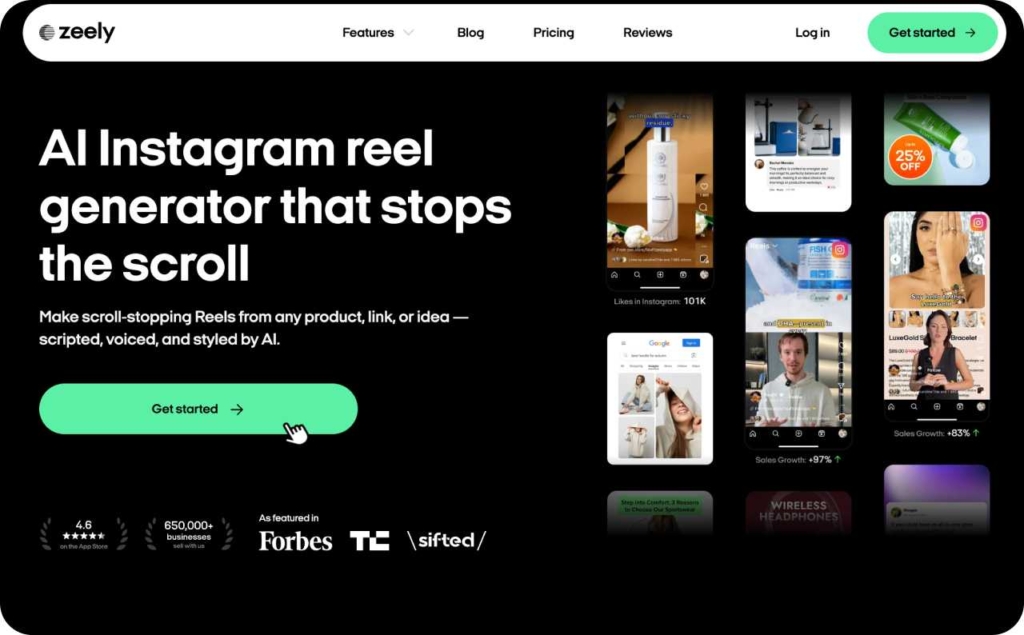
Create a marketing video ad in Zeely
An AI instagram reel maker inside Zeely lets you go from product photos to a Reel-ready video.
Steps to go:
- Open Video Studio → Marketing Video Ad
- Choose your product or service
- Add photos or links
- Generate missing visuals if needed
- Pick hook and music
- Generate, then find it in Projects → Videos
Input minimums: if you want the AI video avatar workflow, plan on at least 7 images so the tool has enough visual variety. You can launch an ad campaign or download the created video for any purpose.
FAQ
For beginners, Zeely AI ad builder is the easiest place to start. You don’t need editing skills and you don’t spend hours tweaking timelines. You give it product photos, a simple script, or a short prompt — and Zeely builds Reel-ready videos that you can post or schedule. The UI walks you through hooks, captions, pacing, and posting so you don’t feel lost. If you do have long videos already, an app like OpusClip is also beginner-friendly because it auto-suggests clips and captions.
Yes. Most AI tools let you make Reels without appearing on camera. Templates, product photo slideshows, animated text, and motion graphics replace talking heads. You can also use voiceover (AI or recorded) with captions and B-roll to deliver information without showing yourself. That’s perfect if you sell a product or teach something and don’t want to be on camera.
It depends on the tool. Many editors like CapCut and Canva or Zeely work well on mobile and desktop. Tools like OpusClip, Descript, and Submagic are primarily web-based, so you use them in a browser on either device. For quickest workflows on the go, mobile editors with templates and AI assist are easiest. For heavier editing or batch workflows, desktop/browser tools give you more control and speed.
Some AI reel makers can draft captions by extracting one clear promise, then writing one keyworded sentence plus a conversational CTA. I keep hashtags to 3–8: one niche, one format, one intent, plus optional local or product terms.
An AI Instagram reel maker doesn’t make copyrighted music safe. I use tracks provided by Zeely, and when it is not enough I use Instagram’s in-app licensed audio when posting, or I choose royalty-free tracks with clear commercial rights.
An AI reel maker can’t guarantee “viral templates,” because trends shift weekly and niches behave differently. I judge templates by structure: strong first frame, readable subtitles, and a clear payoff. I save 3–5 winners, then rotate hooks and visuals.
A review pattern usually clusters around export reliability, caption editing speed, and how often highlights feel wrong. I look for complaints about failed renders, billing credits, and watermark surprises, because those kill daily posting routines.
An AI reels maker credit bill depends on rendering and re-renders after edits. I budget 2–3 exports per final Reel: one draft, one revision, one just-in-case.
An AI reel maker for managers should nail batching, brand kits, and fast revisions. I prioritize reusable caption styles, folders, template locking, and export presets per client.

Emma blends product marketing and content to turn complex tools into simple, sales-driven playbooks for AI ad creatives and Facebook/Instagram campaigns. You’ll get checklists, bite-size guides, and real results, pulled from thousands of Zeely entrepreneurs, so you can run AI-powered ads confidently, even as a beginner.
Written by: Emma, AI Growth Adviser, Zeely
Reviewed on: January 13, 2026