Short Instagram video guide: Reels vs Stories
Not sure if your next short Instagram video should be a Reel, a Story, or a feed post? I’m breaking down the 2026 rules, specs, and posting habits our Zeely team sees working every day, so you can pick the right format fast and publish with confidence.
A short Instagram video usually means vertical, fast-to-consume content designed for Reels, Stories, or the feed. Reels are built for discovery and new followers, Stories are built for relationship and quick conversion, and feed posts are built for saves and shares. In 2026, the win is matching format to goal, nailing the first seconds, keeping key text inside safe zones, and publishing when your audience is active. Use a repeatable script, clean captions, and a cover that makes the click feel obvious.
Short-form video on Instagram is not one format anymore. It’s a set of surfaces inside the Instagram app, each with its own viewer mood and ranking logic.
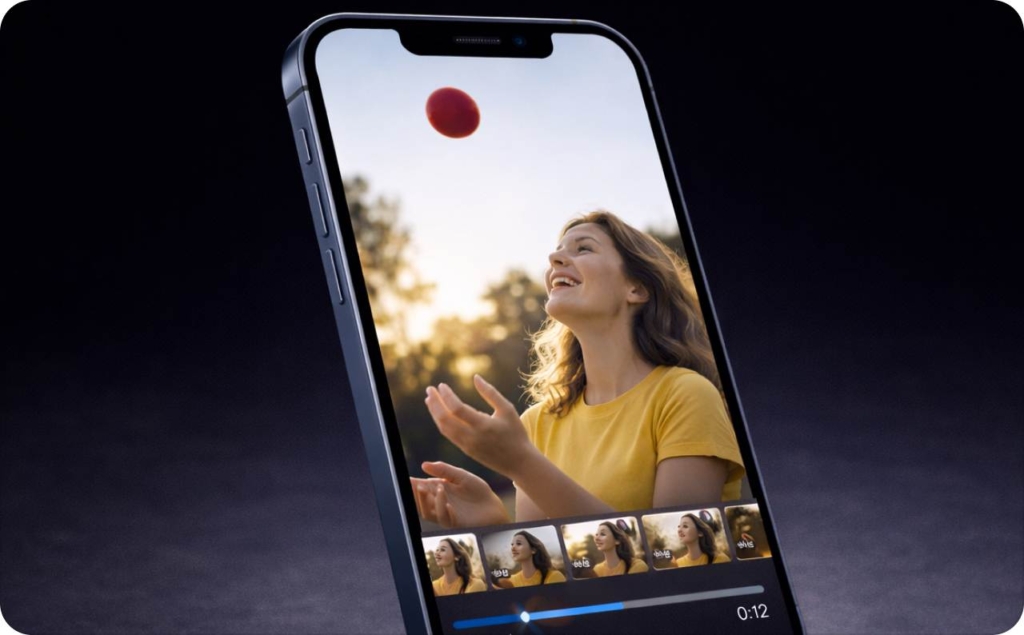
Reels vs Stories vs Feed video: pick based on your goal
Here’s the fastest decision tree I use:
- Reels: reach, discovery, new followers
- Stories: warm audience, replies, DMs, clicks
- Feed video: saves, shares, credibility on your profile
Three quick examples: a local plumber posts Reels to reach new homeowners, then uses Stories to book via link sticker. An ecommerce brand runs Reels for new traffic, then posts a feed “proof” video – reviews, before/after – for saves. A creator uses Reels to grow, then Stories to sell a workshop.
Can the same short video go to Reels and Stories?
Yes, but don’t “one-tap repost” and call it done. The Story version needs bigger captions, higher placement, so buttons don’t cover it, and often a clearer CTA with stickers like poll, question, link.
Short Instagram video length rules that stop wasted edits
Forget weird edge cases. Use these ranges:
- 7–15 seconds: one idea, one payoff, fast punch
- 20–45 seconds: how-to + proof (show the thing working)
- Longer education: split into a series so completion stays high
Best length is really about retention and how many people keep watching, completion rate is how many finish, and rewatches – how many replay. If you’re losing people at second 2, the problem isn’t length. It’s the opening. Read now about how long Instagram Reels can be.
How to make a short Instagram video look crisp on a phone
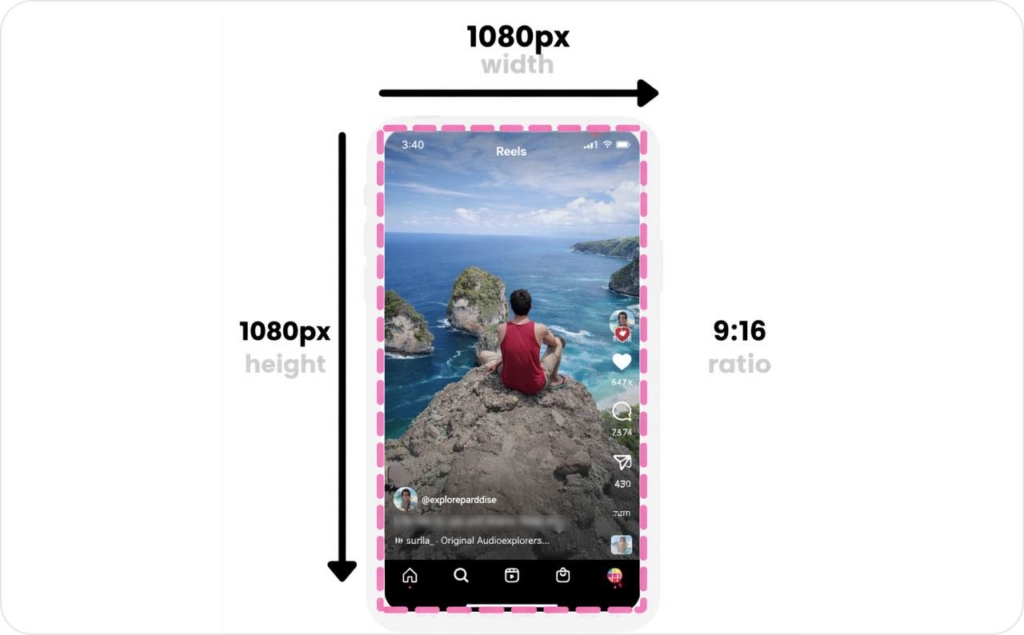
For full-screen placements like Reels and Stories ads, Instagram specs commonly use 9:16 at 1440 × 2560, and recommended “safe zones” include keeping key elements out of roughly 14% at the top, 35% at the bottom, plus side margins. That one detail alone prevents a lot of ugly UI cover-ups, especially if you’re following Facebook and Instagram short video best practices.
Phone camera settings for Instagram short videos (simple defaults)
Start vertical (9:16) from the first frame. Use the rear camera when you can, because it’s usually sharper. Tap and hold to lock exposure on the face or product so it doesn’t pulse brighter and darker mid-sentence. Record in short takes so you’re not editing rambling into something watchable. You may also like to read articles about Instagram Reels dimensions and Instagram safe zones.
Stop shaky footage without buying gear
Tuck elbows in. Lean on a wall, counter, or doorframe when you can. If you use 0.5x, do it only in strong light because wide lenses get noisy fast. For movement, walk heel-to-toe with tiny steps. My favorite simple plan is static A-roll (you talking) plus moving B-roll (hands, product, location).
Lighting that makes Reels look expensive at home
Face a window, not the ceiling light. Put one light at a 45-degree angle if you have it. Add background separation with a lamp behind you so the scene has depth. Avoid mixing color temperatures (yellow lamp plus blue window) because skin tones get weird.
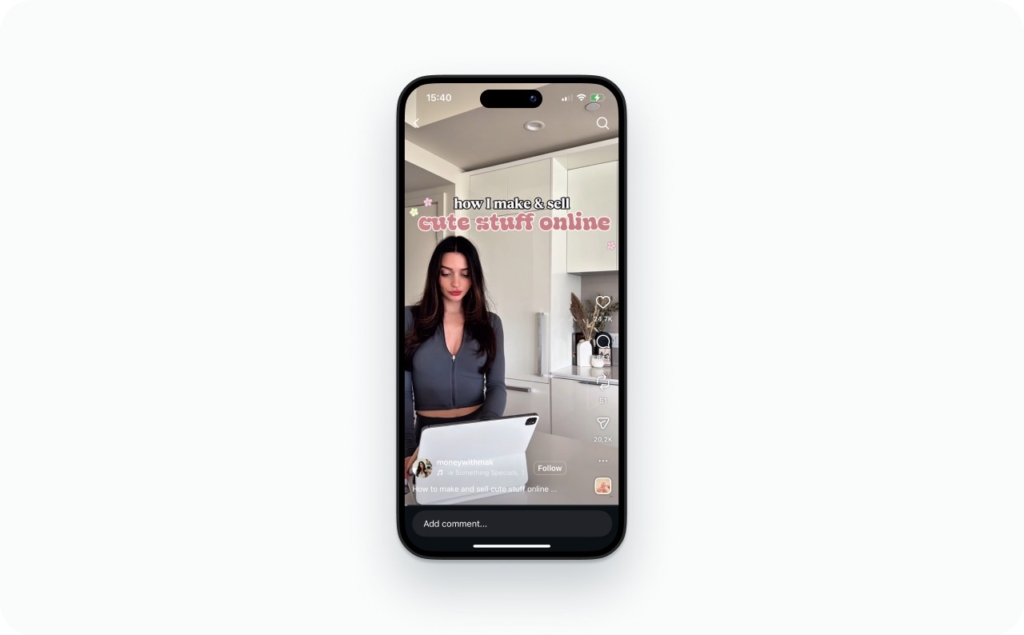
Photo source: @moneywithmak on Instagram
Clean audio for short video on Instagram
Do a 10-second test recording before the real take. Keep your phone close enough that your voice is clear (arm’s length is often too far in a loud room). Use voiceover when the environment is messy or you need tighter pacing. Captions are your backup for sound-off viewers, and they also help comprehension even with sound on.
Edit short Instagram videos fast and keep retention high
Buffer found that replying to Instagram comments can raise engagement by about 21%, based on an analysis of over 700,000 posts. I’m mentioning this here because editing is not only about cuts, it’s also about designing the kind of video people respond to.
The easiest way to trim clips for Reels
Cut every pause. Remove filler words. Keep verbs, proof, payoff. If you’re jump cutting, cut on sentence ends, not mid-thought, so it feels clean instead of chaotic. A good trim pass usually reduces your first edit by 30–50%.
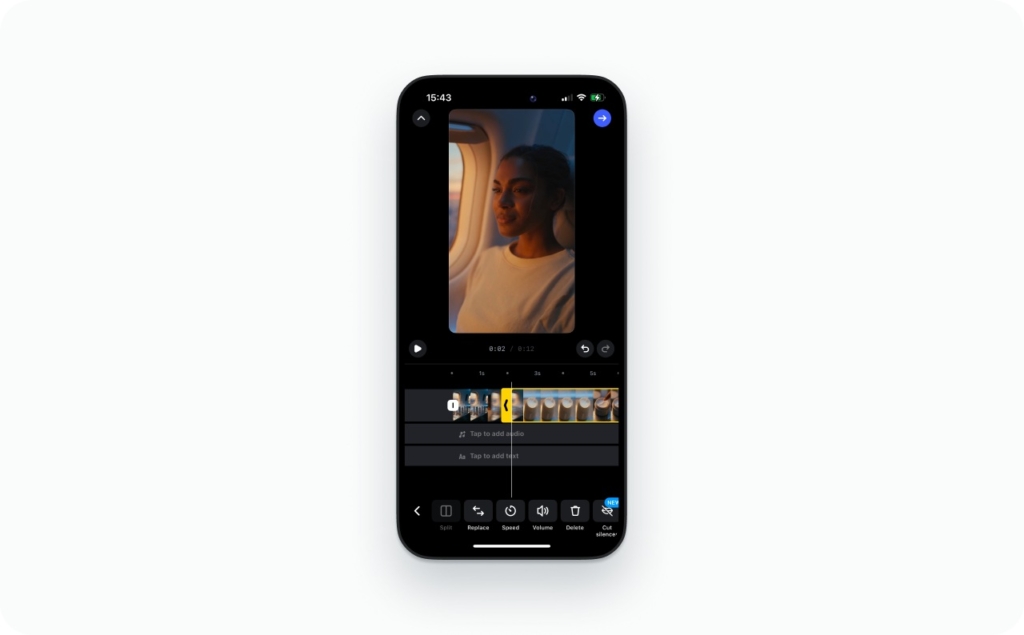
Captions that stay readable and don’t get covered by buttons
Keep on-screen captions to two lines max. Use high contrast (light text on dark, or add a subtle highlight box). Don’t park important text at the bottom where UI buttons sit. One habit that helps: write one idea per caption chunk, then change the caption when the idea changes. Read now an article about captions for video content.
Smooth transitions and beat-synced cuts without over-editing
Use match cuts: the same hand motion, the same turn, the same point. Cut on music beats only when it improves clarity, not because it looks fancy. If you’re building a series, keep transitions consistent so the videos feel connected.
Hooks, loops, and B-roll that keep people watching
Your first 1-2 seconds are a contract. Make it obvious why the next seconds are worth it.
Hook types that work in 2026:
- Promise: “In 10 seconds, you’ll know which Reel cover gets clicks”
- Problem: “Your captions are getting cut off for one simple reason”
- Proof: show result first, then explain
- Pattern interrupt: unexpected angle, fast cut to outcome, or a surprising claim you can prove
Loops are simple: end on a frame that visually matches the first frame, or repeat the payoff line at the end. For educational content, add B-roll every 1–2 seconds so the viewer’s eyes keep getting fresh information. This is the core of how to make short instagram videos that don’t bleed viewers.
Publish short Instagram videos for more views: cover, caption, timing
Buffer’s 2026 timing analysis examined 9.6 million Instagram posts, and it notes that Instagram has prioritized “sends per reach” (how often people DM your post to someone) as a key ranking signal.
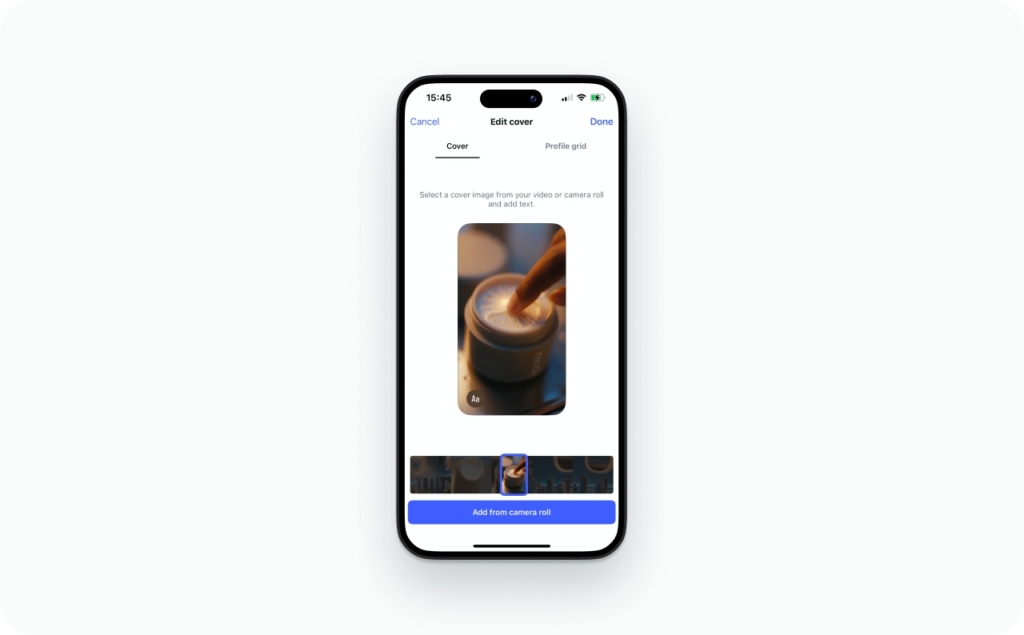
Reel cover images that earn the click
A Reel cover is a promise. My simple cover formula is:
- Outcome text: what you’ll get
- Visual proof: the result, the before/after, the receipt
- One focal subject: face, product, or a single clear object
Use text on the cover when the idea is not instantly obvious. Keep it readable in the profile grid preview (small size), and avoid tiny lines of text that vanish on mobile. If the cover looks good only full-screen, it’s not doing its job.
Captions for short Instagram video that drive saves and DMs
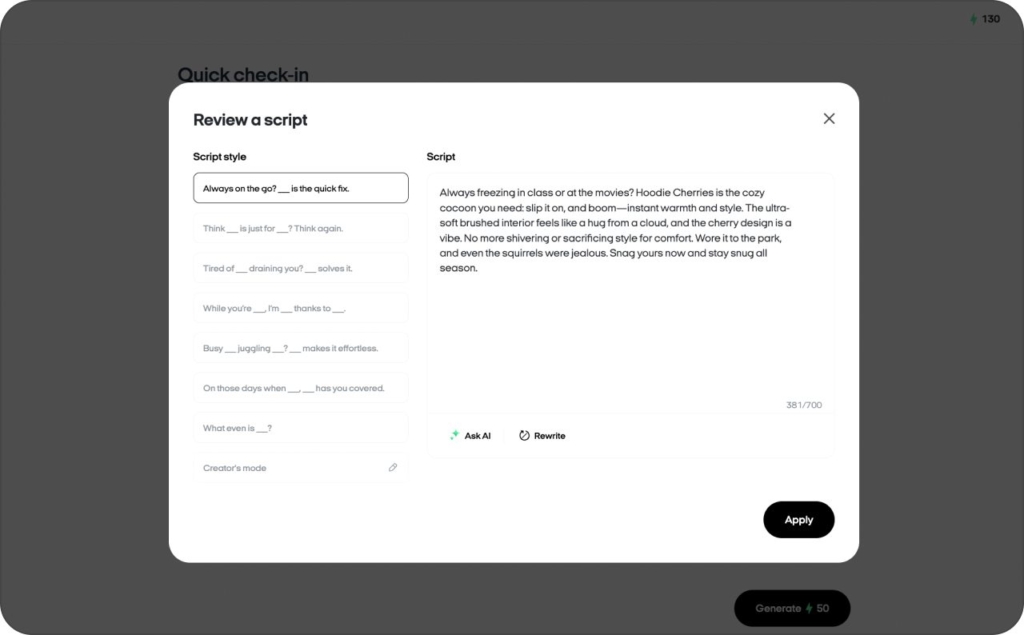
A caption that performs is usually structured like this:
1 line of context, then 2–3 tight takeaways, then one CTA.
Examples of CTAs that match format:
- “Comment ‘CHECKLIST’ and I’ll DM it”
- “Save this before you edit your next Reel”
- “DM ‘MENU’ and I’ll send the exact template”
In Zeely, AI Reels maker often generate 3–5 scripts and caption variants from the same video, each tied to a goal (saves, DMs, clicks), so you’re not rewriting from scratch every time.
Hashtags in 2026: what to do without keyword stuffing
Use a small set that matches what the video truly shows:
- One topic tag
- One niche tag
- One buyer-intent tag
Then do the real discoverability work inside the video: say the keyword out loud and put it on-screen naturally. Social search pulls from what people can understand, not just what you paste at the bottom.
Music and trending audio for short video Instagram
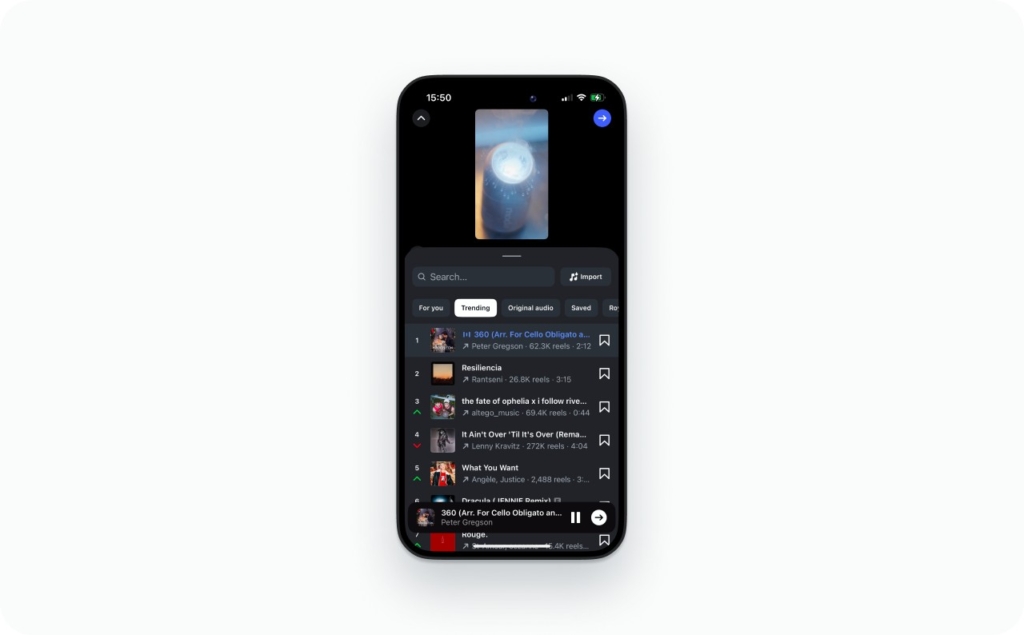
Buffer published a curated list of 13 trending Instagram sounds for February 2026 and notes that trending audio can help content show up on the Explore page or in the Reels feed. Read now how to add music to Instagram story.
Original audio vs trending audio
Use trending audio when the format is entertainment-first and the message still lands with the sound underneath. Use original audio when clarity and trust matter more, like education, product claims, or anything that needs explanation. Whatever you pick, keep your voice intelligible over music. If your words are hard to hear, retention drops.
Why some songs don’t show up on business accounts
This is usually licensing. Some music is cleared for personal use, not commercial use, so business accounts get a smaller library. The safe workaround is simple: use royalty-free tracks, Meta Sound Collection options, or record original voice and keep music minimal.
Avoid mutes and takedowns without killing the vibe
Balance audio levels so music doesn’t overpower speech. Avoid the “full track re-upload” behavior where the post looks like you’re republishing a whole song. When possible, test as a draft or private share first so you can catch issues before it goes public.
Repurpose short Instagram videos across Reels, Shorts, TikTok
Remove the watermark problem before you repost
Export from your editing master, not from a TikTok download. Save clean originals in a folder system by topic (offers, testimonials, how-to, behind-the-scenes). Then add platform-native captions and text inside each app so it feels fresh, not recycled.
Resize horizontal videos into vertical Reels without ugly crops
Center the subject first. If the frame still feels tight, add a supporting frame (blurred background is usually cleaner than heavy branded bars). Use punch-in cuts to add emphasis. Add on-screen labels when the crop removes context, like “Step 2” or “Before.”
Turn one long video into 5–10 Instagram short videos in one sitting
Here’s how I do it when I want speed without turning everything into mush:
- Pull 10 hooks: the best opening lines that stop the scroll
- Pull 10 payoffs: the result, takeaway, or “here’s what to do” moment
- Pull 10 proof moments: quick demos, receipts, before/after, screenshots
Once you’ve got those clips, batch your cover frames and titles so you’re not making decisions one post at a time. Inside Zeely, we’ll often start with a transcript and generate hook variations plus a cut list, so you can move faster and still keep every short video centered on one clear idea.
FAQ
This is usually a file issue or a shaky connection. Do this now: export as MP4, restart the Instagram app, then try uploading on a different network (Wi-Fi vs cellular). Expected result: the upload finishes and you see “Processing” briefly, not an endless spinner.
A true 0-view Reel is often not fully processed or your account is limited. Check this: Profile > Menu > Account Status and confirm the Reel is public. Expected result: views start within an hour; if it’s still at 0, delete and repost using a fresh export.
Instagram compresses harder when the video is dark, noisy, or over-filtered. Do this now: re-export at your editor’s highest quality, keep text larger, and upload on strong Wi-Fi. Expected result: cleaner edges, less blur in faces, and sharper on-screen text.
Even when the algorithm isn’t “punishing” you, viewers bounce faster on watermarks. Do this now: export a clean master from your editor (no TikTok download), then add captions and text natively in Instagram. Expected result: higher watch time because it feels original.
If it’s your video, grab the clean version first. Do this now: use Instagram’s Download option when available, or save the original from your camera roll before posting. Expected result: you keep a watermark-free master you can repurpose without quality loss.
Yes, the second your video has more than one main idea. Do this now: split it into a 3–5 part series where each Reel answers one question and ends with a reason to watch the next. Expected result: higher completion rates and more follows from part-to-part momentum.
Captions get clipped when they sit too low or too close to the sides. Do this now: move text higher, keep it to 1–2 lines, and preview on a real phone screen before posting. Expected result: no text hidden behind buttons or cropped in the grid.
People search this after seeing short-form video mentioned in major media. On Instagram, it usually means Reels (and sometimes short feed videos). Expected result: you stop chasing a mystery feature and focus on what matters: pick the surface, nail the first two seconds, and keep the message tight.

Emma blends product marketing and content to turn complex tools into simple, sales-driven playbooks for AI ad creatives and Facebook/Instagram campaigns. You’ll get checklists, bite-size guides, and real results, pulled from thousands of Zeely entrepreneurs, so you can run AI-powered ads confidently, even as a beginner.
Written by: Emma, AI Growth Adviser, Zeely
Reviewed on: March 9, 2026