Video ad formats: Where they appear and how they work
Not every video ad works the same way, even when the creative looks similar. This guide breaks down the biggest video ad formats by placement, viewer behavior, and goal so you can choose the right format before you spend.
- In-stream ads play before, during, or after video content. They’re built for interruption-based viewing.
- In-feed ads show up inside discovery spaces like search results, home feeds, and recommended content.
- Shorts ads, Stories, and Reels live in vertical, swipe-first environments where the hook has to land fast.
- Bumper ads are the short-memory tool. They work best when your message is simple and repeatable.
- The best video placements depend less on trend and more on what you want: awareness, clicks, leads, or conversions.
When I review ad accounts, I keep seeing the same problem. Brands pick a format because it sounds familiar, not because it matches how the person is watching.
This guide walks through the major video ad formats, how in-stream ads differ from in-feed ads, where vertical placements fit, and which setup usually makes the most sense for each goal.
Video ad formats by platform
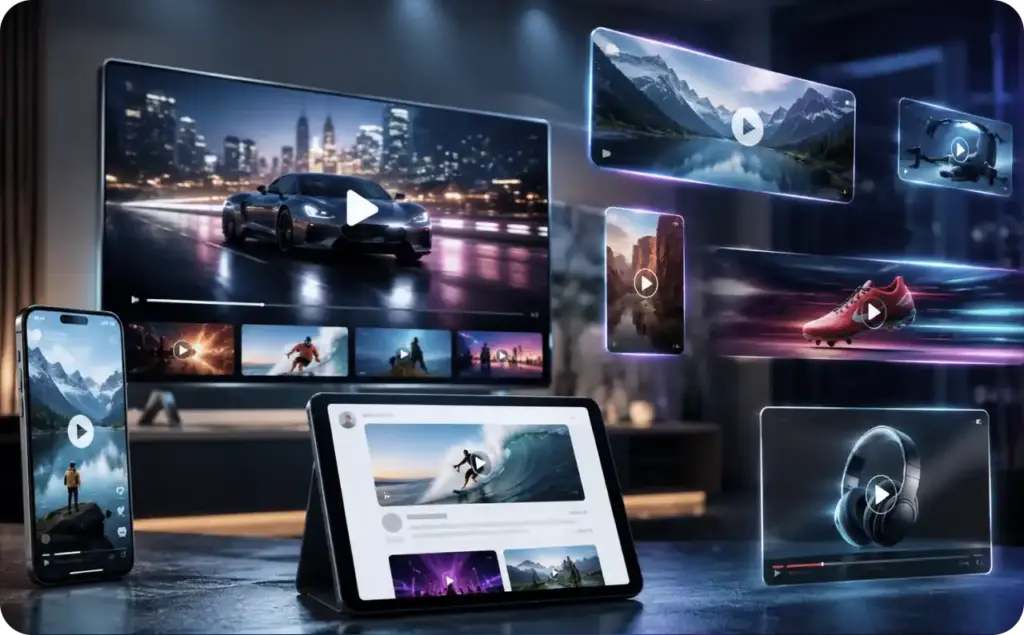
The easiest way to understand video ad formats is to stop thinking about file type and start thinking about viewing context. The real question is not “Is this a video ad?” It’s “What is the person doing when this ad appears?”
YouTube and Google video placements
On YouTube, Google’s video ad formats guide currently lists skippable in-stream, non-skippable in-stream, in-feed, bumper, Masthead, and Shorts as core options. Google also notes that some of these can extend beyond YouTube to Google video partners.
YouTube is not just one viewing experience. A person might be watching a long-form tutorial, browsing the home feed on TV, searching for a review, or swiping through Shorts on mobile. Google treats those moments differently, and the ad format changes with the moment. In-feed video ads, for example, can appear in YouTube search results, Watch Next, and the Home feed. By contrast, skippable and non-skippable in-stream ads run before, during, or after a video.
Meta video placements across Feed, Stories, Reels, and in-stream
Meta’s official help pages describe video ads running across Facebook, Messenger, Instagram, and Meta Audience Network, with placement experiences that include Feed, Stories, messages, in-stream video, contextual spaces, apps, and sites. Meta also provides separate help for creating ads in Facebook, Messenger, and Instagram Stories.
That’s why “Meta video ads” is too broad to be useful by itself. A video in the Facebook Feed behaves differently from a Story ad, and both behave differently from a Reel-like placement. On Meta, placement shapes pacing. Feed usually gives you a little more room to sell the click. Stories and Reels need a faster visual start, bigger text safety margins, and a cleaner call to action because the viewer is already in swipe mode. Meta also notes that you can choose Instagram as a placement directly in Ads Manager.
TikTok placements from in-feed to premium takeovers
TikTok’s placement overview defines placements as the places where your ads show inside TikTok. Its auction in-feed ads page says in-feed auction ads include Spark and Non-Spark options, with vertical 9:16 recommended. TikTok’s Spark Ads guide also explains that Spark Ads can use organic TikTok posts or creator content with authorization.
TikTok also has premium formats. In TikTok’s TopView explainer, TopView is described as the full-screen, sound-on video that appears when someone opens the app, before other content. In March 2026, TikTok also introduced TopReach, a newer high-reach product that combines TopView with Top Feed for premium awareness buys.
In-stream vs in-feed video ads
This is the split most marketers need to get straight.
What in-stream ads really are
In-stream ads interrupt or join video viewing. On YouTube, skippable in-stream ads play before, during, or after another video, and viewers can skip after five seconds. Non-skippable in-stream ads are 60 seconds or shorter and cannot be skipped.
That sounds simple, but the viewing psychology is different from feed browsing.
In-stream works best when your first line is strong enough to survive interruption. The viewer did not ask to discover you. They were already there for something else. Your ad has to earn the next second. That’s why good in-stream creative usually gets to the point early. Brand, problem, offer, or visual tension should show up almost immediately.
I usually think of in-stream as borrowed attention. You are stepping into someone else’s viewing session.
What in-feed ads really are
In-feed ads appear inside places where people browse, compare, and choose. Google says YouTube in-feed ads can appear in search results, Watch Next, and the Home feed, and the ad unit typically includes a thumbnail, headline, and text before the viewer clicks through to watch or visit.
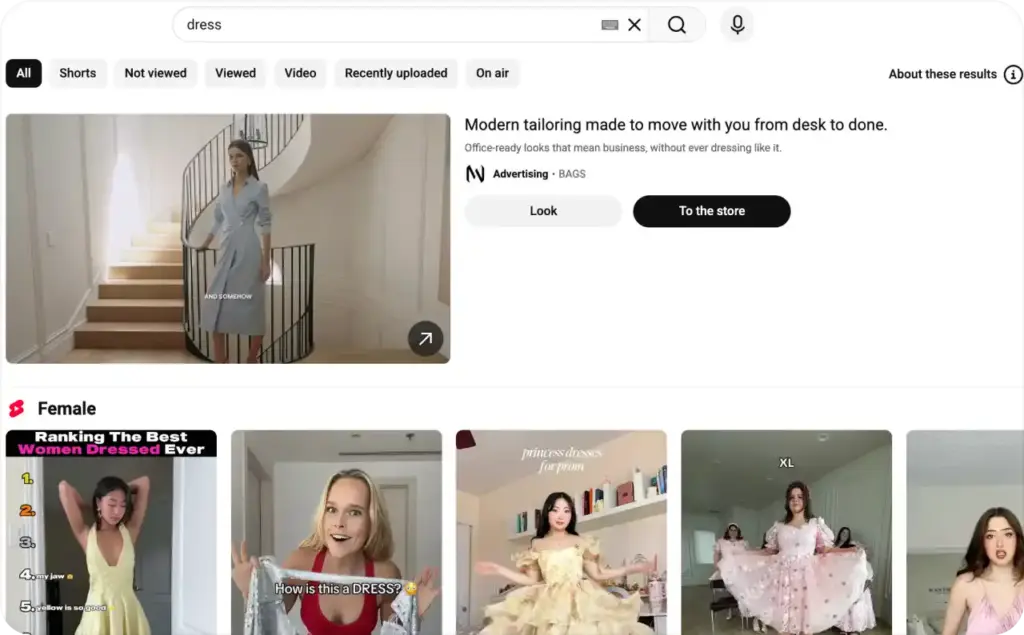
That means in-feed is closer to discovery than interruption.
The person is already scanning options. They are open to deciding what to watch next. So the ad behaves more like a compelling content choice than a forced insert. Your packaging matters more here. Title, thumbnail, opening frame, and topical relevance carry real weight.
My rule is simple:
- Use in-stream ads when you need fast message delivery inside active viewing.
- Use in-feed ads when you want to win the click from curiosity, intent, or search behavior.
Which one usually drives better results?
There isn’t one universal winner.
If the goal is pure awareness, in-stream often gives you cleaner scale. If the goal is qualified engagement, in-feed can be a better fit because the viewer chose the interaction. Google itself maps skippable in-stream to sales, leads, website traffic, and awareness, while it frames in-feed around discovery and awareness.
That’s the bigger lesson: format is not just creative packaging. It’s an intent filter.
Shorts, Stories, Reels, and Vertical Placements
Vertical placements changed how brands think about pacing.
These environments are not built around long setup. They’re built around immediate motion, clear framing, and thumb-speed decisions. Google says vertical videos are supported across video-eligible campaigns, with possible placements including in-feed, in-stream, YouTube Search, and YouTube Shorts. Google’s Shorts ads documentation also says Shorts ads appear between organic Shorts videos and can be skipped with a swipe.
Meta and TikTok follow the same behavioral truth even if the interface differs. Stories, Reels, Shorts, and TikTok feed placements all reward creative that feels native to vertical viewing. That usually means:
- brand or product visible early
- text that stays inside safe zones
- one idea per clip
- cuts that read without context
- a CTA before the viewer swipes away
This is where a lot of advertisers miss the mark. They take a landscape video, crop it, and call it a vertical ad. But vertical placements are not just resized video placements. They are different consumption habits.
How vertical placements change your script
In a vertical placement, the first second does more work.
You do not have much room for a cinematic warm-up. If your opening frame is vague, you lose the swipe battle. If your offer appears too late, you lose the action. If your captions sit too low or too high, the interface will fight you.
That’s why good vertical ads often start with one of these:
- a product in use
- a sharp claim
- a visible pain point
- a direct “you” line
- a creator face with motion from frame one
Short vertical placements are less forgiving, but they can be very efficient when your hook is clear.
Bumper ads and other short formats
Short formats are not small versions of longer ads. They need their own job.
Google says bumper ads are six seconds or shorter, non-skippable, and built to reach viewers broadly with a short, memorable message. They appear on YouTube videos and across Google video partners, and Google prices them on a target CPM basis.
That tells you exactly what bumper ads are for: memory, not explanation.
A bumper is usually the wrong place for your whole product story. It’s the right place for one punchy promise, one repeated angle, or one recall cue. Think launch reminder, offer reminder, category association, tagline, or visual signature.
Other short formats sit nearby, but they are not identical.
TikTok’s TopView is also a high-impact short-format environment, but it behaves more like a premium app-open takeover than a classic bumper. It launches when the app opens, plays sound-on, and is sold as a premium awareness placement.
So when people lump all short formats together, they miss the real difference:
- Bumper is compact repetition
- TopView is premium first-look attention
- Shorts, Reels, and Stories are swipe-native short-form environments
- In-feed short video is still a browse choice, not a forced view
That distinction changes both creatives and expectations.
Which video ad format fits which goal
This is the part most teams need when they’re choosing video placements inside Ads Manager.
Use in-stream ads for awareness with message control
If you need guaranteed message delivery, non-skippable in-stream and bumper formats are the cleanest awareness tools. Google specifically positions non-skippable in-stream and bumper ads for awareness-focused objectives.
Best fit:
- launches
- short promos
- broad reach
- category reminders
- remarketing with simple messaging
Use skippable in-stream for direct response and longer persuasion
Skippable in-stream gives you more room to sell and still supports sales, leads, traffic, and awareness objectives in Google Ads.
Best fit:
- product demos
- offer-led ads
- lead generation
- landing page traffic
- mid-funnel education
If your creative needs 15 to 30 seconds to build the case, this is often the safer home.
Use in-feed ads when discovery matters
In-feed works best when the viewer should choose you.
Best fit:
- search-led intent
- comparisons
- product explainers
- how-to content
- educational brand content
This is the format I’d rather use when the thumbnail and headline can do part of the selling.
Use Shorts, Stories, Reels, and TikTok feed for mobile-native attention
Short vertical formats are strongest when your product, creator, or proof point is visually obvious early.
Best fit:
- creator-led ads
- social proof
- demos with movement
- impulse offers
- app installs
- DTC hooks
These are usually the best placements for quick thumb-stop tests because you can cycle angles fast and learn quickly.
Use premium formats for tentpole awareness
TikTok’s TopView and Google’s Masthead are not everyday formats for most brands. They are premium visibility buys. Google describes Masthead as a reservation format built for large-scale awareness, and TikTok positions TopView as a premium first-open placement for big awareness moments.
Best fit:
- major launches
- seasonal pushes
- large-budget awareness campaigns
- brand moments that need instant scale
Simple terms marketers need to know
Here’s the plain-English glossary I wish more teams used.
Placement
The place where the ad appears. TikTok describes placements this way directly in its help center.
In-stream ad
A video ad that runs before, during, or after another video. On YouTube, it can be skippable or non-skippable.
In-feed ad
A video ad that appears inside discovery spaces like search results, home feeds, or recommendation feeds. On YouTube, this includes search, Watch Next, and Home feed placements.
Vertical placement
A full-screen or near-full-screen mobile-first environment, usually built around 9:16 creative. TikTok’s in-feed specs recommend vertical 9:16, and Google supports vertical assets across Shorts and other mobile video environments.
CPV
Cost per view. Google says skippable in-stream can use CPV bidding, where you pay after a qualifying watch or interaction.
CPM
Cost per thousand impressions. Google says bumper and non-skippable in-stream use target CPM, and TikTok sells TopView on a CPM basis.
Spark Ad
A TikTok ad that uses an existing organic TikTok post as the ad creative, including creator content with permission.
Learn more about sizes and safe zones for social media
Now that you understand how video ad formats work across platforms, it’s worth learning how sizing, layout, aspect ratios, and safe zones directly affect ad visibility, watch time, and engagement. Understanding platform-specific dimensions and safe zones helps ensure your video ads look clean, professional, and optimized everywhere they appear, from Stories and Reels to TikTok feeds and Snapchat placements.
- Instagram story sizes. Learn the recommended dimensions for full-screen vertical video ads and how Stories are displayed inside the app experience.
- Instagram safe zones. Understand where to place text, logos, and CTAs so they stay visible across Stories, Reels, and other Instagram placements.
- TikTok safe zones. Discover how to design TikTok ads without important visuals being covered by captions, buttons, or interface overlays.
- Reels dimensions and aspect ratio. Explore the correct video ratios, resolutions, and formatting specs for Instagram Reels ads and organic content.
- Snapchat safe zones. Learn how Snapchat’s interface affects video placement and where to position key creative elements for maximum visibility.
Final takeaway on video ad formats
The best video ad formats do not win because they are newer. They win because they match how the person is already consuming content.
If the viewer is watching a video, in-stream ads can work. If the viewer is browsing, in-feed ads usually make more sense. If the viewer is swiping a vertical feed, you need a fast, native-looking short-form creative. If the goal is memory at scale, short formats like bumper can do a lot with very little.
That’s the frame I’d use before building any campaign:
placement first, behavior second, creative third.

Emma blends product marketing and content to turn complex tools into simple, sales-driven playbooks for AI ad creatives and Facebook/Instagram campaigns. You’ll get checklists, bite-size guides, and real results, pulled from thousands of Zeely entrepreneurs, so you can run AI-powered ads confidently, even as a beginner.
Written by: Emma, AI Growth Adviser, Zeely
Reviewed on: May 11, 2026