In-app ad formats: Rewarded, interstitial, banner, native, and app open ads
Which in-app ad formats should you use when every tap, pause, and close button can change how people feel about your app? I built this guide by mapping real app monetization moments to UX-safe ad formats, mobile creative habits, and the standards publishers rely on.
The best in-app ad formats match the user moment. Use:
- rewarded ads when people choose a value exchange
- interstitials during natural pauses
- banners for low-pressure reach
- native ads for feed-like flow
- app open ads for controlled re-entry
Mobile game ad formats usually lean on rewarded video and interstitial placements, while commerce, utility, and content apps often mix native, banner, and app open units. Pick by attention level, reward logic, interruption risk, and compliance, not eCPM alone.
Open any app long enough and you’ll feel the difference between a useful ad and a rude one. The format is usually the reason. This guide breaks down the main types of in-app advertising so you can choose placements that earn revenue without burning trust.
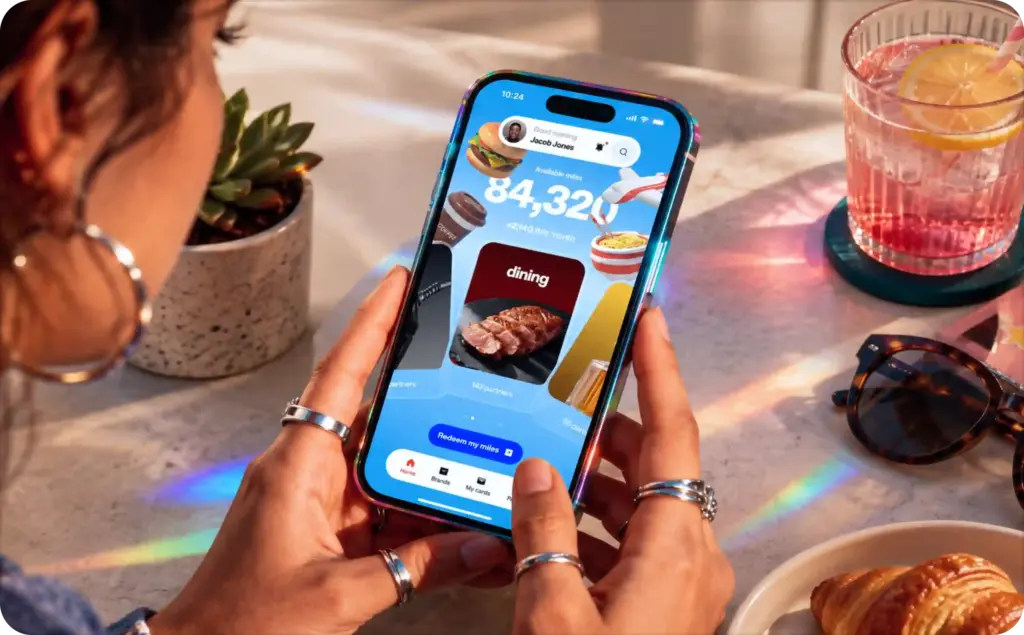
What in-app ad formats mean for mobile app ad formats
In-app ad formats are the ad placements shown inside a mobile app experience. They can sit quietly at the bottom of a screen, take over the full screen between actions, blend into a feed, or offer a reward after a viewer chooses to watch.
That sounds simple until you place them in a real app. A meditation app, a shopping app, and a puzzle game all create different levels of attention. A user browsing yoga sessions does not behave like a player waiting for one more life. That is why mobile app ad formats should be selected by moment, not by what looks best in a sales deck.
A useful rule is to start with the user’s task. The IAB Tech Lab’s New Ad Portfolio frames modern ad units around flexible, cross-screen creative and LEAN principles: lightweight, encrypted, AdChoices-supported, and non-invasive ads. It also groups display, native, and newer media experiences into its ad portfolio, with better user experience and faster load performance as core goals.
For app teams, that turns into a simple question: does the ad help fund the experience while respecting the screen?
Here are the five core app ad formats this guide covers:
- Rewarded ads
- Interstitial ads
- Banner ads
- Native ads
- App open ads
Each one can work. Each one can also feel wrong when it appears at the wrong time.
Why in-app ad formats depend on the user moment
A format is not just a container. It tells the user what kind of attention you want from them.
A banner whispers, “I’ll stay out of the way.” An interstitial says, “Pause for a second.” A rewarded ad asks, “Do you want something in return?” Native ads try to feel like part of the surrounding content. App open ads sit at the doorway, right when someone returns.
That is why the same creative can behave differently across mobile app ad formats. A 15-second video might feel fair when it unlocks a bonus level. The same 15 seconds can feel annoying if it appears before the home screen loads.
Think of format choice like seating guests at a dinner table. The right seat makes the conversation feel natural. The wrong seat makes everyone notice the arrangement.
Use this quick map before you build:
| User moment | Best format fit | Why it works |
| User wants extra value | Rewarded ad | The viewer chooses the trade |
| User finishes a task | Interstitial ad | The pause already exists |
| User is browsing lightly | Banner ad | Low interruption |
| User scrolls a feed | Native ad | Matches the surrounding layout |
| User returns to the app | App open ad | Uses a loading or re-entry moment |
Apple’s App Store Review Guidelines also make the UX side practical. Ads must suit the app’s age rating, clearly identify interruptive ads as ads, avoid tricking users into taps, and provide visible close or skip controls large enough to dismiss easily.
That rule matters for every format, but it matters most when the ad blocks the screen.
Rewarded in-app ad formats make attention feel fair
Rewarded ads are one of the cleanest value exchanges in mobile advertising. The user chooses to watch or engage, then receives something inside the app.
In a mobile game, that reward might be:
- One more life
- Extra coins
- A booster
- A skipped wait time
- A locked level preview
In a non-gaming app, it could be a premium template, a temporary feature unlock, or extra usage credits. This is why rewarded video ads are so common in games, learning apps, fitness apps, and freemium tools.
The key word is choice. A rewarded ad works because the user starts the exchange. They know the deal before the ad plays.
When rewarded ads work best
Rewarded ads fit moments where the user feels a clear need. In a game, that moment often arrives after failure. The player loses a level, sees the option to continue, then chooses whether the reward is worth the view.
In a shopping app, the reward might be a coupon unlock. In a design app, it might be an export credit. In a language app, it might be an extra practice round.
The ad feels fair when three things are true:
- The reward is useful right now
- The user understands what they must do
- The app gives the reward immediately after completion
That last point matters. A delayed or unclear reward makes the whole exchange feel shaky.
For creative planning, see Zeely’s guide to video ad formats, especially when you’re deciding length, hook, and viewing context.
Interstitial in-app ad formats need clean pause points
Interstitial ads are full-screen ads that appear between app moments. They are usually static, video, playable, or rich media. Because they take the whole screen, they can earn strong attention, but they can also create the fastest frustration.
The safest interstitial rule is simple: never interrupt the user mid-task.
Good interstitial moments include:
- After a game level ends
- After an article is finished
- After onboarding is complete
- Between two content screens
- After a file export is done
Bad interstitial moments include:
- During gameplay
- While someone is typing
- Before the first app screen appears
- Right after a user taps a navigation button
- During checkout or account setup
For a deeper split between full-screen timing and reward-led timing, read Zeely’s guide to rewarded vs interstitial ads. For format basics, Zeely also explains what are interstitial ads in a separate guide.
For placement ideas, Zeely’s interstitial ad examples guide shows how these ads can fit Android, AdMob, and web-like flows without breaking the user rhythm.
Banner in-app ad formats still have a place
Banner ads are the old reliable of mobile app ad formats. They usually sit at the top or bottom of the screen and stay visible while the user continues using the app.
They do not demand much attention. That is both their strength and their weakness.
A banner can quietly monetize a weather app, calculator, note app, or casual content screen. It is less suited to high-focus moments, such as gameplay, video viewing, or checkout.
When banner ads make sense
Use banners when the screen has enough breathing room. A banner at the bottom of a simple utility screen can feel acceptable. A banner covering a game control or recipe step feels sloppy.
Banners are useful when you want:
- Steady impressions
- Low creative cost
- Simple placement testing
- A non-blocking monetization layer
- A baseline for other format tests
They are also helpful for early app monetization because they are easy to understand. You can compare banner revenue against rewarded, interstitial, and native placements without rebuilding the whole app flow.
For creative ideas outside the app context, Zeely’s banner ad examples guide can help shape stronger hooks, visual hierarchy, and CTA clarity.
Banner ad mistakes to avoid
The most common banner mistake is treating the screen like spare real estate. It is not spare if the user needs it.
Avoid banners that:
- Sit too close to tap targets
- Refresh too aggressively
- Cover app controls
- Push important content below the fold
- Use tiny copy that cannot be read on mobile
A banner should feel like a quiet tenant. If it starts rearranging the room, it is no longer quiet.
Native in-app ad formats blend into the experience
Native ads match the form and feel of the app environment. In a feed, they may look like a sponsored card. In a content app, they may appear as a recommendation. In a shopping app, they may resemble a product tile.
Native does not mean hidden. The ad still needs clear labeling. It simply means the ad uses the same visual grammar as the app.
This format works well when people are browsing, comparing, reading, or scrolling. It is usually a better fit than a banner when the app has a feed or card-based layout.
Where native ads feel natural
Native ads are useful in:
- News feeds
- Social-style feeds
- Product grids
- Discovery tabs
- Content recommendation areas
- Marketplace listings
A native unit in a recipe app might promote a kitchen tool inside a list of saved cooking ideas. A marketplace app might show a sponsored seller card among regular listings. A fitness app might show a sponsored protein snack inside a post-workout content feed.
For more examples, Zeely’s native ads examples guide shows how native placements work across feeds, apps, and content environments.
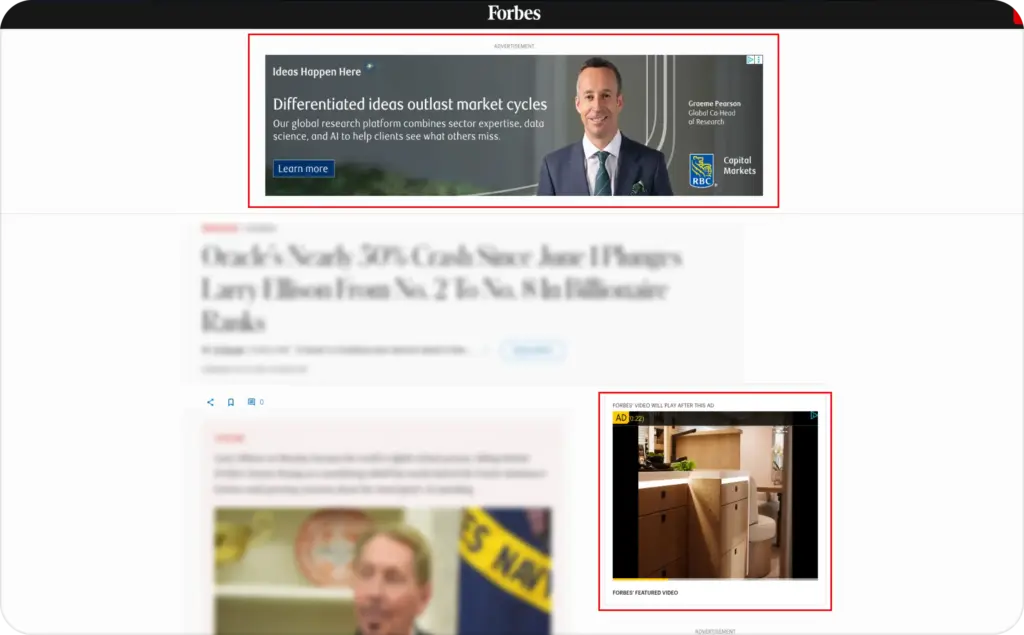
Native ads and rich media
Native ads can stay simple, but they can also carry richer creative. A card might include motion, a carousel, or a small interactive element. That is where native and rich media start to meet.
Zeely’s guide to what are rich media ads is useful when you want the ad to do more than sit in the feed. Rich media can invite a swipe, tap, quiz, mini-demo, or expandable product view.
The risk is weight. Heavy creative can slow the app, especially on weak connections. Keep native rich media light, clear, and easy to dismiss or scroll past.
App open in-app ad formats must respect re-entry
App open ads appear when a user launches or returns to an app. They are tempting because the timing looks clean. The user is already waiting for the app to load, so why not show an ad?
The answer depends on how often, how fast, and how clearly.
An app open ad can work when the user is returning to a casual, non-urgent experience. It can feel wrong when someone opens the app to do something fast, private, or time-sensitive.
When app open ads work
App open ads fit best in apps where re-entry is not urgent. Think casual games, entertainment apps, simple content apps, and some lifestyle tools.
They are weaker for:
- Banking
- Telehealth
- Navigation
- Security
- Weather alerts
- Messaging
- Rideshare or delivery tracking
In those apps, the user often returns with a goal that should not wait.
A good app open ad should load cleanly, show clear branding, and avoid pretending to be the app interface. The user must know whether they are seeing app content or advertising.
How in-app ad formats fit mobile game ad formats
Games have their own rhythm, which is why mobile game ad formats often look different from utility app ads. Players expect loops: start, play, win, lose, collect, upgrade, repeat.
That loop creates natural ad moments.
Rewarded ads often fit after:
- A failed level
- A low coin balance
- A locked upgrade
- A bonus chest
- A cooldown timer
Interstitial ads often fit after:
- A level win
- A level loss
- A match ending
- A return to the menu
- A long session break
Banners usually fit only in menus, lobbies, and low-action screens. Native ads can work in game stores, offer walls, or discovery areas. App open ads can work for casual games, but frequency must stay low.
Here is a simple game format map:
| Game moment | Format to test first | Why |
| Player loses but wants to continue | Rewarded video | The value is immediate |
| Player finishes a level | Interstitial | The pause is natural |
| Player browses the shop | Native card | It matches the layout |
| Player waits in a lobby | Banner | Low attention cost |
| Player returns after hours away | App open | Re-entry can hold a short ad |
For broader mobile creative planning, Zeely’s targeted mobile advertising examples article can help connect format choice with audience, timing, and intent.
Choosing in-app ad formats without hurting trust
The wrong format rarely fails quietly. Users close the app, leave bad reviews, or stop tapping your offers. That is why format selection should start with trust.
Use this simple filter before adding a placement:
- Is the user in the middle of a task?
- Will the ad block something important?
- Does the user understand why this ad appears?
- Can the user close, skip, or decline easily?
- Is the ad suitable for the app’s age rating?
- Does the format match the user’s current attention level?
Apple also reminds developers that they are responsible for everything in the app, including ad networks, analytics services, and third-party SDKs. Its privacy rules also require permission through App Tracking Transparency APIs when tracking user activity across apps and websites.
That means monetization is not just a revenue setting. It is part of the product experience.
A simple format selection playbook
Use rewarded ads when the user wants something extra. Use interstitials when one task is over and another has not started. Use banners when the screen can carry a quiet placement. Use native ads when the app has a feed, card grid, or content stream. Use app open ads when re-entry is casual, not urgent.
Then test with restraint.
Track:
- Impressions
- Click-through rate
- Completion rate
- Dismissal rate
- Session length
- Retention
- Uninstalls
- Revenue per daily active user
Revenue matters, but do not read it alone. A format that raises short-term revenue while lowering retention may be charging you later.
The best in-app ad formats by app type
Different apps need different ad mixes. Here is a practical starting point.
| App type | Best first formats | Use carefully |
| Casual games | Rewarded, interstitial, app open | Banners during gameplay |
| Puzzle games | Rewarded, interstitial | App open every session |
| News apps | Native, banner, interstitial after article | Interstitial before content |
| Shopping apps | Native, banner, rewarded coupon | Ads during checkout |
| Fitness apps | Native, rewarded unlock | Interruptive mid-workout ads |
| Utility apps | Banner, native | Full-screen ads on launch |
| Learning apps | Rewarded, native | Ads during lessons |
This is not a fixed rule. It is a clean place to start.
A game may earn best from rewarded video. A content app may see better long-term value from native. A utility app may need banners because the session is too short for full-screen ads. The right mix depends on how people use the app, not just the category name.
Final take on in-app ad formats
The best in-app ad formats do not feel randomly inserted. They feel timed.
Rewarded ads work when users choose the exchange. Interstitials work when the pause already exists. Banners work when they stay quiet. Native ads work when they fit the feed without hiding that they are ads. App open ads work when re-entry is casual and the frequency is controlled.
That is the real taxonomy behind types of in-app advertising. The format is only the surface. Underneath, you are deciding how much attention to ask for, when to ask for it, and what the user gets in return.

Emma blends product marketing and content to turn complex tools into simple, sales-driven playbooks for AI ad creatives and Facebook/Instagram campaigns. You’ll get checklists, bite-size guides, and real results, pulled from thousands of Zeely entrepreneurs, so you can run AI-powered ads confidently, even as a beginner.
Written by: Emma, AI Growth Adviser, Zeely
Reviewed on: July 14, 2026