Zeely explained in a complete guide
What if you could go from product link to optimized AI ad campaigns in minutes, without a media buyer or creative team? Zeely’s AI ad platform has been trained on hundreds of millions of dollars in campaigns and is used by 650k+ sellers across 2,000+ industries, giving the team a unique, data-backed view of how Zeely actually works in 2026.
Zeely is built by Zeely, Inc., a Delaware-based company focused on practical, AI-powered advertising for small businesses and online sellers. You can use Zeely on mobile (iOS and Android) or on web, and your account works across all three.
The app runs on a simple subscription model. You pay for access to AI ad creation and campaign tools, and your ad budgets goes to Zeely account and then transferred to Meta ad account. You choose how much you want to invest on the platform itself.
Zeely works in most countries where Facebook and Instagram ads are supported. If you’re on Shopify, WooCommerce, or a custom site, you can still plug your products or services into Zeely and launch campaigns without changing your store setup.

What is Zeely?
When people ask “what is Zeely” or “what is Zeely AI,” I describe it as an AI ad creative platform that turns your product info or store URL into UGC-style video ads, static creatives, and ready-to-launch campaigns on Facebook and Instagram. You add what you sell, Zeely AI app builds the creatives and campaign structure, and you can launch from your phone or desktop.
The reason this exists is simple. Most small businesses and ecommerce brands do not have a creative team, a media buyer, or time to sit in editing tools. They get stuck writing scripts, recording content, trimming clips, guessing audiences, and trying random A/B tests. On top of that, influencers are expensive and slow, and you still have to turn their content into working ads.
Zeely AI focuses on ads and revenue, not just generic AI copy or design. Where a generic AI tool might give you a caption or a static image, Zeely is built to ship UGC-style video ads, static variations, and campaigns that can hit real metrics like CTR. HubSpot’s 2025 State of Marketing report describes AI as “leading the charge” in marketing innovation and shows that AI use has become mainstream in marketing teams, which is exactly the world Zeely lives in.
The problems Zeely solves for sellers
Before Zeely, most sellers bounce between tools. You might film on your phone, edit in one app, add captions in another, then upload to Meta Ads Manager and try to guess which combination will work. You chase UGC creators, wait for content, send revisions, and still worry that the ad spend will just “burn” without bringing sales.
With Zeely AI, a lot of that friction disappears. You start with a product link instead of an empty screen. The platform suggests scripts, scenes, and visual formats, then generates UGC-style videos and static creatives as a set. You are not staring at a blank timeline, you are choosing from ready options that match your product.
The client sets the parameters for age, location, gender and budget. The Zeely AI ad platform is designed to solve concrete marketing problems:
- Zeely solves marketing problems like “no time for editing” by generating videos and static creatives in minutes
- It solves “no media buyer” by giving you AI-guided campaign setup instead of a confusing interface
- It reduces anxiety about ad spend by tying everything to clear goals and simple dashboards
If you wonder why use Zeely AI instead of your current mix of apps, the short version is: less hopping between tools, more ads in market, and a clearer path from creative idea to measurable performance.
How Zeely fits into your workflow
Zeely is meant to sit inside your marketing workflow, not replace everything else you use. A simple way to picture it is: website or store, product catalog, Zeely for creatives and campaigns, then your analytics and reporting tools.
You keep your store or site where it is. That can be Shopify, WooCommerce, a custom site, or even a simple landing page. Your products and services live there. Zeely takes those products as inputs and turns them into ads across Meta. Your analytics tools or the built-in reporting help you see what works and what should be scaled or turned off.
A lot of marketers today say they have data but still need technical help to use it. Salesforce’s State of Marketing report notes that more than half of marketers have real-time data, yet still need technical assistance to activate it effectively. That gap between “I see the numbers” and “I can act on them” is where workflow tools like Zeely matter.
In practice, Zeely AI fits into your marketing workflow like this:
- Your store and product catalog stay as the source of truth
- Zeely connects creatively and technically to your ad accounts
- The Zeely AI process uses your products and goals to generate creatives and campaigns
- Your reporting stack (native dashboards or external tools) tracks performance and feeds back into your next round of creatives
Instead of building every creative and campaign from scratch, you use Zeely as the layer that turns “I need more sales” into actual ads in front of the right people.
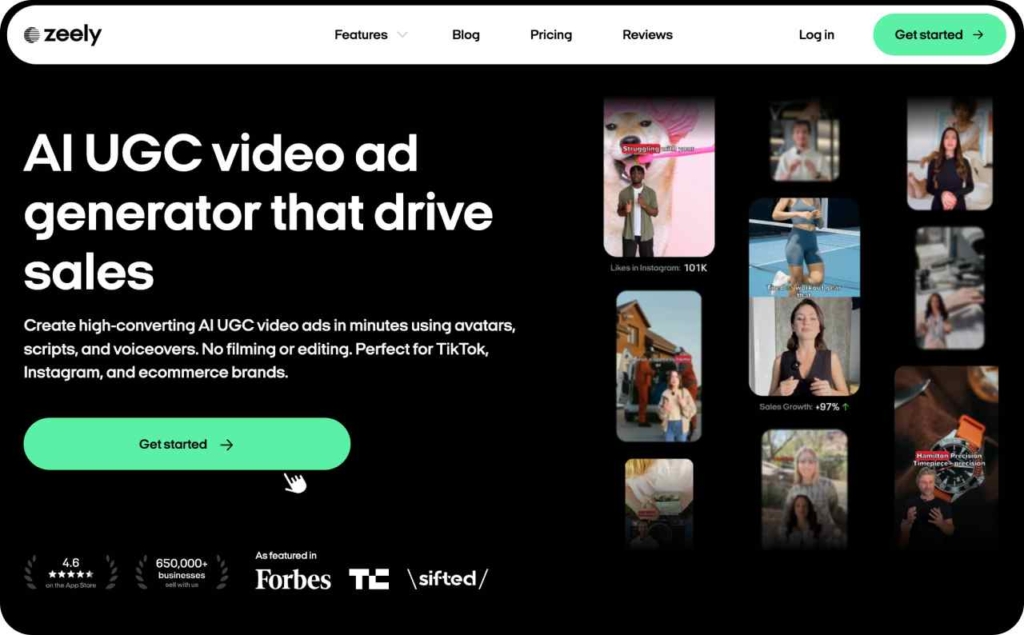
4-step flow from product link to live campaign
Even though there are many features, the core Zeely workflow is built as a simple four-step flow. When you think about the Zeely campaign flow, imagine this sequence:
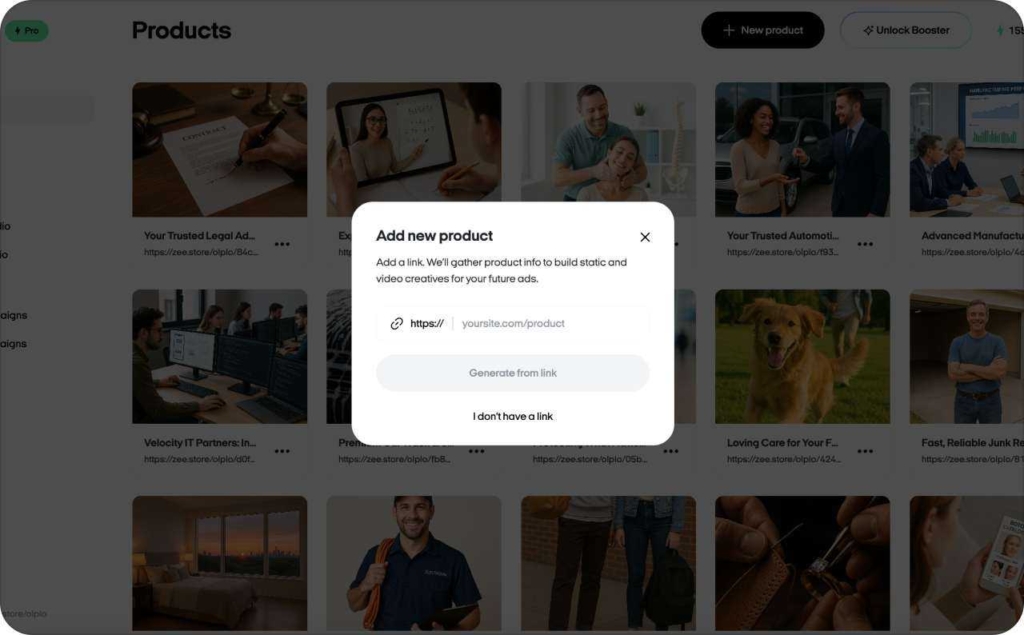
- Add a product link or info.
You paste a product URL or add a short description and images. Zeely pulls or structures the details so you do not have to write long briefs.
2. Generate UGC-style videos and static creatives.
Zeely suggests scripts, scenes, hyper-realistic AI avatars or talking heads where relevant, and builds multiple formats such as vertical video, story-style clips, and static cards.
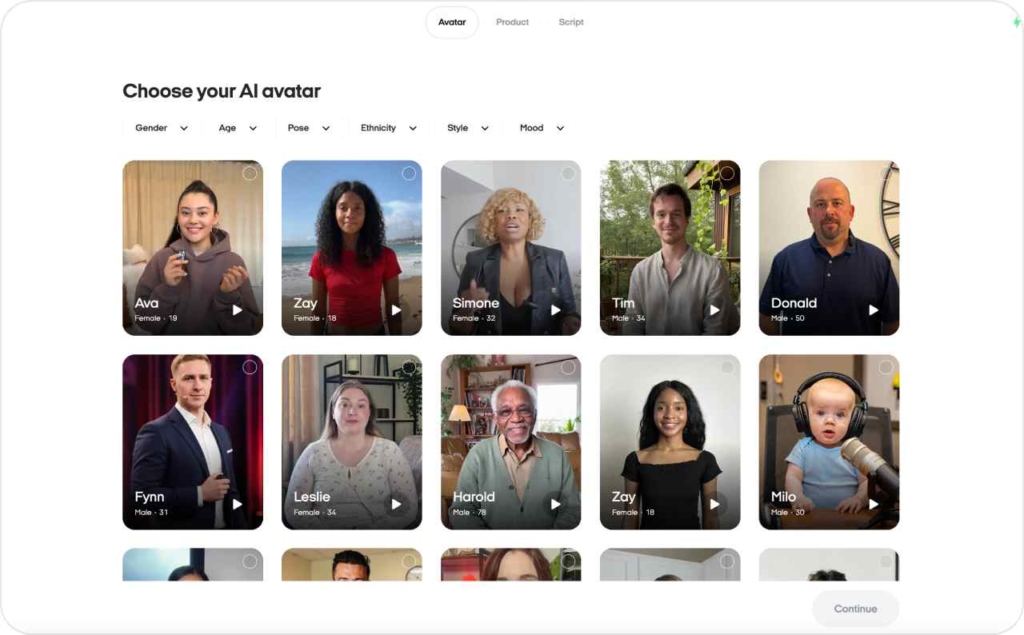
3. Configure campaign goal and audience basics.
You pick what you want (leads, traffic), set daily or lifetime budget, and define simple audience rules instead of hundreds of switches.
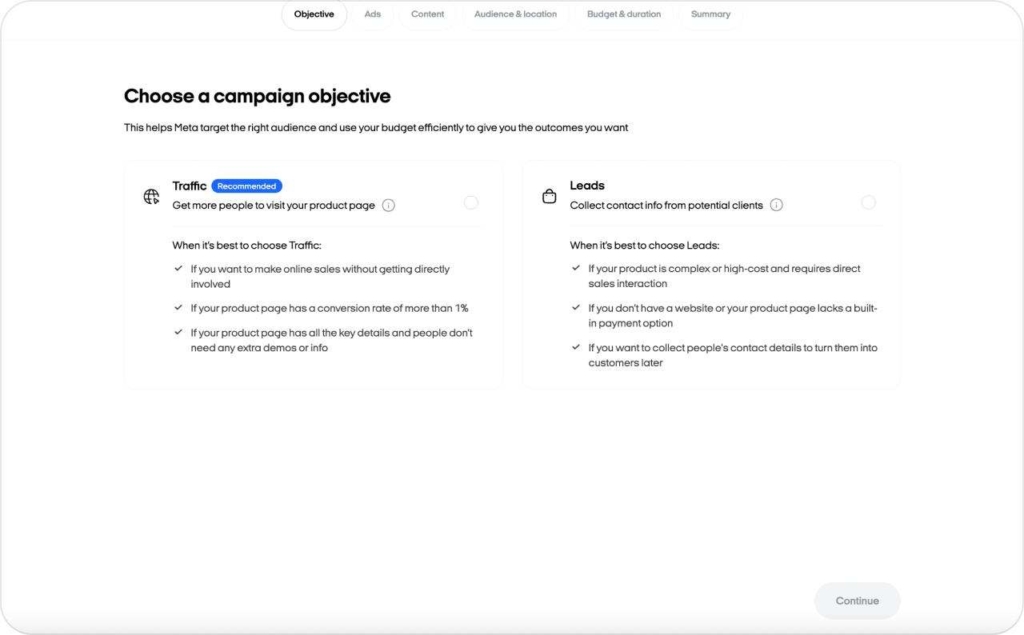
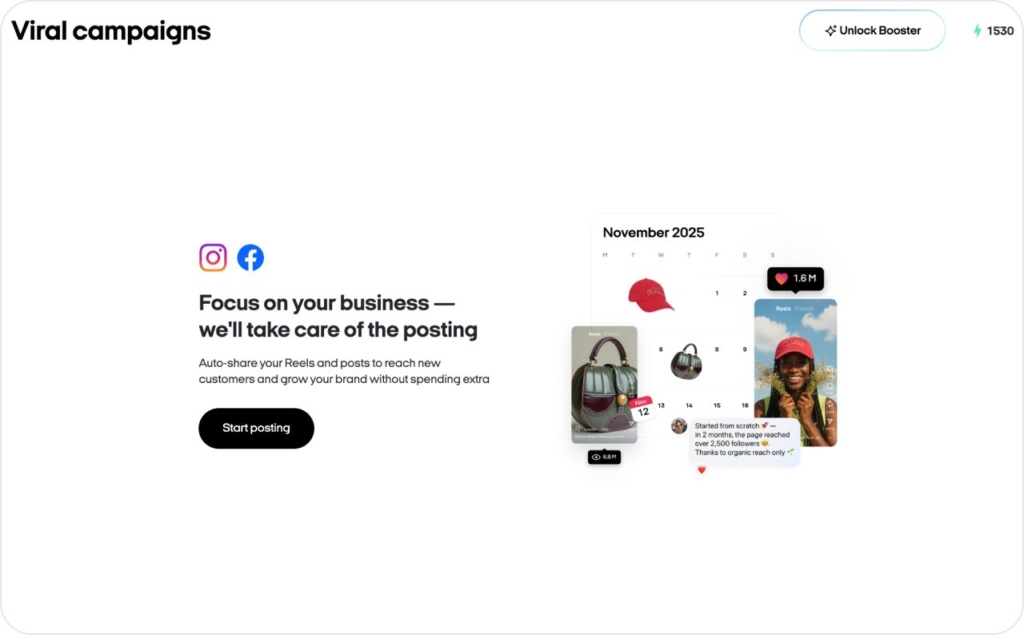
4. Launch to Facebook and Instagram from one place.
Zeely publishes your creatives into campaigns across connected ad platforms, so you do not repeat the same setup four times.
Where Zeely sits in your existing marketing stack
Zeely does not replace your store, your payment processor, or your CRM. It sits between them and the big ad platforms. A typical stack looks like this:
Store (Shopify, WooCommerce, marketplace page) → Zeely → Meta ad accounts → analytics tools.
Zeely and Shopify integration is a common setup. You keep your Shopify store for inventory, checkout, and operations. Zeely pulls in product details and media, then you can easily build creatives.
What Zeely replaces or upgrades are tools like manual video editors, static banner builders, separate UGC sourcing workflows, and purely manual campaign setups. When you think “Zeely in my marketing stack,” think:
- Keep your e-commerce and payment stack
- Use Zeely to handle ad creative production, UGC-style content, and core campaign deployment across the main paid channels
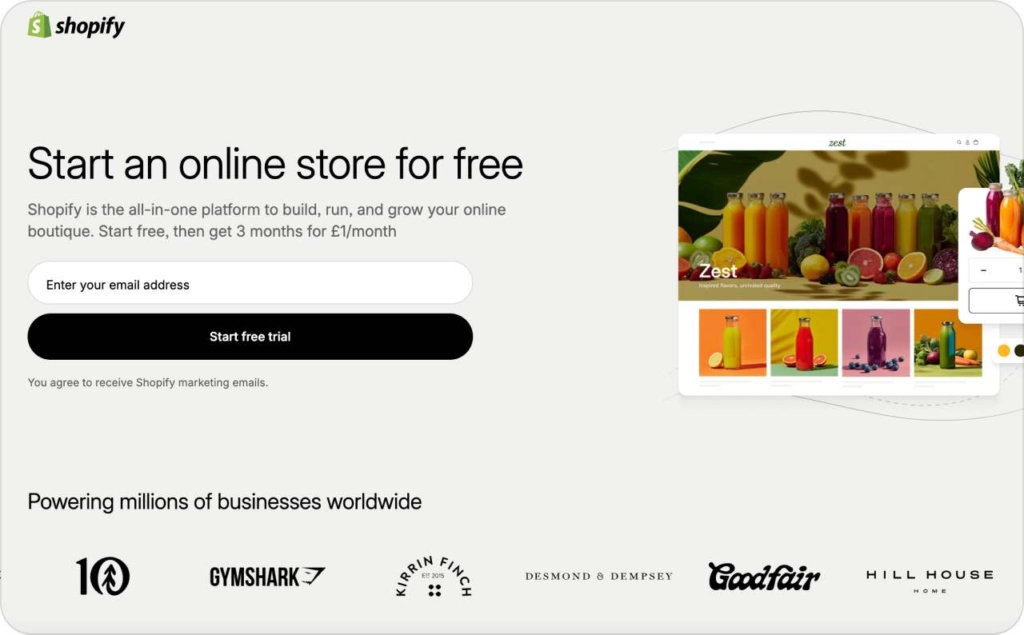
Photo source: Shopify
What you can do with Zeely
At a high level, Zeely AI features group into 3 families. I will keep this simple.
1. AI ad creation
Zeely AI ad generator creates video, UGC-style clips, scripts, and static display-style ads from product links or short briefs. This solves the “blank page” problem and lets you generate enough variations to actually see differences in your CPC. You can move from one or two hero creatives to a full set of tests without hiring extra help.
2. AI video and visuals
You can use AI avatars and short Reels or Stories-style creatives that fit mobile feeds. This helps you keep up with the short-form video race without turning your team into full-time editors. Hootsuite’s Social Media Trends coverage shows that brands that win on social rely heavily on short-form video and agile creative testing. Read more about how to post a collage on Instagram.
3. Meta ad campaigns
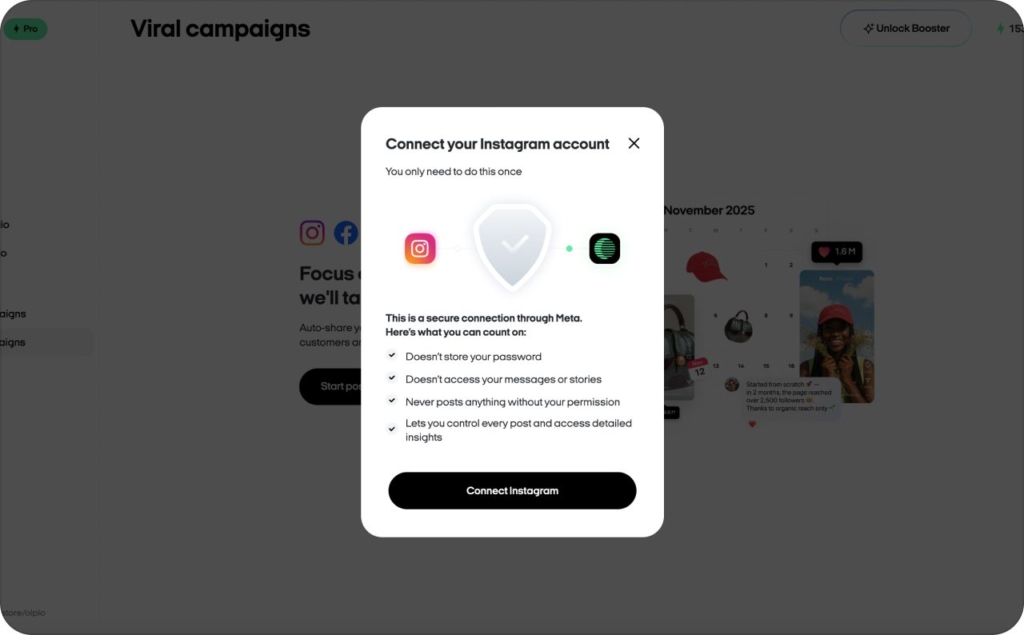
Zeely connects directly to Meta Ads Manager and launches your paid campaigns for you. You still control the key stuff, like location, age, and gender targeting, but Zeely handles the setup and optimization inside Meta.
Who Zeely is best for
Zeely is best for people who sell online or promote services and want practical AI help instead of another complex dashboard. Shopify’s 2025 small business statistics show that retail is the leading small-business industry and that 85% of small businesses that sell online use at least one e-commerce platform, which is exactly the group Zeely focuses on.
E-commerce & Shopify-style brands
If you run a product brand, you can connect or mirror your store, import your products, and focus on your top SKUs. Zeely for Shopify stores means your catalog and your ads talk to each other more clearly. You can generate creatives for your bestsellers, new drops, and seasonal collections with a few prompts instead of a full shoot every time.
A typical DTC brand might start by importing 10 to 20 products, letting Zeely suggest UGC-style videos and static creatives for each one, then running Meta campaigns for both acquisition and retargeting. Zeely AI for DTC brands lets you keep your existing store and logistics stack, while using Zeely as the ad and creative layer on top.


Service and local businesses
Gyms, salons, clinics, tutors, and real estate agents often do not have a full marketing team. They need a steady flow of new clients and bookings, but they cannot spend hours each week editing content. Zeely for local business use cases focuses on simple offers, clear benefits, and location-aware ads.
You can create video or static ads that promote a free consult, a discounted first visit, or a time-limited package. Local lead generation with Zeely is about turning “I have a free slot at 5 pm” into an ad that reaches people in your area and a form that actually collects names and numbers. Read more about ads you can make with Zeely AI for your industry.
Creators, coaches, and agencies
Creators and coaches can use Zeely to package digital products, programs, or 1-to-1 services into clear offers. You can generate Zeely for creators video ads and static creatives for launch periods and evergreen funnels, all from a simple value proposition and a link to your offer page.
Agencies can use Zeely as a fast production engine for client creatives. Instead of building every ad manually, you use Zeely for marketing agencies to generate concepts and variations for each client, test them, and then present real performance numbers. This is especially useful when clients need fresh creatives often and budgets are too small for constant custom shoots.
Real results & proof Zeely is used
Zeely is not an experiment in a lab. The platform has been trained on over $100M invested in AI training and campaign data, and it is used by more than 650k businesses across 2,000+ industries. Internal Zeely data shows an average boost in ad performance of around 184% when users move from their previous mix of tools to Zeely-guided campaigns, measured through gains in CTR and ROAS on comparable budgets.
The broader market also keeps growing. Digital Commerce 360’s State of American E-commerce notes that U.S. e-commerce sales reached about 1.1 trillion dollars in 2024 and are projected to reach around 1.2 trillion dollars in 2025. In a market that big, small gains in performance compound fast. That is the space Zeely is built for.
Here are two simple, anonymized stories based on internal Zeely data and customer stories:
- A beauty and skincare brand struggled with rising CPC and static creative fatigue. Using Zeely AI avatars and UGC-style routines, they refreshed their entire creative library. Their click-through rate increased by more than 60%, and they were able to scale spend while keeping CPA within their target band. Read more about successful ads for a skincare business.
- A local clinic used Zeely lead-gen ads instead of only organic posts. With simple offer videos and streamlined landing flows, they doubled their monthly leads and cut cost per lead in half, while keeping booking quality stable.
Sales & ROAS lifts from Zeely Campaigns
To make this more concrete, let me walk through a few performance stories. These are simplified examples based on internal Zeely data and customer stories, not promises for every account.
A home decor brand selling wall art came in with a ROAS around 1.2 on their best campaigns. They used Zeely to generate UGC-style “room makeover” videos and carousel-style static ads. Within the first month, the best creative sets reached ROAS around 2.5, driven mainly by a higher CTR and better match between creative style and target audience.
A cosmetics brand that relied heavily on influencer content had long wait times between campaigns. Moving to Zeely allowed them to test 10 to 15 creative angles per month instead of 3 to 4. Their sales volume from paid ads increased by about 80% over a quarter, and average ROAS improved from 1.7 to 2.8 once they pruned low performers and scaled the winners.
A coaching business selling an online program used Zeely videos and static creatives to drive traffic into a simple funnel. They focused on 3 core messages, tested them with Zeely, and then doubled down on the winner. Their cost per booked call dropped by over 40% and their overall sales per month roughly doubled once the funnel stabilized. Read more about gym ads that convert.
These Zeely ROAS examples all come back to the same pattern: faster creative cycles, better creative and audience fit, and continuous AI optimization instead of one-off campaigns.
Time and production cost saved vs “old way”
Performance is not only about ROAS. Time and production cost shape how many tests you can run. Traditional UGC production often involves paying creators, waiting days or weeks for content, and paying editors to refine footage. A single campaign’s creative set can easily cost hundreds or thousands of dollars and many hours of coordination.
With Zeely, the AI-driven process compresses that entire cycle into minutes. You provide the input, choose creatives, and launch. Your subscription or usage plan replaces a chunk of agency, influencer, and editing costs. For a small or mid-sized brand, this is what the math can look like:
| Item | Old way (per month) | With Zeely (per month) |
| UGC video shoots | 6 clips, $150 each | 0 external clips |
| Editing and motion graphics | 15 hours, $50/hour | Included in Zeely flow |
| New creative concepts tested | 4 | 15+ |
If you free up even 10 hours per week that used to go into production and coordination, that is 40 hours per month you can invest in better offers, landing pages, or customer care. Zeely production efficiency is not just about cost cuts. It is about putting more creative tests in market without needing a bigger team.
Getting started with Zeely in 10 minutes
This is not a full tutorial, but I want you to see how quickly you can get to your first campaign. Getting started with Zeely is meant to feel simple, not like implementing a new enterprise tool.
Step 1: Create your account
You can start on web or mobile. The Zeely AI app is mobile-first, which matters because 57% of worldwide ecommerce sales already come from mobile devices.
Step 2: Add your first product or service
Paste a product link, store URL, social media link or describe your service. The system pulls key details about your business or product.
Step 3: Generate creatives and launch a simple campaign
Start by generating a full set of creatives for your product. Zeely gives you a mix of formats, including videos and static visuals. From there, you can hand-pick the ones you want to include in your campaign. Once you’ve selected your creatives, choose a basic objective (like leads) and set your starting budget.
After that, your campaign goes through a quick moderation step, and once it’s approved — you’re live. Read our detailed guide on how to set up your first Zeely project in 2026.
Where to get help if you get stuck
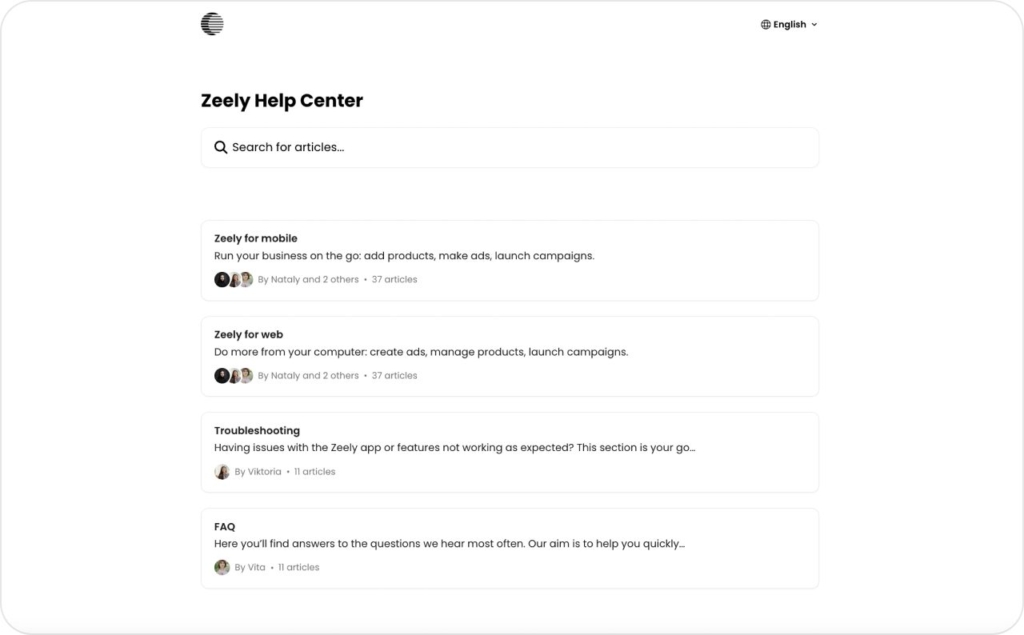
If you get stuck, you do not have to guess. The Zeely Help Center covers setup, billing, integrations, and common troubleshooting. Inside the app, you can reach in-app support and send questions. There is also email support for cases where you want to attach more context or documents.
Which ad platforms does Zeely integrate with?
Zeely integrates directly with Meta ad platforms so you can launch and manage campaigns for Facebook and Instagram from one place. This is where you get full Zeely integrations today: creative generation, campaign setup, and performance tracking inside the app.
You can also use Zeely ad platforms output on TikTok, Google Ads, YouTube, and other social channels by exporting or downloading your creatives and uploading them into those platforms’ ad managers. The Zeely AI app builds video and static assets that match Insta and Fb formats, but the actual campaign launch for those channels still happens in their native tools.
So in simple terms: Zeely Facebook Instagram TikTok usage today means direct launch for Facebook and Instagram, and “export then upload” for TikTok and other channels.
How do I contact Zeely support?
You can reach Zeely support in three main ways: the Zeely Help Center for step-by-step articles, live chat in your Zeely app or web dashboard where available, and email at support@zeely.app
Quick checklist and metrics to watch
Let me finish the way I like to work: clear, actionable, measurable.
Do this now
- Decide where Zeely sits in your stack: e-commerce brand, local service, creator, or agency
- Create your Zeely account
- Add one product or service and generate your first set of AI creatives
- Launch one simple test campaign rather than waiting for the “perfect” plan
Check this
- CTR (click-through rate) per creative. Flag anything below your current account average
- Time spent each week on creative production and campaign setup
Expected result
- Within the first month, you should see more creative tests in market with less manual work
- Your CTR should improve on at least some Zeely-generated creatives as you prune weak versions
- Your CPA should start to move down on winning campaigns as you scale those and cut poor performers
- Your ROAS should trend higher on ads where Zeely’s AI creative and campaign flow has enough volume and time to learn
From here, the next moves are simple: deepen your use of Zeely AI features, refine your offers, and use the dedicated guides on pricing, legitimacy, support, and advanced workflows to run smarter, more profitable campaigns.

Emma blends product marketing and content to turn complex tools into simple, sales-driven playbooks for AI ad creatives and Facebook/Instagram campaigns. You’ll get checklists, bite-size guides, and real results, pulled from thousands of Zeely entrepreneurs, so you can run AI-powered ads confidently, even as a beginner.
Written by: Emma, AI Growth Adviser, Zeely
Reviewed on: January 6, 2026