How to mute Stories on Instagram and hide your Story if needed
Sometimes you just want fewer Stories without unfollowing or creating awkwardness. I put this guide together by turning 2026 Instagram settings and real Zeely user questions into simple, tap by tap steps you can use right away.
To mute Stories, long press someone’s Story in the top bar and tap Mute, or open their profile, tap Following, choose Mute, and turn Stories off. To hide your own Story from someone, go to Settings and privacy, open Story, and add them under Hide story from. Nothing here is permanent. You can undo every change later.
Instagram works until your Story bar feels noisy instead of useful. Muting lets you stay connected while cleaning up what you see. Hiding your Story does the opposite. You control who sees you, without unfollowing or making it a thing.

How to mute stories on Instagram fast in 2026
How to mute stories on Instagram comes down to one thing. You choose the fastest path based on where you already are in the app. Instagram gives you three clean options. The Story bar when their circle is right in front of you, their profile when you want more control, or Settings when you forgot who you muted months ago.
Here are the three fastest paths. Pick the one that fits your moment.
- Story bar. Long press their Story bubble and mute in two taps
- Profile. Open their profile, tap Following, then Mute, and choose Stories
- Settings list. Go to Settings and privacy to manage all muted accounts in one place
All three do the same thing. They remove Stories from your Story bar so you stop seeing someone’s stories on Instagram, without unfollowing or notifying them. This is how most people quietly clean up their feed or hide stories on Instagram without turning it into a social situation.
Mute someone’s Instagram story from the Story bar
This is the quickest option when their Story circle is sitting right at the top of your screen.
Steps, exactly as taps:
- Open Instagram and look at the Story bar
- Long press the person’s Story bubble
- Tap Mute
- Choose Mute stories
That’s it. Their Stories disappear from your Story bar immediately. You still follow them, and they won’t know you did it. This method answers the common “how to mute someone ig story” question in under five seconds and works the same on iPhone and Android.
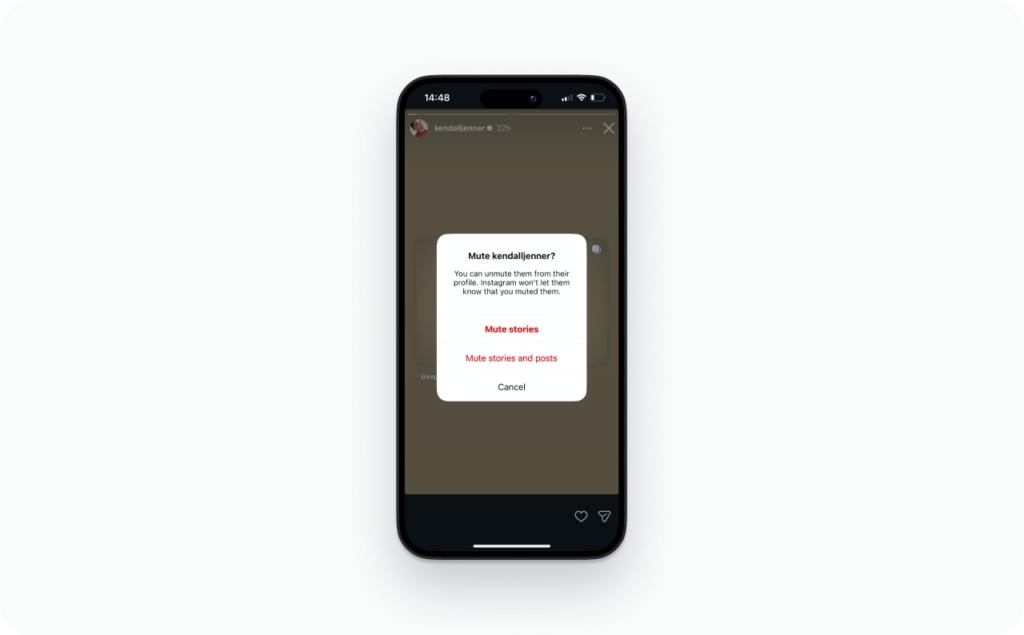
How to mute someone on Instagram from their profile
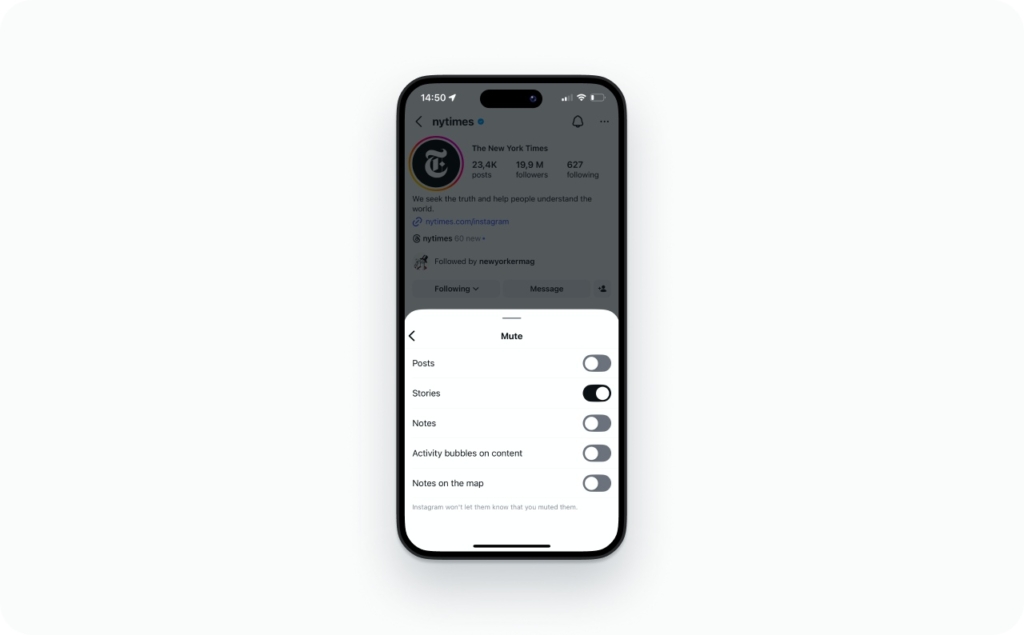
Use this path when you want more control or when their Story is not currently active.
Steps:
- Open the person’s profile
- Tap the Following button
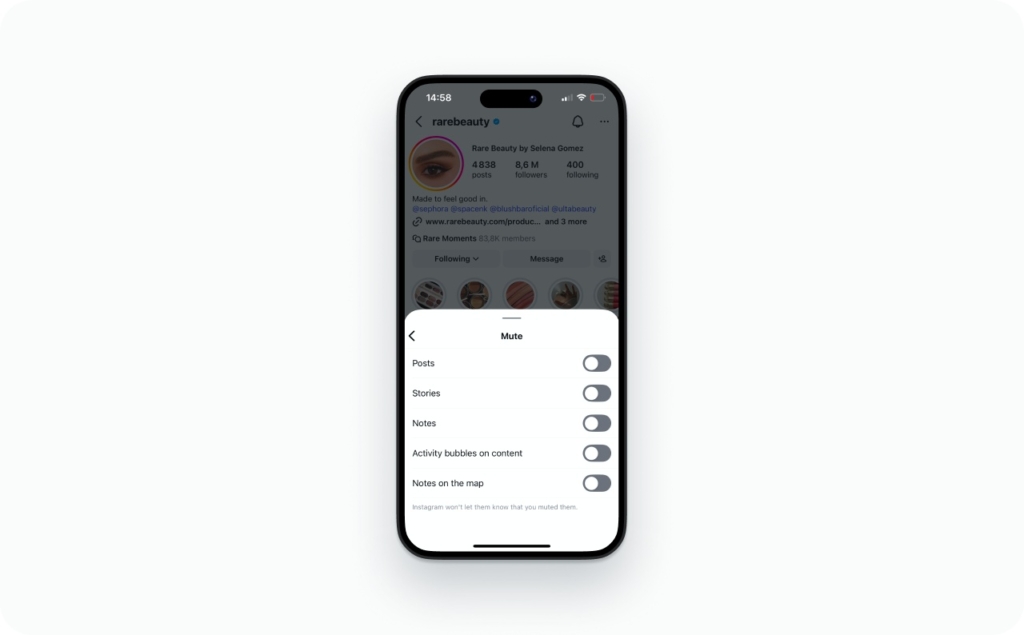
- Tap Mute
- Toggle Stories on
Here’s the important clarifier. You can mute Stories only, or mute Stories plus Posts. If you mute Stories only, their posts still appear in your feed. If you choose Stories and Posts, both disappear from view.
Find your muted Instagram stories in Settings
This is the “I forgot who I muted” path.
Steps:
- Open your profile
- Tap the menu, then Settings and privacy
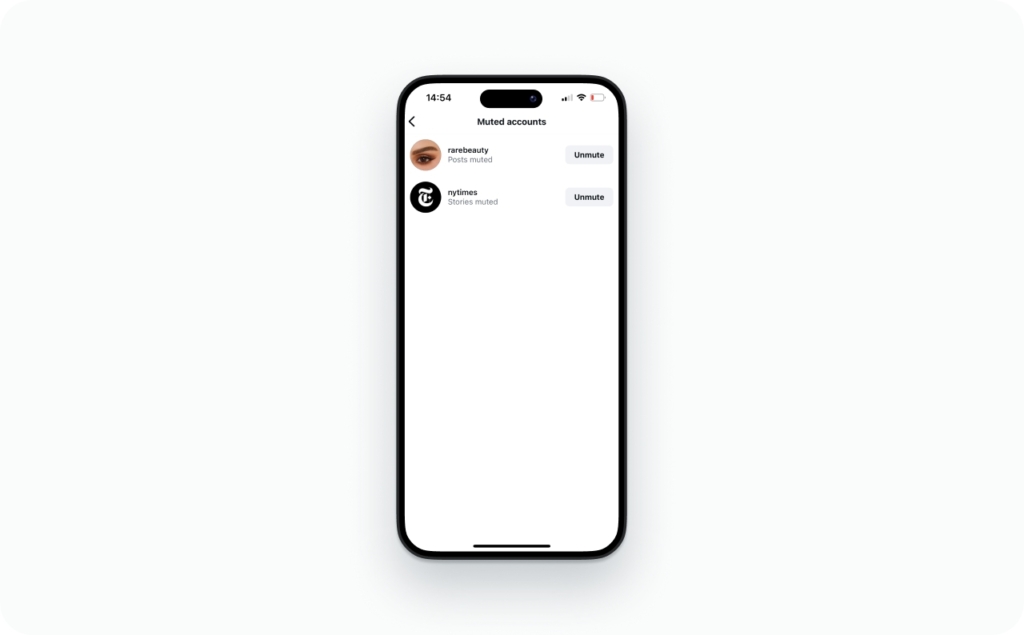
- Tap Muted accounts
You’ll see everyone you’ve muted in one list. This is the mute option that makes it easy to audit your choices. Instagram mute controls live here, and this is also where you unmute later. Mute on Instagram is private, reversible, and built for exactly this kind of quiet cleanup.
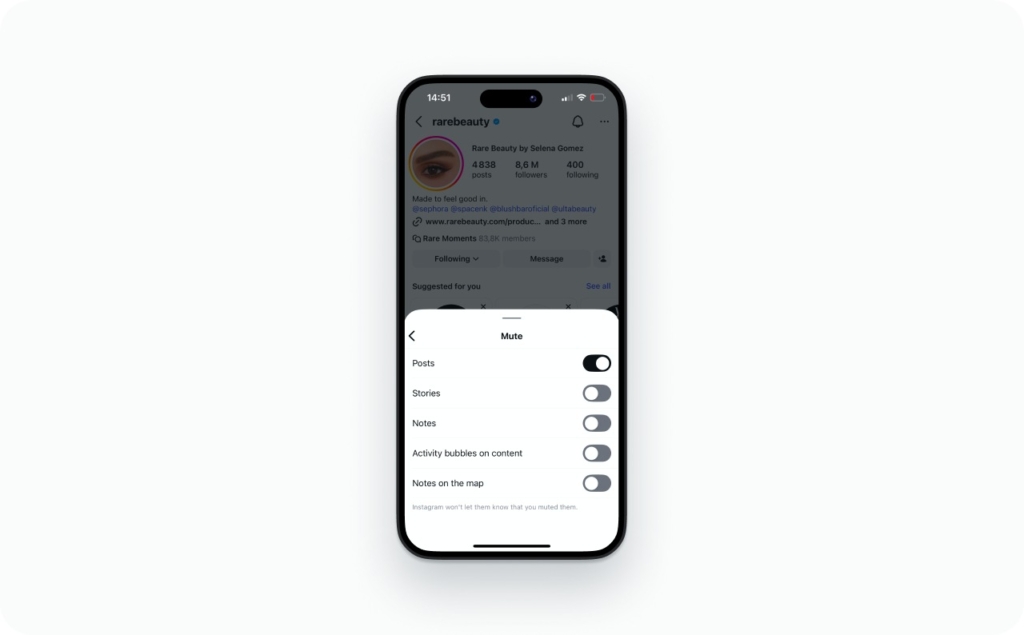
How to mute posts on Instagram from one account
If the issue is your feed, not Stories, you can mute posts from a single account.
- Go to their profile
- Tap Following
- Choose Mute
- Toggle Posts on
Their feed posts will disappear from your home feed. What stays is important. You can still search for their profile and view posts manually anytime.
This matters for expectations. If you’re wondering how to hide Instagram posts from someone, muting is not that. Muting controls what you see, not what they see. This is how to mute post on Instagram and how to mute Instagram posts without blocking or unfollowing.
Mute Reels from an account vs muting Reels audio
Reels come in two flavors.
To stop seeing their Reels, the usual fix is muting Posts from that account. This reduces their Reels in your feed and suggested content.
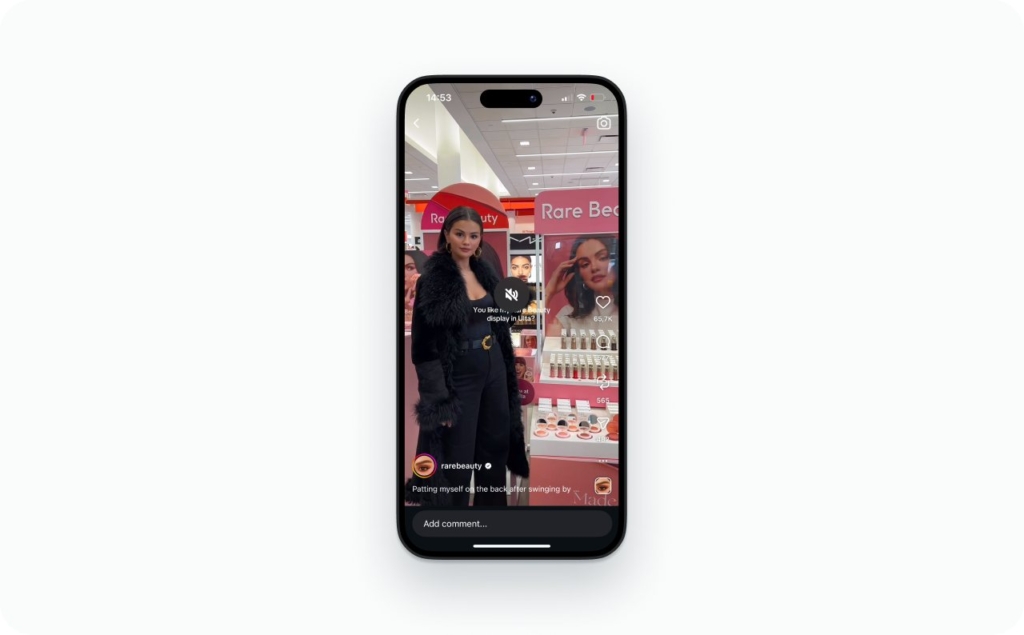
To mute sound only, tap the speaker icon on the Reel or use your volume buttons. This does not affect future Reels. It just quiets the current one. That’s the practical difference when people ask how to mute Instagram Reels.
Hide story on Instagram so specific people can’t watch you
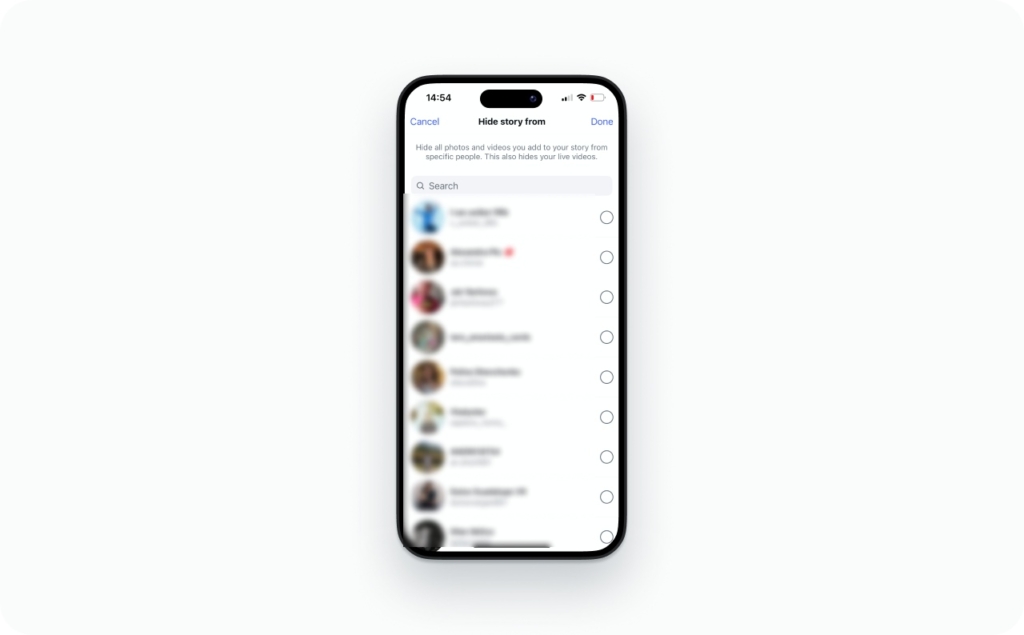
Muting controls what you see. Hiding controls who sees you. If you want to hide a story on Instagram from specific people, this is a different setting and it’s fully in your control.
How to hide your story from someone on Instagram
This path is clean and reversible.
Steps:
- Open Settings and privacy
- Tap Story
- Tap Hide story from
- Add the accounts you want
That’s it. You don’t need to unfollow or block anyone. You can change this list anytime. This is the direct answer to how to hide Instagram story from someone, and it works quietly in the background.
How to block someone from Instagram story visibility
Blocking is broader than hiding Stories.
When you block someone, they lose access to your profile, posts, and Stories. Use block when:
- Someone is harassing you
- Someone is stalking your account
- Someone keeps crossing boundaries after you’ve adjusted settings
This is how to block someone from Instagram story visibility and how to block people from seeing your Instagram story when hiding is not enough.
Close Friends vs hiding your Story from someone
Close Friends flips the logic. Instead of excluding people, you include only the few you trust.
If you want to share freely without managing exclusions, Close Friends is cleaner. You choose a small audience, and Instagram shows the green ring so viewers know it’s private. This is often easier than constantly hiding Instagram stories from individual accounts.
What does it mean to mute someone on Instagram?
Muting someone on Instagram is simpler than it sounds. Muting is a private way to control what shows up in your app, without changing your relationship or alerting the other person. If you’ve ever wondered what does mute do on Instagram, think of it as quieting your feed, not cutting someone off.
Here’s the clean breakdown most people are looking for.
Mute does
- Removes their Stories from your Story bar
- Removes their posts from your feed, if you choose Posts
- Keeps your follow intact
- Works without notifications or alerts
Mute doesn’t
- Unfollow or block them
- Stop DMs, mentions, or tags
- Hide your profile from them
- Change what they can see or post
Muting is about your view, not theirs. That’s why it feels low drama and reversible.
What mute does on Instagram
Mute on Instagram means their content stops appearing in your main surfaces. If you mute Stories, their circle disappears from your Story bar. If you mute Posts, their feed posts no longer show up on your home screen.
That’s all it does. Instagram mute does not affect follows, notifications, or visibility on their side. You still follow them, and they can still interact with you unless you change other settings.
If I mute someone on Instagram, what happens to DMs, tags, and Highlights?
If I mute someone on Instagram, what happens to messaging is simple. DMs still work normally unless you also restrict or block them. You can message each other like before.
Mentions and tags also still work. They can tag or mention you, and you may still receive notifications, even if their posts or Stories are muted in your feed. Highlights live on their profile, so muting a Story does not remove Highlights. You can still view them manually.
Can I still view someone’s Stories after muting them?
Yes. You can still view their Stories by opening their profile and tapping their Story there. Muting just removes automatic exposure. It does not hide content completely, unless you block them or the account is private. This often comes up alongside questions like can you hide your stories from someone on Instagram, which is a separate control.
Mute vs restrict vs block vs unfollow on Instagram
Instagram gives you multiple control tools because feeds are designed to keep attention. Meta reported $59.89B in Q4 revenue in its latest results, which explains why user controls matter when your feed feels noisy.
Here’s the fast way to choose.
Best for
- Mute. Quiet cleanup of what you see
- Restrict. Reducing comment or DM friction
- Block. Hard boundaries and full separation
- Unfollow. Publicly changing your connection
Mute vs unfollow
Unfollow is a visible relationship signal. Mute is private. If your goal is how to stop seeing someone’s stories on Instagram without changing the relationship, muting is the cleaner move.
Mute vs restrict
Restrict is about interaction control. It limits comments and moves DMs quietly. Mute is only about content visibility. If you’re asking should I mute or restrict someone, mute when their content bothers you. Restrict when their behavior does.
Mute vs block
Blocking is the strongest option. It removes access to your profile, posts, and Stories. Use block when you need to fully stop someone from seeing your content, including how to block someone from seeing your story on Instagram. Muting is lighter. Blocking is final.
How to unmute on Instagram and undo mistakes
Unmuting is meant to feel safe. Instagram assumes you’ll change your mind, so nothing here is permanent. Whether you muted someone last week or last year, how to unmute on Instagram is fast, quiet, and fully reversible.
If you’re worried you’ll make it awkward, don’t. Unmuting does not notify anyone. It simply restores content back into your view.
How to unmute someone on Instagram in under 20 seconds
This is the fastest reverse path.
Steps:
- Open the person’s profile
- Tap the Following button
- Tap Mute
- Toggle Stories or Posts back on
That’s it. This answers how do you unmute someone on Instagram without digging through menus. If you muted both Stories and Posts before, you can restore just one or both. This is the cleanest way to undo a tap you no longer want. How to unmute on Instagram really is that simple.
Where to find the full list of muted accounts
This matters when you muted someone months ago and forgot.
Steps:
- Go to your profile
- Open Settings and privacy
- Tap Muted accounts
You’ll see a full list of everyone you’ve muted. This is also the answer to how do I check who I’ve muted on Instagram. Do a quick audit here once in a while and clean up anything that no longer fits how you use the app.
Muted someone but still seeing their Stories, why?
This is where most “mute not working” complaints come from.
Common reasons:
- The app needs an update or restart
- You’re logged into multiple accounts
- You’re seeing Close Friends or suggested content, not regular Stories
- The content is from recommendations, not accounts you follow
If stories won’t mute, double check you muted the correct account and the correct content type.
What else should you know about Instagram stories?
Instagram Stories offer powerful tools to boost engagement, increase visibility, and connect with your audience in real time. Understanding how they work, from visibility rules to scheduling options, can help you use them more strategically. Here are a few essential topics every creator and brand should know:
- Instagram stories ideas & templates. Creative ideas and ready-to-use templates to help you design engaging and professional-looking stories quickly.
- Does Instagram show screenshots of stories? Learn whether users are notified when someone takes a screenshot of their story.
- How long do Instagram stories last? A breakdown of story duration, visibility timeline, and how Highlights extend their lifespan.
- Can you schedule Instagram stories? Discover the available tools and methods for planning and automating your story posts.
- How to see old stories on Instagram? Step-by-step guidance on accessing archived stories and managing past content.
- How to repost a story on Instagram? Learn how to share someone else’s story or repost content you’re tagged in.
Instagram mute FAQ for the questions everyone Googles
Social media use keeps growing year over year. Wix reports continued growth and rapid adoption in its 2026 statistics roundup, which explains why people want better feed control.
Yes. Muting works the same for personal, creator, and business accounts. If you follow them, you can mute their Story from the Story bar or their profile. It only changes what you see, not what they post.
Not exactly. Instagram’s mute works at the account level for Stories. If you only want to skip one update, tap through it or exit Stories. Muting is better when the pattern repeats.
There’s no bulk mute button. The fastest method is long pressing each Story bubble in the top bar and muting them one by one. You can manage all of them later from your muted accounts list.
Instagram does not send alerts for this. Fewer Story views can mean many things, including inactivity or skipping Stories. Treat it as unknowable unless someone tells you directly.
No. Muting only works for accounts. For topics you dislike, use Not interested on suggested content. Over time, Instagram usually shows less of similar posts.
Muting generally removes a person’s Stories from your bar, even Close Friends Stories. Highlights stay on their profile, so you can still view them manually unless you’re blocked or the account is private.
Muting controls what you see. Hiding controls who sees you. Both are reversible, and neither needs to turn into a bigger move than it has to be.

Emma blends product marketing and content to turn complex tools into simple, sales-driven playbooks for AI ad creatives and Facebook/Instagram campaigns. You’ll get checklists, bite-size guides, and real results, pulled from thousands of Zeely entrepreneurs, so you can run AI-powered ads confidently, even as a beginner.
Written by: Emma, AI Growth Adviser, Zeely
Reviewed on: March 4, 2026