HeyGen review 2026: Features, pricing, and real limits
HeyGen is an AI video platform that turns scripts into avatar-led videos, translates existing footage into 175+ languages with lip sync, and generates structured videos from a text prompt. Paid plans start at $29/month with 600 credits. Avatar realism and translation quality are strong. Fast ad iteration and cinematic video generation are not its job. Here is what I found after testing it.
HeyGen is an AI video platform for creating avatar-led videos, translated clips, product explainers, training videos and UGC-style I’m Emma from Zeely. HeyGen is the tool people land on when video production can’t keep up with the marketing calendar. You’ve got an explainer to make, a training clip that’s overdue, or a product walkthrough that somehow needs to exist in six languages by next Friday. Filming isn’t happening. The budget’s tight, the talent’s busy, or you just don’t have three quiet hours.
It can also be the wrong buy. If what you actually need is 20 ad variations or cinematic footage with nobody talking on screen, HeyGen won’t get you there.
I’ve been inside HeyGen testing avatars, Video Agent, translation, and the credit system. Here’s what I ran into: the real credit math, how the avatars actually hold up, and the stuff that doesn’t make it onto their marketing pages.
What is HeyGen?
Think of it as replacing your on-camera presenter with a digital one. Write your script, point HeyGen at an avatar and a voice, and it produces the video for you.
There’s a big library of stock avatars, plus custom ones they brand as Digital Twins. Voice cloning is included, along with a scene editor, templates, and translation into 175+ languages. Day to day, most sessions are just: avatar, script, voice, branding tweaks, export.
You can throw all kinds of content at it. Explainers, onboarding clips, social posts, sales outreach. But I’d say the real sweet spot is narrower: you’ve already figured out the message, you just need somebody on screen saying it, and you don’t want to deal with scheduling a shoot.
How HeyGen works
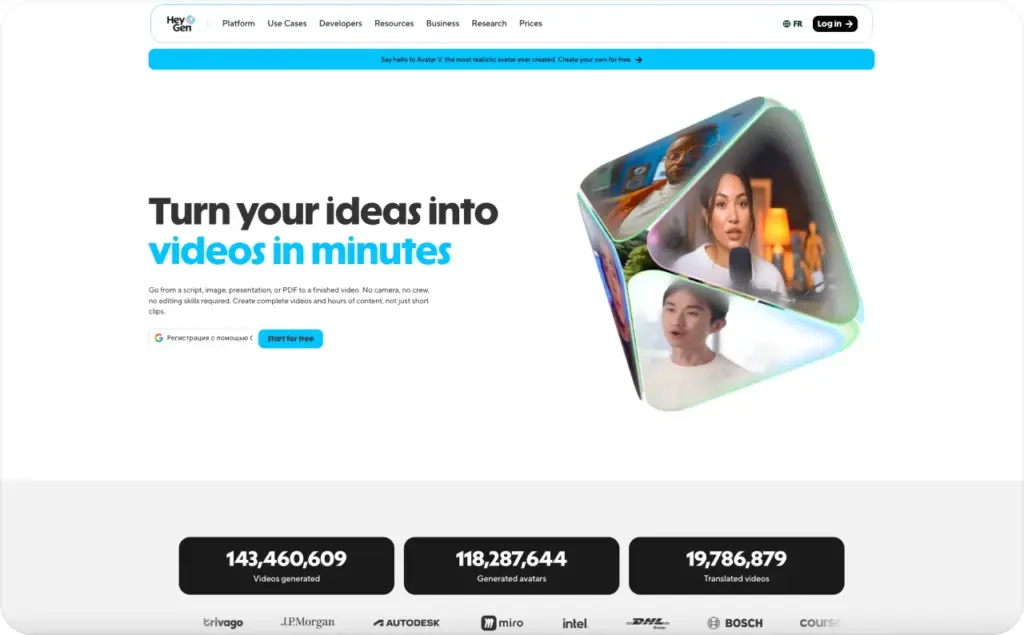
Three ways to get a video out of HeyGen. They range from fully automatic to almost-manual.
- Script to video. The simplest route. You paste the script and pick an avatar, a voice, a language. Hit generate. What comes back is a lip-synced avatar reading your text. Quick, but you don’t get much control over the result
- AI Studio. The scene-by-scene editor. You’re placing avatar clips next to B-roll, stock footage, overlays, music. More hands-on than the one-click method, but nowhere close to a full NLE
- Video Agent. The most ambitious option and the one I used most. You type something like “30-second product demo for LinkedIn, female presenter” and it takes over. Writes the scenes, grabs stock from Pexels or Getty, adds narration and captions, renders it. If something’s off, you open it in AI Studio and fix it there
Good for drafts. Not for finals. Picky about transitions or timing? You’ll land in AI Studio regardless. I’ll dig into avatars, Video Agent, and translation separately below. Here’s what else comes with the platform.
- Voice cloning. You record a sample once and HeyGen clones it. Works across avatar videos in any language after that. Creator plan or above
- AI Studio. The scene editor where you arrange avatar clips with B-roll, overlays, and branding. Also where you polish whatever Video Agent spits out
- Brand Kit. Your logo, colors, and fonts carried across generated videos. Paid plans only
- Integrations. Cursor plugin, Gamma integration for prompt-to-narrated presentations, ChatGPT video creation, and APIs for Video Agent, video generation, translation, and lip sync. There is also a Realtime Avatar API for live-streaming avatar agents, though that is squarely a developer feature
What’s completely absent: anything that happens after the video is done. No campaign launch, no ad-platform connections, no performance tracking. You get an MP4 and that’s it. Distribution is your problem.
HeyGen AI avatars: How realistic are they?
Everyone opens HeyGen and goes straight to the avatars. Makes sense. That’s where the company has clearly poured the most engineering effort.
Avatar V is the newest engine. It learns how you move from a short reference clip, then maps that onto a photo of you. What comes back isn’t just a talking face pasted onto a stiff body. The upper body moves. Hands gesture. The eyes actually track.
Wasn’t expecting this level of quality. Lip sync held across every language I tried. And the avatar has this looseness when it moves that I just haven’t seen in other tools.
Push it harder and the limits show. Where it breaks down is emotion. The avatar tops out at “calm and professional.” Fine for most explainers, fine for training. Not fine when you need someone who sounds genuinely excited or sympathetic. I also caught soft backgrounds, some eye jitter, and a digital sheen that shows up when you compress for social.
Avatar IV hasn’t gone anywhere, and it’s actually the better pick for virtual or non-human characters. V was made for real human Digital Twins.
Photo avatars are a thing too. Upload a still image, get a talking version. But the quality gap compared to video-based avatars is obvious. OK for a quick proof of concept. Wouldn’t send it to a client.
Free plan gives you 500+ stock photo avatars and one custom Digital Twin. Paid plans unlock 700+ stock video avatars, unlimited photo avatars, more Twin slots. Want five Digital Twins? That’s the Business plan. $149/month. For a small team running one brand, that’s a steep jump just for a few extra faces.
Video Agent and AI video generation
Video Agent is the prompt-to-video feature, and honestly it’s probably the thing that’ll decide whether you stick with HeyGen or not.
You type a prompt: a product walkthrough, a social ad, a training module. Video Agent then creates a complete creative blueprint before rendering anything. What’s smart: you see the whole plan first. Avatar, visuals, scene layout. Tweak whatever feels off before spending a credit. Hit confirm and it pulls stock media, generates narration, styles the captions to your Brand Kit, and renders.
After rendering, the whole thing sits in AI Studio. Swap a graphic, move an overlay, change the layout. It’s a draft you can work with, not a locked export.
My best results came from structured formats. Walkthroughs, training modules, that kind of thing. Took minutes. The preview step saved me real money because I caught bad directions before any credits were spent.
But expect editorial work after generation. Just don’t expect polish. Pacing and scene choices are rough. If you care about transitions or visual tone, budget time in AI Studio afterward.
One thing I didn’t expect: HeyGen can render continuous videos up to 30 minutes long. That’s rare in this category, and it matters if you’re making training or course content.
And I’ll say this plainly: HeyGen isn’t Runway. It isn’t Kling or Veo. Those generate cinematic footage. HeyGen generates presenter videos. Yes, Seedance 2.0 adds some cinematic B-roll inside Video Agent, but the talking presenter is still the backbone. No human on screen? Wrong tool.
Voice, language, and translation
Translation is what sold me. More than avatars, more than Video Agent.
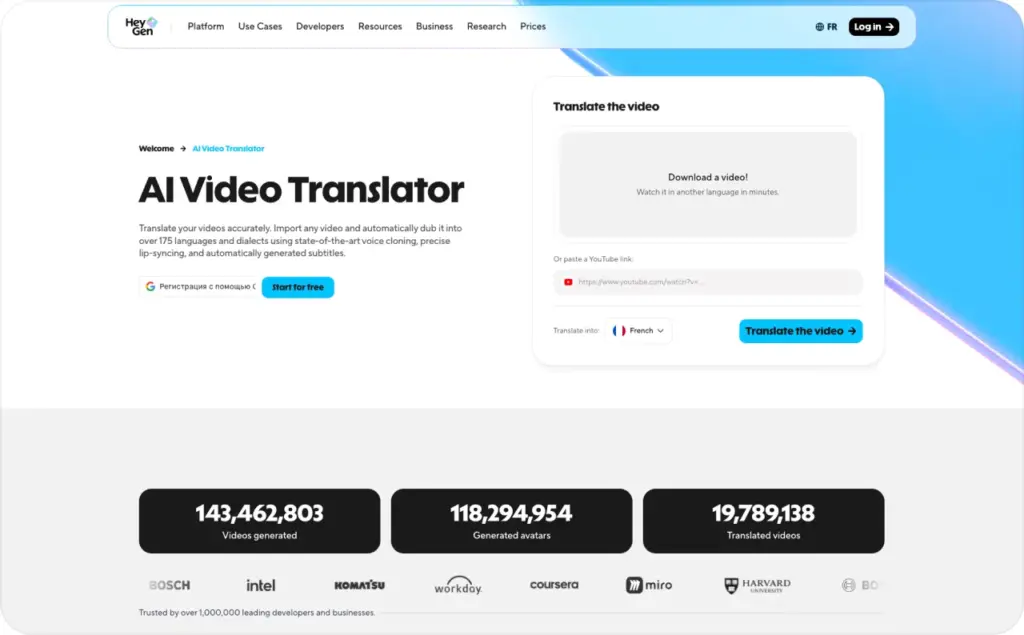
Hand it any video, real footage or AI-generated, and HeyGen produces a lip-synced dub in another language. The voice clone keeps the original speaker’s tone. Over 175 dialects on the list.
Some languages are better than others. English, Spanish, French, German, Portuguese, Japanese, Korean, Mandarin: those sync well. Most European pairs are solid too. Where I caught drift: Thai, Vietnamese, Arabic. Especially during faster speech, the sync loosens up.
Lip-synced translation runs 5 credits per minute. Audio-only dubs, no lip sync, cost 2. The cheaper option makes sense for internal training or any clip where the speaker’s off camera for chunks of it.
If you’re on Creator or above, voice cloning works across 175+ languages. Clone your CEO once and she sounds like herself everywhere. Portuguese, English, doesn’t matter.
Workflow’s dead simple. Upload, pick the language, choose lip sync or audio only, generate. Got multiple speakers? HeyGen detects them automatically. No manual segmenting.
Getting three or four videos dubbed the traditional way would already cost more than a month of HeyGen. If you’re selling across languages, this feature alone justifies the trial.
Ease of use
I had a usable video within ten minutes of signing up, and I’m not fast with new tools. The interface doesn’t get in the way. You don’t need editing experience.
Avatar, script, voice, generate. That’s genuinely the whole thing for a basic video. Video Agent cuts it even shorter: just describe what you want and skip the scene-by-scene setup.
AI Studio is where it gets slower. You’re arranging scenes, adding B-roll, messing with transitions and timing. Real editing work. Lighter than Premiere, but not trivial.
But the real usability issue isn’t the interface. It’s the credit system. I break down the math in the pricing section, but the short version: picking the wrong avatar engine can cut your output in half for the same money.
Getting started is minutes. Getting efficient with credits? That takes a while.
HeyGen pricing
I grabbed these off the pricing page in late 2026. HeyGen has changed pricing before, so check the live page before committing.
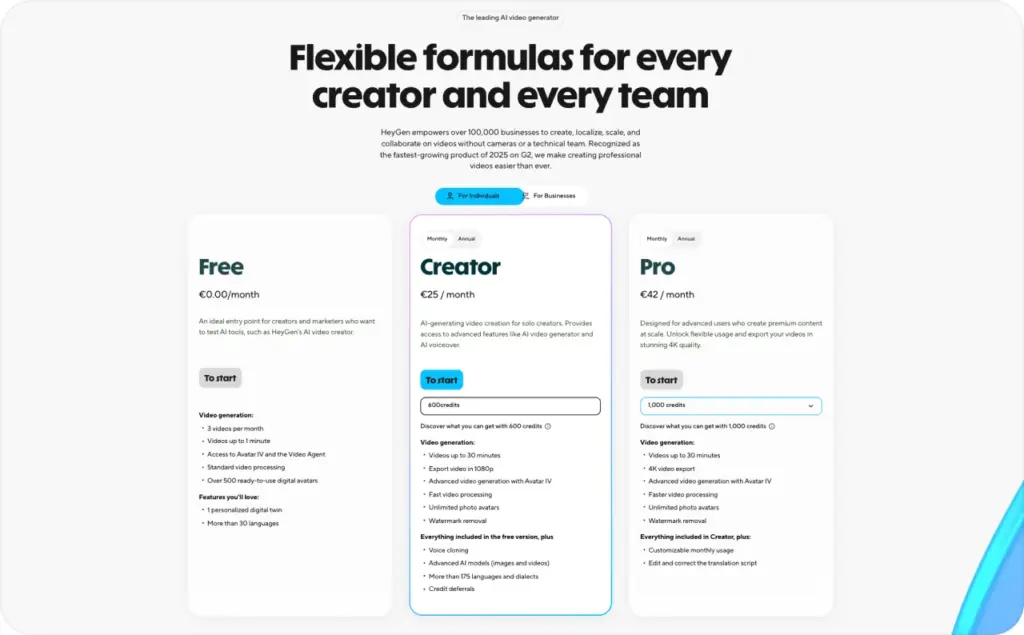
| Plan | Monthly price | Credits or limits | Key inclusions |
| Free | $0 | 3 videos/month, 1 min each | 500+ stock photo avatars, 1 Digital Twin, 720p, watermark, 30+ languages |
| Creator | $29, or $24/mo annual | 600 credits/month | Videos up to 30 min, 700+ stock video avatars, unlimited photo avatars, voice cloning, 175+ languages, 1080p, Brand Kit, no watermark |
| Pro | $49 to $4,300 | 1,000+ credits/month | Everything in Creator, 4K export, higher credit tiers |
| Business | $149 + $20/seat | 1,500 credits/month | 5 Digital Twins, SSO, SCORM, team collaboration |
| Enterprise | Custom | Custom | No duration cap, multi-workspace, dedicated success manager |
Don’t look at the plan price. Look at the credits.
Different features burn credits at different rates, and the gaps are large:
| Feature | Credit cost per minute |
| Avatar III | Unlimited on paid plans |
| Avatar IV video | ~20 credits |
| Avatar V video | ~48 credits |
| Video translation, lip sync | 5 credits |
| Audio dubbing, no lip sync | Unlimited on paid plans |
Avatar III videos and audio dubbing are free on paid plans, so your credits go entirely toward premium features. Those 600 Creator credits could produce about 30 minutes of Avatar IV video, or roughly 12 minutes of Avatar V. Same plan, very different output.
The old Team plan was killed in January 2026 and replaced by Business. If you were already paying for Team and never missed a payment, you keep your legacy rate.
If you’re a developer, there’s an API starting at $5 pay-as-you-go. Lets you test the integration without committing to monthly.
My actual advice: sit down before picking a plan and figure out how many minutes of video you’ll realistically produce each month. Then decide which avatar engine those videos need. Then run the numbers. I have watched people sign up for Creator confident they had plenty of headroom and hit zero credits by week two because they left Avatar V on for every render.
Is HeyGen good for marketing videos?
It can be, yeah. When the content calls for a polished presenter. Not when you need 20 ad variations by Friday.
Explainers, training modules, localized versions of the same message, short sales clips. That’s where it earns its keep. The avatar reads whatever you hand it, and when messaging changes you just re-render. No re-shoot.
LinkedIn and educational content fit well. Short-form is trickier. You can make a polished presenter work on TikTok or Reels, but the editing and pacing have to feel native. Open like a webinar and you’ve lost them.
A trap I keep running into with clients: they treat the avatar like it’s the strategy. It isn’t. A nice-looking digital face can’t rescue a weak hook or a vague CTA. The avatar reads the script. The script still has to be worth reading.
Bottom line: HeyGen fits the kind of marketing where a presenter carries the video. When the job is performance creative tested at speed, a different workflow makes more sense. If that’s the case, Zeely’s AI avatar video generator for ads builds ad-ready avatar videos from a product URL with scripts, captions, music, and platform exports built in. Need help writing the scripts? AI ad script generator can handle that part too.
HeyGen pros and cons
Where HeyGen is strong:
- Avatar V is the best talking-avatar model I’ve used. The body actually moves, the lip sync holds, and the gaze tracks. Everything else I’ve tried looks stiffer by comparison
- Translation with lip sync and voice cloning across 175+ languages. I haven’t found anything else that does this at HeyGen’s price. For businesses selling internationally, this one feature can pay for the whole subscription
- The voice clone actually sounds like the original person in other languages. Not that weird re-recorded feel you get with cheaper dubbing
- Video Agent gets a draft ready in minutes. And because you preview the plan before rendering, you’re not wasting credits on a direction you’d scrap
- Fast renders. Most of my 30-second test videos came back in under five minutes
- You don’t need to know how to edit video. The basic script-to-video path works without any production skills
- Commercial licensing comes with every paid plan. Use the videos in ads, client work, wherever. No extra fees
Where HeyGen falls short:
- The credit system is opaque. Avatar V burns credits roughly 2.5x faster than Avatar IV. Same plan, very different output
- Emotional range is limited. Every avatar sounds calm and measured. Try to get one to sound excited or sympathetic and it just doesn’t land
- Photo avatars look rough next to the video-based ones. Don’t send a photo avatar to a client expecting them to be impressed
- Video Agent gives you a draft, not a final. The scenes it picks, the pacing, the visuals, all of it needs a human pass
- Want more than one Digital Twin? That’s $149/month for the Business plan. Expensive if you’re a small team that just wants a couple of branded faces
- Once the video’s done, you’re on your own. There’s no connection to ad platforms, no campaign tools, no performance data
- I’ve seen complaints on Capterra and Product Hunt about slow processing, random moderation flags, and patchy support. Didn’t run into all of them myself, but it came up enough to note
- People are getting better at clocking AI presenters. Still usable, but don’t try passing one off as a real customer
Who should use HeyGen
HeyGen earns its keep when you need a presenter on screen and your production calendar is already full.
Use HeyGen if you are:
- You’re a marketer making explainers or training content and filming isn’t practical
- You sell in multiple languages and need dubbed versions of the same video
- You’re a solo creator or small team putting out courses, educational content, or LinkedIn video
- Your sales team wants personalized video outreach without recording each one
- An L&D team building repeatable onboarding and training modules
- An agency producing client-facing presenter content that needs consistent quality
Look elsewhere if you need:
- Rapid ad variations with hooks, scripts, captions, and exports ready for campaigns. Zeely’s AI video ad creator is built for that job
- Cinematic AI footage without a human presenter. Runway, Kling, or Veo handle that
- Full creative control: custom animation, camera work, detailed scene design
- Direct connection to ad platforms with campaign launch and performance data built in
- Affordable custom avatars. Getting more than one Digital Twin means paying $149/month for Business
HeyGen alternatives worth considering
A few tools overlap with HeyGen, but none of them do exactly the same thing.
- Synthesia is the closest competitor for avatar-led video at scale. Pricing is per-minute instead of credits, so the math is simpler. Enterprise teams doing training and internal comms tend to gravitate toward it. HeyGen tends to edge ahead on avatar realism and video translation quality. Read the full comparison: HeyGen vs Synthesia.
- Zeely solves a different problem. It’s an ad-first platform. You give it a product URL and it builds image and video creatives, launches Meta campaigns, and tracks performance. If your main need is ad creative that actually connects to a campaign, that’s what Zeely was designed for.
- D-ID leans into photo-to-video and conversational AI. Colossyan is more of a workplace learning play. Neither has the same breadth as HeyGen.
- Runway and Veo are cinematic AI video generators. They make footage, not talking-head videos. Different job entirely.
For a full breakdown, see the HeyGen alternatives article.
Should you use HeyGen in 2026?
If you keep needing a face on screen delivering scripts and you’re tired of booking shoots, yeah. HeyGen handles that better than most of what’s out there. And for multilingual teams, translation alone can cover the subscription cost.
The catch is credits. Try the free plan first, figure out which avatar engine your videos actually need, and do the math before upgrading. I’ve seen too many people skip that and run out of credits halfway through the month.
And if what you’re really after is ad creative tied to a campaign, with hooks and variations and performance data, HeyGen wasn’t built for that. Trying to force it won’t close the gap.
FAQ
It’s an AI video tool that makes presenter-led videos with digital avatars, voice cloning, and translation. Most people use it for explainers, demos, training, and multilingual content.
Yeah, there’s a free tier. You get 3 videos a month, one minute max, 720p, watermarked, no credit card needed. Paid plans start at $29/month, or $24 if you go annual.
Digital presenters that speak a script on video. HeyGen offers stock avatars, custom Digital Twins, photo avatars, and three engines, Avatar III, IV, and V, with increasing realism. Avatar V is the most convincing for real human presenters.
Yes. HeyGen offers UGC video tools with diverse avatar looks and voices. The output resembles creator-style content, though viewers are increasingly able to identify AI presenters. For ad-focused UGC workflows with product integration, scripts, and campaign-ready exports, Zeely’s UGC video ad creator is built for that specific job.
It can make avatar-led product videos and UGC-style clips, sure. But if what you’re really trying to do is test product ads fast with hooks, captions, and Meta integration baked in, Zeely was built for that, from product URL all the way to campaign launch.
Totally depends. Avatar IV costs about 20 credits per minute, Avatar V goes up to 48. Lip-synced translation is 5 per minute and audio-only dubbing is 2. Same monthly plan, completely different output depending on what you pick.
Yes. HeyGen lets you create a custom Digital Twin from a short video recording. Avatar V produces the most realistic results. The free plan includes one Digital Twin. The Business plan includes up to five.
The free plan adds a watermark to all videos. Every paid plan from Creator up removes the watermark.
Yes, every paid plan includes commercial licensing. Ads, marketing, training, client projects, whatever. No extra licensing cost.