How long do Instagram Stories last in 2026? Duration, limits, Highlights, and Reels
Instagram Story gone already, or still showing? This guide explains the exact 24-hour timer, the clip limits that cause videos to split, and what actually happens after Stories expire. I reviewed current creator workflows and Meta placement rules so you can post once and know exactly what will happen.
How long do Instagram Stories last? Each Story frame disappears after 24 hours from the time it’s posted.
That sounds simple. The confusion comes from the fact that Instagram has two different “length” rules:
You have the visibility timer, and you have the clip limit. When people say “my Story disappeared early,” it’s often the second rule, not the first.
I’ll walk you through both, then show you how to keep a Story alive longer with Highlights, plus the ad version.
How long do Instagram Stories last?
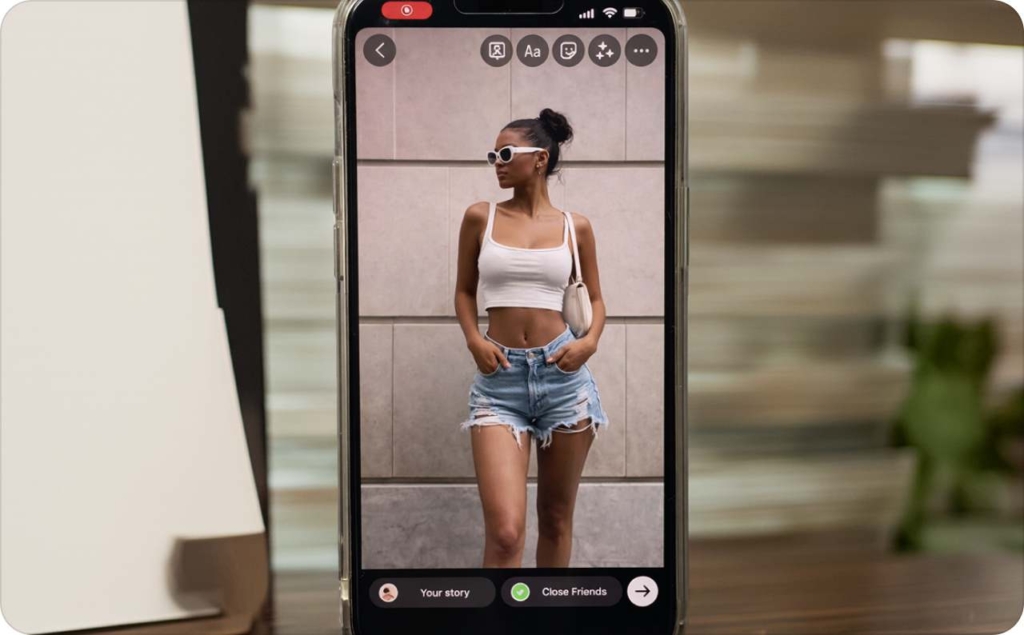
In human language: a Story is the full-screen photo/video you post to the Story tray at the top of Instagram. People tap through frames, reply in DMs, and interact with stickers. Buffer describes Stories as posts that disappear within 24 hours, which matches how the feature behaves for everyday users.
Before we get into examples, one practical spec note for 2026: design Stories for 9:16 vertical and the standard canvas most tools use is 1080 × 1920.
Now the clarification that prevents 90% of confusion:
Visibility vs. clip length
- Visibility: each frame is visible for 24 hours
- Clip length: each video frame has a max length that can force splitting/trimming
- A “Story” can contain many frames, but each frame still expires on its own clock
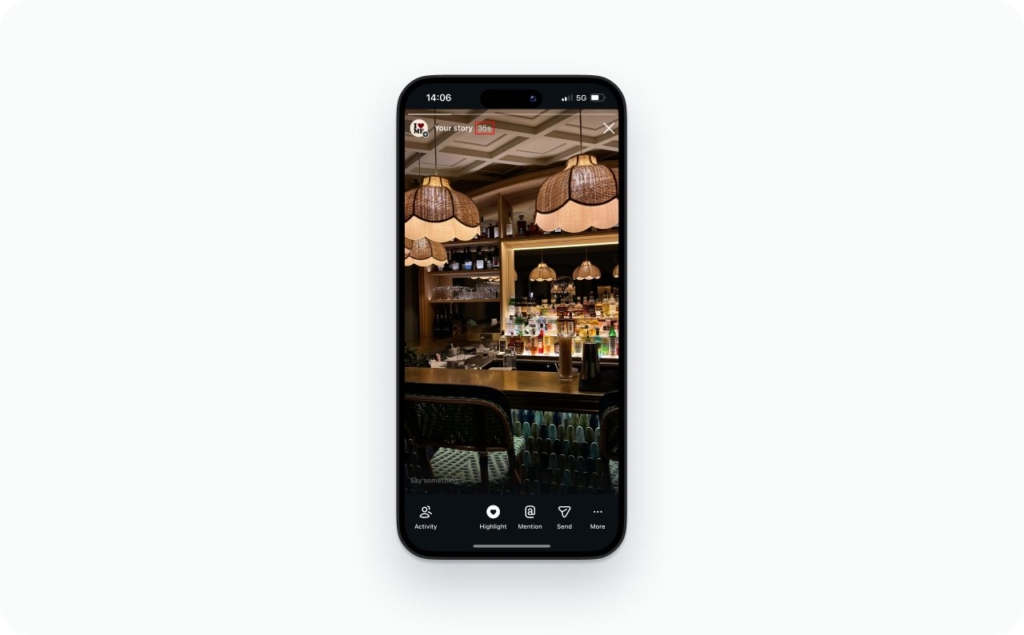
Expiration timing examples
These are the three scenarios I see most:
Example 1: morning post
You post at 8:10 AM. That frame expires at 8:10 AM tomorrow.
Example 2: late-night post
You post at 11:55 PM. That frame expires at 11:55 PM tomorrow
Example 3: time-zone travel
You post at 3:17 PM and then fly. The Story still expires 24 hours after posting. Your phone may display the time differently in the new time zone, but the timer does not stretch.
Can it be less or more than 24 hours?
Yes, but the reasons are usually straightforward:
- You deleted it
- It was removed
- Glitches
If you’re dealing with this today, I added a simple troubleshooting flow near the end.
What happens after a Story expires?
After 24 hours, your Story disappears from the tray for other people. That’s the whole premise of the feature: fast, temporary, low-pressure content.
But “expired” doesn’t mean “wasted.” This is the part most guides skip.
Buffer notes that campaigns involving Instagram Stories see about a 20% increase in reach on average. That’s why I treat Stories like a short window that’s worth planning, not just filling.
Here’s what typically stops vs. what stays:
- New views mostly stop because people can’t open it from the tray anymore
- Replies stay in your DMs because the conversation lives in messages, not inside the Story bubble
- Your best next move is to turn the Story into something permanent, especially if it contains proof, pricing, answers, or a link
How I want you to use this: treat a Story like a 24-hour landing page. Use a hook, add value, provide proof, finish with a CTA and a link.
Does anything remain visible to followers?
Not in your Story tray. If followers can still see it on your profile, it’s almost always because you saved it to Highlights.
You can still view Story performance in your professional tools and dashboards, but those windows and interfaces change. My habit is simple: pull the numbers you care about fast, like reach, taps forward/back, exits, replies, link clicks, while the Story is still fresh.
How to keep an Instagram Story longer than 24 hours
If you want a Story to last longer than a day, you’re looking for Highlights.
Highlights are the circles under your bio that keep selected Stories on your profile. Buffer includes Highlights as the standard way to preserve Stories beyond the 24-hour window.
Do Highlights expire?
Highlights last until you remove them. That’s why Highlights are perfect for evergreen business content: proof, FAQs, pricing ranges, shipping info, booking steps.
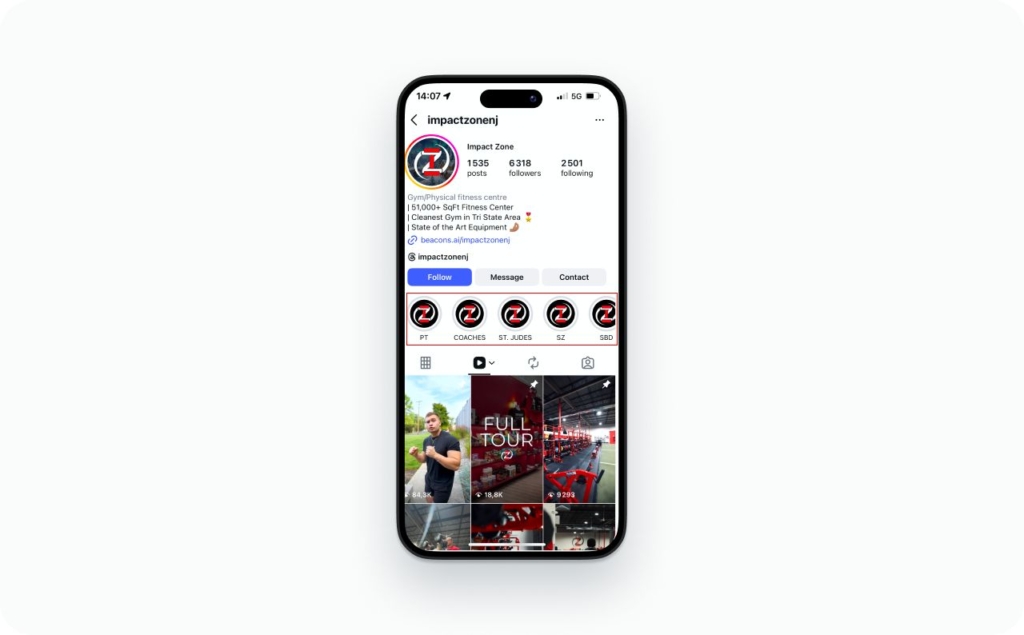
Photo source: @impactzonenj on Instagram
How to add a Story to Highlights
Do this while the Story is live:
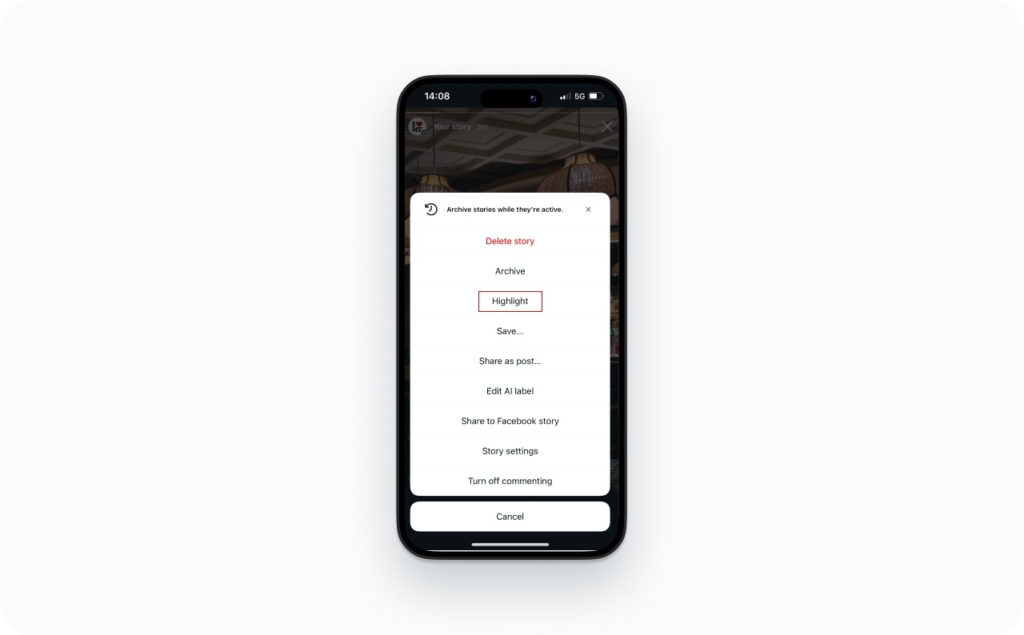
- Post your Story
- Open your Story
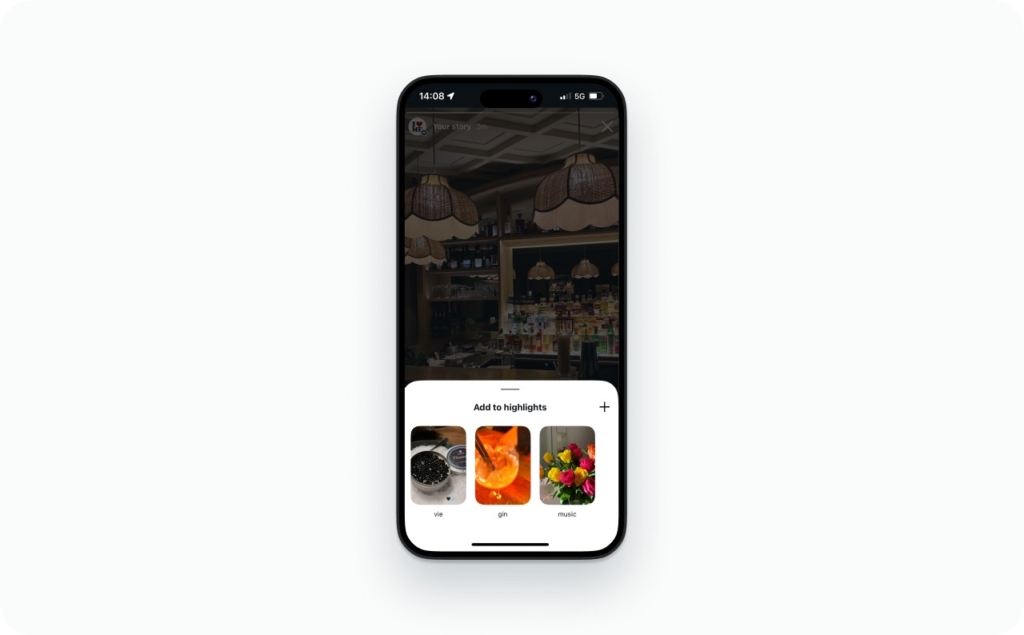
- Tap Highlight
- Choose an existing Highlight or create a new one
- Pick a cover and title
Two pro tips that keep this clean:
- Build Highlights by intent: Start Here, Proof, Pricing, FAQ, Results
- Keep titles short (around 12 characters) so they don’t look cramped
I plan Story sequences so your “best frames” naturally become a Highlight funnel. That’s how you turn one day of attention into a profile that sells all week.
Example: Local bakery taking custom cake orders
Goal: get 5–10 cake inquiries per week without posting “DM me” every day.
Set up a Highlights funnel:
- Start Here
- Menu
- Reviews
- Pricing
- Order
Now the Story sequence I’d post on Monday (6 frames). Each frame becomes a “best frame” candidate for a Highlight later.
Frame 1: Start Here
- Video: quick close-up of a finished cake
- Text: “Custom cakes for birthdays in [your city]. Ready in 48–72 hours”
- Sticker: “Ask a question” → “What date do you need it?”
Frame 2: Menu
- Photo: 3 cake styles on one slide
- Text: “Pick your style: Classic, Floral, Cartoon.”
- Poll: “Which style?” (3 options using poll + follow-up)
Frame 3: Reviews
- Carousel-style video: 2–3 customer photos + one review screenshot
- Text: “Last week’s orders + what customers said.”
Frame 4: Pricing
- Text-only frame (clean background):
- “Most cakes: $65–$120”
- “Add-ons: toppers $10+, delivery $8–$15”
- This frame saves you from repeating pricing in DMs.
Frame 5: Order
- Text: “Order in 3 steps: 1) date 2) servings 3) style”
- Question sticker: “Send: date + servings + theme”
Frame 6: CTA
- Video: you boxing a cake
- Text: “Want yours? Reply ‘CAKE’ and I’ll send 3 quick options.”
- CTA: DM reply (fastest conversion)
What becomes a Highlight funnel
After the Story runs for the day, I don’t save the whole thing. I save the frames that answer the questions a new follower is silently asking.
Frame 1 goes into Start Here because it explains what you sell, where you are, and who it’s for. That’s the “Am I in the right place?” moment.
Frame 2 goes into Menu because people want to choose fast. Flavors, styles, sizes, whatever your bakery offers. This frame turns browsing into a decision.
Frame 3 goes into Reviews (this is what I call “proof” for a bakery). One real cake photo, one real review, one real DM. It tells them, “Yes, this is legit.”
Frame 4 goes into Pricing because price clarity saves you time. Ranges are enough. This frame filters out the “just curious” crowd and keeps the buyers.
Frames 5 and 6 go into Order because friction kills sales. These frames show exactly how to book: what to send, how far ahead, and what happens next. When someone is ready, they shouldn’t have to guess.
Why this sells all week
On Thursday, someone finds your profile from a tagged post. They don’t need to wait for your next Story. They tap Highlights and get: what you do, what it looks like, what it costs, how to order.
No back-and-forth. Fewer “how much?” DMs. More “I want this for Saturday” DMs.
How to keep Stories evergreen without hurting profile aesthetics
Use one consistent system:
- One background color per Highlight category
- One icon per category
- Short titles, same casing
You don’t need designer energy. You need a system your future self can repeat.
Does Story duration change for privacy options, Close Friends, and sharing?
Privacy changes who can see your Story, not how long it lasts.
Sprout Social cites data from its 2024 Social Media Content Strategy Report: 84% of social users have an Instagram profile. That’s why privacy controls matter. Your audience is big, but your Story doesn’t need to be for everyone.
Duration does not change based on:
- public vs private account
- Close Friends vs public Story
- hiding your Story from specific users
Two visibility rules that do matter:
- If someone wasn’t allowed to see it when you posted, they won’t see it later
- If you block someone, they lose access immediately
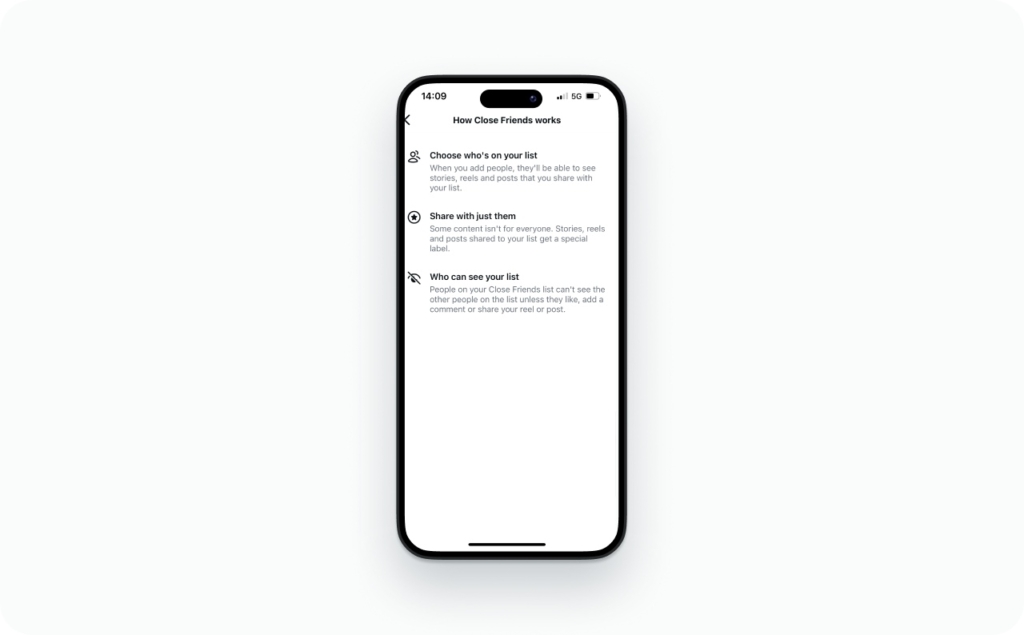
Close Friends vs Public Story
Close Friends Stories still expire on the same 24-hour clock. The difference is only audience. Use Close Friends for VIP offers, client-only updates, and behind-the-scenes content you don’t want reshared.
Story shared to DMs
DMs keep the message thread, but access to the original Story content depends on whether the Story is still live or saved to Highlights. Stories are temporary by design, DMs are not.
How long do Instagram Story ads last?
Organic Stories expire after 24 hours. Story ads do not follow that rule.
Meta’s Business Help Center is clear: Stories ads do not disappear after 24 hours, because they run based on your campaign schedule.
- Regular Story: a 24-hour post in your Story tray
- Promoted Story (ad): runs for the duration you set in Ads Manager
If you’re promoting, keep it simple: one offer, one CTA, and place key text away from the very bottom where interface elements sit.
When your Story disappeared, won’t load, or looks wrong
This is the 60-second decision flow I use.
- Did you delete it?
If yes, it’s gone for everyone immediately. - Did it hit 24 hours?
Check the posting time. That frame expires exactly 24 hours later. - Was it removed?
If you got a notification about rights/policy, that explains an “early” disappearance. - Is it an audience issue?
Private account, Close Friends, Hide Story From, and blocks can make it visible to some people and invisible to others. - Is it a glitch?
Update the app. Restart it. Switch networks. Most “it vanished” issues are temporary loading problems.
Instagram Story tips for 2026: More features to grow your brand
Now that you know how long Instagram Stories last in 2026, you can use Stories more intentionally, whether you’re promoting a product, building trust with your audience, or keeping your personal brand active. Stories are perfect for quick updates, behind-the-scenes content, polls and questions, limited-time offers, and daily engagement that keeps you top of mind without needing a full feed post. When you understand the timing and tools inside Stories, it becomes much easier to plan content, stay consistent, and create posts that look professional, match your style, and drive real actions like replies, link taps, follows, or sales.
1. How to change the background color on an Instagram Story. Quick ways to switch solid colors, gradients, and use the color picker for a clean branded look.
2. Does Instagram show screenshots of Stories? What Instagram does and doesn’t notify you about, plus the few exceptions people confuse with Stories.
3. How to see old Stories on Instagram. Where to find your Story Archive, and how to turn past Stories into Highlights.
4. How to add music to an Instagram Story: music & audio guide. How to use the Music sticker, adjust timing/lyrics, and fix common “music not available” issues.
5. How to repost a Story on Instagram. The simplest ways to reshare when you’re mentioned, plus options when you aren’t tagged.
6. How to make a collage on an Instagram Story. Using Layout and stickers to create multi-photo Stories that look polished and intentional.
FAQs
Yes. Stories disappear within 24 hours, and the timer starts when each frame is posted. If you post at 9:12 PM, that frame expires at 9:12 PM tomorrow.
Yes, but you’re starting over. You get a fresh 24-hour window, but you lose the original view count, replies tied to that frame, and any momentum it already earned.
No. The timer is based on when you posted the frame, not where you are now. Your phone may display the expiry time differently locally, but the frame still expires 24 hours after posting.
No. Each frame has its own timer. Adding a new frame doesn’t extend older frames. The earlier frames still expire 24 hours after they were posted.
Views mainly happen while the Story is live, because that’s when people can open it from the tray. After it expires, new views generally stop unless you repost the content or save it to Highlights.
Yes. Replies are stored in DMs, so the conversation remains even after the Story disappears from the tray.
The DM message thread stays, but access to the original Story content depends on whether the Story is still live or saved to Highlights. Stories are temporary by design.
Link clicks mainly happen while the Story is live because people can open it easily. If you need longer link life, save the Story to Highlights or repost it later as a new frame.
This varies by account type and Instagram’s current analytics behavior. My practical rule is: record the numbers you care about within a few days so you’re not scrambling later.

Emma blends product marketing and content to turn complex tools into simple, sales-driven playbooks for AI ad creatives and Facebook/Instagram campaigns. You’ll get checklists, bite-size guides, and real results, pulled from thousands of Zeely entrepreneurs, so you can run AI-powered ads confidently, even as a beginner.
Written by: Emma, AI Growth Adviser, Zeely
Reviewed on: February 13, 2026