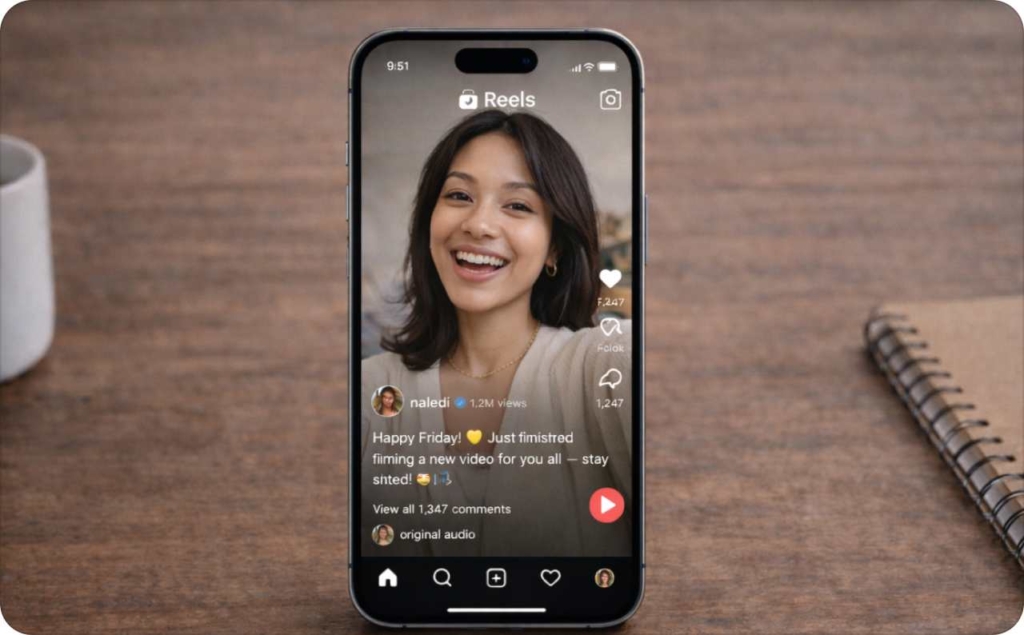
How to mute Stories on Instagram and hide your Story if needed
How do you mute someone's Instagram Story without them finding out? I'll walk you through three ways to mute, how to unmute months later, what actually happens to muted Stories in your tray, and when muting is the right call vs restricting, blocking, or hiding your Story from someone.

I wrote this because the same three questions kept coming up from Zeely users: how do I mute someone’s Story, will they know, and can I undo it? All the steps below are from the 2026 Instagram app.
Key takeaways
- To mute someone’s Story, long-press their Story circle at the top of your feed and tap Mute. You can also do it from their profile: tap Following, then Mute, then toggle Stories on
- Muted Stories get pushed to the end of your tray. The circle turns gray and stops auto-playing. You can still tap it or visit the person’s profile to watch
- Nobody finds out. Instagram sends no notification and provides no “who muted me” list
- You’re still following them. Nothing changes on their end. No unfollow, no block, no signal
- Story mute and post mute are separate. You get three toggles on each account: Stories, Posts, and Notes. They don’t affect each other
- Undo it anytime. Unmute from their profile, from the grayed-out icon in your tray, or from the Muted accounts list in Settings
The quick version: long-press their Story circle at the top of your feed and hit Mute. That’s literally it. You can also do it from their profile if their bubble isn’t showing up right now. Either way, the circle gets shoved to the far end of your Story bar, grays out, stops auto-playing. You can still find it if you scroll over there, it just won’t be front and center anymore. Hiding your own Story from someone is a separate thing entirely, buried under Settings and privacy, then Story, then Hide story from. None of it sticks forever. Reverse any of it whenever.

What does it mean to mute someone on Instagram?
You stay mutual followers, everything looks the same on their end, but their posts, Stories, or Notes quietly stop appearing where you browse. They’ll never see a notification or any sign that you did it.
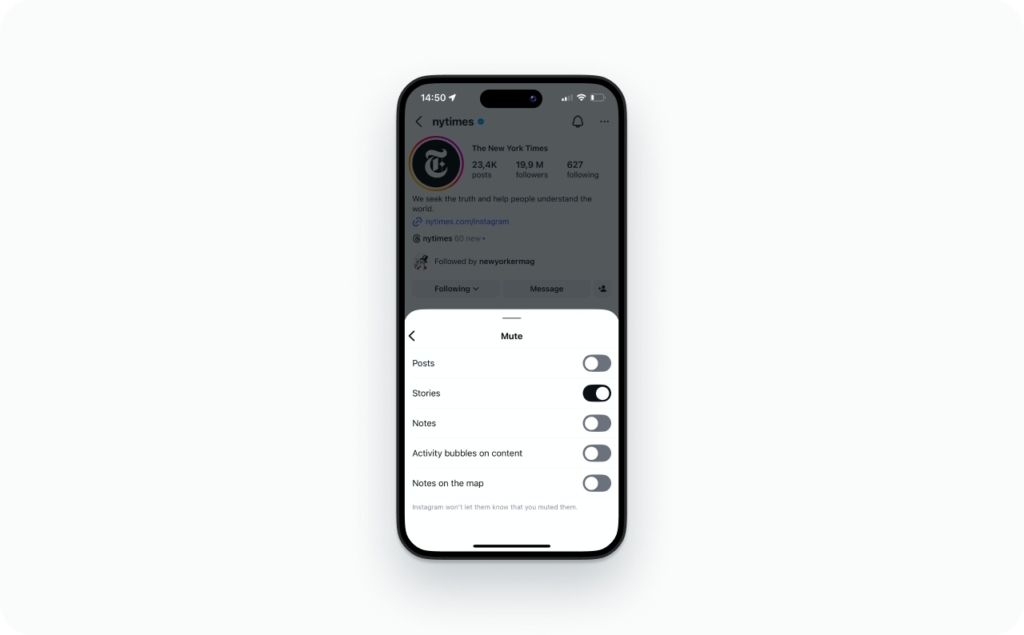
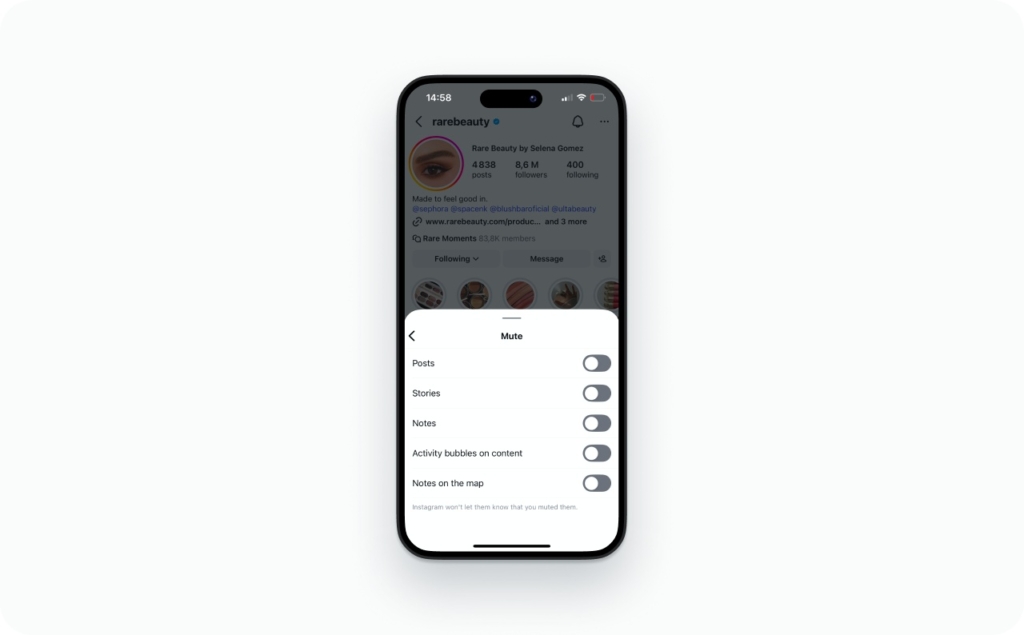
From their profile, tap Following, then Mute. You’ll get three toggles:
- Stories. Their circle moves to the end of your tray and turns gray
- Posts. Their feed posts drop out of your home screen
- Notes. Their Notes stop showing at the top of your DM inbox
Pick any combination. They’re all independent of each other.
On their side, literally nothing changes. They can still message you, tag you, check out your profile, watch your Stories. Instagram simply doesn’t have a feature that reveals muting to the other person. There’s nowhere in the app they could go to check.
Instagram’s own muting documentation states directly: “Instagram won’t let them know you muted them.”
What happens to DMs, tags, and Highlights after muting someone?
Your DMs with that person stay completely normal. If you want to change how messaging works with someone, you’d need to restrict them or block them. Muting has nothing to do with the inbox.
Tags and mentions are unaffected too. They tag you in a photo, you still get the notification. Muting is really just about what scrolls past you in your feed and your Story tray. It doesn’t prevent anyone from interacting with you.
Highlights don’t change either. They’re pinned to the profile, not tied to the Story tray, so muting someone has no effect on them.
How to mute stories on Instagram fast in 2026
You’ve got three ways in, depending on where you already are in the app.
- Story bar. Long-press their bubble and mute in two taps
- Profile. Tap Following, then Mute, then toggle Stories on
- Settings. Go to Settings and privacy, then Muted accounts, to manage everything from one list
Same result each time. That person’s Stories get pushed to the back of your tray and stop showing at the front. They don’t get a notification, and you don’t unfollow them.
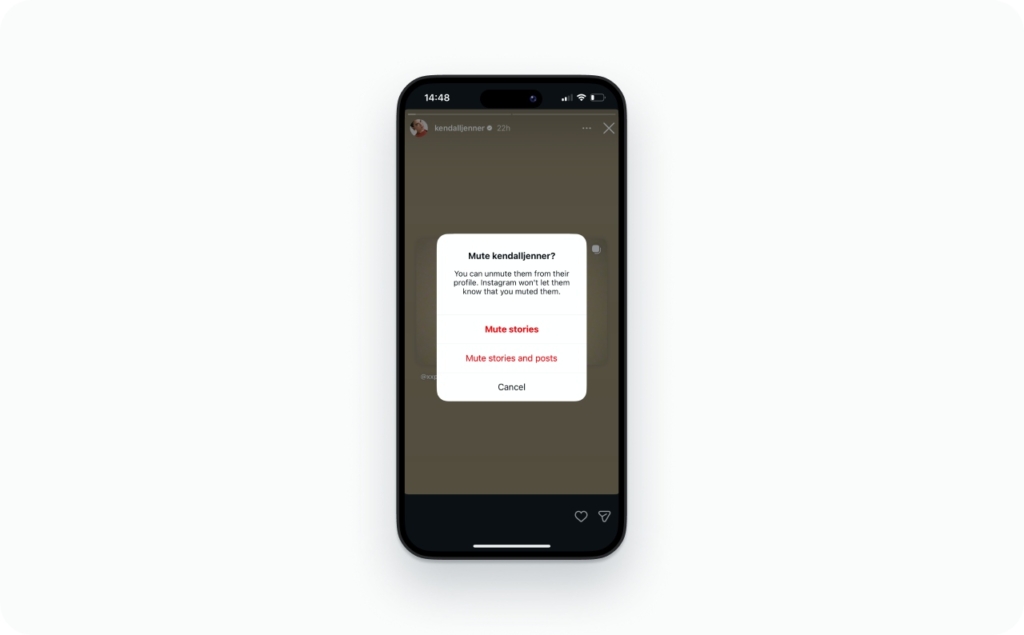
How to mute someone’s Instagram story from the Story bar
Fastest way, honestly. If their circle is right there at the top of your screen, this takes about three seconds.
- Open Instagram and look at the Story bar
- Long-press the person’s Story bubble
- Tap Mute
- Choose Mute story
That’s all. Their circle gets shuffled to the far right side of your tray and grays out. No more auto-playing when you swipe through. They still think you follow them normally because, well, you do. Same steps on iPhone and Android.
According to Instagram’s Help Center, muted stories appear at the end of the bar at the top of Feed without the colorful ring, and they won’t automatically play when you watch stories.
How to mute someone on Instagram from their profile
This one’s better when you want to be more selective, or when the person hasn’t posted a Story in a while so their bubble isn’t sitting in your tray.
- Open the person’s profile
- Tap the Following button
- Tap Mute
- Toggle Stories on
What you’ll notice here is that Instagram actually shows you three toggles: Stories, Posts, and Notes. They’re all independent. So you can mute just their Stories and keep seeing their posts, or go ahead and flip all three if you want the account to basically go silent. Up to you.
Instagram’s muting guide confirms that muting posts and stories does not automatically apply to Notes. Notes muting is a separate action.
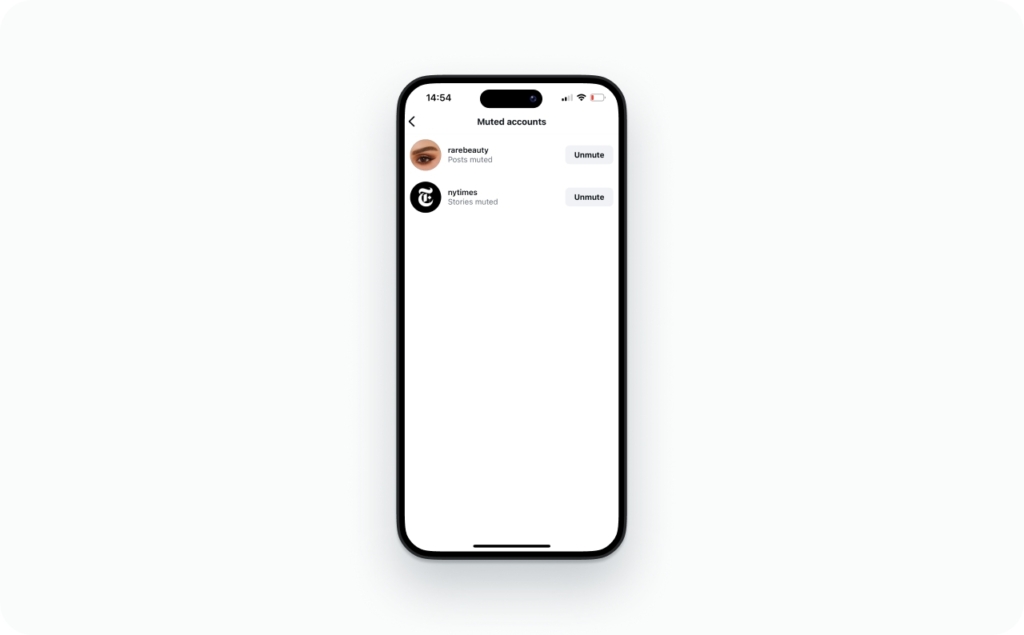
Find your muted Instagram stories in Settings
For when you muted someone back in January and genuinely cannot remember who.
- Open your profile
- Tap the menu, then Settings and privacy
- Tap Muted accounts
Everyone you’ve ever muted shows up in one list. Tap a name to change the toggles or unmute them entirely. If you’re already poking around in here, might be worth also checking your broader Instagram privacy settings.

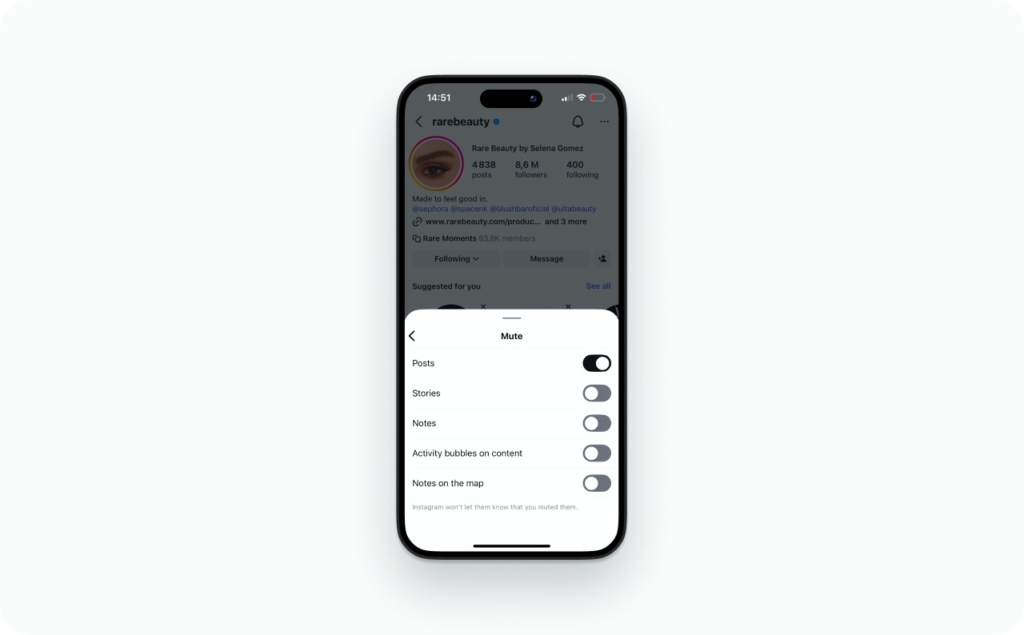
How to mute posts on Instagram from one account
Sometimes the problem isn’t someone’s Stories at all. It’s their feed posts clogging up your home screen.
- Go to their profile
- Tap Following
- Choose Mute
- Toggle Posts on
Their posts won’t show up in your feed anymore. They’re not deleted or anything, you just have to visit the profile manually if you want to see them.
One thing people get confused about: muting changes what you see. It has zero effect on what they see. Your posts and Stories still show up for them like normal. If you want to hide your stuff from them, that’s a whole different menu. Take a look at how Story posting and privacy work together.
Mute Reels from an account vs muting Reels audio
Not the same thing, and people mix these up a lot. If you want to stop seeing someone’s Reels in your feed, mute Posts from their account. Instagram files Reels under that same toggle.
If you’re just trying to shut the sound off on whatever Reel is playing right now, tap the speaker icon or press volume down. That’s a one-time thing. Next Reel plays with sound again like nothing happened.
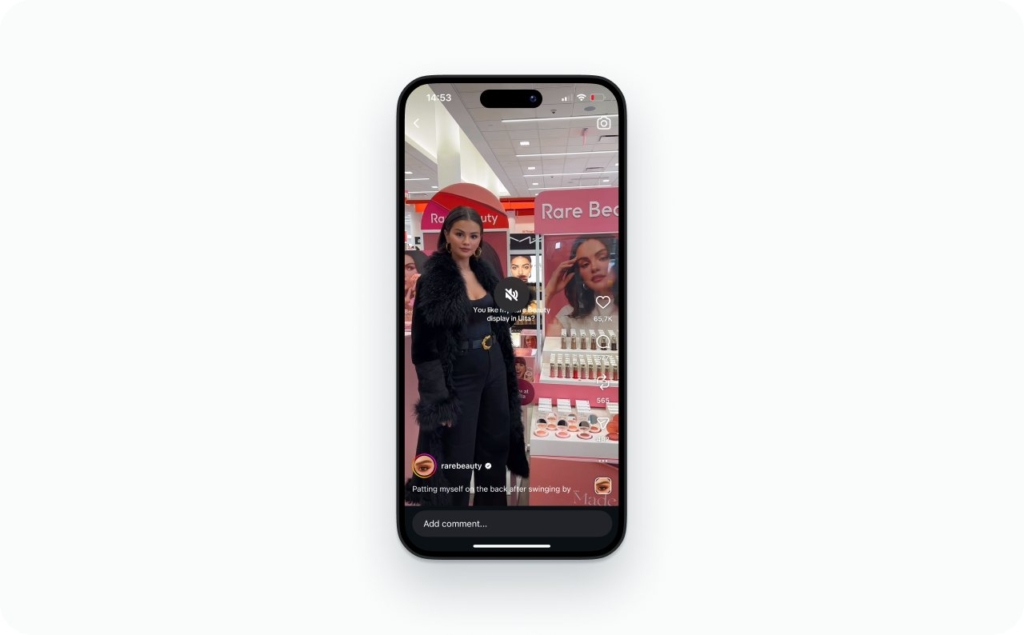
Hide story on Instagram so specific people can’t watch you
Muting is about what you see. Hiding is about who sees you. Completely different controls, completely different menus.
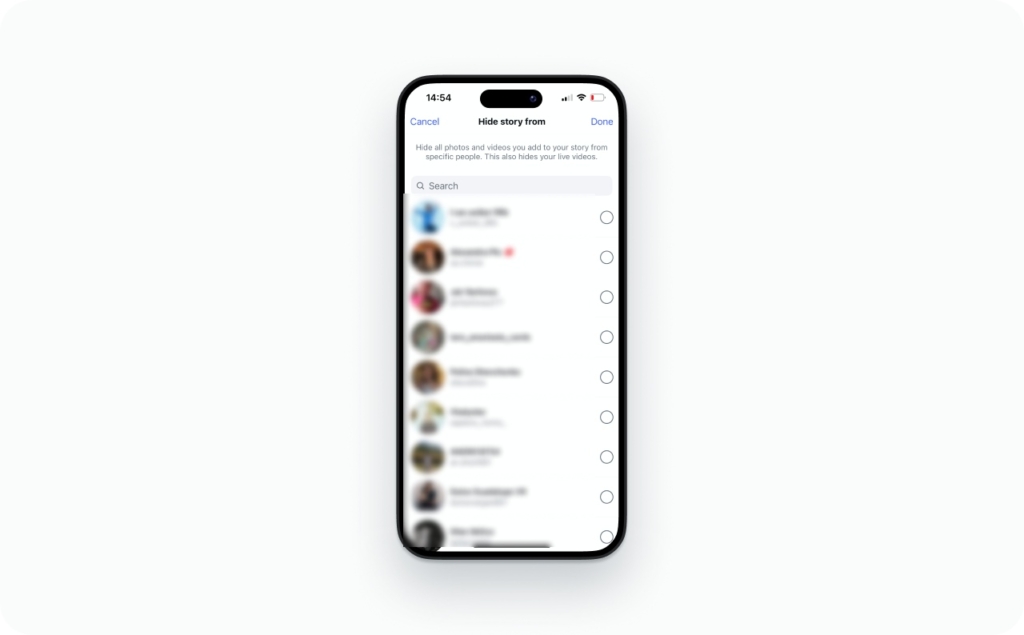
How to hide your story from someone on Instagram
- Open Settings and privacy
- Tap Story
- Tap Hide story from
- Add whoever you want to the list
You don’t have to unfollow or block anyone to do this. It’s just a list, and you can pull people off it whenever you change your mind. Your Live videos get hidden from the same people.
Instagram’s Story privacy settings let you hide your story from specific people, and anyone on that list won’t see anything you post to your story going forward.
How to block someone from Instagram story visibility
Blocking goes way beyond hiding. When you block someone, they lose access to everything: your profile, your posts, your Stories, all of it. They can’t even find you in search. It’s a last resort, but the right one when someone’s behavior has crossed a line that smaller settings can’t fix.
Close Friends vs hiding your Story from someone
Close Friends flips the whole approach. Rather than deciding who shouldn’t see your Stories, you make a short list of people who should.
Way less maintenance, honestly. Add fifteen or twenty people, share whatever you want with that group, and the Story gets a green ring so viewers know it’s selective. Much simpler than managing an exclusion list that keeps getting longer.
Mute vs restrict vs block vs unfollow on Instagram
These five get mixed up all the time, and picking the wrong one either does too much or not enough.
Muting is the tamest option. Their posts and Stories get pulled out of your feed and tray, but you’re still following them and they have no clue. The relationship looks normal from their side. Most people should honestly start here before doing anything more drastic. Instagram’s Help Center confirms that muting is different from unfollowing and that the other person is never notified.
Restricting is what you want when the problem isn’t their content but how they act. Instagram quietly sends their DMs to a separate folder and hides their comments on your posts from everyone except them. They don’t get told. Useful for people who are annoying but not quite block-worthy. Instagram’s restrict guide details exactly what restrict does to comments and messages.
Unfollowing is different because they can actually find out. Check their followers list and you’re gone. So only do this when you’re fine with them knowing. If you’ve ever been on the other end of this, there’s a guide for checking who unfollowed you on Instagram.
Blocking shuts everything down. Profile gone, search gone, DMs gone. Heavy, yes. But if someone’s making you feel unsafe, muting and restricting won’t solve that.
Hiding your Story is narrower. Your posts and profile stay visible to them, but Stories and Lives vanish from their view only. Good for one specific person you’d rather not share everything with.
Quickest way to pick: content problem is a mute, behavior problem is a restrict, privacy problem is a hide, safety problem is a block.
How to unmute someone on Instagram
Unmuting is just as quiet as muting. No notification goes out, and you can do it months later if you want.
Three ways to unmute
You’ve got three ways.
From their profile:
- Open the person’s profile
- Tap Following
- Tap Mute
- Toggle Stories, Posts, or Notes back off
From the Story tray:
- Scroll to the far right of your Story bar
- Find their grayed-out circle
- Long-press it
- Tap Unmute story
That puts their circle back where it was and turns auto-play on again. Instagram’s Help Center confirms you can unmute by repeating the mute steps and selecting Unmute.
From Settings:
Open Settings and privacy from your profile, find Muted accounts, and tap whoever you want to unmute. You don’t have to undo everything at once either. Bring back their Stories but keep their posts muted, or vice versa. The toggles work independently going both ways.
Where to find the full list of muted accounts
- Go to your profile
- Open Settings and privacy
- Tap Muted accounts
That’s the full list. I’d recommend checking it every couple of months. You’ll probably find someone you muted ages ago for a reason you can’t even remember.
Muted someone but still seeing their Stories. Why?
This comes up a lot, and it’s almost always one of four things:
- The app needs an update or a force-close
- You’re logged into a different account than the one you muted them on
- What you’re seeing is a Close Friends Story or a suggested Story, not their regular feed
- Instagram is showing you recommended content from accounts you don’t follow
Check that you muted the right account and the right content type. That fixes it nine times out of ten.
FAQ
Yes. The account type doesn’t change anything about how muting works. Personal, creator, business, all the same process.
Nope. Instagram only lets you mute at the account level. If you just want to skip a single Story, tap through it. The mute toggle is really for the people who post fifteen Stories every single day.
No shortcut for this one. You’ll have to long-press each Story bubble and mute them individually. Once you’ve done that, you can manage the whole list from Settings and privacy, then Muted accounts.
There’s genuinely no way to know. Instagram doesn’t send a notification, and there’s nothing in the app that reveals it. If your Story views dropped, that could be a hundred different things. Don’t read into it.
No, muting only applies to individual accounts. If you keep seeing content about a topic you don’t like, tap Not interested on those posts. The algorithm picks up on it over time.
Close Friends Stories from a muted account still get pushed to the end of your tray along with their regular Stories. Highlights are different though. Those live permanently on their profile page and muting has zero effect on them. You can still view Highlights whenever you want, unless the account blocked you or went private.
No. A lot of people assume it does, but Stories, Posts, and Notes each have their own toggle. Muting their Stories leaves their posts and Notes completely alone. You’d have to go back into their profile, tap Following, tap Mute, and turn off each one separately. Instagram confirms that muting posts or stories does not apply to Notes, which must be muted separately.
Yes. Scroll to the far end of your tray and tap their grayed-out circle, or visit their profile directly. Just know that your view still counts and your name shows up in their viewers list like normal.
Muting and hiding point in opposite directions. If you mute someone, you stop seeing their Stories. If you hide your Story from someone, they stop seeing yours. You mute from their profile or by long-pressing their Story bubble. You hide from your own settings, under Story, then Hide story from. The person on the other end doesn’t get notified in either case.