How to recover Instagram account when you’re locked out
Searching how to recover an Instagram account because you’re locked out and nothing works? I’m Emma from Zeely, and I’ll walk you through the same recovery checks we use when Instagram lockouts pause ads and sales.
First, name the lockout:
- forgot password,
- hacked,
- disabled/suspended,
- no access to email, phone, or 2FA.
Start inside Instagram with Get help logging in, because it’s the fastest path. If you can’t reach your contact info, move to Instagram’s identity checks (video selfie or ID).
If you were hacked, secure your email first, reset your Instagram password, and sign out unknown devices. If you were disabled, submit one appeal, then stop re-submitting. After you’re back in, turn on stronger login protection so this doesn’t repeat.
Most “how to recover an Instagram account” guides work only for easy resets. They fall apart when you’ve lost email access, your phone number changed, or a hacker updated your login details. I wrote this for the real lockouts that pause ads, content, and sales. You’ll get a fast decision path, what proof to gather, and exactly when to escalate to identity verification.
Diagnose your Instagram lockout in 60 seconds
If you’re searching how to recover an Instagram account, don’t start with random fixes. Start by naming the lock type, because Instagram routes recovery by the reason you’re blocked.
Here’s the decision tree I would recommend:
1) Do you see “Account disabled” or “suspended”?
- Yes: Go to Suspended/Disabled. This is the “instagram account suspended how to recover” path
- No: Keep going
2) Do you see “Suspicious Login Attempt,” a login alert you didn’t trigger, or new email/phone you don’t recognize?
- Yes: Go to Hacked
- No: Keep going
3) Can you receive a code to your email or phone right now?
- Yes: Go to Password and use Get help logging in (fastest route)
- No: Keep going
4) Are you blocked because of 2FA you can’t access (lost authenticator, no backup codes)?
- Yes: Go to 2FA and follow Meta Account Recovery identity checks
- No: Keep going
5) Do you have zero access to both email and phone on the account?
- Yes: Go to No access and prepare for video selfie or ID verification
- No: If you still can’t log in, go back to Password and re-run the in-app flow carefully
6) Did you delete the account yourself?
- Yes: Go to Deleted. “How to recover a deleted instagram account” depends on whether it’s still reversible. Fully deleted accounts usually can’t be restored
- No: You’re most likely in Password or Hacked. Start there
Recovery is automated for a reason. Meta says it deals with intentional misuse and other illicit activity, including hacked and fake accounts, and that it won’t catch every incident because of technical limits and the scale of the platform.
At that scale, the fastest option is a standardized in-app flow first, then higher-trust checks like video selfie or ID when the system can’t confirm you. Meta reports Family daily active people averaged 3.58 billion in December 2025, which is the scale behind that automation.
Do not do this
- Don’t pay “unban” or “recovery” services. Many are scams
- Don’t spam appeals or forms. You can slow your case
- Don’t trust random DMs offering “support” or “special access”
| Problem | Best recovery path | What you need | Typical next step |
| Forgot password | In-app login help | Username + access to email/phone | Reset link or code |
| Hacked | Secure email, then IG recovery | Email control + device access | Reset password, log out devices |
| 2FA stuck | Meta Account Recovery | Video selfie or ID | Identity verification |
| No email/phone access | Identity checks | Proof of ownership | Update contact info |
| Suspended/disabled | One appeal | Clear appeal statement + ID (if asked) | Wait for review |
Quick path picker
- Forgot the password and still have your email or phone. Jump to Password
- You got a login alert or “Suspicious Login Attempt.” Jump to Hacked
- You’re locked because codes go to 2FA you can’t reach. Jump to 2FA
- You lost email and phone access, so you can’t receive codes. Jump to No access
- You see disabled or suspended messages and can’t use the account. Jump to Suspended/Disabled
Evidence checklist before you start
Before you tap anything, collect proof. It speeds up how to recover instagram account if hacked cases and reduces back-and-forth.
Take screenshots of:
- The exact error message on the login screen
- Your username profile URL
- Your email inbox search results for “Instagram security”
- The phone number on file, even if you only remember the last 2 digits
- Your device and session list if you can access it in Accounts Center (unknown devices matter)
If you’re dealing with an Instagram account hacked how to recover, set expectations. People ask “how long does Instagram take to recover a hacked account,” and the honest answer is: sometimes minutes, often days, and occasionally longer if identity checks are required. The more evidence you have ready, the fewer retries you’ll need.
This evidence also helps when you’re following how to recover an Instagram account without email or phone, because Instagram has to confirm you’re you before it changes contact details.
Forgot password or got reset-email spam? Recover safely
If you’re asking how can I recover my Instagram account if I forgot my password, I keep it simple: use Instagram’s login link first, then reset my password inside the app. Also, don’t panic if you got a reset email you didn’t request. In early 2026, Instagram said it fixed an issue behind waves of unexpected password reset emails and told people to ignore resets they didn’t ask for.
How to recover with email or phone in under 5 minutes
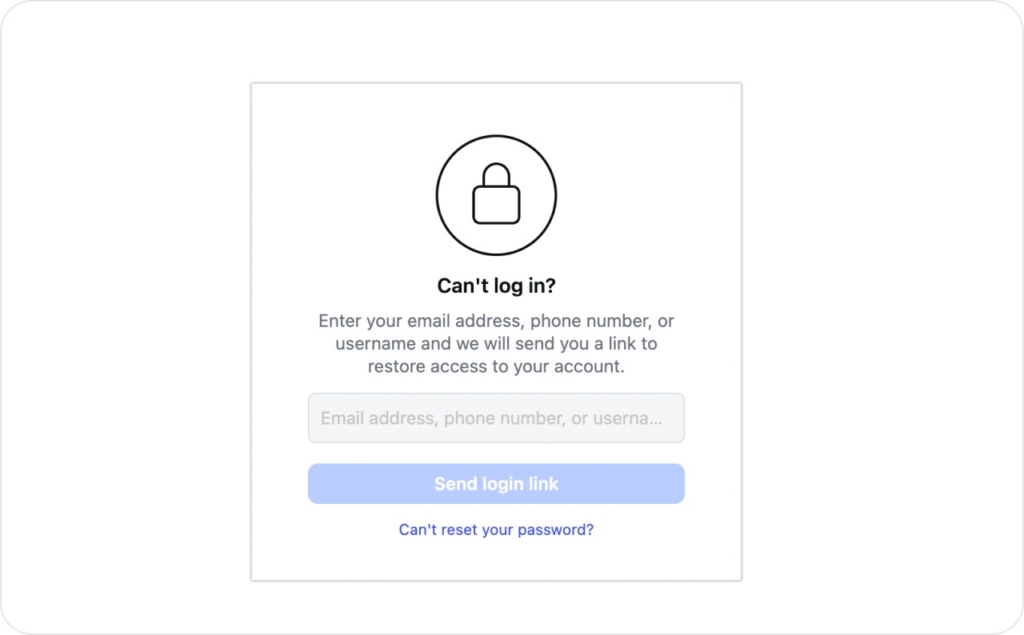
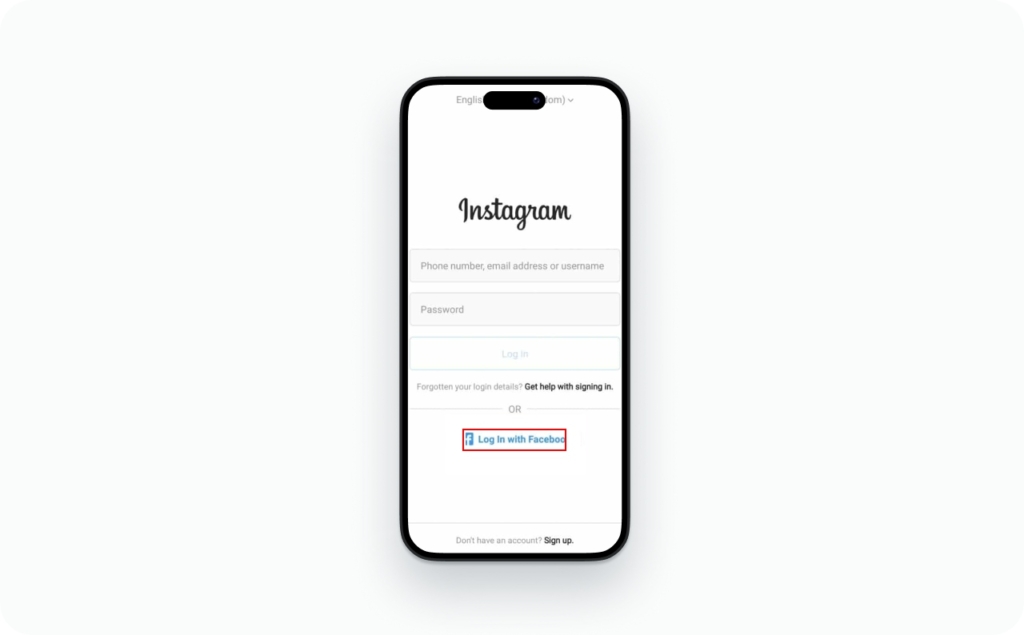
- Open Instagram and tap Forgot password? or Get help logging in
- Choose Email or Phone, then type your email or phone number
- Tap Send login link. This creates a one-time login link
- Open your security email or SMS and tap the login link
- After you’re in, go to Accounts Center, then Password reset, and set a new password
If your Facebook is connected: on the login screen, tap Log in with Facebook, then go to Accounts Center and update your Instagram password.
Expected result: you get a login link, sign in, and change your password in one session.
Fake reset email warning: real Instagram emails can still be used for phishing. If you didn’t request it, don’t click. Open the Instagram app and run Get help logging in instead.
Can you recover using your username when you don’t know the email?
Yes, you can try this when you’re wondering, can I recover my Instagram account using my username. On Get help logging in, enter your username and continue.
This works when your username is correct and your account is still active. It fails most often when a hacker changed your username, or the account is disabled.
If you see No users found, it usually means one of these: the username is misspelled, the account was disabled, or you’re trying the wrong identity. If you need how to recover instagram account without email, use your phone number or Facebook login if you ever connected it. If you have neither, you’re in the how to recover instagram account without email or phone bucket and you’ll need identity checks in the next section.
Why Instagram isn’t sending the recovery code
If you’re stuck thinking why is Instagram not sending the recovery code, it’s usually one of these:
- Carrier delay, wait 10 minutes, then resend once
- SMS short codes blocked, call your carrier and unblock
- Email spam filters, search your inbox for “Instagram security”
- Rate limits, stop retrying for an hour, then try again
- Wrong device or time mismatch, set automatic time and retry
- Old contact info on the account, switch to username or Facebook login
Don’t use brute-force forms. Use the in-app flow, then move to identity verification if you can’t reach any contact method.
Instagram account hacked, how to recover and lock it down
Most takeovers start with phishing and credential theft, usually through fake login pages or “support” links. Microsoft reported Defender blocked 13 million+ malicious emails tied to the Tycoon2FA phishing kit in October 2025, which is a good reminder to distrust surprise login prompts.
Fast recovery flow when the hacker changed your email
First 10 minutes
- Secure your email first. Change your email password and turn on 2FA (use an authenticator app, not SMS if you can). If the hacker owns your inbox, you’ll lose every recovery link
- Search your inbox for Instagram security email subjects like “Your email was changed” or “Your password was changed”
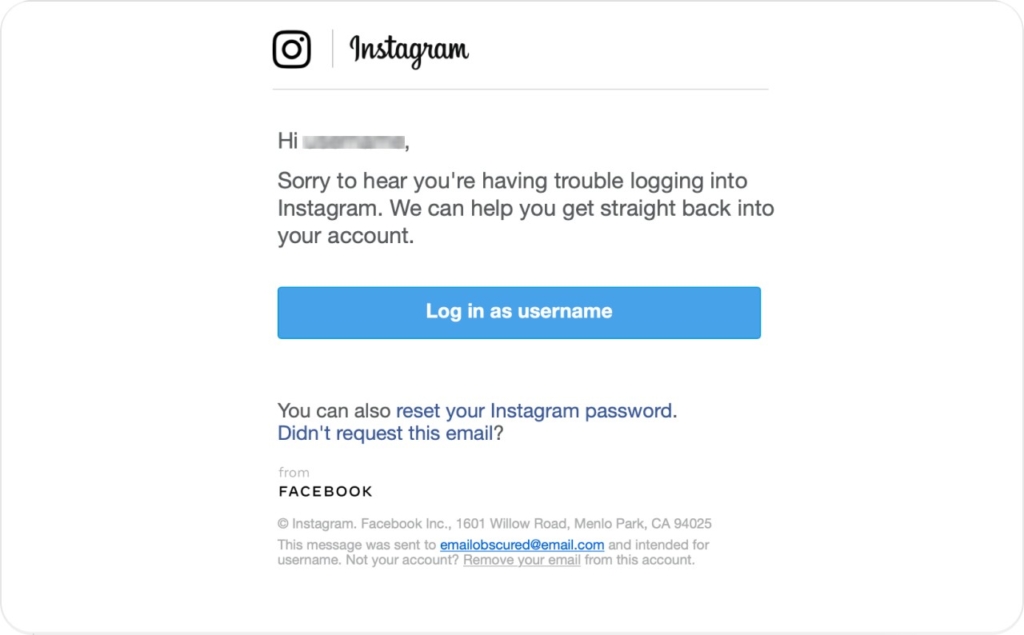
- Open the email and look for the “revert this change” option. Use it immediately if available. This is the fastest way to recover an Instagram account after being hacked and email changed
- If you can’t access the old email, go back to the Instagram login screen and use Get help logging in. Choose the hacked account flow, then follow the prompts for identity checks
What usually goes wrong:
- If the recovery email is missing, it may be filtered. Search spam, promotions, and trash
- If you can’t reverse the email change, the hacker may have rotated contact info quickly. That’s when “how to recover hacked instagram account without email” becomes an identity verification case, not a reset-link case
Kick the hacker out with sessions, devices, and linked apps
First hour
Use this checklist to recover your Instagram account from a hacker and keep them out:
- Reset your Instagram password right after you regain access
- Go to Accounts Center, then Password and security
- Log out of all devices. Then sign back in only on your main phone
- Review active sessions and remove anything you don’t recognize
- Confirm your linked email and phone are yours. Replace anything suspicious
- Turn on 2FA with an authenticator app and save backup codes
- Check connected apps and remove anything you didn’t add. Suspicious tools often keep access even after a password reset
- If DMs were sent, post a Story or a short post warning followers not to click links. Keep it simple: “My account was hacked. Ignore recent DMs”
This is the part people skip, then the account gets stolen again. If you’re searching “how to recover my hacked instagram account,” kicking out sessions is non-negotiable.
If your IG is tied to Facebook, recover one to recover both
Same day
Facebook-connected login can save you, but only if you do it in the right order.
When it helps:
- Your Instagram is still linked to Facebook, and you can log into Facebook safely
- Instagram login links are failing, but Facebook login works
Safe order:
- Secure your email first
- Secure Facebook next (new password, 2FA, log out unknown sessions)
- Then use Log in with Facebook on Instagram
- After you’re in, update Instagram password and confirm contact info in Accounts Center
When it doesn’t help:
- The hacker removed the Facebook link, or your Facebook is also compromised
- The hacker set 2FA on Instagram and you can’t pass the prompt. In that case, you’re back to Meta Account Recovery identity checks
This is the cleanest route for “how to recover stolen instagram account” when both accounts were tied together.
No email, no phone, no 2FA? Use identity verification
What Instagram may ask for:
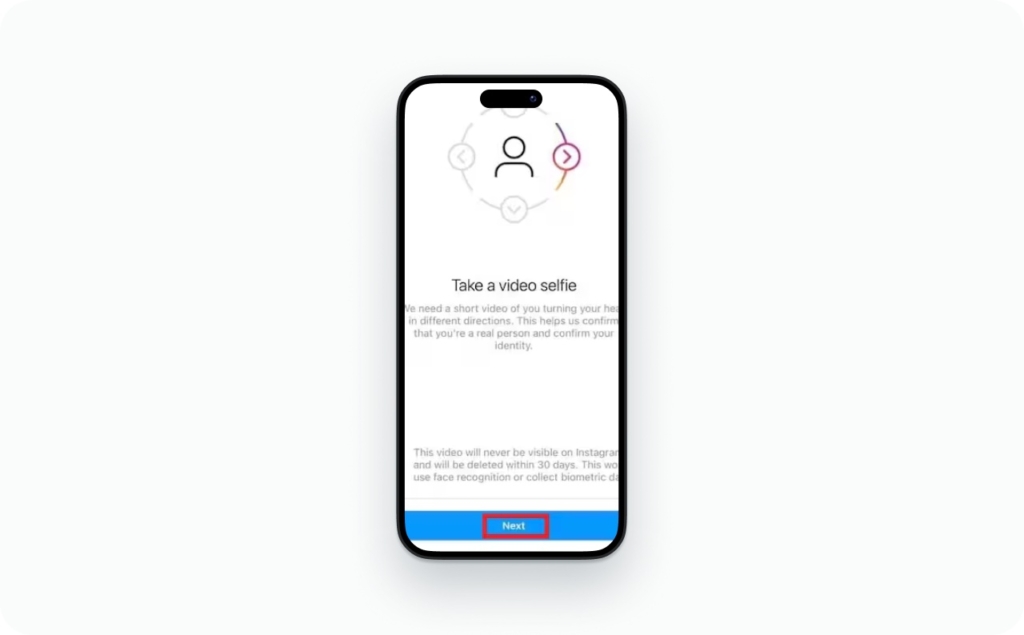
- Video Selfie Verification: you record your face while following prompts
- A government ID in some cases
- Previous passwords you used on the account
- Device and location signals, like a phone you used before or a familiar city
Do this now: submit the best proof you have once, then wait. Re-submitting usually slows things down because it creates duplicate cases and resets review queues.
What to submit
- The clearest video selfie you can record, without filters
- Any prior passwords you remember
- The original email or phone you think was on the account
- A short note that matches the facts: “lost email and phone, cannot access authentication code”
Is it possible to recover an Instagram account without ID?
Sometimes, yes. If Video Selfie Verification passes, you may never need ID. If the system can’t match your face confidently, it may request ID next.
How video selfie verification works and how to pass it
Instagram compares your live video to photos tied to the account. It’s checking liveness and similarity, not how “good” the video looks.
Do this now:
- Record in bright, even lighting. Face the window if needed
- Remove hats, sunglasses, heavy makeup, and any beauty filters
- Hold the phone steady and keep your full face in frame
- Match your usual look from profile photos when possible
- Use the same device you used for Instagram before, if you still have it
Common rejection reasons:
- Low light, blur, shaky framing
- Filters or beauty effects
- Your account has few photos of you, or none at all
- The hacker replaced profile content with someone else
If Instagram rejects your identity verification
If you’re thinking what if Instagram rejects my identity verification, it’s usually one of these five reasons, with a clean fix for each:
- Your video was unclear. Re-record in bright light, steady hands
- Your face doesn’t match account photos. Use older device signals, or prepare ID
- Too many submissions. Stop, wait, and submit once with stronger proof
- Wrong account selected. Double-check username and profile link
- You’re on a new device or location. Try from a familiar phone and network
Evidence to prepare next:
- Screenshot of the error screen
- Profile URL and exact username
- Any old emails showing Instagram notifications
What to do if you can’t access your authentication app
Try this order:
- Check for backup codes you saved when you enabled 2FA
- Sync your phone time to automatic. Time mismatch breaks codes
- If you switched phones, restore the authenticator backup if you have one
- If none of that works, move to Meta Account Recovery and identity verification
Disabled or suspended Instagram account, how to recover
These labels get mixed up, so I’ll make them plain:
- Temporarily locked: usually a security lock after unusual activity
- Restricted: you can log in, but some actions are limited
- Suspended: your account is blocked pending review or rules checks
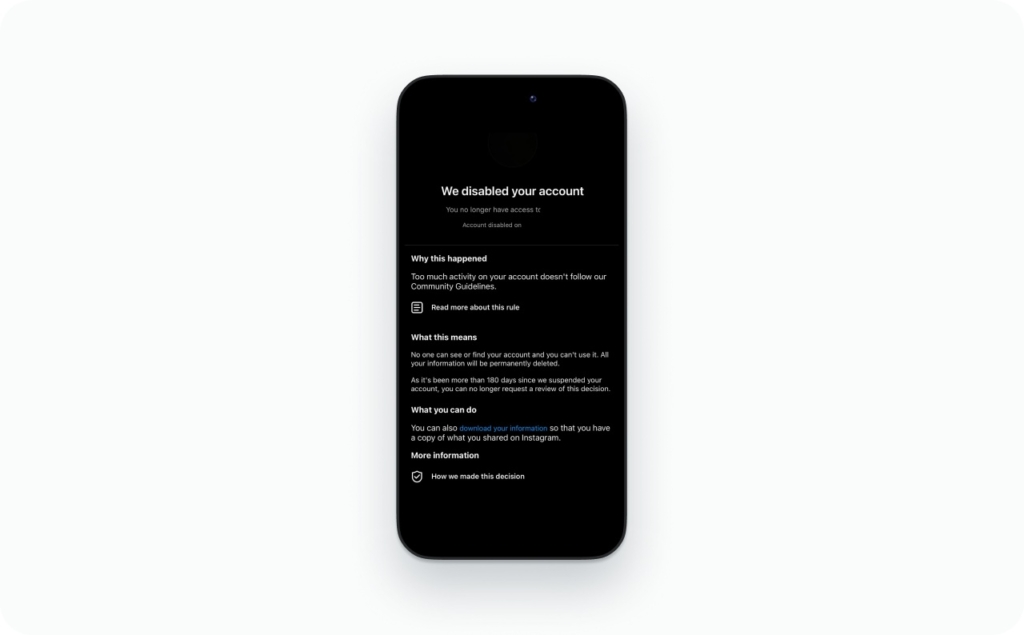
- Disabled: access is removed, often with an appeal option
Meta says enforcement accuracy improved in the US, with about a 50% reduction in enforcement mistakes from Q4 2024 to Q1 2025 while prevalence stayed low in most areas. That’s useful framing for expectations. The system is not perfect, but it does correct errors.
Clean appeal workflow:
- Use the in-app appeal or Instagram Support Form if shown
- Submit once with a short, factual statement
- Complete any identity prompt (selfie or ID) if asked
- Stop risky behavior while you wait: mass follow or unfollow, automation tools, repeated login attempts
Why Instagram disables accounts
These are the top triggers people run into:
- Automation tools that mimic bots
- Impersonation reports or name changes that look suspicious
- Repeated Community Guidelines violations
- Security signals that look like account compromise
In your appeal, mention the human version:
- “I used a third-party tool, removed it, and I’m logging in normally now”
- “I think my account was compromised, I reset my password”
- “I’m the real owner and can verify identity”
What happens after submitting an appeal
If you’re wondering what happens after submitting an Instagram recovery request, expect broad time bands:
- Sometimes hours
- Often a few days
- Sometimes weeks during heavy review periods
“No response” usually means your case is still queued or the system didn’t accept the submission. Repeated submissions rarely help, and can slow you down.
Can a permanently disabled Instagram account be recovered?
If you see “permanently disabled,” set expectations early. Sometimes it can be recovered through appeal, but not always. That’s different from:
- Deactivated: you chose to pause the account
- Deleted: you removed it, and it may be gone for good
“Permanently disabled” is still an enforcement state. “Deleted” is usually final.
Contact Instagram support, avoid scams, and know the timeline
The safest entry points are inside Meta’s systems, not a random person in your DMs.
Legit support paths:
- In-app recovery: Get help logging in and follow prompts
- The Instagram Help Center and official forms when shown in-app
- Meta Verified support, if you already have it and it’s available for your account
Now the scam filter, because lockouts attract scammers fast. Meta says it issued cease and desist letters to former partners offering phony “un-ban” and account restoration services, and it also notes protections that cover 500,000+ celebrities and public figures. The pattern is real, and it targets regular users too.
Scam filter checklist
- Up-front fees for recovery
- WhatsApp or Telegram agents
- Asking for your login code or authentication code
- Asking for your password
- Telling you to buy ads to “unlock” your account
Mini-script to notify followers and customers after recovery:
- “My Instagram was compromised. Ignore recent DMs and links”
- “If you got a payment request from me, it wasn’t me”
- “Account is secure again. New links will be posted here”
Can you talk to a real person at Instagram support?
Sometimes, but it’s not the default for most accounts. If you want the highest odds, act like a case file:
- One clean submission
- Screenshots of errors
- Matching identity details if asked
That’s what helps support triage you faster.
How long recovery takes by scenario
| Scenario | Typical range |
| Password reset | Minutes |
| Hacked account | Hours to days |
| Identity verification | Days |
| Suspended or disabled | Days to weeks |
This is why I keep telling you not to spam forms. It rarely speeds the clock.
Post-recovery security checklist so it doesn’t happen again
- Unique password you don’t reuse
- 2FA with an authenticator app
- Backup codes saved offline
- Trusted email you control
- Remove risky connected apps
- Turn on login alerts
- Update your phone and browser
Enable stronger login protection after you recover
After you regain access, this is where you buy yourself peace. Two-factor authentication means you need a second proof, not just a password.
Use an authenticator app if you can. SMS can work, but it’s easier to intercept than app-based codes.
The broader tech world is moving to “MFA by default.” Microsoft’s guidance for Microsoft Entra shows mandatory MFA enforcement is the direction, with Phase 2 postponements only as an exception until July 1, 2026. Your personal Instagram deserves the same mindset.
Do this now:
- Turn on 2FA with an authenticator app
- Save backup codes somewhere offline
- Confirm your recovery email and phone are current
If you lose your authentication code again
Use this order:
- Backup codes first
- Sync device time to automatic
- Restore authenticator backup if available
- If none work, go back to identity verification
If your Instagram gets hacked again
Same-day response you can repeat:
- Secure email first
- Reset Instagram password
- Log out all devices
- Remove suspicious connected apps
- Turn on 2FA again and save new backup codes
Then change one thing you skipped last time, usually backup codes or connected apps.
What else should you know about Instagram settings
Now that you know how to recover your Instagram account when you’re locked out, it’s worth exploring other settings that can improve your experience and control. From privacy options to account management features, understanding these tools helps you stay secure and get more out of the platform.
- How to create a second Instagram account
Learn how to manage multiple accounts for personal, business, or niche content without logging out. - How to make Instagram private
Control who can see your posts and stories by switching your account to private mode. - Instagram stories are not working
Troubleshoot common issues when stories fail to upload, load, or display correctly. - How to hide followers on Instagram
Explore privacy workarounds to limit visibility of your followers and following lists. - Does Instagram show screenshots of stories?
Understand whether Instagram notifies users when you screenshot their content. - How to see who unfollowed you on Instagram
Discover ways to track follower changes and manage your audience more effectively.

Emma blends product marketing and content to turn complex tools into simple, sales-driven playbooks for AI ad creatives and Facebook/Instagram campaigns. You’ll get checklists, bite-size guides, and real results, pulled from thousands of Zeely entrepreneurs, so you can run AI-powered ads confidently, even as a beginner.
Written by: Emma, AI Growth Adviser, Zeely
Reviewed on: March 31, 2026