Synthesia features for business videos
Synthesia is strong for polished AI avatar videos, training, onboarding, internal communication, and multilingual content. For social ads and UGC-style creative, marketers may need a faster ad-first tool like Zeely AI.
Synthesia is an AI video platform built for teams that need polished presenter videos without filming. Synthesia features are AI avatars, text-to-video creation, voiceovers, translations, brand controls, templates, collaboration, and enterprise security.
What are Synthesia features built to do?
Synthesia features are built around one clear promise: turn written content into a finished presenter-led video without a camera crew.
You write a script, choose an AI avatar, pick a voice, adjust the layout, and publish the video. That makes Synthesia useful when your team needs video, but doesn’t want to record every update from scratch.
I’d think of Synthesia as a business video tool first. It’s not trying to be a scrappy UGC ad maker. It’s closer to a browser-based studio for training videos, onboarding lessons, internal updates, product explainers, and multilingual communication.
That matters for marketers. The tool can help you make polished video assets, but it’s strongest when the message needs structure and clarity. If your creative team needs quick ad variants for Meta, TikTok, or YouTube, you may need a more ad-focused tool like Zeely AI beside it.
The main use cases include:
- Training and onboarding videos
- Product walkthroughs
- Sales enablement clips
- Customer education videos
- Internal communication
- Multilingual explainers
- Event recaps and company updates
- FAQ-style support content
The biggest benefit is repeatability. Once you have a format that works, your team can update scripts, switch languages, and publish new versions without booking a studio.
Check this before you start: decide whether your video needs a presenter, or whether it needs a fast ad hook. That one choice will tell you whether Synthesia is the right fit.

Synthesia AI features for avatars, voices, and text-to-video
The core Synthesia AI features start with text-to-video creation. You paste or write a script, then Synthesia turns that text into a video with an AI presenter and voiceover.
That sounds simple, but it solves a real production problem. Most teams already have content sitting in docs, decks, help articles, sales notes, or blog posts. Synthesia helps turn those materials into videos without asking someone to appear on camera.
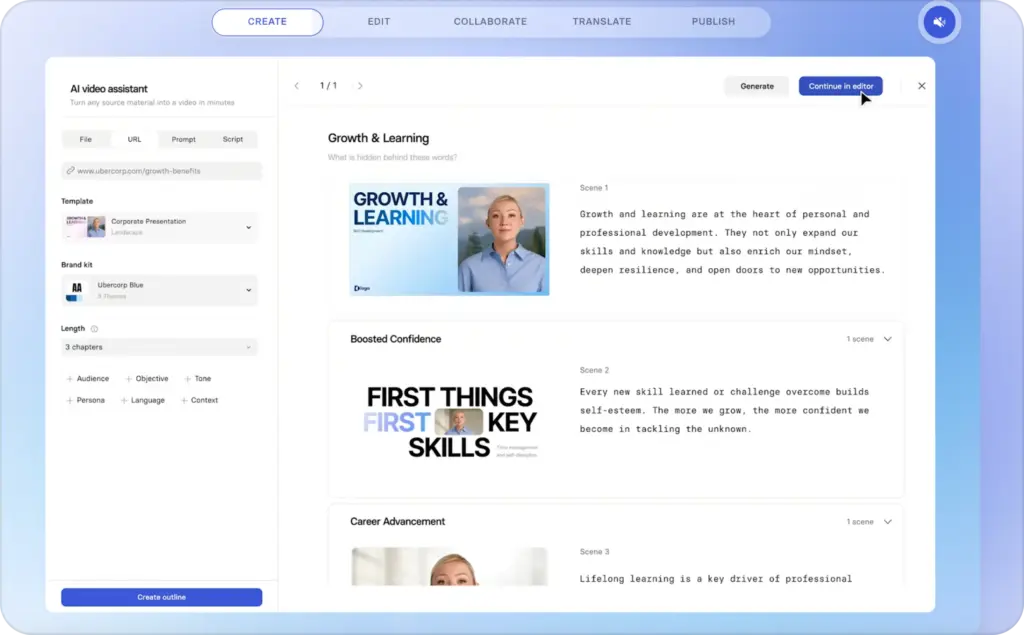
The platform’s AI avatar workflow usually follows this path:
- Choose a template or start from a blank video
- Add your script scene by scene
- Select an AI avatar and voice
- Adjust visuals, text, and brand elements
- Generate and review the video
- Translate, share, or export when ready
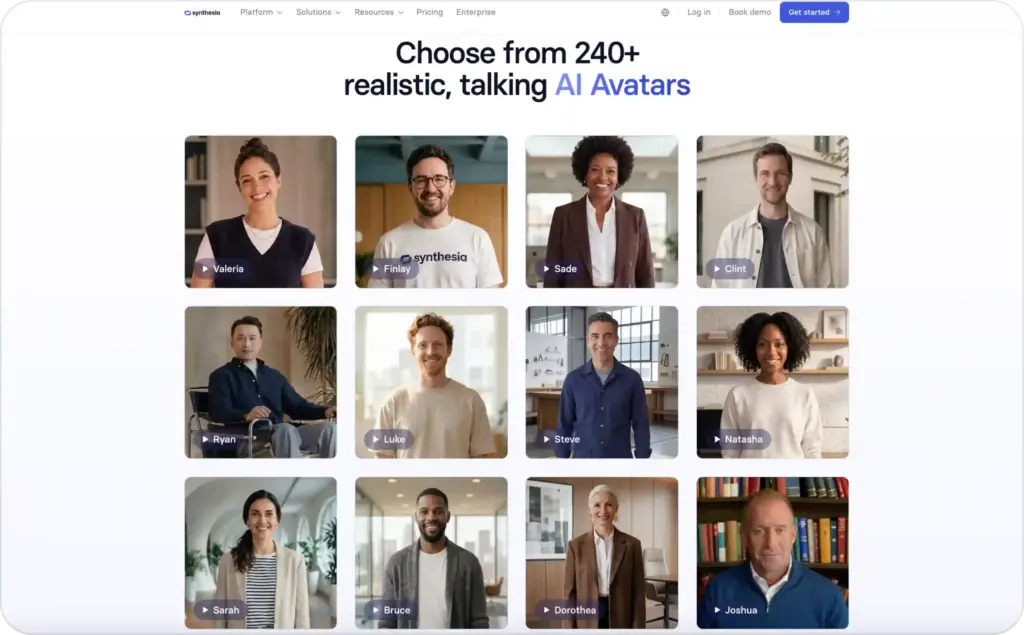
Synthesia’s avatar library is one of its most visible features. You can choose presenter styles for different business contexts, such as professional training, software education, customer support, or formal internal updates.
Its voice options also support multilingual video creation. Synthesia says its platform supports AI voices in 160+ languages, which makes it useful for teams creating content across regions. You can use this for translated product education, global onboarding, or support videos.
For marketers, the avatar feature works best when you need a calm presenter who explains something clearly. Think “how our product works,” not “watch this before the sale ends.”
Do this now: write one 90-second script for a common customer question. If the script feels natural when spoken aloud, it will likely work well as an avatar video.
Synthesia features for templates, branding, and video layouts
Instead of starting with an empty timeline, you can use ready-made designs for training, explainers, onboarding, product updates, and internal announcements. This saves time because the visual flow is already there.
The template workflow is helpful when multiple people create videos for the same brand. A sales manager, content marketer, and customer success lead can all create videos without making them look unrelated.
Brand consistency is the real value here. You can keep colors, fonts, logos, and scene styles closer to your company guidelines. That matters when videos are shared with customers, partners, or employees.
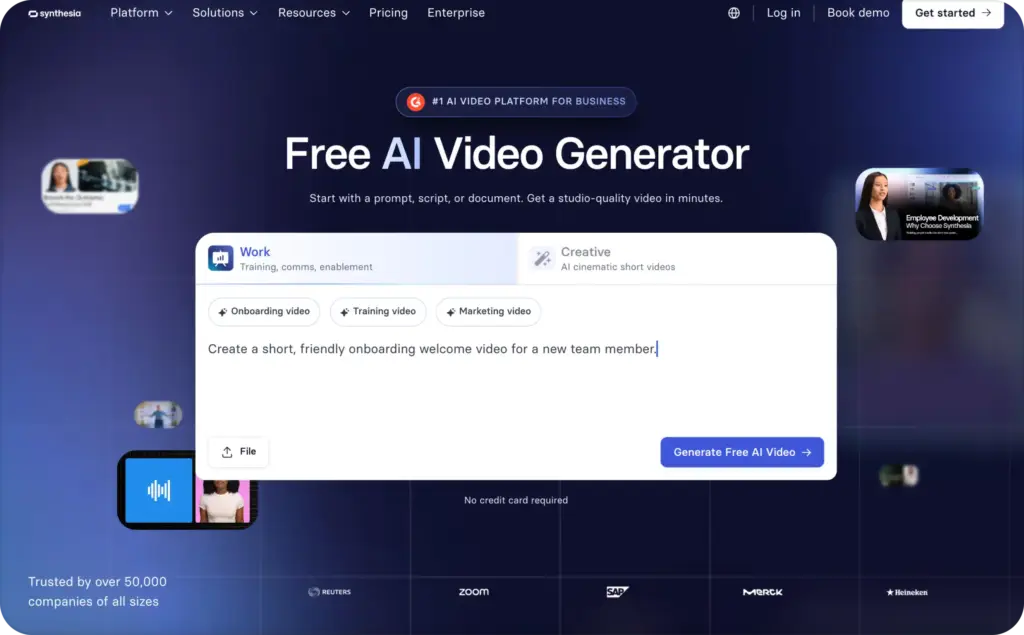
Common layout types include:
- Avatar with headline and supporting text
- Full-screen presenter scenes
- Slide-style educational scenes
- Screen recording or product image scenes
- Split layouts with presenter and visuals
- Call-to-action ending scenes
For a marketer, these layouts are useful for turning written messaging into simple video lessons. You can explain a product feature, show a benefit, then end with a clear next step.
Expected result: the video should feel like a structured business asset, not a random AI clip. If the first scene states the problem clearly, the rest of the video will be easier to follow.
One tip from Emma: don’t add too much text to each scene. The avatar is already speaking, so your on-screen copy should support the message, not repeat every word.
How Synthesia features help teams turn decks and docs into video
One of the most useful Synthesia features is the ability to start from existing materials. Synthesia promotes workflows for turning decks, PDFs, websites, and prompts into videos.
This is useful because most companies already have too much written content. The issue isn’t always creating from zero. It’s turning useful knowledge into a format people will actually watch.
For example, a marketing team might already have:
- Product positioning notes
- Sales decks
- Webinar scripts
- Case study summaries
- Help center articles
- FAQ pages
- Training documents
- Internal launch notes
Synthesia can help convert those into videos with a presenter, voiceover, and organized scenes. That gives the content a second life.
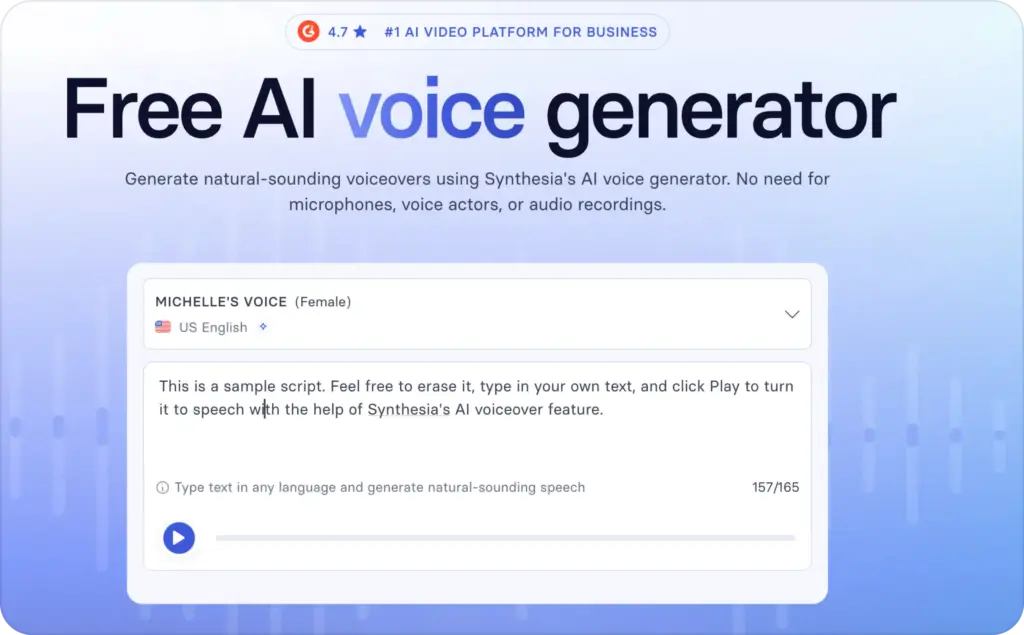
This is especially helpful for sales enablement. A sales deck can become a short training video for new reps. A product update doc can become a quick internal announcement. A help center article can become a customer education clip.
For SEO and content teams, this can also support repurposing. A blog section can become a short explainer video. A comparison page can become a sales enablement asset. A product FAQ can become a support video.
Check this before publishing: your source document may be too dense for video. Cut the script before generating. One video should answer one main question.
Synthesia video generator tools for localization and dubbing
Localization is one of Synthesia’s strongest business use cases. The platform includes translation and dubbing features that help teams create multilingual versions faster.
This matters because most companies don’t want to recreate the same video five times. Recording a presenter in each language can take days or weeks. With Synthesia, you can create one video, then generate localized versions for different markets.
This is where AI presenter tools become more than a production shortcut. They help teams keep messaging consistent across languages.
For example, you can use localization for:
- Product onboarding in multiple regions
- Safety and compliance training
- Sales training for global teams
- Customer education videos
- Partner enablement
- HR updates
- Support content
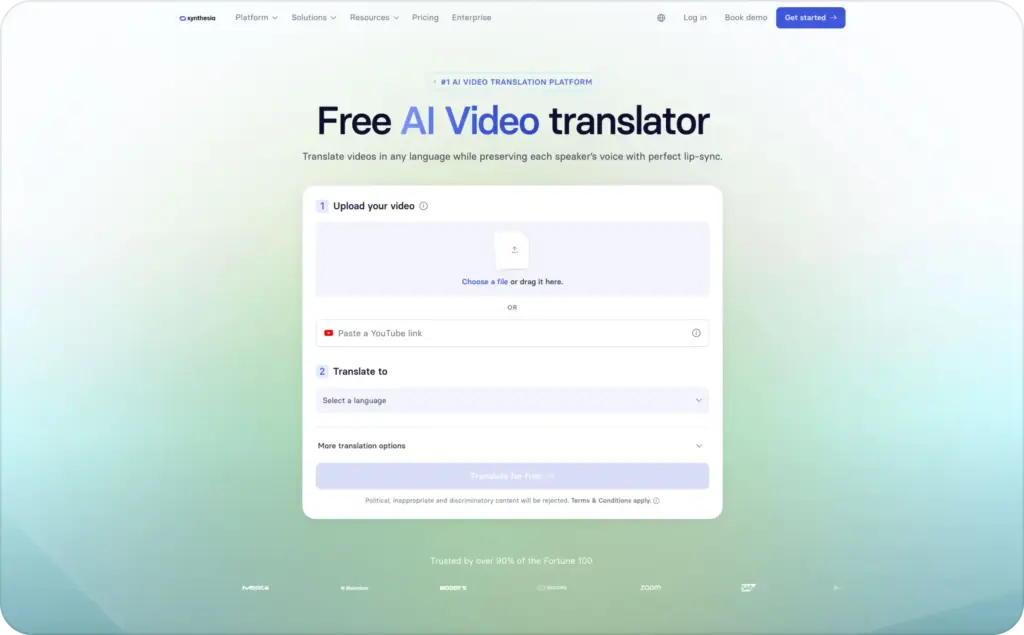
Synthesia’s AI dubbing page describes features such as maintaining the original speaker’s voice across languages, lip sync, collaboration, moderation, and multilingual playback. For a large team, those controls matter because translation quality and brand safety can’t be left to chance.
For marketers, localization should still include human review. AI can speed up the first draft, but someone should check tone, claims, cultural details, product names, and legal wording.
Do this now: create a translation glossary for product terms before localizing videos. It will reduce mistakes across your entire content library.
Synthesia features for interactivity, quizzes, and learning content
Synthesia 3.0 introduced more interactive video experiences, including calls to action, branching, and quizzes. That moves Synthesia closer to a learning and communication platform, not just a video generator.
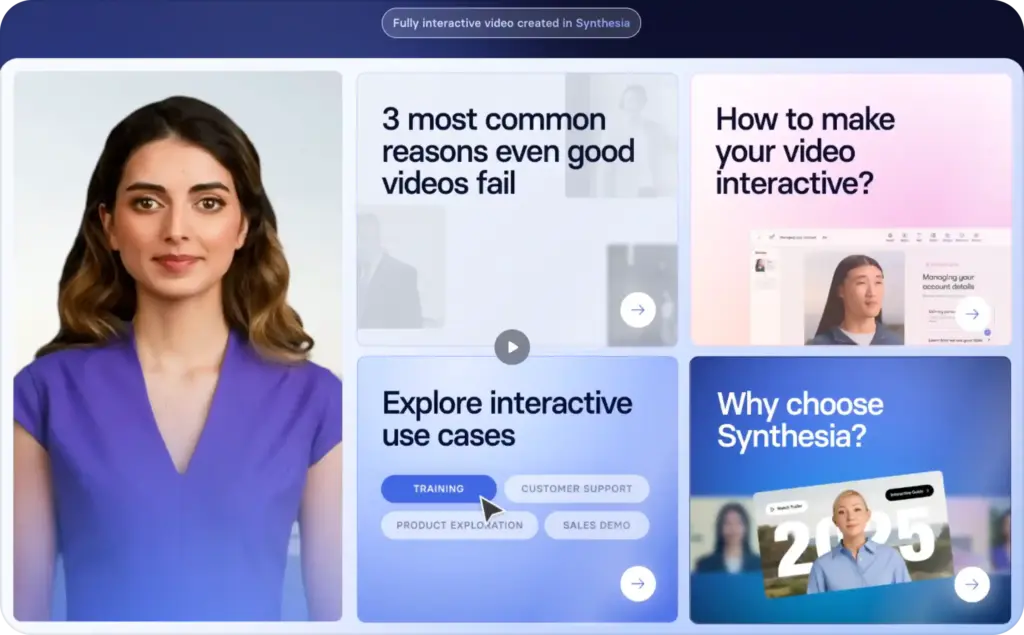
This is important for training teams. A passive video can explain a process, but an interactive video can check whether someone understood it.
For example, you could use interactive features to:
- Add a quiz after a training module
- Let viewers choose their next topic
- Place a CTA inside a product education video
- Guide employees through role-play scenes
- Create onboarding paths for different roles
- Build customer education flows
For marketing teams, interactivity can help with lead education. A product demo can ask viewers what they want to learn next. A customer onboarding video can guide users based on their goal. A sales enablement video can test whether reps understand the message.
The main rule is simple: use interactivity when it helps the viewer act. Don’t add quizzes or branches just because the feature exists.
Expected result: the viewer should know what to do next, and your team should learn where they need more help.
Collaboration, comments, and workspace controls in Synthesia
Synthesia includes collaboration features for teams that need review cycles. That matters because business videos usually involve more than one person.
A product marketer may write the first script. A legal reviewer may check claims. A designer may review brand details. A regional manager may check translation quality. Without comments and workspace controls, the process gets messy fast.
Collaboration features help teams review scripts, scenes, translations, and visual choices in one place. That is useful when video production becomes a repeatable workflow, not a one-off task.
Synthesia’s pricing page also separates plan features by seats, guest comments, team editing, avatars, and enterprise-level needs. That means smaller teams can start with basic creation, while larger teams can move into shared workspaces and stronger controls.
Here’s where collaboration helps most:
- Reviewing claims before publishing
- Keeping brand design consistent
- Managing comments from several teams
- Updating old videos with new product details
- Creating regional versions
- Training new creators inside one workspace
Check this before buying: count how many people need to create, review, and approve videos. A cheap plan can become slow if too many people need access.
Synthesia pricing and plan fit for marketing teams
Synthesia pricing changes by plan, usage, seats, generation minutes, avatars, collaboration, and enterprise features. Synthesia lists Free, Starter, Creator, and Enterprise plan options on its official pricing page.
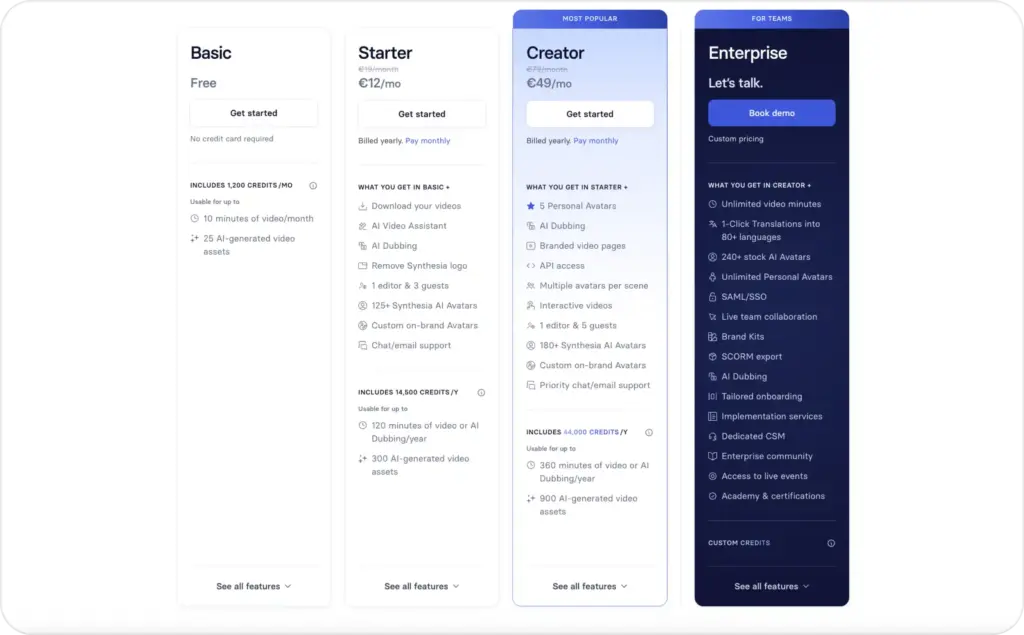
For a marketer, the question isn’t only “How much does Synthesia cost?” The better question is “How many finished videos will we publish each month?”
Use this simple fit check:
| Team need | Better fit |
| Testing one or two AI presenter videos | Free or entry plan |
| Creating regular product explainers | Creator-style plan |
| Localizing videos across markets | Higher plan or Enterprise |
| Managing reviews across teams | Team or Enterprise setup |
| Creating social ad variations | Compare with Zeely AI |
| Training and onboarding at scale | Enterprise conversation |
Synthesia makes more sense when videos have a longer shelf life. A training video, onboarding lesson, or product explainer may stay useful for months. That makes production time savings easier to justify.
For paid social, the math is different. Ads need more volume, more hooks, more offers, and faster testing. If that’s your goal, an ad-first tool like Zeely’s AI video ad generator may be a better fit.
Do this now: calculate cost per finished video, not cost per month. Include review time, edits, localization, and how long the asset will stay useful. Read also an article about HeyGen vs Synthesia.
Where Synthesia fits in a marketer’s content workflow
Synthesia can be useful in a marketing workflow, but it should sit in the right lane.
I’d use Synthesia for structured explanation. I’d use Zeely AI for fast ad creative. Those are different jobs.
A simple workflow could look like this:
- Use Synthesia for product education
- Turn that message into shorter ad angles
- Use Zeely AI to create UGC-style ad variants
- Test hooks, offers, visuals, and CTAs
- Feed winning messages back into explainers
This keeps each tool focused. Synthesia handles polished presenter content. Zeely AI handles faster creative testing for social platforms.
For example, say you sell a skincare product. Synthesia could create a clean educational video about how the product works. Zeely AI could turn the same benefit into five short video ads with different hooks.
That’s the content loop I’d use:
- Education video: what it is and why it matters
- Ad creative: why someone should care right now
- Static ads: offer, proof, and product visuals
- Retargeting videos: FAQ, objection, and trust proof
- Landing page content: benefits and claims
Check this before production: don’t make one video carry every job. Split education, acquisition, and retargeting into separate assets. Read more about AI tools.
When to use Synthesia and when to compare Synthesia alternatives
Synthesia is a strong tool when you want polished AI presenter videos, especially for business communication and training. But not every team needs that format.
You should compare Synthesia alternatives when one of these is true:
- You need UGC-style ad creative, not formal presenter videos
- You need many ad variations every week
- You want static ads and video ads in one workflow
- Your main channel is paid social
- Your videos need creator energy, not corporate polish
- Your budget is tied to ad testing speed
- Your team needs voiceover only, not full avatar video
- You need dubbing or voice cloning as a standalone workflow
This is where tools split by use case. Murf, PlayHT, LOVO, Resemble AI, and Papercup are often voice or dubbing tools. Zeely AI is more useful when the goal is marketing creative and paid social output.
Do this now: write your primary use case in one sentence.
If it starts with “train,” “explain,” “onboard,” or “localize,” Synthesia may fit. If it starts with “sell,” “test,” “promote,” or “launch ads,” compare ad-first options first.
Common mistakes marketers make with Synthesia
The biggest mistake is treating Synthesia like a magic video button. It’s not. It still needs a clear script, clean structure, and a reason for the viewer to care.
Here are the mistakes I’d avoid:
- Writing a blog post and pasting it straight into a video script
- Using one avatar for every audience
- Adding too much text to each scene
- Making every video feel like training
- Forgetting mobile viewing
- Skipping human review for translations
- Publishing without a clear CTA
- Using avatar videos for ads that need creator-style energy
The script matters most. A good avatar can’t save a flat message. Keep each video focused on one job.
For a product explainer, use this simple script format:
- Problem: what the viewer wants to solve
- Context: why it happens
- Fix: how your product helps
- Proof: why the viewer should believe you
- CTA: what to do next
For a training video, use this format:
- What you’ll learn
- Why it matters
- Step-by-step instruction
- Example
- Quick recap
- Check for understanding
Check this before publishing: read the script aloud. If it sounds stiff, shorten it before generating.
FAQ
Synthesia is used to create AI avatar videos from text. Teams often use it for training, onboarding, internal updates, product explainers, sales enablement, and multilingual business communication.
The best Synthesia features for marketers are AI avatars, text-to-video creation, templates, brand controls, translation, dubbing, voiceovers, collaboration, and quick video updates.
Synthesia can create videos that may be used on social media, but it is not mainly built as a social ad creative platform. If your goal is ad testing, UGC-style creative, and quick variations, compare it with Zeely AI.
Yes. Synthesia supports multilingual AI voice and translation workflows. It is often used by teams that need to localize training, onboarding, and educational videos.
Synthesia can work for small businesses that need polished explainers, tutorials, or training videos. If the main goal is fast ad creation, a tool like Zeely AI may be easier to fit into daily marketing work.
For marketing teams focused on social ads, Zeely AI is a strong Synthesia alternative because it creates video ads, static ads, UGC-style creatives, scripts, and campaign-ready assets.

Emma blends product marketing and content to turn complex tools into simple, sales-driven playbooks for AI ad creatives and Facebook/Instagram campaigns. You’ll get checklists, bite-size guides, and real results, pulled from thousands of Zeely entrepreneurs, so you can run AI-powered ads confidently, even as a beginner.
Written by: Emma, AI Growth Adviser, Zeely
Reviewed on: June 26, 2026