How to add music to your Instagram Story
How do you add music to an Instagram Story? I will explain the Music sticker, using your own audio, lyrics without sound, the type of account you have, and what to do when the music option disappears.

You can add music to your Story in about 30 seconds with this method once you learn where to tap. Open your Story camera, add the Music sticker, find something you like, trim if necessary, post.
Key takeaways
- The Music sticker is still the quickest route. Works identically on iPhone and Android
- Instagram pulls the licensed catalog away from certain business accounts and replaces it with the Meta Sound Collection. Creator and personal accounts keep the full library
- Your own audio works if you bake it into the video file before uploading
- Music is permanent once posted. No way to swap or remove it. Delete the whole Story and start over
- Music sticker vanished? Usually the app needs an update, or a business account lost access, or a VPN is masking your region
Depending on the account type you use, your location, and the audio you’re trying to post, what you see on Instagram can change. Below I’ll go over the account type situations and how to fix them.
How to add music to an Instagram Story using the Music sticker
This sticker is extremely handy and is probably the method I use the most. It brings up Instagram’s music library which means copyright is already taken care of. The process is the same regardless of whether you want to post a photo or a video.
Full walkthrough:
- Open Instagram, click the + or swipe right to open the story camera
- Click the shutter button to take a picture or video to add to your story. You can also take a photo or video and add it to your story from your camera roll
- Click the stickers button and then click the music button
- You can browse different categories of music or search for a specific song. I usually go with the “For You” option or what’s currently trending
- Slide through the song and select the part you want to add to your story. IG caps song clips at 15 seconds
- Select how you want the lyrics to be displayed. You can choose to display lyrics with the album art or no design at all
- Resize the sticker and move it to a different location to obstruct as little of the screen as possible. If you have audio already embedded in your story, you can adjust the volume of the song to avoid the two sound clips from competing with each other
- After you’ve added the song to your story, you’re done
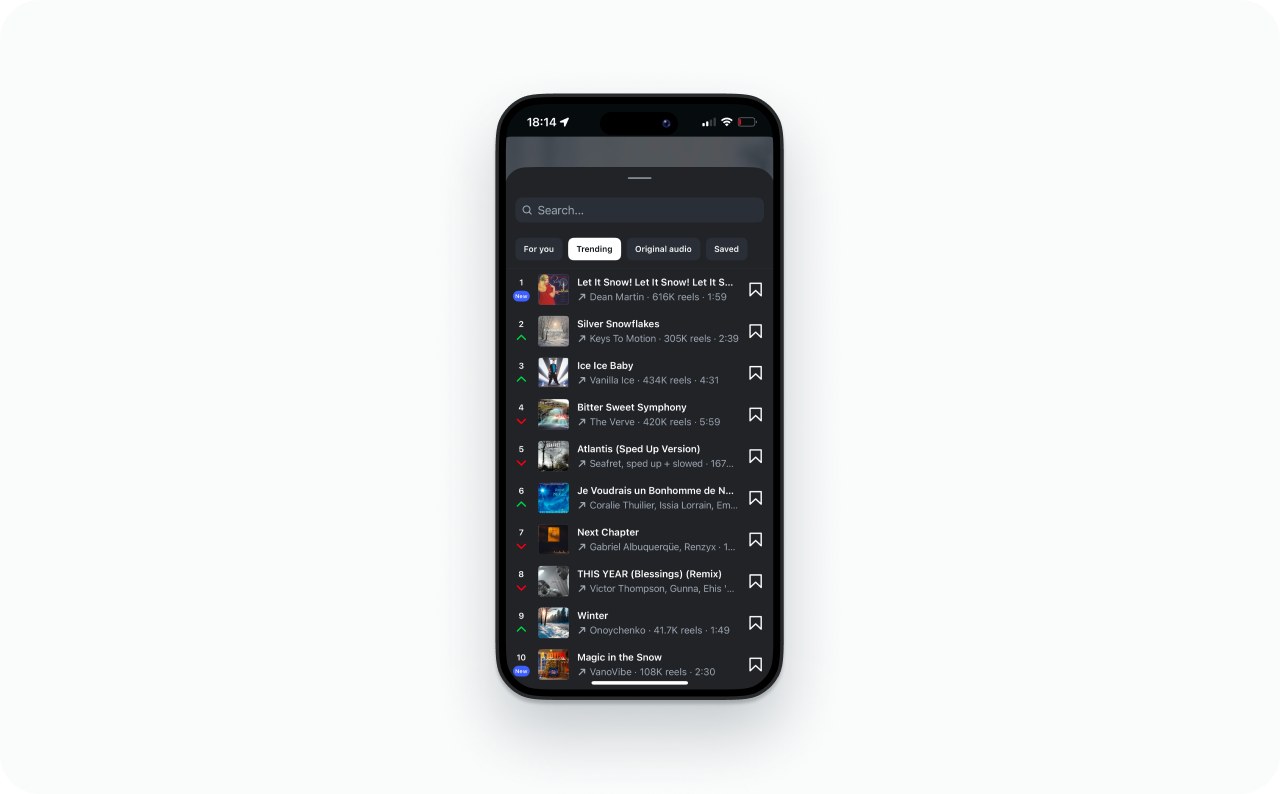
Here are some tricks it took me a while to learn:
- To hide the song, fully drag the sticker off the screen. Song continues to play, but the visual is removed
- In Story mode there is a Music icon you can use to add a song to your recording before you start. The song plays as you record. The exact location of the icon changes with each update of the app. The song plays as you record
- To put text or voiceover in your Story, make the sticker really small and shove it into a corner. People will tap it and be taken out of the experience
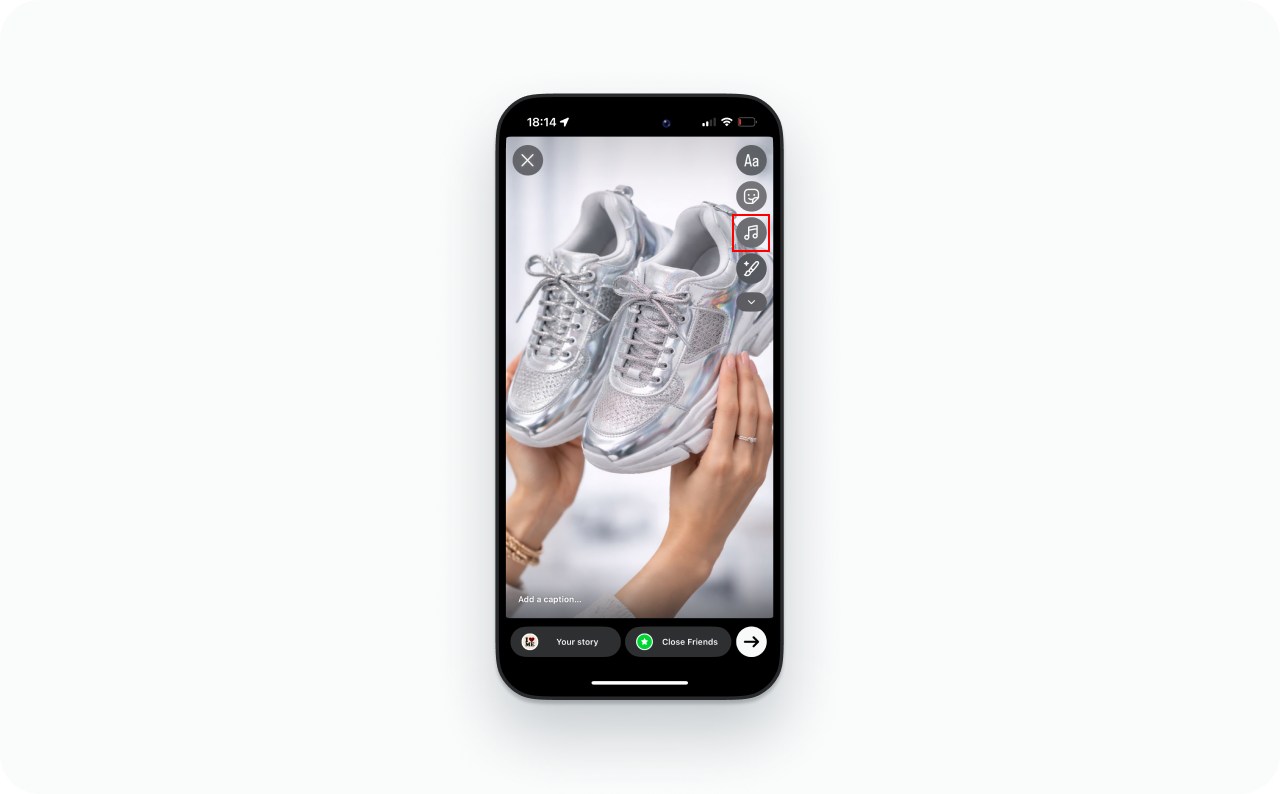
Getting blurry or cropped results? This is likely due to sizing issues. I go over exact dimensions in my Instagram story size and dimensions guide.
Account types and music access: personal, creator, and business
This next one catches people off guard the most.
Depending on your account type, you have access to different songs on Instagram. Personal and creator accounts have access to the entire catalog of songs. Business accounts can sometimes be limited to the Meta Sound Collection.
Certain business accounts get kicked down to the Meta Sound Collection instead. Much smaller. Royalty-free, commercially cleared material. Most mainstream songs are gone. Instagram’s Help Center spells it out: the licensed library is for personal, non-commercial use, so certain business accounts and certain post types do not get access.
Regarding music access, personal and creator accounts have the entire licensed catalog of songs. These songs are licensed for your personal, non-commercial use. Because of this, business accounts that use Instagram for commercial purposes may not have access to this library. Instagram’s Help Center confirms this.
I see shop owners all the time searching for trending audios for their business posts. After ten minutes they don’t have any songs to add to their post. Friends with personal accounts are able to find and add the songs in less than two minutes.
If you are not running any paid ads and need music to add to your posts, then most people end up switching to a Creator account. The Creator account gives people access to music for adding to posts similar to what they would get with a Personal account.
You can change your account type to Creator in less than ten seconds by going to your settings. After changing it, your followers and your posts will not be deleted. Just be aware that if you use the Shop or Book feature on your posts, you may lose access to those features as well. Simply go to settings and select “Switch to Creator account”.
How to add your own music to an Instagram Story
Not every song is available in Instagram’s library.
For musicians that own their masters, they can upload the song to DistroKid or TuneCore. The song would then be searchable via the music sticker. For everyone else, there are two ways that work.
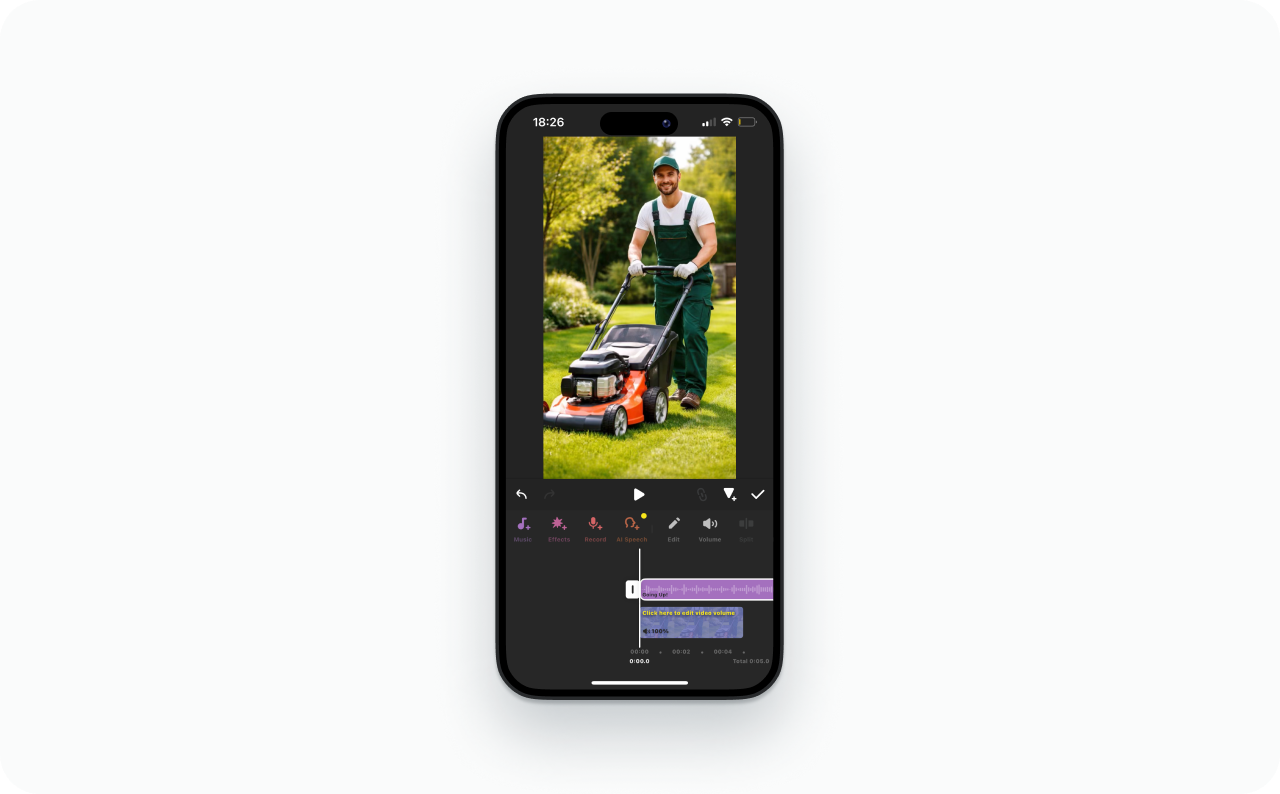
1. Add the audio to your video before posting
If the sound is important to the video I will do this. I use either CapCut or Descript on my phone to add the audio track to the video. Once it’s added and I’ve adjusted the volume I will export the video at 1080 x 1920 and post it to my story.
According to Instagram’s policy anything “original audio” is allowed to be posted. This includes things like AI generated music, your own recordings and brand audio.
Don’t mistake “original audio” for “copyright safe” however. Posting copyrighted material is not allowed. Business accounts are subject to stricter enforcement.
2. Record while the music plays out loud
Lowest effort version: Play the track on a speaker, open the Story camera, press record.
There’s a very low bar for when I’ll use this. Anything that isn’t performed, anything behind-the-scenes, anything without an audience to judge the quality of the audio. Posting videos that include copyrighted songs would be a violation if the person doesn’t own the copyright to the song. So muting is definitely an option.

How to add lyrics to an Instagram Story without music
Silent Story with words on screen? Good for album teasers and other types of story telling without the need for sound. Also great for the fact that many people never turn off the sound when viewing your story.
I have seen this done well in three ways.
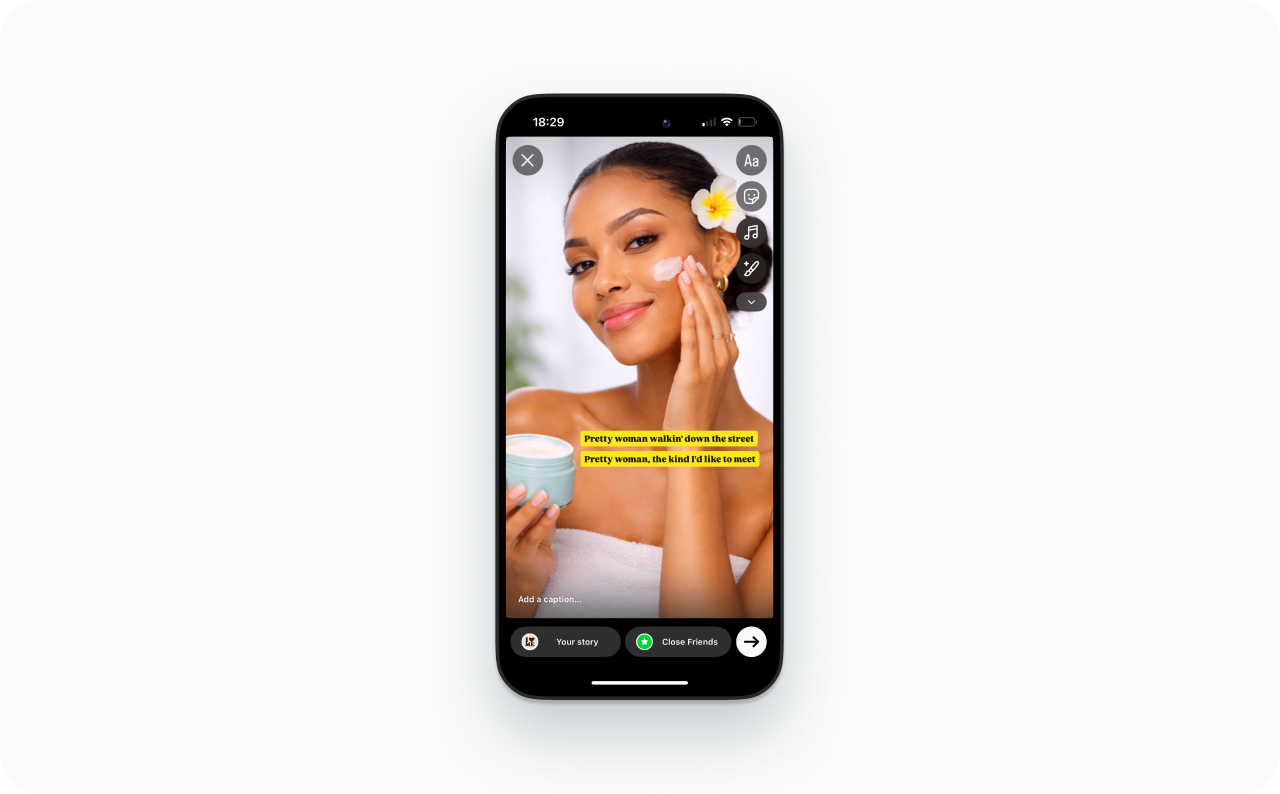
- Use the music sticker on zero volume. Once you add the sticker to your story, you can flip to the lyrics view and set the volume to zero
- Type them out using Instagram’s text tool. Use short and legible lines to fit within the safe zones so they aren’t obscured by the story interface
- Create a card in an editor and export it at the correct dimensions. Some people run their entire album rollouts with a slide dedicated to each song using this method
Once you create the card in the editor, all you have to do is export it at 1080×1920, turn the sound off and upload it to your story with the audio set to off.
If there is any talking in the Story, flip on auto-captions if the option is available in your version of the app. Without captions you lose everyone scrolling on mute.
How to share music from Spotify or Apple Music to your Story
Currently both Spotify and Apple Music can both “share” songs to Instagram Stories. What gets shared, however, is not audio. It’s more of a share card with the album art, artist, and song name. No music plays.
Spotify:
- Open the track you want to share and click ‘share’
- Select ‘Instagram Stories’
- A card will populate in the Story composer
Apple Music:
- Open the song you want to share and click the three dots
- Click ‘share’ and then select ‘Instagram’
- A card will appear in the Story composer
Neither of these cards play sound. Add a ‘Music’ sticker to a card if you want to share audio. Otherwise, you could edit the audio into a video and share that.
Why can’t I add music to my Instagram Story?
Four situations happen to me over and over again.
Music sticker is gone
- Sometimes the app itself just needs an update (I realize this is an unoriginal answer, but it fixes the issue more often than not)
- Try logging out and back into your account
- Try turning your VPN off. Instagram may think you’re in a country with no music library
- It may be a licensing issue related to your account type. Certain business accounts don’t have access to music stickers
- See if the sticker is available on someone else’s phone. If it’s available, then it’s an issue with your phone
Looking for a specific song and it will not come up
- If your account is a business account, that may explain it
- Using a different device can also help to determine if it is a device issue
- The music may not be available to be licensed where you are. Artists and labels routinely have music removed from the platform
- Search by artist instead of song title
Your whole music library is “ generic background music”
- Probably a business account. Only the Meta Sound Collection is available to them. A creator account gives you access to the full catalog or you can use royalty-free and original audio.
Instagram has muted your uploaded video
- Their copyright system has flagged something. Business accounts get flagged the most
- Use the Music sticker next time. The copyright for that has already been cleared. Also, use your own audio if you wish to post a video
Looking to locate a Story you posted long ago? I’ve written about that in how to find old Instagram Stories. For how to do the absolute basics of posting a Story on Instagram, see how to post a Story on Instagram.
FAQ
No, unfortunately you can’t. You can’t edit Instagram stories whatsoever. The only thing you can do is delete it and repost it with music added.
No longer than 15 seconds per slide. Each slide can have different songs. If you like you can use different 15 second segments of the same song to make one long song across your story.
This usually has to do with the type of account you have. Some business accounts don’t have access to all the songs. After that it’s usually due to differences in regional licensing or the artist/label taking their music off of Instagram. Changing your account type to personal or creator should fix it.
You can as long as you use the Music sticker. The license is built into the sticker and only personal accounts and creator accounts have access to this sticker. Business accounts don’t have access to the sticker. Instagram has the ability to mute posts with copyrighted music. They may do this even if you have a personal account. It is best not to post copyrighted music to your story.
You can if you use the music sticker. Pulling one of your own posts out of the archive? Simply add the sticker to the post, and upload it as a new story.