Higgsfield AI review: Features, pricing, and generation tests
Is Higgsfield AI worth paying for when every retry can cost credits? I'll compare its latest features, pricing, video realism, and real user feedback to help you decide before subscribing.
A product video can look beautiful until you notice the bottle has changed shape halfway through. That’s exactly what I’d want to catch before paying for an AI video generator. In this Higgsfield AI review, I’ll look at what the platform can create, what its subscriptions actually cover, and where the results may need more work than you’d expect.
Key takeaways
- Higgsfield AI is worth considering if you want cinematic camera controls, consistent AI characters, and access to different video models
- Its credit-based pricing deserves a closer look because regenerations can increase the cost of a usable video
- Higgsfield offers tools for product videos and static ads, but you’ll still need to plan how those creatives enter your paid campaigns
For this review, I compared Higgsfield’s October 2026 features, subscription terms, pricing, and customer feedback. I also examined where its creative tools fit into paid advertising.
What is Higgsfield AI, and who should use it?
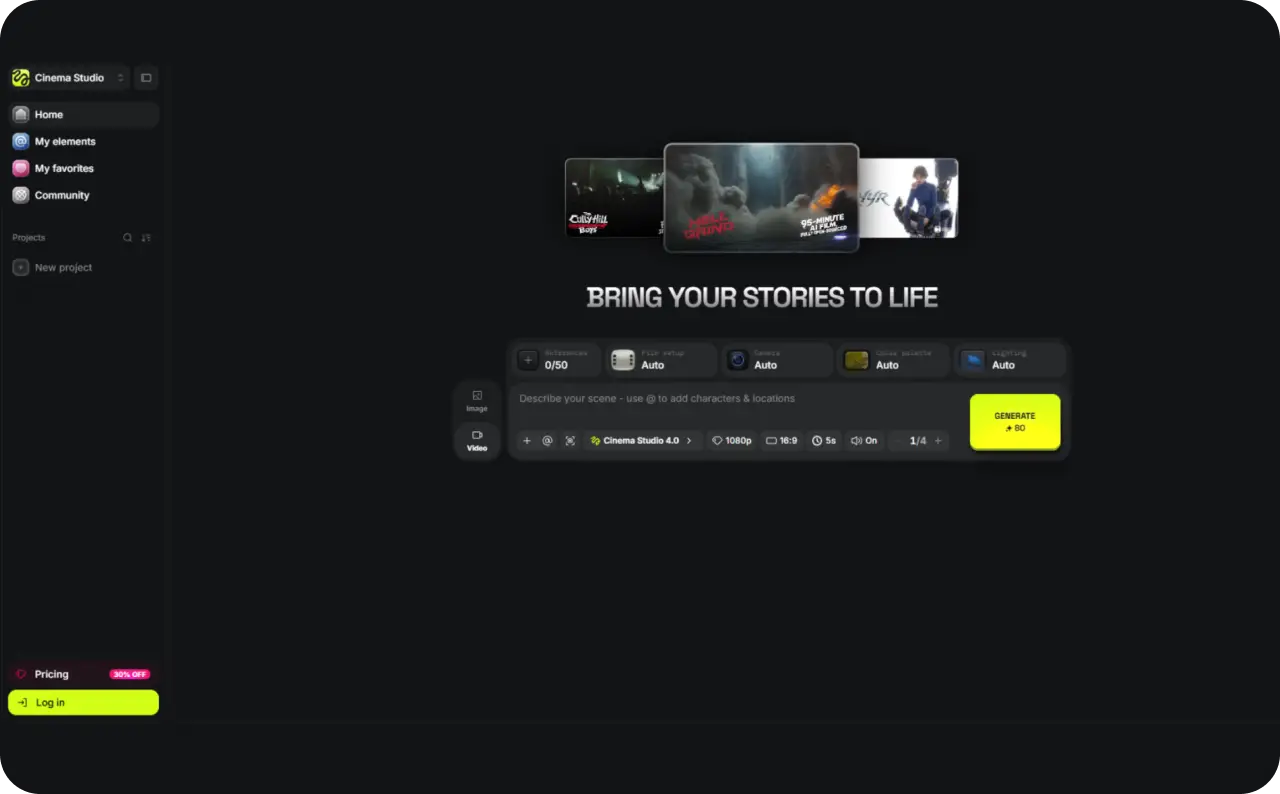
Higgsfield AI brings several image and video generation models into one workspace. You can create videos from text prompts or existing images, adjust cinematic camera movements, and edit generated footage. It also offers tools for creating product ads, AI characters, and branded visuals.
Say you sell skincare products and want a short video showing your moisturizer on a bathroom counter. You can upload a product photo, choose a video model, describe the movement, and generate a clip. If you want a more cinematic result, Cinema Studio gives you control over camera movement, lighting, and lenses.
The platform serves different creative needs. Filmmakers can experiment with camera techniques, while content creators can produce visuals without organizing a traditional shoot. Small businesses can also turn product images into advertising content.
Higgsfield AI features: Which tools are worth using?
Higgsfield offers plenty of creative tools, but you probably won’t need all of them. I’d choose based on what I’m making first, whether that’s a product video, a recurring AI character, or a cinematic scene.
Here’s how the main Higgsfield AI features compare.
| Feature | What it does | Best for |
| Cinema Studio 4.0 | Controls camera movements, lighting, lenses, and scene pacing | Cinematic videos and brand storytelling |
| Soul ID and AI Influencer | Maintains character identities or creates new AI characters | Virtual influencers and recurring brand presenters |
| AI model library | Provides access to different image and video models | Testing visual styles and generation quality |
| Genjutsu | Transfers motion and modifies elements using reference footage | Character animation and video editing |
| Marketing Studio | Creates product-focused marketing content from images, links, and templates | Product demos and branded creatives |
| Ads Studio and Ad Multiplier | Generates static ad batches and video variations | Advertising creative production |
Cinema Studio 4.0: How much control do you get?
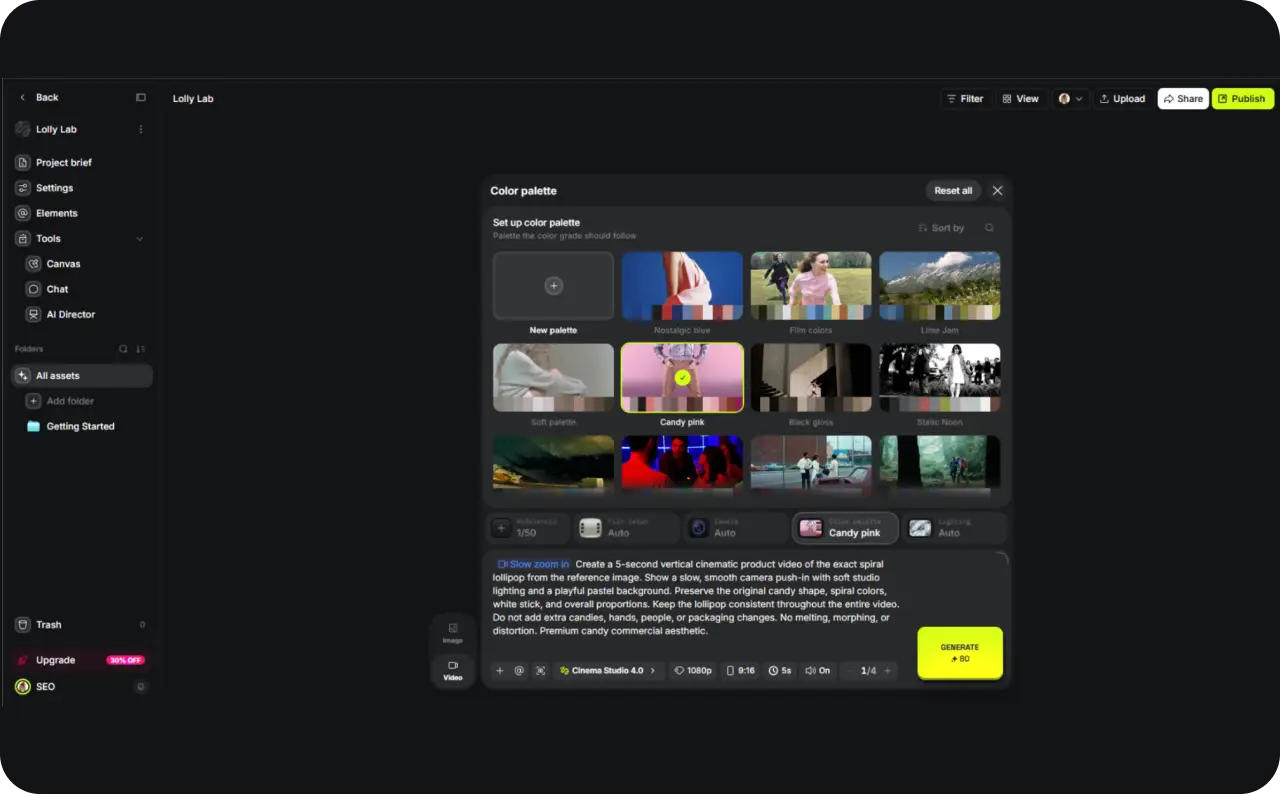
Cinema Studio gives you more control over how your video looks and moves. You can select camera types, lenses, lighting, and movement presets instead of describing everything in a prompt.
According to Higgsfield’s August 2026 Cinema Studio 4.0 announcement, the tool supports clips up to 30 seconds, more than 30 camera movement presets, and up to 50 reference images per generation.
Imagine creating a perfume ad where the camera slowly circles the bottle. You can choose the movement, adjust the lighting, and use reference images to guide the product’s appearance.
I tested Higgsfield Cinema Studio 4.0 using a single spiral lollipop reference image in a 9:16 format. The generation lasted 5 seconds, rendered in 1080p, cost 80 credits, and took approximately 3.5 minutes to complete.
In my test, Higgsfield handled a simple product-shot scenario well: the lollipop’s round shape, spiral pattern, and stick remained visually consistent across the clip, while the slow zoom-in camera movement followed the prompt as expected. Color consistency was also strong, although some fine edge definition became slightly softer in the close-up frame. Overall, the result looked usable for a short product ad, but this was still a relatively simple test on a clean background.
Can Soul ID and AI Influencer keep characters consistent?
If you’re making several videos with the same spokesperson, changing faces becomes a problem quickly.
With Higgsfield Soul ID, you can train a reusable character identity using reference photos. AI Influencer helps you create a new virtual character, while Lipsync Studio can synchronize mouth movements with audio.
For example, a skincare brand could create a virtual presenter who introduces different products. You’d want customers to recognize that same person across every video, even when the location or outfit changes.
Which AI image and video models can you access?
One reason to consider Higgsfield is its selection of models. As of October 2026, the platform offers access to options including Kling 3.0, Seedance 2.5, and Google Veo 3.1, alongside its own creative tools.
Different models suit different jobs. You might need controlled movement for a product shot, while another project calls for dialogue or several connected scenes.
Higgsfield also offers image generation, editing, video-to-video tools, and audio features. You can experiment with different formats without moving every project into another application.
I’d compare two models using the same product image before choosing one for regular work. If you’re deciding between Kling, Seedance, and Veo, we, in Zeely vlog, compared their strengths in a guide to AI video models for marketing. Pay particular attention to product accuracy, movement, and editing time.
Model access and credit costs vary by subscription, so I’ll examine those next.

Higgsfield AI pricing in 2026
Higgsfield starts at $15 per month, but the subscription price tells only part of the story. Each plan includes monthly credits, selected free generations, and different model access.
Here’s the Higgsfield AI pricing breakdown as of October 20, 2026.
| Plan | Monthly billing | Annual billing, per month | Monthly credits |
| Starter | $15 | $15 | 200 |
| Plus | $49 | $39 | 1,000 |
| Ultra | $129 | $99 | 3,000 |
| For Teams | Varies | From $65 per seat | From 1,000 per seat |
Annual prices are monthly equivalents billed for the year upfront. Promotional pricing and plan allowances can change. Check Higgsfield’s current pricing before subscribing.
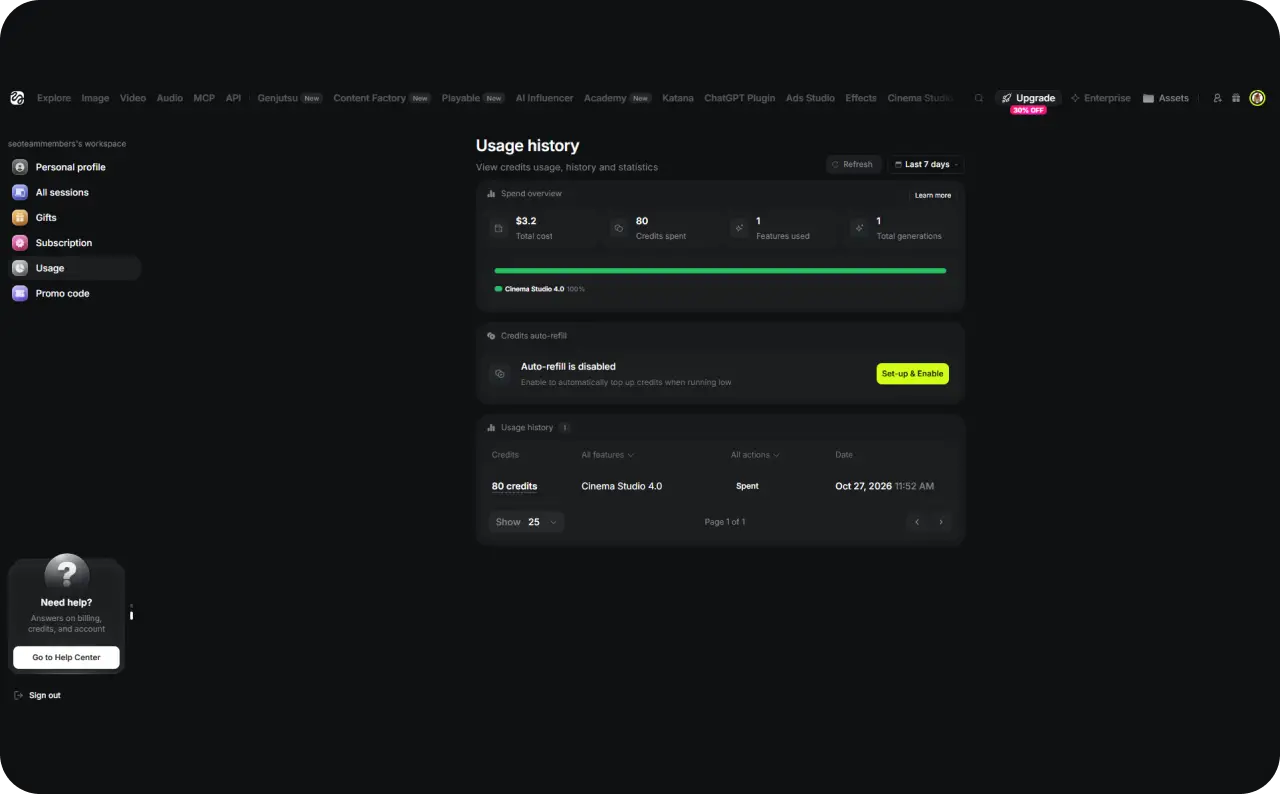
My first Cinema Studio test cost 80 credits for a single 5-second 1080p video and took about 3.5 minutes to generate. That makes Higgsfield’s value highly dependent on how many attempts you need before getting a usable result.
Is Higgsfield AI free, and what do paid plans include?
Higgsfield’s current pricing page doesn’t list a separate $0 subscription. Instead, it offers free generations within paid plans, meaning certain tools can generate content without using your monthly credits. The platform has also offered temporary free trials, but I wouldn’t count on those being permanently available.
For example, Starter includes 10 free AI Influencer generations and 10 Ads Studio generations. Plus increases the AI Influencer allowance to 30 and adds three Genjutsu generations at 720p. Ultra includes these allowances alongside a larger monthly credit balance.
Some subscriptions also include unlimited generations on selected models. Plus and Ultra currently advertise seven-day unlimited access to Kling 3.0 and Nano Banana 2, subject to the listed conditions.
According to Higgsfield’s unlimited model documentation, these benefits apply to eligible generations on its website. Free generation allowances are also one-time benefits that don’t renew automatically with your subscription.
How many usable videos do Higgsfield credits buy?
Let’s use the Plus plan as an example.
Higgsfield estimates that its 1,000 monthly credits can produce around 67 Seedance 2.5 videos. That’s approximately 15 credits per generation, although the exact cost depends on your settings.
At the annual subscription rate of $39 per month, one 15-credit generation represents about $0.59 of your monthly subscription value.
Now imagine you need four attempts to get one usable product video. You’d spend approximately 60 credits, worth $2.34 of that monthly allowance.
To check the actual credit cost, I generated a 5-second vertical product video in Higgsfield Cinema Studio 4.0 at 1080p. The generation took approximately 3.5 minutes and used 80 credits, as confirmed in my account’s Usage history. Higgsfield also displayed a total cost of $3.20 for this generation. I made one attempt using a lollipop reference image. This is the platform’s reported cost, not necessarily an additional payment, and credit consumption may differ depending on the model and settings.
There’s another detail to check before paying annually. According to Higgsfield’s credit policy, subscription credits don’t roll over. Annual subscribers receive refreshed credits every 30 days, while separately purchased credit packs expire after 90 days.
How realistic are Higgsfield AI images and videos?
Higgsfield can create impressive cinematic scenes, but beautiful footage doesn’t always mean accurate results. A product video might look convincing until the bottle changes shape or its label becomes unreadable.
For business owners, those small details matter. I’d rather have a simple, accurate product video than a cinematic one that misrepresents what I’m selling.
According to Adobe’s June 2026 Creators’ Toolkit Report, 85% of surveyed creators believe the final creative decision should remain in human hands. I agree, especially when AI-generated content represents a real product.
In my product test, Higgsfield kept the lollipop’s overall shape, spiral pattern, and color palette consistent from the opening frame to the close-up. The result wasn’t perfect, some fine detail softened as the camera moved closer, but it was still one of the more usable outputs I’d expect from a simple AI-generated product clip.
Can Higgsfield create realistic product and human videos?
I’d judge Higgsfield AI video quality using three everyday creative tasks.
First, take a skincare product photo and animate a slow camera movement around it. The packaging, label, and proportions should remain recognizable throughout the clip.
Next, generate a person speaking directly to the camera. Watch their expressions, eye movements, and lip synchronization rather than judging a single attractive frame.
Finally, create a cinematic scene with moving objects and changing camera angles. Here, focus on natural movement, lighting consistency, and whether the scene follows the original prompt.
For each test, record the model, generation time, credits spent, and number of attempts needed. That’s how you find out whether impressive results are also practical to produce.
If you’re comparing platforms, our Zeely guide to the best image-to-video AI generators examines how different tools handle product images, motion, and visual consistency.
Where do Higgsfield AI generations fall short?
The details I’d inspect most closely are hands, facial expressions, product labels, and objects moving between frames. Lip-sync accuracy also matters if your video includes dialogue.
Even a small visual mistake can make an otherwise usable ad difficult to publish. Imagine promoting a moisturizer whose ingredient label changes halfway through the video.
I wouldn’t treat every imperfect generation as a reason to reject Higgsfield. But if correcting those mistakes takes several paid attempts, include that time and credit spending in my assessment.
Can Higgsfield AI create ads ready for paid campaigns?
Higgsfield can create static ads, product videos, and UGC-style content for Facebook, Instagram, and TikTok. Its advertising tools also help you produce multiple creative versions without starting from scratch.
Pay attention to what happens after generation, though. Higgsfield gives you creative assets to work with, but the documented Ads Studio workflow still requires you to download them and set up your campaigns separately.
How do Marketing Studio, Ads Studio, and Ad Multiplier work?
Each tool handles a different part of AI ad creation.
Higgsfield Marketing Studio
With Higgsfield Marketing Studio, you can upload a product image or paste a product URL to generate video content. Choose a UGC template for a talking-head product review, or describe the scene yourself if you want more control.
I also tested Marketing Studio’s Recreate Template feature with a colorful spiral lollipop. I uploaded the product image and asked Higgsfield to replace the original ice pops in a UGC-style video while keeping the presenter and overall structure.
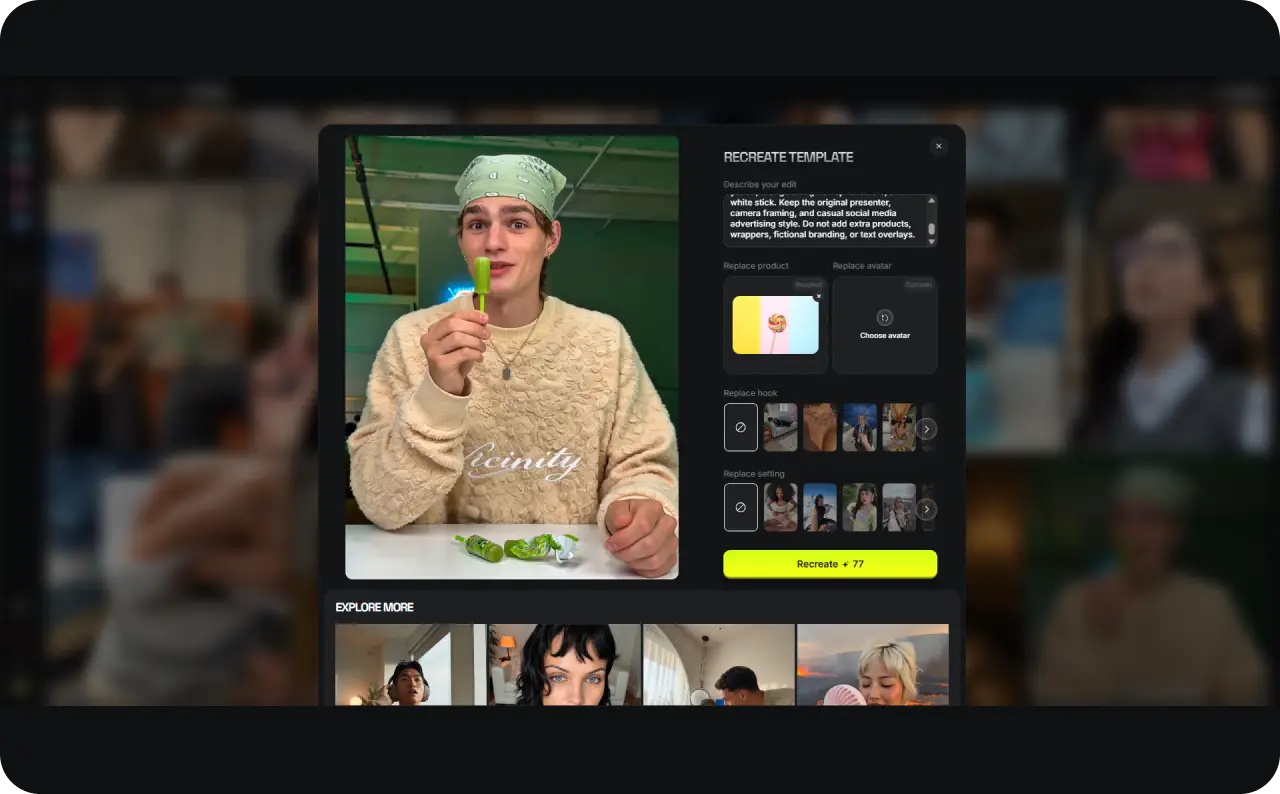
The tool generated an 11-second TikTok-style video at 720 × 960 resolution. In the frame I examined, the presenter held a recognizable version of the lollipop, with its colorful spiral and white stick intact. However, the presenter changed from the man shown in the original template to a woman, despite my instruction to preserve the original character. This suggests that recreating a template doesn’t necessarily mean preserving every detail of the source video.
The Marketing Studio test also highlighted the importance of checking credit usage. Higgsfield charged 77 credits for each Marketing Studio video generation, equivalent to approximately $3.08 according to its usage dashboard. My account recorded two separate 77-credit transactions within two minutes, bringing the total Marketing Studio spending to 154 credits. The generated UGC-style video was 11 seconds long at 720 × 960 resolution, but the recreated presenter differed from the original template.
Higgsfield Ads Studio
Higgsfield Ads Studio focuses on static advertising. It imports your brand details, including colors, logos, and selling points, then generates up to 20 ad variations per product in one batch.
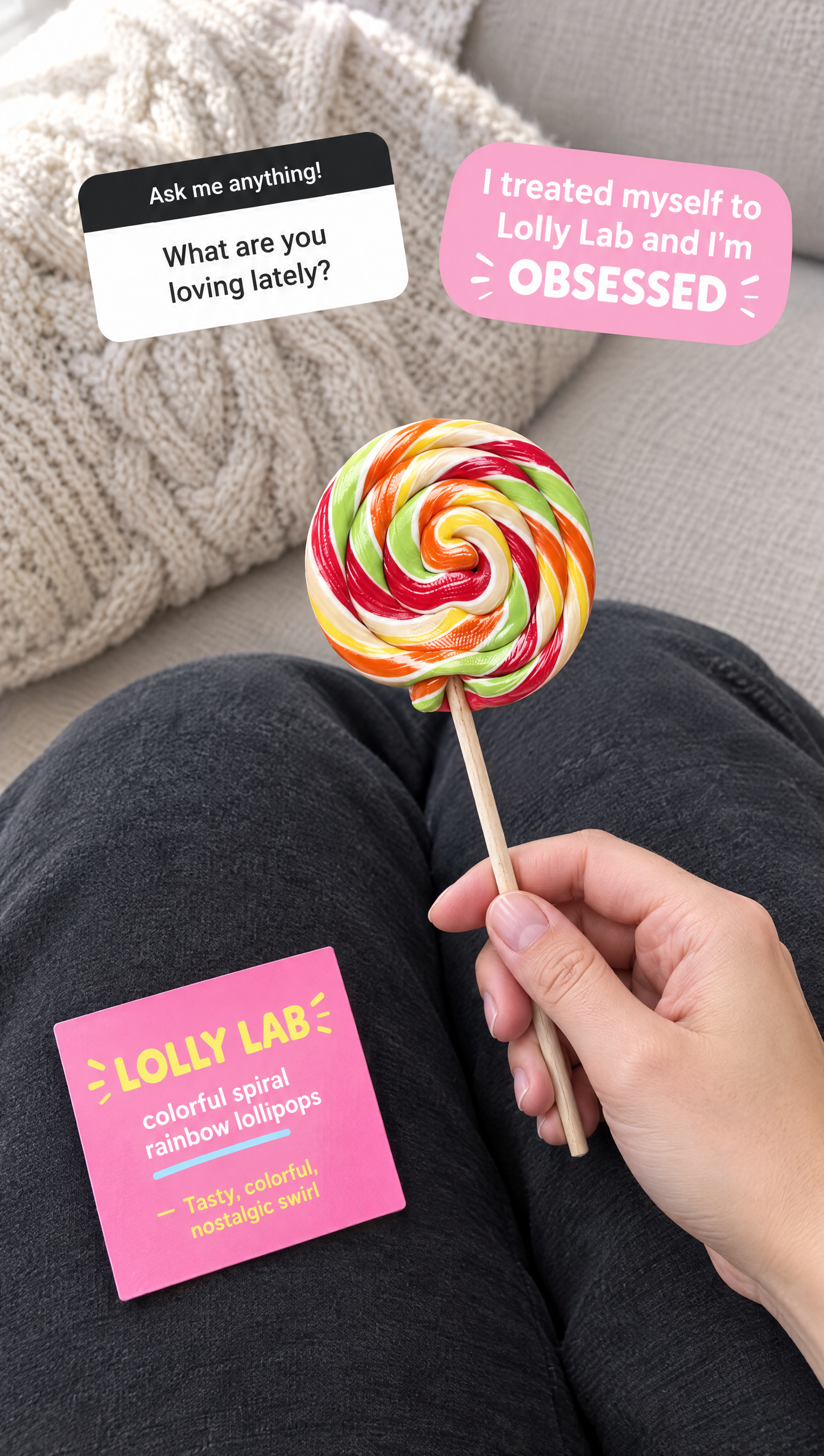
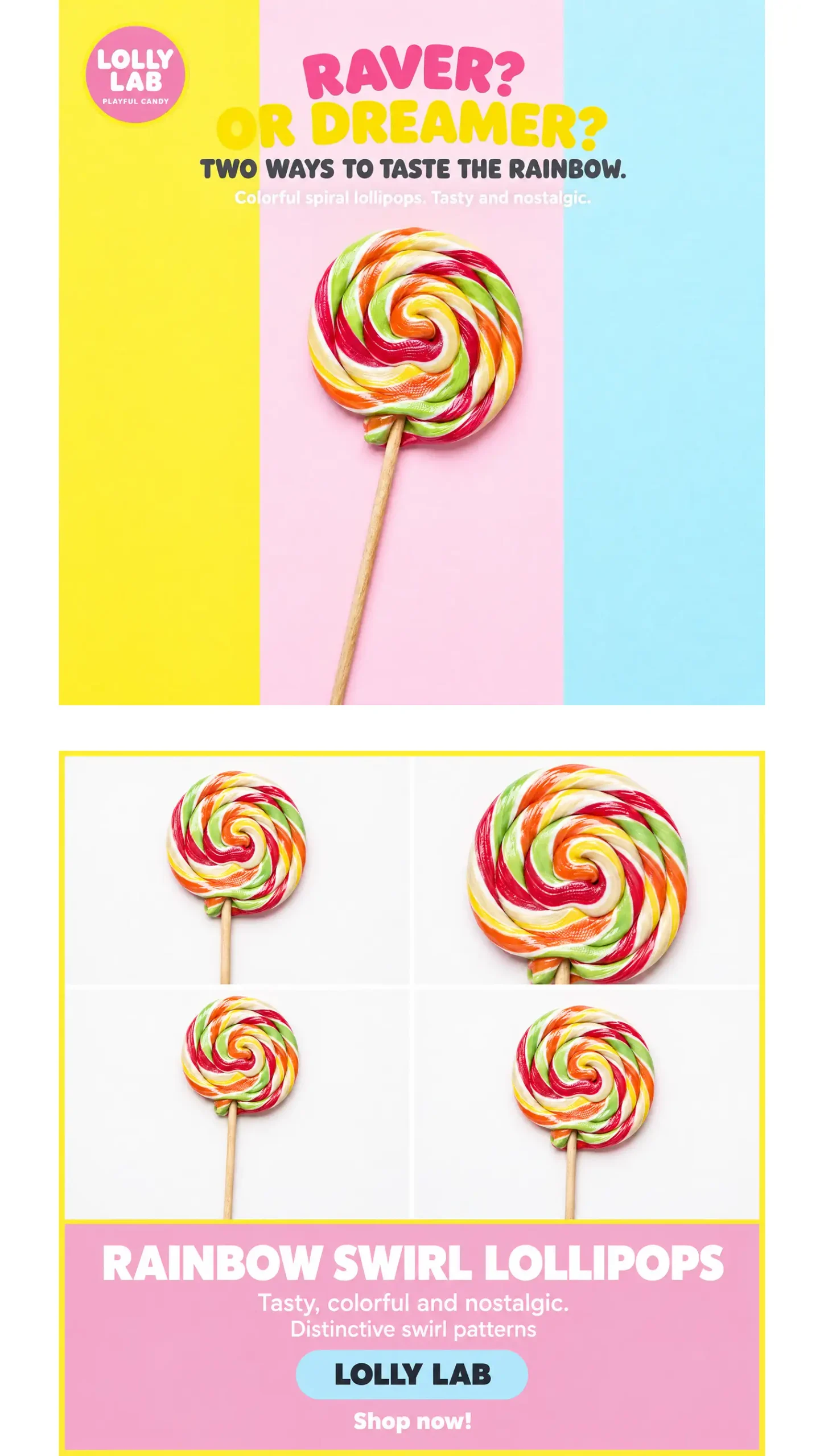
I also tested Higgsfield Ads Studio with a fictional candy brand called Lolly Lab. After manually setting up a Brand Kit with pastel colors, product details, and audience information, I generated three static advertising concepts using the same spiral lollipop.
The results included a UGC-inspired social post, a colorful promotional poster, and a product-focused collage. Higgsfield largely maintained the brand’s color palette and recognizable candy design across different layouts.
However, the creatives still needed manual review. One ad used a fictional first-person testimonial, another suggested two product options while showing only one, and the collage repeated nearly identical product images. The candy stick also appeared different from the original reference.
Ads Studio is useful for quickly exploring different advertising angles, but the generated copy, product details, and marketing claims need checking before publication. I didn’t test these creatives in a live ad campaign, so I can’t judge their conversion performance.
Ad Multiplier
Already have a video you like? Ad Multiplier, released in October 2026, lets you change the product, character, location, hook, or CTA while preserving much of the reference video’s structure.
Though, I also tried Ad Multiplier to create a variation of an existing lollipop ad. In this test, the resulting creative looked very similar to the source rather than introducing a clearly different advertising concept. The experience showed me that creating variations doesn’t automatically mean getting new creative angles. For advertisers, the value depends on whether the changes are meaningful enough to justify another generation.
Use these variations to test different selling angles. If you’re comparing tools that turn product pages into videos, my website-to-video AI guide covers that workflow in more detail.
How do you turn Higgsfield AI creatives into ads worth testing?
Start with two or three versions of the same product ad, each showing a different reason to buy. One could focus on the price, another on the product’s benefits, and a third on how customers use it.
AI makes producing those variations easier. According to the IAB’s July 2026 Digital Video Ad Spend Report, nearly two-thirds of video ad buyers now use generative AI for creative production, up from half in 2025.
Before launching, check that every version shows the correct product, offer, and CTA. Then I’d export the creatives, set up the campaign, and compare which version delivers better results.
That’s where I’d judge Higgsfield’s advertising tools:
- How many usable creatives can I produce,
- how much do they cost,
- how easily can I turn them into campaigns?
More variations give me more ideas to test, but CTR and CPA will tell me which ones deserve more budget.
Higgsfield AI user reviews: What do customers report?
Customer feedback is mostly positive, although pricing and generation reliability receive mixed reactions. As of October 20, 2026, Trustpilot gives Higgsfield AI 4.0 out of 5 stars, based on approximately 5,100 reviews. On G2, Higgsfield scores 4.4 out of 5 across 90 reviews.
What do users like most about Higgsfield AI?
Creators frequently praise the cinematic effects, model selection, and ability to generate videos without expensive equipment.
In a September 10, 2026 G2 review, Lauren H. described how Higgsfield helped her bring original characters and stories to life. She particularly appreciated the camera effects and realistic movements.
Another reviewer, a freelance creative director, shared on Trustpilot in October 2026 that he uses Cinema Studio for commercials and agency presentations.
Customer support also receives positive feedback, with several users reporting quick responses and helpful explanations.
What are the most common Higgsfield AI complaints?
Credits are a frequent concern. Users report spending more than expected when regenerating videos, especially when characters or movements don’t match their instructions.
Lauren H. mentioned that characters sometimes look toward the camera instead of another person, forcing her to regenerate scenes and spend additional credits.
Other Higgsfield AI user reviews describe slow generation queues, confusing subscription offers, and difficulties resolving billing problems. Customer support receives mixed feedback, with some users praising quick fixes and others reporting frustrating experiences.
Higgsfield AI pros and cons
Higgsfield offers plenty of creative freedom, but I’d judge its value by how much work it takes to finish something worth publishing. The same features that make it appealing to filmmakers can feel excessive when you just need a product ad.
Here’s how the main Higgsfield AI pros and cons compare.
| Pros | Cons |
| Access to multiple AI image and video models | Credit costs vary between models |
| Advanced camera and lighting controls | More settings to learn before generating |
| Reusable AI characters through Soul ID | Consistency may require several attempts |
| Batch ad creation and video variations | Campaign setup happens separately |
| Cinematic results without traditional filming equipment | Some outputs need additional editing |
| Flexible plans for different production volumes | Unused subscription credits expire |
Where can you use Higgsfield AI: Mobile, web, or API?
Higgsfield AI works through your web browser, whether you’re using a Windows PC, Mac, iPhone, or Android device. You can generate videos, manage credits, and download your creations without installing additional software.
According to Higgsfield’s September 2026 official platform guide, the company doesn’t offer a dedicated iOS, Android, or desktop app. You’ll need to visit its website to access the creative tools.
For developers, Higgsfield also offers an API, MCP integration, and CLI. These let you connect image and video generation to other workflows. The API uses separate pay-per-generation billing rather than your regular subscription credits.
Is Higgsfield AI safe for commercial projects?
Yes. Higgsfield allows you to use generated images and videos in paid ads, social media posts, and client projects. According to its 2026 Terms of Use, the company doesn’t claim ownership of your inputs or outputs. You also keep your rights to exported content after canceling your subscription.
There are a few conditions I’d check before uploading client materials.
Say you’re creating a skincare campaign using a client’s product photos and a model’s face. You’ll need permission to use those assets, including the person’s likeness. Higgsfield requires users to have the necessary rights and consent for uploaded content.
I’d also pay attention to how Higgsfield handles your data. Under its standard terms, the platform may use uploaded materials and generated content to improve its AI models. Separate enterprise agreements offer different protections, including restrictions on training with customer content.
For client campaigns, I’d keep projects private and confirm the data terms before uploading unreleased products or confidential materials. Commercial-use permission is helpful, but you still need the rights to everything you include in the finished ad.
Why I’d choose Zeely for paid advertising
If you’re making cinematic videos, Higgsfield deserves a place on your shortlist. But if you’re running a business and want those creatives to bring in customers, I’d start with Zeely.
Zeely is an agentic AI platform for creating, launching, and scaling paid ads. It connects marketing research, AI creative production, Meta campaign setup, and performance tracking, so you can work on the entire advertising process in one place.


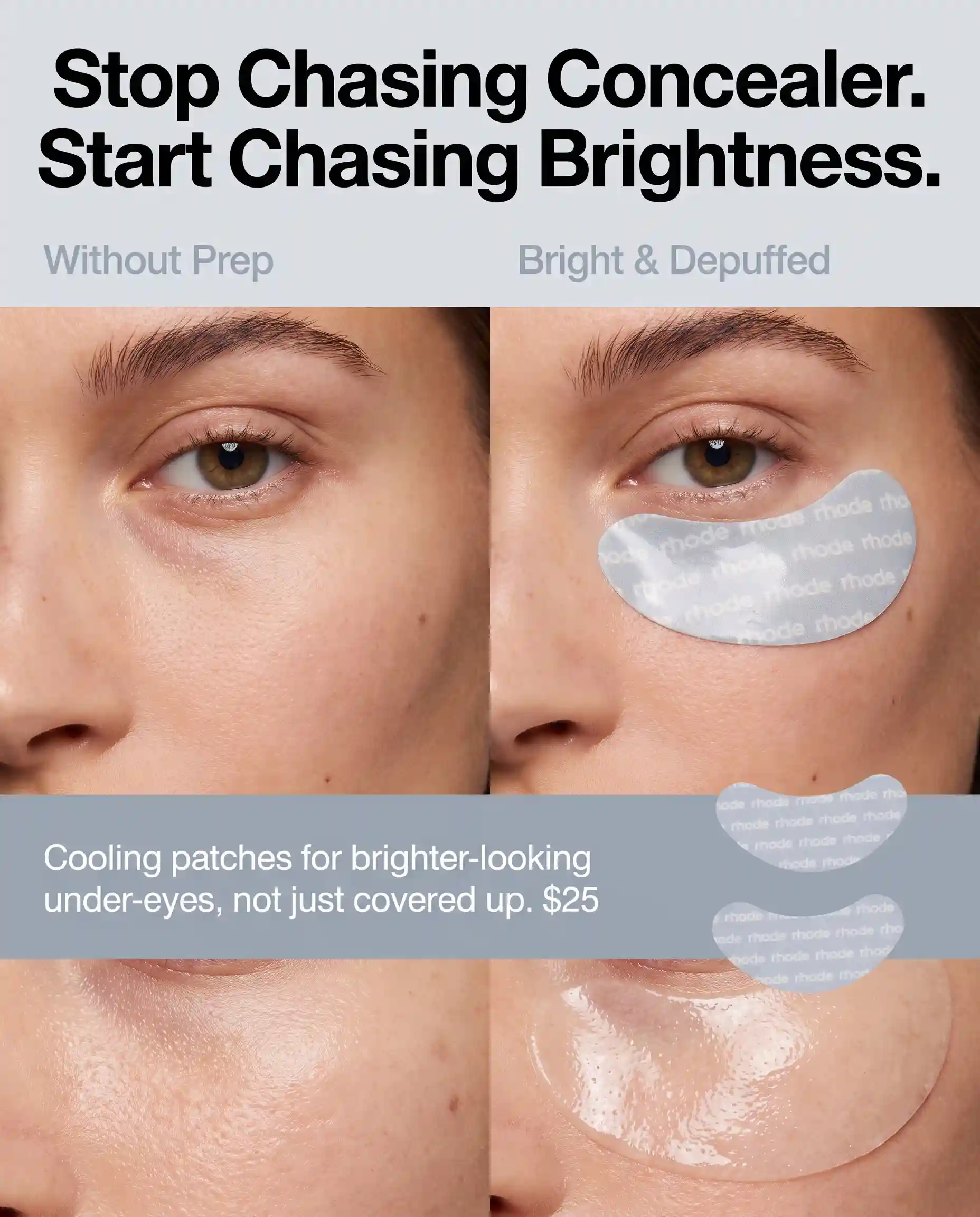
Say you’re launching a new skincare product. You need to understand who might buy it, find a selling angle, create several ads, and get a campaign running.
With Zeely, you can use its AI Agent to research competitors, explore audience questions, and prepare ad copy. Then add your product details, generate static or video ads using your brand settings, and launch your chosen creatives through Meta after reviewing the campaign setup.
Once your ads are running, Zeely’s dashboard helps you compare spend, CTR, CPA, and individual creative results. You can use that information to decide what to test or refresh next.
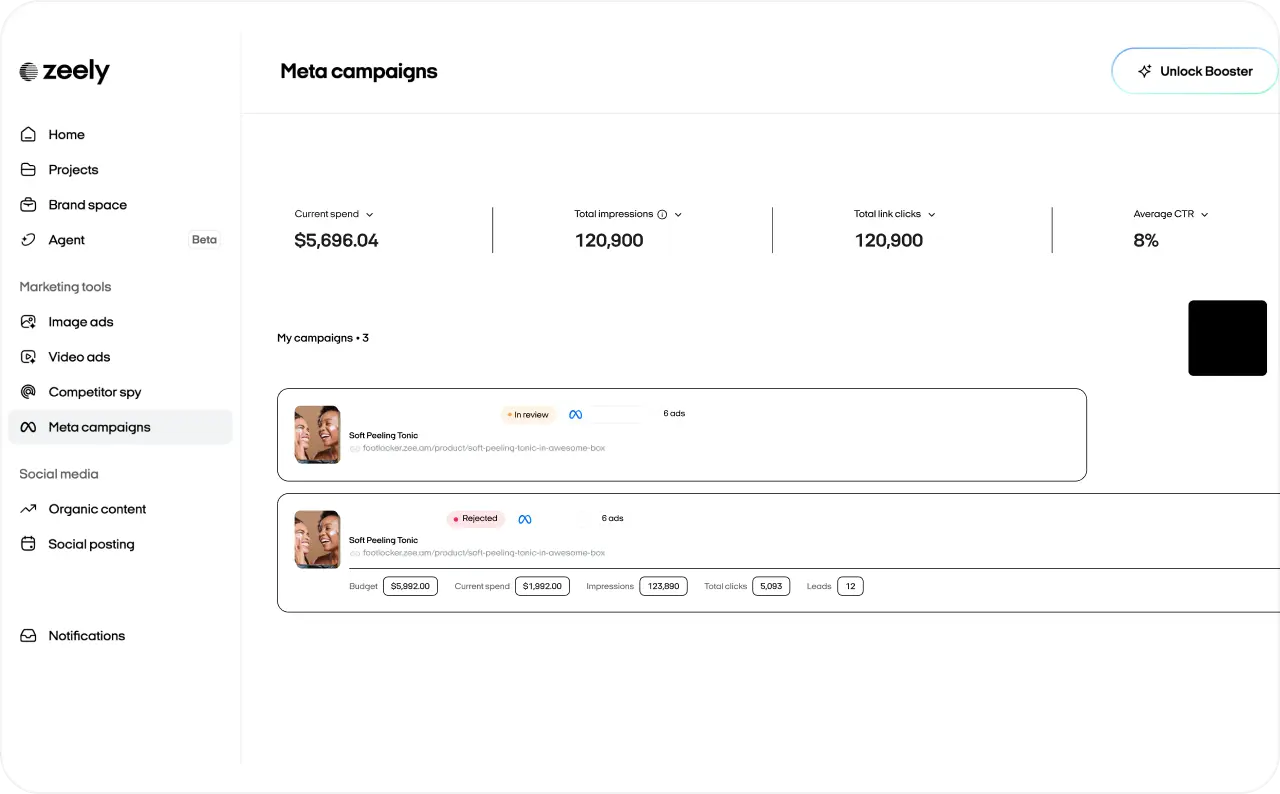
That’s why I’d recommend Zeely for small business owners and lean marketing teams. Higgsfield gives you detailed control over individual videos. Zeely brings the creative work into a larger, AI-guided advertising workflow, with campaign decisions and final approvals staying in your hands.
You can see the full process in our blog post how Zeely works.
Is Higgsfield AI worth it in 2026?
Higgsfield AI is worth considering if cinematic video creation is your priority.
Here’s who I’d recommend it for.
| Who you are | My verdict | Why |
| Filmmakers | Worth trying | Advanced camera controls help create more deliberate cinematic scenes |
| Content creators | Start with a smaller plan | Multiple models offer creative flexibility, but credits need careful management |
| Ecommerce businesses | Depends on your goals | Useful for product visuals, although generating and publishing ads requires additional work |
| Performance marketers | I’d recommend Zeely | Connects marketing research, creative production, Meta campaign launch, and performance tracking |
FAQ
Here are a few practical details I’d check before publishing your first video or committing to a subscription.
Paid Higgsfield subscriptions include watermark-free generations, even when you’re using free generations included in your plan. If you created a video with a watermark before upgrading, you’ll need to regenerate it.
Yes. Higgsfield supports 9:16 vertical videos for TikTok, Instagram Reels, and YouTube Shorts. You can select the aspect ratio before generating, although available formats depend on the model.
Open Manage Account, select Subscription, then Plan Settings and Manage Subscription. Choose Cancel Subscription to stop automatic renewal. Your plan remains active until the paid period ends. Cancellation doesn’t automatically include a refund.
Higgsfield says most technically failed generations receive automatic credit refunds within minutes. You can check them under Manage Account, then Usage. However, a completed video that doesn’t match your expectations isn’t necessarily eligible for a refund. Some models, including Grok, have different charging rules. Check Higgsfield’s official credit policy before generating.
Sources
1. Higgsfield;
Fact checked by Yuliia Pyrch