AdCreative AI review: Is it worth it?
Is AdCreative.ai worth it for small business ads, or is it better for larger teams with bigger creative budgets? I reviewed AdCreative.ai’s current pricing, feature pages, refund policy, and user sentiment so Zeely readers can test it with less risk.
AdCreative.ai is useful if you need many static ad variations, fast copy ideas, product visuals, and predictive creative scoring. It fits ecommerce brands, agencies, PPC teams, and marketers who already run paid ads. The weak spots are pricing, limited creative control, uneven output quality, and repeated billing or refund complaints across review sites. Test it only with a clear plan, a set budget, and proof that cancellation worked.
AdCreative.ai looks attractive when your ad account needs fresh creatives fast. It can turn a short brief, product page, or brand input into banners, ad copy, product visuals, and videos.
This AdCreative AI review is built for business owners who need the plain version. I’ll cover what works, what needs caution, and how to test the tool without letting the trial or credits run your budget.

AdCreative AI review: the quick verdict for small businesses
AdCreative.ai is not a full marketing team. It’s a creative production tool that helps you make more ad variants in less time.
That difference matters. If you already know your offer, audience, landing page, and paid channel, AdCreative.ai can speed up production. If you don’t know what you’re selling, who you’re targeting, or why customers buy, the tool can generate polished ads that still miss the mark.
My verdict is simple:
| Question | Answer |
| Is AdCreative.ai legit? | Yes, it is a real AI ad creative platform. |
| Is it best for beginners? | Sometimes, but only if pricing feels safe for your budget. |
| Best use case | Bulk static ad variations for Meta, Google, LinkedIn, and ecommerce offers. |
| Main strength | Fast creative generation with many format options. |
| Main risk | Billing, refund, and cancellation complaints. |
| Best next step | Run a controlled 7-day test before using it for live campaigns. |
If you want a broader list, compare it later with AdCreative.ai alternatives. This page should stay focused on review intent, not become a full alternatives article.
AdCreative AI features: what you actually get
The core AdCreative AI features are built around one job: making ad assets faster.
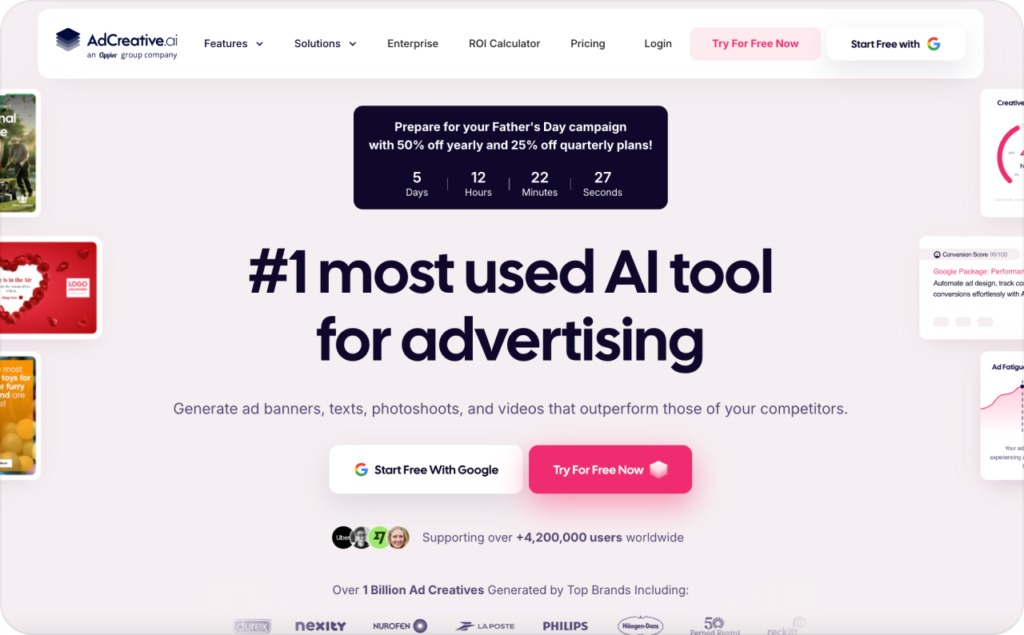
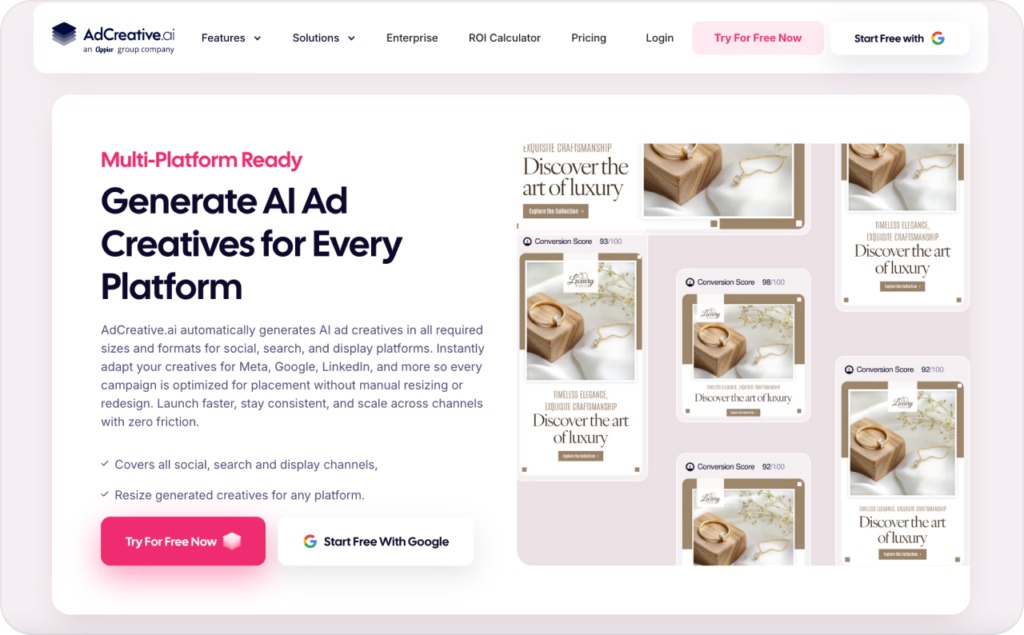
You can generate static ad creatives, banners, ad copy, product photos, UGC-style videos, and visual variations. AdCreative.ai also promotes Creative Scoring AI, which predicts which creatives may perform better before launch.
The most useful features are:
- AI ad creative generation for static paid social and display ads
- Ad copy generation for headlines, descriptions, and CTA ideas
- Website or product URL scanning for quick creative input
- Product photoshoot tools for ecommerce visuals
- Video and UGC-style ad generation
- Creative Scoring AI for predicted performance
- Competitor insights for ad research
- Platform integrations for Meta, Google, and LinkedIn workflows
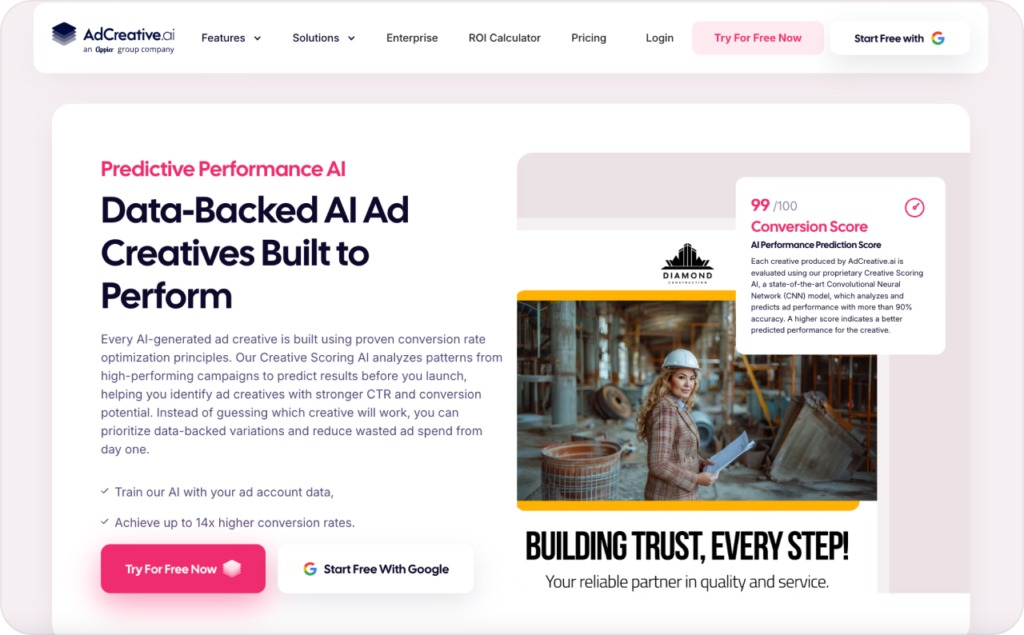
The feature set sounds broad, but small business owners should read it as a production system, not a profit guarantee. A higher creative score does not mean you’ll get lower CPA or better ROAS automatically.
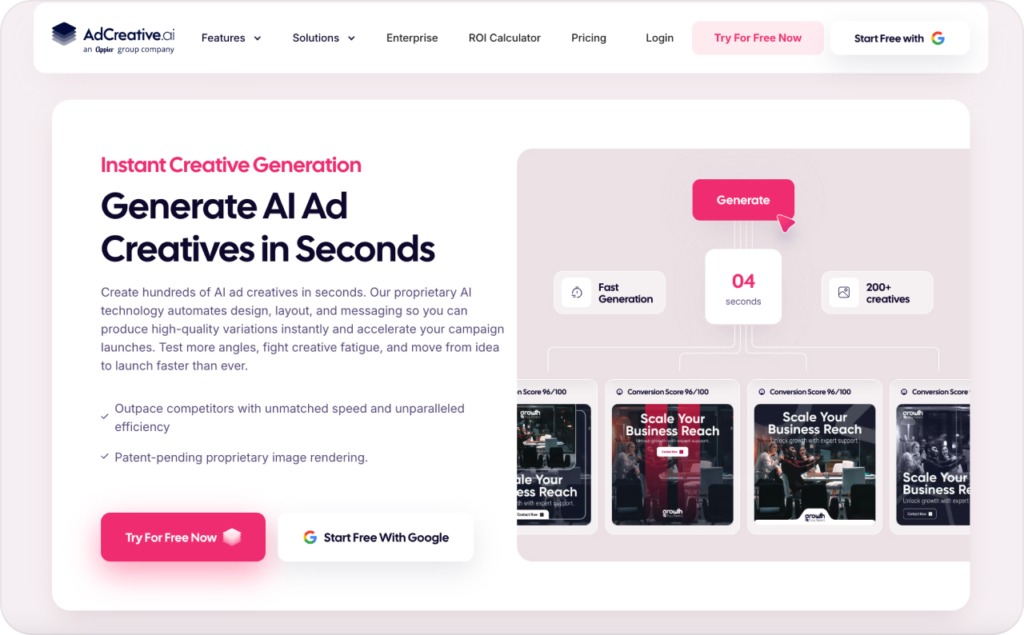
What I like most is the speed. You can move from a blank page to several ad options quickly. That helps when your campaign is slowing down and you need fresh tests.
What I like least is the risk of sameness. AI ad tools often learn from familiar patterns, so the output can feel safe, generic, or too template-driven. For local businesses, niche ecommerce stores, and personality-led brands, that can make the ad look polished but forgettable.
Do this now: use AdCreative.ai for the first draft, not the final word. Add real product photos, customer proof, local details, price anchors, and your strongest offer before publishing.
AdCreative pricing: plans, trial, and refund risk
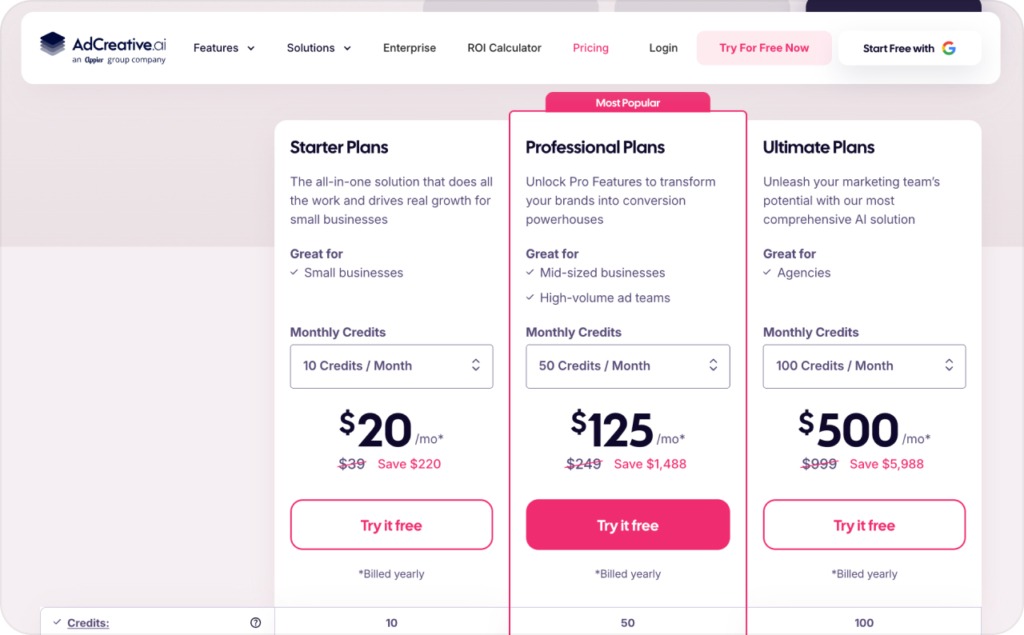
AdCreative pricing starts with a 7-day free trial, and the current site says that trial includes 10 creative credits. The monthly pricing page currently lists Starter from $39 per month, Professional from $249 per month, and Ultimate from $999 per month. Discounts may appear for quarterly or yearly billing, so confirm the checkout screen before entering your card.
Here’s the practical version:
| Plan | Listed monthly starting price | Best fit |
| Starter | $39/month | Solo marketers testing a few creatives |
| Professional | $249/month | Small teams and agencies running more tests |
| Ultimate | $999/month | Larger teams managing higher creative volume |
| Enterprise | Custom | Companies needing custom support and governance |
The pricing issue is not only the monthly fee. It’s the combination of card-required trial, credits, plan tiers, renewals, and refund rules.
AdCreative.ai’s refund policy says refunds may be available within 7 days for monthly plans or 30 days for annual plans, provided the service has not been used. That last part matters. If you generate or download assets during a trial, you may weaken your refund case.
Before testing, do this:
- Screenshot the plan and price shown at checkout
- Set a cancellation reminder for day five, not day seven
- Use a low-limit card if your company allows it
- Cancel inside the app and save proof
- Email support if you need written confirmation
This sounds boring, but it protects you. Many business owners lose trust in software because they test casually, then realize the billing terms were less casual than the product demo felt.
AdCreative.ai review sites show a split picture
User sentiment is mixed. That makes this AdCreative.ai review more useful than a simple yes or no answer.
On G2, AdCreative.ai has strong overall ratings, and many users praise speed, ease of use, and creative volume. Reviews also show that many listed users come from small businesses, which makes the feedback useful for founders and lean marketing teams.
Capterra is more cautious. The rating is lower, and recent reviews mention billing transparency, cancellation clarity, output quality, and customer support concerns.
Trustpilot shows the same split. Some users praise support, while others complain about subscription charges, refund delays, and unclear payment handling.
Product Hunt adds another useful layer. Reviewers mention time savings, simple workflows, and helpful creative variations. They also flag generic outputs, repetitive batches, scoring that does not always match real performance, and billing frustration.
The pattern is clear:
- Happy users value speed and production volume
- Unhappy users often complain about billing, refund delays, or weak output
- Neutral users see it as useful, but not enough to replace human creative work
That’s why I wouldn’t judge AdCreative.ai only by its homepage. I’d judge it by how it behaves inside your real workflow.
Expected result: if your offer is clear, you should get usable first drafts. If your offer is weak, you’ll get many polished versions of the same weak message.
Hidden problems business owners should know
This is the part I’d want before entering a credit card. It comes from recurring questions in review communities, user review sites, and small business AI ad discussions.
| Problem | Why it’s important | Solution |
| The free trial can feel low-risk, but billing is the real test. | A tool can save three hours and still cost more than expected if renewal terms surprise you. | Treat the trial like a paid test. Screenshot pricing, set reminders, and cancel early if it’s not a fit. |
| Creative scores can create false confidence. | A predicted score is not the same as sales, booked calls, or ROAS. | Use the score to sort ideas, then let CTR, CPA, and ROAS decide winners. |
| Credits can disappear into experiments. | Small teams may spend credits before finding a usable direction. | Write three clear ad angles before generating: offer, objection, and proof. |
| AI outputs can look like everyone else’s ads. | A small business wins by being specific, not by looking like a stock template. | Add real photos, owner voice, customer quotes, local proof, and specific product details. |
| Support friction can steal time from campaign work. | A refund thread can cost more attention than the ad tool saved. | Keep records from day one and use live chat plus email for billing issues. |
| Product visuals need human review. | AI product images can exaggerate size, texture, materials, or results. | Check every claim, product detail, and visual before running paid traffic. |
The secret sauce is not “use AI to make ads.” Everyone can do that now.
The real advantage is using AI to generate controlled variations from a strong brief. Your brief should include the audience, pain point, offer, proof, product limits, banned claims, and CTA. Without that, AdCreative.ai is guessing.
Product quality: does AdCreative.ai make good ads?
AdCreative.ai can make good first drafts. It can make clean banners, clear headline layouts, simple product creatives, and many variations fast.
It works best for offers with a clear selling point, such as:
- 20% off a product drop
- Free consultation for a local service
- New ecommerce product launch
- Retargeting ad for abandoned carts
- Seasonal sale with a clear deadline
- Lead magnet or webinar signup
It struggles more when the ad needs emotional nuance, founder personality, humor, strong storytelling, or strict brand design. That’s where templates can feel too tight.
For ecommerce brands, product visuals can help you test angles faster. Still, check every generated image before publishing. If an ad shows the wrong product detail, wrong material, or unrealistic result, it can create trust problems.
For videos, treat outputs as test clips, not finished brand films. UGC-style video works when it feels specific and credible. If it looks like stock footage with generic captions, it may get skipped.
My rule: AdCreative.ai is strongest at variation. It is weaker at taste.
Who should use AdCreative.ai?
AdCreative.ai makes the most sense for teams that already spend money on paid ads.
Choose it if you:
- Run Meta, Google, or LinkedIn ads every month
- Need 20 or more creative variants per campaign
- Have a clear offer and landing page
- Want quick static ads for testing
- Manage several brands or clients
- Have someone who can review AI outputs before launch
Be more careful if you:
- Are running your first campaign ever
- Have a very small monthly ad budget
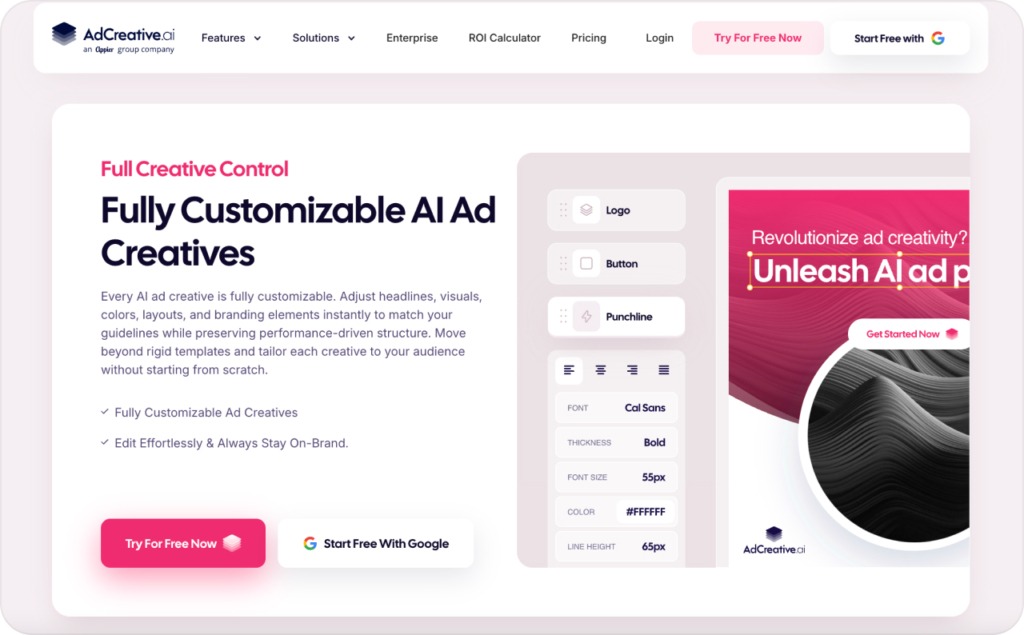
- Need deep design control
- Sell regulated, sensitive, or claim-heavy products
- Cannot risk a surprise renewal
- Need ads that feel highly personal or founder-led
For small businesses, the best workflow is simple. Generate ideas with AdCreative.ai, edit the strongest few, then test them with controlled spend.
If you mainly need static formats, read Zeely’s guide on how to create static ads using an AI ad generator after this review. It will help you build a cleaner production workflow without turning this review into a static ad pillar.
How to test AdCreative.ai in 7 days
Don’t open the trial and “look around.” That’s how you burn credits and time.
Use this test plan instead.
Day 1: Pick one product, one audience, and one offer. Write your main claim, proof, CTA, and banned claims.
Day 2: Generate three creative batches. One should lead with the offer, one with the customer pain, and one with proof.
Day 3: Remove weak or generic ads. Keep only ads you’d feel comfortable showing a customer.
Day 4: Edit the winners. Add real product details, better headlines, pricing clarity, and stronger CTA copy.
Day 5: Decide whether to continue or cancel. Don’t wait until the final trial day.
Day 6: If continuing, launch a small test with equal budget across variants.
Day 7: Review early signs. Look at CTR, CPC, add-to-cart rate, lead cost, and comments.
Do this now: ignore the best-looking ad unless it also matches the offer. Pretty ads don’t pay bills. Clear ads do.
AdCreative AI pros and cons
Here’s the clean summary.
| Pros | Cons |
| Fast ad creative generation | Pricing can rise quickly for teams |
| Useful for static ad testing | Trial and refund terms need attention |
| Helps fight creative fatigue | Outputs can feel generic or repetitive |
| Includes ad copy and visual tools | Creative score is not a sales guarantee |
| Good fit for agencies and PPC teams | Deep brand control may still need manual editing |
| Supports product visuals and video tools | User reviews mention billing and support frustration |
The biggest pro is speed. The biggest con is trust friction.
That doesn’t mean every user will have a bad billing experience. It means small business owners should not treat billing as an afterthought.
For small business owners, my advice is careful optimism. Use AdCreative.ai when speed matters. Keep human judgment on the offer, claims, product accuracy, and brand voice. Protect your budget before starting the trial.
Final checklist:
- Confirm the plan price before entering your card
- Screenshot your trial, plan, and cancellation page
- Prepare three ad angles before generating
- Use real product proof, not only AI visuals
- Treat the creative score as a filter, not a forecast
- Test only the strongest 3 to 5 ads
- Judge results by CTR, CPA, and ROAS
- Link readers who want comparisons to AdCreative alternatives
- Link readers who need static ad guidance to the static ad pillar

Emma blends product marketing and content to turn complex tools into simple, sales-driven playbooks for AI ad creatives and Facebook/Instagram campaigns. You’ll get checklists, bite-size guides, and real results, pulled from thousands of Zeely entrepreneurs, so you can run AI-powered ads confidently, even as a beginner.
Written by: Emma, AI Growth Adviser, Zeely
Reviewed on: June 23, 2026