HeyGen for marketing videos: what it does, pricing, use cases and limits
HeyGen is one of the best-known AI avatar video tools for creating presenter-led videos, translated clips and UGC-style content without filming. Here’s what marketers should know before using it.
HeyGen is an AI video platform for creating avatar-led videos, translated clips, product explainers, training videos and UGC-style ads. It offers AI avatars, custom avatars, video translation, templates and a free plan with limited monthly videos. It is useful for polished AI presenter content, but marketers who need fast product-led ad variations may still want a workflow built specifically for performance creative.
I’m Emma from Zeely, and I’ll be blunt: HeyGen is one of those tools people discover when they are tired of waiting for video production to catch up with their marketing calendar.
You need a product explainer. You need a founder-style intro. You need a training clip. You need a short video for TikTok, Reels or YouTube Shorts. And you do not always have a camera, actor, studio, editor or three quiet hours to record the perfect take.
That is where HeyGen AI comes in.
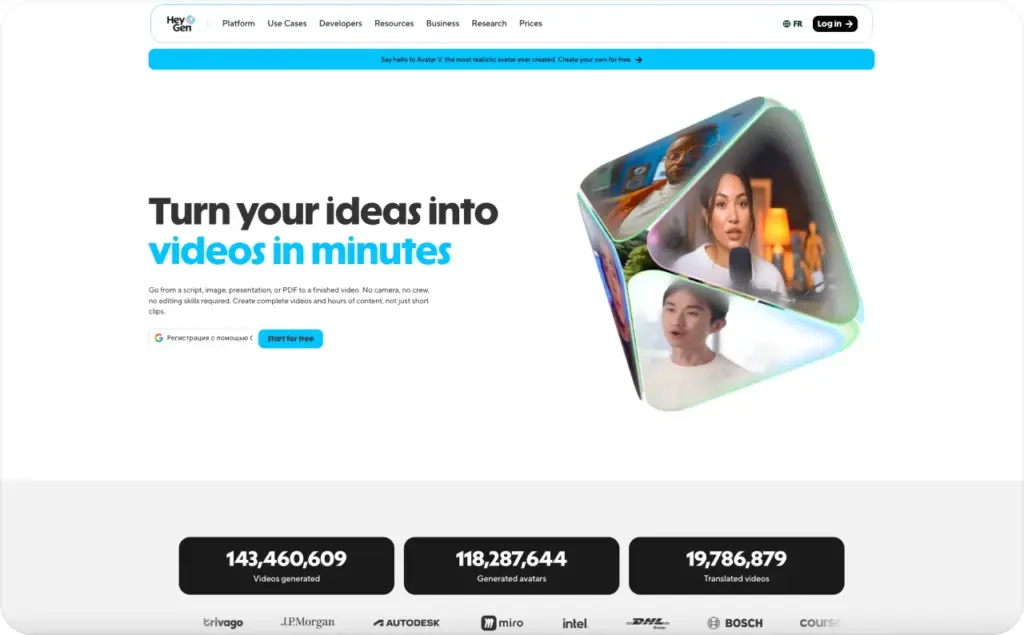
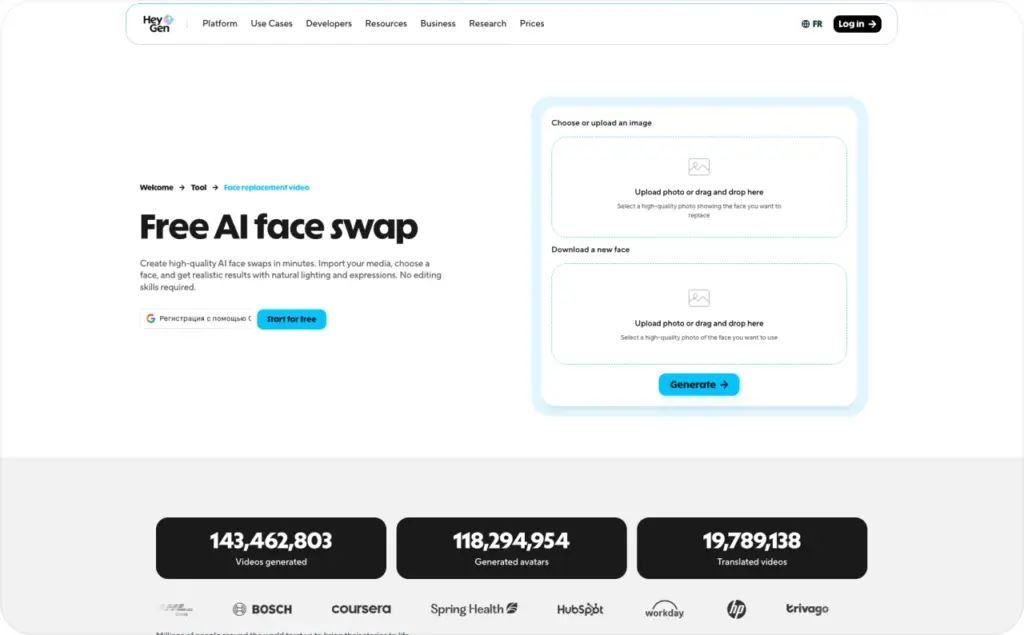
HeyGen is an AI video platform that helps users create videos with AI avatars, voices, templates, translation and editing tools. On its site, HeyGen describes a workflow where you choose an avatar, paste a script or upload a deck, select a voice and language, adjust branding and export the finished video. It lists use cases including explainers, marketing promos, product demos, training, onboarding, outreach and social clips.
For marketers, that sounds exciting. But the real question is not “Can HeyGen make a video?” It can. The better question is: “Is HeyGen the right video workflow for the kind of marketing content I need to publish this week?”
Let’s break that down.
What is HeyGen?
HeyGen is an AI avatar video generator. Instead of filming a person reading a script, you use a digital presenter that speaks your text on screen.
The platform includes stock avatars, custom avatars, photo avatars, video avatars, voices, templates and video translation features. HeyGen’s avatar page says users can create custom AI avatars tailored to their brand, including Avatar IV models, photo avatars from a single image and video avatars built from a user’s own recording.
In plain English, that means you can create a video that looks like a person is presenting your message without hiring that person or filming the scene.
That is why HeyGen AI avatars are popular for marketing, sales, education and internal communication. They add a human face to information that might otherwise be delivered as plain text, a slide deck or a static graphic.
For example, a brand can use HeyGen to create:
- a product demo with a presenter
- a sales outreach video
- a training or onboarding clip
- a multilingual announcement
- a social media explainer
- a UGC-style product video
- a founder-style message without the founder filming
The strongest use case is clear communication at scale. If you already have the script, HeyGen can help you turn it into a polished talking-avatar video faster than a traditional shoot.
How HeyGen AI avatars work
The basic HeyGen video generator workflow is simple.
You choose a presenter, add your script, select a voice, pick a language, adjust the design and generate the video. HeyGen says users can create AI videos without editing experience by uploading text and images, choosing a template and letting the AI build the video automatically.
That is useful because most small teams do not fail at video because they lack ideas. They fail because production is slow.
A 30-second product video can require scripting, filming, editing, captioning, resizing and exporting. Then the marketer has to do it all again for another hook, another product angle or another language.
With HeyGen AI, the presenter layer becomes easier. The avatar can deliver different scripts without reshoots. The same message can be adapted into multiple languages. A team can update product messaging without calling everyone back to set.
HeyGen’s Avatar IV page says the model can turn a photo into a lifelike talking video with natural lip sync, expressive gestures and multilingual voice, without cameras or actors.
That does not mean every video will automatically feel human. A realistic avatar still needs a strong script, clean pacing and a reason for the viewer to keep watching. But it does remove a lot of the production friction. Read also an article about HeyGen vs Synthesia.
HeyGen features marketers usually care about
For marketing teams, the most useful HeyGen features fall into four buckets.
First, there are AI avatars. These are the presenters. You can use stock avatars or create a custom avatar for a more branded look. HeyGen also supports photo avatars and video avatars, which gives teams more flexibility when they want the presenter to match a founder, creator or brand persona.
Second, there is script-to-video creation. You can write a script, choose the avatar and voice, then generate a video. This is useful for product demos, sales explainers, landing page videos and customer education.
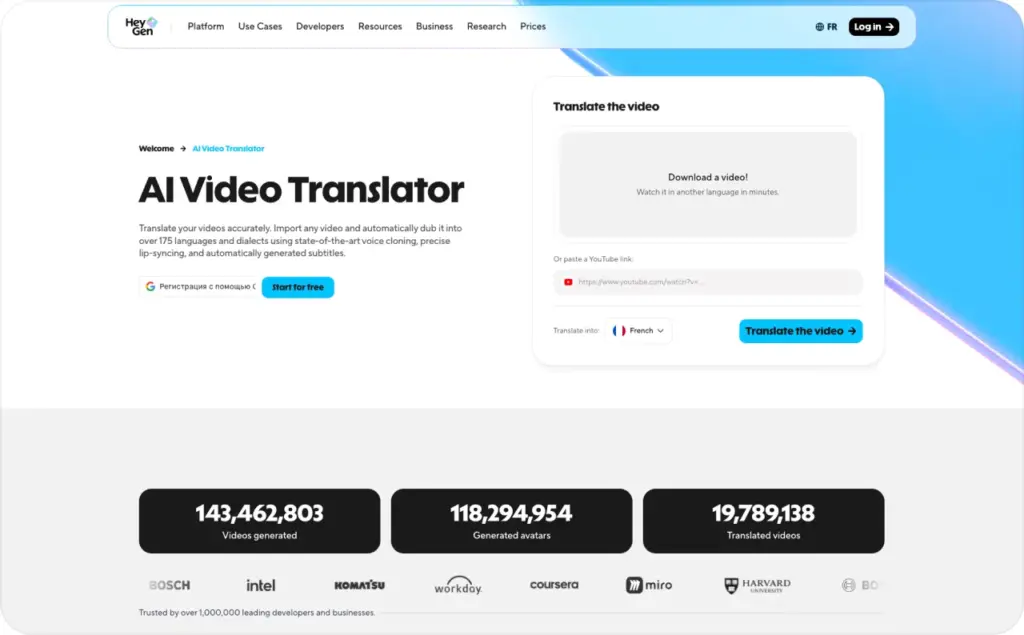
Third, there is HeyGen video translation. HeyGen promotes video translation and localization across 175+ languages and dialects, with natural text-to-speech and lip-sync features for UGC-style videos.
Fourth, there are UGC-style and product video workflows. HeyGen says its AI UGC video tool can generate UGC ads with lifelike AI avatars and 500+ diverse looks and voices for social campaigns, product videos and brand stories.
This is why HeyGen fits the avatar tools cluster well. It is not only a “talking head” generator anymore. It now sits closer to a full AI video workspace for presenters, translation, social content and business communication.
How much does HeyGen cost?
HeyGen pricing changes over time, so always check the live pricing page before publishing or purchasing.
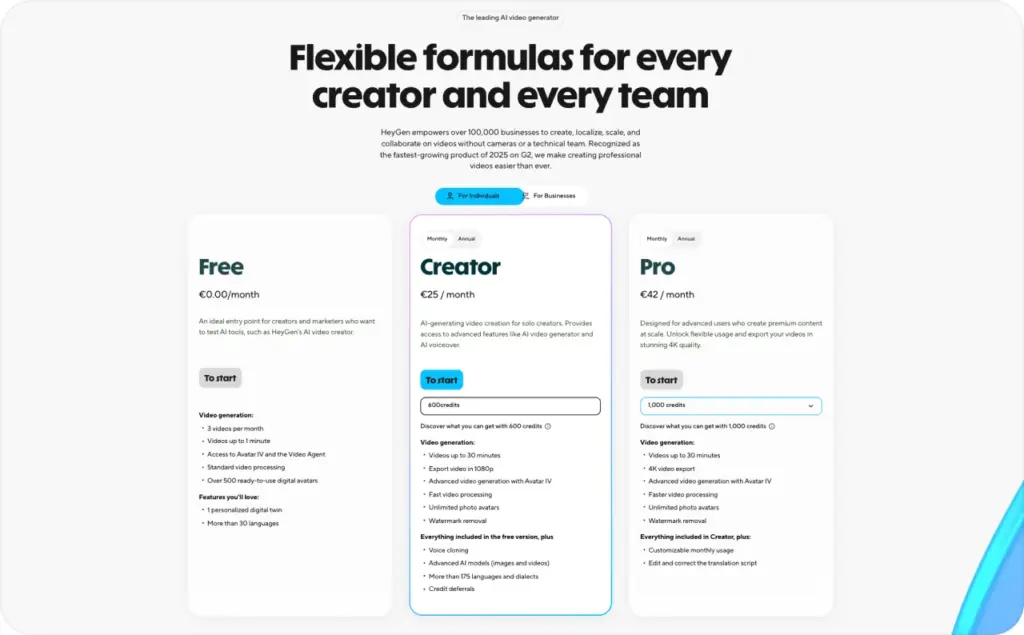
As of the current HeyGen pricing page, users can try HeyGen for free with up to 3 videos per month and no credit card required. HeyGen lists Creator at $29/month, or $24/month when billed annually. It also lists Pro starting at $49/month, and Business at $149/month plus $20 per seat per month. Paid plans use credits across different HeyGen features.
That credit detail matters.
When you compare HeyGen pricing, do not only compare the monthly subscription number. Check what type of video you need, how many minutes you plan to generate, which avatar model you want and whether translation or premium features consume more credits.
For a casual creator, the free plan may be enough to test the workflow. For a marketer creating weekly campaigns, you will probably need a paid plan. For a team producing localized videos, training clips or multiple ad variations, credits and collaboration features become more important than the sticker price.
My practical advice: before choosing a plan, write down how many videos you actually need per month. Then calculate by output, not by excitement.
Is HeyGen good for marketing?
Yes, HeyGen for marketing can be useful — especially when the content needs a polished presenter.
It works well for explainers, onboarding clips, product walkthroughs, sales enablement, customer education and multilingual brand communication. If your team has strong scripts but limited production resources, HeyGen can help you publish more video without filming every time.
But here is the part marketers sometimes learn the hard way: a good-looking avatar is not the same as a good ad.
A high-performing video ad needs a hook, product proof, objection handling, pacing, captions, offer clarity and a strong call to action. The avatar helps deliver the message, but it does not replace the message.
That is why HeyGen is often a strong fit for presenter-led marketing content, while a more ad-focused workflow may be better for performance creative. For example, Zeely’s AI avatar video generator for ads is built around turning a product URL into ad-ready avatar videos with scripts, captions, music, product visuals and exports for TikTok, Reels, Shorts, YouTube and Meta ads.
So the choice depends on the job.
Need a polished AI presenter? HeyGen is a serious option.
Need lots of product-led ad variations? Use a workflow built for ad testing.
When HeyGen works best
HeyGen works best when your message is already clear and you need a human-style presenter to deliver it.
Use it for product explainers when your product needs a simple walkthrough. Use it for training when your team needs repeatable content. Use it for localization when one video needs to become many language versions. Use it for sales enablement when reps need short personalized clips or landing page videos.
It is also useful when consistency matters. A real creator may change tone, lighting, delivery or availability from shoot to shoot. An AI avatar gives teams a repeatable presenter format.
HeyGen can also help teams test video as a format before investing in full production. The free plan makes it possible to try a few videos before committing to a larger workflow.
The best HeyGen content usually has three things:
A specific audience.
A short, direct script.
A reason the avatar should be there.
Do not use an avatar just because it looks impressive. Use it when a face and voice make the message easier to understand.
Where HeyGen may feel limited
HeyGen is powerful, but it is not magic.
The first limitation is creative strategy. If your script sounds like a corporate brochure, the avatar will deliver a corporate brochure. AI can help produce the video, but the core message still needs to be sharp.
The second limitation is ad iteration. If you are creating performance ads, you rarely need one beautiful video. You need many hooks, versions, offers and formats. A general AI avatar video generator may not always give you the fastest path from product page to campaign-ready creative.
The third limitation is platform-native feel. TikTok, Reels and Shorts reward videos that feel fast, clear and native. A polished presenter can work, but only when the video is paced like social content, not a webinar intro.
The fourth limitation is trust. Viewers are getting better at spotting AI-generated content. That does not mean AI avatars cannot work. It means your claims, product visuals and CTA need to be honest. Do not make an avatar pretend to be a real customer if it is not.
HeyGen’s own trust and safety page says the company addresses standards including SOC 2 Type 2, GDPR, CCPA, the Data Privacy Framework and the EU AI Act, and describes safeguards around privacy, encryption and moderation.
That is helpful, but brands still need their own content rules.
How to use HeyGen without wasting credits
Start with the script. Always.
A lot of marketers open an AI video tool and choose the avatar first. That is fun, but it is backwards. Your opening line matters more than the presenter’s shirt.
Before generating the video, write:
Who is this for?
What problem are they trying to solve?
What is the one message they need to remember?
What should they do after watching?
Then keep the script short. For social content, get to the point quickly. For training, structure the content in small sections. For product demos, show the problem before explaining the feature.
If you are using HeyGen for paid social, create at least three script angles before choosing the final version:
A pain-point hook.
A benefit hook.
A proof or comparison hook.
You can also use Zeely’s AI ad script generator to create hooks, scripts, CTAs and captions from a product URL before turning the message into video.
That is the workflow I prefer: strategy first, avatar second, export last.
Final verdict: should marketers use HeyGen?
HeyGen is a strong AI video platform for marketers who need avatar-led videos, multilingual clips, explainers, training content and polished presenter formats.
It is easy to understand, flexible enough for many business use cases and especially useful when you want to create video without filming. Its avatar, translation and UGC-style features make it one of the most recognizable tools in the AI avatar video generator space.
But marketers should choose the workflow based on the outcome. If you are actively switching tools, use the dedicated HeyGen alternatives article instead.
The smartest video stack is not the one with the longest feature list. It is the one that helps you publish the right message faster.
FAQ
HeyGen is an AI video platform that lets users create videos with AI avatars, voices, templates, translation and editing tools. It is commonly used for explainers, product demos, training, sales videos, social media clips and multilingual content.
Yes, HeyGen has a free plan. Its pricing page says users can generate up to 3 videos per month for free, with no credit card required. Paid plans start with Creator at $29/month, or $24/month when billed annually.
HeyGen AI avatars are digital presenters that can speak a script on video. HeyGen offers stock avatars, custom avatars, photo avatars and video avatars for marketing, training, social media and customer support use cases.
Yes. HeyGen has UGC video tools and says users can generate UGC ads with lifelike AI avatars, 500+ diverse looks and voices, and formats for social campaigns, product videos and brand stories.
HeyGen can help ecommerce brands create avatar-led product videos and UGC-style clips. But if your main goal is fast product-led ad testing, a tool like Zeely may be a better fit because it is built around product URLs, scripts, captions, visuals and campaign-ready exports.

Emma blends product marketing and content to turn complex tools into simple, sales-driven playbooks for AI ad creatives and Facebook/Instagram campaigns. You’ll get checklists, bite-size guides, and real results, pulled from thousands of Zeely entrepreneurs, so you can run AI-powered ads confidently, even as a beginner.
Written by: Emma, AI Growth Adviser, Zeely
Reviewed on: June 25, 2026