How to create AI avatars for videos and ads
How do you go from zero to a finished AI avatar video ad? I’ll cover avatar selection, script writing, voice setup, and the full Zeely workflow so you can create one without actors, studios, or guesswork.
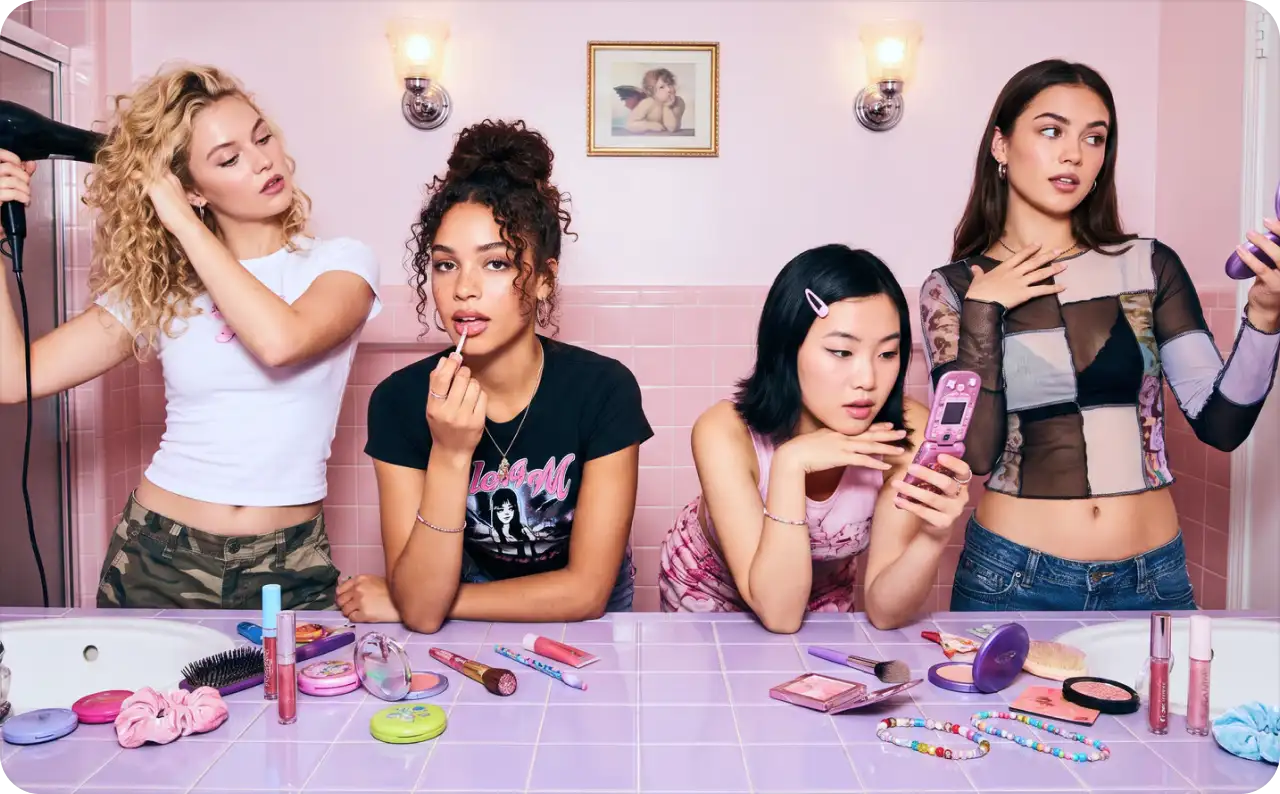
I will walk through my actual workflow below. Avatar, script, voice, export.
Key takeaways
- An AI avatar reads your script on camera with lip sync and expressions. No real person involved
- Library route: filter by age, energy, audience. Custom route: upload a photo and the platform builds one for you
- The face alone won’t carry a video. You still need a spoken script, product shots on screen, captions, and an opening hook that earns the pause
- Bad avatar videos are almost never the avatar’s fault. Weak scripts and missing product proof cause most of the damage
- Hook first, face second. Get that opening line down before you start browsing presenters. And keep the script casual
- Inside Zeely the full process takes under 7 minutes. 1,200+ avatars, voice/emotion/accent controls, captions included
What is an AI avatar?
You know how hiring a real presenter means studios, schedules, reshoots? An AI avatar skips all of that. Write your script, hand it over, and the avatar delivers the lines. The lip sync and expressions are good enough now that on a phone screen most viewers won’t question it.
Where do people use them? Video ads. Product explainers. Social posts. Talking-head clips. UGC-style paid creative. No talent fees or production calendars. A laptop is all you need to run the whole thing.
I tested a few of the early ones. Rough is generous. But the AI avatars available right now are a different product entirely. Lip sync actually works. Voice selection has gotten much wider. And there is real variety now in age, gender, appearance, setting. You can actually find a presenter that fits your audience now. That was not true two years ago.
What AI avatars can and can’t do
Simple message, quick explanation needed? That is where avatars work. Product demos. Service promos. App walk-throughs. Local business ads. Offer-led creative. All strong.
Luxury mood, subtle acting, raw emotion? Avatars tend to flatten those. But a pitch that goes “here is the problem, here is the fix, here is why you should try it” is exactly the kind of thing they handle well.
How to create an AI avatar
Most people start with a library avatar and move to custom later if they need a consistent face across campaigns. Both paths take minutes, not days.
Option 1: Choose from a library
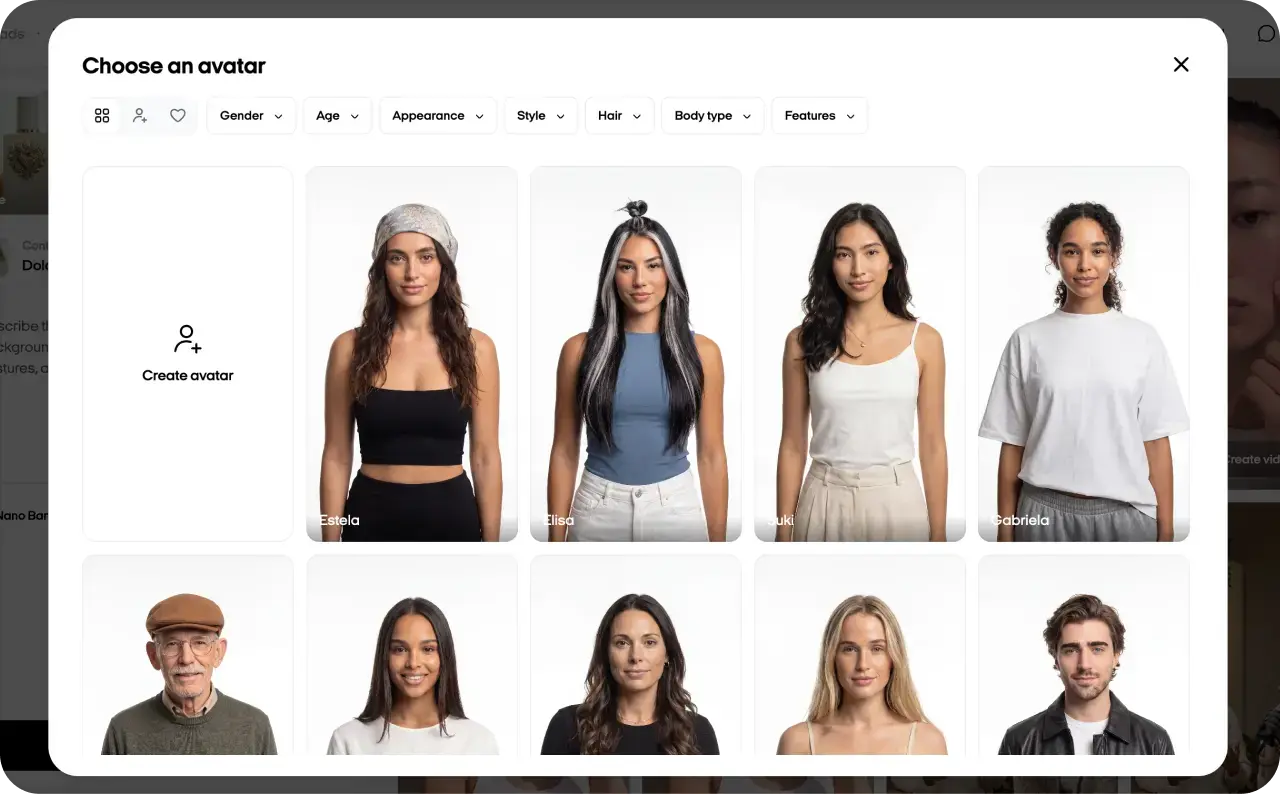
You will find a big avatar library on most platforms. First instinct is always to grab the most polished face. Bad move. The real question: which face would your buyer actually trust?
A beauty brand needs a different presenter than a roofing company. Obviously. But people forget that a finance explainer and a SaaS demo also need different energy. Age filters, audience-fit filters, confidence level. Use them. Way faster than scrolling blind through 500 thumbnails.
Zeely has 1,200+ avatars in the library. Filters built right in. Lip sync works well, and the presenters come in enough outfits and scenes that I can land on someone who fits the product pretty quickly. For a deeper comparison of avatar tools, see this guide to the best AI avatar generators for 2026.
Option 2: Create a custom AI avatar
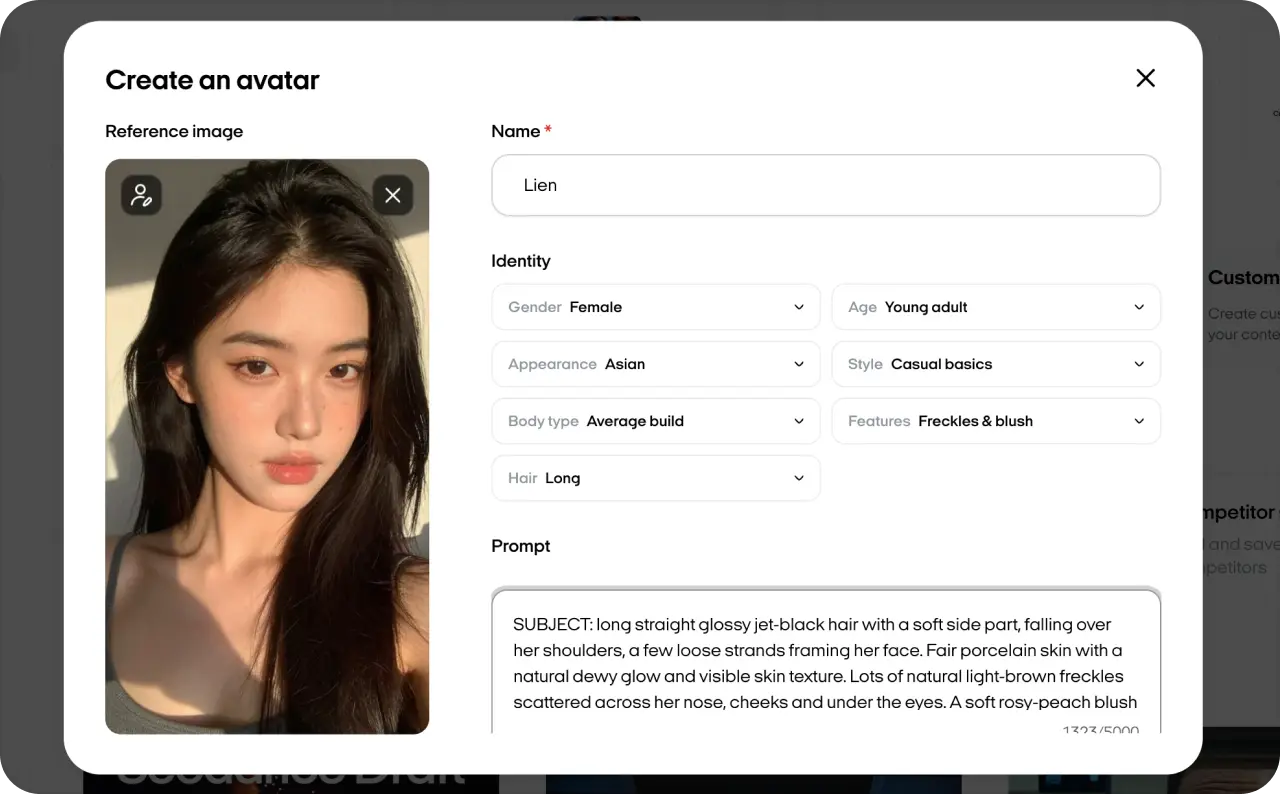
You can also go custom. Upload a photo, and the platform converts it into an avatar you own. I tend to go this direction when I am running a series of ads and want the same face in all of them.
Zeely offers this on the Growth plan. Upload your image, get a reusable avatar back. It works across video ads and viral content.
Now, a lesson I have picked up from trying several photo-to-avatar tools. The source photo makes or breaks the result. Front-facing, well-lit, clear face. Hands nowhere near the chin. No sunglasses. Plain-ish background. Feed it a dim selfie with an Instagram filter from 2022 and the avatar will look exactly that bad.
What to look for in an AI avatar
Worth testing before you spend money:
- Put your product name and some numbers in the script, then watch the mouth. Lip sync glitches tend to cluster around those
- Audition a few voices. Ignore which one sounds most impressive. Ask which one fits this particular face selling this particular thing
- Export at each size you actually need. If the layout breaks at any of them, that avatar or scene won’t work
- Can you fit product proof on screen alongside the avatar? Just a head talking into the void is not going to sell
Does it look right for the message? Then move forward. Viewers don’t need it to be photorealistic. They need to hear the pitch.

How to create AI avatar videos
Creating the avatar is the easy part. The video quality depends on what you do next: the script, the voice settings, the product visuals you layer in, and how you handle captions.
Write a spoken script, not a polished paragraph
The avatar is talking to one person. Not reading a white paper. Not narrating a documentary. One person.
Four beats. Every time:
- Hook
- Problem
- Product
- CTA
Example of a line that was clearly written, not spoken: “Our drink helps you to wake up and feel energetic throughout the day.”
Now this one: “My morning routine just got an upgrade. Cold Brew Pistachio is so smooth and nutty, I can’t imagine starting my day without it. Try it!”
Read them both out loud and notice which one you trip over. The second version flows because it uses fewer words per sentence and none of them feel corporate. That matters double when an AI voice is doing the talking. My test: if I would not say it to someone over lunch, I rewrite it. TikTok’s ad creative guide reaches a similar point: grab attention early, ground the story in a real problem, and give the viewer somewhere to go next. For a deeper walkthrough on writing scripts that convert, read this guide to writing ad scripts.
Set the voice, emotion, and accent
Every platform handles voice differently. Zeely lets you adjust three things on their own:
- Voice (overall speaker tone)
- Emotions (calm or urgent or warm, you decide)
- Accent (how the pronunciation sounds by region)
Auto works as a starting point. One warning though. I see this constantly: someone previews a few voices, picks the most cinematic one, then wonders why it sounds ridiculous on an ad for a $15 cleaning service. Your voice pick has to match the product. A cinematic narrator selling cheap local services is funny for the wrong reasons.
Add product proof so the video is not just a talking face
This part separates decent avatar videos from the ones nobody watches past three seconds.
Let the avatar do the talking. Let the rest of the screen do the proving. That means screenshots, packaging, before-and-afters, UI demos, usage clips, reviews, result cards. Without that supporting visual layer, a digital face is trying to close a sale on personality alone. Good luck with that.
Skincare? Show the actual skin. An app? Show the actual screens. A service? Show a real review or an outcome. Every avatar ad I have seen fall flat had one thing in common: nothing on screen except the face.
Add captions, on-screen text, and a CTA
Assume sound is off. Because for most of your viewers, it will be. That makes captions essential.
Write them short. The text overlay is there to reinforce the spoken line, not duplicate it exactly. A benefit callout card around the halfway mark works well. Then close on a CTA frame.
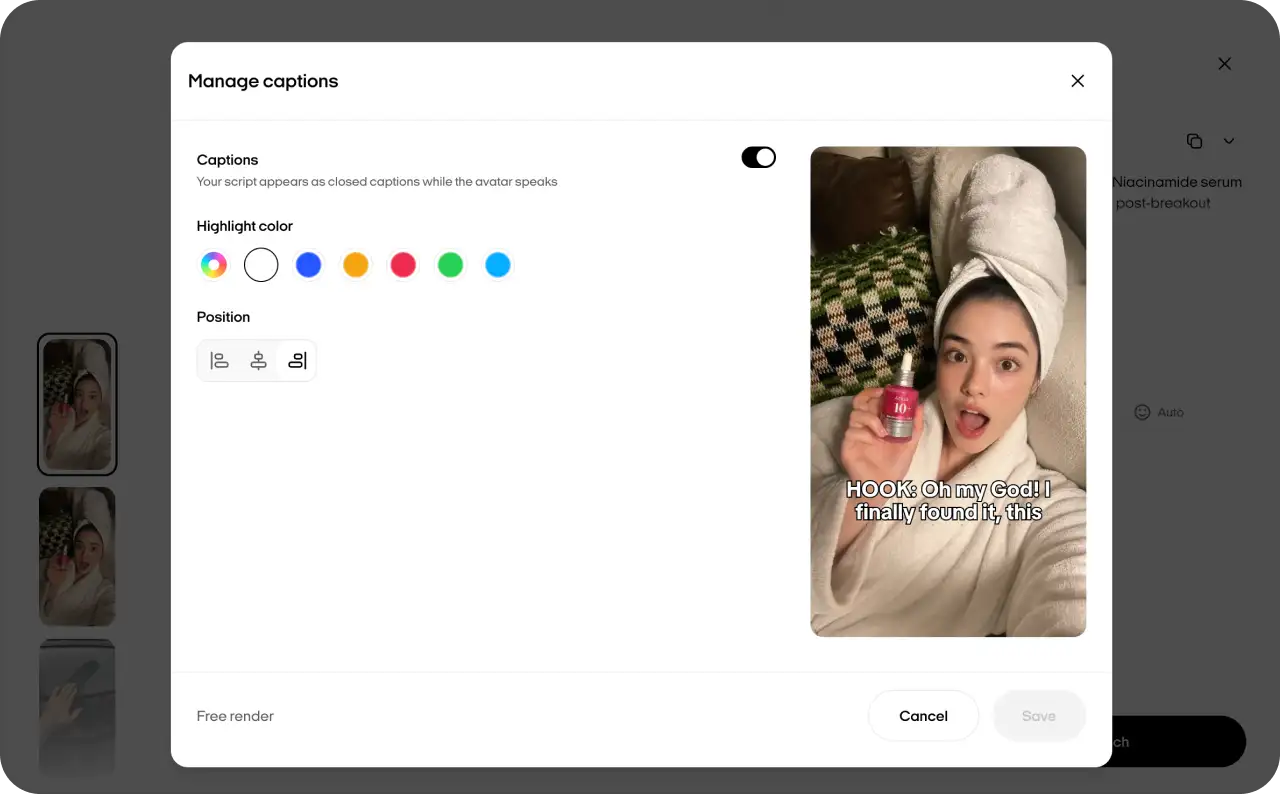
Zeely lets you turn captions on, set a highlight color, and place them at the top, center, or bottom. You get a live preview while you make adjustments, so nothing is a surprise after rendering.
Preview before you export
Play it back. Every time. Before you share it with anyone.
What am I checking? Whether words come out too fast. Whether pauses sound mechanical. Whether the stress falls on a weird syllable. Whether the brand name comes out garbled. Whether the voice and the face seem like they belong to people of two different ages. And if a line just sounds wrong, my fix is always the same: cut it down. I cannot tell you how many times that single fix solved what seemed like a bigger problem.
What you need before you create AI avatar video ads
At this point you have an avatar and a video. Good. But turning it into an ad that people actually respond to is a different challenge. Attention, proof, CTA, all before the thumb moves.
Start with one offer, one audience, and one CTA
Sort this out before you open anything.
Formula I rely on:
- Pain point
- Product promise
- Proof point
- CTA
Example: “Booked-out salon owners wasting hours on DMs? Use this auto-reply tool to answer leads in minutes. 1,200 local businesses already do. Book a demo.”
That is enough. You do not need three angles. Three angles in one ad means none of them stick.
Write the hook before you choose the avatar
The opening seconds decide everything. According to TikTok, half of total recall and awareness impact lands within the first 2 to 2.5 seconds. A CTA display card on top adds another 45% to recall.
Nail the opening line first. The avatar library can wait. For more hook frameworks and examples, read this guide to scroll-stopping hooks for ads.
Openings I reuse all the time:
- Problem: “Still replying to every lead by hand?”
- Surprise: “This ad took me 12 minutes to make”
- Comparison: “Agency wanted $2,000. This version: under an hour”
- Result: “We cut cost per lead in 5 days”
- Question: “Why does your ad look polished but still not sell?”
Go with one. Full commitment.
Gather the assets that matter
The output is only as good as what goes in. Hand the tool blurry photos and vague product copy and the avatar will be doing all the work alone.
Grab these before you start:
- Product images or packaging shots
- Logo
- Offer details
- 3 to 5 headline options
- One proof source: a testimonial, review, stat, or demo result
- One script angle
If you sell software, pull your cleanest UI screenshots. Physical product? Get the packaging, some use-case photos, a before-and-after if you have one. Low quality product images put too much pressure on the avatar. Viewers notice.
Choose the placement before you build the ad
I once spent an hour on a video I really liked, only to find out the crop was wrong for the placement I actually needed.
Every platform has its own rules. TikTok wants fast cuts. LinkedIn tolerates longer setups. Reels live somewhere in between. And the crop ratios and text rules are all different. Decide on the placement first.
How to create AI avatar video ads with Zeely
Zeely is the agentic AI platform for creating, launching, and scaling ads. I use the Video Ad tool for avatar work. You start with product details and end up with a video that has the script, voice, captions, and hook headline baked in. For the full walkthrough, see my guide to creating AI video ads with Zeely.
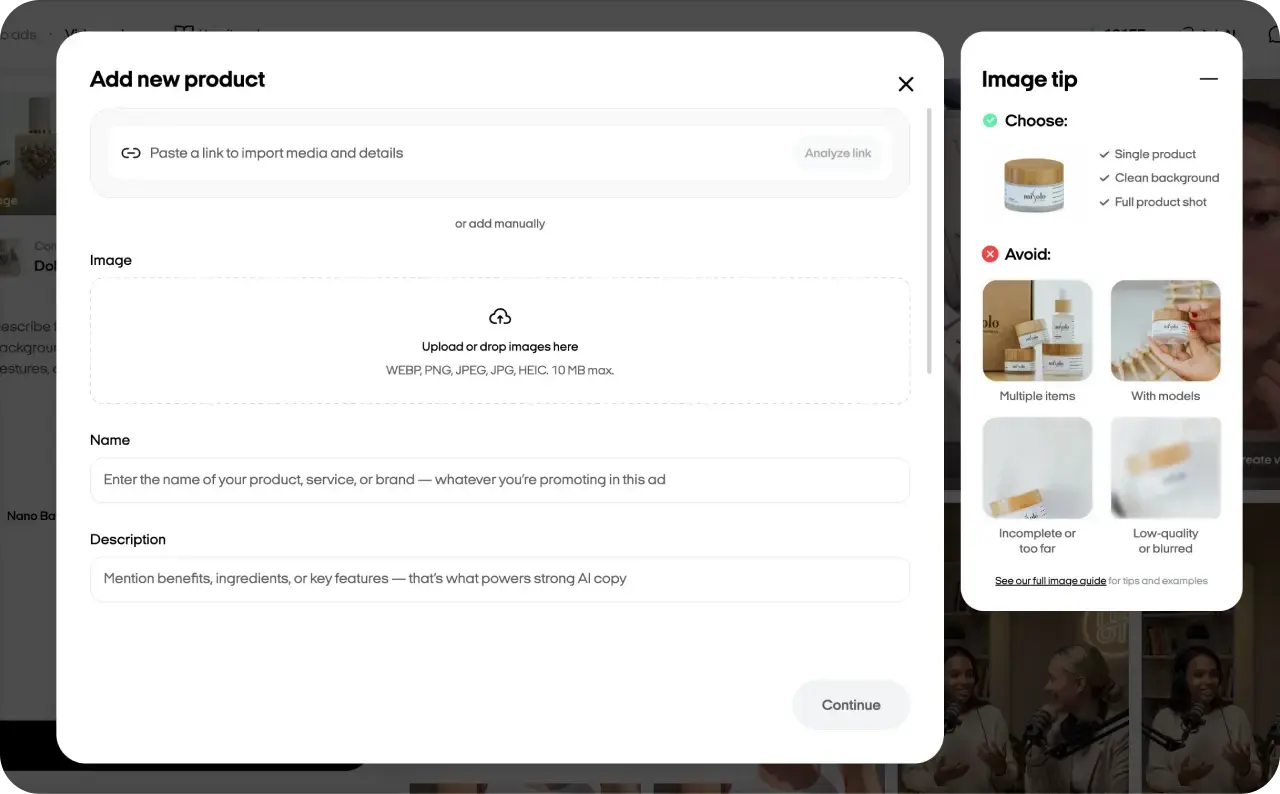
1. Add your product or service details. Start by selecting a product and an image. Zeely fills in the name and description on its own, though both are editable. You can also add audience info here or let the AI generate it
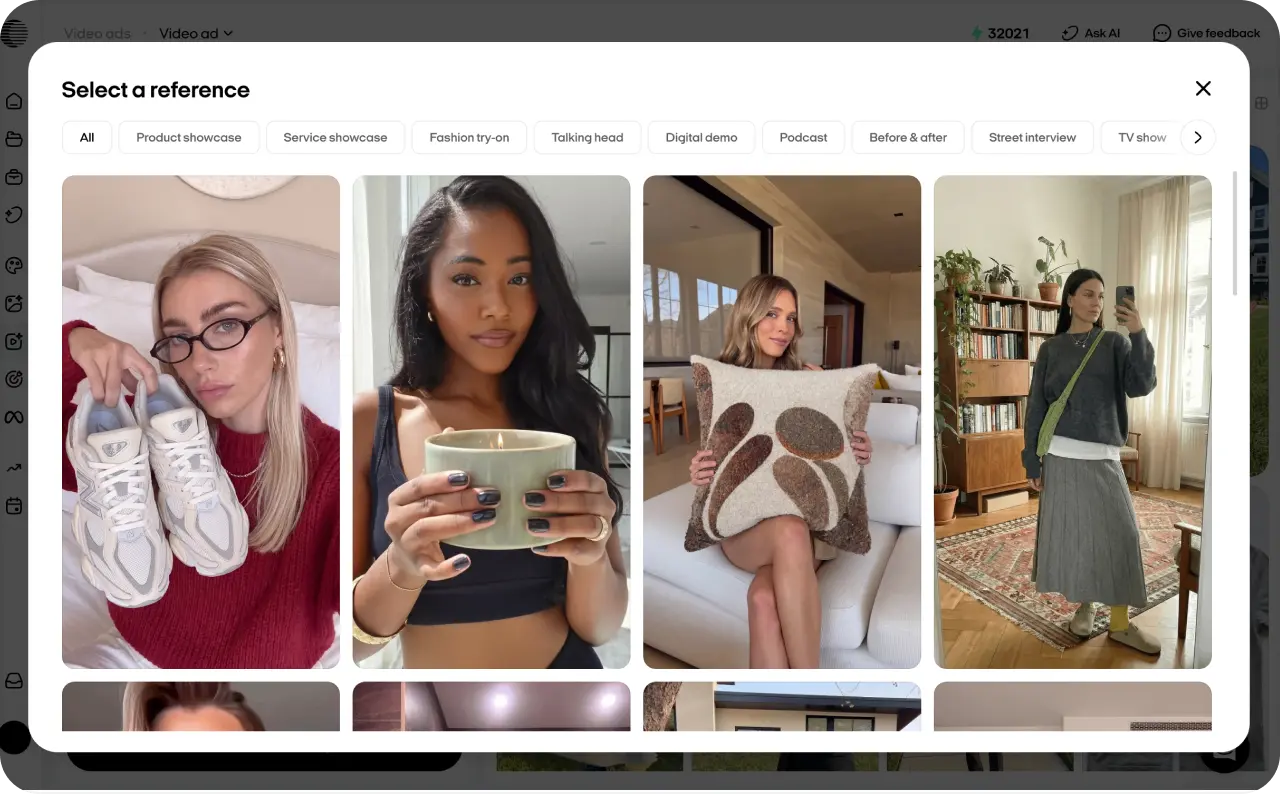
2. Choose a reference and AI avatar. References control what the scene looks like. The pose, the outfit, the background. Options: Product showcase, Service showcase, Fashion try-on, Digital demo, Podcast, Native mention, Talking head, Street interview, Public speaking, Hidden camera. Change avatars whenever. There are age, gender, and ethnicity filters that help
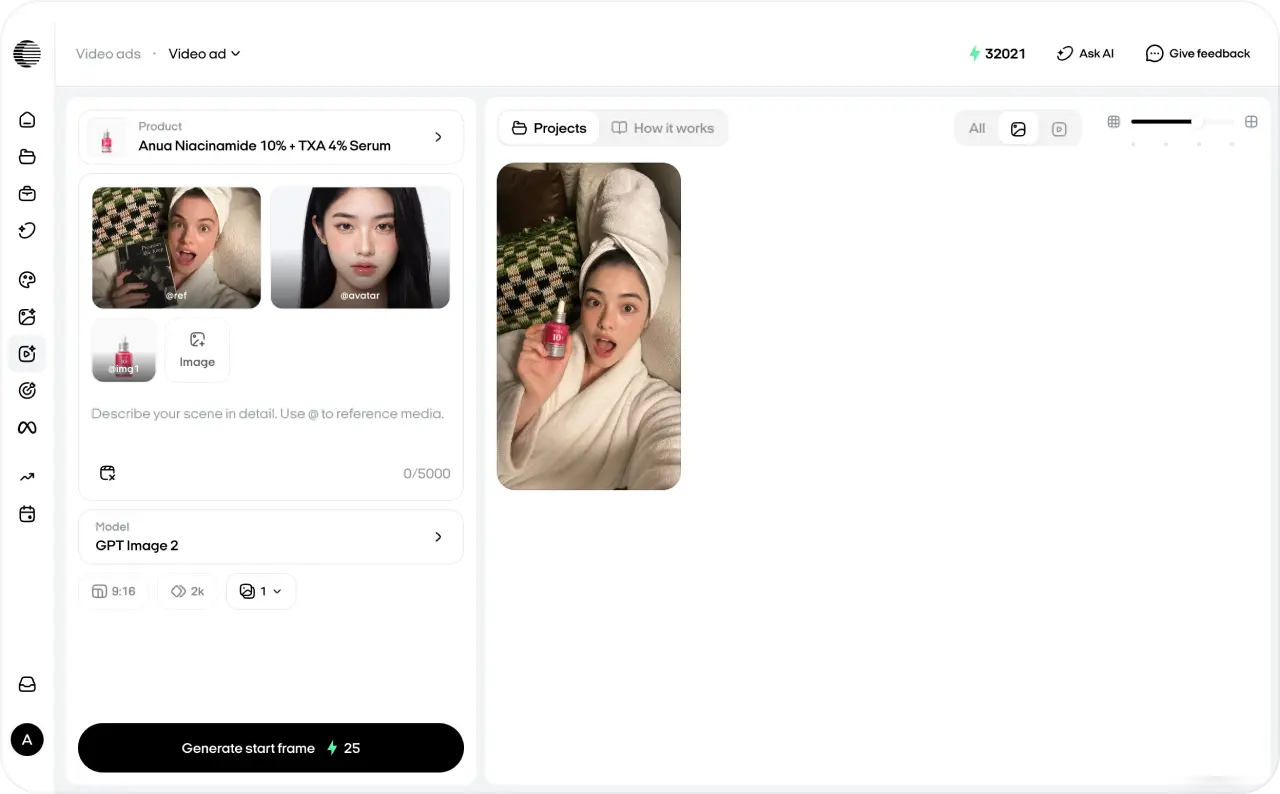
3. Add a custom prompt (optional). This is where you describe the lighting, wardrobe, or mood you want. Or leave it blank. The AI will write the prompt on its own if you do
4. Create the start image. Tap Create Start Image and wait. Usually under a minute. Check the result carefully. Product placement, lighting, composition. Anything wrong here will end up in the video too
5. Choose the video type. Three options: Full video ad (hook + body), Hook only, or Body only
6. Configure video settings. Two AI model choices: Kling O3 Pro or Seedance 2.0. Seedance gives you a resolution pick too, either 720p or 1080p
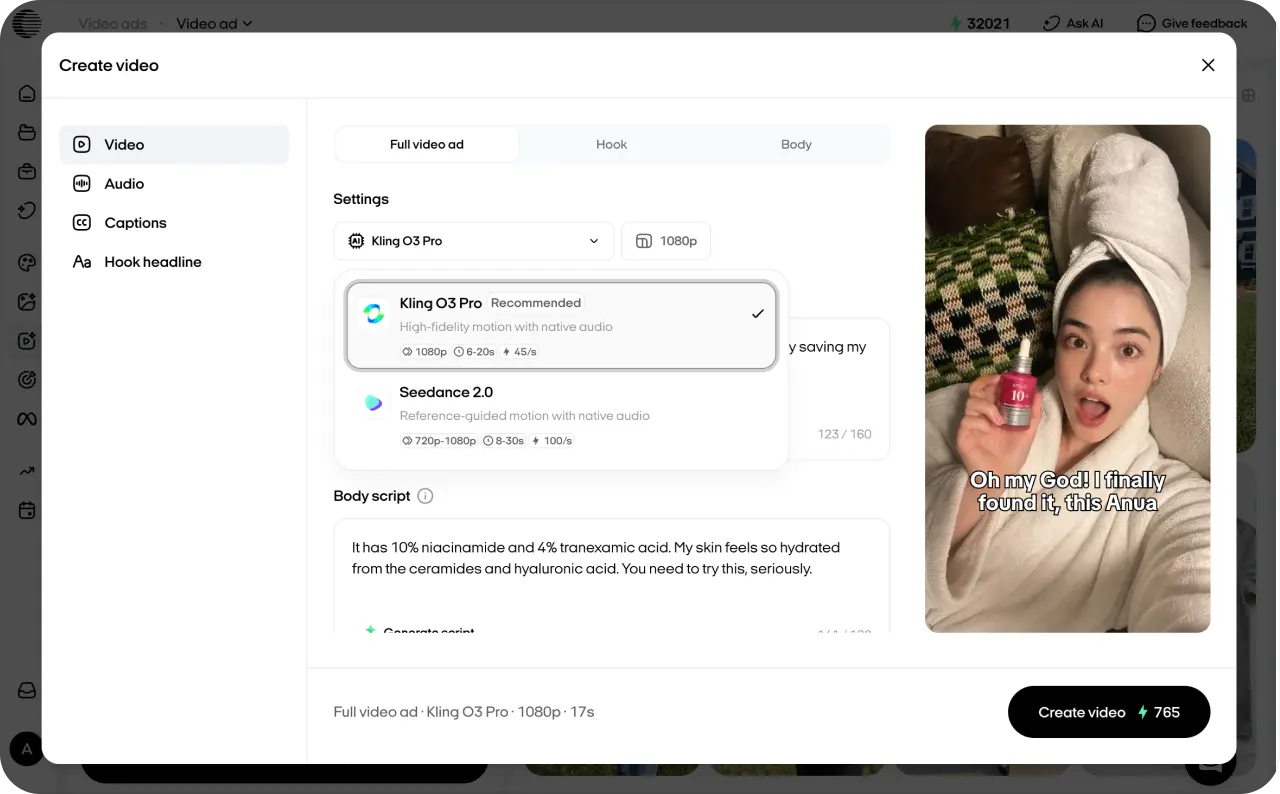
7. Add your script. Full video ad needs both a Hook script (the opening) and a Body script (product or offer pitch). For Hook only or Body only, fill in whichever field applies. Drawing a blank? Click Generate script. Zeely produces drafts using frameworks like AIDA, PAS, Before-After-Bridge, 4U, and FAB
8. Customize the voice. Open Audio. Same three controls I mentioned earlier: Voice (tone and texture), Emotions (mood), Accent (pronunciation). Start with Auto and adjust if the read sounds off
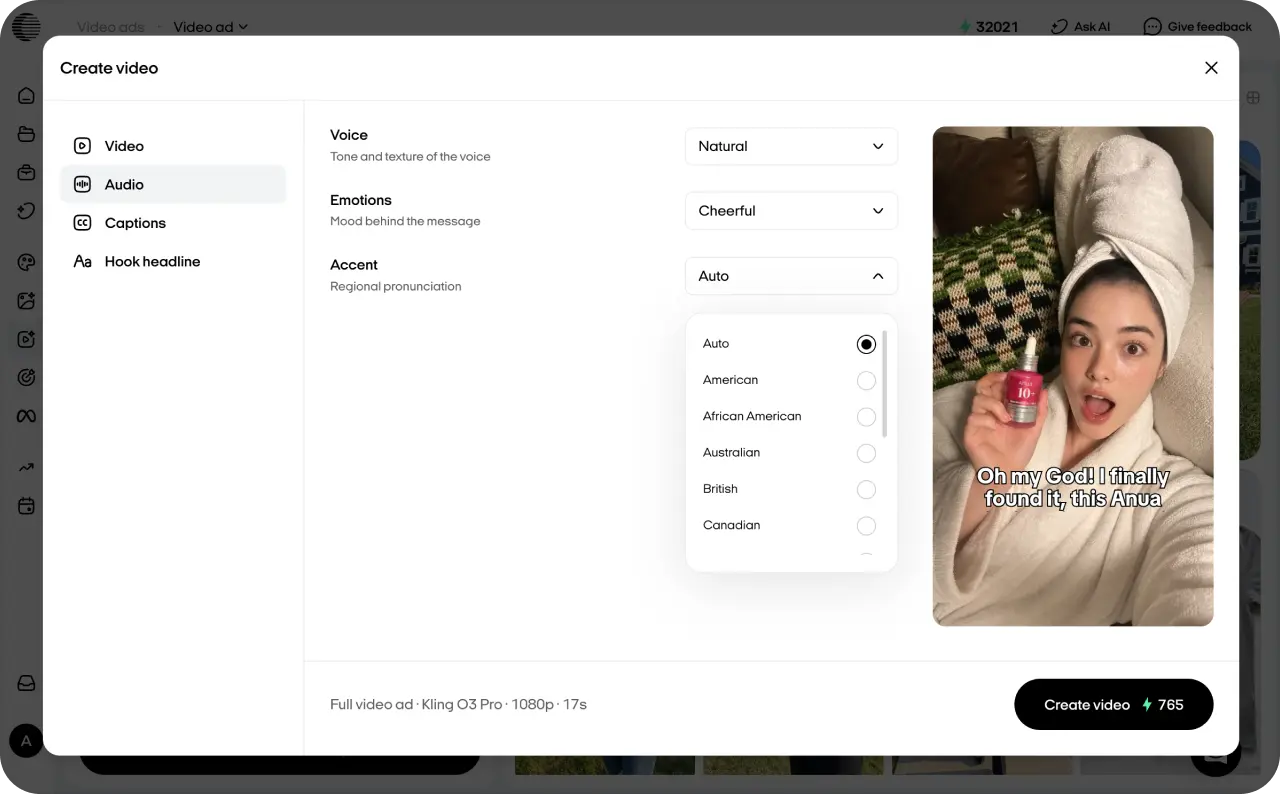
9. Customize captions. Flip them on, choose a color for the highlight, set where they sit on screen. The preview refreshes live
10. Add a hook headline (Full video ad and Hook only). Write a short line that shows over the video. Text style, font, size, alignment, text color, outline color. All adjustable
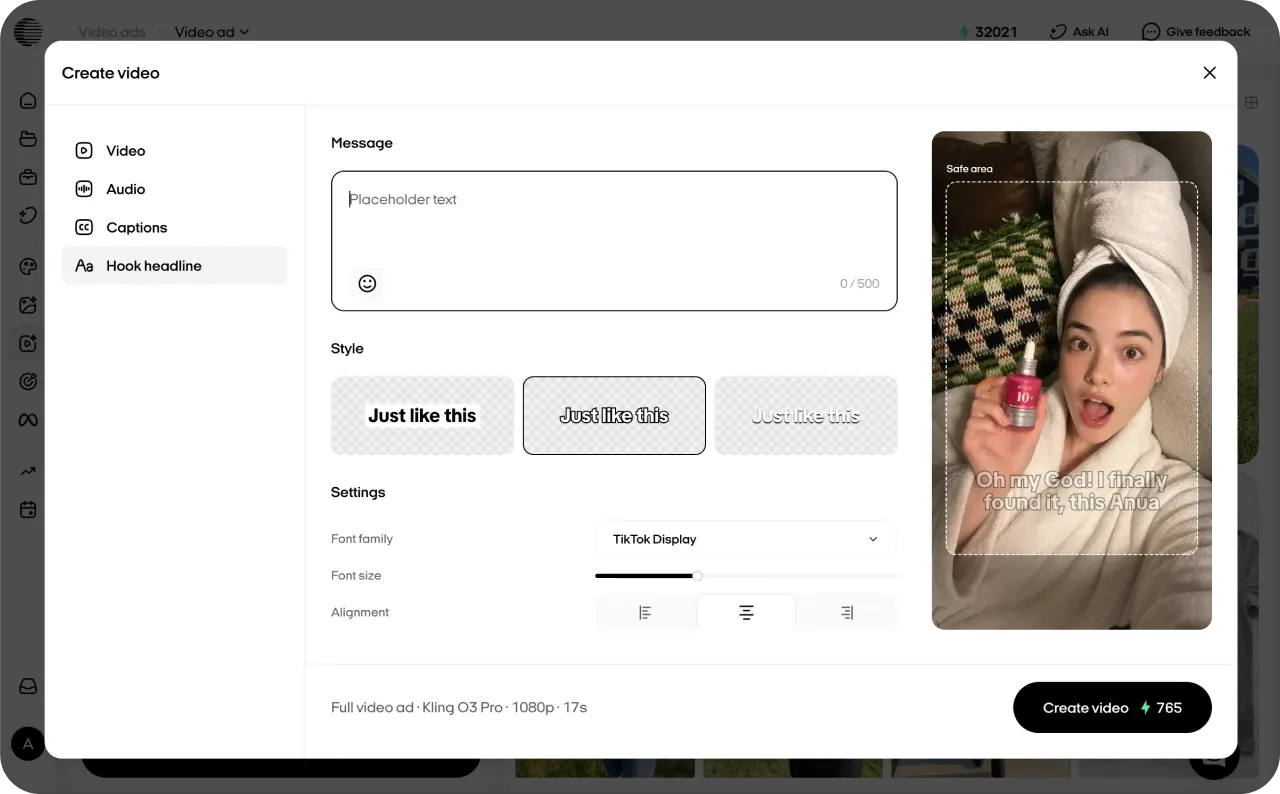
11. Create your video. One more look at everything, then press Create video. How long the render takes depends on which model you picked and the video length
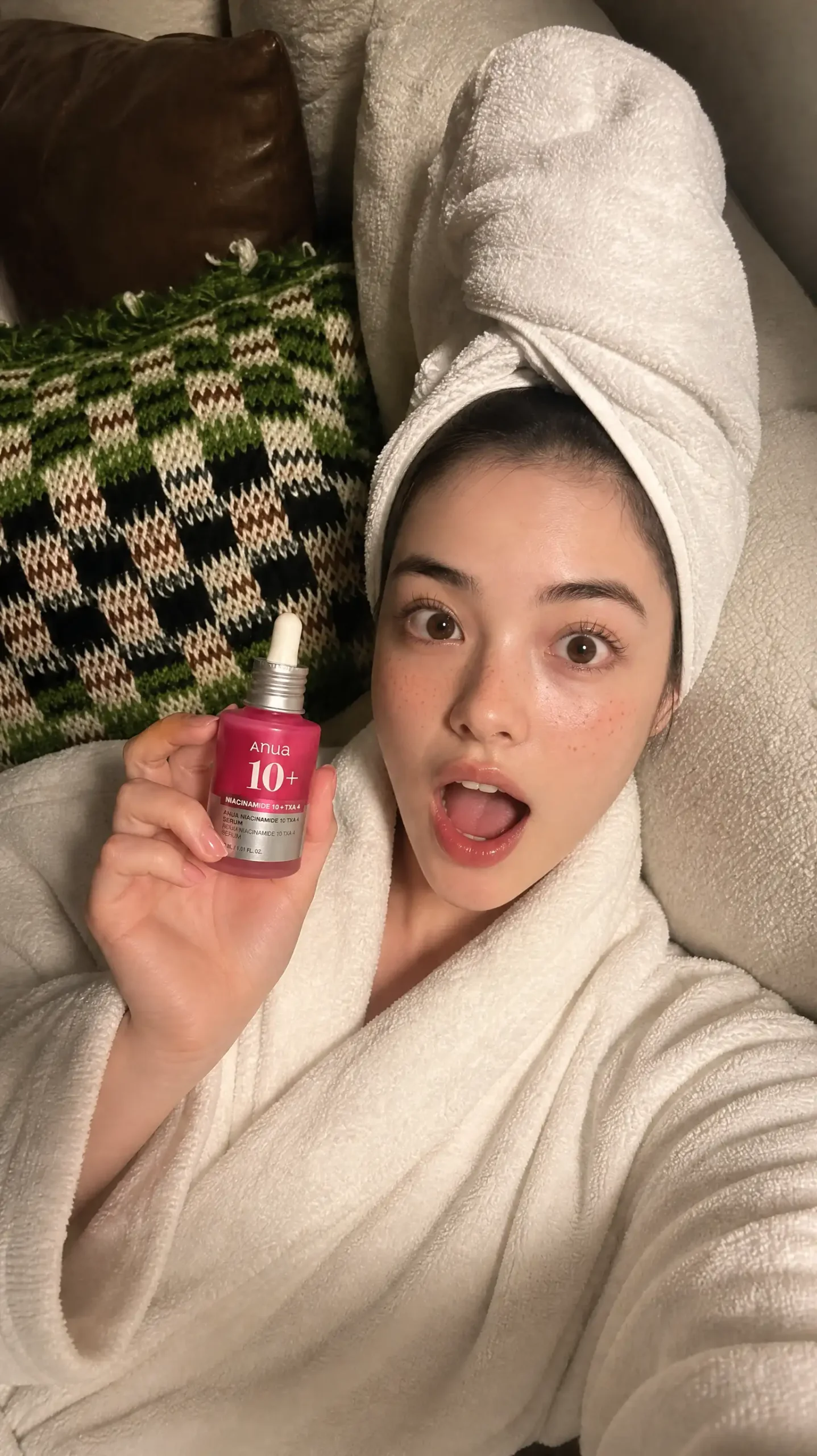
After that: download the MP4, share on social, or launch a Meta campaign without leaving Zeely.
Here is a sample script I would use for a short avatar ad:
- Hook script: “Three hours on one product photo? Really?”
- Body script: “This serum sells itself once people see the glow. One bottle, one video, one tap to shop. Link in bio.”
Avatar reads the hook. Product visuals fill the body section. CTA closes it out. The captions and headline overlay mean the whole thing works even on mute.
Same presenter across multiple ads? Just reselect that avatar and those voice settings next time. Growth plan custom avatars carry over automatically to new video ads and viral content.
Sources
- TikTok for Business — Ad creative guide
- TikTok Creative Center — Creative insight: recall and awareness
- TikTok for Business — Global SMB Creative Playbook
Fact checked by Anastastasiia Stovpova
FAQ
Two ways. You can browse a library and filter by age, gender, and appearance. Or you upload a photo and the platform turns it into a custom avatar. Zeely has 1,200+ in the library; custom creation requires the Growth plan.
You can. Best results come from a well-lit, front-facing photo with a clean background. Zeely builds a reusable avatar from it that works in video ads and viral content. Check that you have likeness rights before publishing anything with that face.
Avatar first, script second. Follow a hook/problem/product/CTA structure for the script. Once the voice and captions are set and you have added product visuals, hit generate. Lip sync and scene composition are automatic.
The typical role is product presenter, but I have also seen avatars used as reviewers, explainers, and narrators. Show product visuals and proof next to the avatar, end on a CTA, and export at whatever size your target placement needs.
Yes. You either type the script or have the platform draft one. The avatar speaks it back with synced lips and voice. Zeely’s script generator pulls from AIDA, PAS, and similar frameworks. Tone, emotion, and accent are all separate dials.
Zeely generates the start image in about a minute. The video render takes a few minutes on top of that, depending on which AI model you chose and how long the video is. From product details to a downloadable MP4, the whole thing usually wraps up in under 7 minutes.
Commercial use is actually the primary reason people create AI avatars. Ads, demos, paid social. Just read the platform’s terms to make sure commercial use is allowed. And if you used a real person’s face for the avatar, verify you have documented rights to it.
Permanently free plans with video generation included are rare across the category. Zeely offers a paid trial that unlocks all tools, but there is no free tier after that. The Starter plan is $29.95/month. For the latest pricing, see the Zeely pricing page.
Not through an API. Instead you copy a product URL and Zeely reads the public page to pull in the title, description, and images. With Shopify you can also paste a store URL and Zeely will load the full catalog so you can import several products in one go. Etsy requires a direct link to a specific product page.