How to generate ad creatives in bulk
Learn how to generate ad creatives in bulk with Zeely AI. This guide shows how one product URL can turn into static ads, video ads, social media formats, and campaign-ready creative batches for faster testing.
- Generate ad creatives in bulk when one campaign needs many versions fast
- Bulk ad creatives help you test hooks, formats, CTAs, and visuals without rebuilding each asset
- Zeely AI can use one product link to create static ads, video ideas, and social-ready formats
- Bulk ad creation is best for sales, product drops, seasonal promos, and paid social testing
- For the full creation flow, use ad creative automation. For image-only ads, start with the AI static ad creator
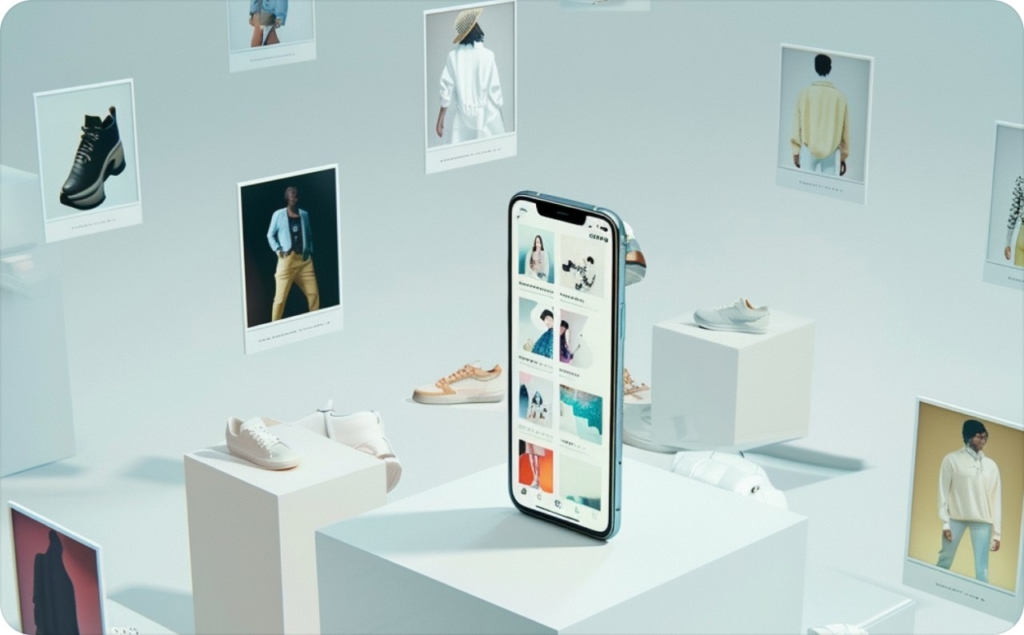
One product launch rarely needs one ad.
You need a square feed post, a vertical Story, a short video, a few hooks, several CTAs, and maybe a version for retargeting. Then someone changes the offer. The product photo gets updated. The deadline moves closer.
That’s where generate ad creatives in bulk becomes more than a nice shortcut. It becomes the difference between launching with three rushed assets and testing a full creative set while the offer is still fresh.
Bulk creative production is not about making random ads. It’s about turning one product, one offer, and one campaign goal into a clear set of variations. Each version has a job: test a hook, match a placement, speak to a segment, or refresh an ad before people scroll past it.
With Zeely AI, you can start from one product URL, pull in the core product details, and create ad assets for social campaigns faster. You still choose the message, product angle, and final edits. The AI helps with the repetitive parts: layouts, formats, copy options, image placement, and creative variations.
Why generate ad creatives in bulk for faster social media testing?
Social media ads move quickly. A creative that gets attention on Monday can feel familiar by the weekend, especially if your budget is pushing it to the same audience.
When you create ads one by one, every small test takes extra time. One headline change becomes another export. One new angle becomes another file. One format shift becomes a new design task.
That slows down paid social work in the exact place where speed matters most: testing.
Bulk ad creatives let you build a wider set from the same product idea. Instead of asking, “Can we make one more version?” your team can ask, “Which version deserves budget first?”
A simple bulk set might include:
- Three hook variations for cold audiences
- Two offer-led versions for sale shoppers
- One proof-based version for retargeting
- A square feed format
- A vertical Story format
- A short video or UGC-style video
- A cleaner product-only static ad
The product stays the same. The entry point changes. That gives you more useful testing data without asking a designer to rebuild everything from scratch.
How Zeely helps generate social media creatives in bulk
Zeely AI is useful when you already have a product, but you need more campaign-ready creative options around it.
You can paste a product link, add details manually, or use product information from your store. From there, Zeely helps turn that input into creative variations for ads, posts, and Stories. It can help with copy, visuals, templates, and formats, so you don’t start every version on a blank canvas.
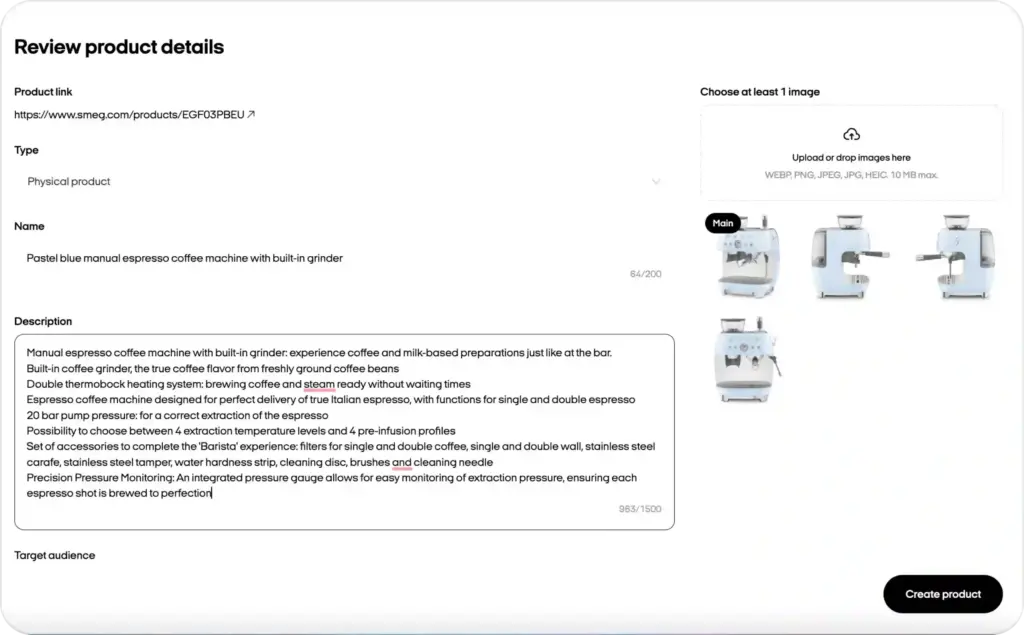
Think of it like this.
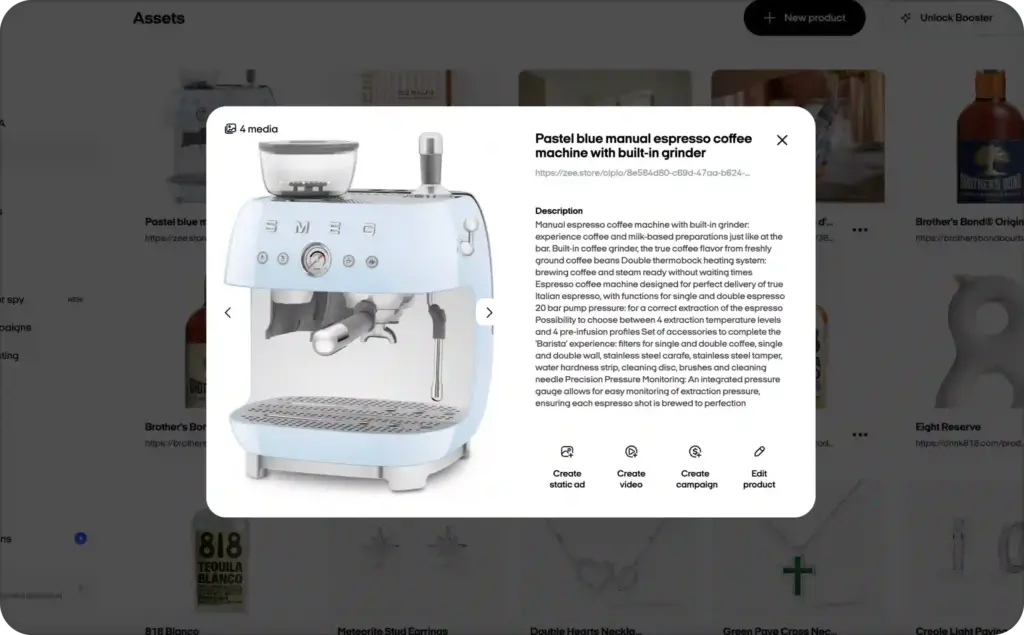
You’re selling a coffee machine. The product page has the title, price, main photo, and description. A manual workflow asks you to copy that information into every design. Zeely uses the product details as the creative base, then helps shape the first batch.
One product can become:
- A static ad focused on weekend travel
- A Story ad built around limited stock
- A feed post with a clean product benefit
- A short video concept with a packing hook
- A retargeting creative with a review-style line
- A CTA variation for people who already visited the product page
This is the heart of generating social media creatives in bulk. You are not making more assets just to fill a folder. You are building a stronger set of options for the campaign you already planned to run.
Bulk ad creative generation vs automated ad creation
Bulk ad creative generation and automated ad creation sit close together, but they solve different parts of the work.
Bulk generation is about volume and variation. You use one product, offer, or idea to create several creative versions for testing. The main goal is to produce more usable ad assets without repeating the same manual edits.
Automated ad creation is broader. It can include product data, copy, visuals, formatting, launch setup, and campaign optimization in one connected workflow.
Here’s the clean difference:
| Topic | Bulk ad creative generation | Automated ad creation |
| Main job | Create many creative variations from one input | Build ads from product details and prepare them for launch |
| Best use | Testing hooks, visuals, CTAs, and formats | Moving from product idea to campaign-ready ad |
| Typical output | Static ads, social formats, video concepts, copy options | Ready-to-use ads, launch settings, campaign assets |
| Core question | “How many strong versions can we test?” | “How fast can we create and launch the ad?” |
| Best fit | Paid social teams, ecommerce sellers, lean marketers | Businesses that want the full ad creation flow |
So, this article stays focused on bulk production: how to create more ad and social media creative versions faster.
For the broader workflow, use ad creative automation when you want AI to help with the full path from creative setup to campaign launch.
Bulk ad creation workflow: from product URL to launch
A strong bulk workflow feels simple because every step has one clear purpose. You start with a product source. You create formats. You review the strongest versions. Then you launch and learn.
| Workflow stage | What happens | What you get |
| One product URL | Zeely reads the product name, images, price, and key details | A ready product base for ad creation |
| Static ads | AI helps build image-based ads from templates and product data | Feed, post, and Story-ready static variations |
| Video ads | You create short video concepts, scripts, avatars, or UGC-style angles | Video-ready ideas for social testing |
| Social formats | Creatives are shaped for placements like feed, Story, Reels, or paid social | Assets that fit where people will see them |
| Campaign launch | You choose the goal, audience, budget, and best creative options | A test-ready campaign with multiple assets |
This flow matters because it keeps bulk creation organized. You don’t want twenty versions that all say the same thing. You want a clean batch where each creative tests a different reason to click.
How to generate ad creatives in bulk with Zeely AI
The best bulk workflow starts before you press generate. Give the AI a clear product, a clear offer, and a clear buyer moment. That keeps the batch useful.
Start with one product and one campaign goal
Pick the product you want to promote. Then choose the job of the campaign.
Are you trying to drive traffic to a product page? Promote a weekend sale? Get leads? Bring back people who viewed the product but didn’t buy?
Your campaign goal shapes the creative batch.
For example, a cold traffic campaign may need simple problem-led ads. A retargeting campaign may need proof, price, or urgency. A product launch may need more education, since people have not seen the offer before.
Before generating, write one short brief:
- Product: What are you selling?
- Audience: Who is this for?
- Moment: What is happening in their day?
- Offer: Why should they care now?
- CTA: What should they do next?
This brief keeps the batch from drifting.
Add your product link or product details
Paste the product URL into Zeely, or add product details manually. The product page gives the AI a base to work from: images, name, description, and price.
This saves time because you are not copying and pasting details into every ad version. It also helps keep the batch consistent. If the product name, image, or offer changes, you can refresh the creative set from a cleaner source.
For ecommerce sellers, this is especially useful. A product sale often needs several versions quickly, and the product URL gives the workflow a clear starting point.
Create static ads for fast visual testing
Static ads are usually the fastest place to begin. They help you test the core message before investing more time into video.
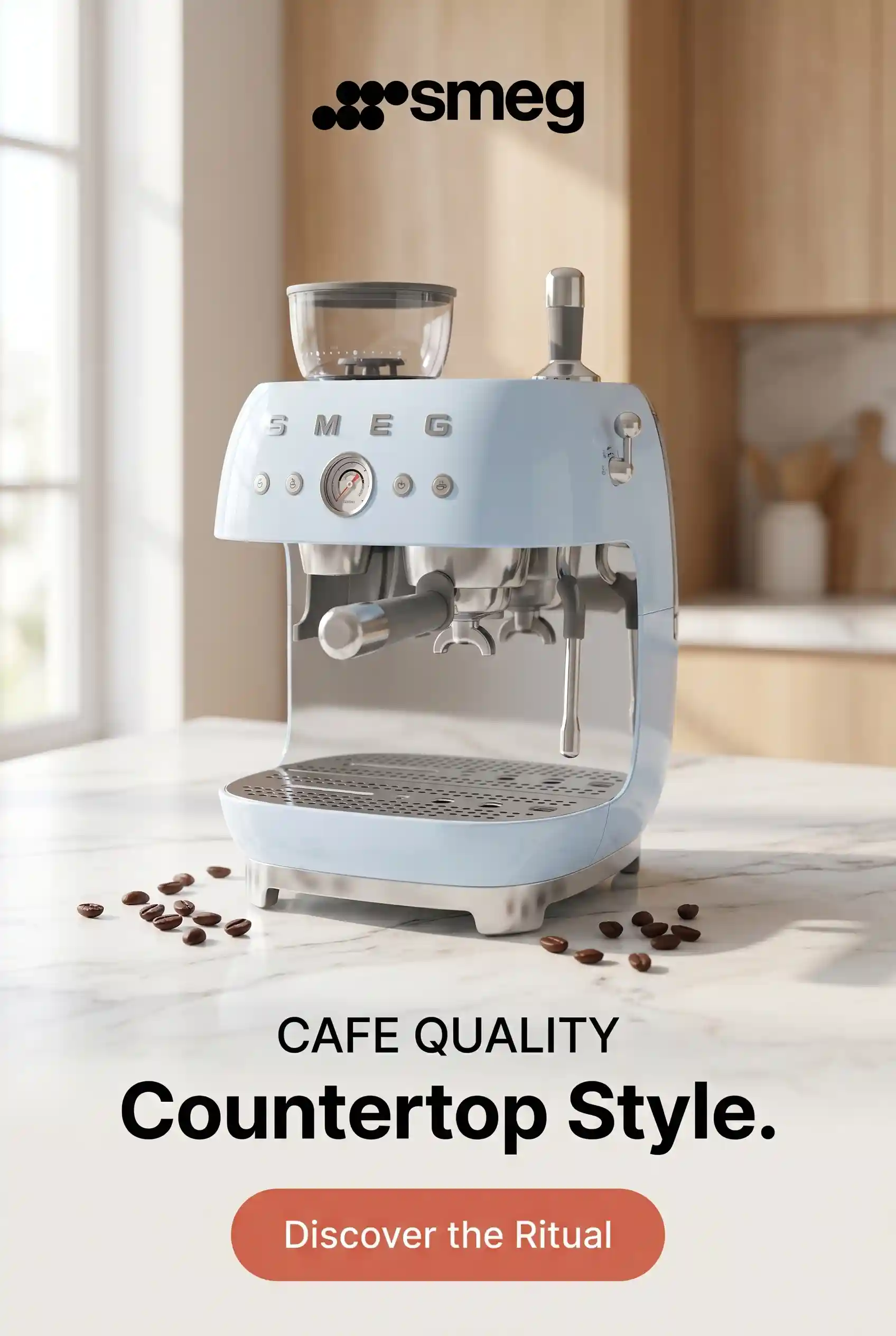
Use Zeely’s AI static ad creator when you want image-based ads for paid social, product promos, posts, or Stories.
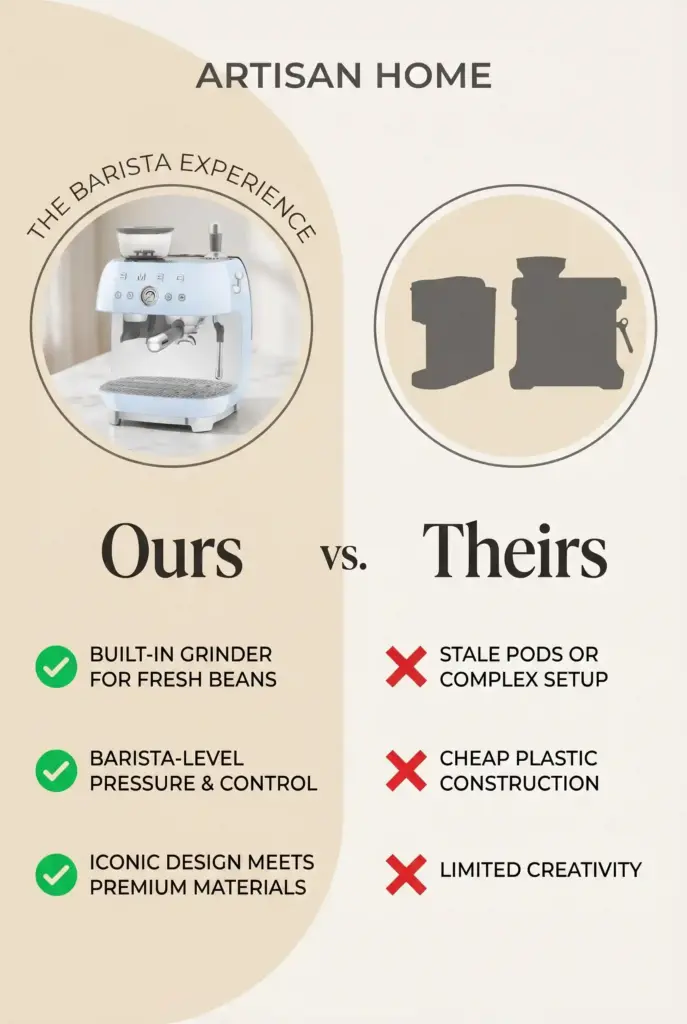
A good static batch should not be twenty copies with tiny wording changes. Build a few clear angles instead:
- Problem angle: “Your weekend sale needs fresh ads today.”
- Result angle: “Turn one product page into ready-to-test ads.”
- Offer angle: “Get the travel set before the sale ends.”
- Proof angle: “Loved by small teams that launch fast.”
- Product angle: “Lightweight, compact, and made for short trips.”
Each angle gives you a real test. You can compare what people respond to, then use that learning for the next batch.
Add video and UGC-style creative ideas
Once the static direction is clear, build video ideas around the strongest angles.
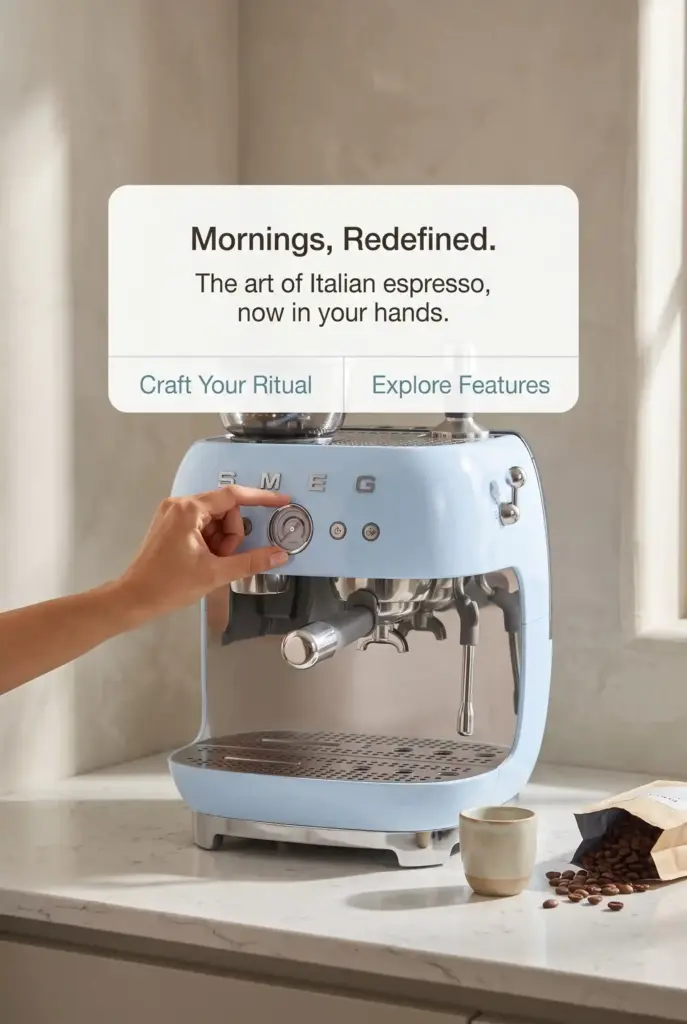
Video does not need to repeat the static ad word for word. It should use motion, timing, and a stronger opening. A product demo, avatar video, UGC-style script, or short hook can make the same offer feel more natural in a social feed.
For a skincare product, the static ad may say, “Hydration that feels light.” The video hook could open with, “I stopped skipping moisturizer because this one doesn’t feel heavy.”
Same product. Same promise. Different format.
Use the AI ad creative generator when you need more concepts, hooks, CTA lines, and creative directions before choosing what to test.
Review the batch before launch
Bulk does not mean publish everything.
Review the batch like a marketer, not like a file manager. You are looking for clarity, not volume.
Check each creative for:
- One clear promise
- Readable mobile copy
- Product visibility
- Clean CTA
- Correct price or offer
- Brand colors and logo placement
- Proper format for the placement
- A real difference from the other versions
Remove weak duplicates. Keep the versions that test a meaningful idea. A smaller batch with strong differences will teach you more than a large batch of near-identical ads.
Launch, compare, and refresh the winners
After launch, look at what each creative teaches you.
Did the problem hook get more clicks? Did the product-only version work better for retargeting? Did the UGC-style line hold attention longer? Did the offer-led version bring cheaper traffic?
Use those answers to refresh the next batch.
A winning creative does not always need to be replaced. Sometimes it needs a new hook, new crop, new proof line, or new format. Bulk creation makes that refresh easier because you can build new versions around what already worked.
Best practices for bulk ad creatives that stay on-brand
Bulk production can get messy when every version tries to do too much. Keep the workflow tight, and the creative quality will hold up better.
Keep one promise per creative
A single ad should not carry the whole sales page.
Choose one promise and let the image, hook, and CTA support it. If you are selling a travel backpack, one ad can focus on packing space. Another can focus on comfort. Another can focus on a sale offer.
Don’t stack every benefit into one creative. That makes the ad harder to read and harder to judge later.
Build real variation, not tiny edits
Changing “Shop now” to “Buy now” is not a strong first test. It may be useful later, but early bulk batches need bigger differences.
Test different angles first:
- Pain point
- Desired result
- Product demo
- Social proof
- Limited offer
- Before and after
- Founder or creator-style message
After you know the winning direction, smaller edits can help refine it.
Make every format feel native
A Story ad should not feel like a cropped feed post. A video should not feel like a static banner with music. A feed ad should be readable without asking the viewer to pinch the screen.
Before launch, check the creative in its real format. Look at the first frame, text size, crop, CTA, and safe zones.
Bulk creation saves time, but the final fit still matters.
Don’t let AI replace the final judgment
AI can help you generate options quickly. Your job is to choose what deserves to run.
Check claims, prices, wording, and product details before anything goes live. This matters more for health, beauty, finance, legal, supplements, and any category where claims need extra care.
The best bulk workflow keeps human control at the end. AI speeds up production. Your review protects the brand.
When bulk ad creation is the right move
Bulk ad creation works best when your campaign needs more than one creative version to learn anything useful.
It is a strong fit for:
- Ecommerce product launches
- Seasonal promos
- Flash sales
- New product categories
- Retargeting refreshes
- Paid social tests
- Small teams without a full design crew
- Agencies that need many client variations
- Brands with frequent SKU updates
- Campaigns across Meta, TikTok, YouTube, and Instagram
It is less useful when you only need one custom hero campaign or a fully hand-built brand film. In that case, a slower manual process may still make sense.
But for weekly paid social work, bulk creative generation gives your team more testing room. You can create more angles, compare them faster, and refresh winning ideas before they go stale.
Common bulk ad creative mistakes to avoid
The fastest way to waste a bulk workflow is to generate more versions without a reason.
Here are the mistakes worth avoiding.
- First, don’t start without a clear offer. If the product promise is vague, bulk generation will only create more vague ads.
- Second, don’t treat every variation as equal. Some outputs will be stronger than others. Edit the batch before launch.
- Third, don’t reuse the same hook across every format. Static ads, Stories, and videos need different openings.
- Fourth, don’t overfill the creative with text. A bulk batch should still pass the phone-screen test.
- Fifth, don’t ignore what the test tells you. The point of bulk ad creatives is not volume. The point is better learning.
Final take: generate ad creatives in bulk without losing control
When you generate ad creatives in bulk, you give your campaign more chances to find the right message.
You can start with one product URL, build static ads, shape video ideas, adapt social formats, and prepare a cleaner creative batch for launch. The workflow is faster, but it still leaves room for judgment. You decide the product angle. You choose the strongest versions. You protect the final message.
That balance is where Zeely AI helps most.
It gives small teams, ecommerce sellers, and performance marketers a faster way to produce fresh creative sets without rebuilding every ad by hand. Start with one product. Create a focused batch. Review the strongest versions. Launch, learn, and refresh the winners.
That’s how bulk creative production turns from a last-minute scramble into a repeatable ad testing habit.
FAQ: generate ad creatives in bulk
To generate ad creatives in bulk means creating multiple ad variations from one product, offer, or campaign idea. These variations can include static ads, video ads, social posts, Story formats, hooks, headlines, and CTAs.
Bulk ad creatives are batches of ad assets made for the same campaign. Each version usually tests a different angle, format, visual, hook, or CTA, so marketers can compare what works best.
You can generate social media creatives in bulk by starting with one product URL, adding a campaign goal, choosing formats, creating several angle-based variations, and reviewing the best assets before launch. Zeely AI helps speed up this process with templates, AI copy, static ads, video options, and social-ready formats.
Not exactly. Bulk ad creation focuses on making many creative variations for testing. Automated ad generation is broader and can include creating the ad, formatting it, preparing launch settings, and helping with campaign setup.
Start with five to ten meaningful variations if your budget allows testing. Make each version different enough to learn from. For example, test a problem hook, result hook, proof hook, offer hook, and product demo.
Yes. Zeely AI can help create static image ads, video ad ideas, UGC-style assets, copy, hooks, and CTA variations from product details. This makes it useful when you need several creative options for paid social testing.
Start with one product and one clear promise. Then create a small batch of static ads before expanding into video and other social formats. This helps you test the core message before scaling the creative set.

Emma blends product marketing and content to turn complex tools into simple, sales-driven playbooks for AI ad creatives and Facebook/Instagram campaigns. You’ll get checklists, bite-size guides, and real results, pulled from thousands of Zeely entrepreneurs, so you can run AI-powered ads confidently, even as a beginner.
Written by: Emma, AI Growth Adviser, Zeely
Reviewed on: June 4, 2026