How to use Grok Imagine Video for better AI clips
Can Grok Imagine Video turn a prompt or product image into a clip you can actually use? I’m Emma from Zeely, and I’ll show you how it works, what it costs, where it breaks, and when an ad-focused workflow makes more sense.
Grok Imagine Video is xAI’s system for creating short clips from text, images, references, and existing video. The API supports clips from 1 to 15 seconds, several aspect ratios, and output up to 720p. The image-to-video-only Grok Imagine Video 1.5 model can reach 1080p. It is useful for visual concepts, social clips, product motion, and video editing, but it still needs careful prompting, product checks, brand-safety review, captions, hooks, and final ad assembly.
Grok Imagine started as a quick image animator. It has since become a broader creative system that can generate, edit, reference, and extend video.
The consumer product, API models, and Grok chat experience do not expose identical controls. I’ll separate them clearly so you know what you can create and which workflow fits your goal.

What is Grok Imagine Video?
Grok Imagine Video is the video-generation part of Grok Imagine, xAI’s image and video creation product. You can use it through Grok on the web and mobile apps. Developers can access its video models through the xAI API.
The product supports five main workflows:
- Text-to-video creates a scene from a written description
- Image-to-video animates one still image
- Reference-to-video uses several images to guide people, products, or clothing
- Video editing changes an existing clip through written instructions
- Video extension continues a clip from its final frame
The standard grok-imagine-video model supports text, image, and video inputs. The newer grok-imagine-video-1.5 model focuses on image-to-video. According to xAI’s Video 1.5 release, the newer model improves motion, physics, audio, and speed compared with its earlier image-animation model.
For a wider explanation of how video, image, audio, and language models work together in advertising, read Zeely’s guide to AI models for ad creative generation.
Is Grok Imagine the same as the Grok AI video generator?
Usually, yes. People use Grok Imagine, Grok Imagine AI video, and Grok video generator for the same creative family.
Grok is the broader assistant. Imagine is its image-and-video workspace. API model names matter when you need exact control over inputs, resolution, cost, editing, or duration.
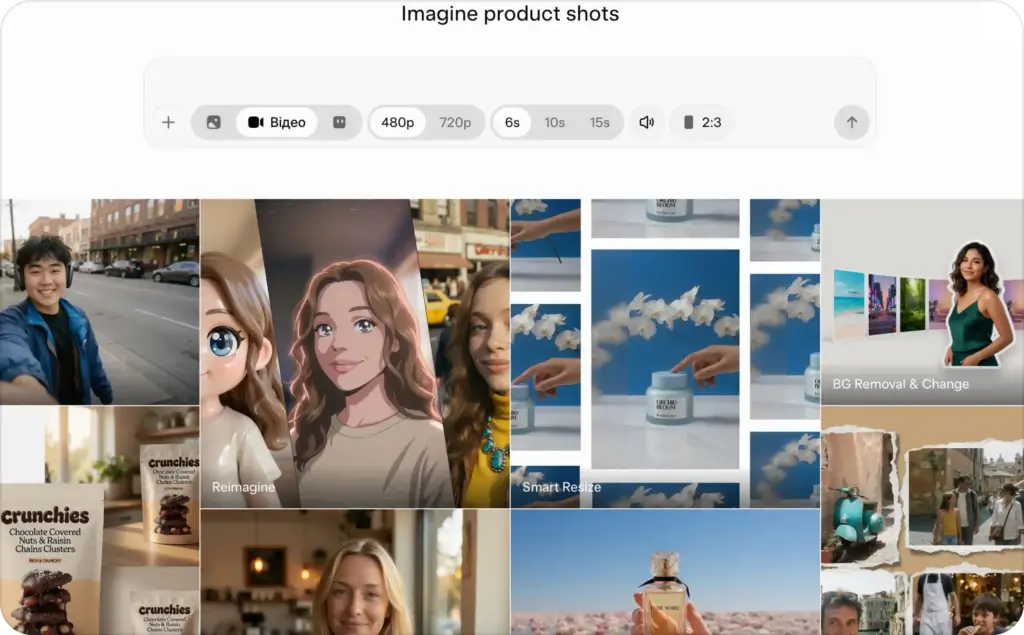
How does Grok Imagine Video work?
A video model predicts a sequence of frames that should match your prompt and source assets.
For text-to-video, it interprets the subject, action, setting, camera, style, timing, and sound. For image-to-video, it starts with your still image and adds movement, atmosphere, camera behavior, and audio.
Reference-to-video uses up to seven images with the standard model. These references can guide a person, product, garment, or other visual detail without forcing one image to become the opening frame.
Editing changes an existing clip while trying to preserve the rest of the scene. Extension uses the source video’s final frame as the starting point for the next generated segment. The current editing workflow accepts short MP4 inputs, while extension can add a new generated segment to a supported source clip.
API generation runs asynchronously. xAI says processing time depends on prompt complexity, clip length, resolution, and workflow. Under xAI’s example conditions, Video 1.5 Fast can create a six-second 720p image-to-video clip in about 25 seconds.
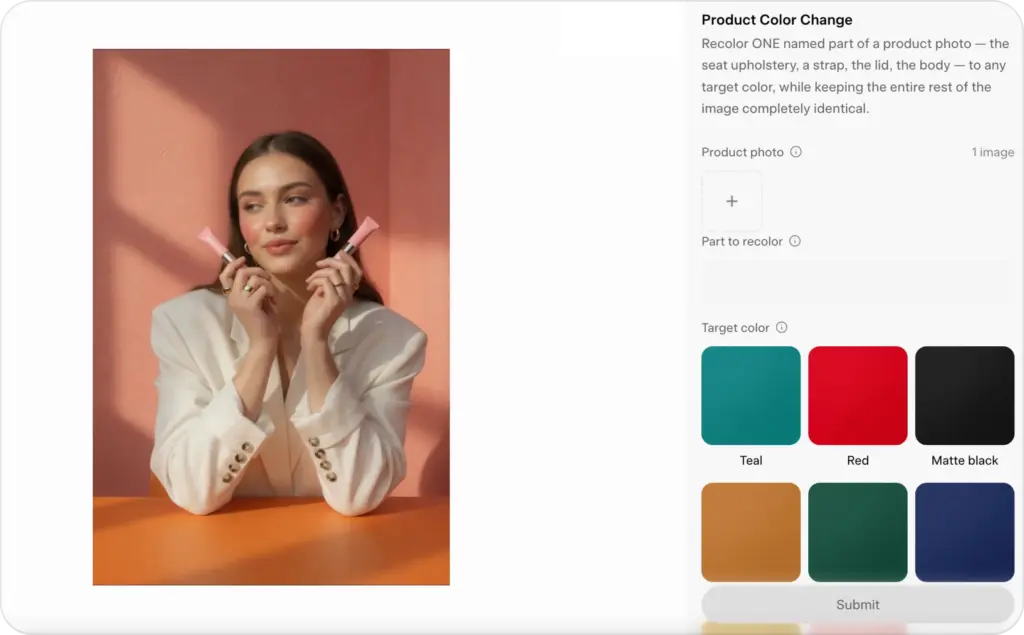
How to access Grok Imagine Video
You can use Grok Imagine Video through grok.com, the Grok apps for iOS and Android, or the xAI API. Controls and feature rollouts can vary by account and platform.
xAI currently offers a free Grok tier with limited access. SuperGrok is listed at $30 per month and includes image and video generation with higher limits.
Paid users receive a shared weekly usage pool across Grok products instead of a fixed public number of video generations. Once that pool runs out, paid features pause until reset unless you buy extra usage or upgrade.
Your practical video count therefore depends on plan level, output settings, retries, and other Grok usage.
X Premium tiers can also provide higher Grok limits, but X Premium and SuperGrok are separate subscriptions. Check the current feature list in the product where you plan to subscribe.
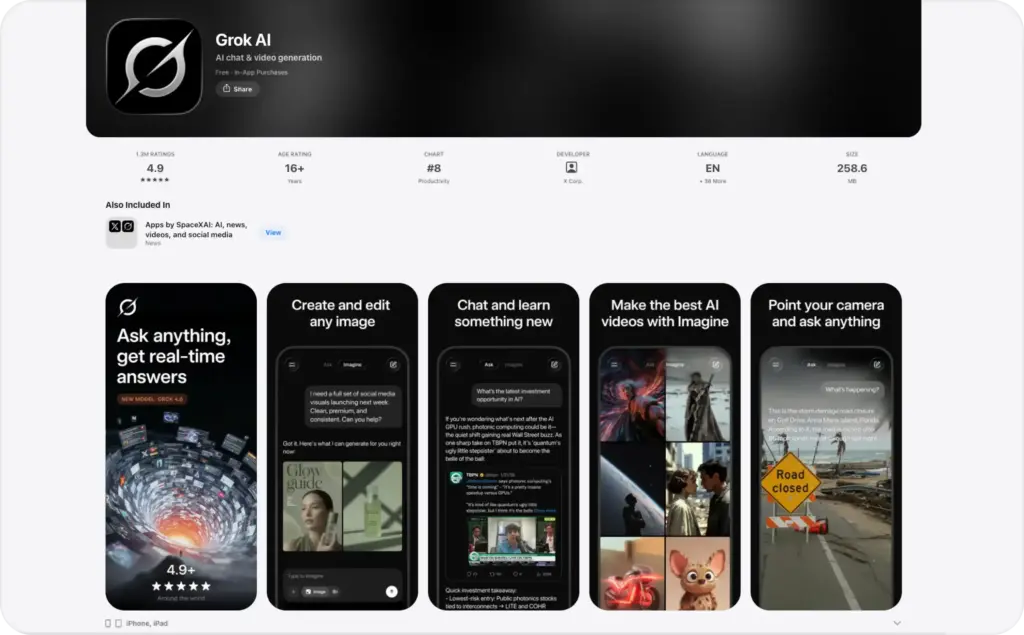
How to make a Grok Imagine video step by step
The interface may change, but the production logic stays consistent.
1. Choose the right input
Use text-to-video when the scene can be invented freely. It suits visual metaphors, fictional settings, cinematic hooks, and supporting footage.
Use image-to-video when a product, person, package, or composition must remain recognizable. Start with a clean, high-resolution image with enough space for motion.
Use reference-to-video when several visual elements must appear together. You might provide separate references for a model, garment, and product.
2. Pick one clear action
Short AI clips work best when one subject performs one main action.
“Woman applies face cream and smiles” is more reliable than asking her to open a box, explain three benefits, walk across a room, and deliver dialogue in eight seconds.
Break longer ideas into separate shots. Assemble them later or extend a strong clip.
3. Direct the camera and setting
Useful camera instructions include “slow push-in,” “locked camera,” “handheld phone footage,” “overhead product shot,” and “smooth orbit.”
Choose one main movement. Then describe the setting and light with concrete details, such as “warm morning light in a small kitchen” or “soft side light on a beige studio surface.”
4. Select duration, ratio, and resolution
The API supports generated clips from 1 to 15 seconds. Available ratios include 1:1, 16:9, 9:16, 4:3, 3:4, 3:2, and 2:3.
Use 9:16 for TikTok, Reels, and Stories. Use 1:1 for flexible feeds. Use 16:9 for YouTube and landing pages. Zeely’s guide to video ad formats explains how viewing behavior changes across these placements.
The standard model supports 480p and 720p. Video 1.5 can also produce 1080p image-to-video output through the API.
5. Generate controlled variations
Create several versions with one change at a time. Test a simpler action, slower camera, shorter prompt, cleaner background, or different duration.
This gives you a useful comparison instead of several unrelated clips.
6. Review every frame
Check faces, hands, product shape, labels, logos, shadows, reflections, background objects, and audio.
A beautiful clip is still unusable when the bottle changes shape, a hand passes through the product, or the dialogue makes an unsupported claim.
Text-to-video versus image-to-video in Grok Imagine
Text-to-video gives you more freedom. Image-to-video gives you more control over the starting appearance.
Choose text-to-video for original environments, fictional scenes, cinematic hooks, visual metaphors, and mood-based footage.
Choose image-to-video for ecommerce products, packaging, fashion, food photography, portraits, and recognizable branded objects.
For advertising, I usually prefer image-to-video when the product itself matters. A prompt can describe a blue bottle, but the generated bottle may not match your real packaging. A source image reduces that risk.
Video 1.5 is built for this workflow. It can preserve the source frame while adding motion, camera direction, ambience, sound effects, and speech. However, the current Video 1.5 API model does not support direct text-to-video.
Text-to-video still works well for supporting assets. A dramatic opening, transition, or background loop can earn attention without carrying every factual product detail.
Grok Imagine Video features, limits, and pricing
Here is the current API snapshot.
| Capability | Current documented support |
| Text-to-video | Standard model |
| Image-to-video | Standard model and Video 1.5 |
| Reference images | Up to seven with the standard model |
| Video editing | Supported MP4, output capped at 720p |
| Video extension | Adds 2 to 10 seconds |
| Generated duration | 1 to 15 seconds |
| Aspect ratios | 1:1, 16:9, 9:16, 4:3, 3:4, 3:2, 2:3 |
| Resolution | 480p and 720p; 1080p for Video 1.5 image-to-video |
| Audio | Sound effects, ambience, and speech |
| Consumer watermark | Included and not removable |
The standard API model costs $0.05 per generated second at 480p and $0.07 at 720p. Video 1.5 costs $0.08 per second at 480p, $0.14 at 720p, and $0.25 at 1080p. Small input charges may also apply.
A ten-second 720p clip therefore costs about $0.70 with the standard model or $1.40 with Video 1.5 before extra input costs. Include retries and alternate versions in your budget.
Does Grok Imagine add a watermark?
Consumer-generated images and videos include a Grok watermark. xAI says there is no removal setting, and its current rules prohibit hiding provenance signals.
That matters for paid ads. A visible third-party watermark can distract from your branding or make the creative feel unfinished.
Can you use Grok Imagine videos commercially?
xAI’s consumer FAQ says users own their inputs and outputs and may use outputs commercially. It also asks users to attribute Grok-generated work under its brand guidelines.
You remain responsible for permissions, trademarks, likenesses, claims, and final use. Trial or preview features can have separate restrictions, so check the terms for the exact feature and account you use.
How to write better Grok Imagine video prompts
A strong Grok Imagine Video prompt should tell the model what happens, what must remain stable, and how the shot should look.
Use this structure:
Subject + action + setting + camera + lighting + style + sound + constraints
Here is a basic product prompt:
A matte black insulated bottle stands on wet stone beside a mountain stream. Water droplets roll down the bottle while the camera makes a slow clockwise orbit. Soft morning light, realistic outdoor product photography, shallow depth of field, gentle water ambience. Keep the bottle shape, cap, color, logo, and printed text unchanged.
The final sentence tells the model what matters most.
Product close-up prompt
Animate this product image into a six-second vertical clip. The camera slowly pushes toward the serum bottle while one highlight moves across the glass. Clean beige studio background, premium skincare lighting, realistic reflections, quiet room tone. Preserve the bottle shape, label, cap color, logo, and printed text.
Lifestyle product prompt
A person lifts the travel mug from a car cup holder, takes one natural sip, and returns it. Handheld phone-style camera from the passenger seat, bright morning light, realistic motion, subtle road ambience. Keep the mug’s size, color, lid, and logo consistent.
Vertical social hook prompt
A plain shipping box opens and the featured sneaker rises into frame as the camera quickly pushes closer. Nine-by-sixteen composition, immediate movement, bright commercial lighting, energetic impact sound. Preserve the sneaker design and do not add text.
Cinematic brand prompt
The perfume bottle stands on dark stone as a narrow beam of light moves across the glass. Fine mist drifts behind it while the camera makes a slow macro orbit. Restrained cinematic lighting, deep contrast, delicate glass chime. Keep the bottle and label exactly as shown.
UGC-style concept prompt
A creator holds the product near the camera, turns it once to show the front and side, then gives a small approving nod. Natural handheld phone footage, bedroom background, soft window light, realistic skin texture. Do not create spoken claims. Keep the package design unchanged.
App promotion prompt
A smartphone rests on a clean desk while the camera moves closer. The screen glows and simple interface shapes animate smoothly. Modern home office, cool daylight, polished commercial style, subtle notification sound. Leave the screen clean for a real interface overlay during editing.
That workflow is safer than asking a video model to invent accurate software screens or readable UI copy.
Prompting rules that improve consistency
Keep each shot simple. Put the main subject and action first. Use literal movement words and state what must not change.
Avoid long adjective lists. A specific surface, camera move, light source, and action give the model more direction than “epic, viral, stunning, luxurious.”
Do not depend on generated text for prices, offers, disclaimers, captions, or calls to action. Add them later in a real editor. The same rule applies to app screens and packaging copy.
For broader guidance about consent, disclosure, accessibility, formats, and measuring results, use Zeely’s AI video best practices guide rather than expanding this Grok-specific section.
Common Grok Imagine problems and how to fix them
When motion looks unnatural, simplify the action and reduce camera movement.
When a product changes, use image-to-video, keep it visible, and add direct preservation instructions. Avoid actions that hide and reveal the product.
When faces drift, reduce head turns, occlusion, and fast camera moves. Start from a clear portrait.
When part of the prompt is ignored, move the essential instruction earlier and remove decorative details.
When output is blurry, use a stronger source image, simplify the scene, and choose a higher resolution.
When audio sounds wrong, keep the best visual version and replace the sound during editing.
When a prompt is rejected, review real-person likenesses, sexual content, violence, trademarks, copyrighted characters, and misleading claims. Do not try to bypass safeguards.
Is Grok Imagine good for video ads?
Grok Imagine Video can help with advertising when you need a short visual asset rather than a complete ad.
It works well for opening scenes, product motion, lifestyle B-roll, visual metaphors, transitions, social cutaways, and retargeting loops.
It does not automatically produce the full advertising package. A finished ad still needs a hook, audience problem, product proof, offer, captions, branding, CTA, platform crop, and testing plan.
There is also a heavier review burden. xAI’s terms warn that outputs can be inaccurate, offensive, unsuitable, or inconsistent with real people and facts. Its acceptable-use policy prohibits deceptive impersonation, non-consensual intimate material, infringement, and misleading content.
Before launching a clip, confirm that you own the source assets, have permission to use every person’s likeness, and can support each product claim. Keep prices, legal text, logos, and disclosures outside generated footage when accuracy matters.
Grok Imagine is strongest for experimental short clips where visual surprise matters. It is weaker when your ad depends on exact packaging, credible customer proof, long dialogue, repeatable characters, or a complete paid-media workflow.
Grok Imagine alternatives and where Zeely fits
Use a general AI video model when you need cinematic footage, visual exploration, or a specific type of motion. Veo, Kling, Hailuo, and PixVerse each make different tradeoffs in control, cost, and output quality.
Zeely’s best AI product video generators for ads guide covers those broader tool comparisons without turning this page into another software roundup.
Use an ad-focused platform when the deliverable is more than footage. Small businesses usually need product import, scripts, hooks, captions, avatars or voice, CTAs, variations, editing, and campaign-ready formats.
That is where Zeely differs from Grok Imagine.
Grok Imagine creates individual scenes from prompts, images, references, or videos. Zeely is built around a broader product-to-ad workflow and a mix of AI models. You can start with a product link, create UGC-style or avatar-led videos, generate hooks and scripts, make static ads, and prepare several creatives for testing.
I would not treat this as a model-quality contest. Grok Imagine may be right for an experimental product reveal. Zeely makes more sense when you need complete ads built around a real offer.
You can also combine them. Use a general model for one supporting scene, then assemble the final ad inside a controlled workflow with accurate product facts, captions, branding, and a clear CTA.
For the full product-to-campaign process, follow the guide to creating AI video ads with Zeely.
Final verdict on Grok Imagine Video
Grok Imagine has grown beyond a basic image animator. It can generate short clips from text, animate still images, use references, edit video, extend scenes, and create audio.
Its strengths are speed, flexible inputs, short-form experimentation, and accessible prompt control. Its limits include short duration, product drift, imperfect text, variable human motion, consumer watermarks, usage limits, and a higher review burden.
Use it for a visual idea, supporting shot, or short social clip. Do not assume the generated scene is a complete advertisement.
The closer your goal gets to product accuracy, brand consistency, conversion copy, testing, and campaign launch, the more you need a full ad workflow around the model.
FAQ
Grok offers a free tier with limited access. SuperGrok provides higher limits and includes image and video generation.
The API supports generated clips from 1 to 15 seconds. Extension can add 2 to 10 seconds to a supported source.
Yes. It can generate effects, ambience, speech, and dialogue, although quality and synchronization can vary.
Yes. Upload a still image and describe the movement, camera, atmosphere, and sound.
Yes. Editing accepts a supported MP4 up to 8.7 seconds and caps output at 720p. Extension accepts a 2 to 15-second source and adds 2 to 10 seconds.
Yes. The API supports 9:16 output for vertical social clips.
No. xAI says consumer outputs include a watermark without a removal setting.
Yes, particularly for short product motion, B-roll, hooks, and lifestyle scenes. Add accurate copy, prices, claims, logos, and CTAs during editing.
They solve different jobs. Grok Imagine is a general visual generator. Zeely is an ad-creation platform built around products, scripts, UGC-style formats, avatars, variations, and campaign-ready creative.

Emma blends product marketing and content to turn complex tools into simple, sales-driven playbooks for AI ad creatives and Facebook/Instagram campaigns. You’ll get checklists, bite-size guides, and real results, pulled from thousands of Zeely entrepreneurs, so you can run AI-powered ads confidently, even as a beginner.
Written by: Emma, AI Growth Adviser, Zeely
Reviewed on: August 18, 2026



