How to use Gemini models in ad creative workflows
Which Gemini model should you trust for ad copy, research, and reasoning when speed, cost, and accuracy all matter? I’m Emma from Zeely, and I’ll show you how to choose, prompt, ground, test, and use Gemini models inside a reliable creative workflow.
Choose a Gemini model according to the work, not its position on a benchmark.
- Gemini 3.5 Flash fits most recurring copy, extraction, and multi-step tasks
- Gemini 3.1 Pro Preview suits demanding reasoning and complex document analysis
- Gemini 2.5 Pro remains a stable option for long-context work
Gemini 3.1 Flash-Lite handles simple, high-volume jobs. Define the output, provide verified product information, use grounding for current claims, validate structured responses, and compare models with the same test set before production.
Gemini can write 20 ad hooks before you finish your coffee. It can also confidently invent a product benefit, miss an important restriction, or return a beautifully formatted answer that nobody can use.
The model is only one part of the result. Your task definition, source material, prompt, validation rules, and production workflow decide whether its output becomes useful ad creative.
This guide focuses on Gemini models for ad creative workflows, specifically text generation and reasoning. For a wider view of language, image, video, audio, and predictive systems, start with Zeely’s guide to AI models for ad creative generation.
What are Gemini models for ad creative workflows?
Gemini is Google’s family of multimodal generative models. A Gemini text model can accept written instructions and, depending on the model, analyze images, audio, video, PDFs, URLs, or other supplied information. Its final output can include natural-language text, classifications, extracted data, plans, or structured JSON.
For advertising work, that makes Gemini useful long before visual production begins.
A text model can help you:
- Extract product facts from a landing page
- Organize buyer problems and product benefits
- Draft ad hooks, scripts, captions, and CTAs
- Turn customer reviews into message themes
- Compare positioning across competitors
- Summarize research documents
- Classify large sets of comments
- Check copy against brand and compliance rules
- Return creative briefs in a fixed structure
That does not make Gemini an advertising platform. The model generates or analyzes information. A workflow still needs product data, brand context, editing controls, creative formats, human approval, and a place to build or launch the finished asset.
This distinction protects the article from drifting into the existing AI model hub. The hub explains what different model categories do. This guide explains how to select and operate Gemini text models for dependable creative work.
Google’s current model catalog separates Gemini models by reasoning depth, latency, cost, lifecycle stage, and workload type. Most current text models can also use thinking, structured outputs, function calling, search grounding, URL context, and long multimodal inputs.
Which Gemini model is best for ad creative workflows?
There is no universal best model. The right choice depends on how difficult the task is, how often it runs, how quickly you need an answer, and how costly an error would be.
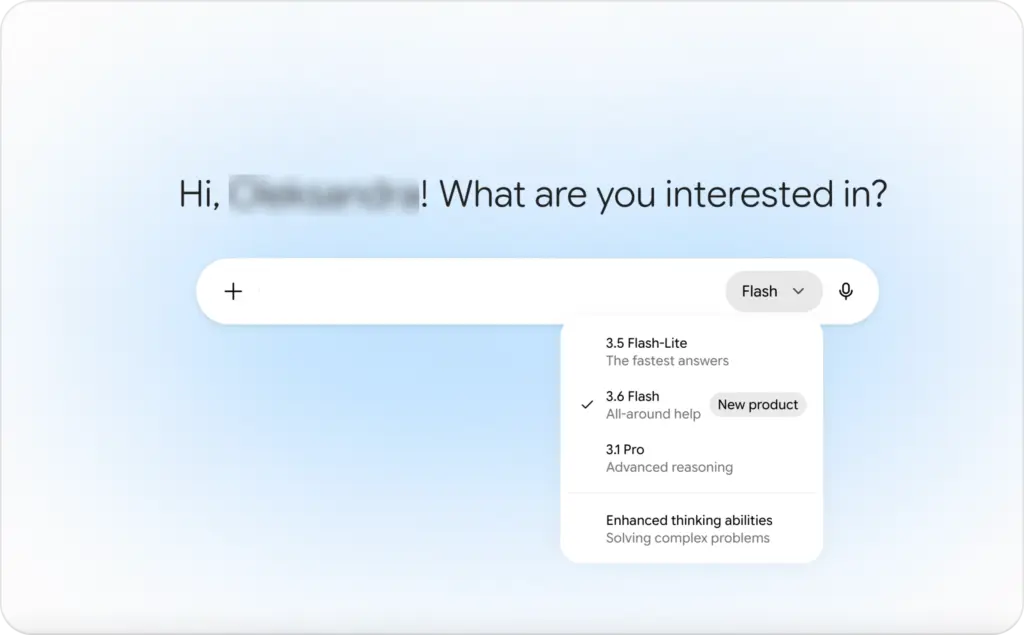
This model snapshot is dated July 17, 2026 because Google changes model aliases, preview endpoints, and availability frequently.
| Gemini model | Best use in an ad workflow | Main tradeoff |
| Gemini 3.5 Flash | Everyday ad copy, classification, product-page analysis, iterative workflows, tool use, and scaled production | More capability than simple extraction jobs may need |
| Gemini 3.1 Pro Preview | Complex reasoning, difficult document comparison, detailed planning, and multi-step tool workflows | Preview lifecycle and higher cost |
| Gemini 2.5 Pro | Stable long-context analysis, complex documents, and established production workflows | Older generation than current Gemini 3 models |
| Gemini 3.1 Flash-Lite | Translation, tagging, basic extraction, rewriting, and high-volume processing | Less suitable for difficult creative judgment |
| Gemini 3 Flash Preview | Teams testing the earlier Gemini 3 Flash endpoint or maintaining a current integration | Preview status and a newer stable Flash option |
| Gemini 3 Pro | Search and migration queries only | Public preview endpoint shut down in March 2026 |
Use Gemini 3.5 Flash for most recurring work
Gemini 3.5 Flash is the strongest default for many practical marketing jobs. Google positions it as a stable model built for sustained multi-step work, agentic loops, tool use, and tasks that need strong intelligence without Pro-level pricing.
For an ad team, that can include reading a product page, identifying three selling angles, creating platform-specific copy, checking each version against restrictions, and returning the approved variants in one structured response.
It supports a one-million-token input window, structured outputs, search grounding, file search, function calling, code execution, thinking, and URL context.

Use Gemini 3.1 Pro Preview for difficult reasoning
Gemini 3.1 Pro Preview fits jobs where the model must reconcile several information sources or make careful decisions across many steps.
You might use it to compare a long product manual with advertising policies, analyze a large review set, identify unsupported claims, or produce a detailed creative brief from several research documents.
Google describes it as its advanced Gemini 3 reasoning model, with improved token efficiency, factual consistency, tool use, and multi-step execution. It remains a preview endpoint, so teams should test for behavior changes and maintain a fallback model.

Keep Gemini 2.5 Pro for stable long-context work
Gemini 2.5 Pro remains useful when your production system already relies on it or when stable model status matters more than accessing the newest generation.
It can analyze text, images, audio, video, PDFs, datasets, and long documents. Google lists thinking, structured output, search grounding, file search, code execution, and function calling among its supported capabilities.

Route simple volume to Gemini 3.1 Flash-Lite
Do not send every product title, review tag, or language variant through the most capable model.
Gemini 3.1 Flash-Lite is designed for lightweight, high-frequency work where latency and cost matter. Good examples include:
- Classifying reviews by topic
- Extracting prices and product attributes
- Translating existing approved copy
- Converting text into a fixed template
- Tagging hooks by message angle
- Removing duplicates from keyword lists
Google identifies translation, simple extraction, and high-volume multimodal processing as core Flash-Lite use cases.
A seven-step Gemini text workflow that produces usable copy
A reliable Gemini workflow begins before the first prompt. The model needs a defined job, verified context, acceptance rules, and a review path.
1. Define one concrete task
“Write ads for my product” is not a useful production task.
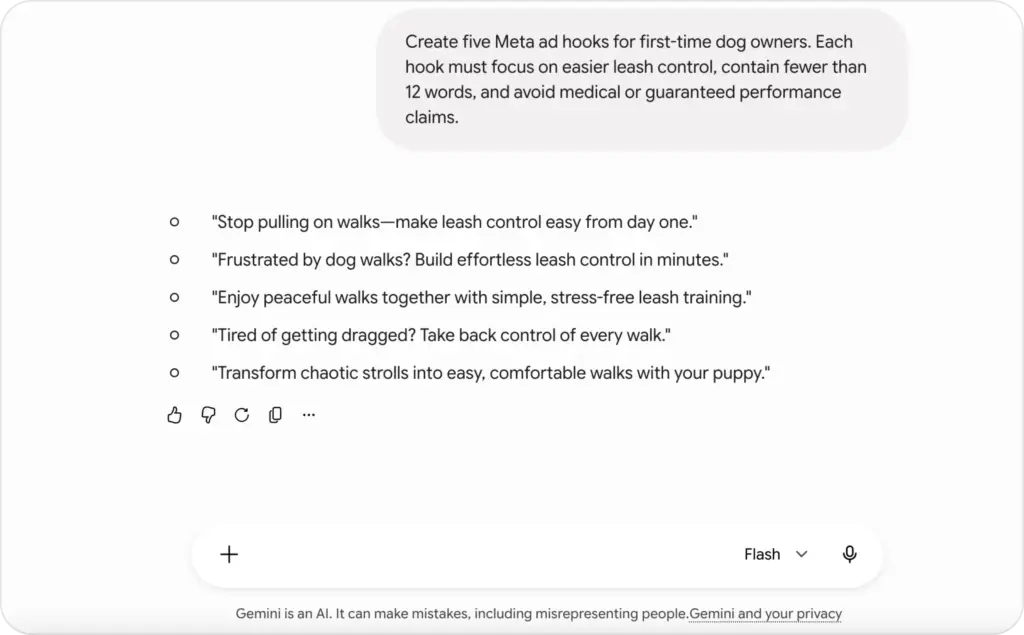
A clearer instruction would be:
Create five Meta ad hooks for first-time dog owners. Each hook must focus on easier leash control, contain fewer than 12 words, and avoid medical or guaranteed performance claims.
The second version defines the audience, platform, message, length, and restrictions. Those details make the output easier to judge.
Before prompting, write down:
- The business goal
- The intended audience
- The placement or format
- The source of truth
- The required output
- The prohibited content
- The acceptance criteria
2. Select the least expensive model that passes
Begin with a representative test set, not a model reputation.
Run the same 20 to 50 real tasks through Flash-Lite, Flash, and Pro. Score whether each model follows instructions, preserves facts, fits the format, and needs manual correction.
A larger model may write smoother prose. That does not automatically make it better for extraction, classification, or short ad variations.
3. Supply verified source material
Give Gemini the facts it should use:
- Product name and category
- Features and confirmed benefits
- Price and offer
- Customer group
- Brand tone
- Approved proof
- Product restrictions
- Platform requirements
- Landing-page content
Separate those facts from your instructions. Label the source section clearly and tell the model not to add unsupported information.
4. Generate controlled variations
Ask for meaningful variation, not 20 lightly rearranged sentences.
For example, request:
- Two problem-led hooks
- Two benefit-led hooks
- Two demonstration hooks
- Two testimonial-style hooks
- Two offer-led hooks
This gives your creative test a real message difference. It also makes it easier to compare why one version earns attention.
Zeely’s AI ad script generator follows a similar practical principle: begin with product information, select a script format, generate alternatives, then review and refine the hook, body, and CTA.
5. Add grounding when facts can change
A model’s internal knowledge is not a live database.
Use Google Search grounding when the answer depends on current product information, market events, regulations, statistics, competitor features, or recent platform requirements. Keep grounding off when the task only needs supplied copy or fixed internal material.
6. Validate the response
Check two separate layers.
Format validation asks whether all fields are present, lengths are correct, and the output follows your schema.
Content validation asks whether the product details are accurate, claims are supported, and the copy fits the audience and placement.
Structured JSON can be perfectly valid while containing a false claim. Passing a schema is not the same as passing review.
7. Log results and improve the workflow
Save the prompt, model ID, model settings, source material, response, review result, correction, latency, and estimated cost.
Google AI Studio supports API logs and datasets that teams can use to inspect model behavior, collect difficult examples, and create evaluation sets for later comparisons.
How to write Gemini prompts that follow the brief
Gemini performs best when the prompt makes the task easy to locate and hard to misunderstand.
I use six blocks for ad creative work:
- Role and task
- Source information
- Audience and placement
- Creative requirements
- Restrictions
- Output format
Here is a reusable prompt:
Task: Create Meta ad copy for the product below.
Source information:
Product: [product name]
Verified features: [features]
Approved benefits: [benefits]
Offer: [offer]
Proof: [approved proof]
Audience: [specific customer group]
Placement: [Feed, Reels, Stories, or other placement]
Requirements:
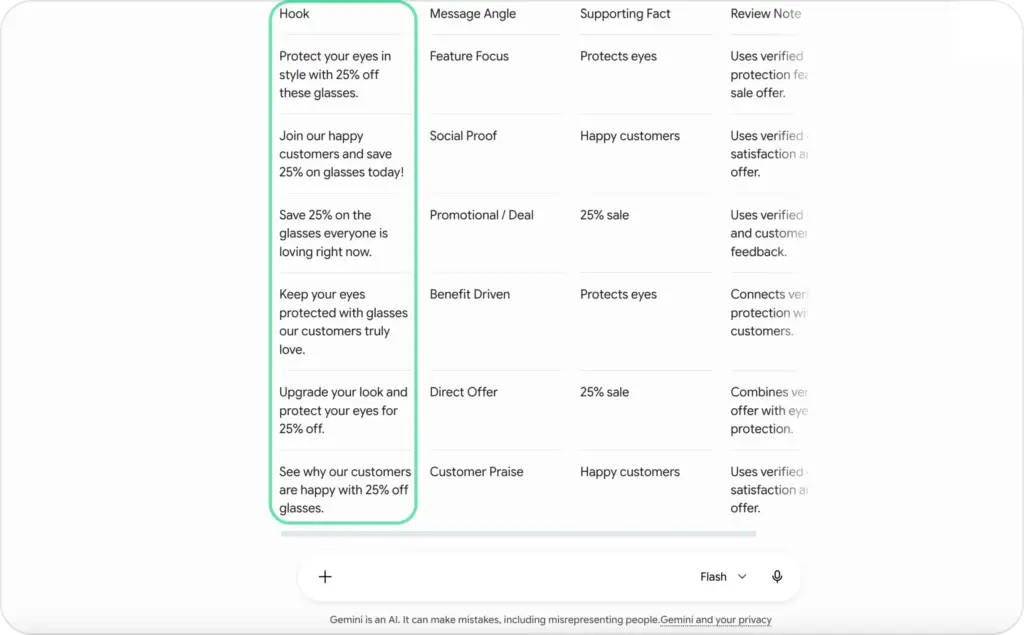
Create six distinct hooks.
Use one message angle per hook.
Keep every hook under 12 words.
Use plain American English.
Make the product benefit understandable without extra context.
Restrictions:
Do not invent features, reviews, statistics, or guarantees.
Do not use medical, financial, or unverified performance claims.
Do not use information outside the source section.
Output:
Return a table with Hook, Message Angle, Supporting Fact, and Review Note.
Google recommends direct, well-organized prompts for Gemini 3. For long inputs, its prompt guide advises placing the source context first and the final question or instruction after that context.
Use examples when style matters
A phrase like “make it conversational” can mean many things. Two approved examples show the model what you consider conversational.
Provide one positive example and, where useful, one negative example:
Approved: “Tired of fighting your suitcase zipper?”
Avoid: “Experience the revolutionary future of elevated travel convenience.”
Examples are especially useful for brand voice, hook patterns, acceptable claim strength, and formatting.
Ask for missing information explicitly
Do not let the model fill every gap.
Add:
When required information is missing, return NEEDS_INPUT and list the missing fields. Do not infer product facts.
This small instruction prevents many confident inventions.
When should you use Gemini Thinking?
Thinking gives a Gemini model more room to work through a difficult task before returning its answer.
It can help when the job involves:
- Multi-step planning
- Conflicting source material
- Complex document comparison
- Technical reasoning
- Policy checks
- Tool selection
- Detailed classification rules
- Several dependent decisions
It usually adds less value to a five-word rewrite, a simple translation, or direct field extraction.
More thinking is not automatically better. It can increase response time and token usage while encouraging an overcomplicated answer to a simple question.
A useful routing rule is:
- Use minimal reasoning for extraction and formatting.
- Use medium reasoning for creative planning and comparison.
- Use higher reasoning for complex validation and multi-source decisions.
Gemini 3 models use encrypted thought signatures to preserve reasoning continuity across calls. Google recommends stateful Interactions API mode when a workflow spans several turns because the server manages conversation history and thought signatures automatically.
You should evaluate the final answer, not ask the model to reveal private internal reasoning. For review, request a concise decision summary, cited evidence, uncertainty notes, or a checklist showing which rules passed.
How to make Gemini return structured, reliable output
Free-form prose works for brainstorming. Production systems usually need predictable fields.
Structured output can force Gemini to return data matching a JSON schema. An ad-copy response might include:
{
  "audience": "First-time dog owners",
  "variants": [
    {
      "hook": "Walks shouldn’t feel like arm day.",
      "angle": "Problem",
      "supporting_fact": "Padded handle and dual attachment points",
      "requires_review": false
    }
  ]
}
Clear field descriptions matter. “Claim” is vague. “Verified product fact copied from the supplied source” tells the model what belongs in that field.
Google’s structured-output documentation recommends clear schema descriptions, strong data types, final value validation, and error handling. It also warns that syntactically valid JSON can still contain semantically incorrect values.
Use structured outputs when the final answer must fit a schema.
Use function calling when Gemini needs your application to perform an intermediate action, such as:
- Retrieve a product record
- Look up inventory
- Check an approved claims database
- Save a draft
- Send copy for review
- Create a creative-production task
Gemini 3 can combine structured outputs with search grounding, URL context, code execution, file search, and function calling. That lets a workflow research a topic, call a tool, and still return a fixed final object.
How to ground Gemini and reduce hallucinations
A hallucination is an unsupported output presented as if it were true. In advertising, that might be an invented review, inaccurate discount, nonexistent ingredient, unsupported performance statement, or outdated competitor price.
Start by reducing how much the model must guess.
Give it verified information, label the source of truth, define prohibited claims, and require a review flag when evidence is missing.
For current public information, Grounding with Google Search lets Gemini search live web content and return citations connected to parts of its answer. Google describes three main benefits: access to recent information, improved factual support, and visible sources.
Grounding is useful for:
- Current platform specifications
- Recent market statistics
- Competitor feature research
- Public company announcements
- New regulations or policy changes
- Recent model availability
Grounding does not remove the need for review. A source may be outdated, promotional, irrelevant, or misread. Require the model to distinguish sourced facts from its own synthesis.
For internal product information, use a controlled database, file-search system, or retrieval layer. Public search should not replace approved product records.
How to evaluate Gemini ad copy before production
Do not evaluate models with “Which answer sounds better?”
Build a small dataset from the work your team actually performs. Include easy cases, difficult products, incomplete briefs, restricted categories, long pages, conflicting facts, and examples that previously failed.
Score each response on:
| Evaluation area | What to check |
| Factual accuracy | Are all product details supported? |
| Instruction following | Did the model meet every rule? |
| Message quality | Is one clear buyer idea present? |
| Differentiation | Are the variants meaningfully different? |
| Brand fit | Does the copy sound approved and recognizable? |
| Platform fit | Does the length and format suit the placement? |
| Claim safety | Are guarantees or unsupported statements absent? |
| Edit time | How much human correction was required? |
| Latency | Was the response fast enough for the workflow? |
| Cost | Is the quality gain worth the model expense? |
Keep the product, offer, audience, placement, and landing page stable. Change one creative variable, then compare hook rate, click-through rate, cost per click, conversion rate, or cost per acquisition according to the campaign goal. Zeely’s guide to creative testing for video ads explains how controlled tests give cleaner answers than releasing many unrelated versions together.
How Zeely uses Gemini within a full ad workflow
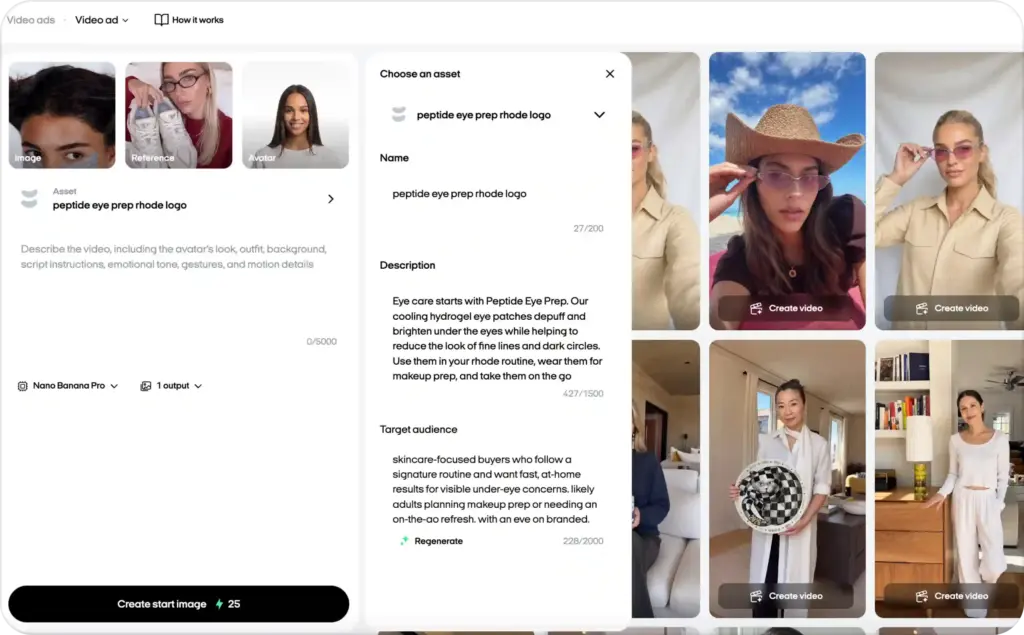
With different AI models, Zeely brings those capabilities into a workflow where you can start with product information and move toward ad copy, scripts, static assets, video formats, and testable creative variations.
You should not need to choose an API endpoint every time you rewrite a hook. You need the system to route the work, retain useful product context, give you editable output, and keep you in control before anything is published.
Zeely does not remove human approval. Its Help Center states that generated content remains subject to user review and that campaigns do not launch without the user’s decision.
Common Gemini workflow problems and practical fixes
Gemini ignores part of the prompt
Your instructions may be buried, contradictory, or too broad.
Move the source information into a labeled block. Put the final task after long context. Number the requirements and ask Gemini to return a checklist showing whether each one was satisfied.
The output sounds generic
The model lacks useful differentiation.
Add the audience’s situation, the product mechanism, approved proof, the offer, brand examples, and the specific message angle. Replace “engaging” with a measurable requirement such as “state the buyer problem within the first eight words.”
Gemini invents product claims
Limit the model to supplied sources. Require a supporting-fact field for every claim. When no evidence exists, require UNSUPPORTED instead of a rewritten claim.
The variants all sound alike
Define the variation axis. Request separate problem, benefit, proof, demonstration, objection, and offer angles rather than “ten different hooks.”
Gemini returns invalid or unusable formatting
Use structured output with a schema. Validate the response in your application and retry only the failed fields rather than regenerating everything.
The workflow is too slow
Reduce unnecessary context, lower the reasoning setting, route simple jobs to Flash-Lite, use Flash instead of Pro, process nonurgent work in batches, and cache repeated inputs.
Quality changes after a model update
Pin a stable model version where possible. Maintain an evaluation set and rerun it before changing aliases, prompts, models, or reasoning settings.
Preview and “latest” aliases can move. Google recommends specific stable model names for most production applications, while preview and experimental models have shorter or less predictable lifecycles.
Final takeaway
A strong Gemini model workflow does not begin with “Use the smartest model.” It begins with a clear task and an honest definition of what a correct result looks like.
Use Flash-Lite for simple volume. Use Gemini 3.5 Flash for most recurring creative and tool-based work. Use Gemini 3.1 Pro Preview when deeper reasoning earns its added cost. Keep Gemini 2.5 Pro where stable long-context performance already works.
Then build the controls around the model: verified product information, focused prompts, grounding, schemas, claim checks, human approval, and repeated evaluation.
That is how Gemini moves from an interesting writing tool into a dependable part of an ad creative workflow.

Emma blends product marketing and content to turn complex tools into simple, sales-driven playbooks for AI ad creatives and Facebook/Instagram campaigns. You’ll get checklists, bite-size guides, and real results, pulled from thousands of Zeely entrepreneurs, so you can run AI-powered ads confidently, even as a beginner.
Written by: Emma, AI Growth Adviser, Zeely
Reviewed on: August 19, 2026