Veo 3.1 vs Veo 3.1 Fast for marketing videos
Choosing between Veo 3.1 and Veo 3.1 Fast comes down to polish versus iteration. I’ll show you which model fits each marketing task, budget, and production stage.
Choose Veo 3.1 for premium final scenes, complex motion, and high-end campaign assets. Choose Veo 3.1 Fast for lower-cost testing, rapid variations, and frequent social creative. Both support native audio, vertical and landscape formats, reference images, and output up to 4K. For most marketers, the best workflow is to test several ideas with Fast, then use Veo 3.1 only for the strongest concepts that need extra polish.
The Veo 3.1 vs Veo 3.1 Fast decision is about matching the model to the job.
Veo 3.1 makes sense when one finished scene has to carry a campaign. Veo 3.1 Fast makes sense while you are still testing what the campaign should show. One protects the final impression. The other protects your testing budget.
See the AI models Zeely uses for ad creation and the wider AI models mix behind scripting, visuals, audio, and ad production.
Here, you will see what both versions share, where they differ, what each generation can cost, and how to use Fast without building a folder full of random clips.
Veo 3.1 vs Veo 3.1 Fast at a glance
Google lists Veo 3.1 and Veo 3.1 Fast as separate preview model codes in the current Gemini API model documentation. It groups their main production features together, but positions them for different jobs.
| Category | Veo 3.1 | Veo 3.1 Fast |
| Main role | Premium final production | Rapid creative iteration |
| Model code | veo-3.1-generate-preview | veo-3.1-fast-generate-preview |
| Native audio | Yes, always on | Yes, always on |
| Video lengths | 4, 6, or 8 seconds | 4, 6, or 8 seconds |
| Aspect ratios | 16:9 and 9:16 | 16:9 and 9:16 |
| Resolutions | 720p, 1080p, and 4K | 720p, 1080p, and 4K |
| Reference images | Up to three | Up to three |
| First and last frame control | Yes | Yes |
| Video extension | Yes | Yes |
| API price at 720p | $0.40 per second | $0.10 per second |
| Best marketing use | Hero scenes and polished final assets | Hook tests, variations, and social refreshes |
Google positions Veo 3.1 as its cinematic model for high-end creative production, with professional-grade 4K output, sophisticated camera movement, strong temporal consistency, and greater artistic control. Veo 3.1 Fast, by contrast, is optimized for speed and business-focused workflows such as ad creation, rapid A/B testing, and social media content.
For marketers, the split is clean. Standard owns the final finish. Fast owns the learning loop.
What both models can do
Both versions offer more control than a basic text-to-video tool.
You can generate from text, animate an image, extend an earlier Veo clip, or guide the scene with first and last frames. You can also add up to three reference images for a product, person, character, or style.
The official Veo API guide lists these shared capabilities:
- Natively synchronized audio
- Text-to-video, image-to-video, and video-to-video input
- Four-, six-, and eight-second output
- 720p, 1080p, and 4K resolution
- 24 frames per second
- Landscape 16:9 and portrait 9:16
- Up to three reference images
- First-frame and last-frame generation
- Video extension
There are a few limits to remember. Google requires an eight-second duration for 1080p, 4K, reference-image, and extension workflows. Video extension outputs at 720p. The API generates one video per request.
Both versions generate audio with the video. You can direct dialogue, environmental sound, effects, and music in the prompt. For ads, a product click, fabric movement, or spoken line can support the visual from the start.
Your choice should depend less on the checkbox list and more on what you need to learn or finish.
Choose Veo 3.1 for premium final scenes
Use Veo 3.1 when the chosen concept already deserves extra production attention.
Good examples include:
- A homepage hero video
- A premium launch teaser
- A detailed product close-up
- A cinematic brand reveal
- A scene with complex camera movement
- A high-value YouTube or landing-page asset
- A final shot that will run across several campaigns
Google’s Veo 3.1 model page positions the model around professional-grade 4K output, complex camera movement, temporal consistency, and artistic control. Google DeepMind’s Veo overview also emphasizes realism, prompt adherence, and creative control.
Standard Veo 3.1 is also the safer place to spend when a small visual flaw can weaken a launch asset.
The decision here is narrower: move to Veo 3.1 after the idea has earned the premium pass.
Choose Veo 3.1 Fast for speed, cost, and iteration
Use fast AI video generation while the creative direction is still open.
Veo 3.1 Fast fits work such as:
- Testing several opening hooks
- Comparing product backgrounds
- Trying different camera distances
- Generating B-roll options
- Exploring visual metaphors
- Refreshing paid-social ads
- Creating concepts for client review
- Adapting one idea to several audience segments
Google specifically points to ad generation, rapid A/B testing, backend creative services, and social media content as fitting uses for Veo Fast models.
Fast can also produce a final asset. When a clip keeps the product accurate, communicates the offer, and fits the placement, you do not need a ceremonial premium rerender.
Do not translate “Fast” into a guaranteed render time. Google gives a broad Veo API latency range, from 11 seconds to six minutes during peak periods, but no fixed Fast multiplier. Treat it as an efficiency choice, not a stopwatch promise. Use Zeely AI to create stunning videos with Veo 3.1 Fast model.
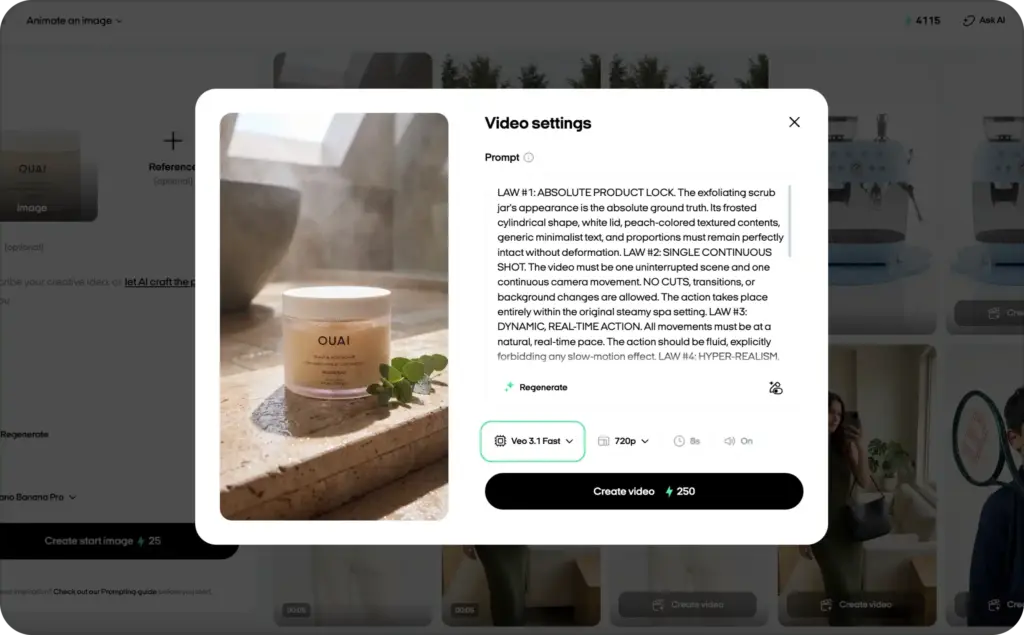
Veo 3.1 vs Veo 3.1 Fast pricing
Google prices both Gemini API models by each generated video second.
| Resolution | Veo 3.1 per second | Veo 3.1 for 8 seconds | Veo 3.1 Fast per second | Fast for 8 seconds | Fast saving |
| 720p | $0.40 | $3.20 | $0.10 | $0.80 | 75% |
| 1080p | $0.40 | $3.20 | $0.12 | $0.96 | 70% |
| 4K | $0.60 | $4.80 | $0.30 | $2.40 | 50% |
These rates come from the current Gemini API pricing page. Both models remain preview models and are available through the paid API tier.
Now put those numbers into a real creative batch.
Twenty eight-second 720p clips would cost $64 with standard Veo 3.1 at the listed API rate. The same number would cost $16 with Fast. That leaves a $48 difference before you have selected a winning concept.
Model choice should follow production stage. Use the iteration rate for twenty ideas. For one final hero scene, judge whether added finish justifies the higher cost.
Both models remain in preview, so check current pricing before building fixed client estimates.
Which Veo model fits each marketing task?
Use this table as a starting point.
| Marketing task | Better first choice | Reason |
| Generate six opening hooks | Veo 3.1 Fast | You need range before polish |
| Test product settings and angles | Veo 3.1 Fast | Most versions will not become final assets |
| Refresh weekly Meta or TikTok ads | Veo 3.1 Fast | Volume and variation matter |
| Build a concept board for approval | Veo 3.1 Fast | Stakeholders need options first |
| Create B-roll for several ad versions | Veo 3.1 Fast | Lower-cost coverage helps |
| Produce a homepage hero scene | Veo 3.1 | The final impression carries more value |
| Create a premium launch teaser | Veo 3.1 | Detail and continuity matter |
| Remake a proven concept at higher polish | Veo 3.1 | The idea has already earned investment |
| Generate one complex cinematic product shot | Veo 3.1 | Camera and material detail lead the scene |
Ask one question: what costs more right now, learning slowly or publishing an imperfect final shot?
Choose Fast when slow learning costs more. Choose standard when a visible defect costs more.
How to use Veo 3.1 Fast for lower-cost creative iteration
Fast works best when every batch answers one marketing question. Random prompts may produce attractive clips, but they rarely tell you what to do next.
1. Write one testable ad idea
Start with one claim, problem, or visual promise:
- Show that the bottle stays cold during a workout
- Make the skincare texture look light, not greasy
- Show how quickly the organizer clears a messy desk
- Open with the result instead of the problem
Give each clip one job. Do not squeeze three benefits, two objections, and a discount into eight seconds. The model is generating video, not performing luggage miracles.
Use these AI video ad script templates to lock the hook, benefit, proof, and CTA before you start generating scenes.
2. Lock everything you are not testing
A fair creative test keeps the background decisions stable. Lock the product, reference images, audience, main benefit, offer, length, aspect ratio, CTA, and visual style.
Then change one major variable, such as the opening action, setting, camera distance, or audio mood.
Placement belongs in this setup. A landscape clip can look excellent and still be wrong for a mobile-first feed. Use the guide to video ad formats before choosing 16:9 or 9:16.
3. Build one base prompt, then create controlled variations
A simple prompt structure is enough:
Product or subject + visible action + setting + camera + lighting + audio + format + guardrail
For example:
Vertical 9:16 product video, eight seconds. A matte black insulated bottle sits on a sunlit gym bench. A hand lifts it as cold condensation forms on the surface. Slow push-in camera, realistic metal texture, crisp morning light. Audio: soft gym ambience and a clear bottle-cap click. Keep the bottle shape and logo placement consistent. No text.
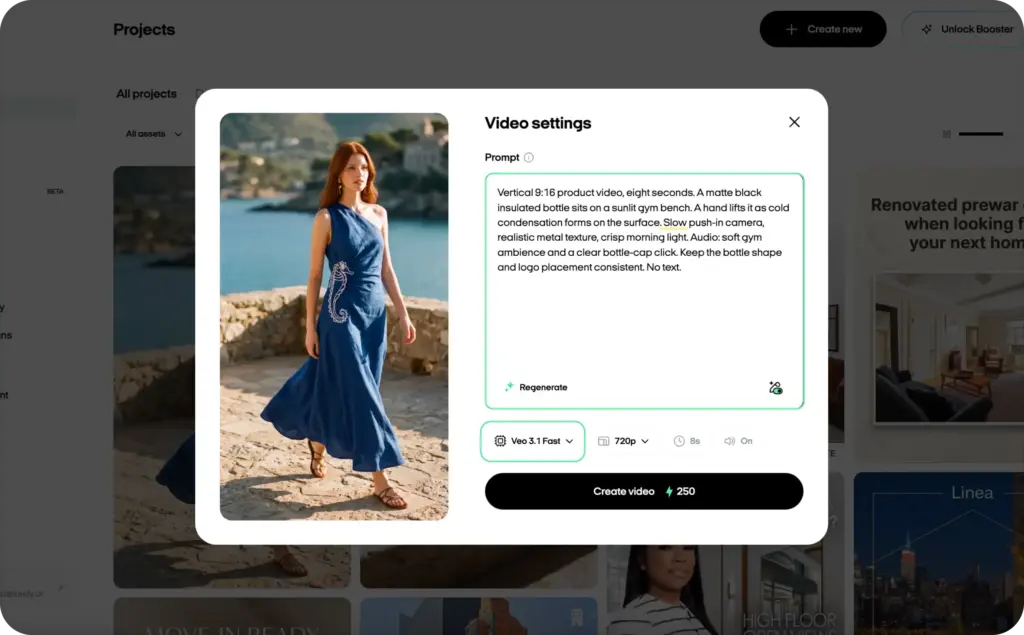
Now create a batch by changing one part:
| Version | Variable changed |
| A | Hand lifts the bottle immediately |
| B | Ice drops beside the bottle first |
| C | Camera starts on the condensation close-up |
| D | Scene opens with the bottle coming out of a gym bag |
Four controlled options teach you more than four unrelated prompts. Create four to eight versions per batch, enough range to spot a stronger direction without making review endless.
4. Score the clips before paying for more polish
Do not select a winner only because it looks expensive.
Score every Fast output from zero to two on five factors:
| Factor | 0 | 1 | 2 |
| Product accuracy | Wrong or distorted | Mostly correct | Clear and consistent |
| First-frame strength | Easy to ignore | Understandable | Immediately engaging |
| Message fit | Unclear | Partly connected | Supports one clear claim |
| Motion quality | Distracting | Usable | Natural and purposeful |
| Audio fit | Mismatched | Acceptable | Strengthens the scene |
A clip scoring eight or more deserves the next step. A clip with a distorted product should not survive because the lighting is pretty.
Before publishing, use these AI video best practices to check product truth, claims, sound, disclosure, and brand safety.
5. Let campaign data choose the real winner
Internal scoring removes obvious weak clips. Audience response makes the final decision.
Test strong variations with the same offer and comparable delivery. Match the metric to the video’s job. A hook test may need early-view data. A product-benefit ad may need clicks and conversions.
Use these video ad metrics that show what works to choose the right numbers instead of declaring victory because one clip got more views.
The winning Fast output now has two possible paths:
- Publish it when it already meets the campaign standard.
- Recreate or refine it with Veo 3.1 when extra finish can add real value.
Do not rebuild every winner. Premium polish should fix a weakness or strengthen an important scene.
Is Veo 3.1 Fast the same as Veo Lite?
No. Veo Lite usually refers to Veo 3.1 Lite, which Google lists as a third model variant.
Veo 3.1 Lite has the lowest API price:
- $0.05 per second at 720p
- $0.08 per second at 1080p
- No 4K output
Lite also has fewer controls. Google’s current documentation does not list reference images or video extension for Lite. Its input options cover text-to-video and image-to-video, rather than the fuller standard and Fast feature set.
That creates a simple three-level choice:
- Veo 3.1 for premium final production
- Veo 3.1 Fast for lower-cost iteration with the main cinematic controls
- Veo 3.1 Lite for simpler, high-volume developer workflows
For marketers testing polished product scenes, Fast is often the useful middle ground. It costs less than standard without removing the reference-image, extension, and 4K options that can matter during ad production.
Common model-choice mistakes
Avoid five expensive habits:
- Using standard Veo 3.1 for every rough idea
- Treating every Fast clip as draft-only output
- Changing the product, setting, camera, script, and sound at once
- Choosing a model only by expected render time
- Forgetting the offer, captions, proof, CTA, placement, and measurement plan
An AI ad generator creates footage. It does not automatically create a complete ad. Start with Fast when major creative questions remain, keep each batch controlled, and judge every output by the campaign job.
FAQ
Veo 3.1 is the quality-first model for high-end work. Fast prioritizes speed, cost efficiency, and business use cases. It can still work for final social ads, B-roll, and product scenes when the output stays accurate.
Yes. Both Veo 3.1 and Veo 3.1 Fast generate synchronized audio with video. You can prompt for dialogue, sound effects, ambient noise, and music direction. Review every result for wording, timing, factual accuracy, and brand fit before publishing.
Yes. Google lists 4K output and both 16:9 and 9:16 aspect ratios for standard and Fast. A 4K generation must use the eight-second duration. The same eight-second rule applies to 1080p and reference-image workflows.
Google positions Fast for speed and business use cases, but it does not publish a guaranteed speed multiplier. API request time can vary with demand and the generation. Choose Fast for efficient iteration and lower cost, not because every render must finish within one fixed time.
Start with Fast when you need to test several hooks, scenes, or social variations on a controlled budget. Use standard Veo 3.1 after you have selected a concept that needs premium detail or will carry a larger campaign.
No. Publish the Fast version when it meets your quality bar and performs well. Move it to standard only when the final pass can solve a clear issue, improve an important detail, or strengthen a high-value campaign asset.
Final verdict
For most teams, the answer to Veo 3.1 vs Veo 3.1 Fast is a staged decision.
Use Fast while learning which hook, scene, or product action works. Use Veo 3.1 when the selected idea needs the strongest finish.
Test broadly. Polish selectively. Let the campaign result settle the argument.

Emma blends product marketing and content to turn complex tools into simple, sales-driven playbooks for AI ad creatives and Facebook/Instagram campaigns. You’ll get checklists, bite-size guides, and real results, pulled from thousands of Zeely entrepreneurs, so you can run AI-powered ads confidently, even as a beginner.
Written by: Emma, AI Growth Adviser, Zeely
Reviewed on: August 5, 2026



