Creatify AI features review: what the tool does
In this Creatify AI review, I’ll walk through what the tool does, how much it costs, where it feels strong, where it needs human cleanup, and how it compares with Zeely for small business video ad creation.
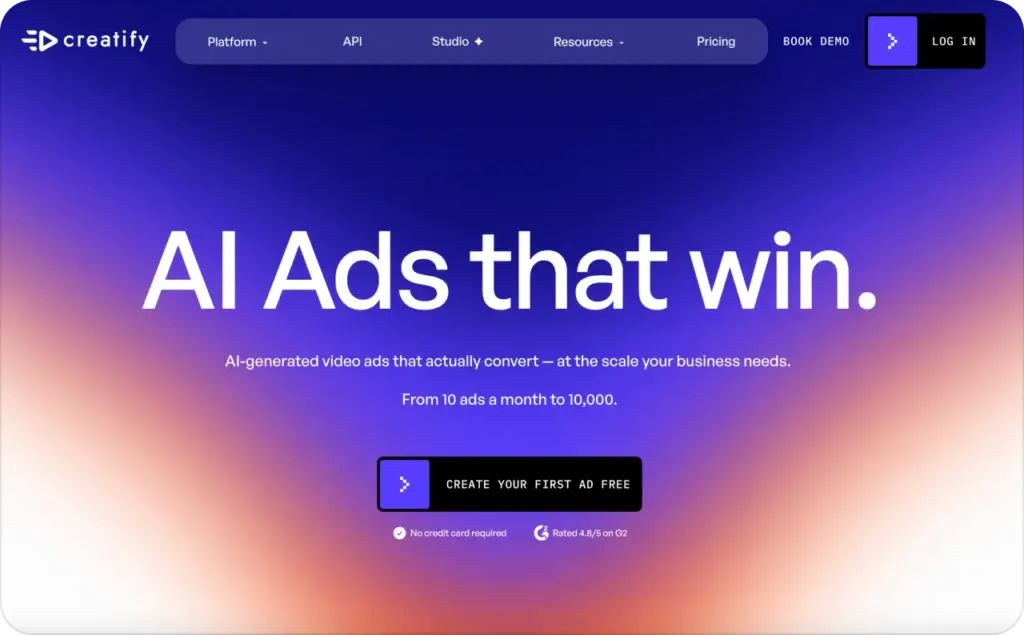
Creatify is an AI ad generator for short-form video ads. Its main promise is simple: paste a product URL, let the tool pull basic product details, then build video ad drafts with AI actors, scripts, voiceovers, and visual assets.
That workflow makes the most sense for ecommerce brands, dropshipping stores, agencies, solo founders, and marketers who need more ad creative variations than they can film manually.
Creatify’s core features include:
- URL-to-video ad creation
- AI avatars and UGC-style actors
- AI scripts for video ads
- Text-to-speech voiceovers
- AI ad templates
- Image, video, and audio models
- Batch ad variation creation
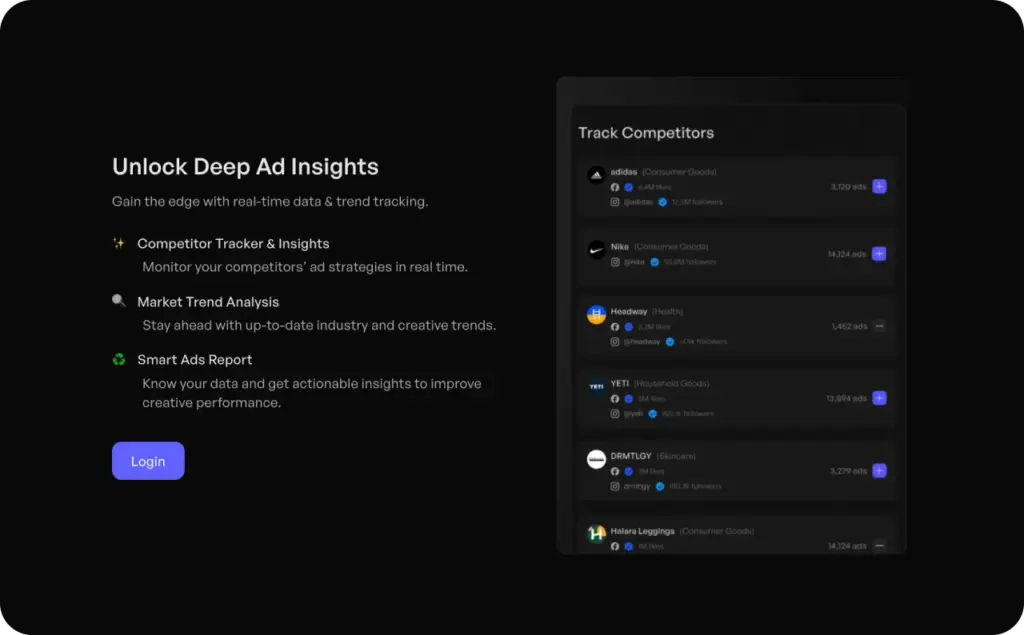
- Competitor ad tracking on higher plans
- Ad launcher tools for channels like Meta and TikTok
- Multilingual video creation
The product is strongest when you already have a clear landing page or product page. It can use that page as a starting point for ad angles, scripts, and visuals. It’s weaker when your offer needs careful positioning, legal review, founder-level storytelling, or exact brand language.
Quick verdict: Creatify is good for fast video ad drafts and UGC-style variations. I’d still review the script, claims, product details, and final edit before spending ad budget.

How I reviewed Creatify AI features and pricing
For this review, I used a practical ad-production checklist instead of judging Creatify only by its homepage claims.
The test workflow was based on the steps a small business owner would follow:
- Start with a product or landing page URL
- Generate a short video ad draft
- Review the script for accuracy and sales clarity
- Check avatar, voice, and template options
- Look at how easy it is to create multiple variations
- Compare plan limits, credits, watermark rules, and export value
- Decide where Creatify fits against Zeely for ad creation
I looked at Creatify as a buyer would use it, not as a general AI video demo. The main question was not “Can it make a video?” The real question was “Can it help you make video ads worth testing?”
Creatify AI pricing: how much does it cost?
Creatify AI pricing is credit-based. That means the plan price matters, but the real cost depends on how many videos, images, revisions, and exports you create each month.
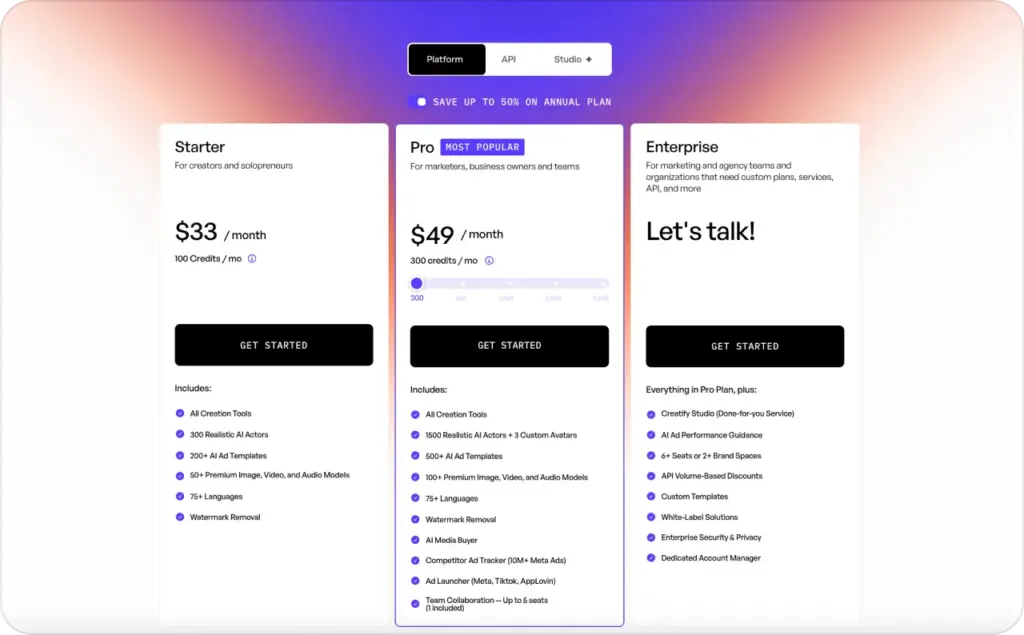
As of this review, Creatify lists these plans:
| Plan | Monthly price | Credits | Best for |
| Free | $0 | 10 monthly credits | Testing the product with watermarked exports |
| Starter | $33/month | 100 credits/month | Creators and solopreneurs |
| Pro | From $49/month | 300 to 5,000 credits/month | Marketers, business owners, and teams |
| Enterprise | Custom | Custom | Larger teams and higher-volume production |
The Free plan includes 10 monthly credits. Creatify says that can create around 2 video ads or 20 image ads. Free exports include a watermark.
The Starter plan includes 100 credits per month, 300 realistic AI actors, 200+ AI ad templates, 50+ premium image, video, and audio models, 75+ languages, and watermark removal.
The Pro plan starts at $49 per month and includes 300 credits per month at the entry level. It adds a larger AI actor library, more templates, more premium models, AI Media Buyer, competitor ad tracking, ad launcher tools, and team collaboration options.
For a small business, the key pricing question is not only “Can I afford the monthly plan?” It’s “How many usable ad tests can I create before I run out of credits?”
Is Creatify AI pricing worth it?
Creatify AI pricing can make sense if you publish and test video ads often. If you only need one polished brand video, the credit model may feel less flexible. If you need weekly UGC-style ads, hook tests, or ecommerce promo clips, the paid plans are more logical.
Do this before choosing a plan:
- Estimate how many video ads you need each month.
- Check whether revisions consume credits.
- Confirm whether exports include a watermark.
- Compare how many team seats you need.
- Review whether you need competitor tracking or ad launcher tools.
- Test a free export before upgrading.
Expected result: you’ll know whether you need a light plan for occasional drafts or a higher plan for repeat ad testing.
Creatify video ads: where the tool works best
Creatify video ads work best when the source page is clear. A simple product page with benefits, product images, price, reviews, and a clear offer gives the AI more to work with.
Good use cases include:
- Ecommerce product ads
- TikTok-style UGC ads
- Facebook and Instagram video ads
- App promo videos
- Dropshipping product tests
- Seasonal sale videos
- Multilingual product promos
- Agency ad mockups
- Fast creative testing
Creatify is less ideal when the offer needs heavy creative direction. For example, a premium brand launch, regulated product, complex SaaS demo, or founder-led story may need more manual scripting and editing.
The tool can give you speed. It does not replace judgment. You still need to check whether the hook is specific, the claim is accurate, and the CTA matches your landing page.
Creatify AI review: pros and cons after testing the workflow
Creatify is not just another AI video maker. It is built around ad creation, which gives it a clearer use case than broad video tools. Still, it has tradeoffs.
Creatify AI pros
Fast URL-to-video workflow
The biggest benefit is speed. You can start from a product link instead of writing every script and shot idea manually.
Good fit for ecommerce testing
Creatify works well for products with clear visuals, benefits, and offers. That makes it useful for quick paid social tests.
Large avatar and template selection
The avatar and template libraries help you create UGC-style ads without hiring a creator for every concept.
Helpful for ad variation volume
Batch-style creation is useful when you want to test hooks, openings, avatars, or CTA lines.
Multilingual support
Creatify lists 75+ languages, which helps brands create localized ad drafts without rebuilding every clip manually.
Paid plans remove watermarks
Watermark removal starts with paid plans, which matters if you plan to publish the video in real ad campaigns.
Creatify AI cons
Credit usage can be hard to predict
Credit-based pricing can feel unclear if you revise often or test many variants.
AI scripts still need editing
The first draft can sound generic. You should rewrite hooks, claims, proof points, and CTAs before launch.
Product accuracy needs review
URL-to-video tools can miss details, overstate benefits, or use wording that does not match the landing page.
Brand voice may feel inconsistent
Some outputs can look like standard AI UGC unless you customize them.
Not every business needs avatar ads
If your brand relies on product demos, screen recordings, founder content, or lifestyle footage, avatars may not be enough.
Higher-value features sit on higher plans
Competitor ad tracking, larger libraries, and team tools are more useful for frequent advertisers than casual users.
Creatify vs Zeely: which one should you choose?
Creatify and Zeely both help businesses create ad creative faster, but they fit different working styles.
Creatify is strongest for marketers who want AI-generated video ad variations from product links, avatars, scripts, and templates. It is useful when you need a fast batch of UGC-style videos for testing.
Zeely is built for entrepreneurs and small businesses that want to create ad-ready videos with less setup. Zeely’s video ad generator helps you create polished product videos and ad creatives for platforms like Facebook, Instagram, and TikTok.
Here is the practical difference.
| Need | Creatify | Zeely |
| Start from product URL | Yes | Yes |
| Create UGC-style ad drafts | Strong | Strong |
| Use AI avatars | Strong | Available in ad creative workflows |
| Build fast ecommerce ads | Strong | Strong |
| Simple workflow for beginners | Good | Strong |
| Ad-ready small business creative | Good | Strong |
| Heavy ad variation testing | Strong | Good |
| Small business owner guidance | Good | Strong |
Choose Creatify if you want a tool focused on AI ad variations, avatars, templates, and performance-style creative testing.
Choose Zeely if you want a simpler way to create ad-ready videos, UGC-style ad, and product creatives without building a larger ad production workflow.
A clean rule helps here: Creatify is useful when you want more ad drafts. Zeely is useful when you want a faster path from product idea to polished ad creative fast.
Creatify AI features that matter most for ad testing
Not every feature has equal value. For paid social, the most useful Creatify AI features are the ones that help you test more angles faster.
URL-to-video
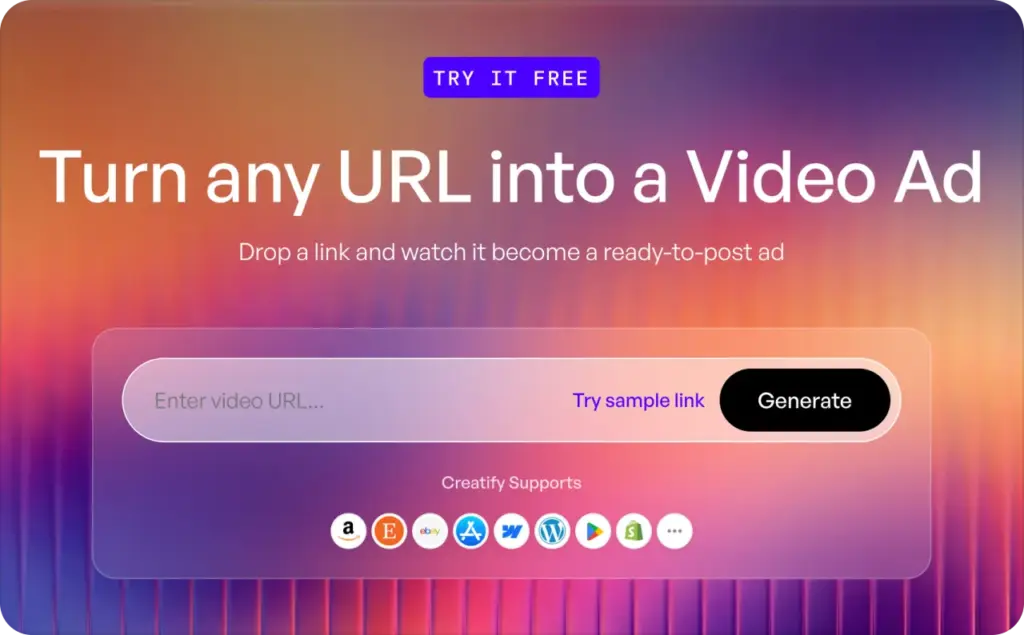
This is the main Creatify feature for ecommerce sellers. You paste a product page, and the tool uses that page as the base for the video.
The feature saves time because you do not start with a blank script. It also helps non-editors create a first draft faster.
Check this before export:
- Did it pull the right product?
- Did it use accurate benefits?
- Did it invent claims?
- Did it match the offer on the landing page?
- Did it use the correct price, discount, or CTA?
AI actors and avatars
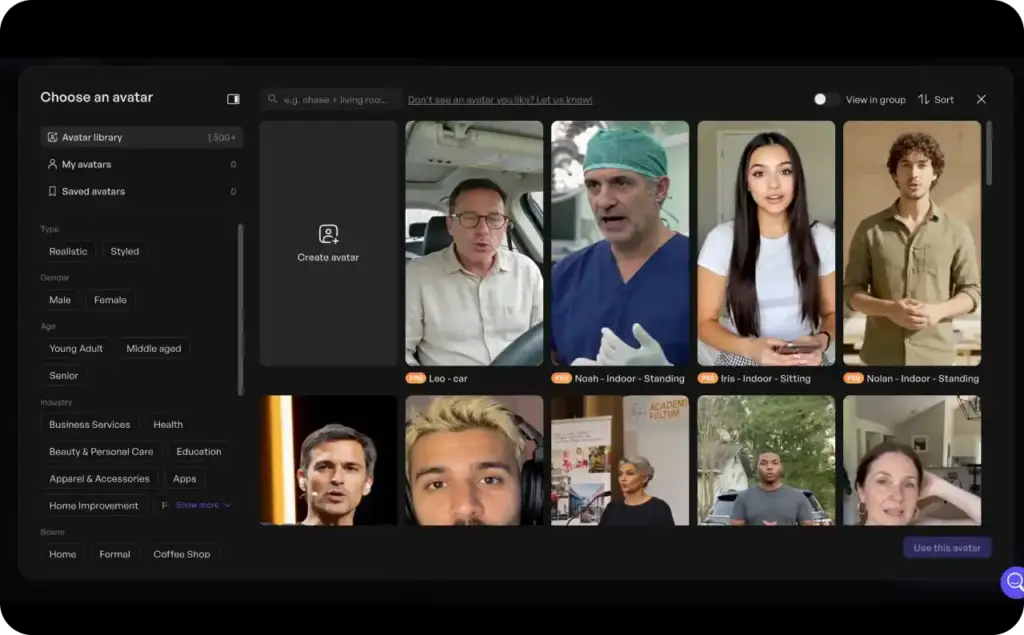
Creatify’s avatar feature is useful for UGC-style ad formats. You can create a spokesperson-style clip without booking a creator, recording a voiceover, or filming in a studio.
This works best for:
- Short hooks
- Product intros
- Sale announcements
- Problem-solution ads
- Social proof scripts
- Localized ad versions
The risk is sameness. If the script is too generic, the ad can feel like every other AI avatar ad. The fix is specific copy. Use product proof, customer language, and a sharp first line.
AI script writer
The AI script writer can help you move faster, but do not treat it as final copy. It should give you a starting structure.
A stronger video ad script usually has:
- A clear problem in the first 2 seconds
- One product benefit, not five
- A visual proof point
- A simple reason to believe
- One direct CTA
Weak script: “This product will change your life.”
Better script: “Still taking product photos one by one? This setup helps you create your next ad in minutes.”
AI ad templates
Templates help when you’re not sure how to structure the ad. They can also speed up testing across formats.
Use templates for the first draft, not the final decision. The template should support your offer, not force your product into a generic format.
Batch variations
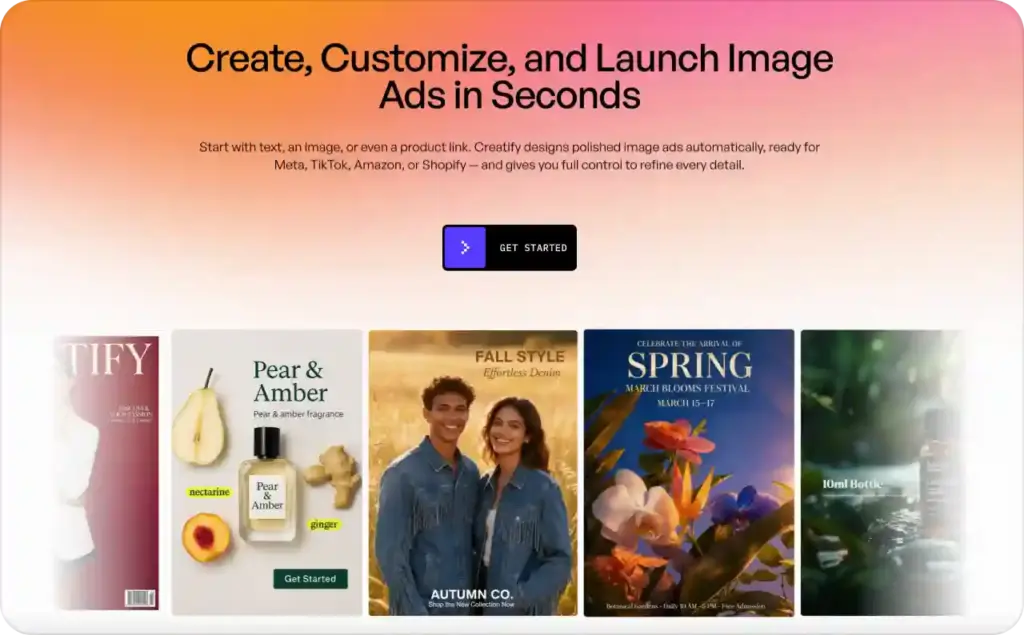
Batch creation is useful when you want to test different openings.
For example, one product could have five hooks:
- Problem hook
- Price hook
- Before-and-after hook
- Social proof hook
- Founder-style hook
Do this now: create variations around one variable at a time. If you change the hook, avatar, voice, CTA, and offer all at once, you will not know what worked.
Competitor ad tracker
Creatify lists competitor ad tracking on its Pro plan. This can help teams review ad patterns and creative angles before making new variations.
Use it carefully. Competitor ads can inspire structure, but they should not become copied scripts. Your product proof, offer, and customer language still need to be original.
Where Creatify still needs human editing
The biggest weakness is not video generation. It is judgment.
AI tools can create polished clips that still miss the reason someone should buy. That is why the final edit matters.
Before launching Creatify video ads, review these items:
- Product claims
- Price and discount
- Visual accuracy
- Brand voice
- Platform fit
- First 2 seconds
- CTA clarity
- Landing page match
- Compliance concerns
- Caption readability
If the video says one thing and the landing page says another, the ad can earn clicks but lose sales. That is not a creative win.
Who should use Creatify AI?
Creatify is a good fit for people who need video ad volume.
It makes sense for:
- Ecommerce stores testing products
- Dropshipping sellers testing new offers
- Agencies making ad drafts for clients
- Marketers creating UGC-style variations
- Solo founders who do not want to film
- Teams localizing ad concepts into other languages
- Paid social managers testing hooks and CTAs
It may not be the best fit for:
- Brands that need cinematic product films
- Businesses with strict legal review
- Teams that want full manual editing control
- Founders who prefer live filmed content
- Sellers who only need one video per quarter
- Companies with highly technical products
The simpler your offer, the more useful Creatify becomes. The more complex your proof, the more human editing you need.
Creatify AI pricing checklist before you upgrade
Before paying for Creatify, run one small test.
Use a real product URL, not a sample page. Then check the output like a buyer.
Ask:
- Would I stop scrolling for this first line?
- Is the product benefit clear in 3 seconds?
- Does the avatar fit my audience?
- Is the voice natural enough for my brand?
- Are the captions easy to read?
- Did the tool invent any product claim?
- Can I export without a watermark on this plan?
- How many credits did this draft use?
- How many similar ads can I make this month?
If the first test gives you a useful draft, a paid plan may be worth it. If you spend more time fixing the ad than creating it manually, test another workflow before upgrading.
Creatify alternatives: when to compare other tools
This page is a Creatify AI review, so I won’t turn it into a full alternatives list here. If you’re still comparing tools, read our full guide to Creatify alternatives after you finish this review.
Use that comparison if:
- You want a simpler small business workflow
- You need more ad-ready creative support
- You want different pricing or export rules
- You care less about avatars and more about finished ads
- You’re comparing Creatify vs Zeely for ecommerce campaigns
For this page, the takeaway is simple: Creatify is a strong AI ad draft tool. Compare alternatives only after you know whether its feature set matches your video ad workflow.
FAQ: Creatify AI features, pricing, and review questions
Creatify AI is an AI ad generator that helps users create short video ads from product URLs, scripts, avatars, templates, and voiceovers. It is mainly used for ecommerce, paid social, UGC-style clips, and ad variation testing.
The main Creatify AI features include URL-to-video, AI avatars, AI script writing, text-to-speech, ad templates, batch ad variations, multilingual video creation, premium media models, competitor ad tracking on higher plans, and ad launcher tools.
Creatify AI pricing starts with a Free plan that includes 10 monthly credits and watermarked exports. The Starter plan is listed at $33 per month with 100 credits. The Pro plan starts at $49 per month with 300 credits and can scale higher. Enterprise pricing is custom.
Yes. Creatify lists a Free plan with 10 monthly credits. The free plan can create a small number of video or image ads, but exports include a watermark.
Creatify is good for fast video ad drafts, especially for ecommerce products and UGC-style paid social ads. It works best when the product page has clear benefits, visuals, and offer details.
Creatify’s paid plans include watermark removal. The Free plan includes watermarked exports, so check the current pricing page before using free videos in campaigns.
Creatify URL-to-video is a feature that turns a product page or landing page into a video ad draft. You paste a link, and the tool uses page details to create ad content.
Yes. Creatify can create UGC-style ads using AI actors, scripts, voices, and templates. The final quality depends on your script, product proof, and editing choices.
Creatify is better if you want a tool focused on AI avatar ads, ad variations, templates, and URL-to-video testing. Zeely may be better if you want a simpler path to polished ad-ready videos for small business campaigns.
Creatify is best for ecommerce sellers, agencies, dropshipping teams, paid social marketers, and solo founders who need frequent video ad drafts without filming every clip manually.
The biggest drawbacks are credit-based pricing, generic AI scripts, the need to check product accuracy, and the risk that avatar ads may feel repetitive without strong copy edits.
You can use Creatify for Facebook and Instagram ad drafts. Before launch, check the hook, caption readability, landing page match, CTA, claims, and video format.

Emma blends product marketing and content to turn complex tools into simple, sales-driven playbooks for AI ad creatives and Facebook/Instagram campaigns. You’ll get checklists, bite-size guides, and real results, pulled from thousands of Zeely entrepreneurs, so you can run AI-powered ads confidently, even as a beginner.
Written by: Emma, AI Growth Adviser, Zeely
Reviewed on: June 9, 2026