How to promote an online clothing store: A practical plan
Getting likes on your outfit posts but almost no orders from your store? I'll walk you through what to do first, which channels and tools fit your budget, and how to know when your clothing ads are ready to scale.
Key takeaways
- Start with one buyer, one hero product, and one channel
- Show fabric, sizing, and everyday styling through real photos, short videos, and customer content
- Use Zeely for ad creation and Meta campaign management; add specialist tools when needed
- Judge ads by orders and margin after returns, then increase spending when results hold
- Build helpful email follow-ups early, and choose your next step from the 30-day plan
Your clothes may look great, but shoppers still need a reason to visit and enough information to buy. I’d start with one collection you can fulfill reliably. In this guide, I’ll walk you through content, ads, useful tools, and the numbers that help you decide what to improve next.
First thing to do when you promote an online clothing store
Start with one buyer, one hero product, and one channel. Everything else waits until those three work, because each new channel splits the few hours you have each week.
The order matters more than it used to. According to the U.S. Census Bureau’s quarterly e-commerce report, online sales made up 17.1% of U.S. retail in the second quarter of 2026. They grew 12.2% year over year, while total retail grew 6.7%. That’s almost twice as fast. More people buy online, and more stores pay to reach them. On a small budget, spreading yourself thin is how you lose.
Before you promote your clothing brand anywhere, describe your buyer in one sentence. “Women 30 to 45 who want linen sets that work at the office and on the weekend” is useful. “Anyone who loves fashion” isn’t. These storytelling angles for fashion brands can help you shape that story.
Then pick a hero product: the piece that already gets the most questions, saves, or repeat orders. Make sure you can actually deliver it. Check stock in every size and color before you feature it, and confirm its margin leaves room to pay for promotion. For our linen store, the hero is one set in three colors, with every size in stock.
Here’s the order I recommend.
| Stage | Signs you’re here | Where your time and money go | Skip for now |
| Starting | Few or no orders, no reviews | Product pages, one social channel, email signup, first orders from people you know | Paid influencers, a second platform, Google Ads |
| Proving | Weekly orders, a few reviews, posts that get saves or sizing DMs | A small Meta test with 3 to 5 creatives, welcome and abandoned checkout emails, creator gifting | Big budget jumps, loyalty programs |
| Growing | Ads bring orders at a cost your margin covers, repeat buyers appear | Scaling winners, a second channel, Google Shopping, affiliates | Chasing every trend |
One rule ties it together: don’t add a second channel until the first runs without daily firefighting. If you’re still scrambling to post on Instagram every morning, adding TikTok makes both weaker.
Why clothing stores get traffic but no sales, and what to fix
If people visit and leave, more traffic only makes the problem more expensive. Shopify’s community forum is full of owners describing this. One spent $1,600 split between Google and Facebook ads, drew over 1,000 visitors, and sold nothing. Another bought 10,000 sessions through Google Ads with no sales. The replies pointed to an unclear selling point, or a store that didn’t make obvious what it sold.
Here’s a benchmark to measure against. Shopify’s 2026 conversion rate guide uses Dynamic Yield data from more than 400 brands and puts fashion, accessories, and apparel at 2.77%.
At that rate, 1,000 visits bring about 28 orders. If yours brought 3, the fix is on the page, not in the ad. Treat the number as a rough baseline and compare yourself with your own past months first.
The clothing product page checklist
People can’t touch the fabric or try the fit online, so your page has to do that work. Before you pay for traffic, make sure each product page has:
- Photos on a real body from the front, back, and side, plus a fabric close-up
- A 10 to 20 second try-on clip that shows fit and movement
- A size guide with garment measurements, plus the model’s height and the size they’re wearing
- Fit notes, such as “runs small, size up if you’re between sizes”
- Fabric content, care instructions, and how it feels to wear
- Only the sizes and colors you actually have in stock
- Shipping and return costs visible before checkout
- Reviews with customer photos near the price
- An add-to-cart button you can see without scrolling on a phone
The shipping line matters more than it looks. Shopify’s guide also cites Baymard Institute data: extra costs like shipping, tax, or fees were the top reason US shoppers abandoned checkout in 2025, at 39%. For clothing, return costs belong on that list too. If reviews or cart friction are your weak spots, this lean Shopify app setup for reviews and cart friction covers what to install first.
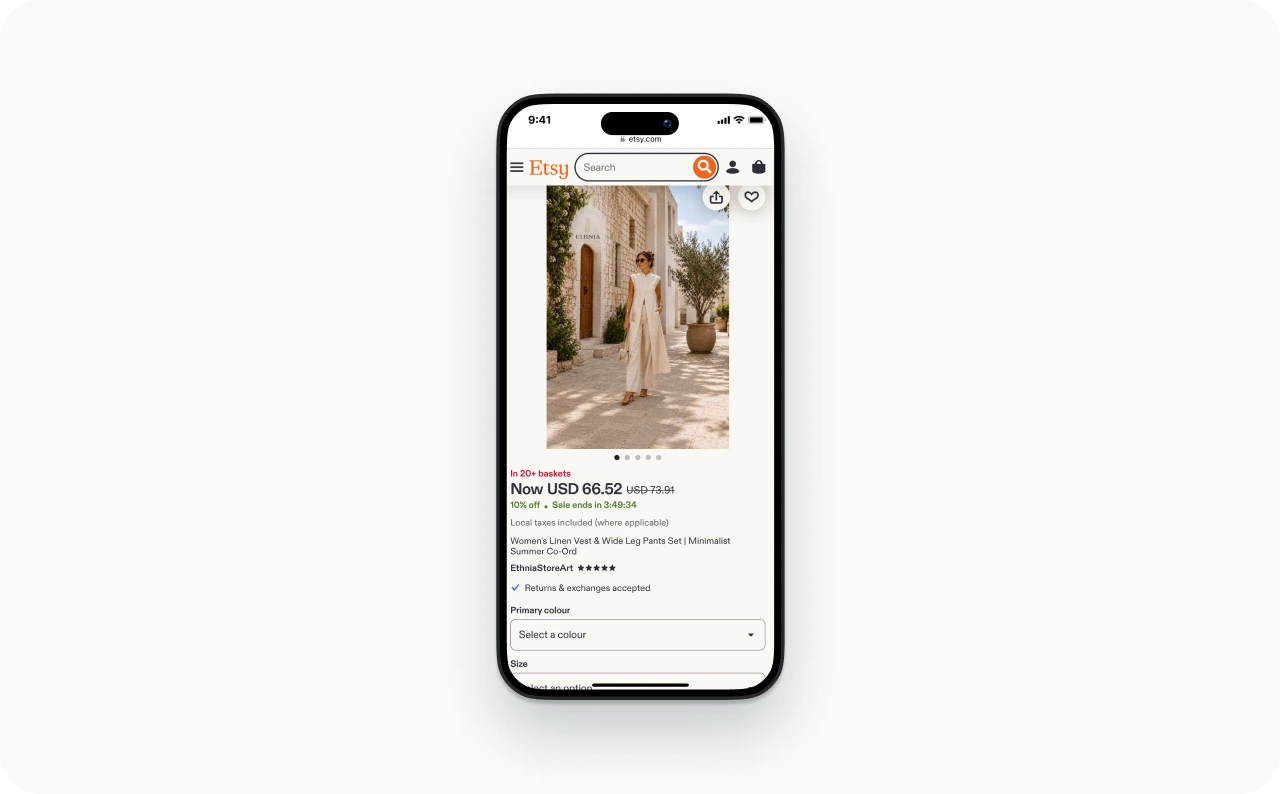
Photo source: Etsy
Send every ad and post to the matching product
One clothing store in the same forum was getting 200 to 300 ad visits a day with no sales. The first question back was whether the ads led to the homepage. If your ad shows the green linen set, the click should land on that set, in that color, with sizes ready to pick.
After you fix the page, check three numbers in your store analytics: add-to-cart rate, checkout completion, and mobile versus desktop conversion. If add-to-carts rise but checkouts don’t, look at shipping and payment options next.
How to promote a clothing brand on social media
Start with the question your buyer is already asking: “How does it fit?” or “What would I wear it with?” Pick one platform where that buyer already shops, answer those questions with real content, and measure saves and DMs instead of likes. That’s how to promote a clothing brand on social media without burning out.
Pick the platform where your buyer already shops
Age is the fastest filter. Sprout Social’s 2026 statistics roundup reports that Facebook is the top platform for product discovery, with 39% of consumers using it to find new products. For Gen Z, TikTok leads product discovery at 49%.
So if most of your buyers are older than Gen Z (workwear, modest fashion, or basics for busy parents), don’t write off Facebook. If you sell streetwear to college students, TikTok probably comes first.
| Platform | Best for | Clothing content that works | Watch out for |
| Style-led shoppers | Reels try-ons, styling carousels, product tags | A polished feed that hides your personality | |
| TikTok | Gen Z shoppers | Fit checks, hauls, answers to comments, behind the scenes | Views from people too young to buy |
| Shoppers older than Gen Z, community, retargeting | Short video, groups, customer photos | Low organic reach without ads | |
| People planning outfits for a season or event | Vertical outfit pins linked to product pages | Slow to build, closer to SEO than social |
Keep one warning in mind: views aren’t buyers. A video can pull thousands of views from people outside your price range or age group. If a platform brings attention but no store clicks after two or three months of steady posting, it may not be your audience.
Pinterest works on a different clock. A board like “linen vacation outfits” meets people planning for a specific occasion, and each Pin should link to the matching product page. It takes steady work, and a saved Pin isn’t a sale, so watch outbound clicks and orders.
A quick test before you choose: read the comments under brands like yours. If people ask “where is this from?” and “what size is she wearing?”, your buyers are there.
What to post when you don’t have a photographer
You don’t need a shoot. You need one outfit and 20 minutes. Film these in one session and you have five posts:
- A try-on from the front, side, and back
- Three ways to style the same piece, such as for work, a weekend, and a trip
- A stretch test or close-ups of the weave, buttons, and seams
- Packing a real order
- An answer to the sizing question you get most
A useful opening sounds like a real person talking: “Here’s how these pants fit when I sit down.” Show the answer, then link the item.
Ask customers if you can repost their photos, too. Real people in your clothes answer “how will this look on me?” better than any studio shot. To get more eyes on those videos, here’s how to grow your Reels reach without paying for it. If you only have product photos, you can turn product photos into Reels instead of editing each one by hand.
How often to post and what to measure
Choose a pace you can keep for 90 days. Three good videos a week for three months beats daily posting that stops after two weeks.
Skip likes. Track saves, shares, link clicks, and DMs about size or price, because those signal buying intent. Turn comments into your next videos: if someone asks whether the waistband stretches, film the answer. When one post gets unusual saves or questions, mark it. That’s your first ad candidate.
If you batch content on weekends, Zeely’s Social posting tool lets you publish or schedule images and videos to Instagram and TikTok from one place.
How to advertise a clothing brand on Meta, TikTok, or Google
Start paid ads once your store converts, and start on one platform.
Signs your store is ready for paid ads
Before you advertise clothes to strangers, check five things:
- Your product page passes the checklist above, and a test order records correctly
- The sizes and colors in your ads are in stock
- At least one organic post drew saves or DMs
- You know your margin after product cost, shipping, and average returns
- You have 3 to 5 creatives ready, mixing static images and video
That last point matters because attention costs more than it did a year ago. In its Q2 2026 results, Meta reported that the average price per ad rose 12% year over year.
Where to spend your first ad dollars
For most small clothing stores, I recommend Meta first. Facebook and Instagram are visual, reach a wide range of ages, and let you retarget people who viewed a product but didn’t buy.
Google Shopping fits when people search for specific items, like “black linen wide-leg pants.” It needs an accurate product feed in Google Merchant Center, which I’ll cover in the SEO section below.
TikTok ads fit when your buyer is Gen Z and you can make videos that feel native to the feed. A stretched version of your static Instagram graphic won’t cut it there. This guide to running TikTok ads for a Shopify store covers the setup.
The first campaign I’d set up
I’d promote one product or collection, not the whole store. Use 3 to 5 creatives and send every click to the matching product page. Start with a broad audience instead of stacking interests.
Give each creative a different reason to buy. For the linen set, I’d start with these three:
| Concept | What the ad shows | What the shopper learns |
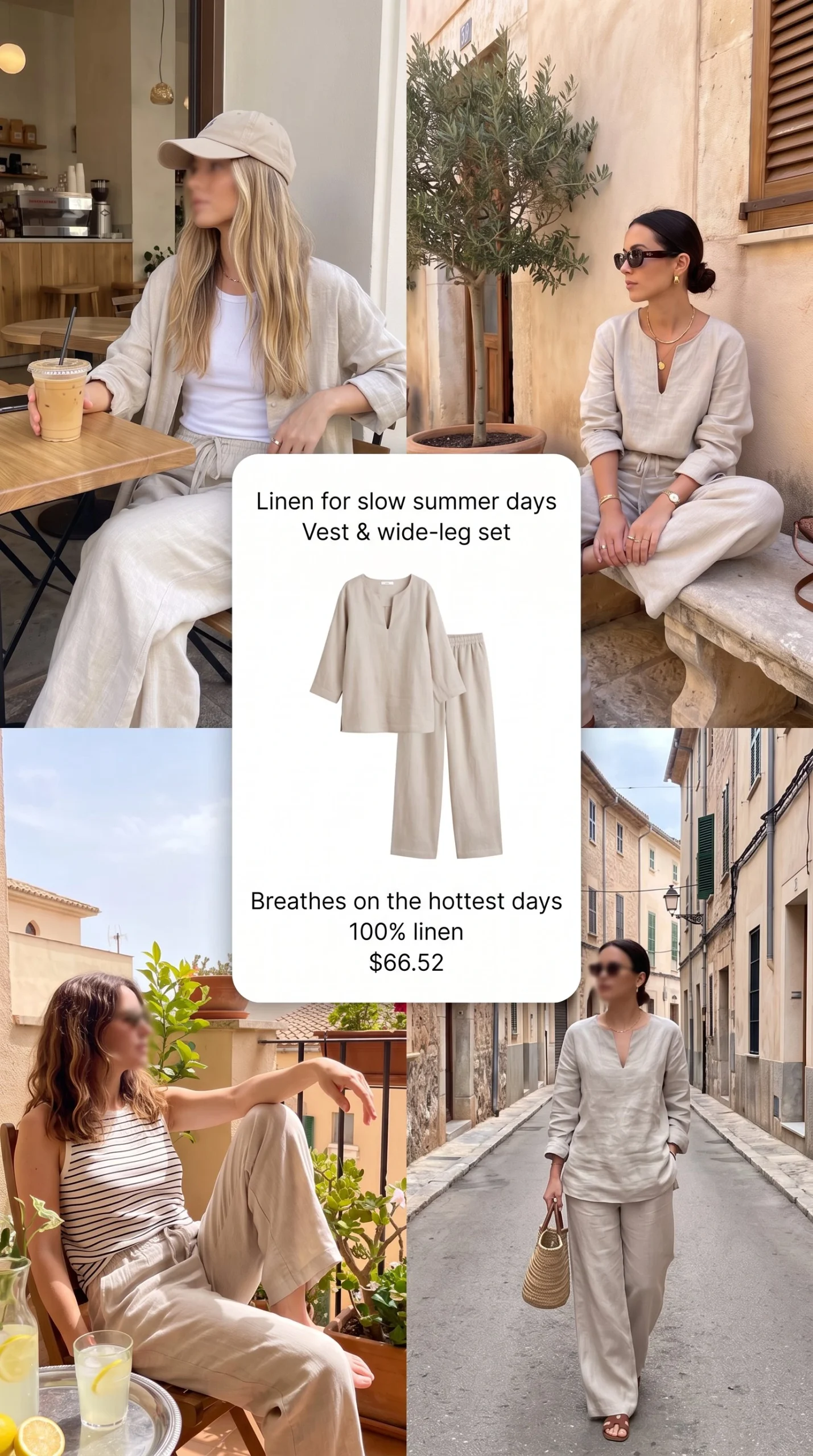
| Styling | “One set, three plans”: office, weekend, trip | Where the outfit fits into their life |
| Product detail | A real try-on and fabric close-ups | How the garment actually looks and moves |
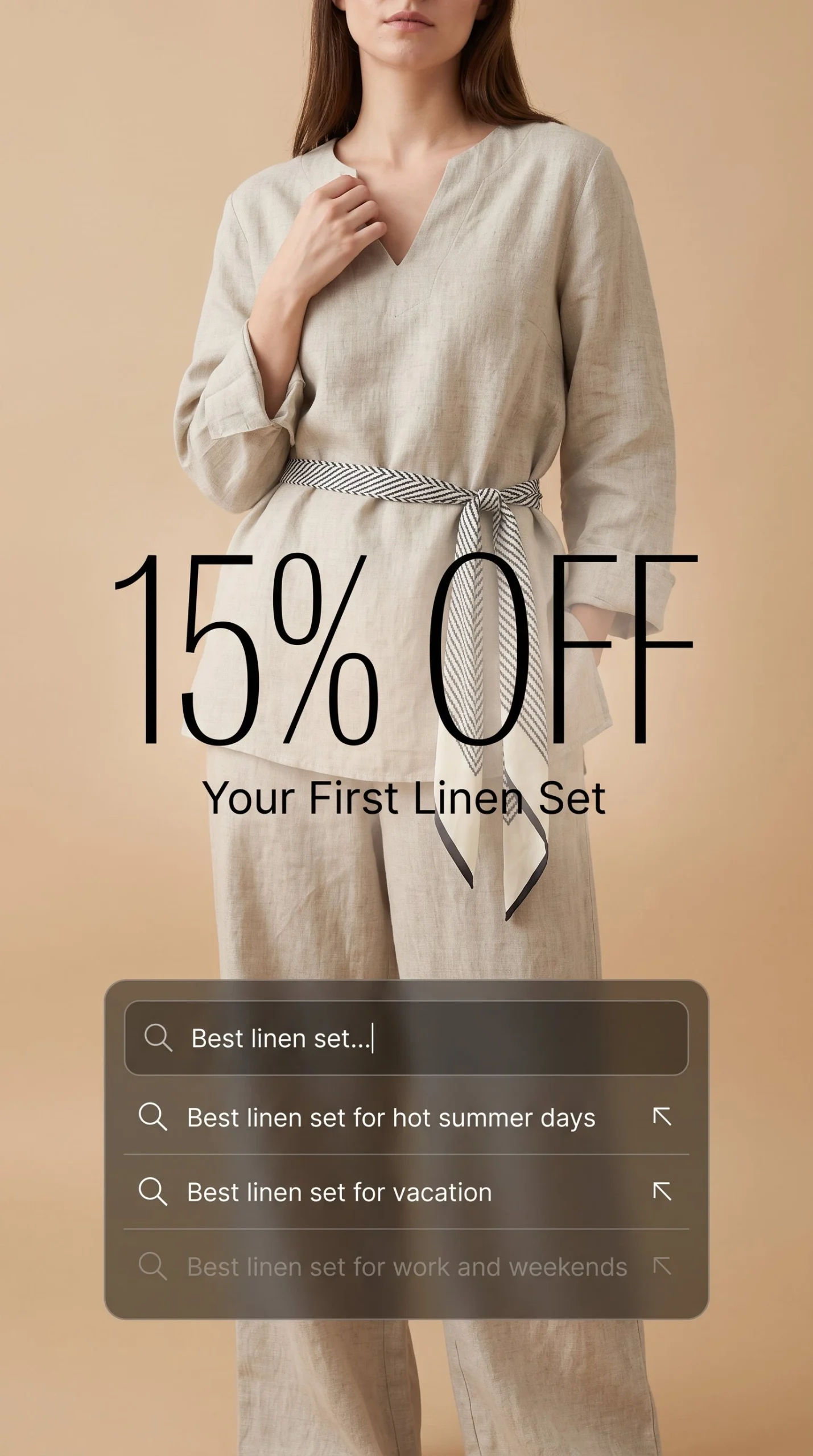
| Offer | The collection with clear, honest offer terms | Why it’s worth buying now |
With a very small budget, run them one after another instead of all at once, so each gets enough spend to judge. Keep the product and landing page the same while you compare.
Next, check which objective the campaign optimizes for. If it’s set to traffic or leads rather than purchases, the platform will look for people who click, not necessarily people who buy. Either way, judge the campaign by completed orders in your store.
Meta reviews new ads first, which usually takes up to 24 hours. Then give the campaign a few days before you judge it. Watch CTR, or click-through rate (the percentage of people who clicked after seeing your ad), plus cost per add-to-cart and purchases.
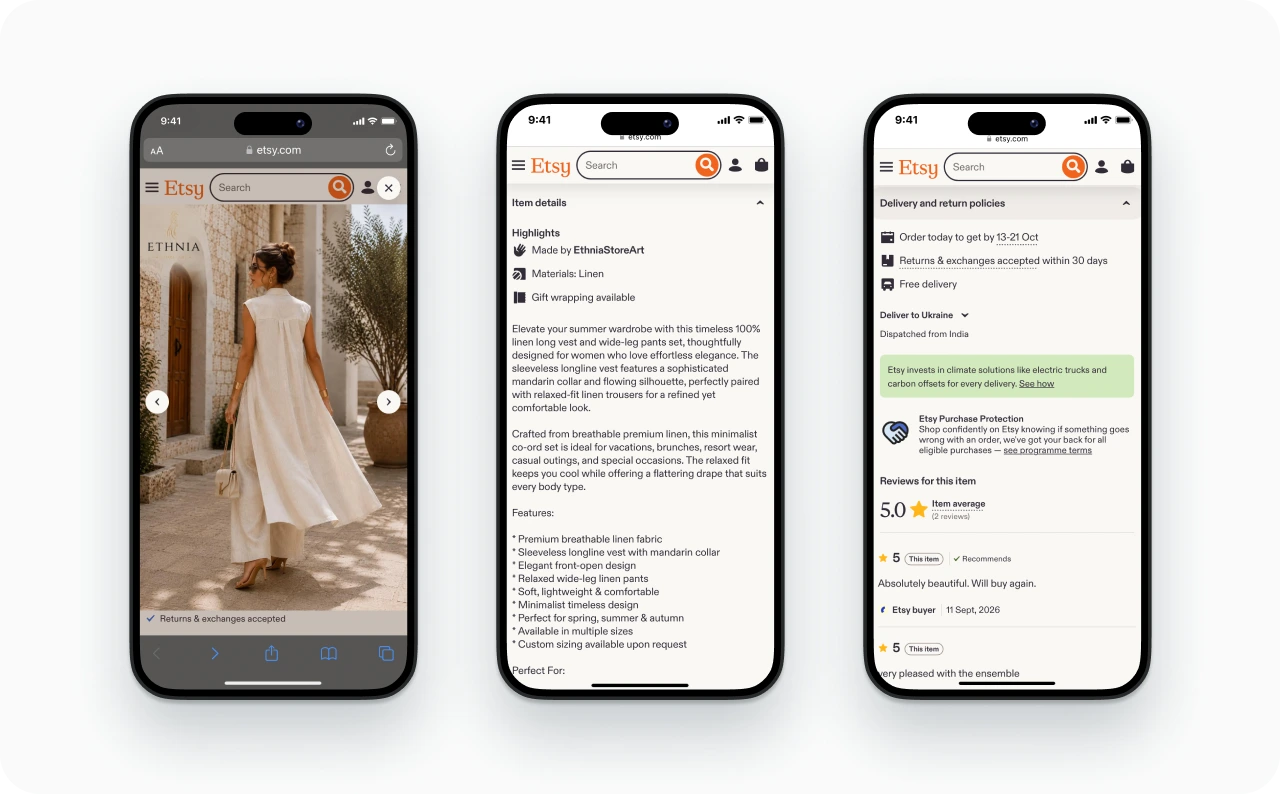
Photo source: Etsy
If setup is what stops you, Zeely’s Meta campaigns guide you through it. You can connect your own Meta Ads account, and Meta charges you only after ads start running, based on actual spend. Or you can use Zeely AI Marketplace, which runs the campaign through Zeely’s managed Meta accounts, and pay during setup.
Either way, you get a suggested audience with an estimated size, budget estimates before launch, and Meta review status in your dashboard. Zeely launches paid campaigns on Meta. For TikTok, download your video as an MP4 and upload it in TikTok Ads Manager.
Follow up with shoppers who looked but didn’t buy
Some shoppers look at the set and leave to compare sizes or shipping. A retargeting ad can answer that question and link back to the item. Exclude people who already bought.
A very small audience may not justify its own budget yet, so add this once your first campaign brings steady visits. These retargeting ads for shoppers who looked but didn’t buy show what that second touch can look like.
One caution: an order credited to a retargeting ad doesn’t prove the ad caused it. Some of those shoppers would have come back anyway, so compare total store orders before and after.
How to improve your ads for clothing brands
Find the step where shoppers stop, then change one thing there. An ad with few clicks needs a different fix from a page with carts but no orders.
| What you see | Likely cause | Change first | Check after |
| Low CTR | Slow opening, garment not visible early | Three new openings for the first two seconds | CTR by creative |
| Clicks but few page views | Broken link, slow page, or a tracking gap | Fix the destination before touching the ad | Page views compared with clicks |
| Product visits but few add-to-carts | Missing fit details, sold-out sizes, price surprise, or a page that doesn’t match the ad | Answer the question blocking the add-to-cart | Add-to-cart rate |
| Add-to-carts but no purchases | Shipping or return costs appear late, checkout friction | Show costs on the product page and retest checkout on a phone | Checkout completion |
| Orders but little profit | Discounts, returns, and ad cost eat the margin | Rework the offer or stop that spend | Profit per order after returns |
| Good results that fade | Creative fatigue, or a page or stock change | Check the page and stock first, then try a new angle | Frequency and CTR over time |
Use the same click type every time you compare. Link clicks, the ones that actually leave the platform for your store, tell you more than all clicks. Compare similar date ranges and give late purchases a few days to show up.
Your own past campaigns are the best yardstick. For a rough outside reference, see these Facebook CTR benchmarks before you change anything.
A strong clothes advertisement shows the garment on a body fast. Here are angles worth testing in fashion ads:
- The piece on a real body within the first two seconds
- The same item on two or three body types
- “3 ways to wear” one piece
- A stretch test or fabric close-up
- A real customer review as a text overlay, used with permission
- A drop countdown, only when the deadline is real
For more ideas, browse these clothing ad examples worth borrowing from.
Testing is where the hours disappear. In Zeely’s Image ads, you can generate up to five variations from one idea. You choose what changes between them: text, visuals, audience, style, or composition. Text is the default and the right place to start most tests.
For video, you can generate just a new Hook, so you can test openings without remaking the whole ad. Competitor spy lets you filter competitor ads by industry, brand, status, and format to see what’s running in your niche.
How to scale ads for clothing brands without burning budget
Scale when an ad brings steady orders for at least a week at a cost your margin can carry. One great day is a reason to look closer, not a scaling plan.
Before you add budget, check two things beyond the ad itself. First, look at which sizes people are buying. If the best-selling size is nearly gone, more clicks will just land on an empty option, so move the budget to an item you can ship. Second, check whether returns have changed your real margin.
When you’re ready, here’s how I’d do it:
- Raise the budget in small steps every few days. My rule of thumb is 15% to 20% at a time, so you can see whether results hold before the next increase.
- Make one change at a time and write it down, so you know what caused what.
- Build new creatives around the winning angle. If a “3 ways to wear” video wins, make more of those with other pieces.
- Extend the winner to new colors or products you have in stock.
- Launch new collections to warm audiences first: email subscribers, followers, and recent site visitors. Then widen.
Some founders keep drops small on purpose, arguing that a quick sellout makes the next one more anticipated. That only works if you can live with missed sales or restock fast.
Watch three things as you scale. Your CPA, or cost per purchase, should stay steady. If frequency climbs while CTR falls, people may have seen your ad too often, but check for page or stock changes before you blame fatigue. And track revenue after returns, since clothing returns can quietly erase ad profit.
Email, SEO, and creators: free ways to promote your clothing brand that keep paying off
A social post fades in a day. An email list, search rankings, and creator content keep working for months, and you own more of them. That protects you when a platform changes its rules.
Three email flows to set up before your next drop
- Welcome: show the collection and its fit details, and give new subscribers a reason to place a first order, like free shipping on their first purchase.
- Abandoned checkout: Shopify has this recovery email built in, so turn it on and rewrite it in your own voice. Answer the questions that stop people, like sizing or shipping, and make sure reminders stop once the order is complete.
- Post-purchase: ask about fit a few days after delivery, share care or styling tips, then request a review with a photo.
Add back-in-stock alerts for bestsellers, too. People who ask to be notified about a sold-out size are some of your warmest buyers.
For a new collection, send a preview, a launch message, and a follow-up about what’s still in stock. Skip the constant discount blasts. They make every sale cost more without giving people a real reason to come back.
SMS can work for a time-sensitive restock, but only for customers who specifically opted in to texts. Email permission doesn’t cover it.
SEO basics that matter for clothing stores
I’d improve product and collection pages before starting a big fashion blog. Name collections the way people search. “Women’s linen pants” beats “Summer Dream Collection.” Put fabric, fit, and color in product titles, and write alt text for images.
Each page should serve one clear shopping choice. A collection page can answer a broad search like “women’s linen sets,” while a product page covers one color and cut. Google Search Console shows which searches bring clicks to each page. Rankings alone don’t show orders, so check sales in your store too.
Then add your products to Google Merchant Center so they can appear in free listings across Google. Keep prices, stock, sizes, and links current. The listed price and available sizes must match your product page. Free listings need no ad budget, while Shopping ads do, and being eligible doesn’t guarantee placement.
A few helpful posts on sizing, care, or styling give search engines more pages to send people to. Link each one to the matching collection.
Micro-creators and UGC you can reuse in ads
Decide what you need first. A creator makes content for you. An influencer also shares it with their audience. An affiliate earns a commission on tracked orders.
Gift your hero product to 5 to 10 small creators whose followers match your buyer. Give each a unique discount code so you can see who drives sales. Agree on deliverables, payment, and ad usage rights up front, so you can run their best video as an ad later. Count the garment, shipping, fees, and commissions as marketing costs. Once margins allow, turn the creators who sell into an affiliate program.
Gifted posts need a clear disclosure. The FTC’s guidance for social media influencers says a free or discounted product counts as a relationship that has to be disclosed. It also says creators shouldn’t assume a platform’s built-in label is enough on its own. Share that expectation with every creator you work with.
Ask customers before you reuse their photos. And if you use AI-made, UGC-style videos, never present them as real customers.
Which tools are best for ads for clothing brands?
You need tools for a handful of jobs, and one tool per job is enough. You don’t need all of these at launch. My rule: don’t pay for a tool until the job it does costs you hours every week.
| Job | Start with | Upgrade when | Examples | What to check |
| Store analytics | Built-in reports | You can’t see where shoppers drop off | Shopify Analytics, GA4, Microsoft Clarity | GA4 needs ecommerce tracking set up correctly |
| Search visibility | Google Search Console | You want products in free listings | Search Console, Google Merchant Center | Free listings are free; Shopping ads cost extra |
| Ad creative | Simple static images | Making creatives eats your week | Canva, Zeely | Plan features and credits |
| Campaign launch | Meta Ads Manager | Setup feels overwhelming | Meta Ads Manager, Zeely Meta campaigns | Tool plans and ad spend are separate costs |
| Post scheduling | Posting by hand | Posts slip when orders get busy | Zeely Social posting, Buffer | Channel and queue limits vary by plan |
| Email and SMS | Your store’s built-in email tool | You need segments and more flows | Your store’s tool, Klaviyo | Pricing grows with plan and list size |
| Research | Meta Ad Library | You track several competitors | Meta Ad Library, Zeely Competitor spy | Mostly your time |
One platform or several? Look at your bottleneck. If making creatives and launching campaigns slows you down, one tool that does both saves you from moving files between apps. If repeat buyers are the weak spot, a specialist email tool is the better buy.
Here’s where Zeely fits. It’s an AI marketing intelligence platform built around three stages: Create, Launch, Scale.
To create, you paste a product link. With a Shopify store URL, Zeely pulls your product list so you can import several products at once. Etsy and Amazon need a direct product page link, and Instagram and Facebook links work too. There’s nothing to connect or install, because Zeely reads the public page. You can also enter the product name, description, and photos yourself.
AI then suggests a target audience and a call to action. Review both before you generate anything.
From there, you can build image ads from 2,000+ references. For video, you can use 1,200+ AI avatars, talking-head videos, or Animate an image, which turns one product photo into a short video. Then you launch to Meta and track results in the same place.


How much to spend, and how to tell if your marketing is working
Spend what your margin can support, and judge every channel by orders and profit, not attention.
At $0, your budget is time. Five focused hours a week on product pages, one social channel, email, and free listings is a real plan. It costs time, and gifted products still cost money, but you can start today.
At around $500 a month, here’s one example split:
- $300 for one paid test (about $10 a day), once your page and tracking are ready
- $100 for content, such as a simple shoot or creator gifting
- $50 for tools, after checking the real plan and credit costs
- $50 held back for a needed fix or a promising follow-up test
That’s a starting point, not a rule. Store fees, inventory, and your own time are separate business costs.
Work out what you can afford to pay for an order
Here’s an illustrative example with the linen set. After discounts and expected refunds, each order brings in about $70. The garment, packing, shipping, payment fees, and handling returns cost $42 together, so count each cost only once.
That leaves $28 before ads. Spend more than $28 in ads per order and you lose money on every sale. If you want to keep $8 for overhead and profit, your target is $20 or less in ad spend per order.
In ROAS terms (return on ad spend, or revenue divided by ad spend), $70 ÷ $28 = 2.5 is where ads break even. $70 ÷ $20 = 3.5 is your target. Your prices and costs will differ, so run the same math with your own numbers. For more on setting a first budget, here’s how to work out a Meta budget from your margins.
The numbers worth tracking
- Conversion rate: orders divided by visits
- CPA: ad spend divided by purchases credited to the ads
- ROAS: revenue divided by ad spend. It compares revenue with spend but doesn’t show profit, so read it next to your costs.
- Profit per order after returns: what actually stays with you
- Repeat purchase rate: the share of customers who buy again within a set period
If two platforms both claim the same order, count it once. Your store’s order list is the final word.
Check weekly for anything broken, and make decisions monthly. Before any paid test, write down a loss cap: the most you’ll spend before deciding. If you hit that cap before you’ve seen enough purchases to judge, call the test inconclusive, not a failure, and write down what you learned.
Know when to stop, too. If 8 to 12 weeks of steady effort on a channel bring no buying signals (saves, clicks, DMs, add-to-carts), pause it and move that time elsewhere.
Your 30 days plan for clothing store promotion
Use the first month to build a working system, not to chase a promised number of sales. Here’s how I’d organize the linen store’s launch:
| Days | Main job | You’re done when |
| 1 to 7 | Check stock by size, margin, the product page, checkout, and tracking | One page passes the checklist, a test order records, and your loss cap is written down |
| 8 to 14 | Film the “one outfit, five posts” session, pick your channel, set up the welcome email | You have usable videos and a working signup |
| 15 to 21 | Post on your channel and start a small paid test if the page and budget are ready | Visits are tagged by source, and spending is capped |
| 22 to 30 | Review orders, returns, and costs, then fix the clearest problem | You’ve written down one decision: continue, revise, pause, or expand |
FAQ
Start with accurate product pages, your own photos and short videos, and organic posts on one channel. Collect emails from day one, name collections the way people search, and add products to free Google listings. Repost customer photos with permission. It costs time, not ad money.
Choose the one where your buyers already respond and where you can post useful content consistently. Instagram suits outfit posts and Reels. TikTok suits conversational demos and reaches Gen Z best. Try one product on your best-fit channel, then compare visits and orders, not follower counts.
They can, once your product page converts and you have 3 to 5 creatives to test. Facebook and Instagram also let you retarget people who viewed a product but didn’t buy. Judge the results by completed orders in your store and your profit after returns.
Base it on margin, not a fixed number. Work out the most you can afford to pay in ads for one order, set a loss cap, and start with a small test. Raise spend only while your cost per purchase stays under that limit. No amount of spending guarantees sales.
First check whether visitors landed on the exact product they saw in the ad or post. Then review sizes in stock, measurements, price, shipping and return costs, and checkout on a phone. Place a test order to confirm purchases record correctly before you change your ads.
Tell your warmest audiences first: email subscribers, followers, and recent site visitors. Show the pieces on real bodies, share a launch date, and use a countdown only if the deadline is real. Then reach new audiences with your best-performing creatives.
Paid ads can bring visits as soon as a campaign goes live, while organic channels usually take months of steady posting. Neither guarantees an order by a set date. Use your first 30 days to get the store ready, bring in relevant visits, and learn what stops shoppers from buying.
Yes. AI can turn accurate product details into ad copy, images, and video ideas, write variations for testing, and help with audience and competitor research. Zeely can create clothing ads and launch Meta campaigns. Check every output against the real garment, price, and product page before it goes live.

Emma blends product marketing and content to turn complex tools into simple, sales-driven playbooks for AI ad creatives and Facebook/Instagram campaigns. You’ll get checklists, bite-size guides, and real results, pulled from thousands of Zeely entrepreneurs, so you can run AI-powered ads confidently, even as a beginner.
Written by: Emma, AI Growth Adviser, Zeely
Reviewed on: September 30, 2026