Wan AI video review: Is wan 2.5 worth It?
Can Wan AI turn a prompt or product image into video footage you’d actually use in an ad? I’m Emma from Zeely, and I’ll review Wan 2.5 as a video model, then show where it fits inside a full ad workflow.
Wan AI video is one of the stronger model families for cinematic text-to-video and image-to-video work. For this review, I’m focusing on Wan 2.5 AI model capabilities, while noting that newer hosted Wan versions also exist.
Wan 2.5 is good for short, realistic clips, flexible visual scenes, and product-led motion tests. It is not a complete ad maker by itself. You’ll still need scripts, hooks, captions, editing, offer framing, and creative variations before the footage becomes a launch-ready ad.
The quick verdict for 2026
My short verdict: Wan AI video is worth testing if you care about cinematic realism, image-to-video movement, and flexible visual output. It feels strongest when you already know what shot you want: a product in motion, a lifestyle scene, a polished establishing shot, or a short branded clip.
It is less useful when you expect the model to do the whole marketing job. A Wan video model can generate footage, but it does not automatically know your offer, audience, hook, CTA, ad format, or testing plan. That gap matters if you are making paid social ads, not just demo clips.
The best use case is simple. Use Wan when you need raw visual footage with strong motion. Use a workflow tool when you need a finished ad.
For marketers, I would rate Wan 2.5 this way:
- Video quality: strong for short cinematic scenes
- Prompt following: good, but still needs clear visual direction
- Image-to-video: one of the more useful ad-facing modes
- Product accuracy: promising, but not safe to trust blindly
- Audio and speech: useful in hosted workflows, but still review carefully
- Complete ad workflow: limited without another tool
- Beginner ease: easier through hosted tools than local setup
That is why this review is not a “Wan beats everything” story. It is a practical look at where Wan helps, where it still creates work.
What is Wan AI video, and which version did I review?
Wan AI is both a model family and a creative platform ecosystem connected to Alibaba’s video-generation work. That is why search results can feel messy. You may see Wan AI, Wan Video, Wan2.1, Wan2.2, Wan 2.5, Wan 2.6, Wan 2.7, Wanx, and third-party “Wan AI” tools all using similar language.
For this article, I’m reviewing Wan 2.5 as a hosted AI video generation model, with special attention to ad production. I’m also separating it from the older open repositories because that detail matters.
The official open releases are easiest to verify through the Wan2.1 GitHub repository, the Wan2.2 GitHub repository, and the Wan technical report on arXiv. Wan2.2 is licensed under Apache 2.0 and includes source code and model weights. The hosted Wan 2.5, 2.6, and 2.7 models appear in Alibaba Cloud Model Studio docs as API or console options, not as the same thing as the open GitHub releases.
That distinction should be clear in your buying decision.
If you want to run a model locally, you are usually looking at Wan2.1 or wan 2.2 ai video model options. If you want smoother hosted access, newer audio-supported workflows, and less setup, you are looking at Model Studio, Wan’s official website, or a third-party wrapper. Before uploading product assets to a wrapper, check who runs the site, what model version it exposes, how files are stored, whether outputs are watermarked, and what commercial-use terms apply.
The simple version: Wan is not just one app. It is a model family, hosted API layer, web experience, and open-source research base.
Wan video model quality: realistic clips, motion, and prompt control
The main reason people care about Wan video model reviews is output quality. Can it make footage that feels real enough to use? In short clips, yes, often. In longer, more complex scenes, you still need patience.
Wan 2.5 is best when the shot has a clear visual job. A product turning on a glossy table. A person holding a package near a window. A cinematic food close-up with steam. A streetwear model walking slowly under soft light. These are the kinds of scenes where Wan can produce footage that feels usable after review and light editing.
Where it gets weaker is also predictable. Hands, fingers, eating, object interaction, fast sports movement, crowded scenes, and detailed product labels still need careful checking. This is not a Wan-only issue. It is a common problem in AI video models because every frame has to stay consistent while the subject moves.
For text-to-video, Wan does better when the prompt reads like a shot brief, not a vague wish. A weak prompt says, “Make an ad for coffee.” A better prompt says, “A 10-second vertical cinematic shot of a glass bottle of cold brew on a marble counter, morning light, slow camera push-in, condensation on the bottle, hand enters frame and picks it up, premium lifestyle mood, no text.”
That kind of prompt gives the model objects, motion, camera direction, lighting, format, and mood. You still may need retries, but you are no longer asking the model to guess the whole scene.
Image-to-video is where Wan becomes more useful for ecommerce. You can start from a product image and ask the model to add motion around it. That gives the model a stronger anchor than text alone. Still, you should review shape, color, packaging, logo placement, and label accuracy before using the output in paid ads.
My rule is simple: Wan can make strong footage, but product truth still belongs to the marketer.
Wan 2.5 AI model features: text, image, audio, and control
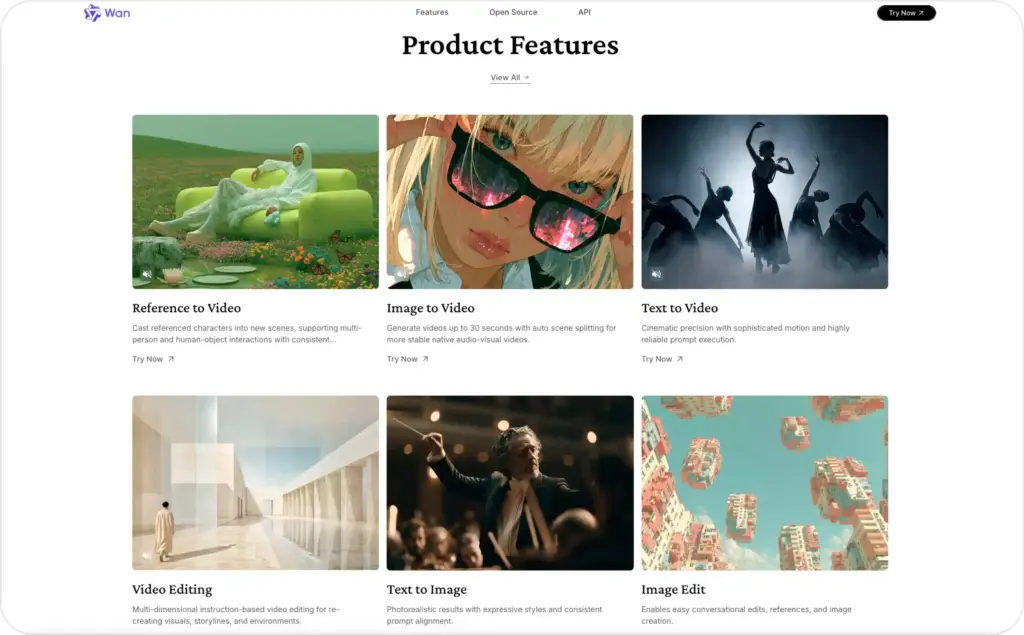
The official Alibaba Cloud docs list Wan modes for text-to-video, image-to-video, first-frame control, first-and-last-frame control, reference-to-video, video editing, image-to-action, and digital human workflows. That makes Wan more than a simple prompt-to-video toy. It is a broader video model family built around different kinds of control.
For Wan 2.5 AI model review purposes, these are the most important features:
Text-to-video: You write a prompt, and Wan generates a short clip. This is useful for concept scenes, lifestyle shots, backgrounds, or cinematic product stories.
Image-to-video: You upload a starting image, then use a prompt to animate it. This is the most interesting mode for product marketers because the model has a real visual reference.
First-frame control: You can guide the opening frame, which helps when the first second matters. For social ads, that opening frame often decides whether someone stops scrolling.
First-and-last-frame control: This helps shape the beginning and end of a clip. It is useful when you need a transition, reveal, or before-after style motion.
Reference-to-video: Newer Wan docs describe reference workflows that preserve character appearance and voice across scenes. This is useful for creator-style or spokesperson-style video, but it should be checked closely for consent, voice rights, and likeness use.
Video continuation and editing: Wan can help extend or modify clips, but it is not a full editor. You may still need trimming, captions, music, CTA overlays, product text, and export formatting.
Wan 2.5 is especially relevant because it added audio-video synchronization in hosted workflows. Alibaba’s docs list Wan 2.5 preview text-to-video and image-to-video options with 480P, 720P, and 1080P outputs, 5-second or 10-second durations, 30 fps, and MP4 H.264 output.
That sounds technical, but the marketing meaning is simple. Wan can help create short clips that look more complete than silent video loops. Still, audio does not remove the need for a script. A synced voice or soundscape is only useful if the message sells the product clearly.
Build. Share. Create with Wan.
Agent Skills are now LIVE on wan video.Explore community-built Skills, or create your own custom workflow with Wan and share it with the world.
From Short Drama Generators to MV Generators and more, turn your ideas into reusable creative… pic.twitter.com/TpGq4lSe1y— Wan (@Alibaba_Wan) August 14, 2026
Wan AI pricing: free, open source, or pay per second?
This is where many reviews get too loose. Wan AI can be free, open source, or paid, depending on which version and access point you use.
The open-source angle mainly applies to Wan2.1 and Wan2.2. The Wan2.2 repository lists Apache 2.0 licensing and says the project claims no rights over generated content, while users remain responsible for legal and safe use. That is helpful for developers, researchers, and teams that want local control.
But local does not mean free in real business terms. You still pay through hardware, setup time, GPU memory, cloud instances, maintenance, queue handling, and employee time. If your team spends a day setting up local inference to make one usable clip, that clip was not free.
Hosted Wan pricing is easier to plan but easier to spend quickly. Alibaba Cloud Model Studio pricing lists video generation by output second. In the international Singapore scope, Wan 2.5 text-to-video preview is listed at $0.05 per second for 480P, $0.10 per second for 720P, and $0.15 per second for 1080P. The same page lists a 50-second free quota for some international video models, valid for 90 days after activation.
So a 10-second 1080P Wan 2.5 generation can be priced around $1.50 before retries, depending on deployment scope and current pricing. That is not expensive for one clip. The real cost starts when you need five to ten attempts to get one clean ad scene.
That is why I care more about cost per usable video than price per generation.
Before you call Wan cheap or expensive, ask:
- How many outputs do you need to get one usable scene?
- Does the product stay accurate after motion?
- Does the face or hand warp?
- Does the logo stay readable?
- Do you need another tool for captions and CTA?
- How much editing time comes after generation?
For marketers, this is the honest calculation. Wan’s generation price may be reasonable. The finished ad cost depends on retries, editing, review, and assembly.
The Wan CLI is here.
Level up your AI video workflow — now you can call Wan directly from your agents to generate images and videos programmatically.Everything is seamlessly connected. All credits consumed via the CLI are fully synced with your wan video account.
We’ve also… pic.twitter.com/3UAUuWR6UN
— Wan (@Alibaba_Wan) August 11, 2026
Wan AI video for ads: where it helps and where it stops
So, is Wan AI video good for creating ads? Yes, but mostly as a video-generation engine.
Wan can help create the visual pieces of an ad. It can turn a product image into a moving scene, create lifestyle footage, build cinematic backgrounds, or test different visual styles around the same offer. For TikTok, Reels, Shorts, and Stories, that can be useful because vertical creative needs a strong first frame and fast visual movement.
The best Wan ad use cases are:
- Product hero shots with slow, premium camera motion
- Lifestyle scenes built from a product image
- Cinematic product close-ups
- Seasonal creative variations
- Mood-driven background clips
- Founder or creator-style scene concepts
- Visual testing before a full shoot
But Wan does not replace the whole ad process. It does not automatically decide your hook, customer problem, offer, price framing, proof, landing-page message, or CTA. It also does not guarantee product accuracy, which matters a lot for ecommerce.
If you sell skincare, the jar shape and label must stay right. If you sell shoes, the sole, logo, colorway, and stitching cannot mutate halfway through the clip. If you sell food, the texture must look appetizing, not rubbery. Paid ads need trust, not just motion.
That is why Wan works best when you treat it as one model inside a workflow. Start with the product truth. Write the hook. Define the scene. Generate the clip. Review for accuracy. Add captions, CTA, and format. Then test several versions.
A single beautiful Wan clip is not a campaign. It is one ingredient.
For the broader model-stack context, I’d pair this review with Zeely’s guide to AI models for ad creative generation, because that page explains the difference between raw models and finished ad tools.
Why Wan AI is not the same as a complete ad workflow
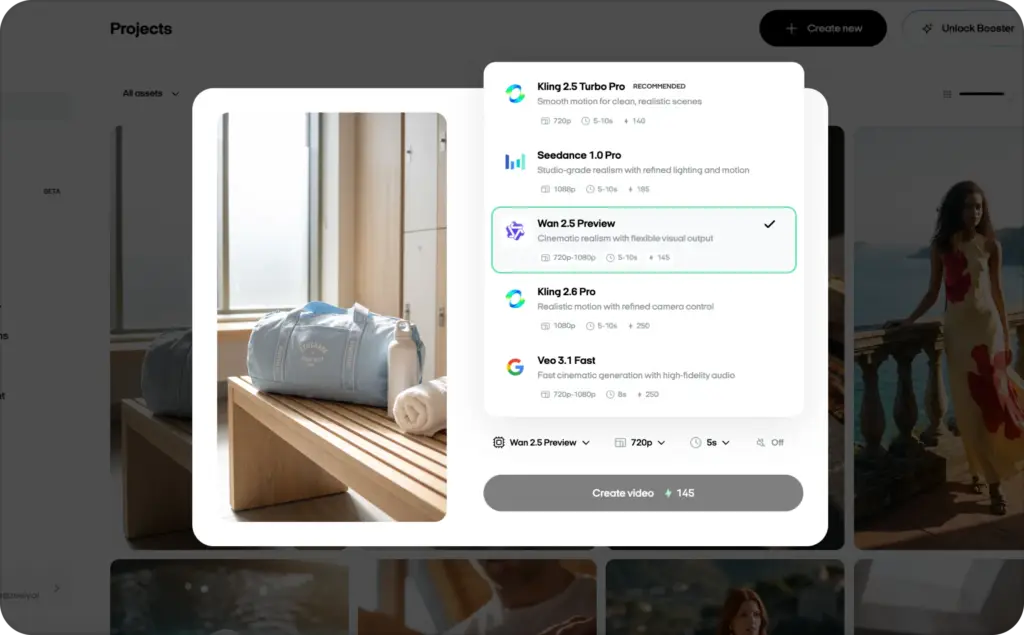
Most small business owners do not want to manage a stack of separate AI tools. You do not want to pay for one model for scripts, another for product images, another for video, another for avatars, another for voiceovers, and another editor just to stitch everything together.
You want the result: a product ad that looks good, makes sense, and is ready to test.
That is where Zeely fits into the conversation. Instead of making you choose and pay for every separate model yourself, Zeely brings different AI capabilities into one ad-creation flow. The platform can work across scripts, hooks, static ads, video creatives, UGC-style formats, avatars, captions, calls to action, and creative variations. The point is not that one model does everything. The point is that the workflow selects the right creative path for the task.
Who should use Wan directly, and who should use Zeely?
Use Wan directly if you want model-level control. It is a better fit for AI creators, developers, video teams, technical marketers, and agencies with editors already in place. You may also prefer Wan if you want to test open models, compare hosted versions, run API experiments, or build a custom video pipeline.
Use Zeely if your goal is not just to “make a clip.” Use Zeely if your goal is to create ads from your product, test several versions, and avoid managing a messy stack of separate AI models.
You may not want to write ten cinematic prompts, compare model versions, pay for several tools, edit the best output, add captions, write CTAs, resize the file, and build campaign variants manually. You may want one flow that helps you move from product information to ad creative faster.
My practical recommendation:
- Developers: use Wan directly
- AI video hobbyists: use Wan directly
- Creative agencies: test Wan directly and inside a workflow
- Ecommerce sellers: use a workflow layer when accuracy matters
- Small businesses without editors: use Zeely
- Paid social teams: use Zeely for faster creative variation
Wan gives you powerful video generation. Zeely helps turn AI-generated creative into ads you can actually test.
FAQ
Sometimes. Open Wan models such as Wan2.1 and Wan2.2 can be used locally under their license terms, but you still pay through hardware, hosting, and setup time. Hosted Wan models usually use credits or pay-per-second pricing.
Wan2.1 and Wan2.2 have public repositories. Wan2.2 is listed under Apache 2.0. Newer hosted versions, including Wan 2.5, should not automatically be described as open source unless the provider publishes official weights and license terms.
Alibaba Cloud docs currently list newer hosted Wan models such as Wan 2.6 and Wan 2.7 in some scopes.
Yes. Wan supports image-to-video workflows, including first-frame image control. That makes it useful for ecommerce product images, lifestyle scenes, and visual ad concepts.
Hosted Wan 2.5 workflows include audio-video synchronization. Newer Wan models also support video with audio in Alibaba’s docs. Always review voice, timing, pronunciation, and rights before using audio in ads.
Wan 2.5 preview options are commonly listed for 5-second and 10-second outputs. Newer hosted Wan versions may support longer ranges, depending on region and model access.
That depends on the platform you use. The underlying model, official hosted access, and third-party wrappers may have different export rules. Check the provider’s pricing and terms before using the output commercially.
For open Wan repositories, check the license and usage restrictions. Wan2.2 lists Apache 2.0 and says users are responsible for legal use. For hosted Wan 2.5 or third-party sites, check the provider’s terms, especially for faces, voices, trademarks, and uploaded assets.
Wan can help generate creator-style scenes, reference-led character clips, or lifestyle footage. It does not automatically create a full UGC ad with hook, script, captions, CTA, and variations. You still need an ad workflow around it.
Yes, with review. Wan is useful for product-led video scenes, but ecommerce ads need accurate product details. Always check packaging, labels, colors, shape, and claims before launch.
No. But Zeely uses a rather broad AI model stack.

Emma blends product marketing and content to turn complex tools into simple, sales-driven playbooks for AI ad creatives and Facebook/Instagram campaigns. You’ll get checklists, bite-size guides, and real results, pulled from thousands of Zeely entrepreneurs, so you can run AI-powered ads confidently, even as a beginner.
Written by: Emma, AI Growth Adviser, Zeely
Reviewed on: August 17, 2026



