Best AI voice and transcription models for video ads
Which AI voice and transcription models make video ads sound natural and easier to scale? I’ll show you how to choose the right stack, test voices, clean transcripts, and localize ads without slowing production.
Choose AI voice and transcription models for video ads by testing how they handle real scripts, product names, background music, accents, captions, and localized versions. The right AI voice generator for ads should sound natural, match your brand, fit the video length, and allow commercial use. The right AI transcription for video ads should deliver accurate text, reliable timestamps, and captions that need little cleanup.
According to IAB’s 2026 Digital Video Ad Spend Report, nearly two in three buyers now use GenAI for digital video creative, up from half in 2025. IAB also reports that one-third of ad assets will use it during 2026, while smaller buyers still want stronger performance proof and easier platform integrations.
I’m Emma from Zeely, and I’ll be blunt: the most human-sounding voice is not always the best advertising voice. A strong voiceover must make the offer clear, pronounce the product correctly, fit the edit, and stay consistent across variants.
That is why AI voice and transcription models for video ads should be chosen as a pair. The voice model creates the delivery. The transcription model checks what was said, creates timed text, and supports captions or localized versions.
What AI voice and transcription models do for video ads
Sound isn’t a minor production detail. In a 2026 analysis of high-view and high-engagement YouTube videos and ads, Google identified soundscapes as one of ten lasting creator-led video genres. The category includes voice, music, and sound design that help build emotion and hold attention.
A text-to-speech model turns an ad script into spoken narration. It powers an AI voice generator for ads, controlling pace, pronunciation, pauses, tone, and delivery. For advertisers, text-to-speech for video ads makes it easier to create voiceover variations for different offers, audiences, and languages.
A speech-to-text model does the reverse. It converts the finished audio into a transcript for captions, subtitles, quality checks, and localized ads. Strong speech-to-text models for video ads can also provide word-level timestamps, speaker labels, confidence scores, and vocabulary controls for product names.
Accurate captions also make the message available to more viewers. The World Health Organization reports that more than 1.5 billion people live with some degree of hearing loss, including 430 million with disabling hearing loss.
AI dubbing connects both technologies. It transcribes the original speech, adapts the script, generates a new-language voiceover, and synchronizes it with the video.
These tasks may sit inside one platform, but they don’t always use one model. That is why Zeely combines different AI models for ad creative generation instead of treating one model as the complete production workflow.
How to choose AI voice tools for video ads that sell
Start with the ad, not the voice library. A warm lifestyle voice may fit skincare but weaken a limited-time offer. A high-energy delivery may fit a demo but make a financial claim sound less credible.
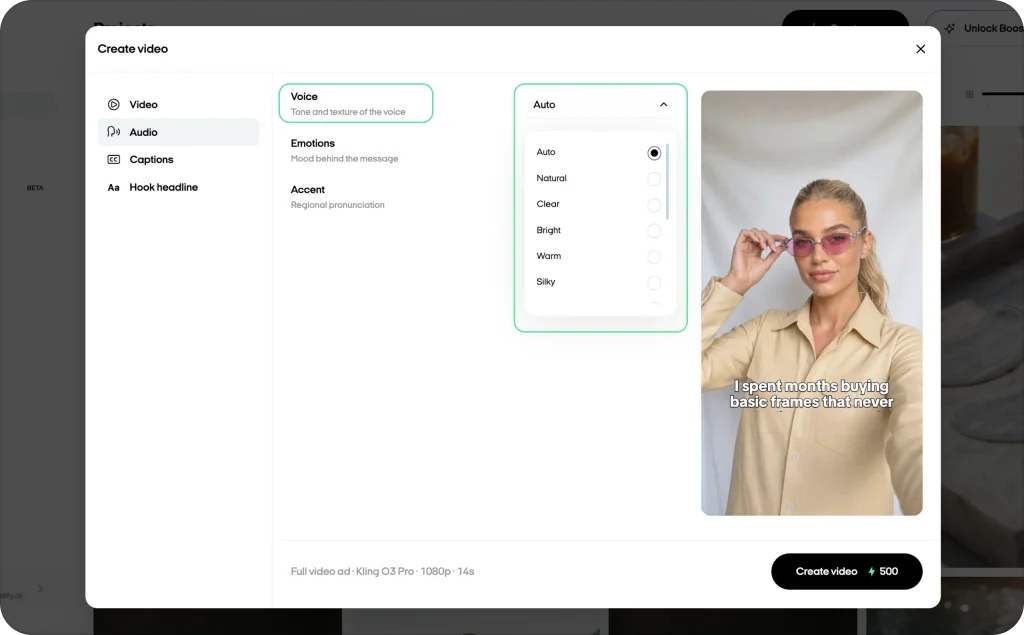
Evaluate AI voice tools for video ads across these points:
- Brand fit: Does the speaker feel believable for the product, buyer, offer, and platform?
- Clarity: Can listeners understand the hook, proof, price, and CTA once?
- Pronunciation: Can you save brand names, acronyms, numbers, and phonetic spellings?
- Delivery control: Can you adjust pace, pauses, emphasis, tone, and energy?
- Consistency: Does the voice stay stable across sessions, campaigns, and languages?
- Revision speed: Can you replace one line without rebuilding everything?
- Commercial rights: Does the plan cover paid ads and your intended markets?
- Workflow fit: Does it support your API, review, file, and volume requirements?
Choose the voice after the first script draft, but before the final timing pass. For a starting pace of 130 to 160 words per minute, use these rough ranges:
| Ad length | Starting script range |
| 6 seconds | 13 to 16 words |
| 15 seconds | 33 to 40 words |
| 30 seconds | 65 to 80 words |
| 60 seconds | 130 to 160 words |
Leave about 10% of the runtime for pauses, product shots, and the CTA. When delivery sounds rushed, cut copy before increasing playback speed.
Stock, custom, or cloned voice?
Stock voices are quickest and carry the least identity risk. Custom voices create a repeatable sound. Use a human actor when founder trust, testimonial nuance, or raw emotion drives the ad. Clone a real voice only with strong consent and access controls.
As one provider example, ElevenLabs recommends roughly one to two minutes of clean audio for instant cloning. Its professional cloning guidance calls for at least about 30 minutes and says two to three hours can produce better results.
Which AI voice and transcription models fit each workflow
There is no universal winner. Build a shortlist, then test every model on the same real ad samples.
| Model stack | Strong fit for video ads | Check first |
| ElevenLabs Eleven v3 + Scribe v2 | Expressive multilingual voice, cloning, key-term prompting, word timestamps, and diarization | Voice rights, paid-plan terms, rerender consistency, and emotional settings |
| OpenAI gpt-4o-mini-tts + gpt-4o-transcribe | Instruction-led delivery and transcription across varied accents, noise, and speech speeds | Preset voices, current response formats, and product-name pronunciation |
| Google Cloud TTS + Chirp 3 | Multilingual subtitling, language detection, timestamps, diarization, and enterprise workflows | Region availability, cloud setup, adaptation, and processing cost |
| Azure Speech | Custom vocabulary, custom voices, batch transcription, translation, and containers | Access, governance, supported container features, and custom-model setup |
| Amazon Polly + Transcribe | AWS automation, pronunciation lexicons, speech marks, and structured pipelines | Language coverage, emotional fit, and timing after the final edit |
| Deepgram Aura + Nova-3 | Fast APIs, multilingual transcription, diarization, and self-hosted options | Voice coverage, deployment versioning, and subtitle requirements |
| Whisper, faster-whisper, or WhisperX | Local processing, sensitive recordings, and infrastructure control | Hardware, maintenance, language accuracy, alignment, and QA |
ElevenLabs currently documents Eleven v3 as its most expressive TTS model and Scribe v2 as supporting 90-plus languages, word-level timestamps, key-term prompting, and diarization. Confirm current specifications in its speech-to-text documentation.
OpenAI documents steerable text-to-speech and transcription models with lower word error rates than the original Whisper line across accents, noise, and changing speech speed. Its TTS voices are preset synthetic voices, not custom clones. Check the current OpenAI model documentation before locking model snapshots or response formats into production.
Google’s Chirp 3 documentation highlights multilingual transcription, diarization, automatic language detection, and video subtitling. Azure supports speech recognition, synthesis, translation, vocabulary customization, custom voices, and containers. AWS adds pronunciation lexicons and speech marks for word and sentence timing.
Deepgram is worth testing when API speed, diarization, or self-hosting matters. AssemblyAI is another useful transcription specialist when product names, rare words, entities, or code-switching cause errors. Local Whisper-based setups suit audio that cannot leave your environment, but your team owns the infrastructure and review work.
Test models on real ad audio
Create 15 to 30 short samples with music, fast hooks, regional accents, mixed-language lines, product names, prices, promo codes, and one- or two-speaker formats.
Score TTS for clarity, persuasion, pronunciation, pacing, consistency, and editability. Score STT for word error rate, product-term accuracy, timestamp quality, speed, privacy, and cost per approved minute.
Word error rate counts substitutions, deletions, and insertions against a correct transcript. Lower is better, but WER can hide the mistake that matters most. “Save fifteen percent” becoming “save fifty percent” is one error with a very different business consequence.
Add a critical-error score for the brand, price, offer, qualifier, URL, and CTA.
Build an AI voiceover for video ads in seven steps
A reliable AI voiceover for video ads starts before generation.
1. Lock the ad brief
Define the buyer, problem, offer, proof, required claims, CTA, platform, target duration, and voice direction. Add a pronunciation list for every unusual name, acronym, location, and number.
2. Write for the ear
Use short sentences and one thought per line. Write numbers as they should be spoken. Replace slashes, dense parentheses, and long clauses with natural phrasing.
Punctuation controls rhythm. A comma suggests a small pause. A period resets the thought. A line break can separate the hook from the proof.
3. Generate three to five controlled versions
Keep the script fixed. Change one variable at a time, such as pace, warmth, urgency, or confidence. Save the prompt, voice ID, model version, and settings.
4. Fix lines, not complete files
For a wrong product name, try a pronunciation dictionary, phoneme support, alternate spelling, or expanded acronym. Regenerate the sentence with one neighboring line so the voice has enough context.
Use identical settings and crossfade at a natural pause. This reduces the seam between takes.
5. Edit visuals to the approved voice
Approve the strongest take first, then place product shots, proof, captions, and CTA moments against its timing.
For URL-led production, Zeely’s guide shows how to turn a product page into a video ad while keeping product claims under review. The audio workflow begins after those claims are locked.
6. Mix for phone speakers
Keep the voice clearly above music and effects. Use gentle EQ and compression, avoid clipping, and save a clean voice stem separately.
Check phone speakers, earbuds, and a laptop. A voice that sounds rich in a studio may lose consonants on a phone.
7. Add a human approval gate
One person should approve the script, pronunciation, claims, voice rights, final mix, transcript, captions, and localized versions. Automation can move files between steps. It should not remove ownership.
Zeely’s broader guide to creating AI video ads covers the surrounding production and review workflow.
Turn AI transcription for video ads into clean captions
For AI transcription for video ads, transcribe the final mixed video after the edit is locked. That file contains the exact words, pauses, cuts, and audio conditions viewers receive.
When loud music lowers accuracy, transcribe the clean voice stem first. Then compare the corrected transcript against the final mix and preserve the final video’s timing.
Choose word-level timestamps for tight captions. Diarization matters for interviews or two-person UGC ads, but adds little to a single narrator. Confidence scores flag weak sections, while key-term prompting can improve brand names and industry terms.
Clean the transcript in this order:
- Correct the brand, offer, prices, names, numbers, and CTA
- Review low-confidence sections against the audio
- Keep timestamps attached while editing
- Split captions by meaning
- Check mobile readability
- Recheck timing after every cut
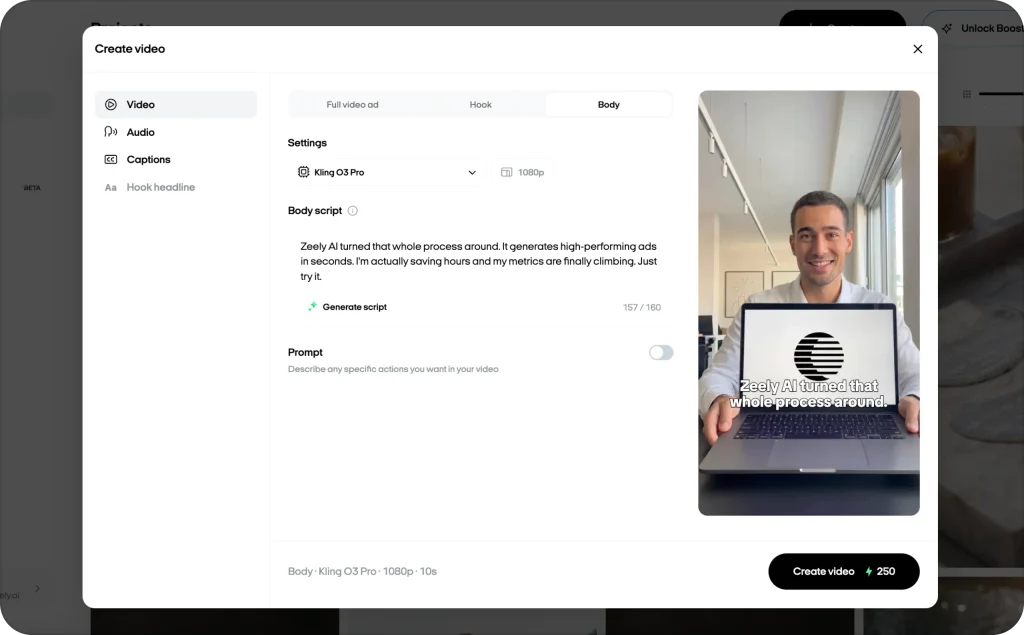
Paid-social captions can be lightly edited for readability when meaning and claims stay honest. Accessibility captions should preserve meaningful speech, speaker information, and important sounds.
Keep an SRT master for common uploads and YouTube, a VTT file for web players, and a burned-in version when social placement or styling requires fixed text. Meta Ads Manager can upload or generate captions, while TikTok Ads Manager includes caption and localization features. Platform automation still needs review.
For deeper formatting rules, read Zeely’s guide to caption formats and mobile readability.
Localize video ads without losing voice or timing
Translate the approved source script, not an early transcript. Then use the final source-language transcript to catch last-minute changes.
Localization must preserve the promise, proof, price, legal meaning, and CTA. Literal translation may sound unnatural or run longer. Let a native reviewer rewrite the line so it sells clearly in the market.
When translated speech runs long, cut secondary proof before speeding up the voice. You can also extend a product shot or split one sentence across two scenes.
Use the same voice identity in every language only when pronunciation and cultural fit remain convincing. For dubbing, synchronize by phrase, shot, and CTA moment. Perfect lip sync matters more for a close presenter than for product footage or fast UGC cuts.
Every localized ad needs native review for pronunciation, idioms, required wording, and on-screen text.
Test AI voiceovers without mixing your variables
A persuasive voice makes the hook easy to follow, the proof credible, and the CTA worth acting on.
Before spending, score each version for clarity, trust, energy, urgency, brand fit, and pronunciation. Remove any take that fails a basic quality check.
For the paid test, keep the script, visuals, offer, audience, placement, landing page, budget, and settings unchanged. Change only the voice or one delivery setting.
Track first-second hold rate, watch time, completion rate, click-through rate, conversion rate, CPA, and ROAS. There is no universal audience size that makes a voice test valid. Use the platform’s experiment system and wait for statistical confidence.
TikTok’s split testing is designed around a 90% confidence level and recommends at least seven days for a useful sample. Google video experiments also report confidence as evidence accumulates.
Synthetic narration does not automatically lift sales. Its value is faster controlled testing and easier creative refreshes.
Control costs, voice rights, privacy, and disclosure
Pricing may use characters, generated minutes, transcription minutes, credits, tokens, subscriptions, or API volume. Compare the effective cost of an approved ad, not the cheapest generation.
Include retries, human review, translation, storage, cleanup, caption corrections, and rerenders. All-in-one subscriptions can cost less at low volume. Specialist APIs become useful when repeatable volume justifies setup.
Log the approved script, pronunciation dictionary, provider, model version, voice ID, settings, language, reviewer, consent record, source audio, clean stem, final mix, transcript, captions, generation date, and asset ID.
Commercial use depends on the provider, plan, source material, and jurisdiction. ElevenLabs says its free plan lacks a commercial license, while paid plans generally include one, subject to its terms and the user holding the required rights. Check live terms when generating and before a major launch.
Never clone an employee, customer, influencer, actor, or public figure without written permission. Cover paid media, platforms, territories, languages, duration, edits, compensation, storage, revocation, and model deletion. The FTC warns that voice cloning can enable fraud and misuse of biometric data or creative work.
Disclosure differs by platform and jurisdiction. TikTok lists disclaimers for AI-generated, synthetic, or significantly manipulated media, including audio, and Symphony exports receive an AI-generated label. Google began allowing AI labels inside image and video ad creative in July 2026 and prohibits manipulated media used to deceive, defraud, or mislead. Check each placement before launch.
Uploaded audio and transcripts may contain personal data. For GDPR-governed work, document a lawful basis, collect only what is needed, define retention, limit access, and review vendor storage. Voice data becomes special-category biometric data when it is processed to uniquely identify someone, not simply because a recording contains a voice.
Use local transcription or approved containers when sensitive recordings should not leave a controlled environment. Ask vendors about data processing agreements, retention, deletion, training use, subprocessors, regions, encryption, and access.
Fix common AI voice and transcription errors
| Problem | Fastest useful fix |
| Brand name is wrong | Save a phonetic spelling, dictionary entry, or expanded acronym |
| Voice sounds flat | Shorten clauses, clean punctuation, change direction, or switch voices |
| Voice sounds rushed | Cut words, add pauses, or extend the visual |
| Replacement line sounds different | Render neighboring lines together, then crossfade |
| Music hides transcript words | Transcribe the clean voice stem, then verify the final mix |
| Captions drift | Generate timestamps after the final cut and check frame rate |
| Accent performs poorly | Test another local-language model and use a native reviewer |
| Translation runs long | Rewrite the line, cut secondary proof, or retime the shot |
Maintain one approved pronunciation dictionary, script format, voice record, and export checklist for each campaign.
Recommended video ad workflows by use case
Small brand: Use a guided workspace, generate three voice options, approve one, export the final video, then review captions.
Performance team: Use specialist TTS and STT APIs. Store settings and rights in an asset manifest, with human approval before launch.
Multilingual campaign: Lock one source script, localize with native reviewers, generate each voiceover, and transcribe the output as a back-check.
Sensitive recording: Run Whisper or another approved local model, restrict storage, and export only required files.
Avatar ad: Approve the voice before rendering the presenter. Zeely’s guide to AI avatar video ads explains when synthetic presenters fit paid social, while its production guide covers how to make AI avatar video ads.
FAQs
There is no single best model. Test three voices on one script and compare clarity, persuasion, pronunciation, pacing, rights, language coverage, revision speed, and cost.
Choose the model with the lowest meaningful error rate on your ads. Test music, accents, fast speech, product names, prices, and mixed languages. Require word timestamps for captions.
Yes. A strong script, suitable voice, clean mix, and human review can produce polished audio. A realistic voice cannot rescue weak positioning or rushed timing.
Often, when the provider allows commercial use and you hold the required rights. Keep license and consent records. Get legal review for cloned identities, endorsements, regulated claims, or higher-risk markets.
Accuracy changes with the model, language, accent, mix, speed, and vocabulary. Measure WER, then separately track errors in the brand, offer, price, qualifier, and CTA.
Yes, though loud music and effects can lower accuracy. Keep a clean voice stem, transcribe it when needed, and verify the text and timing against the final mix.
Generation may cost little, but the approved asset also includes retries, cleanup, review, captions, localization, storage, and editing. Compare cost per finished ad, not cost per character.
Not automatically. They make controlled testing and creative refreshes faster. Results still depend on the offer, script, visual proof, audience, landing page, and media setup.
Sometimes. Disclosure depends on the jurisdiction, platform, content, and risk of confusing viewers about a real person. Review current placement rules and disclose when required or reasonably needed.

Emma blends product marketing and content to turn complex tools into simple, sales-driven playbooks for AI ad creatives and Facebook/Instagram campaigns. You’ll get checklists, bite-size guides, and real results, pulled from thousands of Zeely entrepreneurs, so you can run AI-powered ads confidently, even as a beginner.
Written by: Emma, AI Growth Adviser, Zeely
Reviewed on: August 27, 2026



