How to see who viewed your TikTok profile and videos
Your video has 4,000 views and your viewer list shows three names. I'll explain what TikTok's three viewer lists actually contain, who qualifies for each one, and what to track when the names are missing.
Key takeaways
- To see who viewed your TikTok profile and videos, go to Settings and privacy, then Privacy, and turn on Profile views and Post views. Next, check the eye icon on your profile or any video’s view count
- You’ll only see viewers who turned on the same setting, so 4,000 views can show just three names
- Both require you to be 16 or older with under 5,000 followers. Profile views go back 30 days. Post views cover a video’s first 7 days
- Stories give you the only complete viewer list. Tap your story’s view count to see everyone, with no setting or follower limit
- I’d skip apps that claim to show your viewers. TikTok doesn’t share that data with them
Around 37% of US adults use TikTok, according to Pew Research Center’s 2025 survey. That’s a lot of people who could be watching your business. Almost none of them are visible to you by name.
So you check the viewer list and find three names sitting under 4,000 views. The feature is working fine. TikTok just runs three separate viewer features, and each one has its own time window, its own eligibility rule, and its own spot in the menu.
Two of the three only work when both people opt in. That’s why your list comes back nearly empty.
One more thing before we start. TikTok moves these settings around, so the labels in your app may differ from a tutorial filmed two years ago. Check as you go. I’ll walk through each feature, then the numbers that answer what you’re really asking.
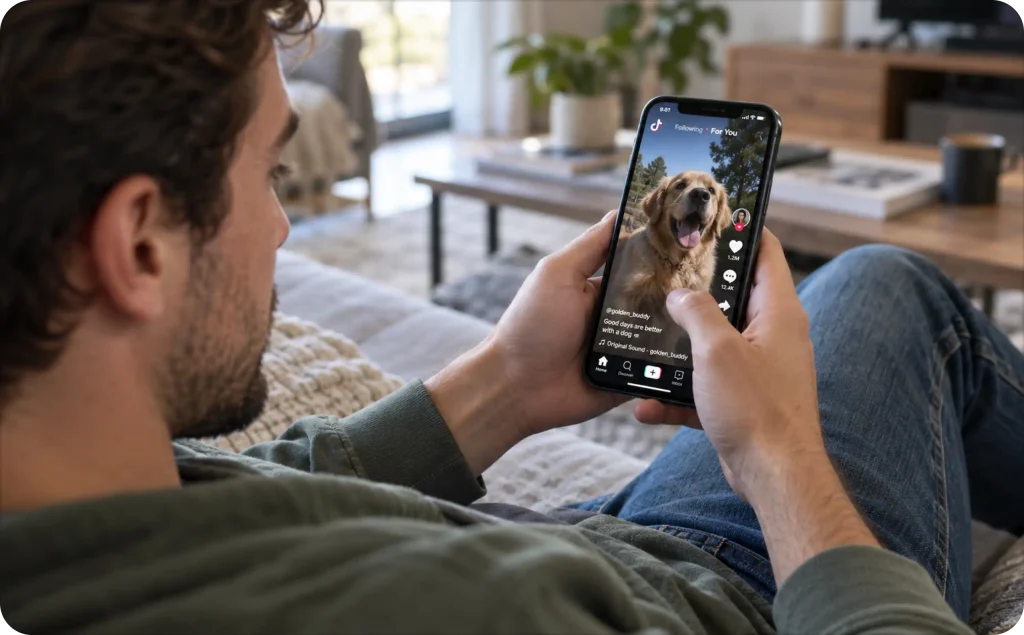
Can you see who viewed your TikTok?
Yes, partly. Here is what each list covers.
| Feature | What it shows | How far back | Who qualifies |
| Profile views | Accounts that visited your profile | 30 days | 16+, under 5,000 followers, both opted in |
| Post views | Accounts that watched a video | 7 days from posting | 16+, under 5,000 followers, both opted in |
| Story views | Accounts that watched your story | 24 hours, then the archive | Anyone posting stories |
The mutual rule is the part nobody explains. A viewer only appears in your list if they also enabled the same feature on their side. If they never touched the toggle, they watched you invisibly.
So can you see who viewed your TikTok? You can see a slice. Treat that slice as a sample, never as your audience.
If you run Instagram too, the limits work differently there. I covered them in what Instagram Reel analytics actually show.
How to see who viewed your TikTok profile
Profile view history covers the last 30 days. To use it you’ll need to be 16 or older, on a tiktok account with fewer than 5,000 followers, with the setting turned on.
Here’s the trade. Flip it on and you’ll see who visited you, but everyone else with it on will see when you visit them. It works both ways, and there’s no version where you stay invisible.
Worth knowing how many people that covers. TikTok reaches 153 million US adults, or 55.7% of them, per DataReportal’s Digital 2026 report. That number comes from TikTok’s ad planning tools, so treat it as reachable audience, not a confirmed user count.
How to see profile views on TikTok
Here is how to see profile views on TikTok in four taps:
- Open TikTok and tap Profile in the bottom navigation bar
- Tap the menu icon in the top right corner, then Settings and privacy
- Tap Privacy, then scroll to Profile views
- Toggle it on, then return to your profile and tap the eye icon to see the list
If you cannot find the setting, check your app version. It reads Profile views, Viewers, or Viewer history depending on the build you are running.
How to see who viewed your TikTok video
Post view history covers the first 7 days after you publish. Same eligibility as profile views: 16 or older, under 5,000 followers, switched on by both sides.
TechCrunch covered the feature when TikTok started testing it in 2022, under that same name. TikTok has changed it since, and I can’t confirm the current window from outside the app. Check yours before you count on it.
This is how to check who viewed your TikTok video once the setting is live:
- Tap the menu icon on your profile, then Settings and privacy
- Tap Privacy, then scroll to Post views
- Toggle it on
- Open any video from your profile
- Tap the view count in the bottom left corner to see the list
Why your TikTok viewer list looks almost empty
Now the part that answers your actual question. You enabled how to see who viewed your TikTok video, opened a post with 4,000 tiktok views, and found three names.
Nothing broke. A viewer appears only if they also enabled post views. Private accounts stay hidden. Accounts under 16 cannot use the feature at all. Everyone who never opened that settings screen, which is most people, watched you without a trace.
So three names on 4,000 views is normal. The list tells you almost nothing about reach, and it was never built to.
How to see who viewed your TikTok story
Stories work completely differently, and this is the one clean yes in the whole article.
Here is how to see who viewed your TikTok story: open your live story, tap the view count at the bottom, and read the list. No toggle, no mutual rule, no follower ceiling. The list stays available in your story archive after the 24 hours are up.
That makes story viewers the most complete viewer data TikTok hands you. For a small business, it is worth posting stories even when reach looks small, because you learn exactly which accounts are paying attention.
What changes at 5,000 followers
Once you pass 5,000 followers, profile views and post views both disappear. TikTok switches them off at that threshold. You keep story viewers, and you keep analytics.
It’s a strange milestone. You grow the audience, and TikTok takes away the tool you used to watch it.
Here’s what replaces it. Socialinsider’s 2026 benchmark report puts TikTok’s average engagement rate by followers at 2.60%, down 10% year over year. That’s the number to watch at your size, because a list of names was never going to tell you which of those percentage points came from buyers.
Do you need an app to see who viewed your TikTok?
No. And I’d treat any app claiming otherwise as a threat to your account.
TikTok doesn’t hand viewer identities to anyone outside the app. There’s no feed for a third party to read, which means there’s nothing for those apps to pull. They’re either guessing from your follower list or harvesting your login.
The FTC’s 2026 data spotlight puts reported losses from scams that started on social media at $2.1 billion in 2025. That’s roughly 8 times the 2020 figure, across all platforms rather than TikTok alone.
If a tool wants your TikTok password to show you a TikTok viewer list, you’ve found the scam.
What to track when TikTok views don’t turn into sales
Here is the reframe. You wanted names because you wanted to know whether the right people saw your video. You can answer that without a single name.
| Number | What it tells you |
| Average watch time | Whether the hook held past the first seconds |
| Saves and shares | Whether the idea was worth keeping or sending |
| Profile visits from a post | Whether the video made anyone curious about your business |
| Link clicks | Whether curiosity reached your offer |
| Follower growth after a post | Whether one view turned into an audience |
Find these under Creator tools, then Analytics, on a Creator or Business account.
The buying intent is already there. If 4,000 people watched and nobody bought, your audience found you and your creative lost them.
Organic TikTok views tell you people watched. Ad data tells you whether they bought. For the paid side, I walk through setup in our guide to running TikTok ads for Shopify, and 20 TikTok ad examples worth studying covers what the winning creatives have in common.
How Zeely can help you turn TikTok viewers into customers
Start with the limit. Zeely cannot show you who viewed your TikTok either, because nothing can. That data does not leave TikTok.
What we remove is the production bottleneck once you know what to test. Add your product details, pick a reference, choose an avatar, generate a hook and script, then review every scene, caption and CTA before it renders. You approve the creative, not the AI.
Be clear on where each part runs. Zeely launches paid campaigns directly for Facebook and Instagram. For TikTok, you download the finished asset and set up targeting, budget and launch inside TikTok Ads Manager, so your paid numbers live there. You can publish organic TikTok posts from the Zeely dashboard under Social media, then Social posting, as the organic TikTok campaign guide explains.
Ready to test more angles this month? Create TikTok ad creatives with Zeely.
FAQ
Yes. Tap the heart count on your video to see every account that liked it. This works for any account, with no follower limit and no opt-in required.
No. TikTok sends no notification when someone visits your profile, even with profile view history enabled. Visitors appear in your 30-day list only, and only if they opted in too.
Four common reasons: you have not enabled the setting, you are under 16, you have passed 5,000 followers, or the visitor has the feature turned off. Check your app version too, since the setting moves between builds. A private account also stays hidden from your list.
Only if you both enabled post views, and only within 7 days of them posting. Turning the feature on to see your own viewers makes your viewing visible as well. Switch it off if you would rather watch quietly.
Yes. Private accounts do not appear in another person’s profile or post view lists. Switching off viewer history has the same effect without making your own TikTok account private.

Emma blends product marketing and content to turn complex tools into simple, sales-driven playbooks for AI ad creatives and Facebook/Instagram campaigns. You’ll get checklists, bite-size guides, and real results, pulled from thousands of Zeely entrepreneurs, so you can run AI-powered ads confidently, even as a beginner.
Written by: Emma, AI Growth Adviser, Zeely
Reviewed on: September 30, 2026