Nano Banana 2 for ads: practical creative guide
Can Nano Banana 2 for ads turn one product photo into ad creatives you can actually test? I’m Emma from Zeely, and I built this guide from Google’s model docs, ad workflows, and creative QA checks so small teams can use it without guessing.
Nano Banana 2 is Google’s Gemini 3.1 Flash Image model for fast image generation and editing. For advertisers, it’s strongest for product scenes, lifestyle visuals, display ad concepts, thumbnails, localized creatives, and rapid ad variations. It can help with ideation and production drafts, but every visual still needs human QA for product accuracy, packaging, claims, logos, people, and platform policy fit.
AI models are getting easier to use, but ads are not art prompts. A pretty output can still misrepresent your product, break a platform rule, or fail the first-second scroll test.
That’s where Nano Banana 2 for ads gives small teams a faster way to make product visuals, test angles, and build creative options before they spend money.
What Nano Banana 2 for ads actually is
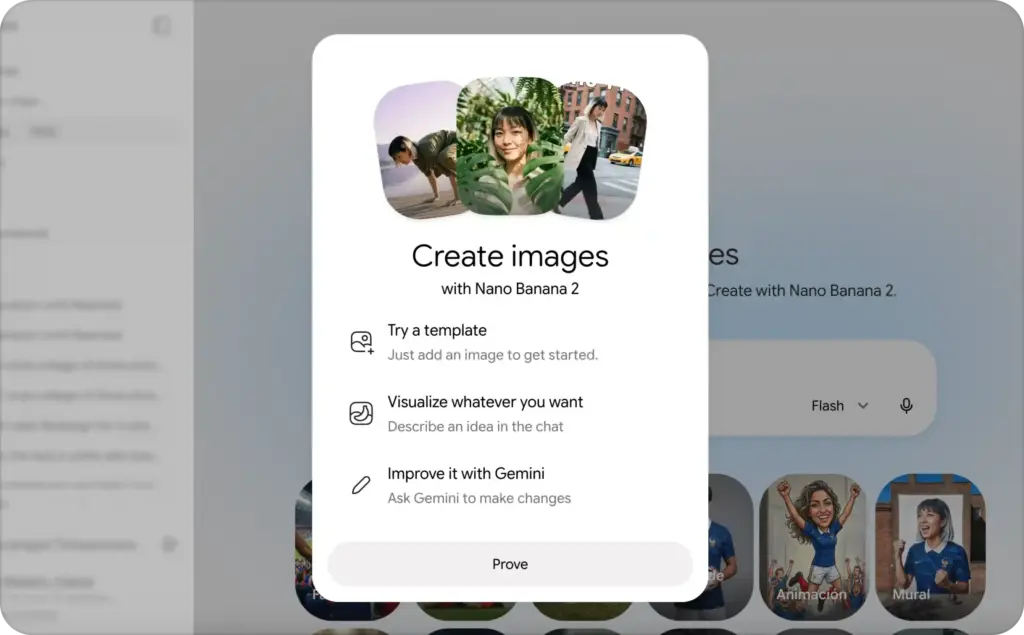
Nano Banana 2 is Google’s Gemini 3.1 Flash Image model. In plain English, it’s a fast AI image model that can generate and edit visuals from text, reference images, and follow-up instructions. Google describes it as a model that combines Nano Banana Pro-style quality with Gemini Flash speed, and says it is rolling out across Google products, including Ads. Google’s Nano Banana 2 launch post explains the model’s faster editing, subject consistency, text rendering, localization, and support for ad creation.
The naming is messy, so here’s the useful version.
Nano banana usually refers to Google’s Gemini image model family.
Nano Banana 2 is the faster Flash-based model built for high-efficiency image generation and editing.
Nano Banana Pro is better for more complex creative control, especially when you need polished hero images, richer visual planning, or tougher instruction following.
Nano Banana 2 Lite is the cheaper, faster option for high-volume drafts and quick idea testing. Google Cloud says Lite is the fastest and most cost-efficient image generation and editing model in the Nano Banana family.
Nano Banana 2 vs Nano Banana vs Nano Banana Pro
Think by job, not by model hype.
- Use nano banana when you’re talking about the general Google image model family.
- Use Nano Banana 2 when you need fast ad variants, clean product scenes, translated mockups, and edited images that don’t take forever to regenerate.
- Use Nano Banana Pro when you’re building a more expensive hero visual, a polished campaign concept, or a detailed image with multiple objects.
- Use Nano Banana 2 Lite when you want many rough directions quickly, such as 20 background ideas or early carousel frames.
For advertisers, this matters because google nano banana is not just another nano banana ai image generator. It sits closer to the daily creative jobs you already have: product mockups, background editing, text-in-image tests, visual localization, display banners, and fast campaign variations.
Is Nano Banana 2 available inside Google Ads? Google says Nano Banana 2 is rolling out across products including Ads, while Google Ads also has its own AI image editor for campaign asset creation. That means advertisers should watch both places: Gemini image access for broader creative work, and Google Ads image tools for campaign-specific assets. Read the dedicated article with a comparison between Nano Banana vs Nano Banana 2 vs Pro.
Why Nano Banana 2 ads help small teams test faster
Small businesses usually don’t lose because they have no ideas. They lose time because every new ad angle needs another visual, crop, headline space, background, size, and review.
That’s the real value of Nano Banana 2 ads. It can reduce the blank-page stage. You can start with one product photo, one offer, and one audience, then create several visual directions before you pay a designer or launch paid traffic.
Adobe’s 2026 AI and Digital Trends coverage says 76% of organizations reported moderate to significant improvements in content ideation and production from generative AI. For a small team, that speed matters because ad creative often gets stuck before testing even begins. Adobe’s 2026 AI and Digital Trends report connects generative AI most strongly with faster content ideation and production.
From one product photo to more ad angles
A single product photo can become several campaign paths:
- Benefit angle: show the main result people want
- Problem angle: show the frustration before the product helps
- Lifestyle angle: place the product in a real setting
- Proof angle: show texture, detail, size, or use context
- Offer angle: make the discount or bundle feel clear
- Seasonal angle: adapt the same product for a holiday
- Retargeting angle: remind people why they almost bought
The model can help visualize each angle. It should not choose the claim, offer, price, or promise for you.
Inside Zeely, Nano Banana can help with faster results for photorealistic, complex scenes, sharp product shots, and polished outputs with more creative control. I still recommend treating the model as a creative production helper, not your campaign manager.
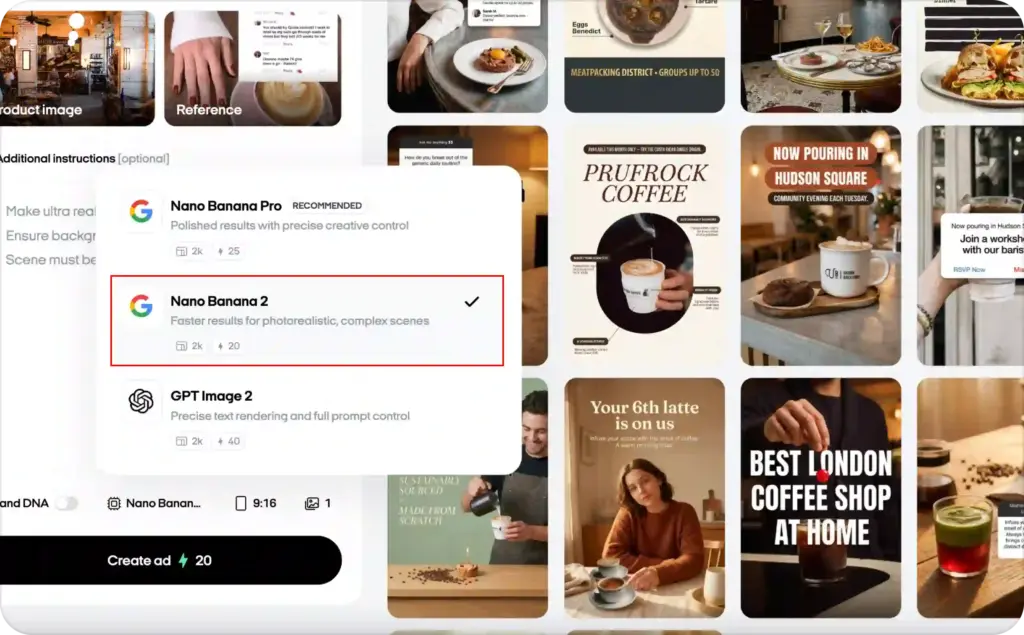
Where Nano Banana 2 helps most
Use Nano Banana 2 for ads when you need:
- Product scenes for ecommerce
- Lifestyle backgrounds for social ads
- Clean display banner concepts
- YouTube thumbnail-style visuals
- Carousel frames for Meta ads
- Meme-style tests for fast social hooks
- Before-and-after concepts that still need proof
- Seasonal campaign art
- Localized ad mockups for different markets
Nano Banana 2 ad creative use cases worth testing
The strongest Nano Banana 2 ads use the model for a clear campaign job. Random image generation gets messy fast. A good workflow starts with the platform, placement, and buyer stage.
Meta ad creatives and carousel tests
For Facebook and Instagram, Nano Banana 2 can help you create square and vertical visual concepts for feed, Stories, Reels covers, and carousel frames. This is useful when you need to test the same offer in different visual styles.
For example, a skincare brand could test:
- A clean product-on-shelf frame
- A bathroom routine scene
- A close-up texture shot
- A “3 reasons people switch” carousel
- A seasonal bundle image
Keep Meta copy and CTA editable outside the generated image whenever possible. Text baked into an image is harder to fix, translate, resize, or test later. Use text inside the visual only when it is part of the idea, like a package label, sign, sticky note, or mock app screen. You may also like to read more about AI models for ad creative generation.
Google Display ads and Performance Max assets
For Google Display and Performance Max, the model can help with backgrounds, banner-style layouts, lifestyle photos, and fast aspect-ratio variants. This is where Gemini image model ads can save real production time.
Google Ads Help says its AI-powered image editor can generate new images, replace backgrounds, auto-enhance images, and create image sizes for Performance Max and Demand Gen campaigns across Google channels. Google Ads Help also explains that the editor is available through Asset Studio and campaign media workflows.
That does not mean every generated image should go straight into an active campaign. Display ads still need readable layouts, clean product visibility, and a landing page that matches the visual promise.
Ecommerce, SaaS, app-install, and seasonal ads
For ecommerce, AI product ad images are the obvious use case. You can take one clean product photo and place it into five settings: kitchen counter, gym bag, office desk, gift table, and travel pouch. That gives you more angles without booking five shoots.
For SaaS, avoid fake dashboards. Use abstract benefit visuals, simple problem-solution scenes, or a clean interface-style concept that does not invent features. A productivity app might show a calm desk setup, a simplified task board, or a phone mockup with approved screen content.
For app-install ads, focus on use context. Show the phone in a hand, on a table, or inside a routine. Make the benefit easy to understand in one second.
For seasonal ads, use Nano Banana 2 to adapt the same product for Black Friday, Valentine’s Day, summer, back-to-school, holidays, or local events. Seasonal images are perfect for fast creative refreshes because the product stays the same while the setting changes.
UGC-style static visuals can work too. Think creator-style setup, natural lighting, phone-in-hand, mirror selfie framing, or casual product placement. Just don’t fake testimonial proof. A generated person should not pretend to be a real customer.
Localized and multilingual ad visuals
Google says Nano Banana 2 supports legible text and localization inside images. That can help when you need market-specific signs, packaging mockups, or visual language tests. Still, every rendered word needs human proofreading. A tiny typo inside an ad image can make a careful brand look careless.
Nano Banana 2 prompts for ad creatives that sell clearly
Prompts work better when they read like a short creative brief. A long pile of adjectives usually creates a prettier mess.
Google Cloud’s Nano Banana prompting guide recommends being specific, using positive framing, controlling the camera, iterating with follow-up prompts, and starting with a strong verb. It also says image editing prompts should clearly state what changes and what stays the same. Google Cloud’s Nano Banana prompting guide is worth saving if your team writes image prompts often.
The prompt formula for marketing visuals
Use this structure for Nano Banana 2 prompts for ad creatives:
Create or edit + product or subject + audience + ad job + setting + composition + lighting + brand style + text rules + aspect ratio + what must stay unchanged.
Here’s the simpler way to remember it:
“Tell the model what to make, who it’s for, where it appears, what must stay true, and what space the ad needs.”
Ecommerce product ad prompt
Clean product scene:
“Create a clean ecommerce ad visual using the uploaded product photo. Place the product on a light stone surface with soft daylight from the left. Keep the product packaging, logo, color, label area, size, and shape unchanged. Leave clean space above the product for a headline overlay. Use a premium but simple wellness brand style. Aspect ratio 4:5.”
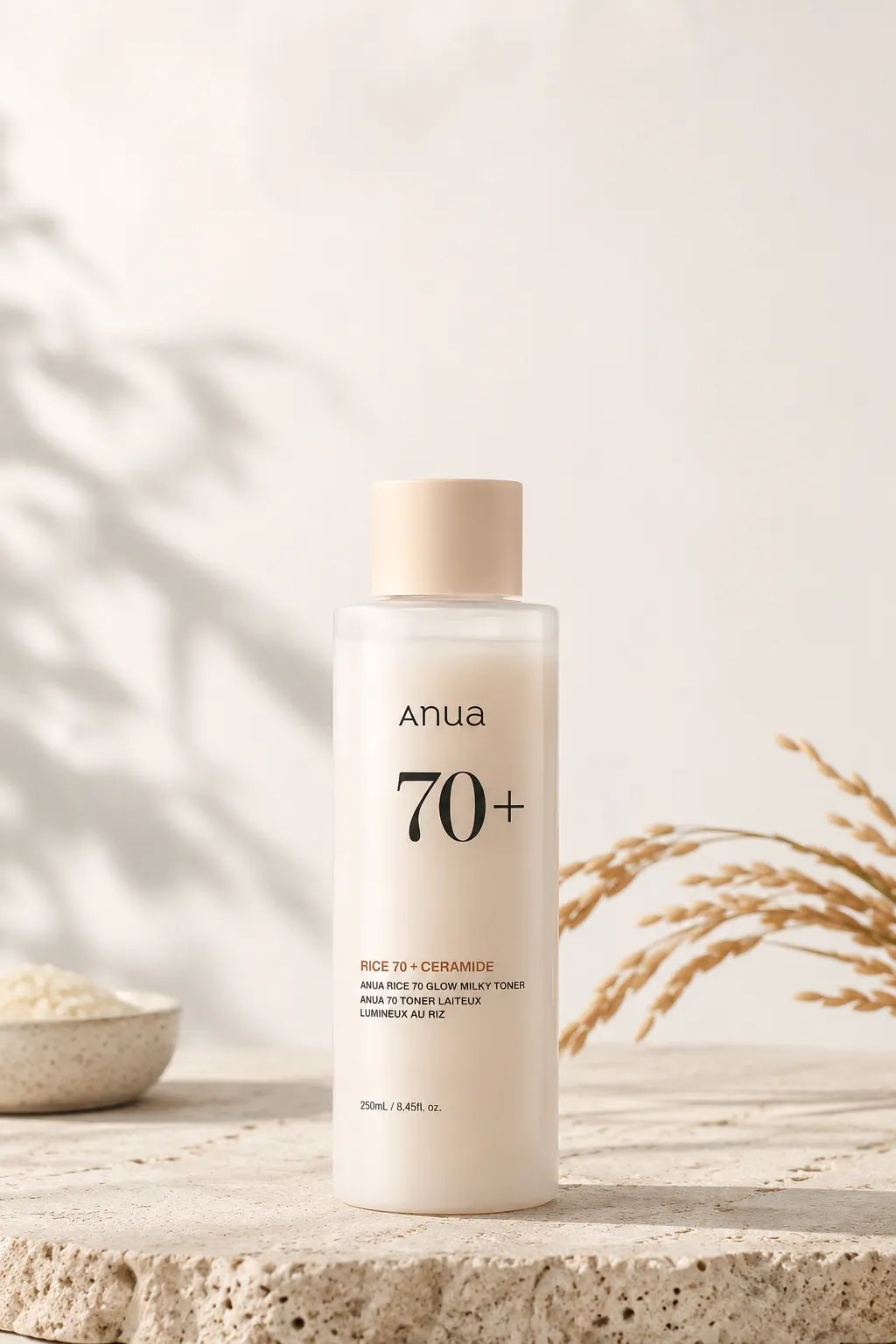
Lifestyle image:
“Edit the uploaded product photo into a natural morning bathroom routine scene for busy women aged 25 to 40. Show the product on a shelf near a towel and mirror, with soft daylight and realistic shadows. Keep the exact bottle, label, cap, color, and size unchanged. Leave room on the right side for short ad copy. Aspect ratio 9:16.”
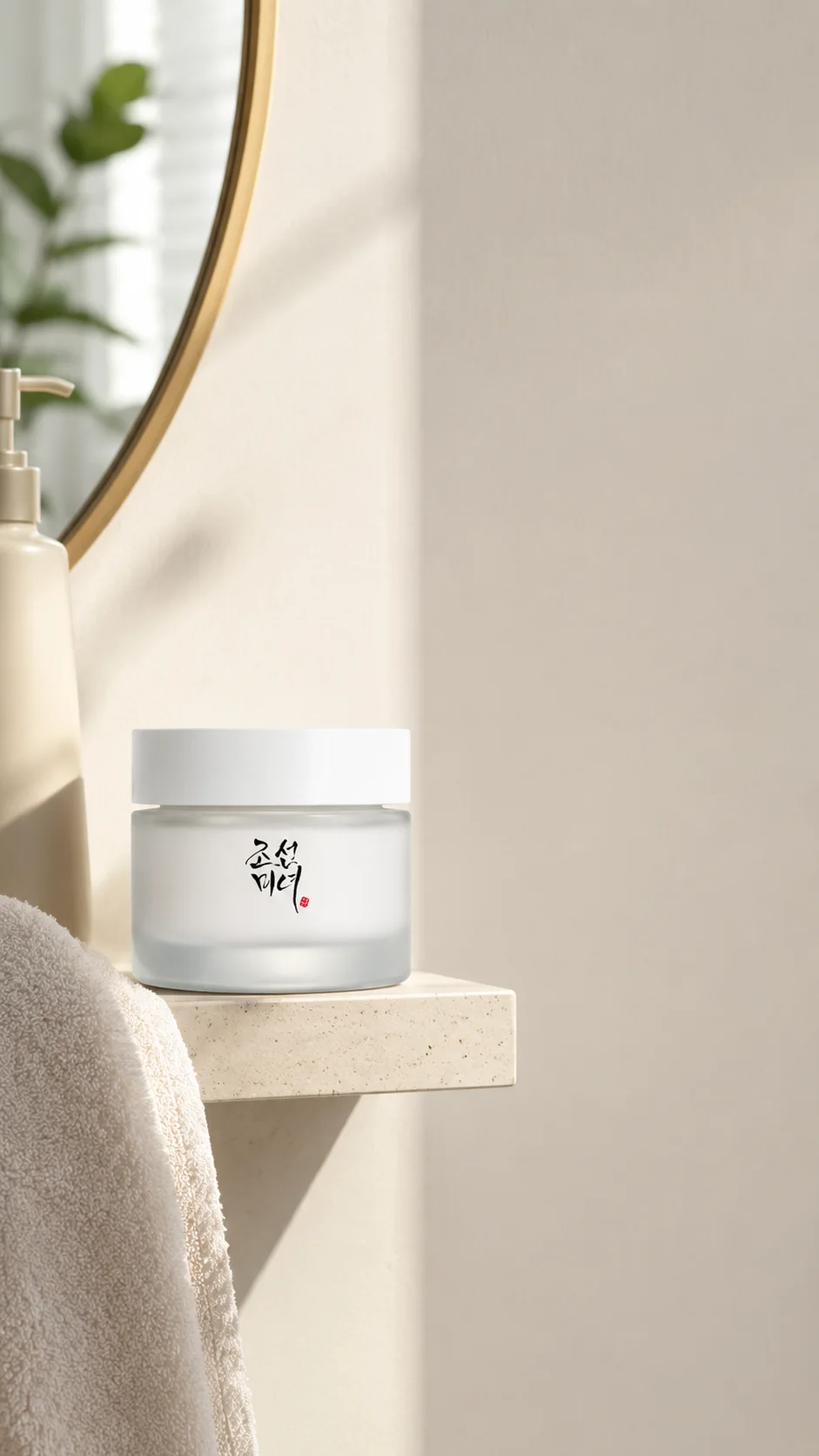
Sale visual:
“Create a simple seasonal sale visual for the uploaded product. Use a clean studio background with subtle holiday props around the product, not covering it. Keep the product unchanged. Add no discount text inside the image. Leave empty space for an editable sale headline. Aspect ratio 1:1.”

SaaS and app-install prompt
For SaaS and app installs, your prompt should protect the truth of the interface.
“Create a clean app-install ad visual for a budgeting app. Show a phone mockup on a desk beside a coffee cup and notebook. Use the approved uploaded app screen only. Do not invent buttons, numbers, charts, or features. Make the layout calm, readable, and modern. Leave space for a short headline above the phone. Aspect ratio 4:5.”
For SaaS, I’d often skip fake screens completely and use a benefit visual. A scheduling tool could show a clean calendar moment, a calm workday, or a before-and-after desk setup. Keep the promise human and believable.
Meta, Instagram, and Google Display prompts
For Meta feed, use 4:5 when you want more vertical space. For Stories and Reels covers, use 9:16 and keep key elements away from the top and bottom UI areas. For Google Display, ask for banner-friendly negative space and a clear subject area. For YouTube-style thumbnails, use 16:9 with a strong focal point.
A good prompt note sounds like this:
“Keep the product centered in the safe area. Leave clean negative space on the left for an editable headline. Avoid placing important details near the top or bottom edge.”
Editing prompts for better control
Use editing prompts when you already like part of the image.
Background edit:
“Change only the background to a bright kitchen counter with soft morning light. Keep the product unchanged, including the exact shape, label area, logo, color, and cap.”
Product lock:
“Keep the product exactly the same. Do not alter the packaging, label, cap, size, color, or shape. Only improve the lighting and shadow realism.”
Localization:
“Localize the sign text to Spanish. Keep the product, setting, colors, and composition unchanged. Make the text readable and natural for a Spanish-speaking audience.”
Visual hooks:
“Create three visual hooks from the same uploaded product: one problem-aware scene, one premium gift scene, and one daily routine scene. Keep the product unchanged in every version. Leave headline space in each image.”
That’s the heart of nano banana image editing for ads. Change the setting, not the truth of the product.
Trust, SynthID, and ad policy rules for Nano Banana 2 images
AI ad images need two checks: where the image came from and what the ad claims.
Google says Nano Banana 2 uses provenance tools such as SynthID and C2PA Content Credentials to help identify AI involvement. Google Cloud also says C2PA Content Credentials and imperceptible SynthID watermarks are enabled by default for Nano Banana 2 Lite. That helps with traceability, but it does not make an ad claim true. It also does not prove model consent, customer consent, or platform approval.
Are Nano Banana 2 images safe to use commercially?
Businesses should review Google’s terms, product rules, and the ad platform rules before publishing. I’m not giving legal advice here, but the practical answer is simple: commercial safety depends on the product, the claim, the source images, the people shown, and the market where the ad runs.
A candle ad with a generated background is usually a lower-risk use. A medical before-and-after visual is much higher risk. A fake customer result is a bad idea, even if the image looks polished.
Should brands disclose AI-generated ad images?
Disclose when the image could mislead someone into thinking they’re seeing a real person, real event, real customer, or unaltered product photo. Also check state rules and platform rules for synthetic media. These rules are changing, especially for politics, health, finance, and sensitive topics.
My simple rule: if a reasonable buyer would care that the image was AI-generated, don’t hide it.
What can get an AI ad rejected?
Common rejection risks include:
- Misleading product visuals
- Fake customer proof
- Prohibited categories
- Political or sensitive claims
- Unrealistic before-and-after results
- Unsafe synthetic people
- Mismatched landing pages
- Pricing that does not match the offer page
The FTC’s 2026 action against deceptive AI-powered ad targeting claims is a clear reminder that AI-related marketing claims still need evidence. The agency said Cox Media Group and two other firms would pay nearly $1 million to settle allegations over misleading claims about an AI-powered marketing service. The FTC announcement is about targeting, not image generation, but the lesson travels well: don’t let AI make your claim bigger than your proof.
How Zeely turns Nano Banana 2 ideas into real ad creatives
Nano Banana 2 is one model inside a much larger ad creative stack. Copy, scripts, images, video, voice, captions, avatars, and testing support often use different model types.
If you want the full map, read our guide to AI models for ad creative generation. That page explains how image models, video models, LLMs, voice models, and avatar models fit together without turning the topic into a vendor name list.
FAQ about Nano Banana 2 ads
It can create strong production drafts and some finished-looking visuals. You still need human QA for product accuracy, claims, text, people, policy, and landing page fit.
It’s strongest for fast ideation, variants, product scenes, background edits, and localized mockups. Final production depends on your category, claim risk, and brand standards.
It can create UGC-style static scenes, like creator-style setups or phone-shot visuals. It should not create fake testimonial proof or pretend a generated person is a real customer.
Yes, it can help with localized text and visual context. Always proofread the rendered text with a human before publishing.
It can help preserve object consistency, and Google says Nano Banana 2 can maintain fidelity across multiple objects. Still, compare every output with the real SKU before using it in ads.
Check the product shape, logo, label, price, claims, offer, people, text, landing page match, and platform policy rules. If any part feels misleading, fix it before launch.
The best use of Nano Banana 2 for ads is not to replace your taste or judgment. It’s to give you more usable ad directions faster, so you can spend your energy on the part that matters most: choosing the visual that tells the truth clearly enough for a buyer to care.

Emma blends product marketing and content to turn complex tools into simple, sales-driven playbooks for AI ad creatives and Facebook/Instagram campaigns. You’ll get checklists, bite-size guides, and real results, pulled from thousands of Zeely entrepreneurs, so you can run AI-powered ads confidently, even as a beginner.
Written by: Emma, AI Growth Adviser, Zeely
Reviewed on: July 22, 2026