Nano Banana prompts for product ads guide
Want to know how I write Nano Banana prompts that turn a raw product photo into a clean, scroll-stopping ad? I’ll show you how I build prompts, JSON blocks, photo edits, women-led ad scenes, and QA checks so your AI banana does not slip on the ad floor.
The best nano banana prompts for product ads name the product, audience, ad goal, scene, camera angle, lighting, format, on-image text, brand rules, reference images, and exclusions. Start with one reusable formula, then adapt it for ecommerce photos, UGC-style scenes, women-led product ads, and offer creatives. Use nano banana pro prompts when text, brand consistency, or polished mockups matter. Use JSON when you need repeatable outputs across many products or ad variants.
Pretty AI images are easy now. Usable product ads are harder.
That is the annoying little banana peel on the floor.
A product ad has to protect the product. The label should stay readable. The packaging should not mutate. The logo should not become a mysterious cousin of your real logo. The offer should fit the platform. The image should look like something a buyer can trust, not a perfume campaign from another dimension.
I use Nano Banana prompts like creative briefs. Short enough to paste. Clear enough to control. Specific enough to stop the model from “helping” by inventing extra props, fake claims, and hands that look like they’ve seen things.
Below, you’ll get the exact formula, copy-ready templates, photo editing prompts, JSON blocks, women-led ad examples, and a QA checklist you can use before sending creatives into Zeely or your ad account.
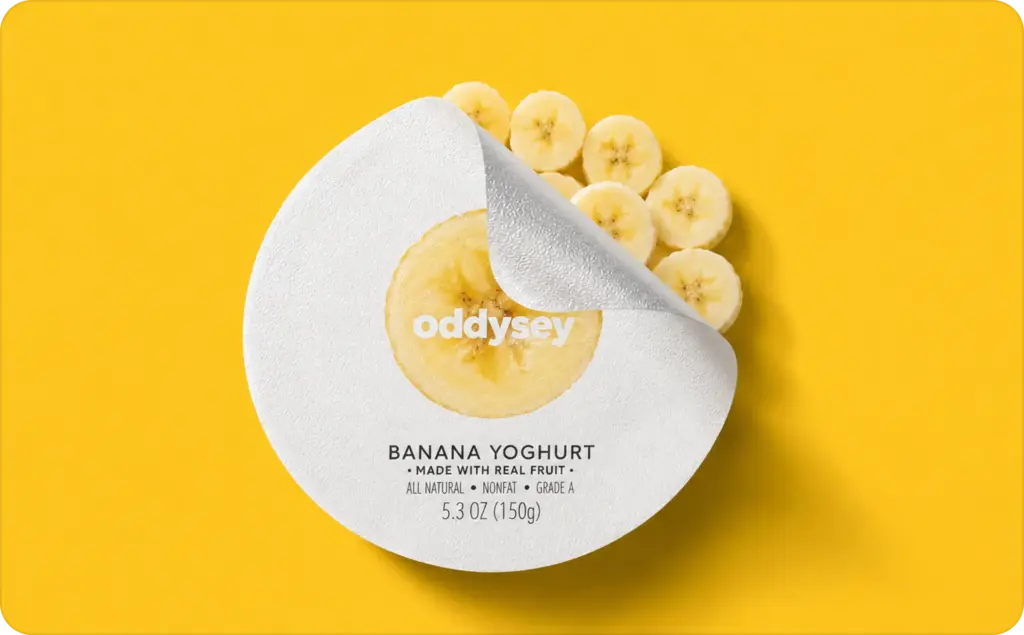
What are Nano Banana prompts for product ads?
Nano Banana prompts are written instructions for the Nano Banana and Gemini image workflow. They tell the AI what product ad to create or edit, including the product, scene, audience, camera angle, platform format, text, and rules it must follow.
People search for this as “banana ai,” “ai banana,” or “nano banana ai image generator.” I’ll use the official naming when explaining the tool, because clear naming helps when you are comparing models, saving workflows, or giving instructions to a teammate.
For product ads, the prompt should not say only “make it beautiful.” That is how you get a glossy image where the bottle looks premium, but the label now sells moon cream. Google describes Nano Banana Pro as built for studio-quality designs, improved text rendering, stronger control, and up to 4K outputs, so product ad prompts should be written for brand control, not just pretty AI art.
How to write Nano Banana prompts that work for ads
The best ad prompt is not long. It is complete.
I use this formula:
Product + audience + ad goal + scene + camera + lighting + format + text + brand rules + negative instructions.
That sounds like a lot, but it can fit into one paragraph. The point is to remove the model’s guesswork. If you do not say the product must stay unchanged, the AI may “improve” your packaging. If you do not name the format, you may get a lovely wide image that dies a tiny death inside Instagram Stories.
Google’s Nano Banana Pro prompting guide recommends specific details such as subject, composition, action, location, and style, then refining with aspect ratio, camera, lighting, text integration, factual constraints, and reference inputs. That maps neatly to product ads: subject becomes product, action becomes ad goal, and factual constraint becomes “do not lie about my product.”
Here is my simple rule for all Nano Banana models: write the prompt like you are briefing a good junior designer who has never seen your brand before. Good prompt writing gives the model a box to work inside. The box is where your ad gets usable.
The 10-part product ad prompt formula
Use this checklist when writing best Nano Banana prompts for ads:
- Product: name, color, material, packaging.
- Audience: who should want this?
- Offer or ad goal: sale, launch, benefit, trial.
- Scene: where the product lives.
- Camera angle: close-up, flat lay, hand-held, shelf shot.
- Lighting: soft morning, studio, natural window.
- Platform format: 1:1, 4:5, 9:16, 16:9.
- On-image text: short headline or CTA.
- Brand rules: colors, logo, label, tone.
- What to avoid: distortion, fake claims, extra logos.
Bad prompt vs good prompt
Bad prompt:
“Make a nice ad for my lip balm.”
Better prompt:
“Create a 4:5 Instagram product ad for a vanilla lip balm tube on a bathroom shelf, soft morning light, clean beige background, readable headline ‘Soft lips in 7 days,’ no changed packaging, no extra logos.”
The first prompt asks for taste. The second prompt asks for an ad.
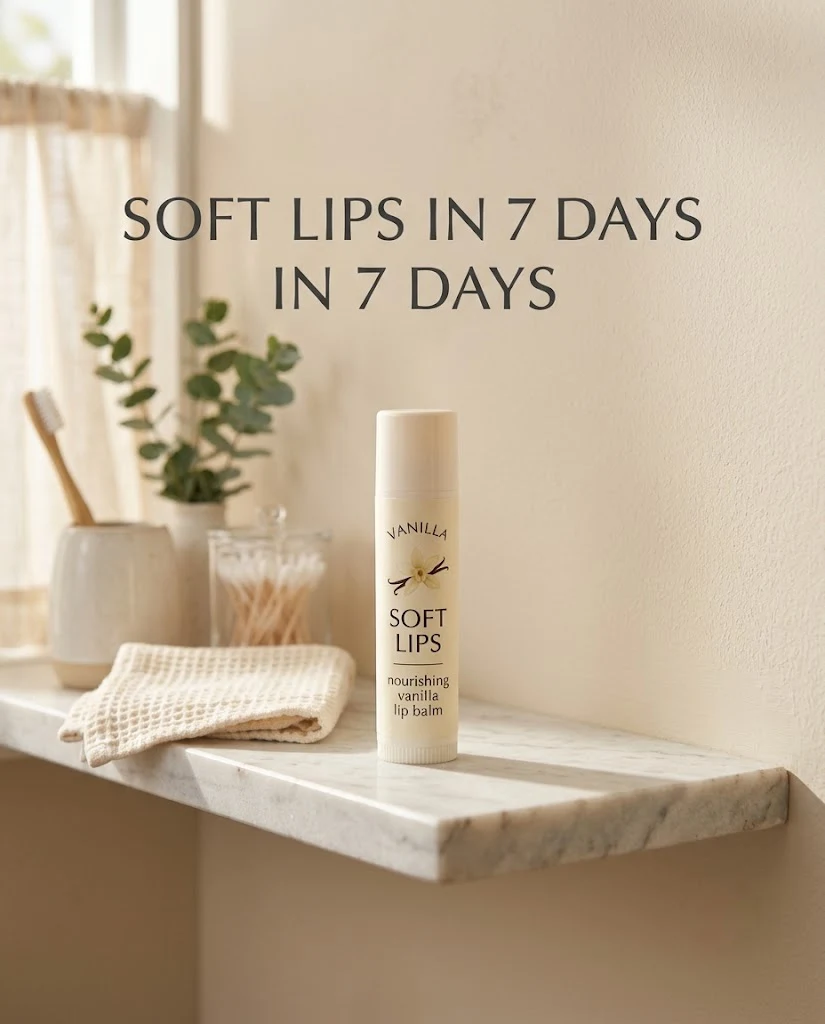
The first prompt asks for taste. The second prompt asks for an ad.
Best Nano Banana prompts for product ads: copy-ready templates
Use these templates as your prompt drawer.
A 2026 paper on multi-object advertisement creative generation notes that ecommerce ad images need to represent products authentically in realistic scenarios. That is exactly why every prompt below protects packaging, proportions, and key product details. Product ads do not get points for looking expensive if the product stops looking real.
Clean ecommerce product photo prompt
“Create a clean ecommerce product photo of [product] using [reference image]. Place it on a [white/neutral/light beige] background with soft natural shadows. Keep the exact label, shape, logo, color, material, packaging size, and proportions unchanged. No extra props unless specified. Output in [1:1 / 4:5] for [Shopify/Amazon/product page].”
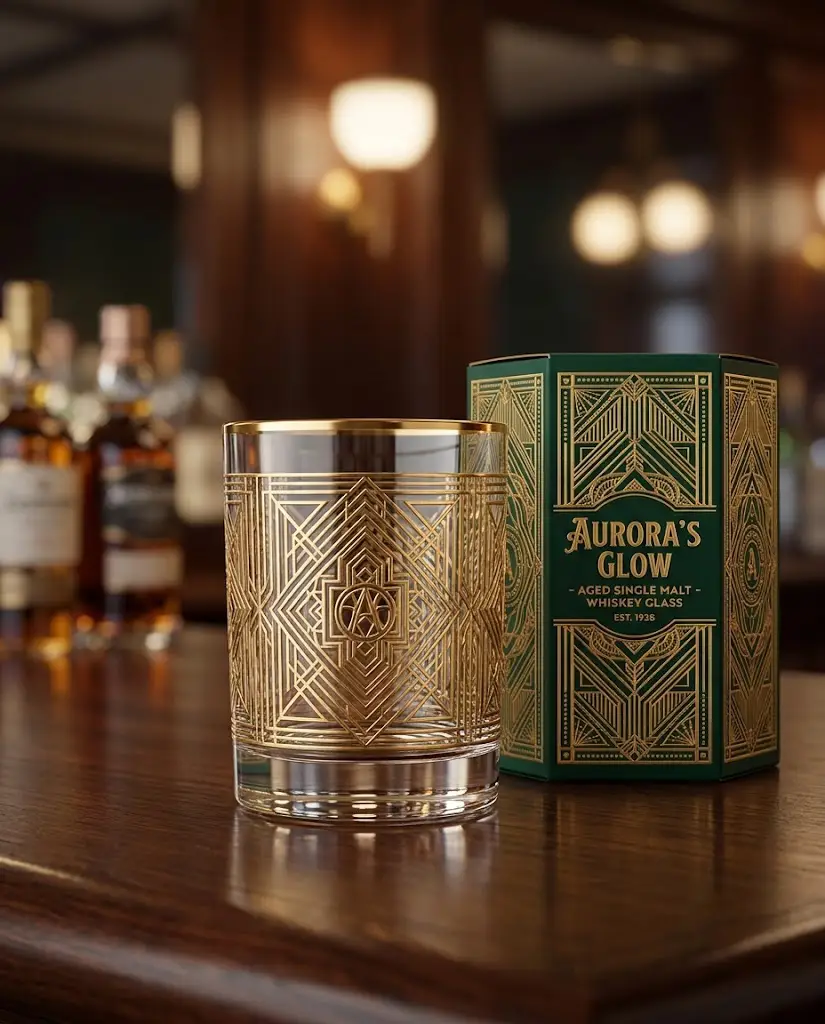
Lifestyle product ad prompt
“Create a lifestyle product ad for [product] for [audience]. Show the product in use in a [kitchen/bathroom/gym bag/desk/vanity/travel pouch/small apartment] scene. Keep the product as the clear hero in the foreground. Use [lighting style] and [brand color] accents. Do not hide, crop, distort, or redesign the product.”
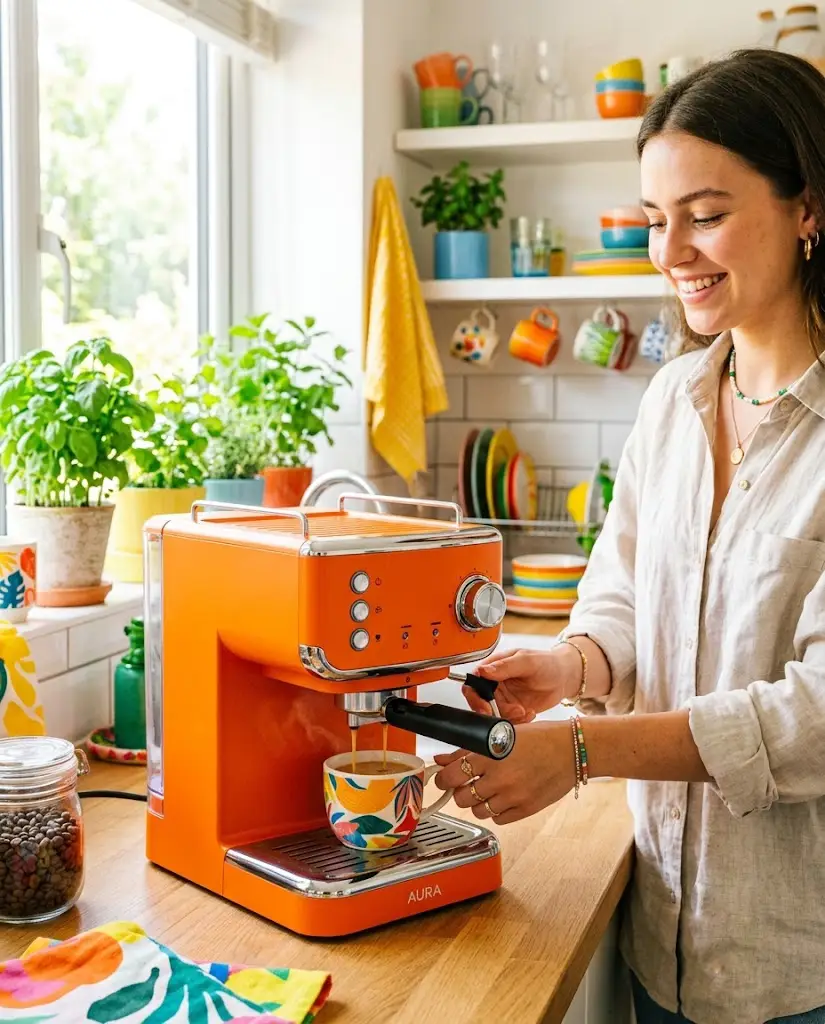
Text-on-image offer ad prompt
“Create a [Meta/Instagram/TikTok/Google Display] product offer ad for [product]. Use [reference image] as the exact product. Add short readable text: headline ‘[benefit or offer]’ and CTA ‘[CTA].’ Keep text large, simple, and high contrast. Use [brand color] and clean spacing. No tiny text, fake badges, or extra logos.”
Text can still fail, even in stronger models. Keep it short enough that a tired buyer can read it while scrolling with one thumb and half a coffee.

Seasonal product ad prompt
“Create a seasonal product ad for [product] for [season/event: Valentine’s Day/summer sale/back-to-school/Black Friday/holiday gifting/launch week]. Use [reference image] and keep packaging unchanged. Add subtle seasonal props that match [brand style]. Avoid clichés unless they fit the brand. Output in [platform format].”

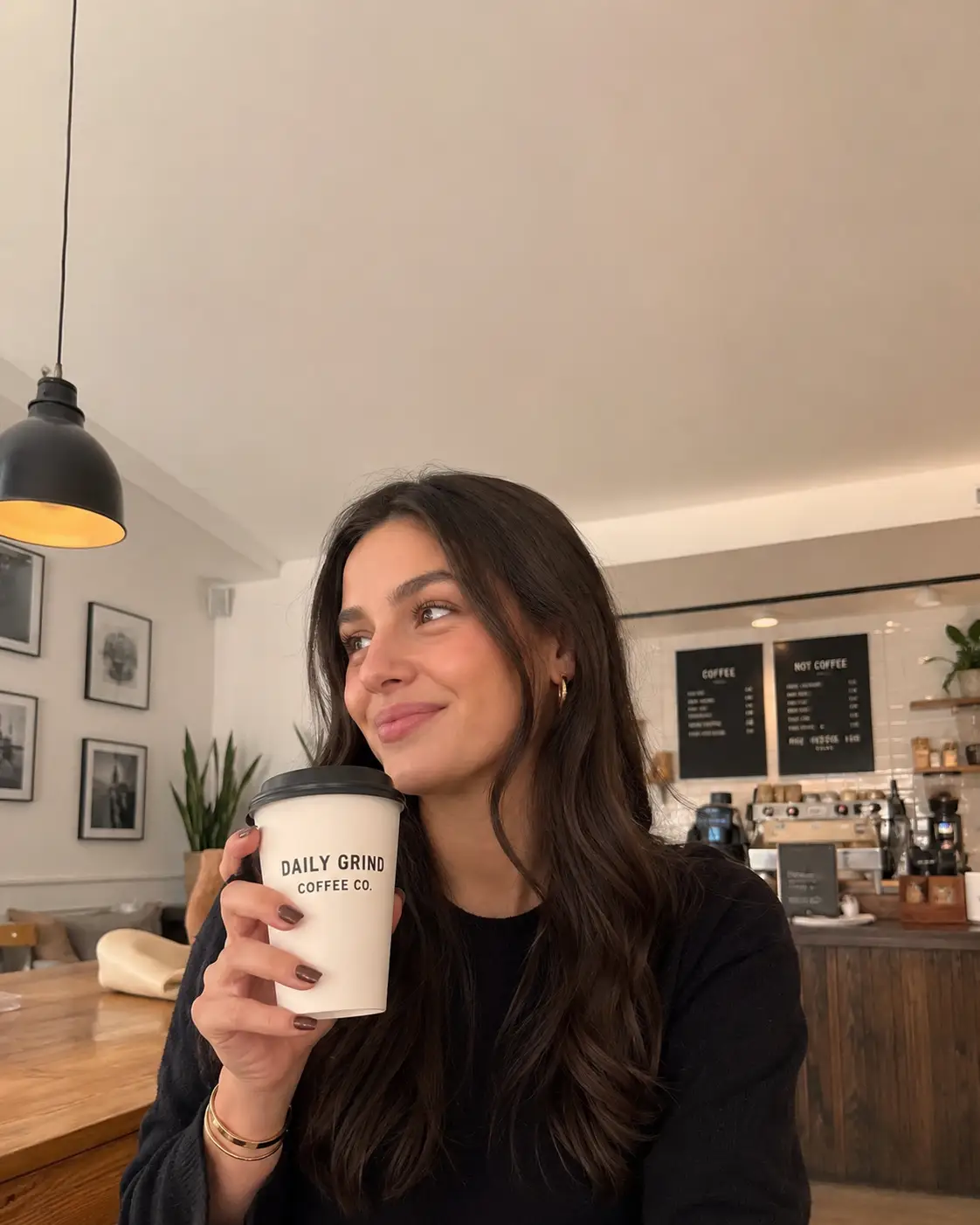
UGC-style product ad prompt
“Create a realistic UGC-style ad scene for [product]. Show [creator type] holding or using the product naturally in [setting]. Make it feel like a real phone-shot ad, not a luxury campaign. Keep the product label readable and unchanged. Add space for caption text at the top. Output 9:16 for TikTok/Reels.”
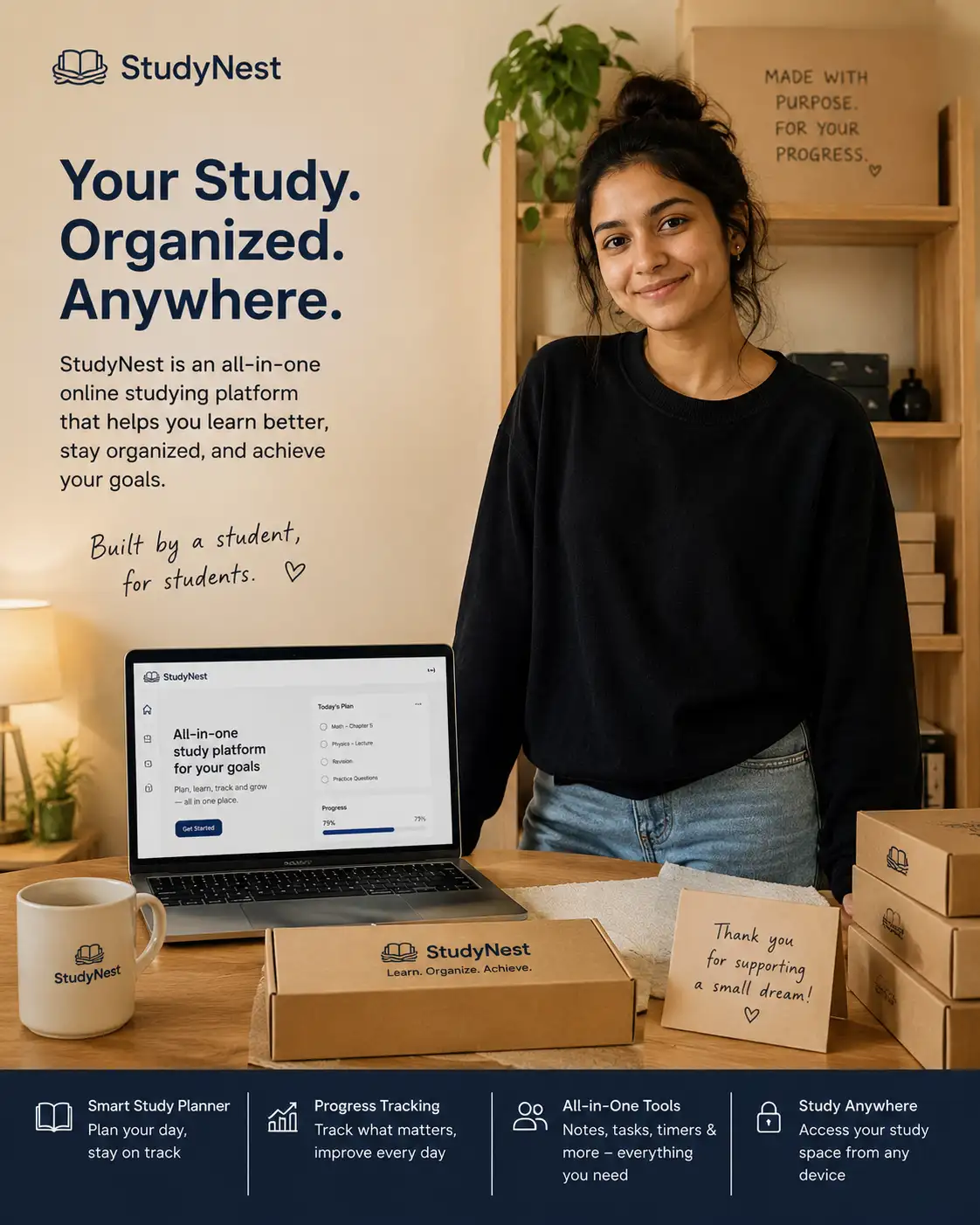
Founder-led product ad prompt
“Create a founder-led product ad for [product] using [reference image]. Show [founder/person description] standing beside a small packing table or product shelf. The mood should feel warm, credible, and small-business-owned. Keep the product as the visual focus. Do not over-polish the person or change identity details.”
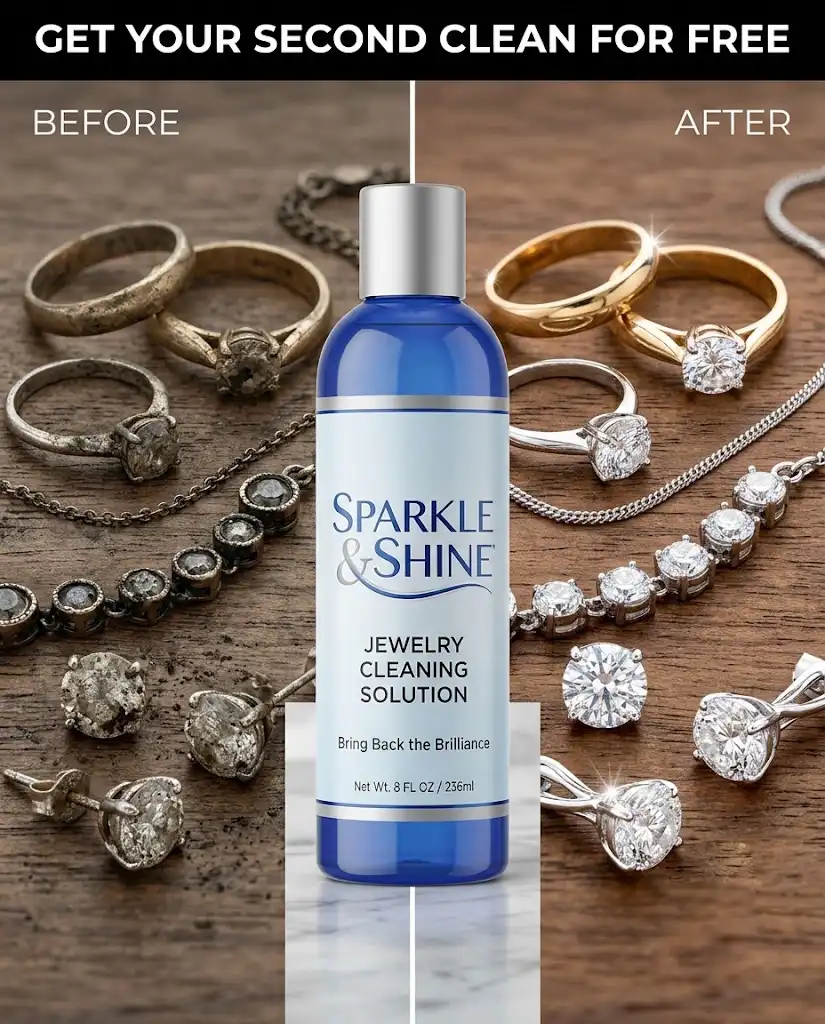
Before-and-after style prompt
“Create a split-screen product ad for [product] showing a realistic before-and-after use case. Left side: [before situation]. Right side: [after situation]. Keep the product centered and unchanged. Add short headline ‘[benefit]’ only. Do not imply medical, financial, or guaranteed results unless provided by the brand.”
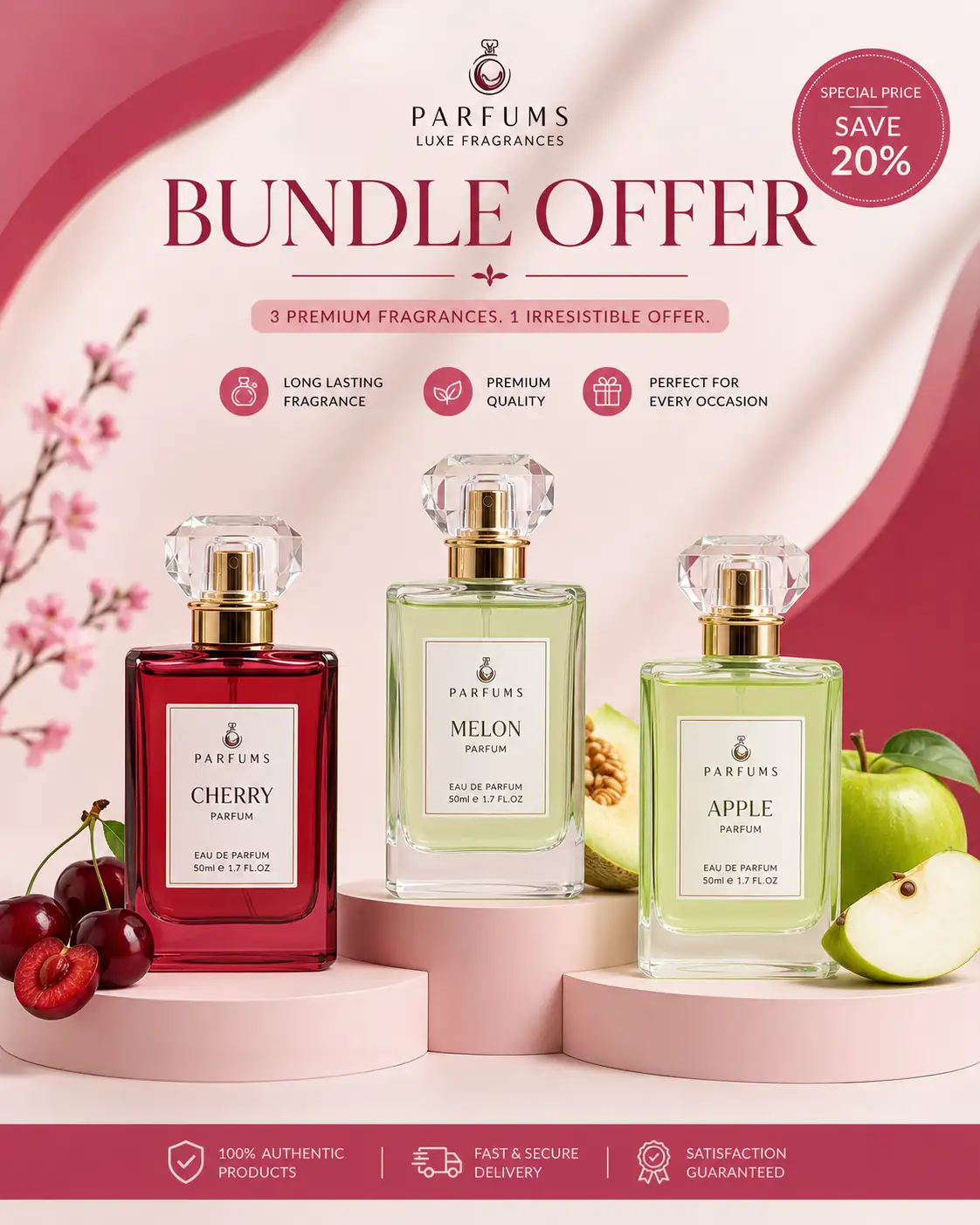
Bundle or kit ad prompt
“Create a clean product bundle ad for [bundle name]. Arrange [product 1], [product 2], and [product 3] from [reference images] in a balanced studio layout. Keep every label and size accurate. Add [brand color] background accents and headline ‘[bundle offer].’ No duplicate products, fake items, or unreadable labels.”
Social proof ad prompt
“Create a product ad for [product] with a clean review-style layout. Show the product on [surface/background]. Add readable text: ‘[short review phrase]’ and ‘[rating or proof if legally approved].’ Keep the design minimal and credible. Do not invent reviews, ratings, awards, certifications, or customer names.”

Have a product photo and five minutes? Try Zeely AI and turn it into ad creatives you can actually test.
Nano Banana prompts for photo editing
Nano Banana prompts for photo editing should sound like editing instructions, not wishes.
Do not write: “Make this photo better.”
That prompt is a tiny chaos goblin.
Write what you want changed and what must stay untouched. For product ads, useful edits include background replacement, lighting cleanup, crop expansion, shadow correction, prop removal, and format conversion. The product should remain the fixed point.
A 2026 Banana100 study created 28,000 degraded images across 100 iterative editing steps and found that quality can decay across repeated edits. That is your reminder to save originals, review each output, and avoid stacking twenty edits on top of a damaged version.
For product photo editing, I usually work one edit at a time:
“Replace the background with a clean beige bathroom shelf scene. Keep the product label, cap, bottle shape, logo, color, size, and material unchanged. Match lighting naturally. Do not add text.”
Then I inspect. Then I crop. Then I add text later if needed.
Small edits make better ads. Giant edits make weird soup.
Retouch without changing the product
Use this prompt:
“Retouch this product photo for an ecommerce ad. Improve lighting, remove dust, smooth the background, and add soft natural shadows. Keep the label, shape, size, logo, material, cap, packaging, and product color unchanged. Do not rewrite text on the packaging. Do not add props, claims, logos, or new design elements.”
This is the boring sentence that saves your ad. Boring is beautiful when it protects revenue.
Background swaps and ad formats
Use one raw product image to make several ad concepts:
“Using this product photo, create four ad-format versions: 1:1 feed, 4:5 Instagram ad, 9:16 Stories/Reels/TikTok, and 16:9 display ad. Keep the product unchanged. Use a [background style] scene with clean negative space for copy. Match shadows, scale, and lighting naturally.”
This is especially useful when you need Meta, TikTok, Stories, Reels, and display variants without rebuilding the scene every time.
How to write JSON prompts for Gemini Nano Banana
JSON prompts are not magic. They just make your instructions harder to forget.
Plain text works for one-off images. JSON works better when you need repeatable prompts for product catalogs, agencies, teams, or batches of ad variants. Each field becomes a creative control: goal, product, audience, reference image, scene, camera, text, constraints, negative prompt, and output format.
A 2026 SCHEMA paper for Gemini 3 Pro Image reported strong compliance with mandatory requirements and prohibitions in structured prompts, which supports using structured fields when product ads need repeatability. It does not mean JSON guarantees perfection. It means structure can reduce the “oops, forgot the label rule” problem.
Use JSON when several people touch the same workflow. Your designer, founder, media buyer, and VA can all fill the same fields. Fewer mysteries. Fewer “why is there a pineapple in the skincare ad?” moments.
Simple JSON prompt template
{
 "goal": "Create a product ad for [platform]",
 "product": "[product name, material, color, packaging]",
 "audience": "[target buyer]",
 "reference_image": "[upload or describe reference image]",
 "scene": "[setting and props]",
 "camera": "[angle, lens feel, crop]",
 "lighting": "[lighting direction and mood]",
 "text": "[short headline or CTA]",
 "constraints": ["keep label unchanged", "no extra logos"],
 "negative_prompt": ["no distorted product", "no unreadable text"],
 "output": {
   "aspect_ratio": "[1:1 / 4:5 / 9:16]",
   "style": "photorealistic product ad"
 }
}
When JSON is better than plain text
Use plain text when you need one quick concept.
Use JSON when you need consistency: catalog products, weekly ad tests, agency handoffs, influencer-style variants, or repeatable product launch creatives. JSON also helps when your prompt has strict “must do” and “never do” rules.
Nano Banana prompts for women-led product ads
Nano Banana prompts for women should not mean “make it pink and call it a day.”
Use this keyword around real buying contexts: women-led brands, women shoppers, female founders, creators, models, beauty, fashion, wellness, fitness, accessories, and home products.
The rule is simple: make the product the hero and the person believable.
Do not oversexualize. Do not reshape bodies. Do not erase skin texture. Do not turn every woman into the same glossy AI mannequin who looks like she was printed from a beige candle.
Better prompt direction looks like this:
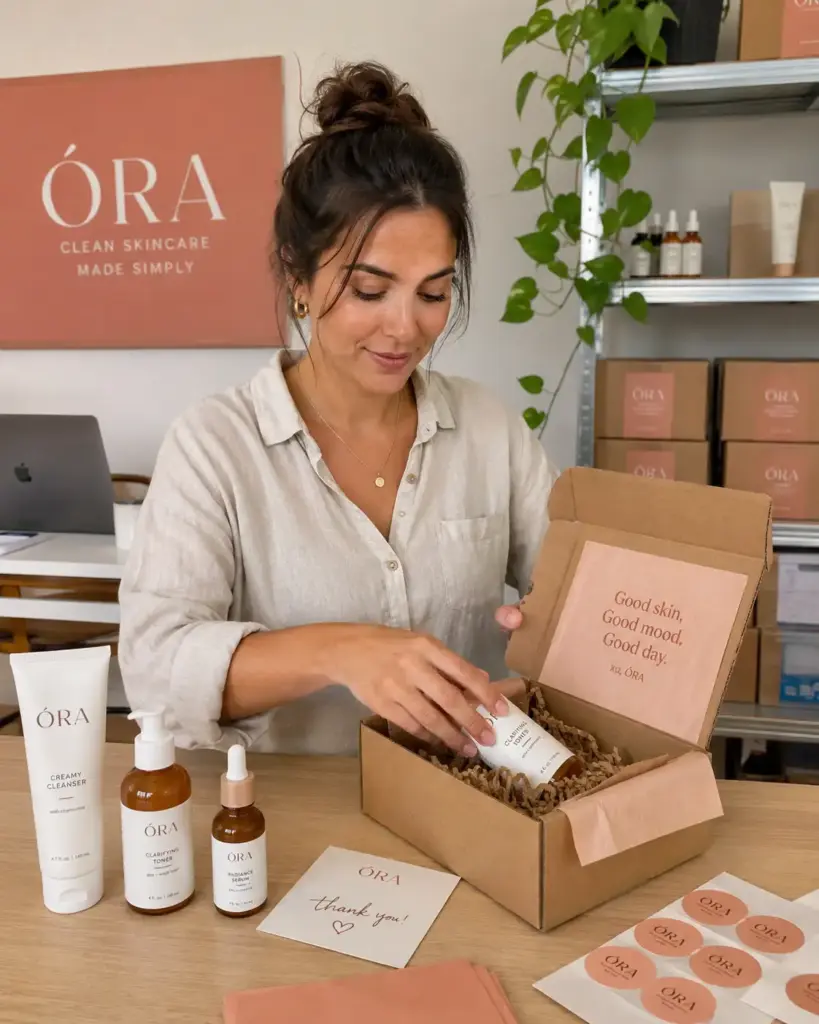
“Show a female founder packing skincare orders in a small studio, natural skin texture, relaxed expression, realistic lighting, product label readable, brand colors in the background.”
That gives the model a role, a scene, and boundaries. “Make it feminine” gives it a mood board from 2014 and a license to misbehave.
Prompt examples for beauty, fashion, and wellness
Skincare founder ad:
“Create a founder-led skincare ad for [product]. Show a female founder holding the product at a packing table, natural skin texture, warm daylight, label readable, packaging unchanged.”
Activewear UGC ad:
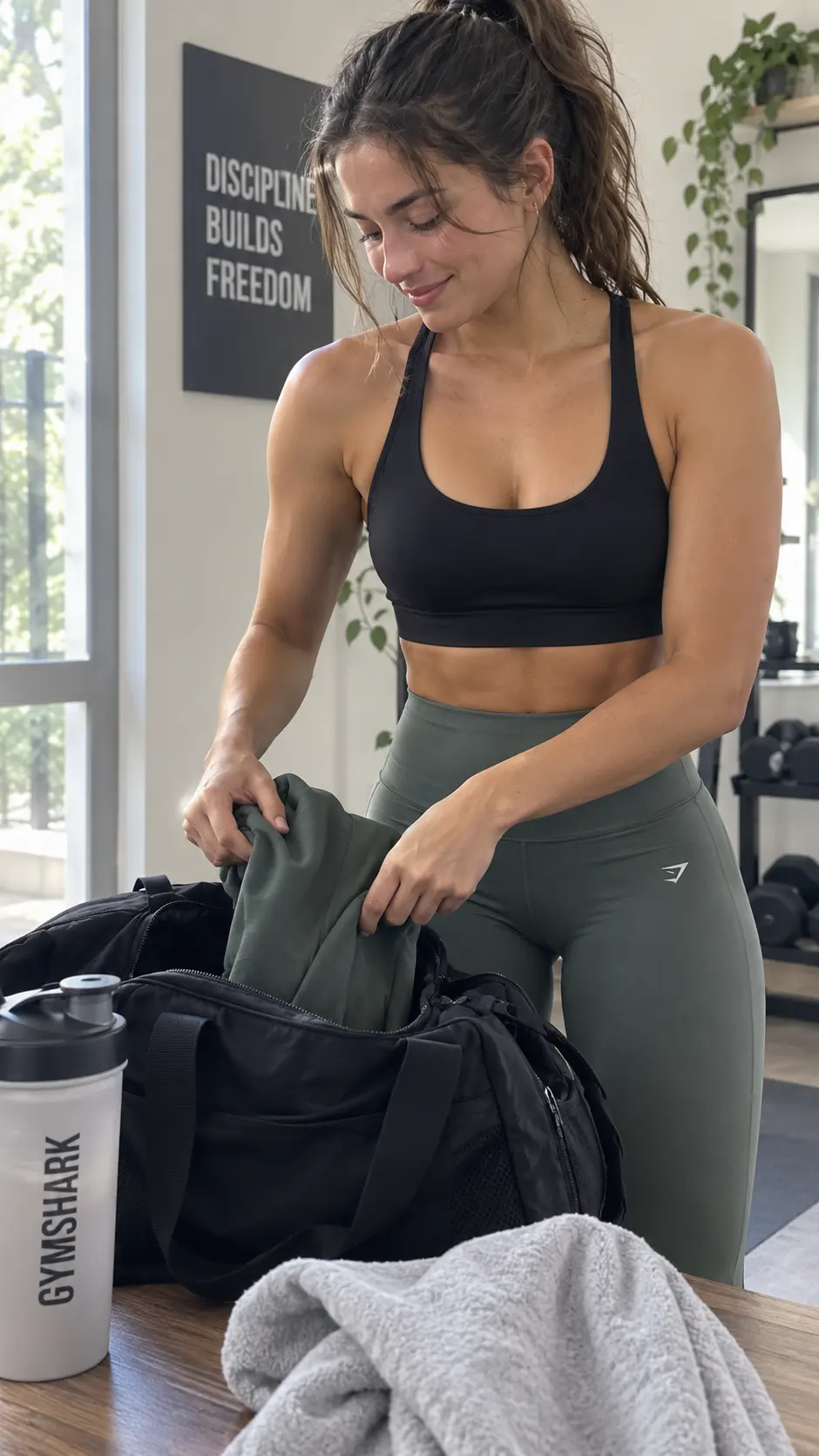
“Create a 9:16 UGC-style ad for [activewear product]. Show a woman packing a gym bag after a workout, product visible, realistic body proportions, natural lighting.”
Handmade jewelry product shot:
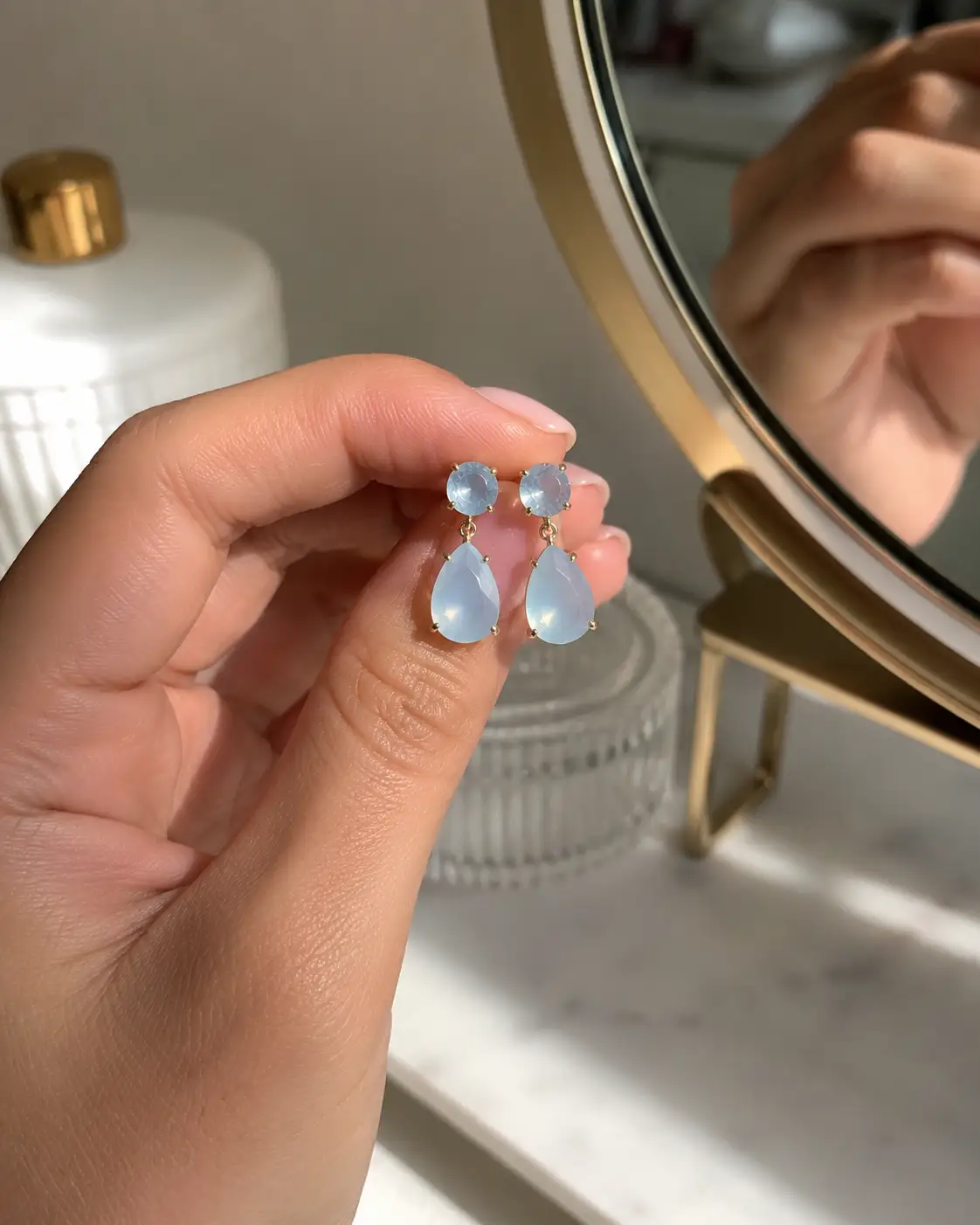
“Create a close-up ad for [jewelry product] on a real hand near a vanity mirror, soft shadows, natural skin texture, product as hero, no extra rings unless specified.”
Inclusive prompt rules
Use this checklist for inclusive AI prompts:
- Specify the person’s role, not just appearance
- Avoid body-changing requests
- Preserve identity in edits
- Ask for natural skin texture
- Name age range only when relevant
- Avoid lazy stereotypes like “feminine,” “boss babe,” or “pretty girl aesthetic” with no details
Good ads sell the product. They do not flatten people into plastic props.
How to use Nano Banana prompts in Gemini and Zeely
Business Insider reported in June 2026 that Disney was preparing a beta tool for AI-generated TV ads geared partly toward small and medium-sized advertisers, with customization and human oversight in the workflow. That is the bigger lesson for small brands too: AI can make ad creation faster, but you still need review before publishing.
Use Gemini for image generation and editing. Use Zeely when you want to turn the strongest product visuals into ad variants you can test.
Gemini prompt workflow
In Gemini, upload your product image when accuracy matters. Paste your prompt. Generate several versions. Inspect product details, text, hands, logo, label, shadows, and format. Revise one instruction at a time, then export the strongest asset. Limits can vary by account, subscription, region, and Google surface, so check your current Gemini interface before batch work.
Zeely workflow
When you have visuals, use Zeely to turn product shots into ad variants, match creative to your offer, and test formats faster. See how Zeely uses AI models for ad creation.
FAQ
Nano Banana prompts are instructions that tell Nano Banana what product image, edit, ad layout, or visual style to generate.
Write the product, audience, goal, scene, camera, lighting, format, text, constraints, and exclusions. That is the clean formula for effective product ad prompts.
Paste the prompt, upload a reference image when needed, generate, inspect, revise, and export. Keep exact UI steps light because Google surfaces change.
Do not plan around a fixed number. Nano Banana prompt limits can change by Gemini surface, account type, region, and plan. Check the current Gemini interface before batch work.
Yes, when the ad needs readable text, layout control, high-polish mockups, or stricter brand direction. For simple edits, regular prompts may be enough. Use Zeely’s model comparison when prompt choice depends on the creative job.

Emma blends product marketing and content to turn complex tools into simple, sales-driven playbooks for AI ad creatives and Facebook/Instagram campaigns. You’ll get checklists, bite-size guides, and real results, pulled from thousands of Zeely entrepreneurs, so you can run AI-powered ads confidently, even as a beginner.
Written by: Emma, AI Growth Adviser, Zeely
Reviewed on: July 30, 2026



